On this page
The best InVideo AI alternatives in 2026 are Revid for short-form videos with AI-generated scenes and direct publishing, Pictory for turning blog posts and webinars into stock-footage videos, and Fliki for voice-first videos. HeyGen fits avatar presenters, while Lumen5, Steve AI and Canva fit templated marketing and explainer content.
Don't pick by model menu: it barely separates these tools anymore. Google Veo, Seedance, Kling, Wan and MiniMax Hailuo are sold through APIs to many video apps, so the same prompt sent to the same model gives comparable clips almost anywhere. What really differs is what a tool starts from (a prompt, a blog post, a script, a presenter), how much you can fix after the render, and whether the finished video reaches your channels without another app.
Why people look for an InVideo AI alternative
InVideo AI is built around a chat-style agent: you describe the video, then edit it by typing commands instead of working on a timeline. It pairs that with a 16M+ stock library (with metered iStock assets on paid plans), a menu of third-party generation models, and AI avatars and voice clones from its entry tier, which starts at $20/month per seat.
That setup suits people who like to describe changes in plain language. The usual reasons to switch are about fit, not quality:
- You want to fix one scene by hand instead of re-prompting the whole video.
- You publish short-form video often and want posting and scheduling in the same tool.
- Your content starts from something else: a blog post, a webinar recording, a script you already wrote, or a presenter.
- You want generated visuals that don't look like stock footage.
InVideo AI competitors compared
This is not a ranking. Each tool wins a different job, so start from the column that matches how your videos begin.
| Tool | Best for | Starts from | Entry price | Free option |
|---|---|---|---|---|
| InVideo AI | Editing by chat commands | A prompt | From $20/month per seat | Free plan with watermark and weekly limits |
| Revid | Short-form videos with AI scenes, published directly | An idea, script, link, song or viral video | From $39/month ($32 billed yearly) | Free sign-up with free credits to try creation, no credit card |
| Pictory | Blogs, URLs and webinars into videos at volume | Text, a URL or a recording | From $29/month | Free trial, no permanent free tier |
| Fliki | Voice-first narrated videos | A script | From $28/month ($21 billed yearly) | Watermarked, 720p, 1-minute exports |
| HeyGen | Avatar presenters and video translation | A script and an avatar | From $29/month ($24 billed yearly) | 3 watermarked videos a month, up to 1 minute |
| Lumen5 | Article-to-video for brand marketing | An article, document or link | See Lumen5's pricing page | See Lumen5's pricing page |
| Steve AI | Animated explainers | A topic or a script | See Steve AI's pricing page | See Steve AI's pricing page |
| Canva | Occasional video inside a design suite | A template | Pro from €110/year | Free plan with 1.6 million+ templates |
Prices were checked on each tool's site in August and September 2026. Confirm them before you buy, since AI video plans change often.
1. Revid: short-form videos from an idea, a link or a proven format
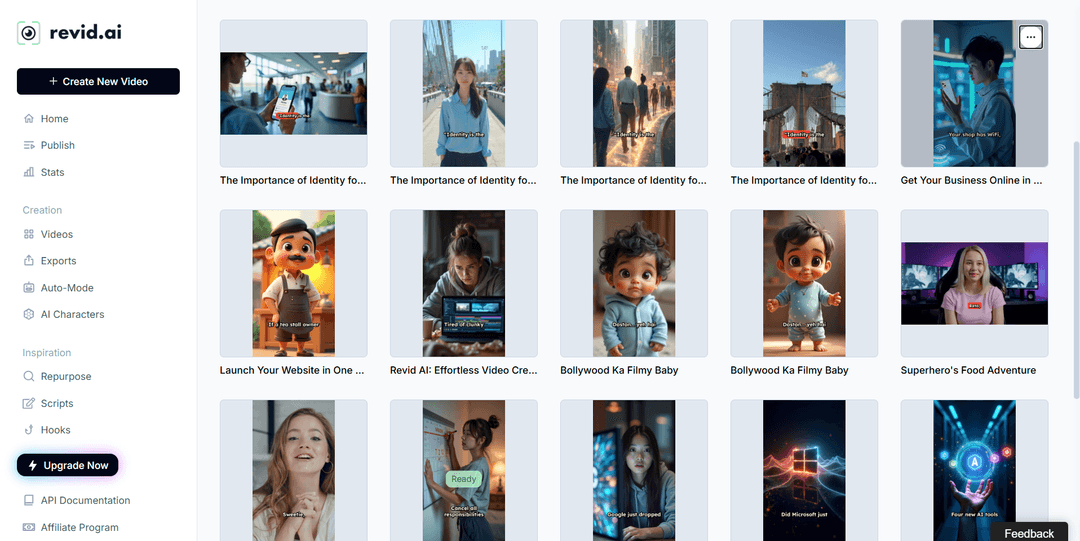
Revid turns an idea, a script, a link, a song or a reference video into a finished short-form video: the script, scene-by-scene visuals, a voice-over in 70+ languages, synced captions, music and export up to 4K. It then publishes or schedules the video to TikTok, Instagram and YouTube from one queue.
Where it differs from InVideo:
- Models per scene. Seedance 2.5, MiniMax Hailuo H3, Wan 3.0 and Google Veo 3 run under one credit system, and you choose the model scene by scene. In Revid's AI video model index of 713,649 production generations, MiniMax H3 Max Turbo had a 23-second median clip time, the fastest model Revid runs.
- A timeline editor. You fix or replace a single scene by hand instead of re-prompting the whole video.
- A start that isn't blank. Revid includes a searchable library of about 2.77 million real short-form videos and posts with their public engagement data. You pick a format that audiences already watch and turn it into an original video with options like "Same energy, new script" or "Make it about your topic".
- Automation. Auto-Mode workers create a fresh video every day (3 on Growth), and the API, MCP server and CLI come with every paid plan.
Where another tool fits better: long-form or cinematic work edited shot by shot, corporate training with a fixed presenter, or manual editing of your own footage only. For a feature-by-feature view, read the Revid vs InVideo comparison. Sign-up is free and new accounts get free credits to try it; paid plans start at $39/month (Growth, 2,000 credits). The live list is on Revid's plans and credits page.
Prompt to try
Make a 30-second vertical video on why octopuses are the smartest animals in the ocean. Open with the hook "This animal can solve puzzles with arms that think on their own." Use realistic underwater AI video scenes, a calm documentary-style voice-over and bold synced captions, ending with a question to drive comments.
How to make an InVideo-style video in Revid
- Open Revid's prompt to video tool and describe the video, or paste your script or a link.
- Or start from the viral library: open a video in your niche and choose "Make it about your topic".
- Pick the visual style, the AI model for each scene, a voice and one of 30 caption styles.
- Adjust any scene in the timeline editor, then export in 720p, 1080p or 4K.
- Publish now or schedule to TikTok, Instagram and YouTube.
As a guide, a 30-second video with Pro AI visuals and a voice-over costs about 40 to 80 credits, and Revid shows the estimate before you generate.
2. Pictory: blog posts and webinars into stock-footage videos
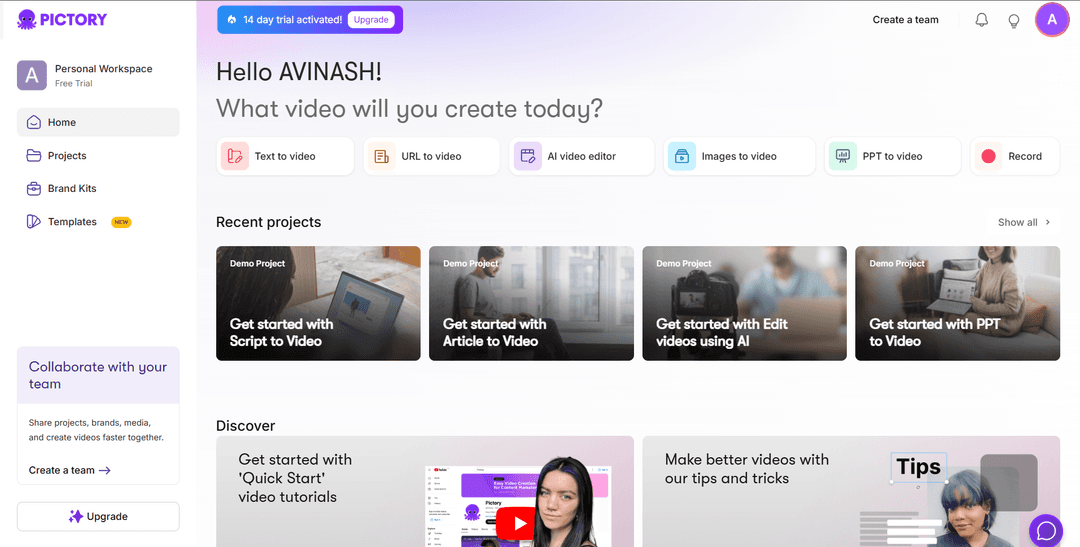
Pictory turns blog posts, scripts and URLs into videos at volume and auto-clips highlights from Zoom, Teams and webinar recordings. It draws on a 12M+ licensed stock library from Getty Images and Storyblocks, offers ElevenLabs voices on premium plans, and has a gentle scene-based editor plus an enterprise REST API and MCP server.
Pick it if your source material is text or recorded meetings and a stock-footage look is fine. Plans start at $29/month, with a free trial and no permanent free tier. If you want AI-generated scenes instead of stock, or vertical output tuned for TikTok, Reels and Shorts, see our list of Pictory alternatives.
3. Fliki: voice-first videos from a script
Fliki has the largest voice library in the category, with 2,000+ voices in 80+ languages and emotional delivery (laughing, sarcasm, deadpan) since its 2026 engine rebuild. It can run automated recurring TikTok series with direct publishing, and it holds a 4.3/5 Trustpilot score across 3,000+ reviews.
Pick it when the narration is the product: listicles, explainers, story channels. Plans start at $28/month ($21 billed yearly), and the free plan exports with a watermark at 720p, 1 minute maximum. The trade-off is visual: Fliki leans on stock slideshows, and its editor gives less scene-level control than a full timeline.
4. HeyGen: avatar presenters and video translation
HeyGen has some of the most realistic avatars and digital twins available, video translation with lip sync across 175+ languages, and real-time interactive avatars (LiveAvatar). It is rated 4.8/5 on G2 (Summer 2026).
Pick it when a person on screen is the format, or when you need to translate existing videos. The Creator plan starts at $29/month ($24 billed yearly), and the free plan gives 3 watermarked videos a month, up to 1 minute each. For scene-based short-form with generated visuals, music and publishing, it does less than an all-in-one tool.
5. Lumen5: articles into branded social videos
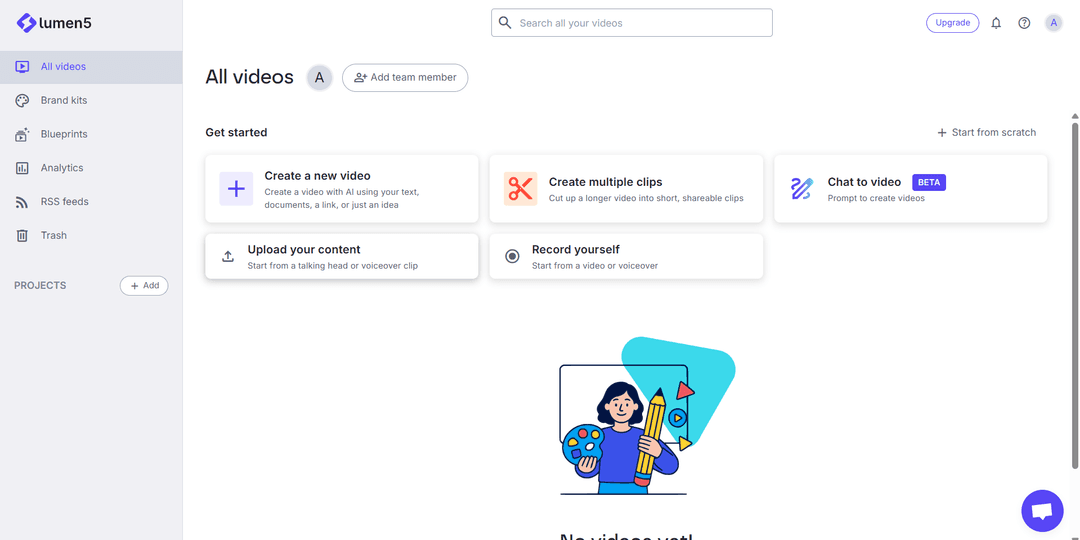
Lumen5 became popular for turning articles into social media videos. From its dashboard you can create a video with AI from text, documents, a link or an idea, cut a longer video into short clips, try a chat-to-video mode (in beta), and keep brand kits and RSS feeds for recurring content.
It suits marketing teams that want on-brand, template-led clips for LinkedIn and Instagram, and it is less suited to cinematic or AI-generated scenes. Check Lumen5's site for current plans, or compare Lumen5 alternatives. If you only need a narrated vertical video from a post, Revid's article to video converter does that job too.
6. Steve AI: animated explainers for beginners
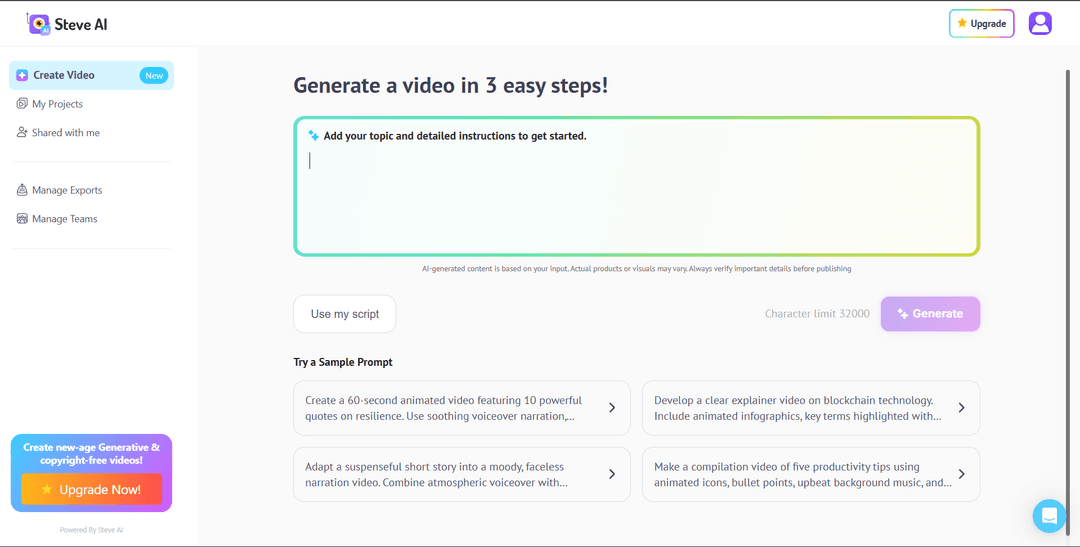
Steve AI focuses on explainer videos and animated, cartoon-style content. You type a topic with instructions or paste your own script, and its sample prompts lean toward animated quote videos, infographic explainers and faceless narration.
It is simple and beginner-friendly, which makes it a fair pick for teachers and teams that need quick animated explainers. It is not the tool for realistic footage. Check Steve AI's site for current plans, or see other Steve AI alternatives.
7. Canva: video inside a design suite
Canva covers graphics, presentations, documents, print and video in one tool, with the gentlest learning curve of this list. The free plan includes 1.6 million+ templates and a small AI allowance (up to 20 uses), and paid plans add short Veo 3 clips with synchronized audio inside your designs. Create a Video Clip is not available on the free plan, and Pro starts at €110/year.
Pick it if your team already designs in Canva and video is occasional. For daily short-form output, a generator built for video will save more time.
Which InVideo competitor should you pick?
- If you post short-form video several times a week and want research, creation and publishing in one place, use Revid.
- If your source is a blog post or a webinar recording and stock footage is acceptable, use Pictory (or Lumen5 for template-led brand clips).
- If the voice carries the video, use Fliki.
- If you need a person on screen or lip-synced translation, use HeyGen.
- If you want animated explainers with minimal setup, use Steve AI.
- If video is occasional and you already design in Canva, stay in Canva.
- If you like editing by typing commands and its stock library covers your needs, InVideo may still be the right tool.
For a wider field beyond InVideo-style tools, see our picks for the best AI video generators by use case.
FAQ
What is the best free InVideo AI alternative?
Canva has the most generous long-term free plan, though its Create a Video Clip feature needs a paid plan. HeyGen (3 watermarked videos a month) and Fliki (watermarked 720p, 1-minute exports) are good for testing, while Revid's sign-up is free and new accounts get free credits to try video creation, no credit card needed.
Is Revid better than InVideo?
For TikTok, Reels and Shorts, Revid does more: it adds a timeline editor, per-scene model choice, a library of about 2.77 million viral videos to start from, and direct publishing. InVideo remains a good fit if you prefer editing a video by typing chat commands.
What are the best Revid alternatives?
The best Revid alternatives depend on the job: Runway for single cinematic clips, OpusClip for cutting long recordings into clips, and Synthesia or HeyGen for presenter videos. We cover them in detail in our guide to Revid AI alternatives.
Can I still use Sora 2 in InVideo or other AI video tools?
No. OpenAI closed the Sora app on April 26, 2026 and removed all Sora 2 models from its API on September 24, 2026, so any comparison that still lists Sora 2 as an available model is out of date.