How to Boost Engagement on Facebook, Instagram and TikTok: 14 Hacks
14 specific tactics to get more comments, shares and saves on Facebook, Instagram and TikTok, with platform hashtag limits, where to find your analytics, and Revid's data on 176,367 TikToks.
On this page
To boost engagement on Facebook, Instagram and TikTok, hook viewers in the opening seconds, ask for one specific action, reply to comments within the first hour, use a few targeted hashtags (Instagram caps you at 5), and post short vertical video when your followers are online. The 14 tactics below show how.
Comments are the scarcest reaction you can earn. In Revid's analysis of 176,367 TikToks with 1,000+ likes posted between October 2025 and October 2026, videos drew 7.1 likes and 0.88 shares per 100 views, but only 0.08 comments. A post that never gives people a reason to reply leaves its rarest signal to chance, and most of the tactics below fix exactly that.
- Comments per 100 views on TikToks with 1,000+ likes, vs 7.1 likes
- 0.08
- Revid analysis of 176,367 TikToks
- Median TikTok views with 4 hashtags, the best of any hashtag count
- 77K
- Revid analysis of 176,367 TikToks
- Median views for TikTok challenges, vs 62K for tutorials
- 182K
- Revid TikTok data
- Marketers naming short-form video their top ROI content format
- 49%
- HubSpot, 2026
1. Start from a format that already worked
The fastest route to an engaging post is a format an audience has already rewarded, made your own. Copying gets you ignored or penalized. Adapting the structure gets you the proven part without the risk.
- Find candidates. Check TikTok's For You feed, Instagram's Explore page and Google Trends for your niche. Revid's viral video library lets you search about 2.77 million real short-form videos by topic, platform and engagement tier, with views, likes and shares side by side.
- Work out why it worked. Note the hook, the length, the pacing and the payoff. Revid's free deep analysis (up to 60 videos a day) breaks a video into its hook, timed structure and scroll-stopping moment, with ideas to adapt it to another niche.
- Change the substance, keep the skeleton. New topic, new script, new visuals, your voice. Keep the structure that held attention.
- Post while the format is still fresh, with hashtags that describe your version, not the original.
Copying has a real cost on Facebook. Since March 2026 it treats reaction-only reels, clip-stitching, narrating what's on screen, and reposts with only borders, captions or speed changes as unoriginal: they are deprioritized, and repeat offenders can be demonetized.
2. Hook viewers in the opening seconds
Nobody comments on a video they scrolled past. The first line on screen and the first words spoken decide whether anything else in this list matters.
Hook patterns that work on all three apps:
- The mistake: "You're using hashtags wrong on Instagram, and it's costing you reach."
- The open loop: "The third tip is the one nobody tells you."
- The callout: "If you sell on Etsy, watch this before your next listing."
- The specific result: "I changed one line in my bio and my DMs filled up." (Only if it's true.)
- The payoff first: show the finished result, then rewind to how you got there.
Say less up front. In Revid's TikTok data, videos with under 40 characters of speech had a 123K median and 20.2% passed 1 million views, versus 68K and 11.9% for videos that talk throughout. A short spoken line over strong visuals often beats a long intro. For more starting points, borrow from these TikTok hooks you can copy.
Prompt to try
Make a 25-second vertical TikTok for small Etsy sellers that opens with the hook "You're writing your Etsy titles wrong, and it's costing you sales." Show three quick fixes with bold on-screen text, fast cuts and an upbeat voiceover. End with: "Which fix are you trying first? Answer 1, 2 or 3."
3. Ask for one specific action
A generic "like and share" is easy to ignore. A specific, low-effort request tells people exactly what to do and why.
| Goal | Example call to action | Where to put it |
|---|---|---|
| Comments | "A or B? Answer with one letter." | On screen and in the caption |
| Shares | "Send this to the friend who still posts at midnight." | End of the video |
| Saves | "Save this for your next product launch." | On screen during the list |
| Follows | "Part 2 goes up tomorrow." | Last frame |
Decision rule: one call to action per post. Ask for a comment, a share and a follow at once and people do none of them. Match the ask to the content: comments for opinions and choices, saves for useful lists, shares for relatable or funny posts.
4. Write captions that start a conversation
The caption gives context and poses the question your call to action points to. A simple formula: hook line, one line of context, one question.
- Weak: "A great day at the beach."
- Better: "Sun, sand, or way too much sand? Tell us the beach you'd go back to tomorrow."
Length matters more than most people expect. In Revid's TikTok data, captions of 41 to 80 characters had the best median (67K views), while videos with no caption had 36K. Instagram allows up to 2,200 characters, but the first line is what people read before tapping "more", so put the question there. If you're stuck, an Instagram caption generator can draft variations for you to edit.
5. Use the right number of hashtags on each platform
Hashtags tell each app what your post is about and who should see it. The right number differs by platform.
| Platform | How many | Why |
|---|---|---|
| Up to 5 | Instagram's limit: with more than 5, the caption or comment won't post | |
| TikTok | 3 to 4 | Best median views in Revid's TikTok data |
| 1 to 3 | Hashtags matter less here, and a few keep posts clean |
On TikTok, more is not better. In Revid's analysis of 176,367 TikToks, posts with 4 hashtags had the best median (77K views, 13.4% past 1 million), 3 hashtags had 75K, no hashtags 51K, and 9 or more only 16K. The sample only includes videos that already reached 1,000+ likes, so read it as what strong posts have in common, not a guaranteed cause.
Posts with 3 or 4 hashtags earned the most views. Captions stuffed with 9 or more hashtags did worst of all, with median views cut by about 80%.
Source: Revid analysis of 176,367 TikToks with 1,000+ likes posted between Oct 1, 2025 and Oct 16, 2026 (61,203 creators)
Show the data
| Median views | Share that passed 1M views | |
|---|---|---|
| None | 51.1K | 9.8% |
| 1 | 64K | 11.8% |
| 2 | 71.3K | 12.7% |
| 3 | 75.4K | 13.1% |
| 4 | 77.2K | 13.4% |
| 5 | 67.3K | 12.1% |
| 6 to 8 | 71.8K | 12.7% |
| 9+ | 15.6K | 7.8% |
Mix one broad tag, one or two niche tags and, if you have one, a branded tag (for a travel brand: #travel, #backpackerlife and your own). Check trending TikTok hashtags by niche before posting, and use a trending tag only when the video truly fits it.
6. Reply to comments in the first hour
Early replies turn one comment into a thread, and threads pull more people in.
- Block 30 minutes to an hour after posting to answer every comment.
- Reply with substance. "Thanks" ends the conversation. "Good point, how would you do it on a smaller budget?" keeps it going.
- Pin the best comment on TikTok and Instagram so new viewers see the conversation first.
- Answer with a video. On TikTok you can reply to a comment with a new video, which gives you your next post and rewards the commenter.
7. Use polls, quizzes and question stickers
A poll is the lowest-effort interaction there is: one tap. Instagram Stories have poll, quiz and question stickers, Facebook Stories support polls, and TikTok creators can collect questions with Q&A.
- Fitness: "Morning or evening workouts?"
- Food brand: "Sweet or savory breakfast?"
- SaaS founder: "Which feature should we ship next, A or B?"
Then close the loop: post the results and make your next video about the winning answer. People who voted come back to see what happened.
Videos posted between 3 and 6 a.m. Eastern earned the most views and passed 1M views most often. The evening slot most guides recommend (5 to 9 p.m.) was the weakest of the day.
Source: Revid analysis of 123,704 English-language TikToks with 1,000+ likes posted between Oct 1, 2025 and Oct 16, 2026
Show the data
| Median views | Share that passed 1M views | |
|---|---|---|
| 12a | 67.3K | 14% |
| 1a | 79.4K | 15.1% |
| 2a | 79K | 14.2% |
| 3a | 90.8K | 16.1% |
| 4a | 120.4K | 19.9% |
| 5a | 93.5K | 16.7% |
| 6a | 97K | 17% |
| 7a | 75.8K | 13.1% |
| 8a | 83.9K | 14.3% |
| 9a | 70.5K | 13.1% |
| 10a | 65.5K | 13.6% |
| 11a | 65.7K | 13.1% |
| 12p | 60.4K | 11.9% |
| 1p | 60.9K | 11.8% |
| 2p | 53.7K | 11.2% |
| 3p | 63K | 11.9% |
| 4p | 63.8K | 11.5% |
| 5p | 55.6K | 11.1% |
| 6p | 55.3K | 11.5% |
| 7p | 50.4K | 11% |
| 8p | 60.5K | 12.3% |
| 9p | 62.2K | 13.1% |
| 10p | 62.3K | 12.6% |
| 11p | 67.2K | 13.3% |
8. Post when your followers are online
Early engagement comes from the people who see a post first, so publish when your audience is actually scrolling. Generic best-time charts are a starting point at most; your own analytics are the answer.
| Platform | Where to find active times |
|---|---|
| TikTok | TikTok Studio > Analytics: the Viewers tab shows when viewers were most active over the last 7 days, and the Followers tab breaks activity down by hours and days |
| Insights in the Professional Dashboard: most-active times need at least 100 followers and cover up to the past 90 days | |
| Professional Dashboard, or Meta Business Suite for Pages |
For TikTok, Revid's data cuts against the usual post-in-the-evening advice. Among English-language TikToks in our viral TikTok study, posts at 3 to 6 a.m. US Eastern had the highest median views and 5 to 9 p.m. the weakest, and Saturday had the best median (70K). Those early US hours are daytime in the UK, Europe, India and Asia, so treat this as a slot to test against your own audience data, not a rule.
Prompt for a series
Create episode 1 of a "Quick Tips Tuesday" series for a home fitness account: a 15-second vertical video with the hook "One stretch that fixes desk-job back pain." Use clean stock footage, large synced captions in the same colors every week and a calm voiceover. Close with "Part 2 goes up next Tuesday."
9. Make short vertical video your default
Short vertical video is now the main format on all three apps. Since June 2025, every new Facebook video is shared as a reel. Instagram Reels can run up to 20 minutes, but reels longer than 3 minutes are not recommended to non-followers. TikTok accepts uploads up to 60 minutes. Marketers see the payoff: short-form video was the top ROI-driving content format in HubSpot's 2026 State of Marketing Report, cited by 49% of marketers (more in our short-form video statistics).
Length matters less than people think. In Revid's 12-month TikTok study, every length bucket from under 15 seconds to 10 minutes had a median between 58K and 76K views, but videos under 15 seconds had the most shares per view (1.41 per 100). Rule of thumb: if you want shares, cut it short; if you're teaching, take the time the lesson needs.
Three habits that compound:
- Build a series ("Quick Tips Tuesday", Part 1 and Part 2) so viewers have a reason to follow.
- Keep a consistent look: the same caption style, colors and opening line make your posts recognizable in the feed.
- Test ideas with Instagram trial reels. They go to non-followers first, insights arrive within 24 hours, and they don't affect the ranking of your standard reels. You need a public account with 200 followers (professional) or 1,000 (personal).
How to make these videos with Revid
If filming every day is the bottleneck, Revid can produce the videos from a topic, a link or a proven format:
- Search the viral library for your topic and open a video with the kind of engagement you want.
- Choose "Make it about your topic" to apply its hook style and pacing to your niche, or start from a prompt in the AI TikTok video generator or the AI Reel generator.
- Revid writes the script and builds the visuals, voice-over (70+ languages), synced captions and music; adjust anything in the timeline editor.
- Publish or schedule to TikTok, Instagram and YouTube from one queue, then check each post's views, likes and comments. For Facebook, export the file and upload it as a reel.
10. Join trends early, with your own angle
Trends hand you a ready-made audience, but only while they're rising. Check TikTok trends today and the For You feed for formats, sounds and hashtags gaining speed, then ask one question: what can my account add that nobody else can?
- A day-in-the-life trend becomes a behind-the-scenes look at how your orders get packed.
- A comedy format becomes a joke about your industry's daily frustrations.
Format choice shapes reach. In Revid's TikTok data, challenges had a 182K median and comedy 155K, against 62K for tutorials. If you teach, wrap some lessons in a comedy or challenge frame. If a trend peaked weeks ago, skip it.
11. Use a Facebook Page and a Group for different jobs
A Page and a Group earn different kinds of engagement, so give each a job.
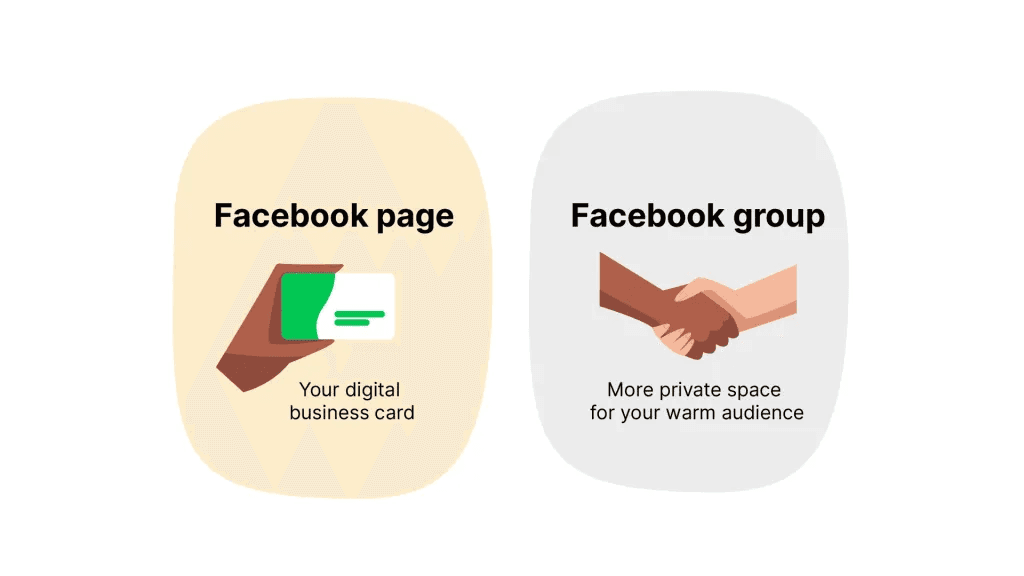
- Page: your public storefront. Use it for announcements, launches, reels and anything you want to reach people beyond your followers, organically or with ads.
- Group: a members' room for your warmest audience. Members post, ask and answer each other, which produces the back-and-forth a Page rarely gets.
To run both, post questions, weekly challenges and behind-the-scenes updates in the Group, link the Group from your Page with a clear reason to join, and share the best Group discussions back on the Page (with members' permission) to bring in new members.
12. Repost user-generated content, with permission
Content from real customers is social proof your own posts can't fake. In Bazaarvoice's Shopper Experience Index (November 2024), 65% of global shoppers said they rely on UGC such as ratings, reviews, photos and videos in their buying decisions (more in our UGC statistics).
- Ask first, credit always. In MASV's 2024 survey, 47% of creators whose content had been used by brands said it was used without permission. Don't be that brand.
- Give people a hashtag to post with, so you can find their content.
- Spotlight your regulars in Stories or a monthly roundup. Being featured is a strong reason to keep engaging.
13. Collaborate with creators who share your audience
A collaboration puts your post in front of someone else's engaged followers.
- Pick on audience fit, not follower count. Read their comments: real questions and conversations beat a long scroll of one-word replies.
- Consider smaller creators. They often cost less and know their followers well; judge them by their comment sections.
- Co-create instead of paying for a mention: a joint giveaway, a shared Instagram Collab post, a co-hosted TikTok LIVE (going live requires being at least 18 and having 1,000 followers, though the threshold may vary by region), or a Stitch or Duet.
If you plan to earn from TikTok's Creator Rewards Program, note that Duets and Stitches are not considered original content there.
14. Track the metrics that match your goal
Engagement is only useful if you know which posts earned it and why.
| Goal | Metric to watch | Where |
|---|---|---|
| Conversation | Comments and replies | Post analytics on each app |
| Reach to new people | Views from non-followers | TikTok Studio, Instagram Insights |
| Useful content | Saves | Instagram and TikTok post insights |
| Word of mouth | Shares | All three apps |
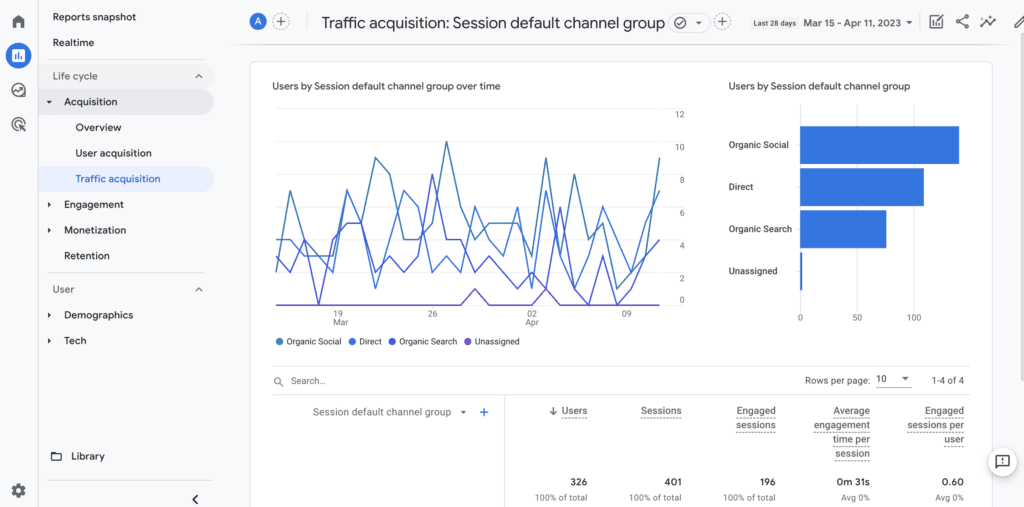
| Business results | Visits from social | Google Analytics 4 |
Instagram Insights now leads with Views (times your content was played or displayed) and reports Viewers (unique accounts) separately, so compare like with like.
Once a month, list your top 5 posts by your goal metric, note what they share (hook, format, length, topic, posting time) and make more of that. If videos beat photos, shift to video. If you sell something, check whether social posts actually send people to your site.
FAQ
What is a good engagement rate on TikTok and Instagram?
About 2.60% of followers on TikTok and 0.45% on Instagram Reels is average, according to Socialinsider's 2026 study of 69 million short-form videos (YouTube Shorts averaged 0.30%). Compare yourself with your own last 30 days first, since benchmarks vary widely by niche and account size.
Do AI-generated videos get less engagement?
Not on TikTok: in Revid's study of AI videos versus real footage, AI-generated TikToks averaged twice the views of real footage. On X, Instagram and Threads, AI visuals clustered in the lowest engagement tier, so on Instagram rely on a strong idea and hook rather than the visuals alone.
Can I post the same video on TikTok, Instagram and Facebook?
Yes, if it's your own original video. Upload the clean file to each app and adapt the caption, the hashtags (5 at most on Instagram) and the cover; what Facebook deprioritizes is reposting other people's content with only light edits.
Should you buy likes or followers?
No. Bought engagement comes from accounts that will never comment or buy from you, and it distorts the analytics you need to improve; TikTok's Creator Rewards Program also excludes fraudulent, paid and artificial views from earnings.
Sources
- Revid analysis of 176,367 TikToks with 1,000+ likes posted between Oct 1, 2025 and Oct 16, 2026 (61,203 creators)
- Revid analysis of 123,704 English-language TikToks with 1,000+ likes posted between Oct 1, 2025 and Oct 16, 2026
- HubSpot, 2026 Marketing Statistics, Trends & Data (2026)
Charts and figures checked on November 6, 2026.