How to Post a Video on Instagram from YouTube in 7 Steps (2026)
Repost your own YouTube video as an Instagram Reel in 7 steps: get the file, cut a moment of 3 minutes or less, crop it to 9:16, caption it and upload. Plus how to share the link instead.
On this page
To post a video on Instagram from YouTube, download your own video from YouTube Studio (or use the original file), cut a moment of 3 minutes or less, crop it to 9:16 vertical, add captions and upload it as a Reel. To share it without reposting, put the YouTube link in a Story link sticker or your bio.
The 3-minute part is the one most people miss. Instagram accepts Reels up to 20 minutes, but it does not recommend Reels longer than 3 minutes to people who don't follow you. A full-length YouTube upload pasted into Instagram reaches almost no one new, and a horizontal file shows up with black bars in a vertical feed. The steps below avoid both problems.
Three ways to get a YouTube video onto Instagram
| Method | Best for | What Instagram viewers see |
|---|---|---|
| Repost a clip as a Reel | Your own videos, with a moment that works on its own | A native vertical video that can be recommended to non-followers if it runs 3 minutes or less |
| Share the link in a Story | Sending people to the full YouTube video | A Story with a tappable link sticker, which expires like any Story |
| Put the link in your bio | A video you want to promote for weeks | A link on your profile that every caption can point to |
Decision rule: if one moment of the video delivers value on its own, repost it as a Reel. If the value only exists in the full video (a long tutorial, a full review), share the link and use a short Reel as the trailer.
How to post a video on Instagram from YouTube in 7 steps
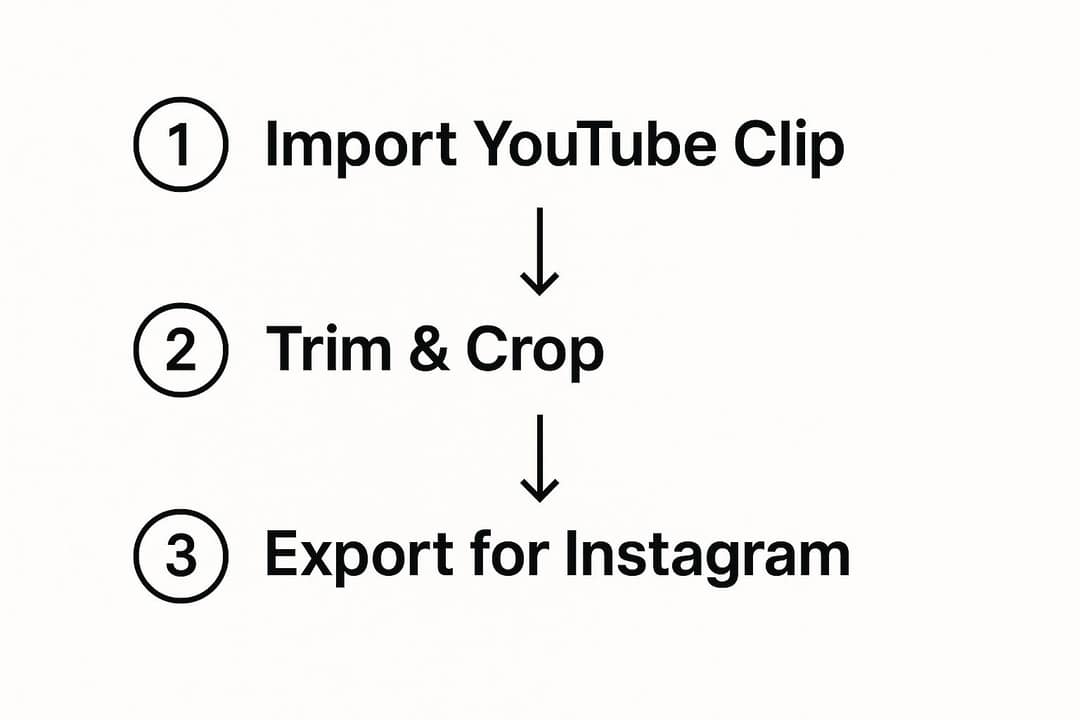
- Get the file. Use your original export if you still have it: it is the highest-quality copy. Otherwise, open YouTube Studio, go to Content, open the Options menu (three dots) on the video and choose Download. Skip third-party "YouTube to MP4" sites: YouTube's terms don't allow downloading without its permission, and Studio already gives you your own files.
- Pick one self-contained moment. A tip, a result, a reveal or a strong opinion that makes sense without the rest of the video. The section on choosing the clip below gives the criteria.
- Trim it to 3 minutes or less. That keeps the Reel eligible for recommendation to non-followers. Shorter is fine; the clip should end when the idea ends.
- Convert it to 9:16. Reframe the horizontal video to vertical, ideally exported at 1080x1920. A video resizer for 9:16 does the crop in the browser.
- Add burned-in captions. Many people scroll with the sound off. An automatic caption generator or Instagram's Edits app, which generates captions, both work.
- Upload it as a Reel. In the Instagram app, tap +, choose Reel, select the clip from your gallery, tap Next, make any edits, then tap Next again.
- Write the caption, add hashtags and a cover, then share. Use up to 5 hashtags (with more, the caption won't post), pick a cover frame or upload a 420x654 cover image before you share, and end the caption with a line such as "Full video on YouTube, link in bio."
If you have a professional account with at least 200 followers (or a personal account with 1,000), post the clip as a trial reel first. Instagram shows trial reels to non-followers only and reports results within a day. You can then share the trial reel to everyone, and a weak test doesn't affect your other reels.
YouTube vs Instagram Reels: the specs that change
| Spec | YouTube video | YouTube Short | Instagram Reel |
|---|---|---|---|
| Maximum length | 15 minutes by default, up to 12 hours for verified accounts | 3 minutes | 20 minutes (only 3 minutes or less is recommended to non-followers) |
| Shape | Usually 16:9 horizontal | Square or vertical | 1.91:1 to 9:16 accepted, 9:16 recommended |
| Text | Title up to 100 characters, description up to 5,000 | Title up to 100 characters | Caption up to 2,200 characters, up to 5 hashtags |
Instagram also requires at least 720 pixels of resolution and 30 FPS for Reels. Exports at 1080x1920 and 30 or 60 FPS clear both with room to spare.
How to convert a YouTube video to Instagram format
Converting YouTube to Instagram means reframing, not just resizing. A center crop from 16:9 to 9:16 keeps under a third of the original width, so anything near the edges of the frame disappears.
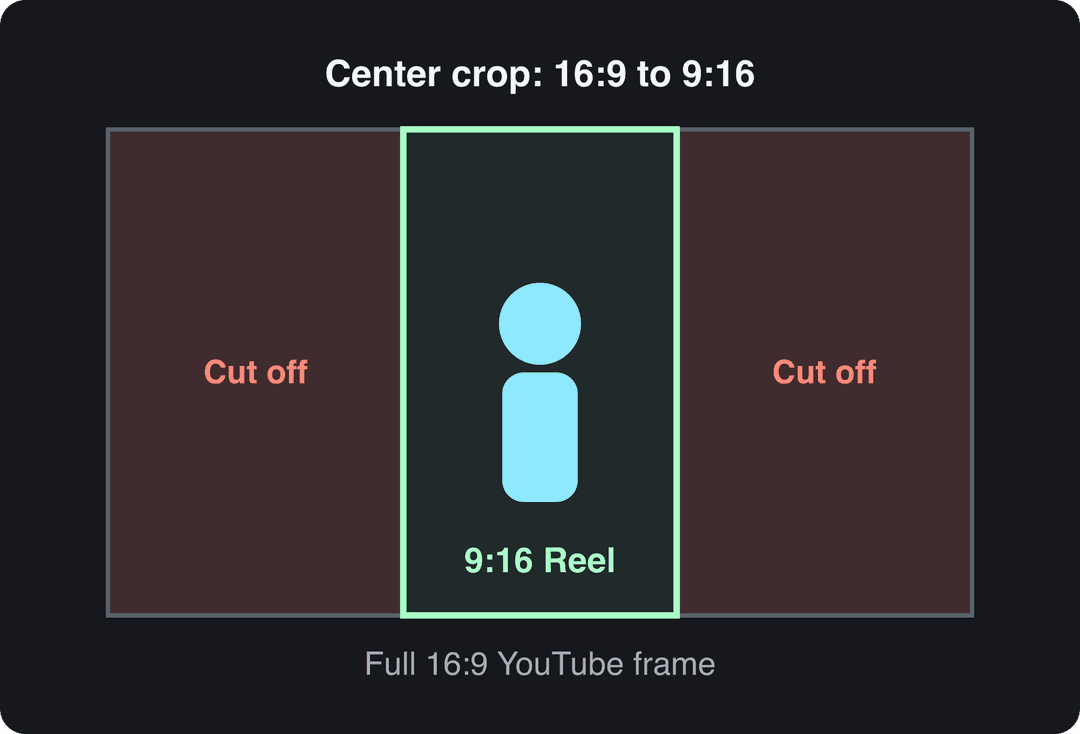
Pick the method by what is in the shot:
- One person or object in the middle: a straight center crop works.
- A subject that moves across the frame: pan the crop with keyframes so the subject stays in the vertical slice.
- Two people side by side, or a screen recording with detail: stack the two halves on top of each other, or keep the 16:9 frame in the middle and fill the space above and below with a title and captions. Never leave plain black bars.
Before you export, check that your captions and on-screen text stay clear of Instagram's buttons and caption area with an Instagram Reels safe zone template. Export as an MP4 with H.264, the safe choice for every platform.
Captions deserve their own pass. Keep them to two lines, large enough to read on a phone, placed in the middle third of the frame, and synced to the speech. The video below covers subtitle formatting rules that apply to Reels as well.
If the same clip is also going to TikTok, this overview of Instagram and TikTok crossposting tools compares apps that publish to both.
Which part of your YouTube video should become the Reel?
A YouTube video earns attention over minutes; a Reel has to earn it in the first three seconds. Look for a segment that:
- Opens on the point. Start on the claim, the result or the question, not on "so today we're going to...". Cut the lead-in.
- Holds one idea. One tip, one mistake, one before and after.
- Ends cleanly. The last line should complete the thought, not trail into the next chapter of the video.
- Works on mute. If the clip makes no sense without audio, captions or a text headline must carry it.
Don't obsess over the exact duration. In Revid's analysis of 176,367 TikToks with 1,000+ likes posted between October 2025 and October 2026, every length bucket from under 15 seconds to 10 minutes had a median between 58K and 76K views. Clips under 15 seconds had the lowest median (58K) but the most shares per view (1.41 per 100). This is TikTok data, and the sample only includes videos that already reached 1,000 likes, but it supports a simple rule: cut to the length the idea needs. The full TikTok virality study explains the method.
Length alone barely moves views: every bucket lands between 58K and 76K median views (the 790 videos over 10 minutes are a small, unusual group). Clips under 15 seconds get shared the most per view.
Source: Revid analysis of 176,367 TikToks with 1,000+ likes posted between Oct 1, 2025 and Oct 16, 2026 (61,203 creators)
Show the data
| Median views | Share that passed 1M views | Shares per 100 views | |
|---|---|---|---|
| Under 15 s | 57.6K | 11.6% | 1 |
| 16 to 30 s | 64.9K | 12.3% | 1 |
| 31 to 60 s | 61.8K | 11.8% | 1 |
| 61 to 90 s | 70.5K | 12.2% | 1 |
| 91 s to 3 min | 63.4K | 11.1% | 1 |
| 3 to 10 min | 76.4K | 12.4% | 1 |
| 10 min+ | 129.6K | 13.8% | 0 |
On Instagram specifically, shorter clips match audience habits: in Sprout Social's 2026 Content Strategy Report, 52% of social media users said they are most likely to interact with short-form video under 60 seconds on Instagram, while 19% favor videos longer than 60 seconds. The audience is also growing: Meta reported that Instagram Reels watch time grew more than 30% year over year in the US in Q4 2025 (more in our short-form video statistics). For other figures on how Reels are watched, see Teleprompter's roundup of Instagram Reels statistics.
A one-hour YouTube video usually holds several of these moments. Cutting it into a series of Reels is the core of a content repurposing workflow: one recording, a week of posts.
Prompt to try
Make a 30-second vertical Instagram Reel teasing my YouTube tutorial on fixing a slow laptop. Open with the hook "Your laptop isn't old, it's clogged", show three quick fixes with bold captions on screen, and end with "Full video on YouTube, link in bio." Clean tech style with fast cuts.
Posting a YouTube Short to Instagram
YouTube Shorts are the easiest case: a Short is already square or vertical and lasts 3 minutes at most, which is exactly the length Instagram recommends to non-followers. Download it from YouTube Studio and upload it as a Reel with steps 6 and 7 above.
Two checks before you post. First, text placed for YouTube's interface may sit under Instagram's buttons, so check it against the safe zone. Second, don't assume a sound you used from YouTube's audio library is cleared for Instagram: if the Short has licensed music, mute it and pick a track from Instagram's own audio library.
How to share a YouTube video on Instagram without reposting it
When you want people to watch the full video on YouTube, share the link:
- In the YouTube app, tap Share under the video, then Copy link.
- In Instagram, create a Story (a frame from the video or a screenshot works as the background).
- Add the Link sticker, paste the URL and give the sticker a short label such as "Watch the full video".
- Add the Story to a Highlight if you want the link to stay on your profile.
You can also paste the link in your bio or send it in a direct message. Links in Reel and post captions are not clickable, which is why "link in bio" exists.
Can you post a YouTube video that isn't yours?
Only with the creator's explicit permission, and with credit in the caption. Without it, share the link in a Story instead of uploading the file. Our guide to reposting a YouTube video on Instagram covers permission requests and credit formats in detail.
Turn a YouTube video into Reels with Revid
If you post clips from your own YouTube videos every week, steps 2 to 5 are where the time goes. Revid's YouTube to Instagram converter handles them:
- Paste the link to your YouTube video.
- The AI cuts it into vertical Instagram Reels with synced captions (30 caption styles).
- Adjust any clip, caption or cut in the timeline editor, then export in up to 4K.
- Publish or schedule the Reels to Instagram from the same publishing queue as your TikTok and YouTube posts.
Sign-up is free and new accounts get free credits to try video creation, no credit card needed; regular creation then uses the monthly credits of a paid plan, from $39/month. If you'd rather keep editing manually and only automate scheduling, compare options in Nextus's list of social media management tools.
Mistakes that cost reach
- Uploading the horizontal file as is. Black bars waste most of the screen. Reframe to 9:16.
- Posting the full video. Anything over 3 minutes is not recommended to non-followers.
- Leaving another app's watermark or logo on the clip. It tells viewers the video is a repost. Export a clean file; Edits exports without a watermark.
- Pasting the YouTube title as the caption. A keyword-stuffed title reads like a search listing. Write a caption that adds context or asks a question; the Instagram caption generator gives you drafts to edit.
- Using more than 5 hashtags. Instagram won't post the caption.
- Skipping captions. A spoken clip without text loses everyone watching on mute.
FAQ
Can I post a whole YouTube video on Instagram?
Yes, if it runs 20 minutes or less, but Reels longer than 3 minutes are only shown to people who already follow you. For anything longer, post the best 3-minute segment as a Reel and share the full video's link in a Story or your bio.
Can I upload a YouTube video to Instagram from my computer?
Yes. Download your video from YouTube Studio, then go to instagram.com in a browser, click Create, select the file and post it. Reframe it to 9:16 before uploading, since the desktop upload doesn't fix horizontal footage for you.
What resolution should a YouTube clip be for Instagram?
Export it at 1080x1920 (9:16) as an H.264 MP4. Instagram's minimum is 720 pixels and 30 FPS, so anything below that looks soft or may be rejected.
Should I say the clip comes from my YouTube channel?
Yes. End the caption with a line like "Full video on YouTube, link in bio", and put the YouTube link in your bio or a Story link sticker, because links in Reel captions are not clickable.