On this page
A talking baby AI generator turns one baby photo and a line of text into a video of that baby speaking in an AI voice, with the mouth synced to the words. Upload a clear, front-facing photo, type the line, pick a voice and generate. It takes minutes and no editing skills.
The mistake most people make is writing a speech. In Revid's analysis of 176,367 TikToks with 1,000+ likes posted between October 2025 and October 2026, videos with under 40 characters of speech had a median of 123K views and 20.2% passed 1 million, against 68K and 11.9% for videos with talking throughout. A talking baby works best when it delivers one line, not a monologue.
How to create a talking baby AI video, step by step
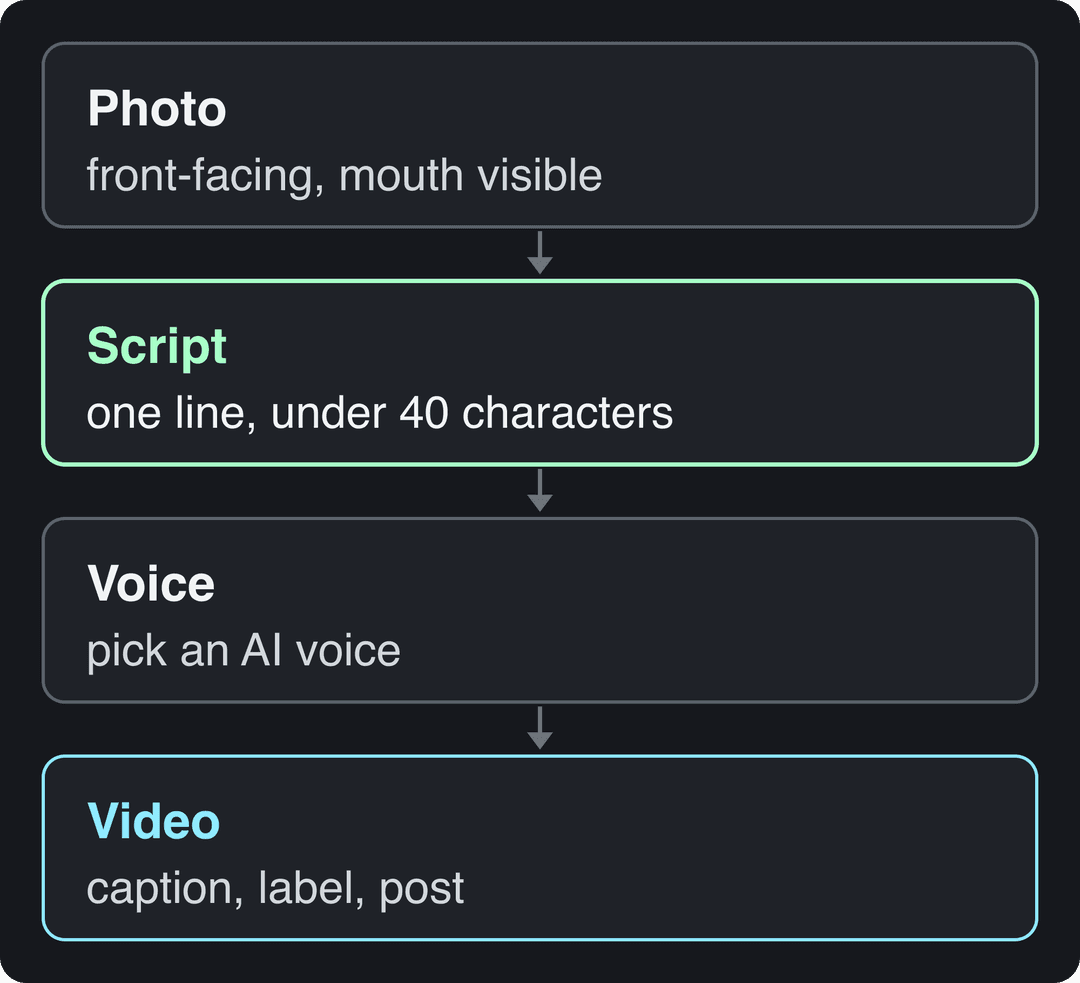
- Choose the photo. One baby, facing the camera, eyes and mouth fully visible, in even light. A blurry or side-on photo gives a blurry, side-on result.
- Write the line. One short sentence the baby could plausibly be thinking: a complaint, a reaction, a greeting. Aim for under 40 characters.
- Pick the voice. A light, slightly high voice reads as a baby. A deep, serious adult voice coming out of a baby is its own joke format. Choose on purpose, not by default.
- Generate and check the mouth. Watch the result full screen. If the lip sync drifts, shorten the line or use a sharper photo.
- Caption, label and post. Add burned-in captions so the joke lands with the sound off, turn on the AI label if the video looks realistic, and post it vertically.
Doing it in Revid
Revid's talking baby AI generator follows the same flow: you upload the baby photo as the speaker's avatar, write what the baby says, and Revid generates the talking video with an AI voice. Revid has 1,000+ AI voices in 70+ languages, synced captions in 30 styles, and export in 720p, 1080p or 4K. You can publish or schedule the finished video to TikTok, Instagram and YouTube from the same queue instead of downloading and re-uploading. Sign-up is free and new accounts get free credits to try video creation, no credit card needed; regular creation then uses the monthly credits of a paid plan, starting at $39/month (see current plans and credits).
What photo works best for a talking baby AI video?
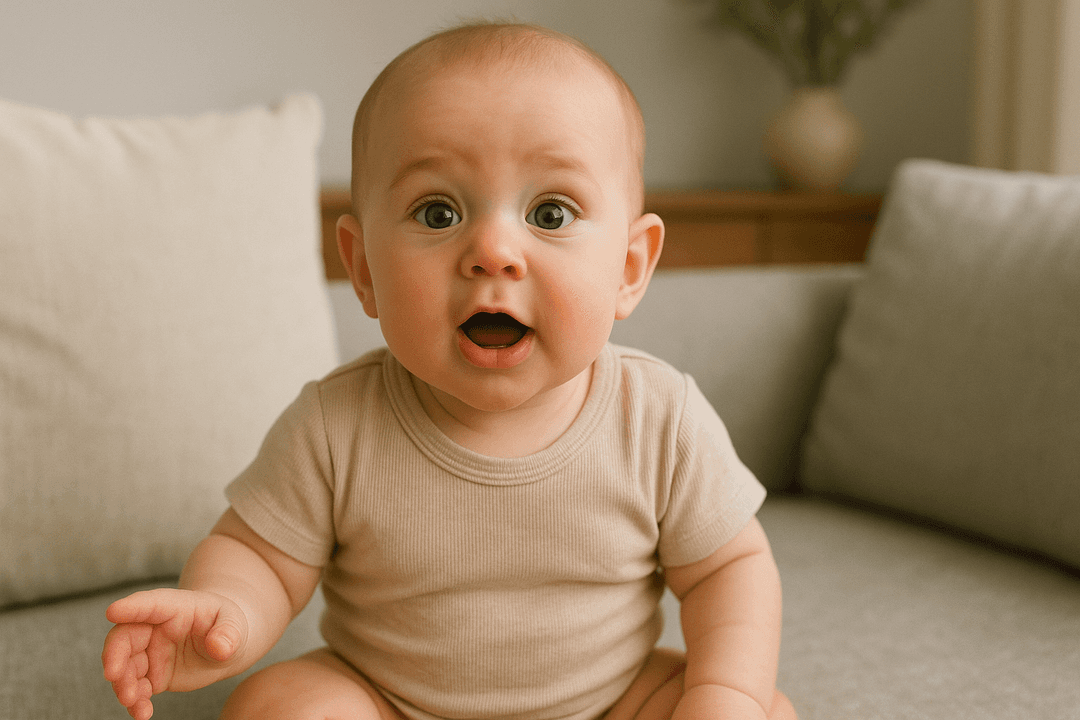
The AI can only animate what it can see. Most bad results trace back to the photo, not the tool.
| Do | Avoid | Why |
|---|---|---|
| Face the camera straight on | Profile or three-quarter angles | Lip sync needs both lips and both eyes in view |
| Soft, even light | Harsh shadows across the face | Shadows around the mouth make the animation jitter |
| Mouth fully visible | Pacifier, bottle or hands on the face | Anything covering the mouth gets warped |
| One face in the frame | Siblings or parents in the shot | A second face can confuse which one speaks |
| The original, full-resolution file | Screenshots of screenshots | Compression artifacts get exaggerated in motion |
For a toddler or an older child, the same photo rules apply. Only the voice should change.
How to write a talking baby script people watch to the end
The data above points one way: say less. In the same Revid study, even fully silent videos (73K median, 14.3% past 1 million) did better than videos with talking throughout. The sample only includes TikToks that already reached 1,000+ likes, so these numbers show what well-performing videos have in common, not a guaranteed cause. The method and every chart are in the full TikTok virality study.
Videos with just a few spoken words (a line or two) beat both silent videos and videos that talk the whole way through, which were the most common and the weakest.
Source: Revid analysis of 176,367 TikToks analyzed by AI, with 1,000+ likes posted between Oct 1, 2025 and Oct 16, 2026 (61,203 creators)
Show the data
| Median views | Share that passed 1M views | |
|---|---|---|
| No speech | 73.3K | 14.3% |
| Under 40 | 122.7K | 20.2% |
| 40 to 120 | 97.2K | 17.6% |
| 120 to 300 | 91.6K | 16.8% |
| 300+ | 67.7K | 11.9% |
Talking baby videos are also comedy by nature, which helps: comedy had a median of 155K views in the study, and 22% of comedy videos passed 1 million views, behind only challenges.
The structure that fits both findings has three parts:
- On-screen caption sets the scene ("When Dad says it's bath time").
- The baby delivers one line ("Absolutely not.").
- A beat of silence lets the joke land before the loop.
Prompt to try
Use my front-facing baby photo as the speaker. On-screen caption: "Trying broccoli for the first time". [baby] I did not sign up for this. Light, slightly high baby voice, bold burned-in captions, vertical 9:16, about 5 seconds with a short pause at the end.
Talking baby video ideas with sample lines
| Occasion | On-screen caption | Baby's line |
|---|---|---|
| Food reaction | Trying broccoli for the first time | I did not sign up for this. |
| Bedtime | Me at bedtime vs me at sunrise | Sleep is a scam. |
| Pregnancy announcement | Big news from our family | Heads up: I'm getting a sister. |
| Birthday | For Grandpa | Happy birthday. Nap first, cake later. |
| Holiday greeting | Our first holiday card | I already ate the wrapping paper. |
| Small business | My new bib vs spaghetti | It survived. Respect. |
To draft more variations fast, the free TikTok script generator writes hooks and short scripts from a topic. To see which baby formats audiences are watching right now, browse viral baby TikToks before you write.
Where do AI baby videos get the most views?
Post them on TikTok first. Revid's study of AI videos vs real footage found that AI-generated TikToks averaged twice the views of real footage, while on X, Instagram and Threads, AI visuals clustered in the lowest engagement tier. On Instagram, a talking baby clip is better treated as content for people who already know you (family, followers, DMs) than as a reach play.
What to look for in a baby AI video generator
Most searches for an "AI baby video maker" land on tools that do very different things. Check these before you commit time to one:
| Feature | What to check |
|---|---|
| Works from your own photo | Some tools only offer stock or cartoon babies; you want your photo to be the speaker |
| Lip sync quality | Generate one test line and watch the mouth at full screen |
| Voice choice | Several baby-like voices, plus other languages if your family speaks more than one |
| Captions | Burned-in, readable captions you can restyle |
| Vertical export | 9:16 output for TikTok, Reels and Shorts without re-cropping |
| Watermark and resolution | Free tiers often add a watermark or cap the resolution |
| Usage rights | Whether you may use the video in ads or client work |
| Publishing | Direct posting saves a download and re-upload for every clip |
Is there a free AI baby video maker?
Some tools advertise free plans, but free generation almost always comes with limits: a watermark, lower resolution, short clips or a small number of videos. On Revid, sign-up is free and new accounts get free credits to try video creation; after that, generation uses paid-plan credits, so you can see exactly what a video costs before you make it. If you only need one birthday clip, a free tier with a watermark may be enough; if you post every week, the watermark and resolution limits matter more than the price.
Can the same tool make other AI talking videos?
Yes. A talking baby is one use of an AI talking video generator; the same technique powers presenters, greetings and reactions. Revid's AI talking avatar creates a speaking presenter from any text or URL, and the birthday video message generator turns a few lines about someone into a personalized birthday video. If you want a public figure to speak, read the rules first in our guide on making AI videos of celebrities talking.
Labels, consent and platform rules for AI baby videos
A talking baby made from a real photo is realistic AI content, and every major platform has rules for it:
- TikTok requires you to label AI-generated content that contains realistic images, audio or video. TikTok says the label does not affect distribution if the video follows its Community Guidelines.
- YouTube requires disclosure (the "AI use" setting in YouTube Studio) when a video makes a real person appear to say or do something. A real baby photo made to talk fits that description. Cartoon-style babies and other non-realistic content do not need disclosure, and disclosing does not by itself limit reach or earnings.
- Instagram, Facebook and Threads require Meta's AI disclosure tool for photorealistic video that was digitally created or altered, and show an "AI info" label.
FAQ
How long should a talking baby video be?
As long as one line takes to say, plus a beat for the reaction. In Revid's TikTok study, length mattered far less than the amount of talking: every length bucket from under 15 seconds to 10 minutes had a median between 58K and 76K views.
Can AI baby videos make money on YouTube?
Yes, if each video shows real creative input. YouTube allows AI tools when the final video reflects the creator's creative vision, but it does not monetize mass-produced AI content built on generic templates, so a channel posting the same baby with a new line every day is at risk.
Can I use a photo of someone else's baby?
Only with the parents' permission. A realistic video of a real child saying something they never said is personal, and platforms also expect you to disclose it as AI.
Why does the baby's mouth look wrong in my video?
Usually because of the photo or the script. Use a front-facing, well-lit photo with nothing covering the mouth, and shorten the line, since long sentences give the lip sync more chances to drift.