On this page
To turn audio into video with AI, upload your track (MP3, WAV or a Suno link) to an AI music visualizer, choose beat sync or lyric sync and a visual style, then export in 9:16 for TikTok, Reels and Shorts or 16:9 for YouTube. The AI reads tempo and mood and cuts the visuals on the beat.
The steps are easy. The hard part is choosing the tool. When Revid scored 11 AI music video generators on 10 checks, only 5 made a full-length video from one song. The others give you short clips that you have to stitch together yourself. Only 3 (Revid, Solmi and CapCut) could post the finished video to social for you.
What is an AI music visualizer?
An AI music visualizer turns a sound file into moving pictures that follow the music. Classic visualizers draw the same waveform or spectrum for every song: the bars move, but the look never changes. AI visualizers analyze rhythm, tempo and mood, then generate visuals for that specific track. These can be abstract motion, illustrated scenes, lyric animations or full AI-generated shots that cut on the beat.
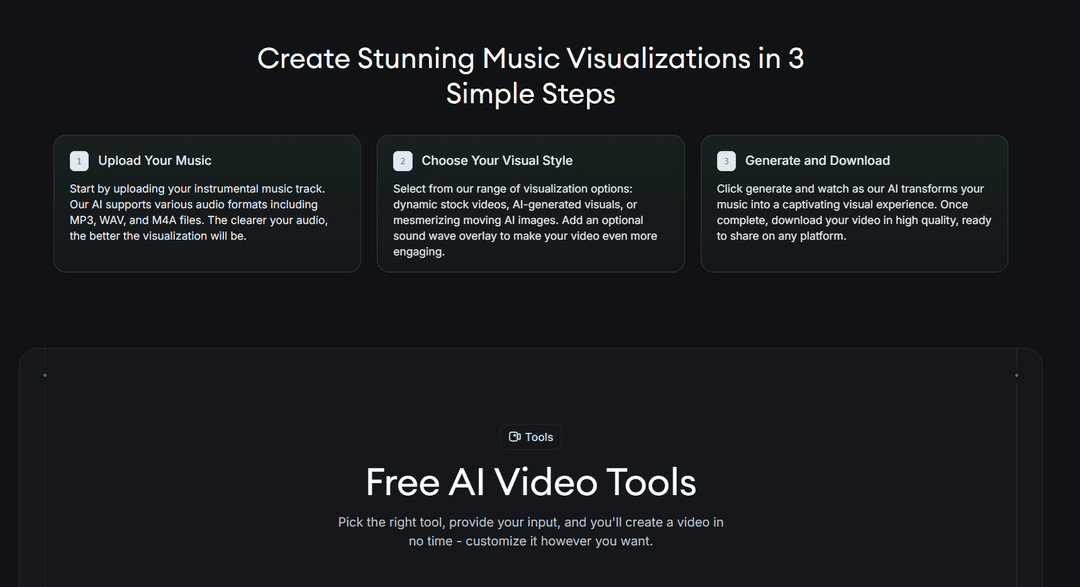
Two kinds of tools share the name. Audio-reactive visualizers drive shapes and colors directly from the sound, so the louder the kick, the bigger the pulse. AI music video generators write scenes for the song and render them with video models. Revid's AI music visualizer sits between the two. You pick stock videos, AI-generated visuals or moving AI images, and you can add a sound wave overlay on top.
Which music visualization style fits your track?
The best visualizations follow the song, not the trend. Pick the style from what the track needs:
| Style | What it looks like | Best for |
|---|---|---|
| Waveform or spectrum | Bars or a line moving with the audio over a still or looping background | Podcasts, beat previews, audio snippets |
| Abstract audio-reactive | Particles, shapes and colors that pulse on the beat | Electronic, ambient, DJ mixes |
| Lyric video | Words animated in time with the vocal | Singles, singalong choruses, release teasers |
| AI scene music video | Generated shots (characters, places, a story) cut to the beat | Full releases, story songs, AI-generated songs |
| Stock footage montage | Real clips matched to the mood | Background music, cafés and gyms, brand content |
| Looping canvas | A short clip that repeats behind the song | Spotify Canvas, Instagram Stories |
A quick rule: if the lyrics carry the song, start with a lyric video (Revid's animated lyrics video generator times each line to the vocal). If the track is instrumental, go abstract or use AI scenes. If you need a video for every track in a catalog, a waveform template is the fastest format to repeat.
Prompt to try
Make a 30-second vertical lyric video for the chorus of my synth-pop song "Midnight Signal". Open on the hook line in big bold text on the first beat. Style: neon city at night, rain, slow camera push, purple and teal, with each lyric line synced to the vocal.
How to turn audio into video with AI, step by step
These steps work in any AI visualizer or AI music video generator:
- Export a clean master. Use MP3 or WAV, and trim the silence at the start so the first second is already music. Viewers scroll past a silent intro.
- Pick the tool for the output you want. For pulsing shapes or a waveform, use a visualizer. For scenes and a story, use a music video generator.
- Upload and choose a sync mode. Beat sync cuts on the drums. Lyric sync times scenes and on-screen words to the vocal.
- Describe the look in one line. "Neon city at night, rain, slow camera push, purple and teal" gets far better results than "cool visuals".
- Choose the format before you render. Use vertical for TikTok, Reels and Shorts, and landscape for a regular YouTube video. The table further down lists each platform.
- Review every scene. Replace anything off-beat or off-brand before you export.
- Export or publish. Use 1080p as the floor for social and 4K for a release on YouTube.
The same flow works for spoken audio. Revid's audio to video tool turns an MP3, WAV or M4A recording (a podcast, a lecture, a voice note) into a captioned video.
Input
A fast-cut dance video, no lip sync, all movement, magenta and cyan neon grade.
Output
How to make a music video from audio with Revid
- Open the AI music video generator and upload an MP3 or WAV, or paste a Suno link.
- Choose lyric sync or beat sync. Turn on singer lip sync if a character should sing the vocal.
- Describe the style. Revid generates scenes with Seedance 2.5, MiniMax Hailuo H3, Wan 3.0 or Google Veo 3, and you can pick the model for each scene.
- Check the credit estimate before you generate, then fix any scene in the timeline editor.
- Export in 720p, 1080p or 4K at 30 or 60 fps, in 9:16, 16:9, 1:1 or 4:5. You can also publish and schedule to TikTok, Instagram and YouTube from one queue.
Sign-up is free and new accounts get free credits to try video creation, no credit card needed. Regular creation then uses the credits of a paid plan, starting at $39/month for Growth (2,000 credits), and failed builds are refunded automatically. An AI-generated rap or Suno song goes through the same flow: lyric sync plus a lip-synced character usually works best for rap, because the words are the point.
Can AI sync visuals to your music automatically?
Yes. If you want a tool that generates synchronized visuals to match your music track automatically, look for one of these three sync methods:
- Beat sync: cuts and motion land on the drums. This is the default in most AI music video generators.
- Lyric sync: scenes and on-screen words follow the vocal line by line.
- Stem reactivity: visuals react to separate parts of the mix. Neural Frames drives its visuals from 8 extracted stems, which is the most granular audio-reactive option among these tools.
For visuals that respond to a track's tempo and mood, AI generators read the energy of each section. A quiet verse and a loud chorus get different motion. Pure waveform visualizers only react to volume and frequency, so they never change their style.
Syncing in the other direction (matching music to a video you already filmed) is a different job. Kaiber's Beat Sync takes your own images or clips plus a track and returns up to 10 beat-synced edits. CapCut's trend templates also drop your clips into beat-timed formats.
Can you test different visual styles before committing?
Yes, and you should, because a style that looks good in one frame can feel wrong across three minutes. The cheap way to test: cut the chorus out as a separate audio file, render it in two or three styles, compare them on your phone, then render the full song in the winner.
In Revid, the credit estimate appears before you generate, you can switch models scene by scene, and the timeline editor lets you redo one scene without re-rendering the whole video. Solmi shows a storyboard that you approve before the full render. Kaiber's batch Beat Sync gives you several edits of the same track to compare.
Which AI visual effects work best for music videos?
AI visual effects for music videos split into two cases: effects on footage you filmed, and footage the AI creates from nothing.
If you filmed a performance, the AI VFX editor lets you upload the clip and describe the effect you want. The AI watches the footage and finds the right moments to apply it. Other AI VFX that work well in music videos:
- Restyle: keep your footage and change its look (anime, film grain, claymation). Revid calls this "Same footage, new look".
- Character or face swap: put a different person, or yourself, into a clip while keeping the original motion.
- Motion transfer: apply a dance from one video to a character in a still image.
- Generated scenes: when you have no footage, AI scene generation builds every shot from the song.
A simple editing rule: one effect per song section. Switching effects at every cut reads as noise. Switching at the drop or the chorus reads as structure.
What are the best tools for AI-generated music videos?
The best AI music video generator from audio depends on the job: a full finished video, deep audio reactivity, or editing assets you already have.
| Tool | Best for | Entry price and free option |
|---|---|---|
| Revid | A full, publishable music video from one song (MP3, WAV or Suno link), with lyric or beat sync, optional lip sync, a timeline editor and direct posting | From $39/month; free sign-up with free credits to try video creation |
| Neural Frames | True audio reactivity from 8 stems, frame-by-frame control, lyric videos, Spotify Canvas export presets | From $39/month ($26 billed yearly); free account with watermarked exports |
| Kaiber | Choosing the model yourself on a creative canvas; Beat Sync edits from your own images or clips | From $10/month (Beat Sync not on Starter); no free tier, a $5 trial for 5 days |
| Freebeat | The widest music menu (dance videos, karaoke, real-time visuals, covers), built-in AI music generation, links from SoundCloud, YouTube, Suno, Udio and TikTok | From $6.99/week (list price) |
| Solmi | Making the song and the video in one app, with a storyboard to approve first | From $35/month; free plan covers one short 480p watermarked video |
Quick decision rules: if you want the video finished and posted from the song alone, use Revid. If you are a visual artist who wants every frame to react to the mix, use Neural Frames. If you already have clips and only need them cut to the beat, Kaiber's Beat Sync or CapCut will do the job.
How to turn audio into video for YouTube, Shorts, TikTok and Reels
Choose the aspect ratio before you render. Cropping a finished landscape video to vertical cuts off the sides, and AI scenes are composed for the frame they were generated in.
| Where it goes | Format | What to know |
|---|---|---|
| YouTube video | 16:9 | Uploads over 15 minutes need a verified account |
| YouTube Shorts | Vertical or square | Up to 3 minutes counts as a Short |
| TikTok | 9:16, 1080x1920 recommended | Uploads can run up to 60 minutes |
| Instagram Reels | 1.91:1 to 9:16, at least 30 fps and 720 px | Reels over 3 minutes are not recommended to non-followers |
| Spotify Canvas | Short vertical loop | Check Spotify for Artists for the current specs |
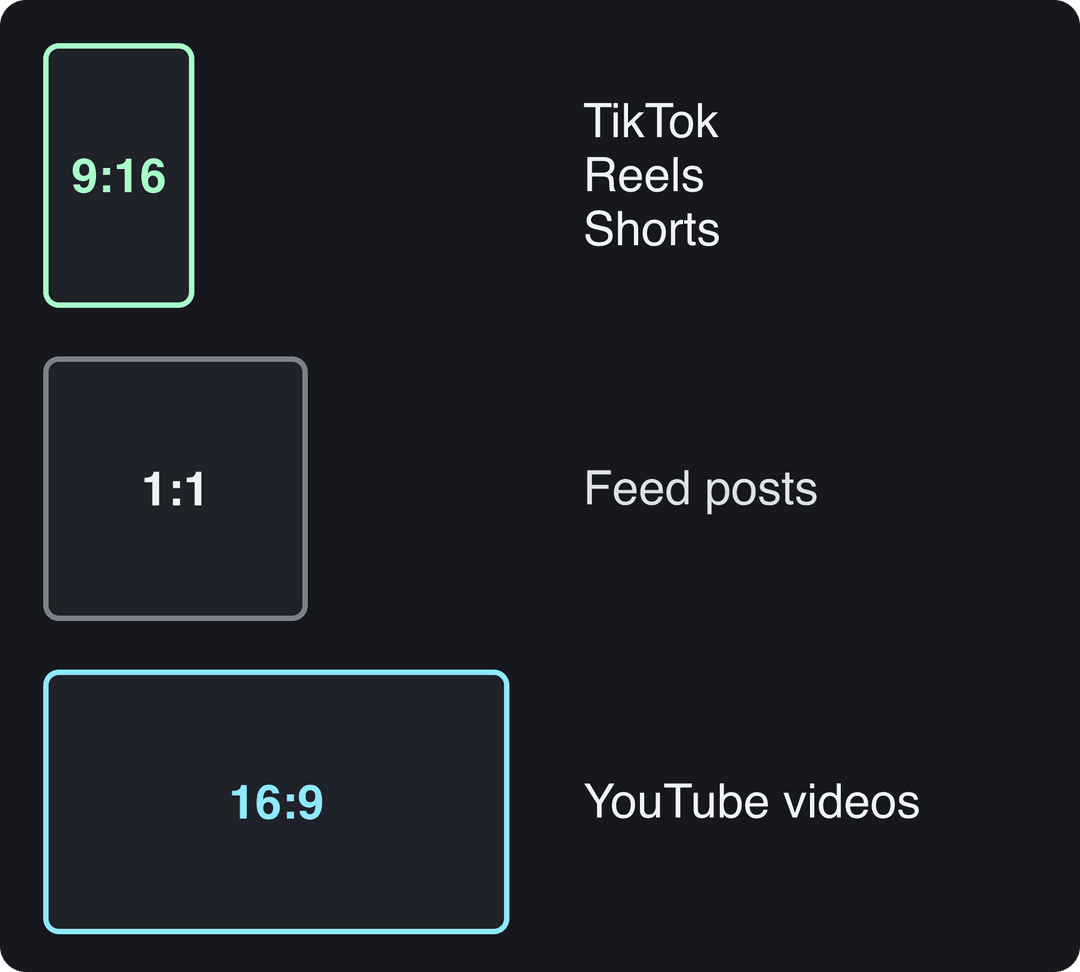
A rule for full songs: a song longer than 3 minutes should go to YouTube as a regular 16:9 video. Then cut the hook or chorus into a vertical version for Shorts, TikTok and Reels. For background on how much viewing has shifted to short video, see Yaguara's roundup of short-form video statistics.
Do music videos without talking work on TikTok?
They do. A visualizer has no voice-over, and on TikTok that is not a handicap. In Revid's analysis of 176,367 TikToks with 1,000+ likes posted between October 2025 and October 2026, silent videos had a median of 73K views (14.3% passed 1 million), against 68K (11.9%) for videos with speech throughout (300+ characters). Videos with under 40 characters of speech did best: a 123K median, with 20.2% past 1 million. The sample only includes videos that already reached 1,000 likes, so this shows what successful videos have in common, not a guaranteed effect. The method is in the full TikTok virality study.
Videos with just a few spoken words (a line or two) beat both silent videos and videos that talk the whole way through, which were the most common and the weakest.
Source: Revid analysis of 176,367 TikToks analyzed by AI, with 1,000+ likes posted between Oct 1, 2025 and Oct 16, 2026 (61,203 creators)
Show the data
| Median views | Share that passed 1M views | |
|---|---|---|
| No speech | 73.3K | 14.3% |
| Under 40 | 122.7K | 20.2% |
| 40 to 120 | 97.2K | 17.6% |
| 120 to 300 | 91.6K | 16.8% |
| 300+ | 67.7K | 11.9% |
What this means for a music video: let the track and the visuals carry it. If you add words, keep them to one short on-screen line, such as the song title or a single lyric.
How to make an AI tribute video step by step
- Pick the song first. It sets the length and the pace of the video.
- Gather photos and clips and put them in the order of the story, usually chronological.
- Upload them to a memories tool. Revid's video from memories maker takes your photos and clips and assembles them into a video.
- Add the song and cut on the beat. Change photos on the downbeats and hold the most important photo through the chorus.
- Add names and dates as simple text on the first and last frames.
- Export twice: 16:9 for a screen at the event, and 9:16 for family to share on their phones.
Free vs paid AI music visualizers
A free audio to video AI is enough to test an idea. Expect watermarks, lower resolution and short exports: Solmi's free plan gives one short 480p watermarked video, and Neural Frames watermarks free exports. Paid plans remove the watermark and add 1080p or 4K exports, full-length videos and direct publishing. If the video represents a release or a brand, pay for the plan. If you are still experimenting with styles, start with a free tier.
FAQ
Can I turn audio into video for free?
Yes, with limits. Neural Frames has a free account with watermarked exports, and Solmi's free plan covers one short 480p video with a watermark. Revid's sign-up is free and new accounts get free credits to try video creation, while regular creation uses the credits of a paid plan from $39/month.
Which platforms turn any song into a music video?
Revid, Neural Frames, Freebeat and Solmi all turn a song into a music video. Revid makes the full-length video from an MP3, WAV or Suno link alone and can post it for you. Kaiber's Beat Sync needs images or clips that you provide.
What is the best way to visualize an AI-generated rap song as a video?
Upload the Suno file or link, use lyric sync so the bars appear on screen, and add a lip-synced character so someone performs the verse. Keep the scenes simple so the words stay readable.
Do I have to label an AI music video as AI-generated?
Only when it looks realistic. TikTok requires a label on AI content with realistic images, audio or video, and YouTube requires disclosure of realistic AI scenes. Abstract visualizers and clearly non-realistic styles do not need it on YouTube, and the label alone does not reduce reach on either platform.
Which apps let me remix a trending audio clip with my own visuals?
TikTok and Instagram let you attach a trending sound from their in-app libraries to your own clips. Outside those apps, you need the rights to the audio before you build a video around it.