Creators publish 30,000+ videos a month with Revid

Instrumental Music AI Video Visualizer

Generate a stunning AI video from instrumental music! The AI will automatically create relevant media for your instrumental music video.

  • Turn audio into video
  • Auto-selects visuals
Proof of range

Start From What Already Works

YOUR IDEA
Source Audio
Source Audio
Original audio file
Visual FormatAI Video
Visual StyleDefault
FINAL VIDEO

Create an AI Visualizer Video for Instrumental Music in 3 Simple Steps

1 Upload Your Instrumental Audio

Start by uploading your instrumental music track. This tool is specifically designed to convert instrumental music to video effortlessly. It is the perfect solution for beats, background scores, classical pieces, or any audio track without lyrics that needs an engaging visual representation.

2 Select Your Visual Style and Sound Wave

Choose how you want your instrumental music visualizer to look. Select from real AI video clips, animated AI images, high-quality stock videos, or upload your own custom media. You can also toggle the 'Add sound wave' option to give your music visualization video a dynamic, audio-reactive element that responds to your track.

3 Generate Your AI Music Video

Click generate and let our audio to video AI do the heavy lifting. In just a few minutes, the AI will automatically sync the visual transitions to the beats of your instrumental track, delivering a stunning video perfectly sized in a 9:16 ratio for TikTok, YouTube Shorts, and Instagram Reels.

Step-by-step guideHow to make a great AI music video from your songFour music videos made with Revid, with the exact settings and the visual direction behind each, then the steps to make yours and what it costs.
01

Create Instrumental Videos with AI, No Music Production Skills Needed

Revid's instrumental AI tools let you generate and visualize instrumental music content without any production background. Whether you want to create a video around an existing instrumental track or generate a completely new one from scratch, Revid handles the visual treatment automatically, syncing motion, color, and rhythm to every beat. It is the simplest way to turn instrumental music into shareable video content.

02

AI Instrumental Generator, From Concept to Finished Video

With Revid's AI instrumental generator, you can go from a musical idea to a fully produced video without touching a DAW or hiring a composer. Describe the mood, genre, or tempo you want, and the AI generates an original instrumental track paired with a matching visual experience. The result is a complete music video built entirely from AI, ready to post anywhere your audience already watches.

FAQs

Frequently Asked Questions

What is the Instrumental Music to Video tool?
Our Instrumental Music to Video tool is an advanced AI music visualizer that allows you to generate stunning visual videos from any instrumental music track. Just drop your audio file, and the AI video generator for music will create a high-quality music visualization video synced perfectly to your beats in minutes.
How do I convert my instrumental music to video?
It is incredibly simple to convert instrumental to video using Revid. Upload your audio file, choose your preferred media type (like AI video, animated AI images, or stock footage), decide if you want to add a sound wave to the video, and click generate. The AI handles the beat-syncing and visual creation automatically.
What visual styles can I use for my instrumental music visualizer?
You have four amazing options for your instrumental video maker: 'AI Video' for real moving clips generated by AI, 'Animated AI images' for dynamic still images with camera movements, 'Stock videos' for professional footage, or 'Your own media' to use your custom visuals.
Will the video automatically sync with the beats of my instrumental track?
Yes! When you use our Instrumental Music to Video tool, the AI automatically detects the tempo and rhythm of your track. It defaults to syncing the visual transitions and cuts directly with the beats of your music, ensuring a highly engaging and rhythmic music visualization video.
Can I add a sound wave to my video?
Absolutely. We have a built-in 'Add sound wave' toggle. When enabled, the AI music visualizer will overlay a dynamic, audio-reactive sound wave onto your video, making it visually clear to your audience that this is a music-focused post.
What if my music track has lyrics?
This specific tool is optimized for when you want to visualize an instrumental track (no lyrics). If your song has lyrics that you want to display or sync on screen, we highly recommend using our 'Music to Video' or 'Animated Lyrics Video' tools instead for the best possible results.
Is this tool good for social media platforms like TikTok or Reels?
Yes, the videos generated by our audio to video AI are perfectly rendered in a 9:16 vertical aspect ratio. This makes your new instrumental music visualizer video fully optimized and immediately ready to be shared on TikTok, YouTube Shorts, and Instagram Reels to help you grow your audience.
How long does it take to generate the AI music visualization video?
Your instrumental music to video conversion is extremely fast. Once you upload your track and hit generate, your high-quality AI music video will be ready in just a few minutes. We will even send you an email notification once it is complete and ready to download.
Can I use my own images or video clips instead of AI?
Yes, you can! If you don't want to use our AI video generator for music options or stock footage, simply select the 'Your own media' option. You can upload your custom files, and the AI will select the best parts and sync them perfectly to your instrumental track.
How much does it cost to use the instrumental video maker?
The cost to visualize an instrumental track depends on your subscription plan and the length of your video. You will see the estimated credit cost before generation. Free accounts come with a limited number of credits to test the tool, while our paid plans provide a monthly allocation of credits to create more instrumental videos on a regular basis.
I have an additional question not answered here. How can I get help?
We're here to help! If you have any other questions about using the Instrumental Music to Video tool or any other part of Revid AI, please reach out to our friendly support team. You can contact us via email at [email protected] and we'll get back to you ASAP.

Still have questions?

Contact us

Find detailed answers to 100+ questions about features, tools, and workflows

or check our markdown version optimized for LLMs

Tools

Free AI Video Tools

Choose your tool, add your content, and create a video in seconds. Then customize it to your liking.

See all tools

AI TikTok Video Generator

Turn text into trendy, viral TikTok videos in a snap

Try it out

Prompt to Video

Turn your prompts into engaging videos with AI assistance

Try it out

Add Caption to Video

Generate subtitles in 100+ languages with AI captions

Try it out

PDF to Brainrot

Convert PDFs into attention-grabbing, scrollable videos

Try it out

Text to Brainrot

Turn your text into trendy, scrollable content with dynamic visuals

Try it out

AI Talking Avatar

Create lifelike talking avatars from text in seconds

Try it out

Video Podcast Generator

Transform your podcasts into visually engaging video content

Try it out

AI Movie Maker

Create studio-quality videos from text, no filming required

Try it out

Audio to Video

Make engaging videos from your podcasts, interviews, or any audio content

Try it out

Animated Lyrics Video Generator

Turn any song into an animated lyric video with synced text and visuals.

Try it out

AI Music Video Generator

Transform your music into cinematic music videos.

Try it out

AI Lyrics Video Generator

Transform your lyrics into a complete music video with AI

Try it out
How it works

From Signal To Published In Four Steps.

1

Find Viral & Trending Videos.

RevidAI's Viral Search and Channel Watcher surface the formats, creators, and trends getting attention right now, then help you turn them into ideas of your own.
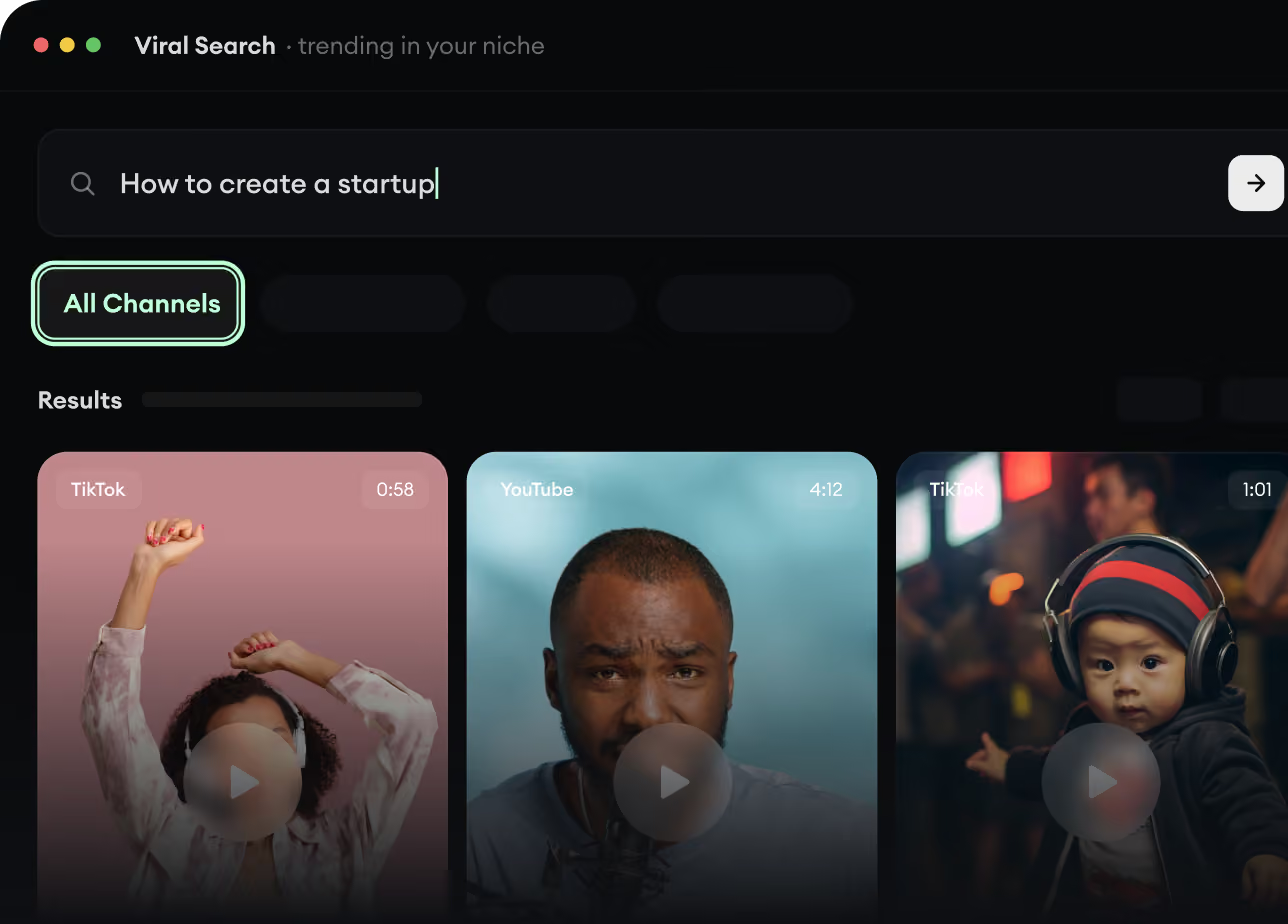
  • Discover winning video formats in your niche
  • Follow creators and channels that matter
  • Start with proven ideas instead of guessing
Find Viral & Trending Videos.
2

Turn An Idea Into A Story.

Found something worth making? Revid AI writes the script, suggests the structure, and turns links, prompts, or topics into complete video concepts.
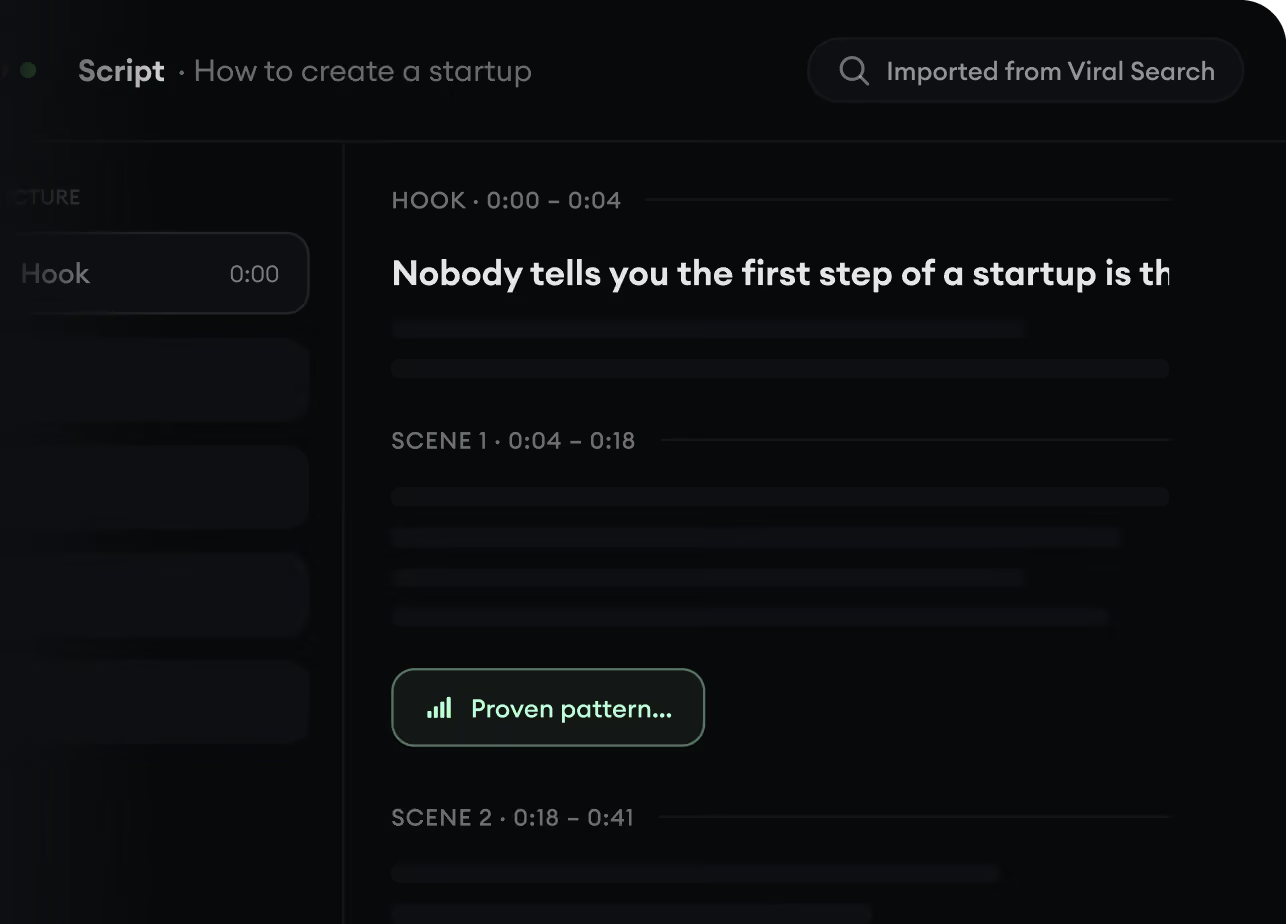
  • Start with a prompt, topic, or URL
  • Generate scripts inspired by proven patterns
  • Build stories designed to keep people watching
Turn An Idea Into A Story.
3

Generate The Finished Video.

Script, voiceover, visuals, subtitles, and editing all come together in one workflow. No stitching together five different tools.
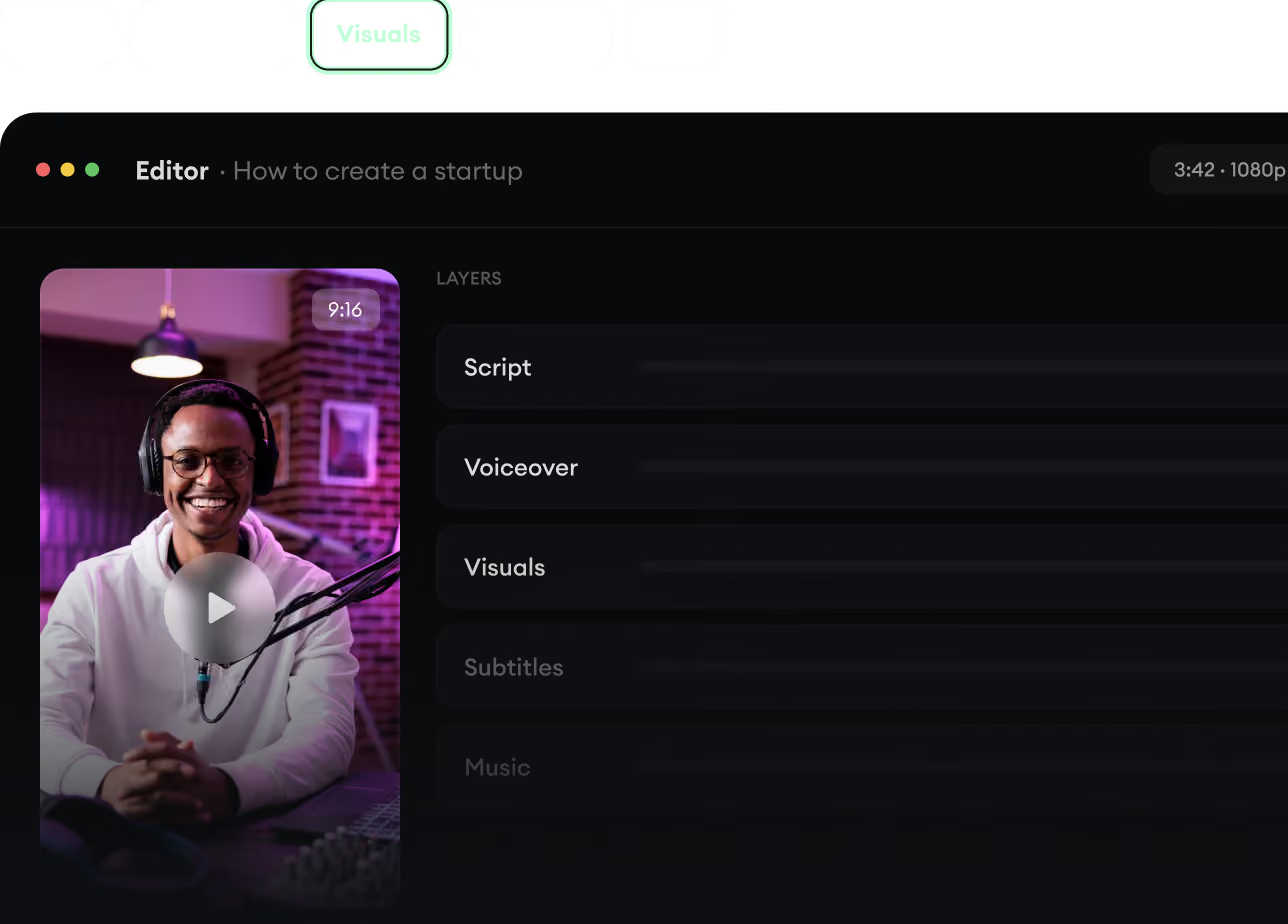
  • Turn text into complete, multi-minute videos
  • Generate everything in one place
  • Refine the result in the editor
Generate The Finished Video.
4

Publish Everywhere.

Share your videos to TikTok, YouTube, Instagram, and wherever your audience is.
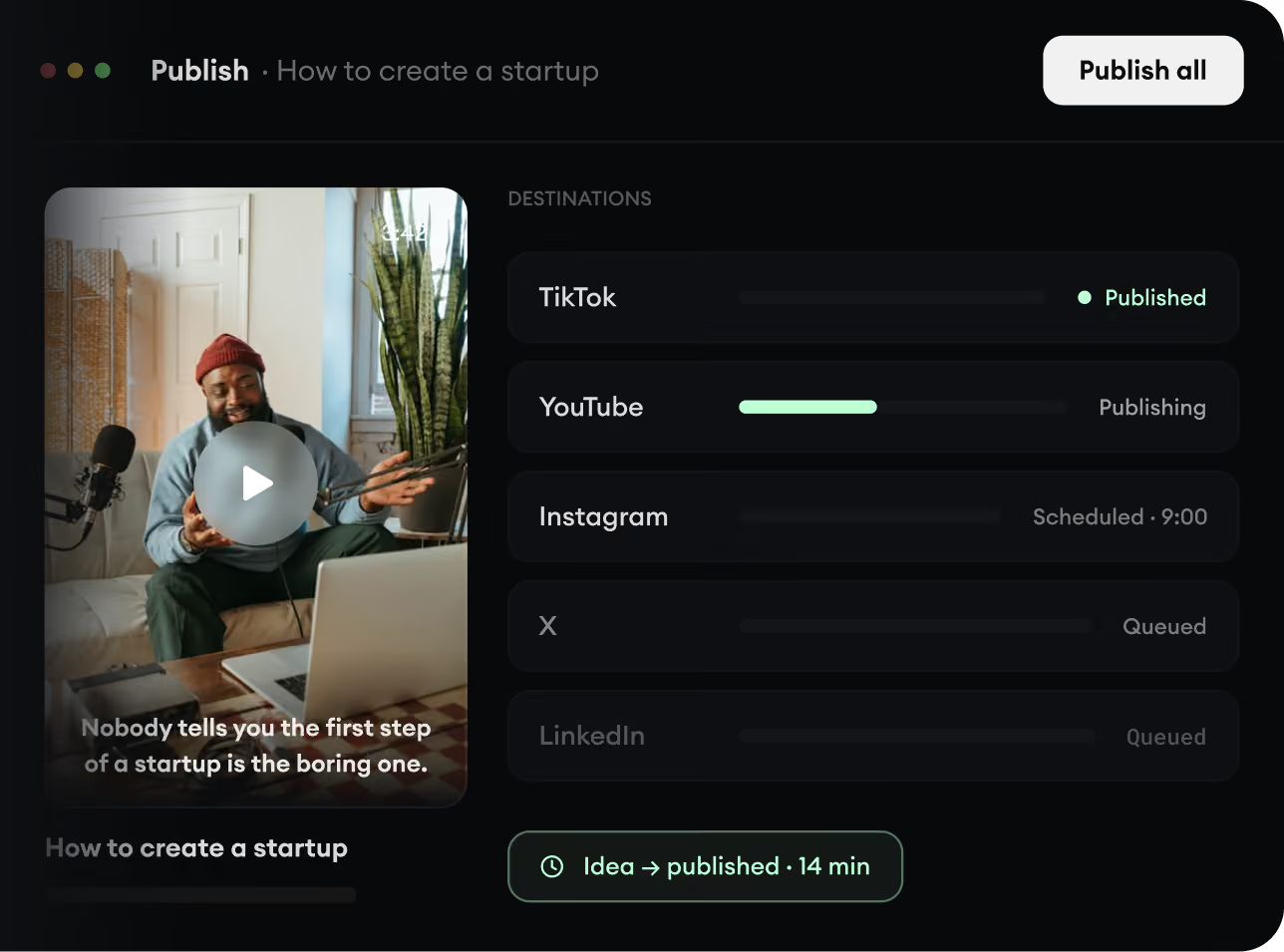
  • Publish across every major platform
  • Reach more people with less work
  • Go from idea to published video in minutes
Publish Everywhere.