On this page
Most TikTok creators edit in CapCut, the free editor from ByteDance (TikTok's parent company), or in TikTok's own in-app editor for quick trend posts. Use VEED if you edit in a browser and want auto subtitles, and an AI generator such as Revid when you have no footage and need the whole video made for you.
The most common mistake is choosing an editor by its feature list. Choose it by where your video starts: phone clips need a fast mobile editor, a long recording needs a clipping tool, and a blank page needs an AI generator. A pro desktop suite slows a phone-first creator down, and no editor helps when you have nothing to edit.
The best TikTok video editors at a glance
| Tool | Runs on | Price | Best for |
|---|---|---|---|
| TikTok's built-in editor | TikTok app | Free | Trend posts, sounds, quick trims |
| CapCut | Phone, desktop, browser | Free tier with 1080p export; paid from about $9.99/month | Most creators editing their own clips |
| VN Editor | Phone, desktop | Free version available | Multi-layer edits with keyframes |
| KineMaster | Android, iPhone | Free version with watermark; subscription removes it | Layered, pro-style edits on mobile |
| VEED | Browser | Free plan (720p, watermark); paid roughly $10 to $24/month | Subtitles and resizing with nothing to install |
| Movavi Video Editor | Windows, Mac | Paid, with a trial | Beginners who want a desktop timeline |
| Premiere Pro or DaVinci Resolve | Desktop | Premiere Pro is paid; DaVinci Resolve has a free version | Shot-by-shot editing and color work |
| Revid | Browser | Free sign-up with free credits to try; paid plans from $39/month | Full videos from a script, a link or a viral format |
Prices change often, so check each tool's pricing page before you commit. If you want a longer ranked roundup, see our list of video editors for TikTok.
What video editor do TikTokers use?
Most TikTokers use CapCut. It comes from the same company as TikTok, has the tightest TikTok integration of any editor, and its trend templates drop your clips straight into formats that are already circulating. A large share of quick posts never leave the TikTok app at all: creators trim, add a sound and text, and post.
The rest depends on the type of channel:
- Talking-head and vlog creators: CapCut or VN on the phone, because the footage is already there.
- Podcasters and streamers: a clipping tool that cuts long recordings into vertical clips.
- Faceless and high-volume channels: AI generators that write, voice and caption videos from a script.
- Professional editors and agencies: Premiere Pro or DaVinci Resolve on desktop, then export a vertical file.
Phone editors for TikTok
TikTok's built-in editor
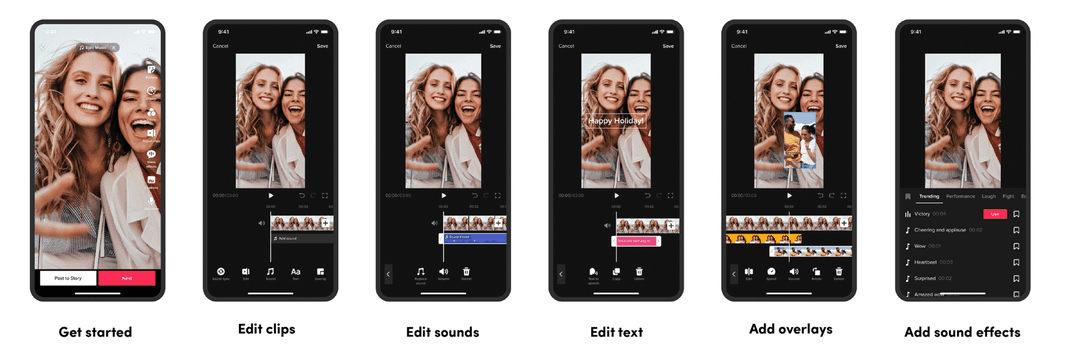
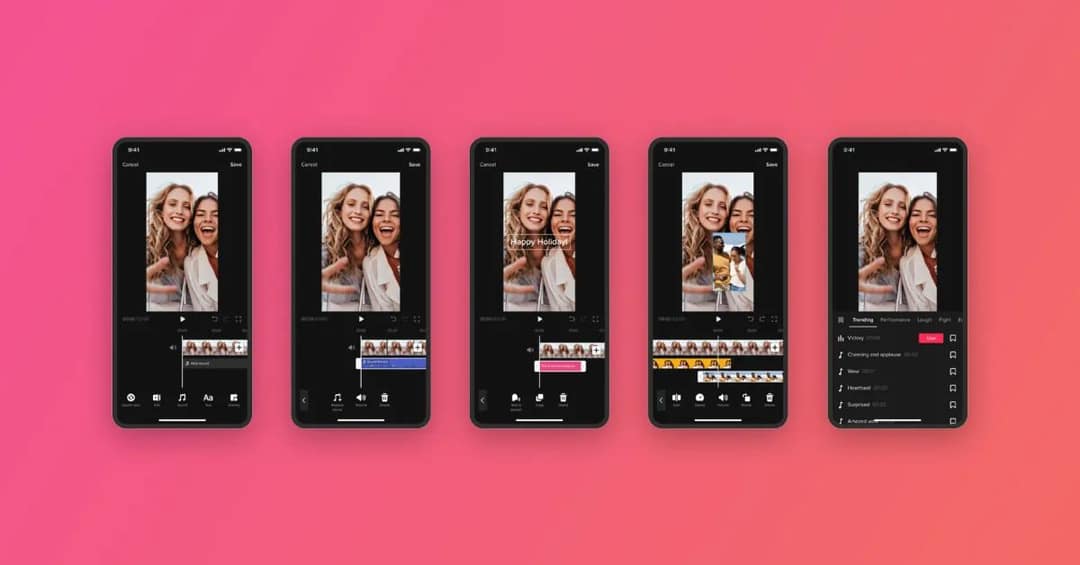
TikTok's own editor is the fastest path from camera to post. You can record up to 10 minutes in the app, then trim clips, add text, overlays, voice effects, filters and sounds from TikTok's library, and turn on auto captions before posting.
Use it when speed matters more than polish, such as jumping on a trending sound the day it appears. Its limits show quickly: no real multi-track timeline, little control over timing, and no project files to reuse later.
CapCut
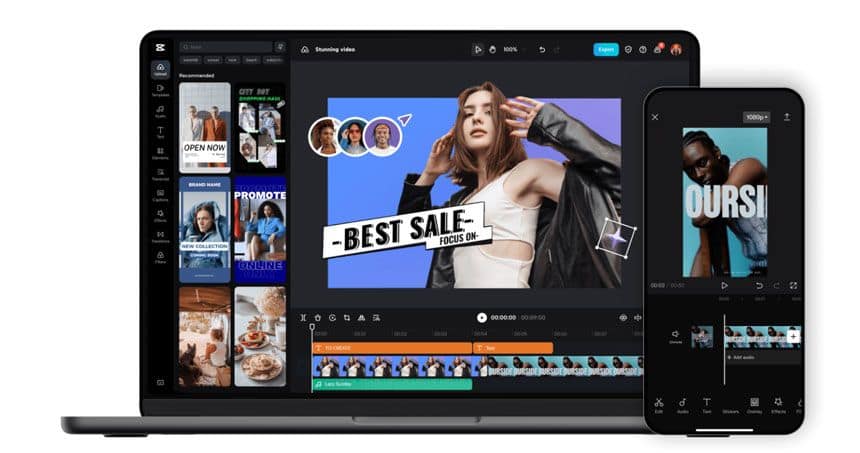
CapCut is the default for a reason. The free tier includes the full editor, auto-captions and 1080p export. It handles trimming, speed changes, keyframe animation, chroma key (green screen), multi-layer editing and a large effect library. Premium templates, effects and most AI features sit behind the paid plan, which also adds speaker-identified captions.
Pick CapCut if you film your own clips and want one app on both phone and computer. If you are weighing it against an AI generator, our Revid vs CapCut comparison covers the difference, and the roundup of CapCut alternatives lists other options.
VN Editor
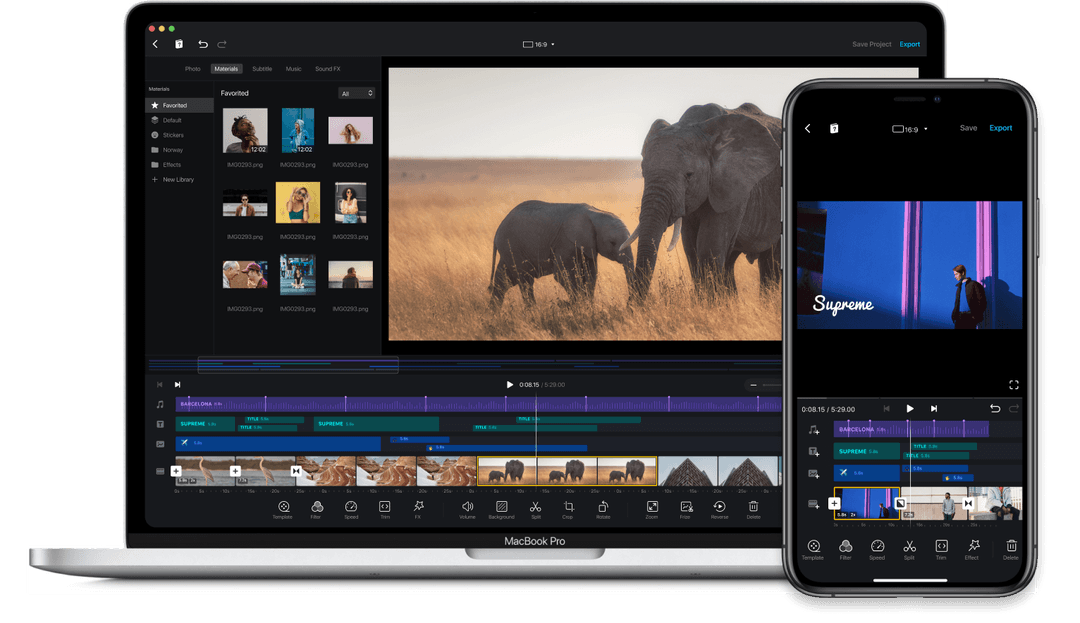
VN is the closest alternative to CapCut on a phone. It offers multi-layer editing, keyframe controls, transitions, text overlays, filters and 4K export, with a layout some creators find cleaner than CapCut's. Choose it if CapCut's interface feels crowded or you want a second editor that works the same way on desktop.
KineMaster
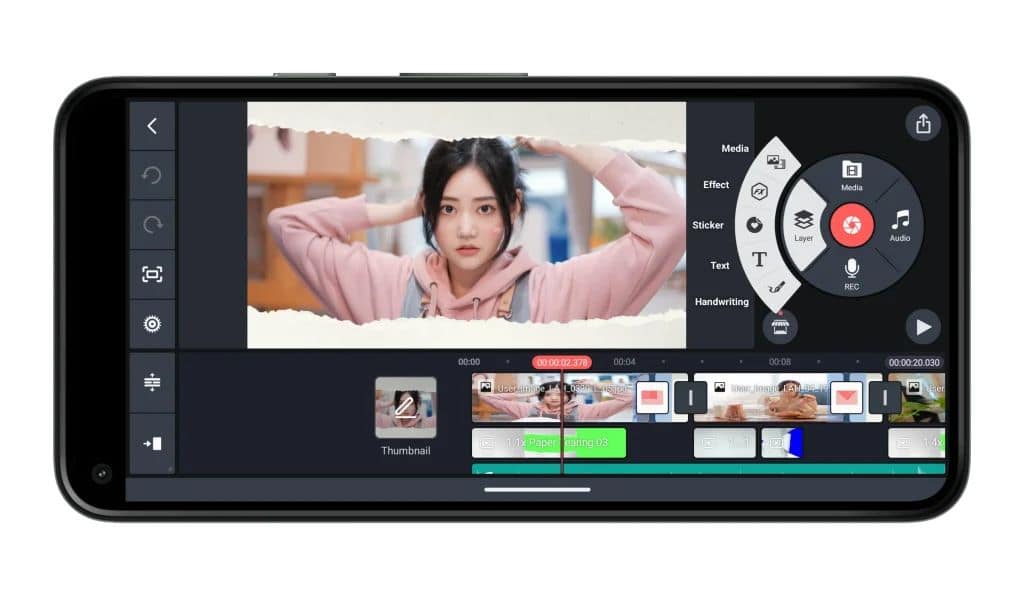
KineMaster is a mobile editor built around layers: you stack video, images, text, stickers and handwriting on one timeline, with audio editing and 4K export. Its asset store adds templates, effects and music. The free version stamps a watermark on exports, so plan on the subscription if you post from it regularly.
Browser and desktop editors for TikTok
VEED
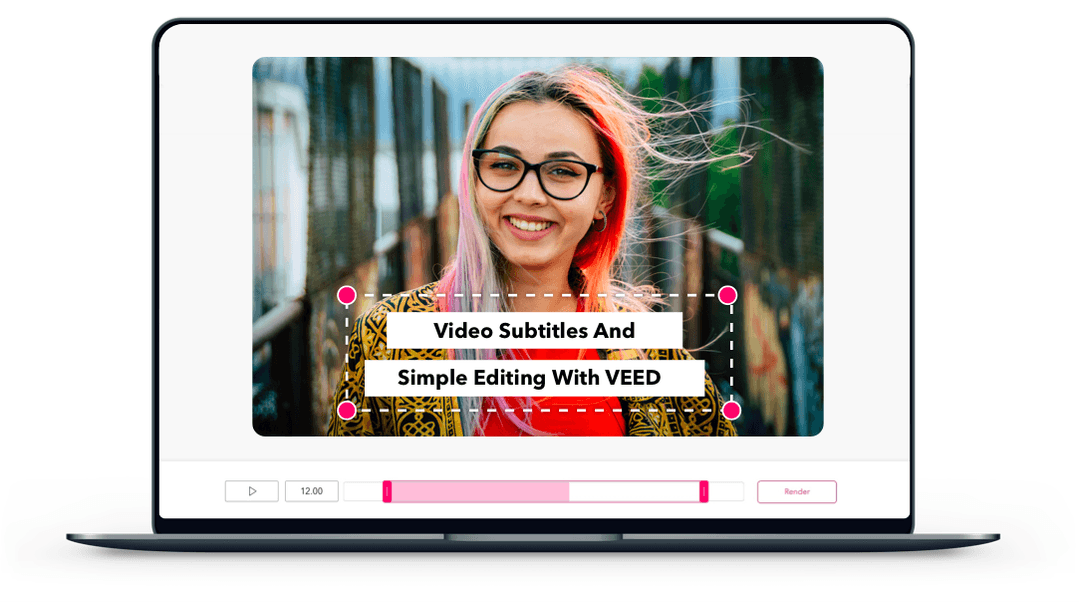
VEED runs entirely in the browser, which makes it the easiest choice on a work laptop or a shared computer. Its strengths are auto-subtitles and translation, one-click resizing to vertical, a multi-track timeline, screen recording, brand kits, and AI extras such as dubbing and eye-contact correction. The free plan exports at 720p with a watermark. Our Revid vs VEED comparison explains when a generator fits better than a browser editor.
Movavi Video Editor
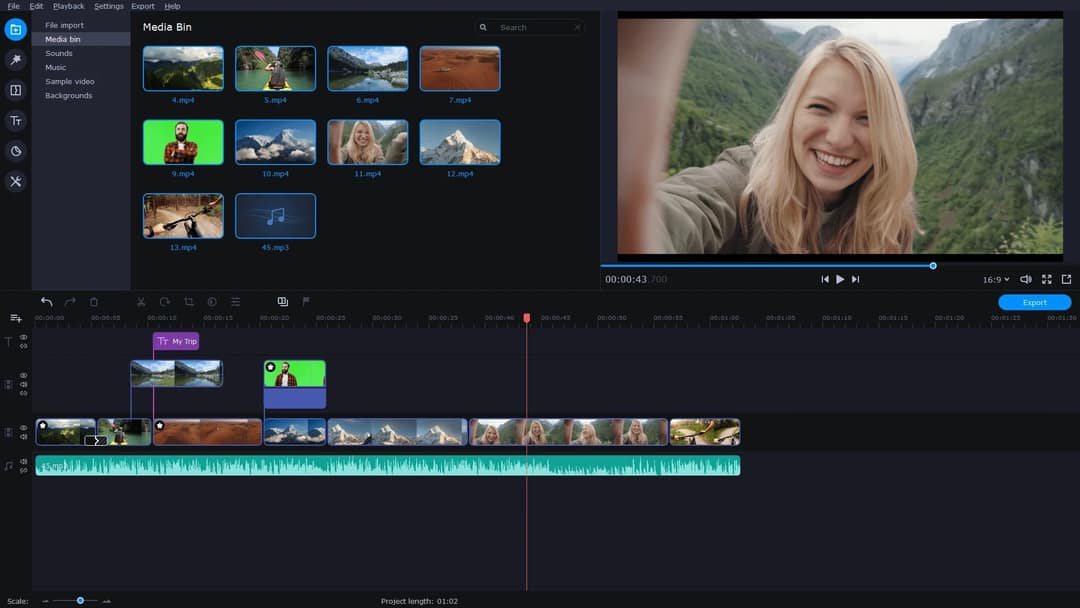
Movavi is a desktop editor for Windows and Mac aimed at people who want more control than a phone app without the learning curve of a pro suite. It includes chroma key, motion tracking, presets and built-in tutorials. Set the project to 9:16 before you start, since desktop editors often default to landscape.
Premiere Pro and DaVinci Resolve
For shot-by-shot control, color grading and complex audio, professional editors use Premiere Pro or DaVinci Resolve and simply export a vertical file for TikTok. DaVinci Resolve has a free version; Premiere Pro is a paid subscription. Both are overkill for daily trend posts.
Adobe's lighter mobile app, Premiere Rush, has been discontinued, so do not start new projects in it. Adobe now points mobile editors to its Premiere mobile app instead.
What is the best AI video editor for TikTok?
It depends on whether you already have footage. AI tools for TikTok fall into two groups:
- AI that edits your footage: CapCut and VEED add auto-captions, silence removal and effects to clips you filmed. Submagic (from $19/month) specializes in animated captions and one-click polish. OpusClip (from $15/month) cuts podcasts and streams into short clips and ranks the best moments.
- AI that makes the video: generators build the script, visuals, voice-over, captions and music from a prompt, a script or a link. This is where Revid sits.
Revid is an AI video platform for short-form video. You can start from a script, an idea, a link or a video from its library of about 2.77 million real short-form videos with public engagement data, and Revid turns it into an original video: scene-by-scene visuals (stock footage, AI images, or AI video from Seedance 2.5, MiniMax Hailuo H3, Wan 3.0 or Google Veo 3), a voice-over in 70+ languages, synced captions and music. A full timeline editor lets you fix any scene, and finished videos publish directly to TikTok, Instagram and YouTube. Revid is not the right pick if you only want to hand-edit your own camera footage; CapCut does that better.
If your video contains realistic AI-generated images, audio or video, TikTok requires you to label it as AI-generated. TikTok says the label does not affect a video's distribution as long as it follows the Community Guidelines.
Prompt to try
Make a 30-second vertical TikTok about three phone editing mistakes that make videos look amateur. Open with the hook "Your edits are killing your views, and it's not the footage." Use fast stock b-roll of phones and timelines, an energetic voice-over and bold synced captions, ending with a quick tip to save the video.
How to make a TikTok video with Revid
- Open the AI TikTok video generator and paste a script, a one-line idea or a link to an article or video.
- Choose a voice and a caption style; Revid writes the scenes and matches visuals to each line.
- Review the result in the timeline editor and swap or regenerate any scene that misses.
- Export in 1080p or 4K at 30 or 60 fps, or publish and schedule it to TikTok from the same queue.
Sign-up is free and new accounts get free credits to try video creation, no credit card needed; regular creation then uses the monthly credits of a paid plan, starting at $39/month on Growth.
Which editors resize videos and add captions for TikTok?
These user-friendly tools handle both jobs without a learning curve:
| Tool | Auto captions | Resize to 9:16 |
|---|---|---|
| TikTok's built-in editor | Yes, auto captions before posting | Not needed: it records vertical |
| CapCut | Yes, free tier | Yes, aspect ratio setting |
| VEED | Yes, auto-subtitles and translation | Yes, one-click resize |
| Revid | Yes, 30 caption styles, 100+ languages | Yes, plus a separate resize tool |
If you already have a finished video and only need one fix, single-purpose tools are faster than a full editor: Revid's free AI caption generator adds synced captions in 100+ languages, and its video resizer converts any clip to portrait 9:16, feed 4:5, landscape 16:9 or square 1:1.
For a long YouTube video you want to turn into TikToks, use a clipping tool instead of trimming by hand: the YouTube clip maker finds the moments and returns vertical clips.
What export settings does TikTok want?
Whatever editor you use, export to the format TikTok recommends:
| Setting | Use |
|---|---|
| Aspect ratio | 9:16 (vertical) |
| Resolution | 1080x1920 |
| File format | MP4 (recommended in TikTok's developer docs) |
| Frame rate | 23 to 60 FPS |
| Length | Up to 60 minutes uploaded; up to 10 minutes recorded in the app |
On a computer, TikTok Studio Web accepts landscape or vertical uploads up to 60 minutes long in 1080p, 2K or 4K, with files up to 30 GB.
The free TikTok safe zone checker shows exactly which areas get covered.
How to choose your TikTok editing tool
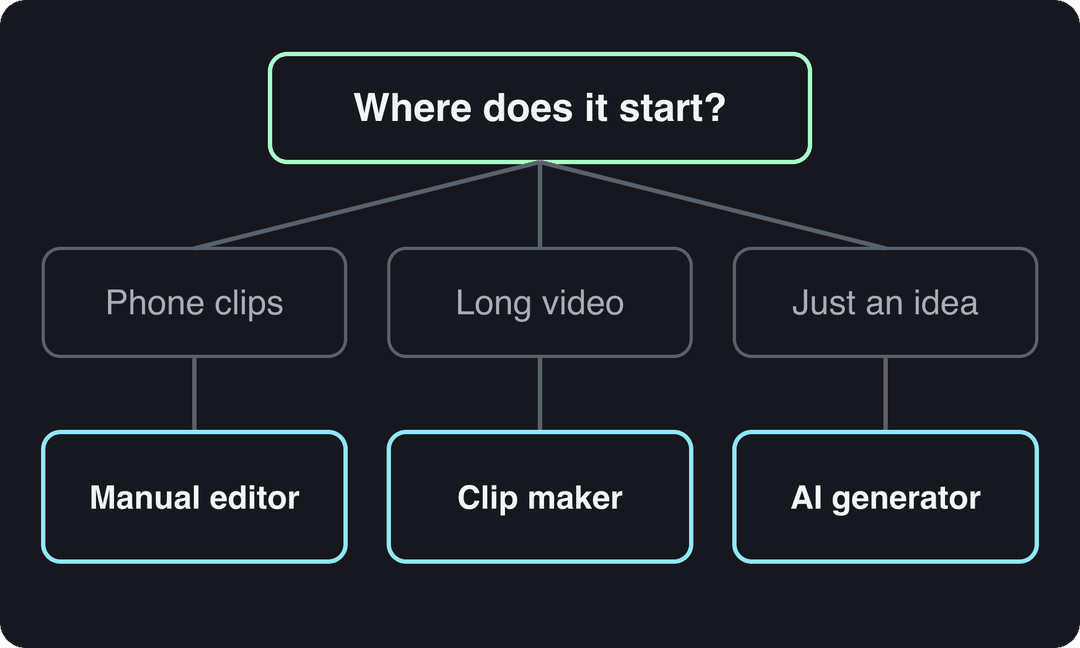
Start from what you have, not from the tool:
- If you film on your phone and post daily, use CapCut, and TikTok's editor for same-day trends.
- If you edit on a work laptop or a shared computer, use VEED in the browser.
- If you want more control on desktop without a pro suite, use Movavi; if you need color grading and complex audio, DaVinci Resolve or Premiere Pro.
- If you have long recordings (podcasts, streams, webinars), use a clipping tool rather than cutting by hand.
- If you have no footage at all, use an AI generator like Revid to produce the full video from a script or a proven format.
- If you only need captions or a new aspect ratio, use a single-purpose tool and skip the editor.
FAQ
Is CapCut free for TikTok?
Yes. CapCut's free tier includes the full editor, auto-captions and 1080p export. Premium templates, effects and most AI features need a paid plan, from about $9.99/month.
Can you edit and upload TikToks on a computer?
Yes. Edit in a desktop or browser editor such as CapCut, VEED or DaVinci Resolve, then upload through TikTok Studio Web, which takes videos up to 60 minutes and files up to 30 GB.
How long can a TikTok video be?
Uploaded TikToks can be up to 60 minutes long; videos recorded with the in-app camera are limited to 10 minutes. To earn under TikTok's Creator Rewards Program, a video must be at least one minute long.
Does using AI to edit a TikTok hurt its reach?
No. AI editing itself does not reduce reach, and TikTok says the AI-generated label does not affect distribution for videos that follow its Community Guidelines. You must label realistic AI-generated images, audio or video.
What is the easiest TikTok video editor for beginners?
TikTok's built-in editor is the easiest, since you edit and post in one place. When you outgrow it, CapCut is the natural next step because it works the same way and connects directly to TikTok.