How to Create a Content Strategy in 2026: 6 Steps + Template
A six-step method to create a content strategy: measurable goals, a real audience profile, content pillars, the right channels and formats, a calendar you can sustain and a quarterly audit, plus a one-page template.
On this page
To create a content strategy, set one or two measurable goals, define who you serve and what they ask, choose a few content pillars, pick the channels and formats your audience already uses, plan a calendar you can sustain, and review results every quarter. Write it all on one page so your team works from the same plan.
The most common mistake is starting with the calendar: opening a spreadsheet and filling slots before deciding what the content is for. That produces volume without direction, and a few months later nobody can say which posts earned their place. The six steps below put the calendar where it belongs, after the decisions that make it useful.
What a content strategy includes
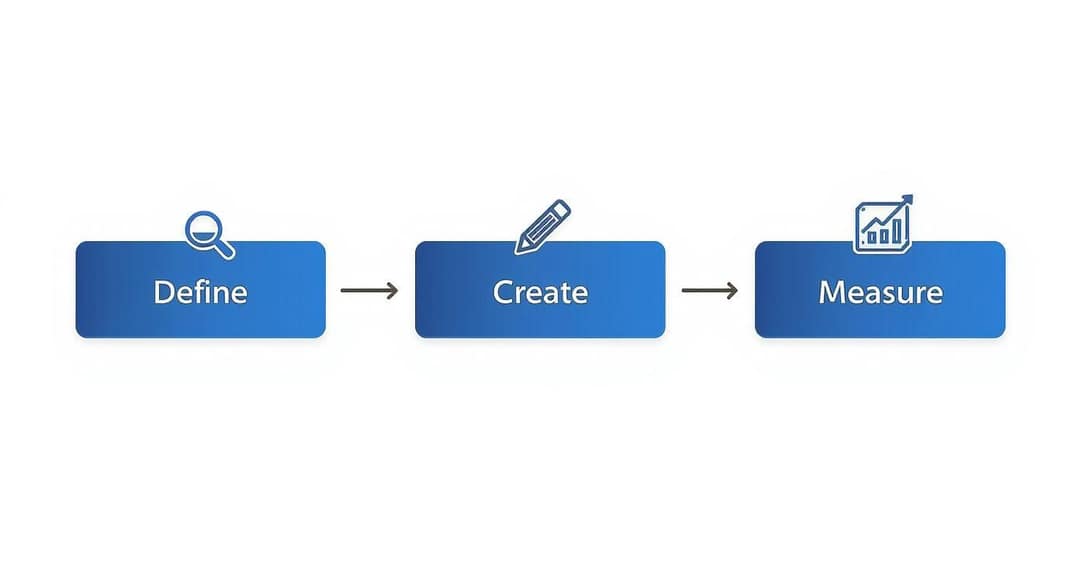
A content strategy is the written plan that ties every post, video and article to a business result. It answers five questions: why you publish, for whom, about what, where, and how you will know it worked.
| Component | Question it answers | What you decide |
|---|---|---|
| Goals | Why? | One or two measurable targets with a deadline |
| Audience | For whom? | One primary reader or viewer, their problems and their words |
| Pillars and topics | About what? | A few core themes and the questions under each |
| Channels and formats | Where, and in what form? | Your home base plus one or two social channels |
| Measurement | Did it work? | The KPIs for each goal and a review date |
The calendar, the workflow and the tools come after these decisions. A content calendar tells you what goes out on Tuesday. The strategy tells you why that post exists at all.
Step 1: Set goals you can measure
Replace "increase brand awareness" with a target you could report on. The SMART format (Specific, Measurable, Achievable, Relevant, Time-bound) does the job. "Get more traffic" is a wish, while "grow organic blog traffic by 20% over the next six months by publishing two SEO-optimized articles per week" is a plan.
Examples you can adapt:
- Lead generation: generate 50 qualified leads per quarter from the blog by publishing one downloadable guide and three supporting articles each month.
- Engagement: raise your Instagram Reels engagement rate by 3% in the next 90 days by posting four video tutorials per week and replying to every comment within 24 hours.
- Sales enablement: produce 10 customer case study videos by the end of Q3 so the sales team can answer objections with proof.
Then pick the KPIs that match each goal, and ignore the rest for now:
| Goal | KPIs to track | Metrics to ignore for now |
|---|---|---|
| Awareness | Organic traffic, impressions, video views, brand mentions | Conversion rate |
| Leads | Form submissions, lead magnet downloads, landing page conversion rate, cost per acquisition | Follower count |
| Engagement | Shares, saves, comments, average time on page, video retention | Raw impressions |
Use the goal as a filter for every idea. If a piece cannot move one of these numbers, it does not get made.
Step 2: Define your audience from real data
A useful audience profile is not a stock photo with a job title. It lists the problems your customer is trying to solve, the words they use to describe them, where they look for answers and what makes them trust a source. Build it from evidence, not assumptions.
- Your analytics. In Google Analytics and your social insights, find the pages, posts and videos that already get the most traffic and engagement. Recurring topics show what your audience values.
- Sales and support. Ask the people who talk to customers every day for the most common questions, objections and "how do I..." requests. Each one is a topic.
- Customer surveys. Ask open questions such as "What is your biggest challenge with [your field] right now?" and "What content would help you most this month?"
- Forums and social threads. Read the subreddits, Facebook groups and LinkedIn discussions where your audience talks. Copy their exact phrasing: it becomes your headlines, hooks and search keywords.
Write the result down in a few lines: who they are, the problem that brings them to you, what they have already tried, the questions they type into search, and the platforms they use daily. One sharp primary audience beats five vague personas.
Step 3: Choose your content pillars and topics
Content pillars are the few themes you want to be known for. Each one should sit where your expertise, your audience's problems and your business goals overlap. A project management software company might pick planning, team collaboration and agile methods. A bakery might pick recipes, behind-the-scenes and local events.
Under each pillar, list the specific questions your audience asks. Keyword tools such as Ahrefs and Semrush show what people search and how often:
- Start with seed terms for each pillar ("project management", "team collaboration").
- Collect question searches that begin with "how", "what" or "why". Each one is an information gap you can fill.
- Favor long-tail phrases of three or more words. "Video editing" is vague; "how to color grade video on a smartphone" comes from someone with a specific problem.
- Check competitors for topics they rank on but cover poorly.
Do not chase volume. A long-tail search with 50 monthly searches from buyers can be worth more than a broad term with 5,000 from browsers.
Organize topics with the pillar and cluster model
Publishing topics at random scatters your authority. The pillar and cluster model groups them. One comprehensive pillar page covers the core topic, focused cluster pieces each answer one subtopic in depth, and the pages link to each other. Search engines read that structure as expertise, and readers can move from the overview to the detail they need.
| Role | Example piece | Search it targets |
|---|---|---|
| Pillar page | The complete guide to project management | project management |
| Cluster | Choosing a PM tool for small teams | project management tool comparison |
| Cluster | Gantt chart best practices for beginners | how to use Gantt charts |
| Cluster | How to run a team retrospective | team retrospective ideas |
| Cluster | Agile methodologies explained | agile methodologies |
The same model works for video. A long YouTube tutorial can serve as the pillar, with short clips that each answer one question as the clusters.
Step 4: Pick your channels and formats
Go where your audience already spends time, and start with fewer channels than you think you need. Your website or blog is the one channel you own, so it should hold your pillar content. Social platforms are where people discover you.
| Channel | Who you reach | Best for | Formats that fit |
|---|---|---|---|
| Blog or website | People researching solutions | SEO, leads, education | Guides, case studies, pillar pages |
| YouTube | Visual learners, product researchers | Awareness, demonstrations | Tutorials, reviews, Shorts |
| B2B professionals | Thought leadership | Text posts with insights, short videos, documents | |
| Visual-first consumers | Community, brand personality | Reels, carousels, Stories | |
| TikTok | Skews under 30 | Discovery, trends | Short videos, tutorials, series |
| Broad age range | Community, ads | Reels, live video, events |
Age data supports the TikTok row: Pew Research Center found that 63% of U.S. adults under 30 use TikTok, compared with 12% of adults 65 and older. Check your own analytics before you commit, because your audience may not match the average.
Video belongs in almost every plan. In HubSpot's 2026 State of Marketing data, 60% of marketers use short-form video, more than any other format. In Wyzowl's 2026 survey, 82% of marketers said video marketing gives them a good ROI (more sourced figures are on our short-form video statistics page). YouTube remains the default home for longer tutorials and demos. You do not need a studio: a phone and a clear answer to a real question beat a polished ad with nothing to say.
Make each piece native to its platform
Native content fits the format and habits of the platform it is posted on. A 2,000-word guide can become three pieces: a sharp LinkedIn post built around its strongest takeaway, a carousel of its steps, and a 60-second Reel that shows one step in action. The idea stays the same; the execution changes. Keep an eye on trending topics and sounds on TikTok for timely angles, but only use a trend that fits one of your pillars.
Prompt to try
Make a 40-second faceless tutorial video titled '3 Gantt chart mistakes that wreck small team projects'. Open with the hook 'Your Gantt chart is lying to you, here is why.' Show each mistake with clean motion graphics and on-screen captions, use a calm, direct voiceover, and end with one fix viewers can apply today.
Choose formats with evidence
The formats you plan around matter as much as the topics. In Revid's analysis of 176,367 TikToks with 1,000+ likes posted between October 2025 and October 2026, challenges had the highest median views (182K), followed by comedy (155K) and reactions (105K). Storytelling (66K) and tutorials (62K), the formats many brands start with, sat lower.
Challenges and comedy passed 1M views about twice as often as tutorials and storytelling, which are the most common formats.
Source: Revid analysis of 176,367 TikToks with 1,000+ likes posted between Oct 1, 2025 and Oct 16, 2026 (61,203 creators)
Show the data
| Median views | Share that passed 1M views | |
|---|---|---|
| Challenge | 182.3K | 25.6% |
| Comedy | 154.8K | 22.1% |
| Reaction | 104.8K | 16% |
| Dance | 83.8K | 15.5% |
| Storytelling | 66.1K | 12.2% |
| Lip Sync | 61.7K | 12.3% |
| Tutorial | 61.9K | 12.1% |
That does not mean you should drop tutorials. It means you should package them differently: in the same TikTok data, faceless tutorials had a 156K median versus 52K for tutorials with a person on camera. The sample only includes videos that already passed 1,000 likes, so these figures show what top performers have in common, not guaranteed causes. The full method is in our study of what makes a TikTok go viral.
Step 5: Plan your calendar, workflow and distribution
Now build the calendar. Set a cadence you can keep for months, not a burst you will abandon: consistency on one channel beats sporadic posts on five. Our guide to building a social media content calendar covers the layout. For each slot, note the pillar, the target question, the format, the channel, the owner and the publish date.
Keep one brand voice
Describe your voice in a few adjectives (for example: direct, practical, a little funny) and write a short list of phrases you use and phrases you avoid. Tone can shift by platform, looser on TikTok and more formal on LinkedIn, but the personality should stay recognizable everywhere.
Use AI for drafts, not for judgment
In HubSpot's 2026 State of Marketing Report, 80% of marketers said they use AI for content creation. Tools like ChatGPT are good at brainstorming topic lists, outlining articles and producing first drafts. Your decisions, examples and opinions still have to come from you. Platforms also draw this line: YouTube, for example, does not let mass-produced AI content made from generic templates earn money.
Distribute and repurpose every piece
Plan distribution before you publish. For each pillar piece, decide where it will travel:
- A short video script for TikTok, Reels and Shorts
- A week of LinkedIn posts, one takeaway each
- A carousel or infographic of the steps
- The main points for your email newsletter
Owned channels can do distribution work too. A chatbot on your site can point visitors to your best guides, and this third-party walkthrough on building a chatbot covers the basics.
Turn your plan into short videos with Revid
If short video is part of your plan, Revid's article to video tool turns a blog post link into a narrated vertical video. It writes the script and adds scene visuals, a voice-over and captions, which you can adjust in the timeline editor. To pick formats with evidence, you can find and remix viral videos from Revid's library of about 2.77 million short-form videos and posts with their engagement data. You can schedule finished videos to TikTok, Instagram and YouTube from one queue, and Auto-Mode workers can create a fresh video every day from a content source you choose.
Step 6: Measure, audit and adjust
Review the KPIs you picked in step 1, not every metric available. Here is where to find them:
- Website: Google Analytics 4, with key events set up for newsletter sign-ups, demo requests or purchases.
- YouTube Studio: watch time, retention, traffic sources and audience.
- TikTok Studio analytics: the Viewers tab shows when your viewers were most active over the last 7 days, which helps with scheduling.
- Instagram insights: views, reach, saves and shares. Follower insights such as most active times need at least 100 followers and cover up to the past 90 days.
- LinkedIn analytics: post engagement and the professional profile of your audience.
Then run a content audit every quarter and a full strategy review once a year, when company goals reset. The audit answers three questions:
- What works? Find the pieces that drive the most traffic, leads or engagement, and look for patterns in topic, format and channel. Make more of those.
- What doesn't? Refresh pieces that are close to working, merge overlapping ones, and remove what is outdated.
- What's missing? Compare your published topics with your audience's questions and your keyword list. The gaps become next quarter's plan.
A one-page content strategy template
Copy this table into a doc and fill in each line. If a line takes more than two sentences, you have not decided yet.
| Section | What to write | Example (B2B software) |
|---|---|---|
| Goal | One measurable target with a deadline | 50 qualified leads per quarter from the blog |
| KPIs | The numbers you will review | Guide downloads, demo requests |
| Audience | Who they are, their main problem, where they look | Team leads at small companies who lose track of projects; search and LinkedIn |
| Pillars | A few themes | Planning, collaboration, agile methods |
| Channels | Home base plus one or two | Blog, LinkedIn, YouTube |
| Formats | What you will make on each channel | Guides, text posts, tutorials and Shorts |
| Cadence | What you can sustain | Two articles and four short videos per week |
| Distribution | Where each piece travels | Newsletter, LinkedIn posts, short clips |
| Voice | A few adjectives | Practical, direct, friendly |
| Review | Audit dates | Quarterly audit, yearly review |
For a social-first version, read our social media content strategy guide and Postiz's guide to social media and content strategy. For video specifically, see our video content strategy guide.
FAQ
What is the difference between a content strategy and a content calendar?
A content strategy decides why you publish, for whom, about what and where. A content calendar schedules the individual pieces that carry it out. Build the strategy first, then use the calendar to execute it.
How often should I update my content strategy?
Do a full review once a year, aligned with company goals, and a content audit every quarter. The quarterly check is where you refresh weak pieces, spot new questions from your audience and shift the calendar toward what is working.
How do I create a content strategy with a small team and budget?
Pick the one channel where your audience spends the most time and focus on it, then repurpose every major piece into several smaller formats. Consistent quality on one platform beats thin effort on many.
How do I get leadership to approve a content strategy?
Present it as a business case tied to revenue. Show the competitor rankings or gaps you can win, then give a projection such as "targeted articles on these keywords can grow qualified organic leads by 20% within six months." A clear link to the sales pipeline turns the plan from an expense into an investment.
Can AI write my content strategy?
AI can draft topic lists, outlines and first versions, but the goals, audience insight and opinions have to come from you. Treat its output as a starting point and edit it with your own data and examples.