On this page
To create videos with AI, pick a starting point (an idea, a script, a link or a proven viral format) and draft a short script. Then let an AI video tool generate the scenes, voice-over, captions and music, fix the draft in its editor, and export a vertical 1080x1920 file. A first video fits in one sitting.
Most beginners get the order wrong. They type "make a viral video about X" into a tool and hope for the best. The underlying video models (Google Veo, Seedance, Kling, Wan, MiniMax Hailuo) are rented by almost every AI video tool, so the same prompt gets everyone a similar generic clip. The result depends on what you feed in: the idea, the hook, the script and the pacing. That is where this guide spends most of its time.
The AI video workflow at a glance
- Choose a starting point: an idea, a script, a link, a long video or a viral video you want to learn from.
- Get the idea right: prompt an AI for specific concepts, or start from a format that already performed.
- Write a short script: let AI draft it, then cut and rewrite the lines that sound generic.
- Generate: the tool builds scenes, voice-over, captions and music.
- Edit: swap weak visuals, fix pacing, proofread captions, add your branding.
- Export, label and publish: vertical 9:16, the right length for the platform, and an AI label when the footage looks real.
Step 1: Choose what your video starts from
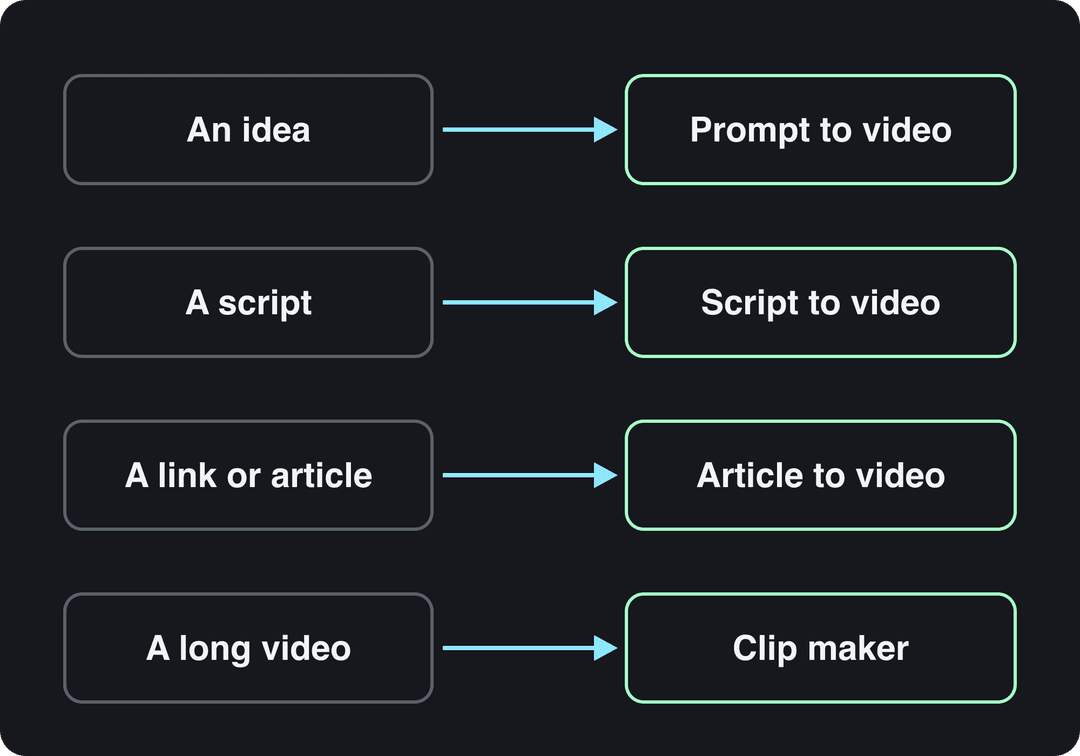
The fastest method depends on what you already have. Pick the row that matches your material.
| You start with | Method | What the AI does | Where to do it in Revid |
|---|---|---|---|
| An idea or one-line prompt | Prompt to video | Writes the script, picks visuals, adds voice and captions | Prompt to video |
| A finished script | Script to video | Splits it into scenes and matches a visual to each line | Script to video |
| A blog post or article link | Article to video | Condenses the text into a narrated short | article to video converter |
| A long YouTube video | Clipping | Finds the strongest moments and reframes them vertically | YouTube clip maker |
| A viral video you admire | Remix a proven format | Keeps the structure, hook and pacing, writes new words and visuals | viral video library |
If you have nothing yet, the last row is the strongest start. Revid's library holds about 2.77 million real short-form videos with their public views, likes and shares, so you can see which formats already work in your niche before you make anything. A free account can search it, and the free deep analysis (up to 60 a day) explains why a given video worked: its hook, its timed structure and how to adapt it.
Most AI videos are faceless, and on TikTok that is not a handicap. In Revid's analysis of 176,367 TikToks with 1,000+ likes posted between October 2025 and October 2026, faceless videos had a median of 114K views against 67K for videos with one person on camera (see the full study on what makes a TikTok go viral). The sample only includes videos that already passed 1,000 likes, so it shows what successful videos have in common, not a guaranteed cause.
Step 2: Get video ideas from AI (with prompts that work)
An AI chatbot is a fast brainstorming partner, but vague prompts return vague ideas. Brief it like a creative assistant: who the audience is, what the video must promote, how long it is, and what you want back for each idea. If you want a dedicated tool rather than a general chatbot, this roundup of AI brainstorming tools lists several options.
Here is the difference for a local coffee shop trying to grow on TikTok:
- Weak prompt: "TikTok ideas for a coffee shop."
- Strong prompt: "Act as a social media strategist. Generate 10 TikTok video ideas for a small, independent coffee shop that wants to reach college students. Each video must be under 30 seconds and highlight our new seasonal pumpkin spice latte. For each idea, give me a hook and a call to action."
Copy this template and fill in the brackets:
Act as a short-form video strategist. Give me 10 video ideas for [business or niche] aimed at [audience]. Each video is under [length] and promotes [offer or message]. For each idea, write: the hook (the first line on screen), what the viewer sees, and one call to action.The strong prompt returns ideas you can schedule, like these two:
- A POV of the barista making the latte, from grinding the beans to the latte art. Hook: "Here's what your morning coffee run really looks like." CTA: "Tag a friend who needs this today."
- Three ways to customize the drink in quick cuts: oat milk, an extra espresso shot, cold foam. Hook: "Don't order a pumpkin spice latte until you see this." CTA: "Which one would you try? Tell us in the comments."
Decision rule: if an idea could be posted by any business in your category without changes, it is too generic. Add a detail only you have (your product, your location, your customers' real question).
Prompt to try
Make a 30-second vertical TikTok for a local coffee shop showing three ways to customize our new pumpkin spice latte: oat milk, an extra espresso shot and cold foam. Open with the hook "Don't order a pumpkin spice latte until you see this." Keep the narration to a few short lines, use warm, upbeat close-up cafe visuals with bold captions, and end with "Which one are you trying? Come in this week."
Step 3: Write a short script with AI
The script is the blueprint the AI video tool follows, line by line. Give the AI the platform, length, audience, tone, core message and must-haves, and it will return a usable first draft. Revid's free AI script generator does this for short-form scripts specifically.
A prompt for the coffee shop's second idea:
"Write a script for a 30-second TikTok video for a local coffee shop. The tone is upbeat because we're targeting college students. The video shows three ways to customize our new pumpkin spice latte. Include a visual cue for each customization and a clear call to action at the end to get people to visit."
A short-form script that works usually has four parts:
| Part | Job | Coffee shop example |
|---|---|---|
| Hook | Stop the scroll with the first line | "Don't order a pumpkin spice latte until you see this." |
| Setup | Say what the viewer is about to get | "Three ways to make it better." |
| Payoff | Deliver it fast, one beat per scene | Oat milk, extra shot, cold foam |
| Call to action | One clear next step | "Which one are you trying? Come in this week." |
Then edit the draft yourself. Read it out loud and cut every line that sounds like a press release. The AI might write "Here are three great options"; rewrite it as "Level up your latte game with these three hacks." Small rewrites like this are what make the video sound like your brand instead of a template.
The most common mistake with AI scripts is too many words. AI writers fill every second with narration. In the same Revid study, TikToks with under 40 characters of speech (a sentence or less) had a median of 123K views and 20.2% passed 1 million views, while videos that talked throughout (300+ characters of speech) had 68K and 11.9%. Silent videos sat at 73K and 14.3%. It is correlation from videos that already did well, but the lesson is practical: cut the script until the visuals carry part of the story.
Videos with just a few spoken words (a line or two) beat both silent videos and videos that talk the whole way through, which were the most common and the weakest.
Source: Revid analysis of 176,367 TikToks analyzed by AI, with 1,000+ likes posted between Oct 1, 2025 and Oct 16, 2026 (61,203 creators)
Show the data
| Median views | Share that passed 1M views | |
|---|---|---|
| No speech | 73.3K | 14.3% |
| Under 40 | 122.7K | 20.2% |
| 40 to 120 | 97.2K | 17.6% |
| 120 to 300 | 91.6K | 16.8% |
| 300+ | 67.7K | 11.9% |
Step 4: Generate the scenes, voice, captions and music
Paste your script (or prompt, or link) into an AI video tool. It splits the text into scenes, picks or generates a visual for each one, records a synthetic voice-over, syncs the captions and adds music. You get a complete draft, usually within minutes.
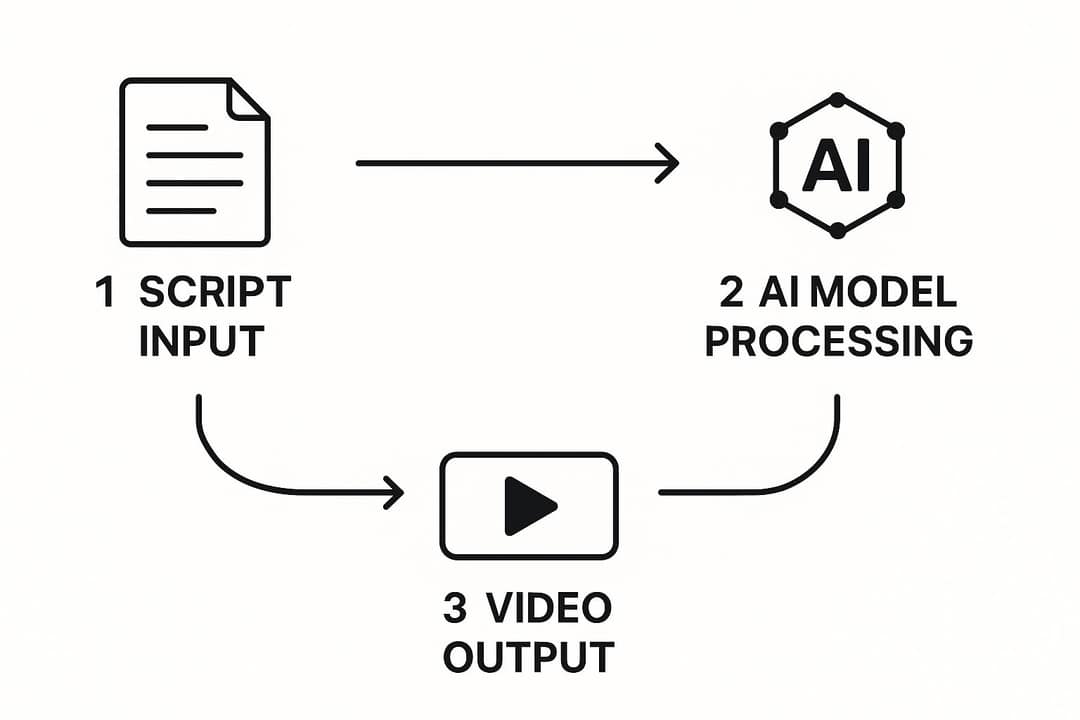
You don't need a powerful computer. Generation runs on the provider's servers, so a laptop browser is enough; this explainer on why AI development runs on high-end computers covers the hardware doing the work behind the scenes.
The biggest choice at this step is the type of visual for each scene:
| Visual type | Use it for | Trade-off |
|---|---|---|
| Stock footage | Real places, people, everyday actions | Can look generic; others may use the same clip |
| AI images | Illustrated stories, explainers, styles that don't exist in stock | Static unless animated |
| AI video clips | Scenes you can't film or find | Cost more credits; check each clip for visual errors |
| Your own footage | Your product, your shop, your face | You have to film it |
Mix them. A product video might use your own footage for the product, AI video for one impossible shot, and stock for the rest.
In Revid, you can choose the AI video model scene by scene: Seedance 2.5, MiniMax Hailuo H3, Wan 3.0 or Google Veo 3, plus lower-cost tiers under one credit system. Don't plan a workflow around Sora 2: OpenAI shut down the Sora API on September 24, 2026. Revid also offers 1,000+ AI voices in 70+ languages and 30 caption styles, so pick a voice that matches your tone before you render.
Step 5: Edit the AI draft
The first draft is a starting point, not the finished video. Work through this checklist in the editor:
- Watch it once with the sound off. Captions and visuals alone should tell the story, since many people scroll muted.
- Swap mismatched visuals. AI often picks clips that are technically related but emotionally wrong. For the line "a struggling business", it might show a sleek empty office instead of a cluttered workshop. Replace it, or upload your own clip.
- Fix the pacing. Shorten scenes that drag and hold a beat longer on the key message.
- Fix robotic delivery. If the voice sounds flat, try another voice or split long sentences into two short ones.
- Proofread the captions. Check names, numbers and line breaks, and highlight the one phrase per scene that matters.
- Brand it. Add your logo in a corner, use your brand colors for captions, and keep one font across all your videos.
- Match the music to the mood. Upbeat for a quick tip, softer for a story.
Prompt to try
Create a 30-second faceless vertical video explaining why octopuses have three hearts. Hook: "Your heart works alone. An octopus has three." Use AI visuals of deep ocean scenes, a calm curious voice, short punchy captions and one clear payoff line at the end.
Step 6: Export, label and publish
Export vertical. These settings work for TikTok, Instagram Reels and YouTube Shorts:
| Setting | What to use |
|---|---|
| Aspect ratio | 9:16 vertical |
| Resolution | 1080x1920 (TikTok's recommendation); 4K if your tool offers it |
| Frame rate | 30 fps, or 60 fps for fast motion |
| File format | MP4 |
Length limits differ by platform:
| Platform | Maximum length | What to know |
|---|---|---|
| TikTok | Up to 60 minutes for uploads | In-app recording stops at 10 minutes |
| YouTube Shorts | Up to 3 minutes | Square or vertical videos only |
| Instagram Reels | Up to 20 minutes | Reels over 3 minutes are not recommended to non-followers |
For a first AI video, aim for about 30 seconds: it is long enough to deliver one idea and short enough to keep tight. Length matters less than people think. In Revid's TikTok study, every length bucket from under 15 seconds to 10 minutes had a median between 58K and 76K views.
Platform also changes how AI footage performs. In Revid's study of AI videos vs real footage, AI-generated TikToks averaged twice the views of real footage, while on X, Instagram and Threads, AI visuals clustered in the lowest engagement tier. If Instagram is your main channel, mix real footage into your AI videos.
On YouTube, disclose realistic AI content with the "AI use" setting in YouTube Studio. AI-written scripts, captions, titles and a clone of your own voice don't need disclosure. To earn money, AI-assisted videos must show your own creative vision: YouTube does not monetize mass-produced template content, stitched-together AI clips with no narrative, or AI personas posing as experts on health, legal, financial or political topics.
How to make AI videos with Revid
Revid covers every step above in one place, from the script to publishing.
- Open Revid's prompt to video tool and type an idea, paste a script or a link, or start from a video in the viral library.
- Choose a voice, a caption style and, for each scene, the visual type: stock, AI images or one of the AI video models.
- Check the credit estimate before you generate. A 30-second video with Pro AI visuals and a voice-over costs about 40 to 80 credits.
- Fix anything in the timeline editor, then export in 720p, 1080p or 4K at 30 or 60 fps, or publish and schedule directly to TikTok, Instagram and YouTube.
Sign-up is free and new accounts get free credits to try video creation, no credit card needed. Regular creation then uses the credits of a paid plan, starting at $39/month for 2,000 credits (see current plans and credits).
Which kind of AI video tool should you use?
AI video tools look similar on their landing pages but do different jobs. Pick by the job you need done.
| Tool type | Best for | Examples |
|---|---|---|
| Full short-form pipeline | Finished, captioned, publish-ready videos from an idea, script, link or viral format | Revid |
| Raw clip generators | Single cinematic clips; you assemble the rest | Runway, Pika, Kling |
| Avatar platforms | Presenter-style training and explainer videos | Synthesia, HeyGen |
| Clipping and caption tools | Cutting and captioning long videos you already have | OpusClip, Klap, Vizard, Submagic |
| Template and stock editors | Videos assembled from templates and stock media | InVideo, Pictory, Fliki |
| Faceless automation tools | Series of narrated faceless videos | Crayo, AutoShorts, Zebracat |
The category is growing fast: Precedence Research's AI video generation market report and Grand View Research's US AI content creation market analysis both forecast steep growth through 2033, so expect tools and prices to keep changing. Revid publishes sourced head-to-head comparisons with other AI video tools if you are choosing between two.
What AI video still does badly
- Abstract lines get literal visuals. A line about "momentum" may get a clip of a moving car. Rewrite abstract lines into concrete scenes.
- AI clips can contain visual errors, such as odd hands or unreadable text in the frame. Watch every generated scene before you publish.
- Fine-grained effects work is limited. For complex animation, color grading or frame-level edits, a professional editor such as Adobe Premiere Pro or DaVinci Resolve gives you more control.
- Some jobs fit other tools better: corporate training with a fixed presenter suits Synthesia, and editing only your own footage by hand suits CapCut.
FAQ
Can I use my own voice in an AI-generated video?
Yes. Record your voice-over and upload it (Revid's audio to video tool turns a recording into a captioned video), or use voice cloning on Revid's Elite plan and above so new scripts are read in your voice.
Is footage from AI video generators copyright-free?
Not automatically. Each tool licenses its stock, AI-generated visuals and music under its own terms of service, so read them before you publish commercially, and be most careful with music. You are responsible for the rights to anything you upload or reuse yourself.
Can I create AI videos for free?
Partly. Many tools offer limited or watermarked free tiers. On Revid, sign-up is free, new accounts get free credits to try video creation (no credit card needed), and you can search the viral library and run free deep analyses. Regular creation then uses credits from a paid plan starting at $39/month.
Can you make money from AI videos on YouTube?
Yes, as long as the video shows your own creative vision and gives viewers real educational or entertainment value. YouTube does not monetize AI content that looks mass-produced from generic templates.
How long does it take to make a video with AI?
The generation itself usually takes minutes. Most of your time goes into the idea, the script and the editing pass, which is also where the quality of the final video is decided.