Video Marketing for Real Estate: What Works in 2026
Video marketing for real estate: learn which videos to make, how to shoot listing tours, and which metrics show they bring in buyer inquiries.
On this page
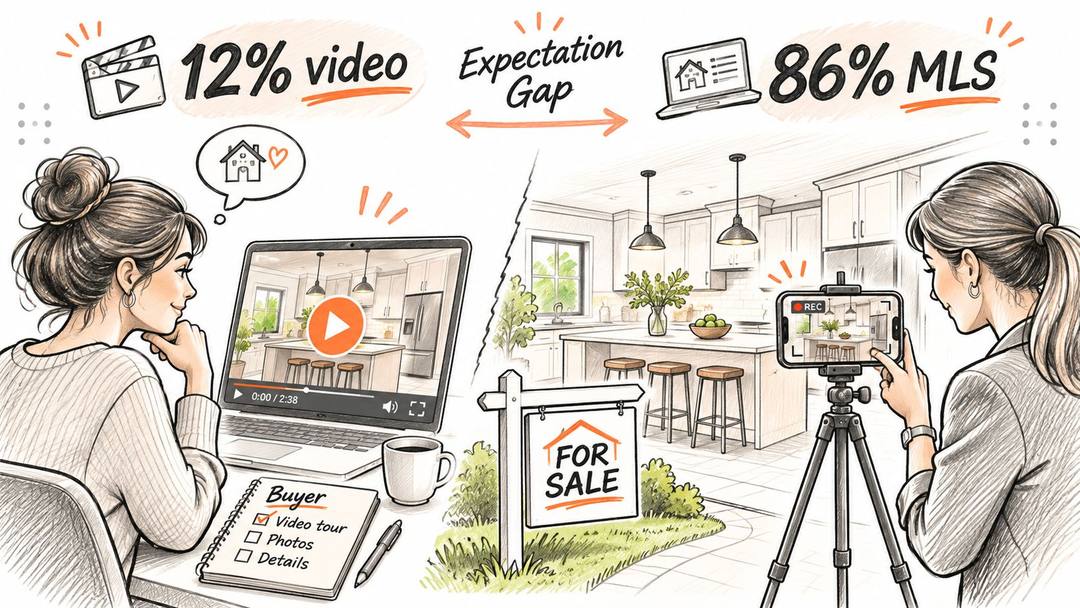
Only 12% of sellers said their agent used video to market their home, while 37% of buyers used online video sites during their home search, according to Mark Studios' summary of National Association of REALTORS® findings, with the seller figures covering U.S. homes sold between July 2023 and June 2024. That gap is a useful starting point for video marketing for real estate. Buyers need help deciding which homes deserve a visit, not another cinematic montage that leaves the layout a mystery.
- Sellers who said their agent used video to market their home
- 12%
- NAR findings via Mark Studios
- Buyers who used online video sites during their home search
- 37%
- NAR findings via Mark Studios
- REALTORS® using drone photography or video in their business in 2025
- 52%
- NAR Technology Survey via Aktion Productions
- Buyers who rated listing photographs very useful (videos: 29%)
- 83%
- NAR 2025 via ListedReel
Why Buyers Expect to Watch a Property Before They Visit
A buyer watching a listing tour isn't necessarily ready to make an offer. They may be checking whether the kitchen connects to the living room, whether the backyard offers usable space, or whether the entrance involves stairs.
Make video a pre-visit qualification tool. Give viewers enough context to rule a property in or out before they book time with an agent. An unsuitable buyer deciding not to visit can be a useful outcome, even though it won't appear in a lead-generation dashboard.
Answer the question behind the click
Different buyers need different kinds of reassurance. A relocation buyer needs street context; someone comparing renovated homes needs clear views of finishes and workmanship.
- Property tours explain how rooms connect and where everyday activities fit.
- Neighborhood explainers help buyers understand access, surroundings, and nearby amenities.
- Renovation highlights distinguish visible cosmetic changes from documented work.
- Educational clips answer practical questions about evaluating a property before arranging a showing.
Furniture placement is another useful qualification topic. Miller Waldrop Furniture & Decor's furnishing guide for West Texas homeowners can support buyers thinking through how they'll furnish a home, while your footage should show the circulation space around existing furniture rather than just attractive styling.
Keep the promise proportionate
The adoption gap doesn't establish that video causes faster sales, higher prices, or better results than professional photography. It tells you that buyers use a channel that many sellers' agents haven't incorporated.
Treat that as permission to test, not permission to promise. A useful video adds information to the listing package and helps an interested buyer decide what to do next.
Practical rule: If viewers finish the video without understanding the property better, you've made a presentation, not a qualification asset.
Which Video Type to Make for Each Goal
| Goal | Video type | Typical length to aim for | Best platform | Must include |
|---|---|---|---|---|
| Sell a listing quickly | Property walkthrough | Enough time to follow the complete route without repeated shots | YouTube, Facebook | Room-by-room sequence, natural light, floor plan link |
| Show how the home sits in its area | Neighborhood explainer | A compact route through the relevant surroundings | YouTube, Instagram Reels | Verified commute information, amenities, streetscape |
| Win attention in a crowded feed | Hook clip | A brief introduction to a single feature | Instagram Reels, TikTok | Location and one differentiator immediately |
| Show lot size and surroundings | Drone aerial | Only long enough to establish useful geographic context | YouTube, Facebook | Verified boundaries, roofline, nearby landmarks |
| Build agent trust | Agent introduction | A concise explanation of who you help and how | LinkedIn, YouTube | Credentials, service area, how to get in touch |
| Prove results to sellers | Market update or recent sale recap | Enough time to explain the evidence and its limitations | YouTube, LinkedIn | Local sales data, date, named source |
These are editing targets, not platform limits or guaranteed performance formulas. Choose the job first, then give the video enough time to do it. A compact apartment doesn't need the same treatment as a property with separate buildings and extensive grounds.
Prompt to try
Make a 45-second vertical neighborhood explainer for relocation buyers looking at homes near a city park. Hook: "Moving here? Here is what a normal weekday looks like near the park." Cover the walk to the park, nearby shops and the main commute route, with clear captions and a friendly, factual voiceover. End by inviting viewers to see current listings in the area.
Spend on the buyer's uncertainty
A walkthrough earns its place when room relationships are hard to understand from stills. A neighborhood explainer is more useful when buyers are unfamiliar with the area or when the property's setting needs explanation.
Drone work deserves the same scrutiny. In 2025, 52% of REALTORS® reported using drone photography or video in their business, according to the NAR REALTORS® Technology Survey summarized by Aktion Productions. That measures use of either aerial format, not the effectiveness of drone video specifically.
Book an aerial shoot when it can explain access, surrounding land, or the relationship between buildings. Don't book it merely because competing agents have aerial footage. Any boundary overlay needs checking against reliable property documentation; a visual estimate shouldn't masquerade as a survey.
Agent introductions and market recaps serve a different purpose. They help prospective clients assess the agent, rather than assess a particular home. Keep them separate from listing tours so buyers don't have to sit through a biography to see the kitchen.
Build a small asset family
Say you're marketing a three-bedroom home with a renovated kitchen and convenient park access. Capture the material for a continuous walkthrough, a kitchen-led feed clip, and a separate neighborhood explainer during the same appointment.
Each edit needs a different opening and ending. The walkthrough invites a showing, the hook sends viewers to the complete listing, and the neighborhood piece helps relocation buyers understand the location.
Share footage where it makes sense, but don't force every shot into every version. Reuse reduces production work; repetition inside the finished video just consumes attention.
Start with the goal that matches your next listing, not the format you enjoy filming.
Platform Formats and Hooks That Fit Each Feed
| Platform | Typical length to plan | Best use for listings |
|---|---|---|
| YouTube | Long enough to explain the complete property without filler | Full tours and neighborhood explainers; frame horizontally |
| Instagram Reels | A short, self-contained feature demonstration | Hook clips and room highlights; frame vertically |
| TikTok | A concise answer to a local or buyer question | Local lifestyle and buyer tips; frame vertically |
| Facebook feed | A compact update with a clear next action | Listing alerts and community posts; compose for mobile viewing |
| A focused professional explanation | Agent introductions and market updates; use square or portrait framing |
Treat these as production choices, not claims about what an algorithm will reward. Preview every export in its destination app, because interface buttons and captions can cover important details.
In 2024, 41% of surveyed Gen Z and millennial buyers and sellers used social media to learn about real estate, while 66% said agents' social-media presence made it easier to find properties, according to RE/MAX's Future of Real Estate Report summarized by Convrt Media. Those findings support taking social discovery seriously, without assuming every age group or market behaves identically.
Prompt to try
Create a 20-second vertical Instagram Reel for a three-bedroom Brookside bungalow. Open on the hook "Brookside bungalow with a renovated kitchen opening onto the garden," then show the kitchen, the garden doors and the living area in that order. Use calm, bright visuals, short on-screen labels that name each feature, and end with "Full tour and floor plan at the listing link."
The index leans toward videos that surface in hashtag and keyword searches, so its view counts run high: compare the groups, not the absolute numbers.
Source: Revid TikTok index: 2,377,477 TikToks with AI labels per video, snapshot of Sep 15, 2026. Median views estimated from view buckets.
Show the data
| Median views | Share past 1M views | |
|---|---|---|
| #realestate | 88.5K | 16.5% |
| #sidehustle | 56.1K | 9.6% |
| #rich | 55.5K | 15.8% |
| #money | 52.4K | 12.7% |
| #business | 50.9K | 11.4% |
| #dropshipping | 46.7K | 7.8% |
| #investing | 38.4K | 7.1% |
| #crypto | 35.7K | 6.4% |
Rework the opening, not just the crop
For a hypothetical Brookside bungalow, a YouTube opening might be: “Tour this Brookside bungalow to see how the renovated kitchen connects to the garden.”
The Reel could open directly on the kitchen doors: “Brookside bungalow with a renovated kitchen opening onto the garden.” Both establish location, property type, and a differentiator, but the shorter version gets straight to the feature.
For additional ideas on organizing an agent's social presence, the Royal LePage Brookside Realty social tips offer useful context. Apply the ideas selectively rather than expanding onto every channel at once.
Make the message readable
Write on-screen text that names the feature instead of merely praising it. “Pantry beside the kitchen” gives buyers more information than “Amazing storage.”
Keep voice-over brief and leave space for viewers to inspect the image. Position essential text away from interface controls, and check the finished video on a phone before publishing.
A platform-specific edit should change what viewers notice first, not change the facts about the home.
How to Shoot a Listing Tour Buyers Can Use
Protect the foundational assets before booking elaborate video production. In the NAR 2025 findings summarized by ListedReel, buyers rated photographs “very useful” at 83%, floor plans at 57%, virtual tours at 41%, and videos at 29%.
That comparison argues for an asset stack, not a replacement strategy. Publish a composed photo set and an informative floor plan alongside footage that explains movement, access, and room relationships.
Prepare the property and route
Before filming, remove distracting clutter, replace failed bulbs, and check that doors open fully. If walls need attention, Alex Trend Painters' guide to when fresh paint pays off is a useful decision aid for weighing preparation work rather than automatically repainting everything.
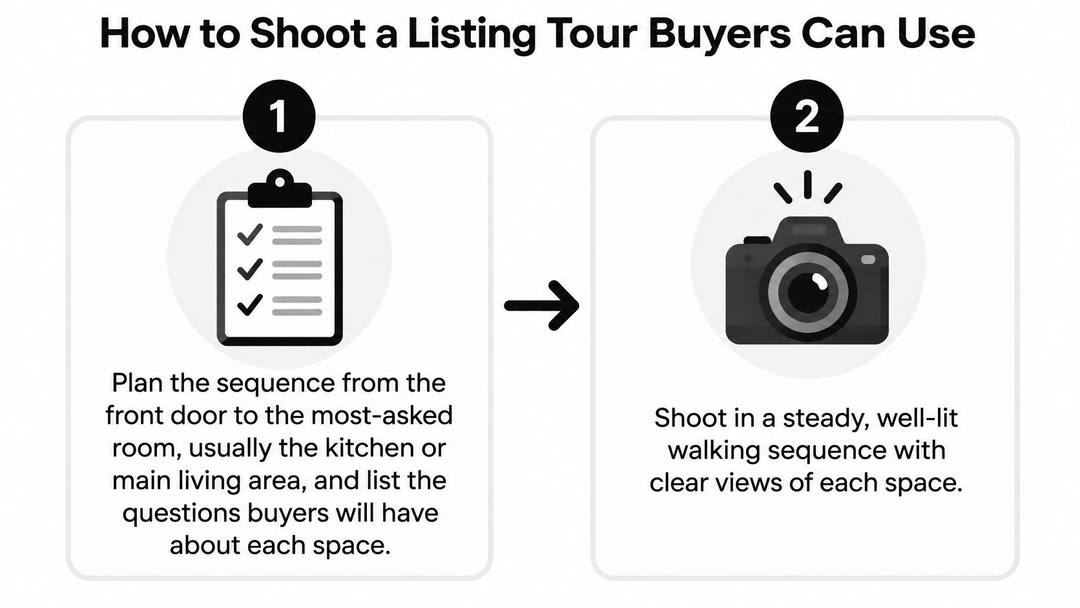
Map the buyer's route. Start at the entrance and plan a logical path toward the main living area or kitchen, noting the question each space should answer. Check measurements against the floor plan before putting them into the script.
Follow continuous spatial order, preserving the transitions between connected rooms. If you cut from the entrance to an upstairs bedroom without explanation, the viewer has to reconstruct the layout alone.
Stabilize before adding movement. Use a phone gimbal or camera stabilizer, walk slowly, and hold each composition long enough to inspect it. Lock exposure where practical so bright windows don't make the interior repeatedly darken and brighten.
Add labels that identify rooms and clarify useful features, such as a utility cupboard or garden entrance. Include dimensions only when verified, and avoid wide-angle framing that makes a narrow room appear substantially larger.
Capture context without manufacturing it
Film the surroundings separately. Record the street, access route, parking arrangement, and relevant amenities so the interior tour remains easy to follow. Discuss schools only with verifiable information and where legally and ethically appropriate; avoid assumptions about who belongs in the neighborhood.
Capture interior details that affect daily use, including storage access, door swings, and circulation around furniture. Don't hide a compromised layout behind close-ups of taps, handles, and decorative finishes.
Caption the spoken content. Check automatic captions against place names, property terminology, and any stated figures, because transcription mistakes can change the meaning. Review the edit muted to ensure the essential information still makes sense.
Write searchable metadata using the neighborhood, city, property type, and relevant feature in natural language. Add an accurate description and a clear route to the listing rather than filling the title with disconnected keywords.
For the post-production workflow, our real estate video editor guide explains how to approach a listing edit. Keep the finished result faithful to the actual property, especially when combining footage, photographs, labels, and voice-over.
Final check: Ask someone unfamiliar with the home to describe the route after watching. If they can't explain how the main rooms connect, fix the sequence before adding more transitions or music.
The index leans toward videos that surface in hashtag and keyword searches, so its view counts run high: compare the groups, not the absolute numbers.
Source: Revid TikTok index: 2,377,477 TikToks with AI labels per video, snapshot of Sep 15, 2026. Median views estimated from view buckets.
Show the data
| Median views | Share past 1M views | |
|---|---|---|
| Drone | 173.9K | 27.9% |
| Steady cam | 162.7K | 26.2% |
| Screen recording | 159.9K | 23.8% |
| Handheld | 140.9K | 25.6% |
| POV | 139.9K | 26% |
| Tripod | 117K | 23.6% |
| Selfie | 67K | 16.3% |
Mistakes That Waste Listing Video Budgets
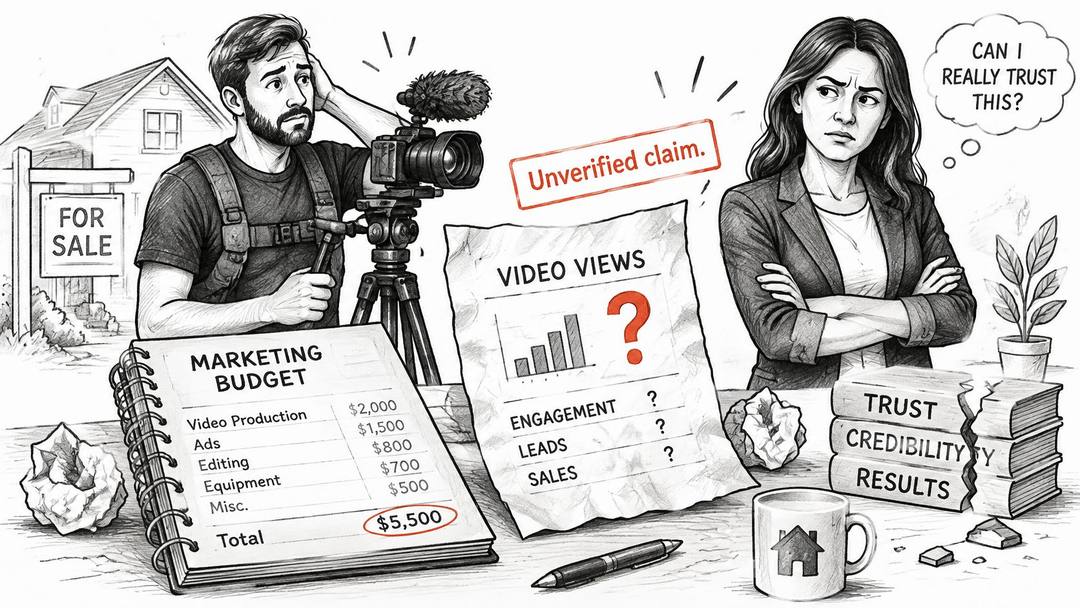
Repeating an unverified inquiry-uplift claim wastes budget and trust together. The JML Tech Studios review of real estate video claims notes that a widely circulated inquiry statistic couldn't be verified to a primary NAR study.
Don't use unsupported multipliers in seller presentations, and don't promise a faster sale or a higher closing price. Explain what you'll produce, how you'll distribute it, and which buyer actions you'll track.
Polish that gets in the way
A soundtrack shouldn't compete with the agent explaining a room feature. Lower music beneath speech, then listen through ordinary phone speakers rather than judging the mix only through headphones.
- Unchanged horizontal exports can leave the important feature tiny or awkwardly cropped in a vertical feed. Make a separate feed edit rather than shrinking the entire tour.
- Roof-heavy aerials consume production budget without explaining the land. Show a recognizable access point or surrounding landmark when that context matters.
- Unfocused introductions tell viewers the agent's name but omit the service area and booking method. Replace general enthusiasm with practical information.
- Undated market recaps leave sellers unable to judge whether the comparison is relevant. Show the reporting period and name the underlying source.
Audit before commissioning another shoot
Review a small batch of recent uploads. Check whether the property is identifiable, whether the listing link works, and whether your inquiry records can connect a showing request with the video someone watched.
A clip with weak reach may need a better opening, not another production appointment. A clip with attention but no property interest may be attracting the wrong audience or withholding the details buyers need.
Don't delete a useful video just because it isn't generating immediate appointments. Correct the distribution, opening, or next action first, and retain accurate educational assets that still serve a clear purpose.
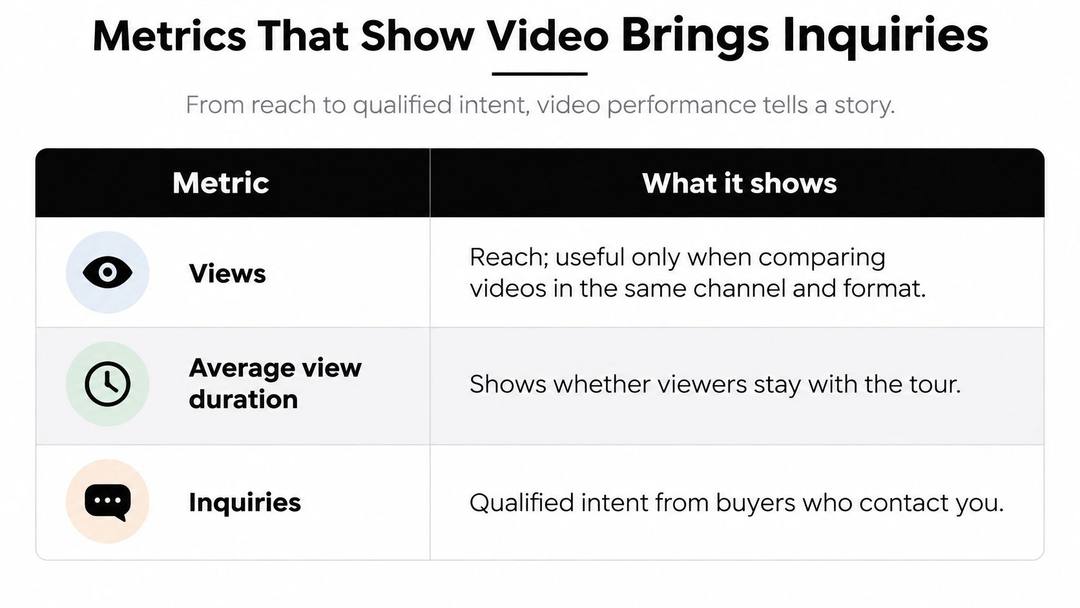
Metrics That Show Video Brings Inquiries
| Metric | What it signals | Act when |
|---|---|---|
| Views | Reach only | Compare only within the same channel and format |
| Average view duration | Whether viewers stay through the tour | Reorder rooms if viewers leave at the same point each time |
| Saves and shares | Content worth keeping for a future move | Re-post the most-saved community clip |
| Clicks to listing page | Interest in the specific property | Add a clear link in the caption and description |
| Showing requests | Qualified buyer intent | Track which video came before each request |
| Tour-to-offer conversion | Whether video reduces wasted showings | Compare comparable listings with and without video |
Showing requests are a stronger operational signal than views, but they still need context. An inquiry from someone who understands the property's constraints is different from a booking made without checking the location or price.
The table is a working hierarchy, not proof that every save or share comes from a buyer. Agents, neighbors, and casual viewers can interact with listing content too.
Run a comparison you can interpret
Start with the same property and alternate openings while keeping the destination page, audience, and call to action consistent. This is usually easier to interpret than comparing unrelated homes with different prices, conditions, and locations.
- Choose the question. Test whether a layout-led opening or an outdoor-space opening brings better-qualified showing requests.
- Tag the destination. Use distinct campaign links so your analytics can separate visits from each version.
- Record the outcome. Add the referring video and the buyer's stated interest to your CRM.
- Inspect inquiry quality. Note whether prospects understood the layout and whether the eventual visit matched their expectations.
If you compare listings with and without video, record the differences that could affect demand. Pricing changes, availability, presentation, and location can explain results that might otherwise be credited to the edit.
Measure the visit, not just the booking
After a showing, record why the buyer continued or declined. Repeated surprises about access, room arrangement, or outdoor space suggest the video isn't qualifying effectively.
Calculate tour-to-offer conversion consistently by dividing offers by completed tours over the same observation window. Keep the underlying counts visible; a change based on very few visits shouldn't justify a major budget decision.
Budget test: More appointments aren't automatically better if the additional visitors arrive with the wrong expectations.
Choose a single primary metric for your next reporting period. Use listing clicks to diagnose discovery, showing requests to assess intent, and visit feedback to judge whether the footage prepared buyers accurately.
Start Your First Listing Video This Week
Pick an active listing and a neighborhood you already know. Keep the assignment narrow enough to finish without waiting for an elaborate production plan.
A practical production schedule
On the planning day, write the buyer question the video must answer, then map the route and prepare a shot list. Confirm permission to film, verify the details you'll state, and decide which next action belongs at the end.
On the filming day, capture the main route before collecting decorative detail shots. Record separate neighborhood material, and add aerial footage only if the land or surroundings are central to the listing's appeal.
On the editing day, remove anything that doesn't explain the property or support the chosen action. Publish a feed-specific introduction and a complete tour, then check the listing destination from a phone.
Set an inquiry check
For a practical trial, schedule a review after a fortnight rather than refreshing the view count throughout the day. Compare listing-page visits and showing requests with a similar photo-only listing, while noting differences in price, condition, and availability.
Choose a single change for the next attempt, such as the opening line or the destination-page call to action. Changing everything at once makes it harder to understand what helped.
Write the hook before you book the shoot. If you can't name the buyer question and the property feature that answers it, the production brief isn't ready.
We offer tools to turn an idea or existing content into social videos, with voice-over, captions, branding, and editable pacing, without requiring filming or editing skills. Visit revid.ai to build a listing-focused social clip, then check every visual and claim against the actual property before publishing.
FAQ
Do home buyers actually watch real estate videos?
Yes. According to a summary of National Association of REALTORS® findings, 37% of buyers used online video sites during their home search, while only 12% of sellers said their agent used video to market their home. That gap makes video worth testing, though it does not prove video sells homes faster or for more.
What types of real estate videos should an agent make?
Match the video to the goal: a property walkthrough to sell a listing, a neighborhood explainer to show the area, a short hook clip for crowded feeds, and a drone aerial only when lot size or surroundings matter. Agent introductions and market recaps build trust with sellers and should be kept separate from listing tours.
How do you shoot a listing tour buyers can use?
Map the buyer's route from the entrance, film rooms in continuous spatial order, and stabilize the camera while walking slowly. Add room labels and only verified dimensions, film the surroundings separately, and check captions against place names and figures before publishing.
Is video more useful to buyers than listing photos?
Not on its own. In NAR 2025 findings summarized by ListedReel, buyers rated photographs very useful at 83%, floor plans at 57%, virtual tours at 41% and videos at 29%. Publish video as part of an asset stack alongside a composed photo set and a floor plan.
How do you measure whether real estate video brings inquiries?
Look past views to clicks to the listing page, showing requests and tour-to-offer conversion. Use tagged campaign links to separate versions, record the referring video in your CRM, and note after each showing whether the buyer understood the layout and location.
Which platforms work best for listing videos?
YouTube suits full tours and neighborhood explainers framed horizontally, while Instagram Reels and TikTok suit short vertical hook clips and local tips. LinkedIn fits agent introductions and market updates. Rework the opening for each feed rather than just cropping the same export.
Sources
- Revid TikTok index: 2,377,477 TikToks with AI labels per video, snapshot of Sep 15, 2026. Median views estimated from view buckets.
Charts and figures checked on November 22, 2026.