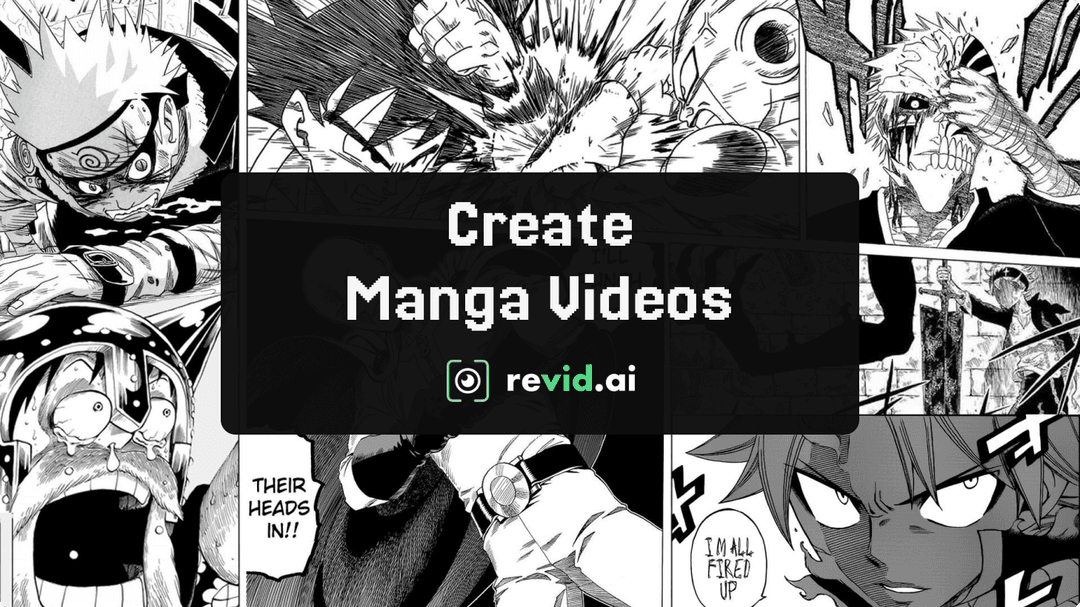
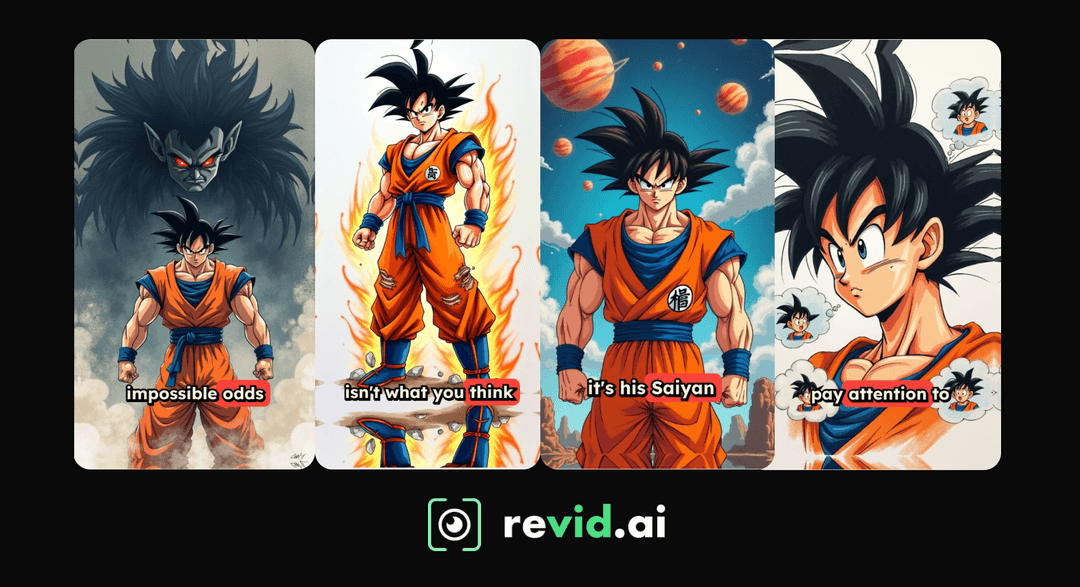
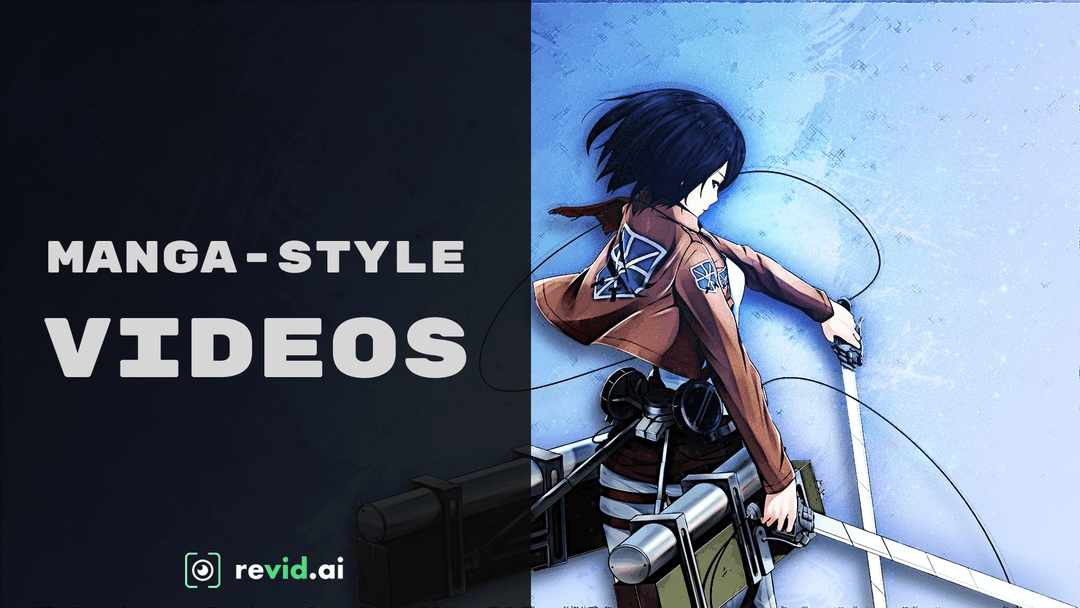
How to Create a Manga-Style Story Video With AI (6 Steps)
Write a manga-style story in five beats, from the opening threat to the cliffhanger, then turn it into a narrated AI video in Revid: script, voice, visuals, music, edit and export.
On this page
To create a manga-style story, write it as a single chapter in five beats: open on the threat, introduce the hero and the world, raise the conflict, hit a climax with a power-up, and end on a cliffhanger. To turn it into a video, click Create in Revid, paste the script, pick a voice and a media type, then generate.
The visual style is the easy part. Most AI manga videos lose viewers in the script, which reads like a plot summary instead of a chapter with a threat, a hero and an ending that demands part 2. This guide covers the story first, then every click in Revid.
Here is the finished example (made with an earlier version of Revid's movie maker in an anime style):
How do you write a manga-style story for a short video?
A manga short works when it has the shape of one chapter: one hero, one threat, one escalation and an ending that makes the viewer want the next episode. Build your script around these five beats.
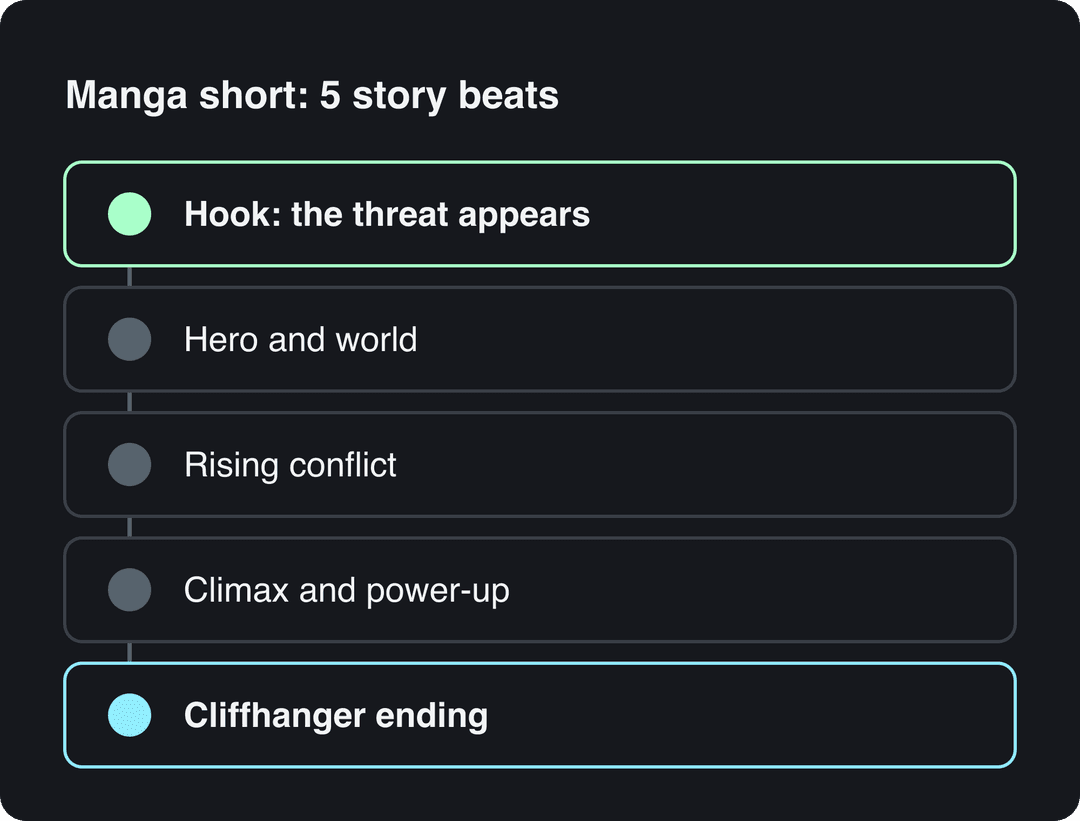
- Hook: the threat appears. Open on danger, not backstory. Example: "The night the demons came, every adult in the city stopped blinking."
- Hero and world. Name the hero, give one trait and one detail of the setting. Example: "Ren, sixteen, the only one who still dreams, hides in the abandoned train yard."
- Rising conflict. The enemy gets closer and the hero loses something: a friend, a weapon, a safe place.
- Climax and power-up. The signature manga moment: a hidden power wakes up, a rival turns ally, or the hero makes a sacrifice.
- Cliffhanger ending. End on an open question so the next video has an audience. Example: "But the demon king was never in the city. He was in Ren's own shadow."
If you want an AI to draft it, paste this prompt into Revid's AI script generator and fill in the brackets:
A manga short about [hero, age, one trait] fighting [enemy] who want to [stakes]. Open on the threat, use named characters and places, build to a power-up moment and end on a cliffhanger. Under 150 words.
Prompt to try
A black-and-white manga short about Kai, 17, a stubborn night courier who discovers the city's streetlights are feeding on people's memories. Open on the hook "Every streetlight in Kuroma went dark at once, and nobody could remember their own name." Build to a power-up where Kai's lantern burns with stolen memories, and end on a cliffhanger. Heavy ink lines, speed lines, tense narration, about 45 seconds, vertical 9:16.
Pick one strong emotion and push it
In Revid's analysis of 176,367 TikToks with 1,000+ likes posted between October 2025 and October 2026, videos whose dominant mood was outrage had a median of 156K views, humor 121K and sadness 104K, while inspirational videos had 45K. The sample only holds videos that already reached 1,000 likes and shows what the best performers share, not causes. Still, the hint for a manga script is clear: give your hero something to be furious or heartbroken about, not a gentle lesson. The full method is in the study of what makes a TikTok go viral.
High-arousal emotions (outrage, humor, sadness) earned the most views. Calm, inspirational videos earned the least, even though they collect the most likes per view.
Source: Revid analysis of 176,367 TikToks with 1,000+ likes posted between Oct 1, 2025 and Oct 16, 2026 (61,203 creators)
Show the data
| Median views | Share that passed 1M views | |
|---|---|---|
| Outrage | 156K | 23.7% |
| Humor | 121K | 19.3% |
| Sadness | 104.4K | 16.5% |
| Excitement | 92.5K | 15.9% |
| Joy | 89.9K | 18% |
| Informative | 64.1K | 11.2% |
| Neutral | 61.2K | 11.5% |
| Inspirational | 44.6K | 11.3% |
Let the images carry the action
The same study found that videos with under 40 characters of speech had a 123K median, against 68K for videos that talk throughout (300+ characters of speech). A narrated manga video will talk, so cut every line that only describes what the image already shows. Narration should add what a panel cannot: a name, a motive, a countdown.
Videos with just a few spoken words (a line or two) beat both silent videos and videos that talk the whole way through, which were the most common and the weakest.
Source: Revid analysis of 176,367 TikToks analyzed by AI, with 1,000+ likes posted between Oct 1, 2025 and Oct 16, 2026 (61,203 creators)
Show the data
| Median views | Share that passed 1M views | |
|---|---|---|
| No speech | 73.3K | 14.3% |
| Under 40 | 122.7K | 20.2% |
| 40 to 120 | 97.2K | 17.6% |
| 120 to 300 | 91.6K | 16.8% |
| 300+ | 67.7K | 11.9% |
Manga style or anime style: which Revid tool fits?
"Manga style" covers two looks: black-and-white ink panels, or colored anime scenes. Pick your starting point by the look you want.
| The look you want | Where to start in Revid |
|---|---|
| Black-and-white manga drawings with narration | AI manga video generator: paste your story or script |
| Colored anime scenes from a story or a one-line idea | AI anime video generator |
| Full control over script, voice, media type and music | Create page, "From script" or "From an idea" (the steps below) |
| Pages you drew yourself | Image sequence to video |
The dedicated generators are the fastest route. The steps below use the Create page because it shows every setting, and the same choices (script, voice, media type) apply to the other tools.
How to create a manga-style video in Revid, step by step
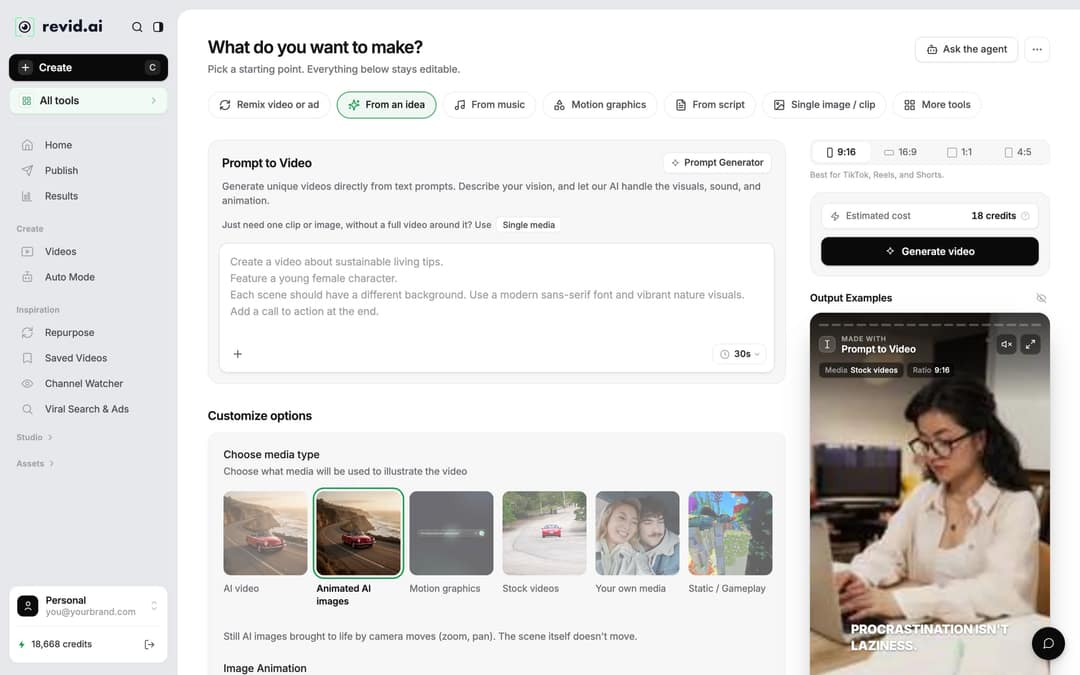
Step 1: Open the Create page
- Click Create at the top of the sidebar (or press C). The page asks "What do you want to make?"
- Pick From script if you already wrote your five beats, or From an idea if you want Revid to write the script from a prompt.
- For the manga or anime generators, click All tools in the sidebar and pick the tool from the list.
Step 2: Write the script with visual notes
Paste your script into the script field (titled "Your video narrator script" in From script) or describe the story in the prompt box. Three formatting rules give you control over the scenes:
- One line per scene. A new line starts a new piece of content.
- [Brackets] for visuals. Text in square brackets is treated as a note, not narration, and guides the image for that scene. Use it for the manga look: "[black-and-white manga panel, heavy ink lines, speed lines]".
- Pauses.
<break time="1.0s" />adds a silence before a reveal, up to 10 seconds. It works with ElevenLabs and MiniMax voices; Gemini and Kling voices skip it.
A script in this format looks like:
[black-and-white manga panel, city at night, red sky] The night the demons came, every adult in the city stopped blinking.
[close-up, teenage boy with a scar, abandoned train yard] Ren, sixteen, the only one who still dreams, hides in the train yard.
[speed lines, demon claws breaking a wall] They found him first. <break time="1.0s" />
[dark panel, a shadow with glowing eyes] But the demon king was never in the city. He was in Ren's own shadow.Step 3: Choose the narrator voice
Pick a voice whose tone matches the story: low and slow for horror, young and fast for shonen action. Revid has 1,000+ AI voices in 70+ languages, so you can narrate in Japanese, English or any language your audience speaks.
This clip shows browsing for a voice; it was recorded on an earlier version of the interface, so some labels differ from what you see today.
Step 4: Set the look: media type, ratio and music
Under Choose media type, pick how each scene is illustrated. For manga, two options matter:
| Media type | What you get | Cost |
|---|---|---|
| Animated AI images (default) | Still AI images brought to life by zoom and pan, closest to real manga panels | 1 (Low), 4 (Pro) or 16 (Ultra) credits per image |
| AI video | Moving scenes from Seedance 2.5, MiniMax Hailuo H3, Wan 3.0 or Google Veo 3; needs a subscription | 15 (Low), 50 (Pro) or 100 (Ultra) credits per 5 seconds; premium models more |
If the story is mostly dialogue and reveals, animated images keep the panel feel and cost far less. Switch to AI video for fight scenes where motion sells the moment. Then pick the ratio (9:16 for TikTok, Reels and Shorts) and a background track from the music library of 199 tracks. Choose something tense for the hook and let the climax carry the volume.
Step 5: Generate the video
Click Generate video. Revid builds the scenes, voice-over, captions and music from your script. If a build fails, the credits are refunded automatically.
Step 6: Fix scenes and export
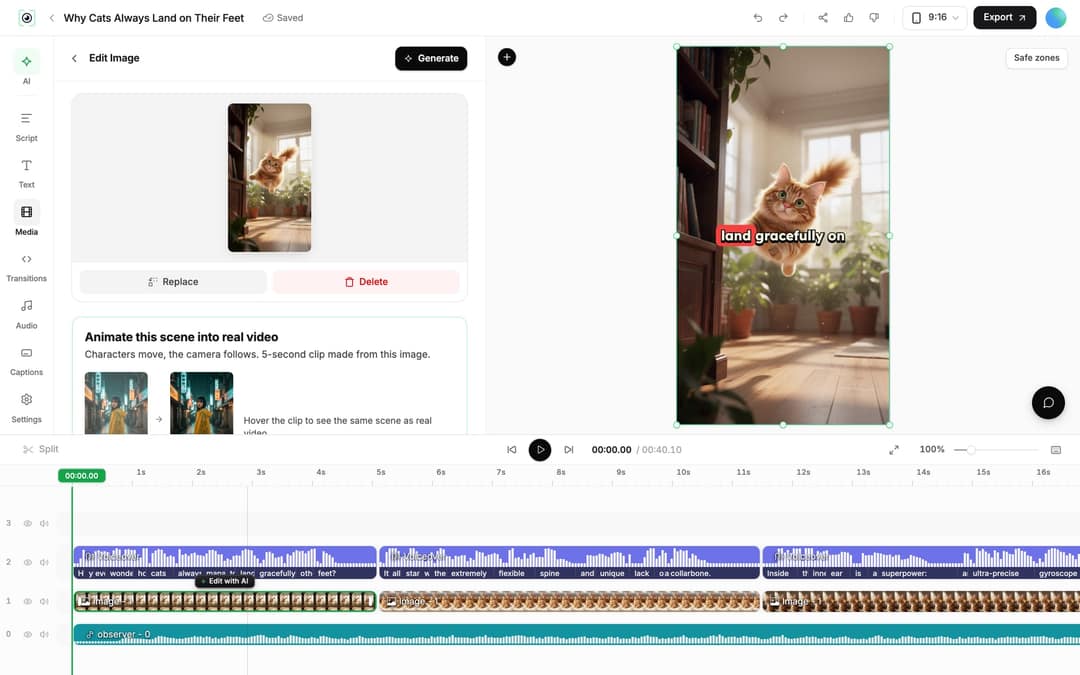
The video opens in the Revid video editor. The fixes manga videos usually need:
- Change a line: open the Script panel, edit the text, then regenerate the voice-over from the Audio panel (Re-generate). This is for paid plans and costs 10 credits per 500 characters.
- Fix an off-style image: select the clip and use Regenerate/Edit image to redo it with a stronger prompt ("black-and-white, screentone shading"), or Replace it with your own art.
- Add motion to a key panel: select an image clip and use Animate this scene into real video for the power-up moment.
- Export in 720p, 1080p or 4K, or publish directly to TikTok, Instagram, YouTube or X.
How do you turn existing manga into a video with AI?
It depends on who owns the pages. If you drew the manga yourself, upload the pages in reading order to image sequence to video and add narration. For a fuller walkthrough of that route, see turning manga into video with Revid.
If the manga belongs to someone else, do not upload its panels. Write the chapter in your own words with the five beats above, and let Revid generate new manga-style visuals for each scene.
Next episode prompt
Episode 2 of a black-and-white manga series: open by answering last episode's cliffhanger with the line "The shadow spoke first, and it used Ren's voice." Keep one hero, Ren, and one threat, the demon king hiding in his shadow, and end on a new cliffhanger. Heavy ink lines and screentone shading in every scene, about 40 seconds, vertical 9:16.
Tips for a manga-style video people finish
- Open on the threat in the first line. No title card, no "in a world where".
- Keep one storyline. One hero and one threat per video. Side characters belong in part 2.
- Use the same visual note every scene. Repeating "[black-and-white manga panel, heavy ink lines]" keeps the style consistent across images.
- Plan the series. End every episode on the cliffhanger beat, and open the next one by answering it.
FAQ
How do you make manhwa recap videos with AI?
Write the recap of the chapters in your own words, add [bracketed] visual notes, and paste it into Revid with From script or the anime generator so it creates original visuals for each scene. Using the actual manhwa panels requires the rights to them, and YouTube does not monetize videos that only read out material the creator didn't write.
Does Revid have an anime video generator?
Yes. Revid's AI anime video generator turns a story, a script or a one-line idea into an anime-style video, and the manga video generator does the same in black-and-white manga drawings.
How much does a manga-style video cost in Revid?
Sign-up is free and new accounts get free credits to try video creation, no credit card needed. Regular creation uses the monthly credits of a paid plan, from $39/month for 2,000 credits on Growth; a 30-second video with Pro AI visuals and a voice-over costs about 40 to 80 credits, and the estimate shows before you generate.
Can I make the same manga video in another language?
Yes. Open the project card menu, click Translate, pick the target language, and Revid keeps the edit, media, timing and captions while redoing the voice-over.