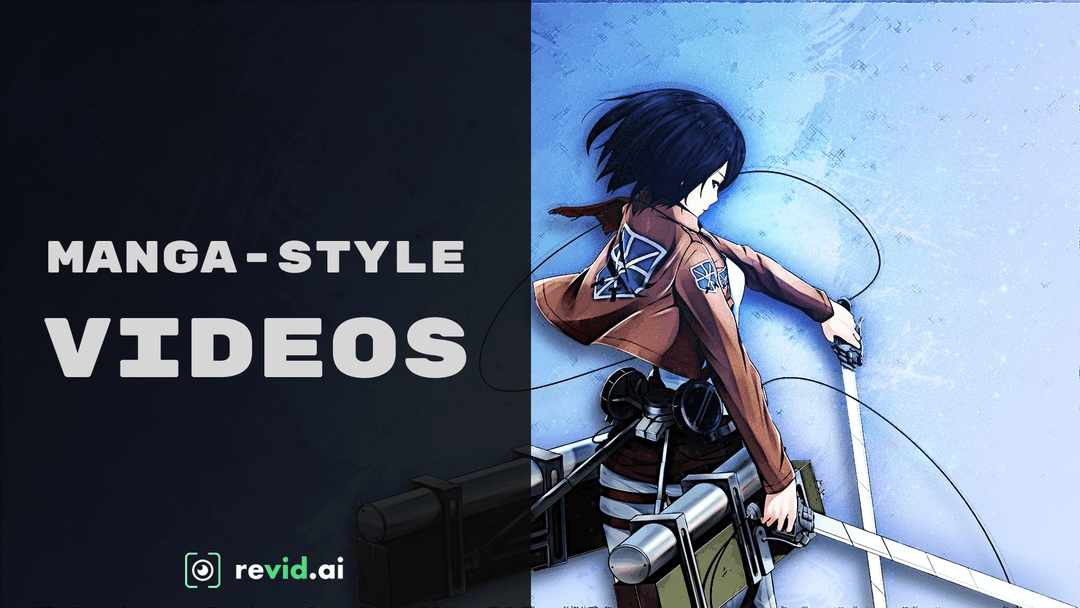
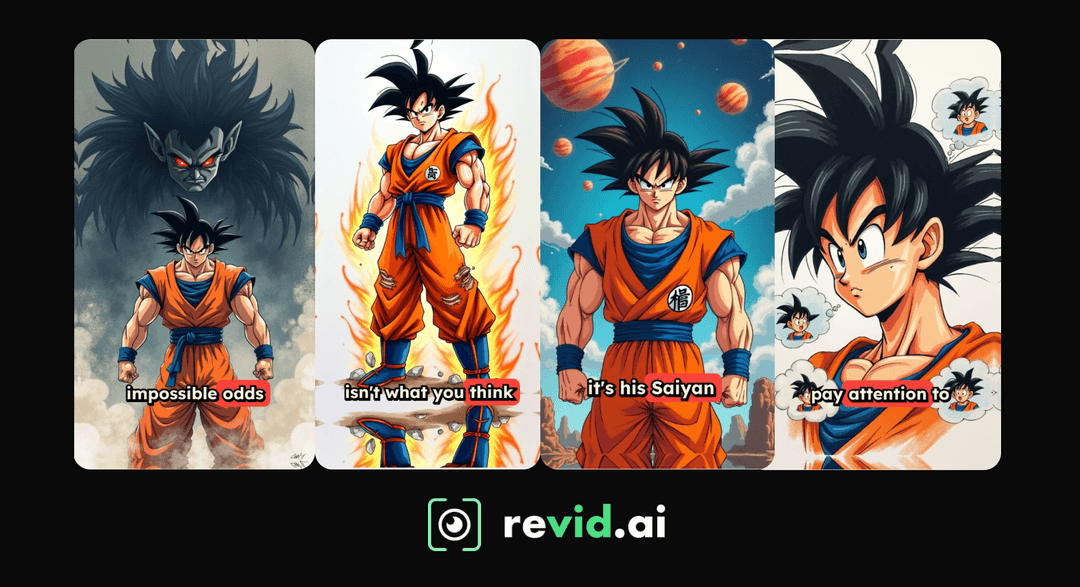
What AI Tool Can Turn Manga Into Anime? What Works + 5-Step Guide
No AI tool turns a manga chapter into an anime episode in one click. Here is what actually works, a 5-step guide to making a narrated manga video in Revid, and how to make manhwa recaps that can still be monetized.
On this page
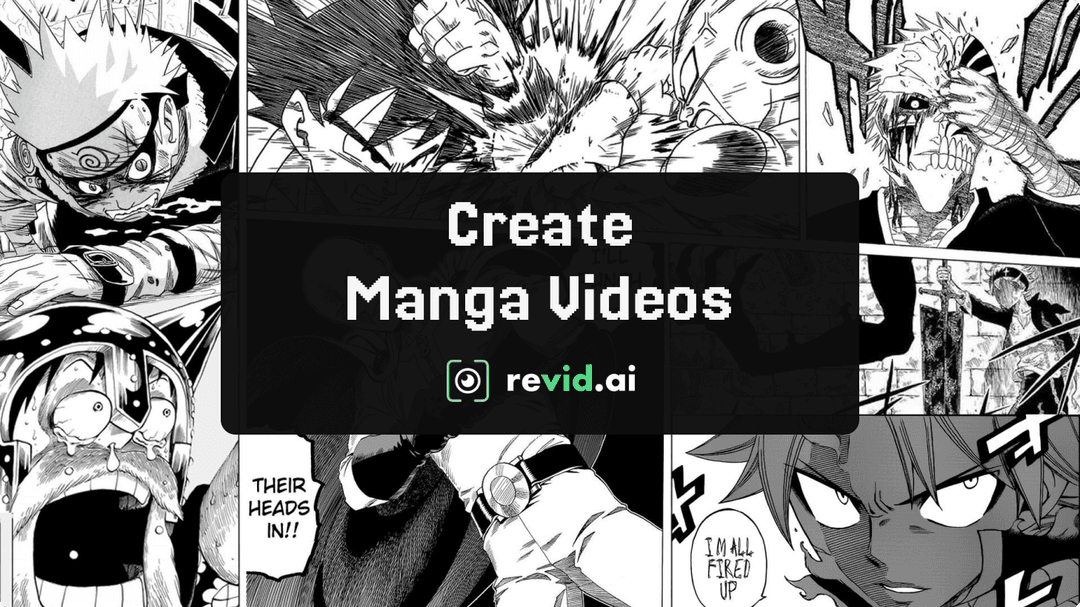
No AI tool turns a finished manga chapter into a faithful anime episode in one click. What works today: animate single panels with image-to-video AI, or retell the story with newly generated scenes using Revid's AI Manga Video Generator (black-and-white) or AI Anime Video Generator (full color), in five steps.
The common mistake is feeding someone else's published pages into an animator and posting the result. Those videos can be removed for copyright whatever tool made them, and on YouTube a recap that only reads out material you didn't write counts as reused content, which is not allowed to monetize and is judged across the whole channel. Original scenes from your own script avoid both problems.
Here is an example video made with the workflow below.
What AI tool can turn manga into anime?
It depends on what you start from. A tool can add motion to one drawing, or generate a new video in a manga or anime style from a script. Nothing on the market keeps characters, timing and voice acting consistent across a whole volume without you directing it scene by scene.
| Your goal | What works | Revid tool |
|---|---|---|
| Animate a single manga panel or illustration | Image-to-video: upload the panel, AI adds motion | AI Image Animator |
| Retell a story in full-color anime style | Write a script, generate new anime-style scenes | AI Anime Video Generator |
| Retell a story in black-and-white manga style | Write a script, generate ink-style scenes | AI Manga Video Generator (steps below) |
| Turn a photo of yourself into an anime character | Photo-to-anime, then animate | See making an anime video from a photo |
Decision rule: if you own the art (your own manga, commissioned panels), animate it. If you don't, generate original scenes and tell the story in your own words.
How to make a manga video with Revid in 5 steps
Step 1: Open the AI Manga Video Generator
Open the AI Manga Video Generator from its tool page, or sign in and click "Create" at the top of the sidebar (keyboard shortcut C). The Create page asks "What do you want to make?" and shows chips such as "From an idea", "From script" and "Motion graphics". The manga generator is not one of the main chips: open "More tools", or the "All tools" card in the sidebar, and pick it there.
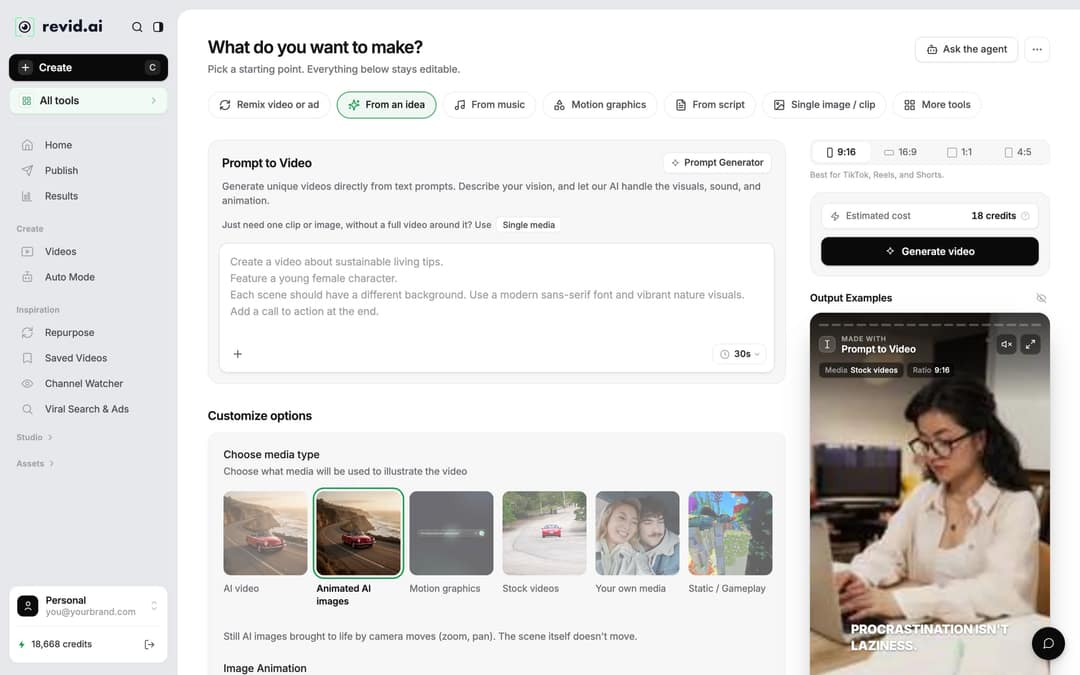
If you'd rather describe the video in one sentence than write a script, the "From an idea" chip (Prompt to Video) also works: put "black-and-white manga style" in the prompt.
Step 2: Write the script
Paste your story into the script box (titled "Your video narrator script" on script tools). The example above started from the free AI script generator with the prompt "Story about real life anime heroes", then the result was edited and pasted in.
Three pieces of syntax control the result:
| Syntax | What it does |
|---|---|
| A new line | Starts new content, so each line becomes its own beat |
| [text in brackets] | Guides the visuals and is not read aloud |
<break time="1.0s" /> | Adds a pause, up to 10 seconds |
A short example:
Nobody in the village believed him. [boy with spiky hair, ink drawing, rain]
<break time="1.0s" />
He clenches his fist as the sky turns red. [close-up of a fist, red storm clouds]One action per line gives the AI a clear scene to draw; long paragraphs blur into generic images. Two caveats: pauses work with ElevenLabs and MiniMax voices, but Gemini and Kling voices drop the tag with no pause. With ElevenLabs v3 or v4 voices, a bracket like [whispers] is read as an acting direction, so keep visual notes descriptive.
Prompt to try
A 40-second black-and-white manga story about a quiet high school janitor who is secretly the last master of a forgotten sword style. Open with the hook "Nobody noticed the scar on his hand until the night the school was attacked." Use one action per line, dramatic ink-style close-ups, a calm deep narrator, and end on a cliffhanger.
Step 3: Pick a voice
Choose a narrator in the voice picker. Revid has 1,000+ AI voices in 70+ languages, and the picker filters by language. For shonen action, a young, energetic voice fits; for dark seinen stories or recaps, a lower, calmer one. Voice cloning (to narrate in your own voice) is available on the Elite plan and above.
Step 4: Choose the visuals and the ratio
Under "Choose media type", pick how the scenes are drawn:
| Media type | What you get | Use it for |
|---|---|---|
| Animated AI images (default) | Still AI images with zoom and pan camera moves; the scene itself doesn't move | Recap-style narration, lower cost |
| AI video | Real motion from Seedance 2.5, MiniMax Hailuo H3, Wan 3.0 or Google Veo 3 (needs a subscription) | Fights, transformations, action beats |
| Your own media | Your uploaded images or clips | Panels you have the rights to use |
| Stock videos | Real-world footage | Avoid: it breaks the manga look |
Then set the ratio: 9:16 for TikTok, Reels and Shorts, 16:9 for longer YouTube recaps, or 1:1 and 4:5 for feeds.
As a guide, a 30-second video with Pro AI visuals and a voice-over costs about 40 to 80 credits. AI video costs more: 50 credits per 5 seconds at Pro quality. The exact figure appears next to the generate button before you commit.
Step 5: Add music and generate
Pick a background track from the built-in library (199 tracks): something slow and suspenseful for setup and reveals, faster and heavier for fights. Check the "Estimated cost" line, then click "Generate video". If a build fails, the credits are refunded automatically.
Fix scenes and export in the editor
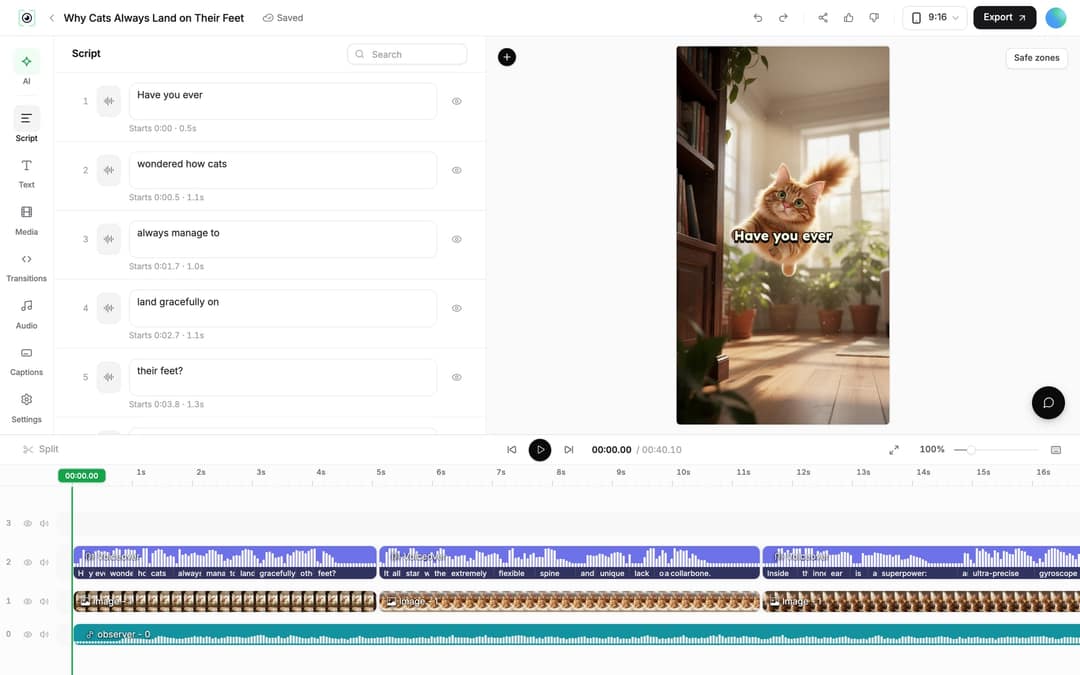
Open the finished video from "Videos" in the sidebar (click the card) to edit it in the editor. The left rail has Script, Text, Media, Transitions, Audio, Captions and Settings.
- Change a line. In the "Script" panel, every caption segment has its own text box and start time. Edit the text; if the timing changed, Revid reminds you to re-generate the voice.
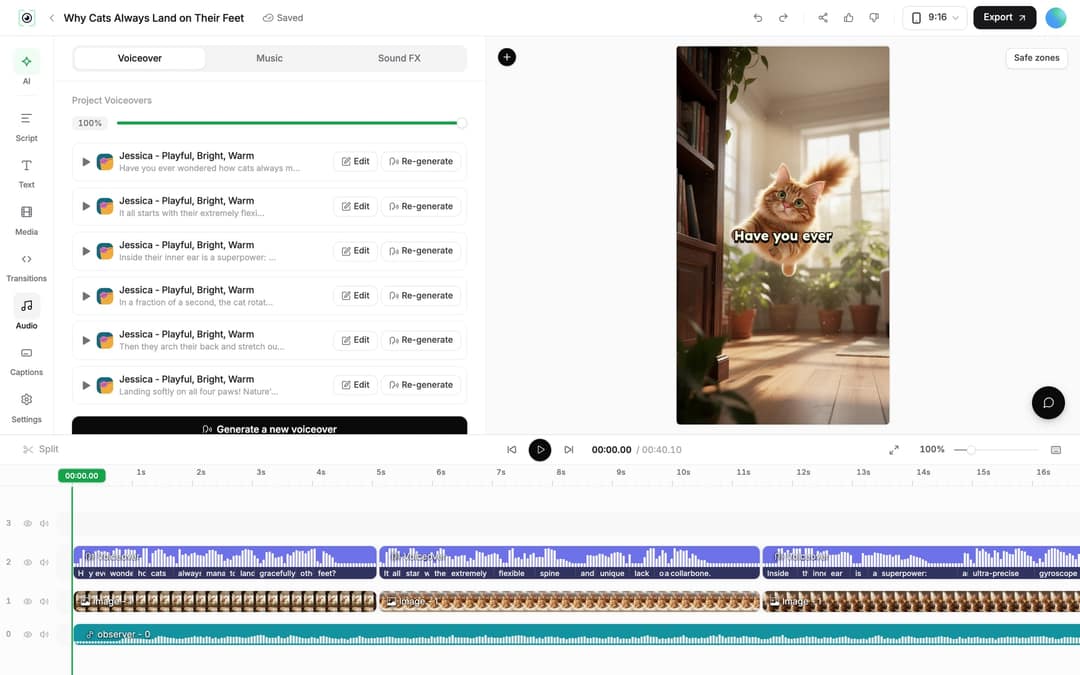
- Re-generate the voiceover. In the "Audio" panel, Voiceover tab, click "Re-generate" on the line you changed, then "Generate Voice". This needs a paid plan and costs 10 credits per 500 characters.
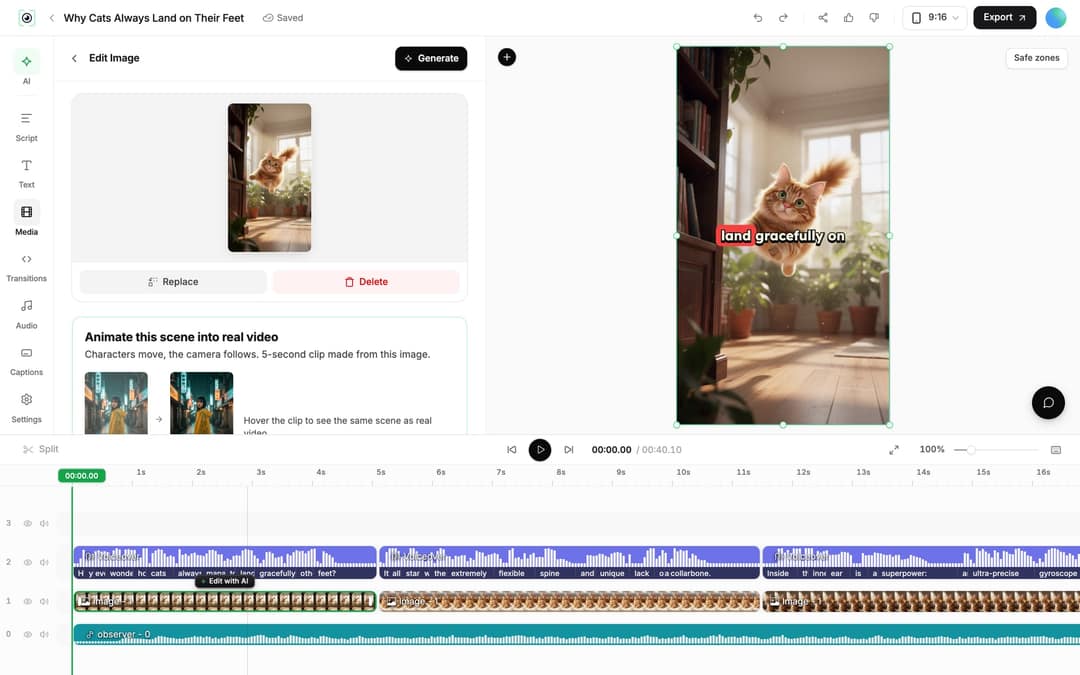
- Swap a scene that looks wrong. Select the image clip on the timeline and use "Replace", or regenerate it from a new prompt ("Regenerate/Edit image").
- Add impact sounds. The Audio panel's Sound FX tab adds whooshes and punches at 1 credit each.
- Trim. Drag a clip's edge on the timeline, or press S to split at the playhead.
- Export or publish. Click "Export" for 720p, 1080p or 4K at 30 or 60 fps, or publish straight to TikTok, Instagram and YouTube after connecting your accounts in Settings, Integrations.
Tips for manga videos that hold attention
- Match the music to the beat: suspense under the setup, intensity under the fight.
- Slow down the power-up: give a transformation two or three short lines and a pause so the payoff lands.
- Put the hit on the cut: a punch sound exactly where the scene changes reads as impact.
- Let panels breathe: narrate the beats, not every detail.
That last tip has data behind it. In Revid's analysis of 176,367 TikToks with 1,000+ likes posted between October 2025 and October 2026, videos with under 40 characters of speech had a median of 123K views and 20.2% passed 1M, against 68K and 11.9% for videos that talked throughout (300+ characters of speech). The sample only holds videos that already reached 1,000+ likes and shows what top videos share, not causes, but it argues for tight narration and a few silent, striking scenes. The full study of what makes TikToks go viral has the method.
Videos with just a few spoken words (a line or two) beat both silent videos and videos that talk the whole way through, which were the most common and the weakest.
Source: Revid analysis of 176,367 TikToks analyzed by AI, with 1,000+ likes posted between Oct 1, 2025 and Oct 16, 2026 (61,203 creators)
Show the data
| Median views | Share that passed 1M views | |
|---|---|---|
| No speech | 73.3K | 14.3% |
| Under 40 | 122.7K | 20.2% |
| 40 to 120 | 97.2K | 17.6% |
| 120 to 300 | 91.6K | 16.8% |
| 300+ | 67.7K | 11.9% |
For more prompt and style ideas, see the companion guide to manga-style story videos.
Recap prompt to try
A 60-second manhwa-style recap of an original story where a weak hunter wakes up in a dungeon with a system only he can see. Hook: "He was ranked the weakest hunter alive, until a blue screen appeared in front of him." Add my own prediction about the system's true purpose at the end, with a suspenseful narrator and dark ink-style scenes.
How to make manhwa recap videos with AI
A manhwa recap summarizes a Korean webcomic chapter with a narrator over the visuals. The workflow that holds up:
- Write your own recap script. Summarize the chapter and add what only you bring: predictions, character analysis, details readers missed. The AI script generator can draft it, but rewrite it in your voice.
- Choose your visuals. Upload panels you are allowed to use as a slideshow with Image Sequence to Video, or generate original manga-style scenes with the five steps above so you don't depend on someone else's art.
- Add narration and music. Pick an AI voice in the recap's language and a suspenseful track.
- Export vertical (9:16) for Shorts, TikTok and Reels, or horizontal (16:9) for longer YouTube recaps.
FAQ
Is Revid free for making manga videos?
You can start free: sign-up costs nothing and new accounts get free credits to try video creation, with no credit card. Regular creation then uses a paid plan's monthly credits, from $39/month (Growth, 2,000 credits); live prices are on the pricing page.
Can I make a manga video in another language?
Yes. Write the script in that language (or set it under "Advanced options", "Language & Localization") and pick a voice that speaks it. To convert a finished video, use "Translate" on the project card, which keeps the edit, media and captions and supports 74 target languages.
Can I use characters like Naruto or Goku?
You can steer the visuals toward a look with bracketed scene notes, but you are responsible for the rights to anything you publish. Original characters drawn in a manga style are the safer choice, especially on monetized channels.
What is the difference between Revid's AI anime video generator and the manga generator?
The manga generator draws black-and-white, ink-style scenes, while the AI Anime Video Generator uses full-color animation styles. Both turn a script into a narrated video with the same steps, so pick the one that matches the look of your story.