How Long Should Reel Be in 2026
Learn how long should reel be with 2026 benchmarks for hooks, demos and stories under 3 minutes.
On this page
There's no single best Reel length: for new Instagram audiences, stay under 3 minutes, start with 15–30 seconds for one idea, and use 45–60 seconds for a compact demo. The right duration depends on the platform and the job of the video, not on how long the upload limit lets you make it.
The popular advice that every short-form video should be as brief as possible misses an important distinction. A quick reveal may work best in a few seconds, while a lesson needs enough time to explain its point. And although Instagram and YouTube Shorts share a three-minute boundary, TikTok viewing data challenges the idea that shorter always means better.
Recommended Reel Lengths by Platform
| Platform | Creation ceiling | Distribution-friendly length | Default starting length |
|---|---|---|---|
| Instagram Reels | Up to 20 minutes to record and edit | Longer than 3 minutes isn't recommended to new audiences | 15–30 seconds for one idea; 45–60 seconds for a compact demo |
| YouTube Shorts | Up to 3 minutes to qualify for the Shorts feed | Stay inside the 3-minute Shorts boundary | Under 60 seconds unless the story needs the extra time |
| TikTok | Up to 60 minutes for most uploads | Over 60 seconds earned 63.8% more watch time than 30–60 seconds in a study of more than 1.1 million videos | 30–60 seconds is common; go past 60 seconds when the idea needs it |
Choose the row for the platform where you're publishing. Then match the runtime to the video's job: a quick joke, a product demonstration, and a full explanation each need a different amount of time to deliver their payoff.
For Instagram, start with a short hook or single tip. A compact business explanation or demo may need more room to show its result. On YouTube Shorts, three minutes is the format boundary, not a runtime to fill. TikTok's watch-time finding makes a longer explanation worth testing when viewers have something useful to watch through. It doesn't mean every longer video will perform better.
Use the table as a starting point, not a ranking. Completion, engagement, and discovery are different outcomes, and one length won't guarantee all three.
Operating rule: Make the Reel only as long as the promise it makes.
The Upload Limit Is Not the Target
A 20-minute Reel is like a large suitcase an airline will accept. That doesn't mean it's the best bag to take on a flight where you need to fit your luggage overhead. For Instagram discovery, the useful question isn't only “Can I make a video this long?” It's also “Is this length recommended to people who don't already follow me?”
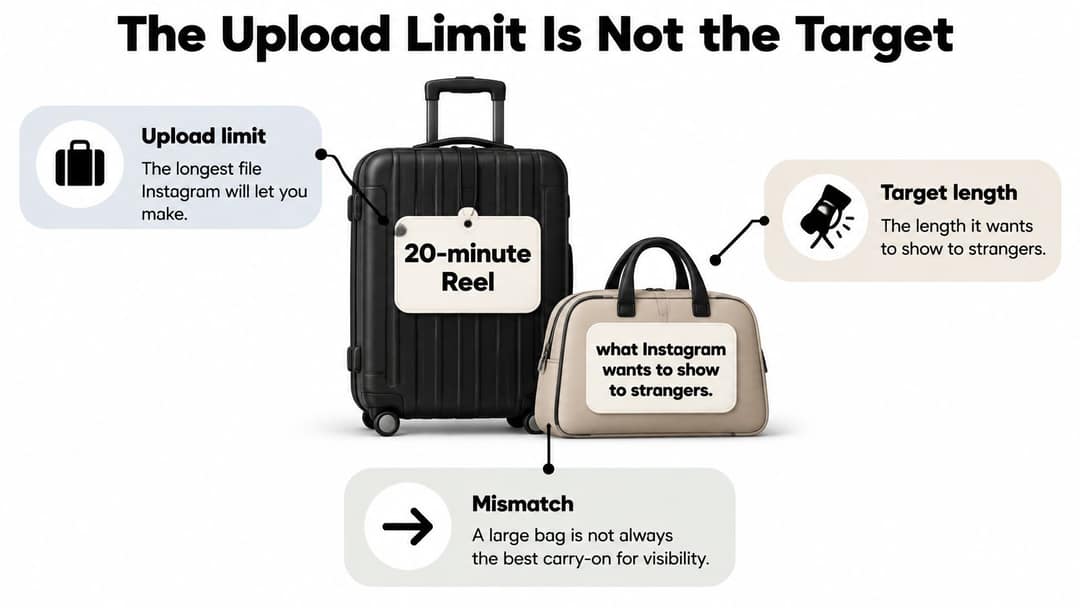
Instagram's older product materials described Reels as multi-clip videos of up to three minutes. Its current help documentation allows people to record and edit videos up to 20 minutes, but Reels longer than three minutes aren't recommended to new audiences, according to Instagram's Reels help guidance. The creation limit and the discovery recommendation serve different purposes, so don't treat one as a replacement for the other.
That distinction matters most when you want to reach people who haven't found your account yet. Passing the recommendation threshold doesn't mean the video can't be published. It does mean that a longer runtime may be a poor default for a post whose main job is discovery.
When the larger bag makes sense
Short videos work well for a hook, a quick tip, a product demonstration, or a trend-driven idea. A longer cut earns its time when the topic needs extra explanation: perhaps the viewer needs to see a process unfold, understand a sequence, or hear a story reach its conclusion.
The suitcase comparison doesn't mean longer content has no value. It means you should choose the larger format for a reason, rather than stretching a short idea just because the editor permits it. If a second example adds clarity, keep it. If an extra introduction or repeated recap only delays the payoff, cut it.
Go back to the Instagram row in the table when you're planning for discovery. If your working length is meant for new viewers, don't fill 20 minutes just because you can.
Engagement Benchmarks by Length Band
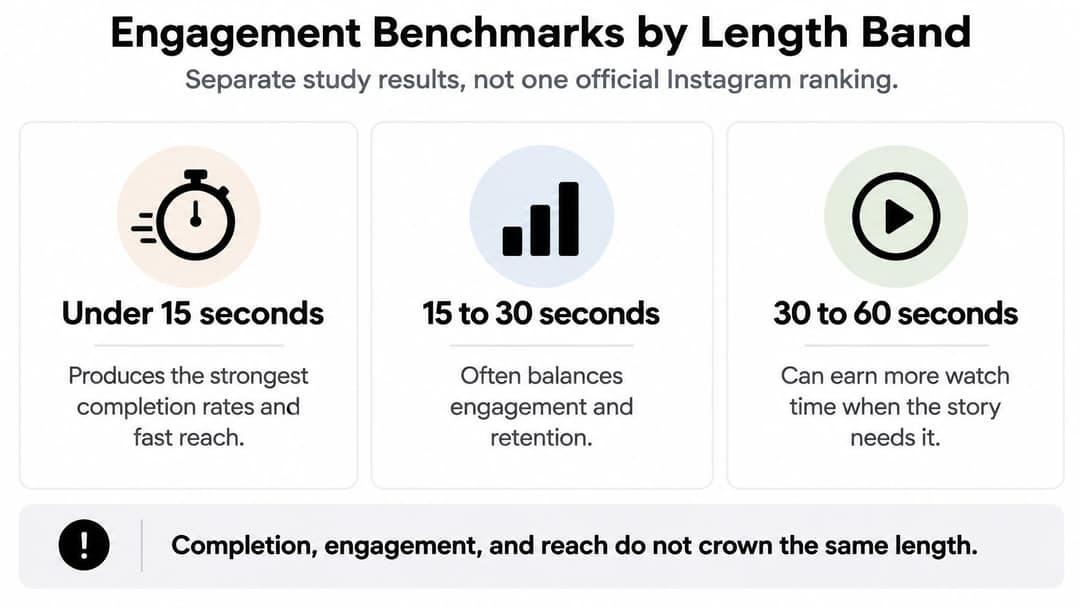
Completion, engagement, and reach measure different viewer responses. A short video can be easier to finish, while a longer one can give viewers more substance to react to. The benchmark figures below come from different reports, so they're best read as clues about different outcomes, not as one official Instagram ranking.
| Length band | Reported result | Best fit |
|---|---|---|
| Under 15 seconds | Strongest completion behavior | Punchline, reveal, or single visual gag |
| 15–30 seconds | 9.1% engagement per view, the highest in that analysis | One idea or a fast hook |
| 30–60 seconds | 5.3% engagement per view | Only when the middle still pays off |
| 45–60 seconds | 0.35% engagement rate and 10,374 median views for business Reels | Compact business explanation or demo |
| Longer than 60 seconds | 8.1% engagement per view when the format is deeper | Story or lesson with a real middle |
| Longer than 3 minutes | 0.15% engagement | Rare exception, not a discovery default |
In a 2026 analysis summarized by HighViz's Instagram Reels length benchmarks, videos under 15 seconds showed the strongest completion behavior, while 15–30-second Reels recorded the highest engagement per view in that analysis. The same report puts engagement per view lower in the 30–60-second band, then higher for videos beyond a minute when the format supports more depth. A separate business benchmark reports a 0.35% engagement rate and 10,374 median views for 45–60-second Reels, while Reels longer than three minutes recorded 0.15% engagement.
The 45–60-second result sits inside the broader 30–60-second range, but the figures come from different reports and shouldn't be combined as if they were one experiment. A stronger number in one measure also doesn't guarantee stronger performance in another. Completion can favor a quick punchline; engagement per view can favor a single clear idea; a business demo may need enough time to show what the product does.
Match the metric to your goal
Try 15–30 seconds for one idea or a fast hook. Use 45–60 seconds for a compact explanation, tutorial, or demonstration. Go past a minute only when the deeper format gives viewers a reason to stay. For more ways to evaluate audience response, use this guide to video engagement metrics.
Read the column that matches the result you want. Don't average completion, engagement, and views into one magic number, because each answers a different question.
Prompt to try
Make a 25-second vertical Reel that opens with a common mistake people make when brewing coffee at home, shows one simple fix, and ends with a shareable one-line takeaway. Clean, bright kitchen visuals, punchy captions, upbeat voiceover.
Example Reels at Each Length
A duration becomes easier to choose when you can picture what the viewer sees. Compare the scenes below and pick the one closest to your next idea.
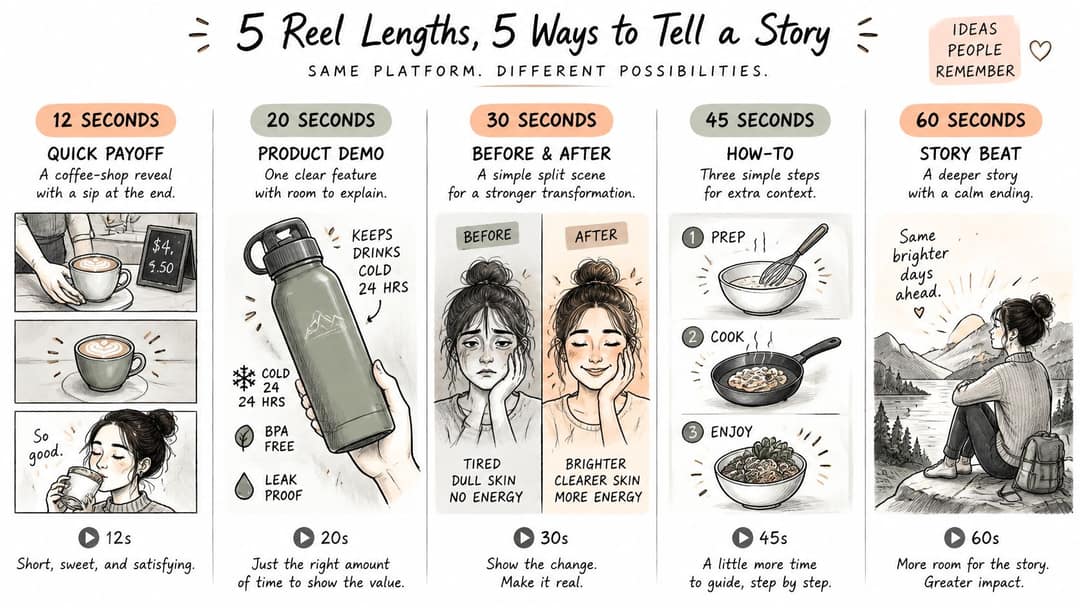
At 0:12, a coffee-shop reveal shows a cup landing on the counter, the price on screen, and a final sip. The scene gets to its payoff fast, so another shot of the café logo would only keep viewers waiting.
At 0:25, a creator opens with a common mistake on screen, shows a simple fix before the end, and finishes with a line worth sharing. Adding a second tip makes this a different video, not a better version of the first one.
At 0:50, a product demo unboxes an item, highlights one feature, and shows the result. A second feature may deserve its own Reel rather than an extra stretch added to this one.
For these examples, the order matters as much as the runtime: each scene makes its point, then stops before a repeat or extra detour eats into the payoff.
Here's what a fuller explanation can look like when the middle carries real information:
At 1:30, a mini lesson opens with a question, develops three useful beats, and ends with an answer that depends on those steps. Compressing it into half a minute would leave the viewer with labels instead of an explanation.
At 2:30, a customer story moves through setup, tension, and result. It can serve viewers who already care about the subject, but it isn't the default for a cold audience. A recap that repeats the opening would make the story feel longer without making the ending more satisfying.
A joke or reveal often loses its impact if it lingers after the punchline. A lesson can lose its meaning if you cut the middle just to make it look short. Use the closest scene as a working model, then remove any moment that doesn't help deliver its promise.
Why TikTok and Shorts Differ
Instagram Reels and YouTube Shorts both have a three-minute short-form boundary, but that doesn't make their ideal durations identical, and TikTok's viewing results tell a different story.
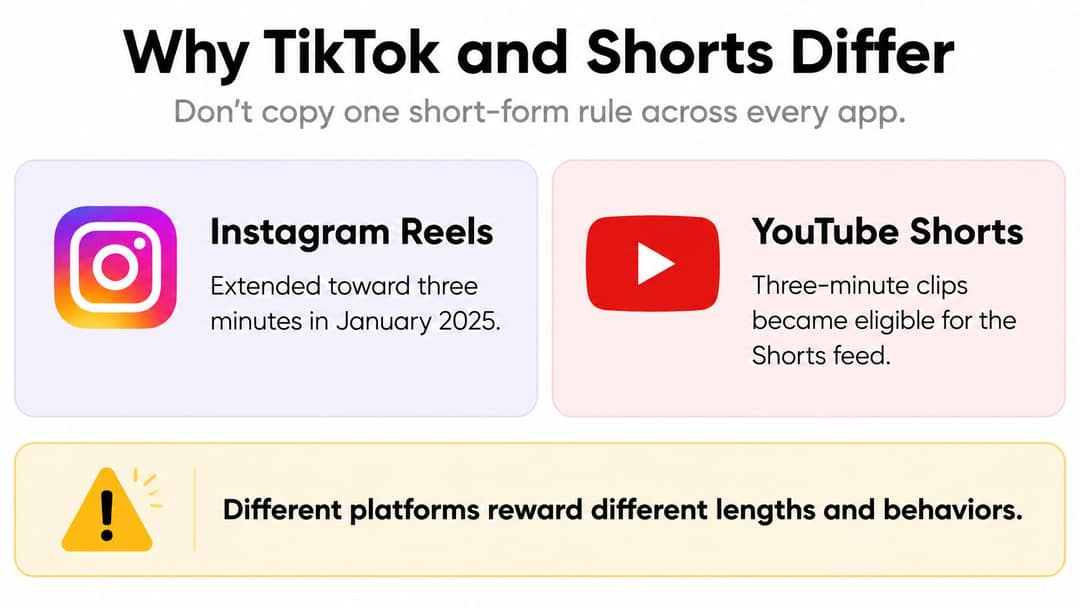
The Marketing Dive report on TikTok video length describes Instagram extending Reels toward three minutes in January 2025 and YouTube making three-minute clips eligible for the Shorts feed. It also summarizes an analysis of more than 1.1 million TikTok videos: videos longer than 60 seconds generated 63.8% more watch time than videos lasting 30–60 seconds, even though only about 12% of the videos studied ran past one minute.
That finding challenges the claim that shorter always performs better. It doesn't mean longer TikToks will automatically earn more reach, or that you should copy the same duration to Instagram. Extra time pays off when it adds explanation, useful detail, or a satisfying narrative turn. It hurts when it only postpones the reason someone started watching.
Let the content set the pace
A joke, reveal, or single-point tip often works in under 15–30 seconds because the idea is complete quickly. A tutorial, review, story, or lesson can use 60–180 seconds when the middle contains information the viewer needs. A longer video without a real middle just makes people wait.
To test whether extra time helps, make two versions of the same idea: one cut to 20–30 seconds and another with the full explanation at 60–90 seconds. Keep the opening hook and ending payoff consistent so duration is the main difference. Then compare retention, completion, rewatches, shares, and conversions, not just views.
This comparison gives you a useful decision: keep the longer cut when its added explanation serves the viewer and the response holds up. If the middle adds no real value, the tighter edit is likely the clearer one.
One Master Video, Several Cuts
You don't need to shoot separate material for every app. Start with a master that contains the complete idea, then shape shorter versions around what each platform and audience need. A good master gives you enough footage to make meaningful edits without forcing every viewer to watch every detail.
- Build the full version first. Include the setup, the essential explanation, and the payoff. Don't add filler just to create a longer master.
- Keep the opening and ending steady. Use the same hook and payoff across your cuts so you can compare how runtime affects the result.
- Trim the middle before the payoff. Remove repeated examples, pauses, and secondary points before cutting the moment that answers the opening.
- Make a cut for the job. Use a 20–30-second edit for a single idea, a 45–60-second version for a compact demo, or a 60–90-second cut when the extra middle carries a real explanation.
- Export for vertical viewing. Use a 9:16 frame at 1080 × 1920 pixels and at least 30 frames per second. Those specifications are reported in Instagram's Reels feature guidance.
- Compare audience response. Look at retention, completion, rewatches, shares, and conversions rather than choosing the longest or shortest version by habit.
When a shorter edit is needed, remove a detour, not the point of the video. Stop trimming once another cut would make the explanation incomplete, and stop extending once the next moment adds no new value. Each version should still make and keep the same promise.
Prompt to try
Create a 50-second vertical product demo for a reusable smart water bottle: hook with the question 'Still forgetting to drink water?', unbox it, show the hydration reminder light in action, and end on the result. Modern lifestyle visuals, friendly voiceover, bold captions.
Choose the Length for Each Job and Publish
Start by naming the job of your Reel, then select a first length to test. If you're aiming for new-audience reach, keep the video below the discovery threshold and usually below a minute. If completion is the priority, try a very short cut. A lesson, review, or story earns more time only if viewers keep watching past its opening.
| Job of the video | Length to try first | Signal that it worked |
|---|---|---|
| New-audience reach | Under 3 minutes, usually under 60 seconds | Sends per reach and distribution beyond followers |
| Completion | Under 15 seconds | High completion and rewatches |
| Single tip or hook | 20–35 seconds | Likes per reach without a dead middle |
| Compact tutorial or ranked list | 35–60 seconds | Average watch time covers most of the runtime |
| Story, review, or lesson | 60–180 seconds only if retention holds past minute one | Watch time remains strong after 60 seconds |
Instagram's Reels feature page sets a three-minute ceiling for recording and editing, but a ceiling isn't a target. Its guidance is useful for making the production choice, while your audience response tells you whether extra runtime is earning its place. For a technically clean comparison, export every cut in vertical 9:16 at 1080 × 1920 pixels and at least 30 frames per second. That way, a weak result is less likely to come from inconsistent video dimensions or frame rate.
Check the signals that match your goal
Track average watch time, likes per reach, and sends per reach. A longer edit is worth keeping when those signals stay healthy enough to offset the risk that more viewers leave before the payoff. If the extra seconds bring no stronger response or clearer explanation, go with the shorter cut.
A soundtrack can help establish pacing, but don't let an unlicensed track create a problem after you've finished editing. If you're also preparing versions for YouTube, this guide to avoiding YouTube music copyright claims can help you choose music with reuse in mind.
Circle one job in the table, export the shortest version that still delivers its payoff, and publish it instead of stretching the file to the maximum timer. Revid can turn a YouTube video, an article, or a song into Shorts, Reels, and TikToks, add captions in 30 styles, and publish videos in one click to TikTok, Instagram Reels, and YouTube Shorts. It's less suited to long-form film production or to teams that only want to edit their own footage by hand.
If you've picked the right length but still need a faster way to shape the cut, revid.ai can help turn an article, song, or YouTube video into short-form versions with captions. Choose the format that fits your idea, then publish the shortest edit that delivers the payoff.