Making a Reel That Actually Gets Views
A practical workflow for making a reel that retains viewers. Covers hooks, safe zones, captions, and originality checks to avoid algorithm penalties.

On this page
Short-form video isn't a niche format anymore. Pew survey data shows 37% of U.S. adults used TikTok in 2025, compared with 21% in 2021, according to the figures summarized in Pew TikTok adoption data reported for 2025 versus 2021. That growth changes what making a reel demands. It's less about one polished creative idea and more about a repeatable production system that protects retention, fits platform interfaces, and avoids preventable distribution problems.
Why Consistency Beats Perfection in Short Video
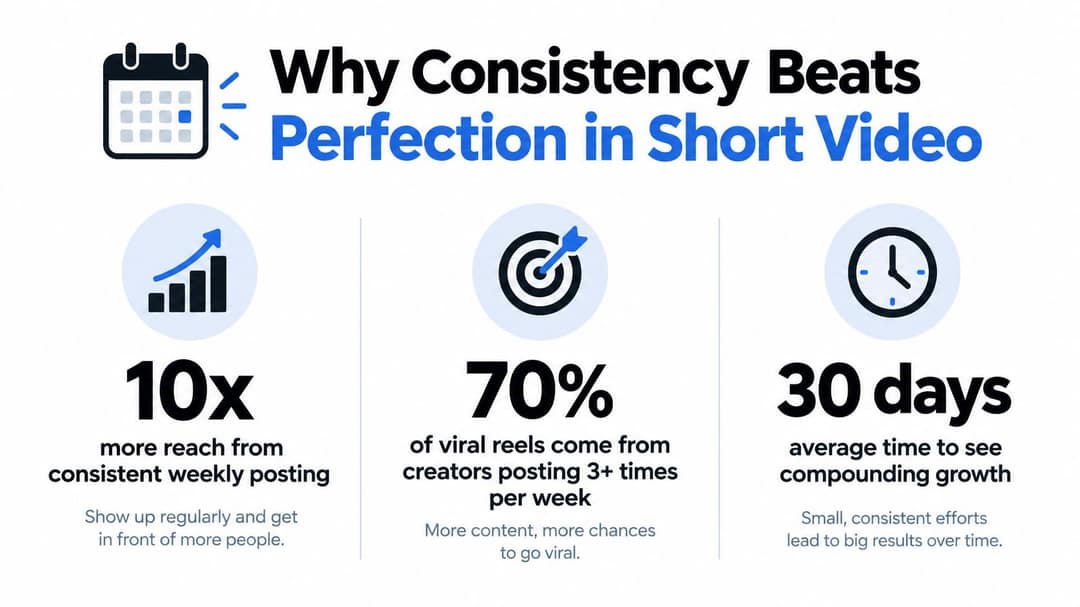
Your next reel competes in a supply system that rewards people who publish often enough to learn what holds attention. A Pew Research Center analysis of publicly accessible TikTok videos from U.S. adults found that the most active 25% of adult TikTok users produced 98% of all publicly accessible videos. Put plainly, regular publishers create nearly all the visible inventory, while everyone else barely registers.
That doesn't mean you should post carelessly. It means your bottleneck usually isn't camera quality, it's the time between an idea and a finished, publishable edit. If scripting, filming, captioning, and exporting each require a fresh decision, you'll publish too slowly to gather useful feedback.
Build a Loop You Can Repeat
Treat each post as a small test with one variable. You might keep the topic stable and change the opening line, visual setup, length, or ending. Then compare average watch time, completion, shares, and comments before deciding what to repeat.
- Batch decisions, not just filming: Write several hooks in one sitting, then shoot them with the same setup.
- Use reusable production defaults: Settle your framing, caption style, export preset, and cover treatment before you start.
- Review patterns, not outliers: One weak post tells you little. Several posts with the same drop-off point reveal a pacing or premise problem.
- Stop polishing invisible details: Color tweaks and tiny transitions rarely rescue a vague promise or slow opening.
Practical rule: A good enough reel published on schedule gives you data. A perfect draft sitting in your editor gives you none.
Perfection also creates a false standard because recommendation feeds respond to viewer behavior, not effort. Viewers don't know whether you spent twenty minutes or two days. They either understand the point quickly and keep watching, or they swipe away.
Set a cadence you can maintain without lowering basic clarity. Consistency works when every release meets the same technical floor and tests a clear idea, not when volume becomes an excuse for rushed, incoherent posts.
Scripting Hooks and Pacing for Retention
Start with one audience-specific promise. Not a topic, a promise. "Three pricing mistakes" is a topic. "You're charging for the deliverable clients value least" gives viewers a reason to stay.
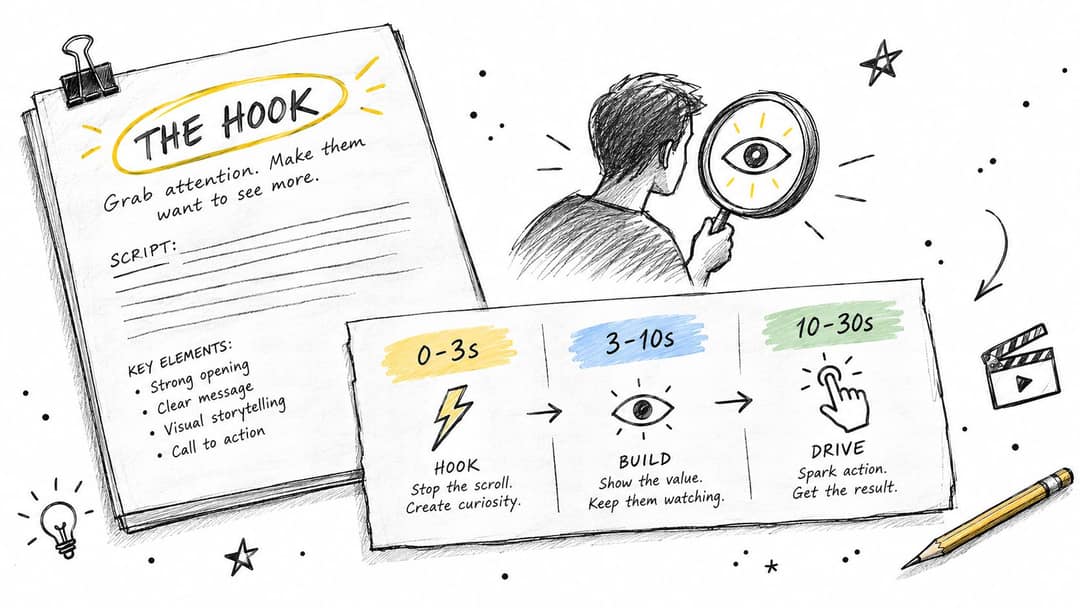
Your opening needs to establish that promise fast. A useful workflow is to script a 0 to 3 second hook that creates curiosity, deliver the core point with clear visual changes, then reserve the final moments for a payoff or loop back to the opening, as described in the hook, payoff, and pacing workflow for short clips, which also puts a practical benchmark at approximately 60 to 70% average retention for a 30 to 60 second video, with 65% or more considered strong for a 30 second reel.
Give Every Section a Job
The first sentence should name the tension, mistake, result, or unanswered question. The middle should progress, not restate. Each line must add evidence, contrast, a step, or a consequence. The ending should resolve the opening instead of trailing into a generic call to follow.
Real estate creators can see the same discipline in property walkthrough scripting, where sequence and spoken detail matter. The guide on how to write a listing video script is a useful reference for turning features into a directed narrative rather than reading a list of rooms.
Audit pacing before you film. Read the script aloud, then review the rough edit at faster speed to expose dead air, repeated setup, and transitions that don't earn their time. If a sentence can be removed without changing comprehension, remove it.
- Delay kills retention: Don't open with your name, logo, or "in this video" unless that information is the hook.
- Visual change needs meaning: Cut when the idea changes, a new example appears, or the viewer needs proof. Random movement only creates noise.
- End with closure: Answer the opening question, show the result, or phrase the final line so a replay feels natural.
Hooks fail when they're broad. "Stop doing this" withholds too much if viewers can't tell who it's for or why it matters. Add the audience, situation, or cost so the right viewer recognizes the problem immediately.
Prompt to try
Make a 30-second vertical reel for freelance designers. Open with the hook: "You're charging for the deliverable clients value least." Give three quick examples with a clear visual change for each, then end by answering the opening line so the replay feels natural. Clean motion graphics style with bold, short captions.
Technical Specs and Safe Zone Formatting
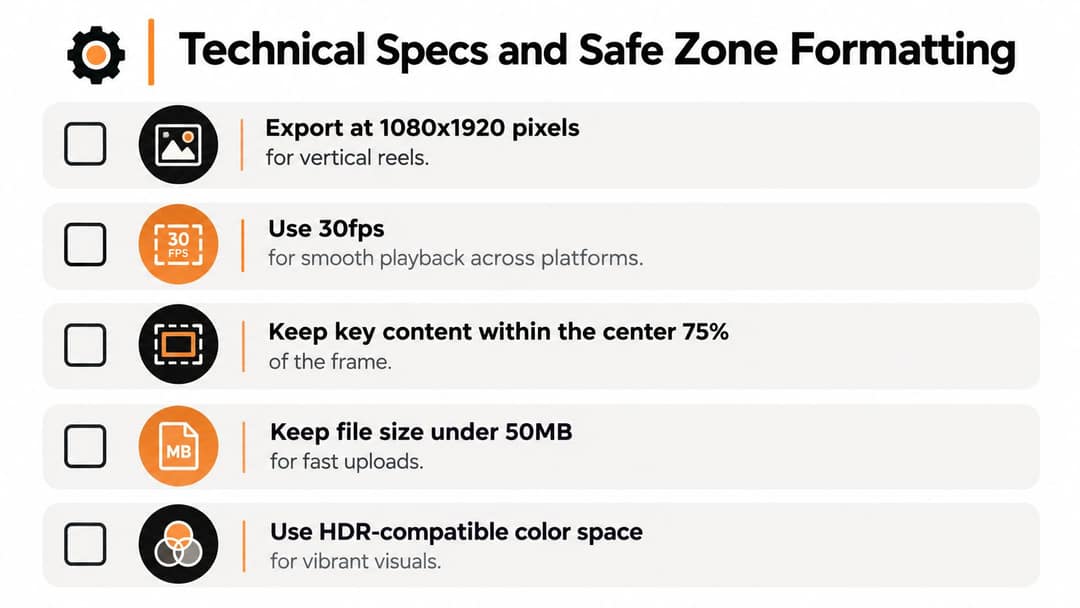
Good ideas lose reach when the file looks soft, text sits under platform controls, or audio drifts out of sync. Make one vertical master and check it on a phone before publishing anywhere.
For a dependable cross-platform export, TikTok's published in-feed advertising specification supports using a 9:16 vertical master at 1080x1920 pixels, progressive H.264/AVC in an MP4 container, AAC stereo audio, and a minimum bitrate of 2,500 kbps. Use a constant frame rate. Standard talking-head and slideshow material works well at 30 fps, while faster motion may justify the larger file that comes with 60 fps.
Keep Essential Content Away From Interface Controls
Platform overlays occupy different parts of the screen. Usernames, captions, buttons, progress elements, and action icons can cover the top, bottom, and right side. Keep faces, subtitles, product details, and calls to action in the central safe area, then inspect the uploaded preview rather than trusting your editor canvas.
For Instagram-specific sizing checks, this guide to Reels resolution and export dimensions is worth consulting before you lock your preset. It helps confirm that your master can travel across placements without awkward cropping or pillarboxing.
The walkthrough below is useful for checking how vertical framing behaves once it leaves the editing timeline.
Watch the preview at full screen with sound on. Look for compressed text, clipped consonants, faces cropped too tightly, and graphics hiding behind interface elements. Variable frame rate exports deserve special suspicion because they can create motion and sync inconsistencies after upload.
- Resolution: Export the master at 1080x1920 rather than enlarging a smaller file.
- Codec: Use progressive H.264/AVC with AAC stereo audio.
- Placement: Keep essential text away from edges and action buttons.
- Preview: Check the platform-processed version, not only your local export.
Captions as an Accessibility and Comprehension System
Captions aren't just a growth decoration. They let people follow speech without sound, support viewers who are deaf or hard of hearing, and help audiences process unfamiliar accents, names, and terminology. But poorly timed captions can cover the subject, race ahead of comprehension, or bury the visual point.
Treat captions as an editorial layer. Accuracy matters more than transcribing every filler word. Remove repeated false starts when they don't affect meaning, identify a speaker change when it's unclear, and include a meaningful sound or action only when viewers need it to understand the scene.
Choose the Caption Method Deliberately
Burned-in captions travel with the file and preserve your placement, line breaks, and styling across platforms. Their weakness is permanence. A spelling error requires a new export, and viewers can't turn them off or adjust them.
Platform-generated captions are easier to revise and may respect viewer display preferences, but you have less control over timing, punctuation, and placement. Review them line by line, especially for product names, numbers, and accented speech.
More text on screen doesn't automatically mean better access. Captions that duplicate every word while covering the demonstration can make the reel harder to understand.
Check readability on the smallest phone you have access to. Lines should be short enough to scan before they disappear, contrast should remain clear over changing backgrounds, and captions shouldn't compete with labels or calls to action. If the visual already communicates the step, captions can carry the explanation without repeating every on-screen word.
Test instead of assuming a universal lift. Industry benchmark reporting on captioned Reels puts the typical retention difference associated with captions at 15 to 30%, while noting that figures vary widely by dataset. Compare otherwise similar posts for average watch time, completion, and rewatches, then decide based on your audience and format.
The strongest approach is audio-independent storytelling. A viewer with sound off should still understand the sequence from the demonstration, captions, and visual emphasis. Accessibility becomes part of scripting and editing, not a subtitle button you tap at the end.
Repurposing Content Without Triggering Penalties
Repurposing fails when the new reel is only the old material in a vertical box. A blog paragraph read over stock footage, a podcast clip with subtitles, or a downloaded post with a fresh border may look reformatted, but viewers receive little new value.
That distinction matters for recommendations. Guidance on Instagram originality and duplicated content states that merely adding borders, subtitles, credits, or a watermark does not make reposted material original, and largely duplicated content may receive reduced visibility. Permission to use source material also doesn't guarantee distribution. Copyright clearance and recommendation eligibility are separate questions.

Transform the Editorial Value
Start by asking what the reel can do better than the source. You might add original narration, challenge the source conclusion, demonstrate the process, supply a current example, or reorganize the material around a sharper question. If you need to download LinkedIn video for reference or licensed internal material, treat that file as research input, not as a finished reel waiting for captions.
Use this transformation check before editing:
- New interpretation: Does your narration explain implications the source didn't address?
- New evidence: Have you added a demonstration, example, screen recording, or firsthand test?
- New structure: Does the reel follow a different sequence built for retention rather than copying the source order?
- Clear attribution: Can viewers tell which material came from someone else and which analysis is yours?
- Independent value: Would the reel still make sense and feel useful to someone who never saw the source?
Automation makes this trap easier to fall into. If every output uses the same hook pattern, stock visuals, voice, pacing, and caption treatment, the account starts publishing interchangeable summaries. Speed helps only when you spend the saved time on judgment, examples, and format testing.
Run an originality audit before posting. Remove visible third-party watermarks only when you have the right to use and modify the material, improve low-resolution source footage or replace it, and rewrite summaries in your own editorial voice. The goal isn't to disguise reuse. It's to create a distinct viewing experience.
Prompt to try
Create a 45-second vertical reel that challenges a popular productivity tip: "Wake up at 5am." Hook in the first 3 seconds with "Waking up at 5am made me less productive, here's why." Add original narration with a firsthand-style example and a clear takeaway, using stock footage and readable captions.
Pre-Publish Verification Checklist
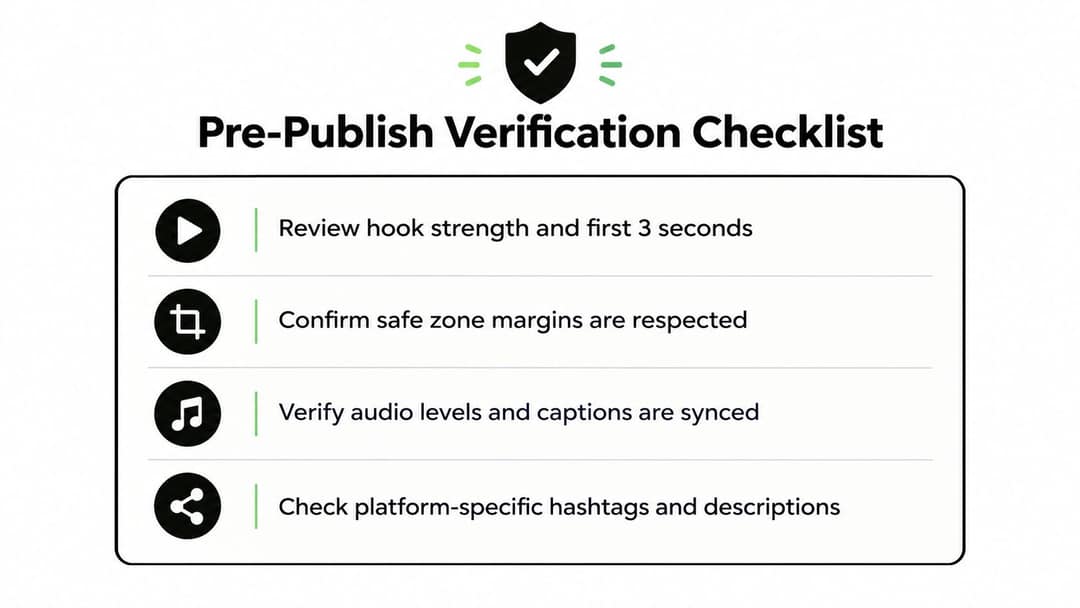
Run the same final check every time, ideally on your phone and inside the destination app preview. This catches problems that look acceptable on a desktop timeline but fail in the feed.
Start with the opening. Play only the first few seconds and mute the sound. Can you identify the audience, promise, and reason to continue without hearing the setup? Then play it with sound and listen for clipped words, uneven volume, distracting background noise, and pauses that weaken momentum.
Verify Creative, Technical, and Originality Checks Together
- Hook: The premise appears immediately, with no generic branding or delayed context.
- Payoff: The ending resolves the opening or loops cleanly without an abrupt stop.
- Safe zones: Faces, captions, product details, and calls to action remain visible in the platform preview.
- Captions: Names and key terms are correct, lines are readable, and timing matches the speech.
- Audio: Dialogue is clear, music doesn't mask speech, and there are no sync problems.
- Export: The file is vertical, sharp, progressive, and free from obvious compression artifacts.
- Originality: The reel adds analysis, narration, evidence, or structure beyond its source material.
- Post copy: The written caption supports the video without repeating the entire script.
If you find a flaw and think viewers probably won't notice, fix it when the repair takes less time than debating it. Small visible errors create unnecessary friction.
After publishing, record what you tested. Note the hook, length, caption approach, source type, and posting context beside the retention result. That log turns the checklist from a quality gate into a learning system, so your next decisions come from your own audience data rather than generic advice.
Making a reel gets faster when scripting, visuals, voiceover, captions, and vertical formatting happen in one workflow instead of across separate tools. Revid.ai turns an idea, script, or existing content link into a ready-to-edit short video for Instagram, TikTok, and YouTube, so you can spend more time testing hooks and originality. Try building your next version at revid.ai.