
On this page
Synthetic faces received a 68% realism rating, compared with 52% for real images, in a study comparing synthetic and real face images. That result concerns still portraits, not complete videos, but it challenges a familiar assumption: looking authentic doesn't prove that something was captured by a camera. For creators, realistic AI video is therefore both a visual task and a publishing responsibility.
- Realism rating given to synthetic faces, vs 52% for real face images
- 68%
- Study of synthetic and real face images
- Adults correctly telling synthetic from authentic media, barely above 50% chance
- 51.2%
- CSIS study, 2024
- Consumers who would trust a brand less if they knew AI had been used
- 56%
- PhotoShelter consumer survey
- Videos TikTok has labeled as AI-generated content
- 3 billion
- TikTok, July 2026
What Counts as Realistic AI Video
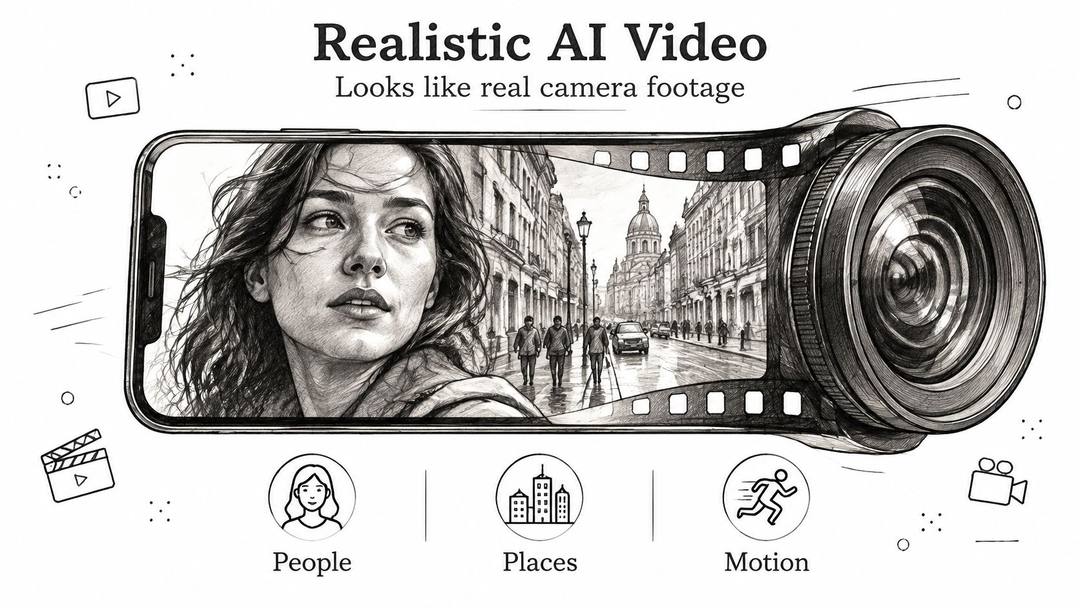
Realistic AI video is footage generated or heavily altered by software that a viewer could reasonably mistake for real camera footage. People, places, lighting, and movement all contribute to that impression. A detailed face isn't enough if its reflection moves independently or the room changes shape.
Say a bakery wants a social ad showing its morning routine. It could film a baker, replace the background behind a real employee, or generate an entirely imaginary person carrying bread through an invented kitchen. Those choices may produce similar-looking clips, but they make very different claims about what happened.
Realism sits on a spectrum
The distinction isn't AI versus no AI alone. Consider the production choices:
- Obviously stylised animation makes no serious attempt to resemble recorded footage. A dancing illustrated croissant belongs here.
- AI-assisted footage retains recorded material but changes part of it, perhaps through background replacement, dubbing, or colour adjustments.
- Fully synthetic footage depicts people, objects, or scenes that weren't recorded together, or never existed at all.
Realism works rather like a stage illusion. The audience accepts the scene when every visible detail agrees with what they expect. A baker's fingers grip the tray, steam rises naturally, and shadows stay connected to their objects.
Believable doesn't mean documented
The face-image experiment illustrates how convincing synthetic appearance can become. Its limitation matters just as much: recognising a plausible portrait isn't the same task as judging a person moving through a complete scene.
Video generation draws on advances in photorealistic image synthesis while adding the harder requirement of maintaining appearances through movement. A person must remain recognisable after turning away, and an object must keep its shape when partially hidden.
Start with the claim: Is this clip illustrating an idea, or asking viewers to believe an event happened?
Place your proposed clip on the spectrum before generating it. An illustrated baking tip needs a different realism target from a synthetic customer describing an alleged experience. That position helps determine both the visual checks and the disclosure the audience needs.
How Generative Models Build Moving Pictures
A useful way to understand video generation is to separate appearance, continuity, and motion. These aren't always independent components inside a model, but they're practical layers for understanding the work it must perform.
The basic generation process starts with an input and gradually produces a matching visual result.
From visual noise to a scene
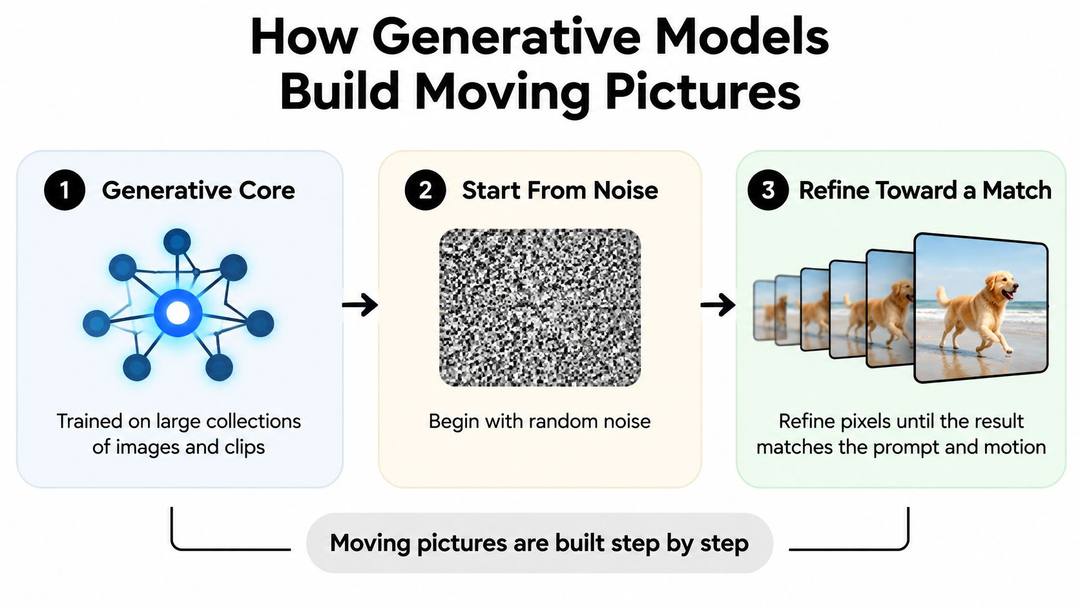
Many video generators use diffusion-based methods. During training, models learn patterns from collections of images and clips. During generation, they can begin with random noise and iteratively refine an internal representation toward a result that matches the input.
Think of a sculptor removing material until a recognisable shape emerges. The analogy isn't literal, and not every generator uses the same architecture, but it captures the gradual refinement.
Models learn visual patterns associated with skin texture, soft shadows, lens blur, and reflected light. Those patterns help them produce something that resembles photography without requiring a physical camera at generation time.
A moving picture also needs continuity. In a flipbook, drawing each page beautifully won't help if the character's jawline changes between pages. Video models use temporal relationships to connect appearances across the sequence rather than treating every image as unrelated.
Motion adds another demand: the model must depict how a cup rises, how fabric follows an arm, or how the background shifts during a camera pan.
Different inputs give different control
These terms describe different starting points:
- Text-to-video creates a clip from a written description, leaving the model to establish much of the scene.
- Image-to-video starts with a supplied still, which provides a visual anchor while the prompt directs movement.
- Deepfakes usually replace or reenact someone's likeness or voice. They aren't a synonym for every AI-generated video.
The embedded video provides an additional visual reference for exploring generated moving pictures.
These systems generate plausible visual patterns; they don't guarantee a physically accurate simulation. Hands gripping objects, mirrored surfaces, readable lettering, and interacting crowds deserve particular scrutiny because they require precise relationships.
The more a shot relies on fixed geometry and extended continuous action, the more carefully you should test it. A restrained portrait is a different challenge from someone assembling a machine while the camera circles them.
Six Quality Checks That Decide Realism
Judge a clip on separate checks, not one overall impression. A beautiful opening frame can distract you from a face that changes halfway through the shot.
A survey of generative video evaluation methods reports that leading models can exceed 97% on motion smoothness while overall consistency remains around 26–28%. Those benchmark measures aren't interchangeable, but the contrast shows why fluid movement alone doesn't establish realism.
Use a visible-failure checklist
Treat each row as a separate pass. During the subject pass, watch the person rather than admiring the lighting; during the background pass, watch the room rather than following the action.
| Check | What Good Looks Like | Failure Sign | Fix |
|---|---|---|---|
| Subject consistency | Same face, outfit and body shape across frames | Face or outfit changes mid-clip | Shorten the shot or start from a still image |
| Background consistency | Walls, signs and furniture stay put | Background warps or slides when the camera moves | Lock the camera or use a simpler backdrop |
| Temporal flicker | Lighting and texture stay steady frame to frame | Shimmering edges or pulsing brightness | Regenerate with less motion or a shorter duration |
| Motion smoothness | Movement follows believable speed and arc | Jerky, floating or teleporting motion | Reduce subject motion and simplify the action |
| Imaging quality | Sharp detail, natural skin and correct exposure | Plastic skin, smeared detail or blown highlights | Re-render at higher resolution or grade the footage |
| Prompt adherence | Requested objects, actions and framing appear | Missing props or wrong action | Shorten the prompt to one subject and one action |
A higher-resolution render won't repair an impossible grip. Colour grading can correct exposure or colour balance, but it can't restore an identity that changes across frames. Match the fix to the actual failure.
Review movement and individual frames
Watch the full clip at normal speed, then pause at the opening, midpoint, ending, and any suspicious transition. Add close inspection wherever hands contact objects, faces turn, lettering appears, or something moves quickly. Frame sampling helps locate defects, but it doesn't replace playback: a still won't reveal a sudden acceleration.
For a supplied reference image of uncertain origin, a reverse-image-search resource such as PeopleFinder can support a search for matching appearances online. Treat a match as an investigative lead, not proof of identity, consent, ownership, or authenticity.
Keep benchmark scores in perspective. A single measure such as FVD, used to compare generated and reference video distributions, can't tell you whether your particular product label remains legible.
Rejection rule: If a visible defect undermines the shot's meaning or credibility, regenerate it or remove the affected passage. Don't rely on viewers overlooking it.
For the next attempt, reduce the model's workload: simplify the background, constrain the camera, or remove a competing action. Change the cause, not just the descriptive adjectives.
Matching Use Cases to the Realism You Need
The right realism level follows the job. A music video can succeed through expressive distortion, while a presenter explaining a product needs a stable face and believable delivery.
Use the comparison below as a planning aid, not a legal classification. Its disclosure-risk levels describe how easily an audience could misunderstand what they're seeing.
| Use Case | Realism Needed | Disclosure Risk | First Check to Run |
|---|---|---|---|
| Product backdrops and motion b-roll | Medium: no real person shown | Low | Motion smoothness |
| Faceless narrated explainers | Medium: stylised scenes acceptable | Low to medium | Prompt adherence |
| Music video or stylised ad | Low: viewers expect stylisation | Low | Temporal flicker |
| Social short built on real footage with AI edits | Low to medium: realism comes from the source | Medium: disclose material edits | Imaging quality |
| Avatar presenter or testimonial-style ad | High: realistic human appearance is the goal | High: label and document consent | Subject consistency |
| Historical or event reconstruction | Very high: may resemble archive footage | Very high: label as reconstruction | Background consistency |
Match the check to the promise
For product backdrops, motion should support the item rather than distract from it. Low disclosure risk doesn't mean no commercial risk: don't imply that a generated environment proves a product survived conditions you never tested.
For faceless explainers, start with meaning. A polished illustration of the wrong process is less useful than a simpler scene that accurately follows the narration.
For music videos, check whether deliberate visual transformation becomes distracting flicker. Stylisation gives you creative freedom, not an exemption from coherent editing.
For AI-edited recorded footage, inspect the boundary between source and alteration. A replaced background shouldn't leave unstable edges around hair or change the apparent context of a statement.
Input
Create a short vertical product promotion video for InnerNote. Positioning: LinkedIn posts that actually sound like you, not a robot.
Output
Human claims require extra care
An avatar presenter can deliver a script without pretending to be a real customer. A testimonial-style ad becomes misleading if it invents personal experience, even when the face is technically flawless.
A historical reconstruction needs contextual accuracy as well as stable scenery. Clothing, signs, architecture, and captions can imply a specific place or event that the image alone can't substantiate.
The dangerous combination is a realistic person, a real-world claim, and no explanation of the synthetic production. Choose the least photorealistic treatment that still communicates the idea. Decide whether the audience needs a label before production, not after you've become attached to the render.
Tools and Workflows From Prompt to Draft
Choose the tool category by the material you already have. Starting from an approved portrait poses a different production problem from inventing an environment from text.
Text-to-video tools suit exploratory b-roll and scenes without a fixed identity. Image-to-video tools provide a defined starting appearance. Avatar tools organise presenter-led production around a script, while AI-assisted editing suites modify existing footage through tasks such as captions, background changes, or dubbing.
Keep clipping separate from generation
If you already own a recorded livestream, extracting a strong passage may be more appropriate than generating a replacement scene. StreamGen's guide to AI clipping tools for Twitch is relevant to that editing route: finding publishable moments within existing material rather than inventing new footage.
For synthetic scenes, use a repeatable production sequence:
- Write the publication purpose. Identify the intended audience, the claim the clip makes, and whether it depicts something that happened.
- Choose the input. Use an approved still when appearance must remain fixed; use text when the scene can be invented freely. Confirm reference permissions before uploading.
- Constrain the shot. Give the subject a clear action and the camera a clear behaviour. Avoid asking for several interactions, lighting changes, and perspective shifts at once.
- Generate alternatives. Keep the useful constraints stable between attempts so you can compare changes rather than guessing why one version worked.
- Inspect the candidates. Apply the quality checklist and record the defect that rules each unsuitable version out.
- Edit the selected draft. Trim weak passages, add captions in the editor, balance audio, and correct colour without disguising factual problems.
- Assign final approval. Send the finished cut, references, and proposed disclosure to the person responsible for publication.
Prompt to try
Create a 20-second vertical product b-roll video for a small coffee brand. Open on a close-up hook: a ceramic mug on a wooden desk with steam rising, soft window light and a stationary camera. Follow with two calm shots of beans being poured and a hand lifting the mug, one subject and one action per shot, realistic photographic style with no text inside the scenes.
Make the prompt observable
Instead of asking for a professional, cinematic product moment, describe what the viewer should see: a ceramic mug on a wooden desk, steam rising, soft window light, and a stationary camera. Observable instructions make failures easier to diagnose.
Keep exact logos, prices, and essential text under editorial control where possible. Add them as verified overlays rather than depending on generated lettering.
Treat every output as a draft, including the attractive ones. No tool removes the need to check what the finished video says, shows, and implies.
Calls that failed
Source: Revid production data: 713,649 AI video clips generated Jun 29, 2026 to Sep 26, 2026.
Show the data
| Calls that failed | |
|---|---|
| Seedance | 2.7% |
| MiniMax Hailuo | 2.2% |
| PixVerse | 6.4% |
Why Viewers Cannot Reliably Spot Fakes
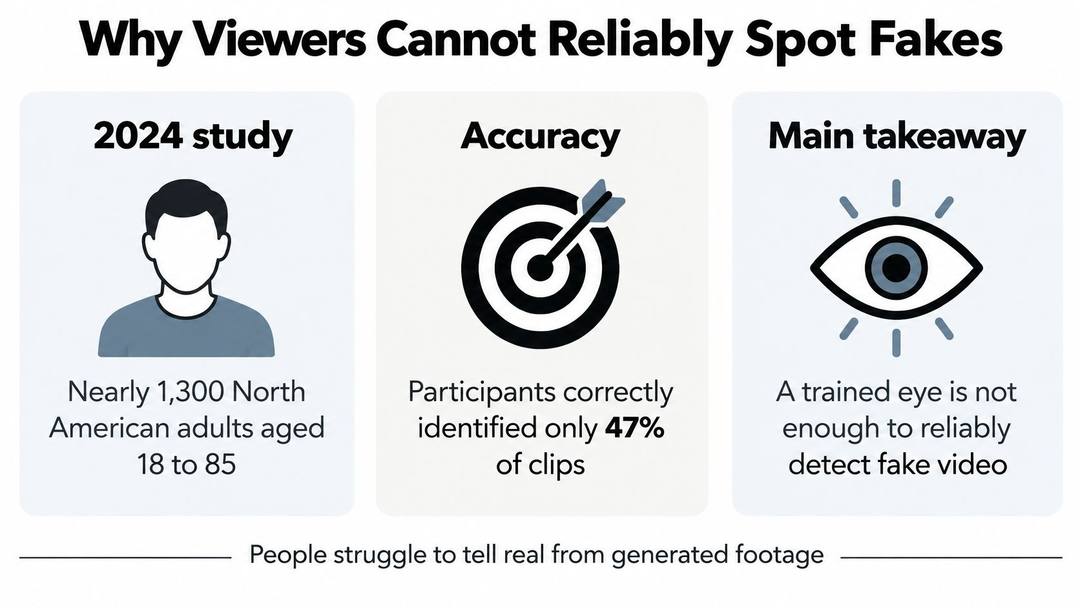
In a 2024 Center for Strategic and International Studies study, nearly 1,300 North American adults aged 18 to 85 distinguished synthetic from authentic media correctly 51.2% of the time, only slightly above the 50% expected from random guessing. The tasks included images, audio, silent video, and audiovisual video, so this was an aggregate result across formats, not a video-only detection rate.
That distinction prevents an easy misreading. It doesn't mean every synthetic clip is undetectable, or that every viewer performs identically. Detection can change with the medium, output quality, and visible artifacts.
The visual below accompanies the detection topic; the study's reported aggregate result is the figure stated above.
A trained eye is a filter, not proof
Creators can learn to recognise warning signs without becoming reliable authenticity detectors. A warped hand is a reason to investigate, but an ordinary-looking hand doesn't prove that the scene was recorded.
The same caution applies to audio. A voice that sounds natural doesn't establish who spoke or whether the speaker authorised the words.
Looking for defects can help you reject a suspicious clip. Finding no defects can't establish its origin.
When using someone else's footage, investigate the source account, original publication, surrounding context, and available production records. Don't turn a plausible repost into supporting evidence just because you can't see an obvious glitch.
Verify the claim behind the clip
Suppose a business receives a convincing video showing a customer praising its product. Before reposting, the publisher needs to establish whether the person exists, whether the statement is genuine, and whether reuse is authorised. Visual polish answers none of those questions.
Our guide on how to tell if a video is AI-generated offers additional checks for examining suspicious material. Use those checks to guide verification rather than to issue certainty from appearance alone.
The publishing standard shouldn't be whether a clip fools a quick glance. It should be whether the publisher can explain its origin and support its claims when someone asks.
Disclosure, Consent and Publication Checks
In a PhotoShelter consumer survey, 56% of consumers said they would trust a brand less if they knew AI had been used, while 81% said they were at least somewhat confident they could identify AI-generated or AI-edited video. Those attitudes create a practical tension: audiences may want authenticity while overestimating their ability to recognise synthetic production.
Concealment isn't a sound response. Instead, distinguish routine assistance from changes that affect what viewers believe happened.
Posts with AI visuals
Source: Revid social index: 388,379 posts from X, Instagram, Threads, Reddit and LinkedIn with AI labels per post, snapshot of Sep 15, 2026.
Show the data
| Posts with AI visuals | |
|---|---|
| High engagement | 1.6% |
| Medium engagement | 2.9% |
| Low engagement | 6.7% |
Make the disclosure fit the alteration
Ask what changed, what the audience might infer, and what wording would correct that inference. Noise removal doesn't create the same misunderstanding as an invented interview subject.
Use AI-assisted when it accurately describes a supporting role and AI-generated when the depicted material is synthetic. For reconstructed scenes, say that they're reconstructions. Put material context near the start or alongside the scene, rather than relying solely on a buried description.
Run a publication-readiness check
- Confirm source rights. Document permissions or licences for music, stock footage, templates, and reference images. Keep the records with the project.
- Document likeness and voice consent. Obtain written authorisation for a real person's face or voice, including the intended use. Don't treat access to a recording as permission to clone it.
- Verify factual claims. Keep supporting links and relevant timestamps. Never present a reconstruction as eyewitness footage or invent a customer's personal experience.
- Apply platform disclosures. Creative AI News's reporting on AI disclosure describes YouTube requirements for certain realistic altered or synthetic material and TikTok requirements for realistic AI-generated or significantly edited people and scenes. Check the destination's current requirements before uploading.
- Preserve production records. Retain prompts, references, edit history, and exports. Where supported, use C2PA Content Credentials, which cryptographically bind provenance assertions about origin, edits, tools, and AI involvement to an asset. Verify credentials and preserve them through export; they document provenance, not the truth of every depicted claim.
- Require human sign-off. Review the final exported file, including captions, audio, opening and closing frames, and the visibility of the disclosure.
Rules differ across countries and platforms, and a label doesn't cure missing consent or a fabricated endorsement. A more transparent clip can be safer to publish than a more photorealistic one that conceals its origin. Finish with an explicit decision: publish with a clear label, revise the synthetic element, or cut the clip.
At Revid, you can input text or a link and our AI generates a video; our free tools include Prompt to Video, AI Music Video Generator, AI TikTok Video Generator, Audio to Video, and Image to Video Effect. Visit revid.ai to create a draft, then use the quality and publication checks above before sharing it with your audience.
FAQ
What counts as realistic AI video?
Realistic AI video is footage generated or heavily altered by software that a viewer could reasonably mistake for real camera footage. It sits on a spectrum from obviously stylised animation, through AI-assisted real footage, to fully synthetic scenes. Each level makes a different claim about what actually happened.
Can people tell AI-generated video from real footage?
Not reliably. In a 2024 CSIS study, nearly 1,300 North American adults identified synthetic versus authentic media correctly 51.2% of the time, only slightly above the 50% expected from guessing. Spotting a defect is a reason to investigate, but finding no defects cannot prove a clip was recorded.
How do you check the quality of a realistic AI video?
Judge the clip on separate checks rather than one overall impression: subject consistency, background consistency, temporal flicker, motion smoothness, imaging quality and prompt adherence. Watch the full clip at normal speed, then pause at the opening, midpoint, ending and suspicious transitions. Match the fix to the failure, since a higher-resolution render will not repair an impossible grip.
Do I need to label AI-generated video on TikTok and YouTube?
YouTube has requirements for certain realistic altered or synthetic material, and TikTok requires disclosure for realistic AI-generated or significantly edited people and scenes. TikTok says it has labeled over 3 billion videos as AI-generated content. Check the destination's current rules before uploading.
Should I write AI-assisted or AI-generated in a disclosure?
Use AI-assisted when AI played a supporting role, such as noise removal or colour adjustment, and AI-generated when the depicted material is synthetic. Label reconstructed scenes as reconstructions. Place the context near the start or alongside the scene rather than burying it in a description.
What should I check before publishing a realistic AI video?
Confirm rights for music, stock footage and reference images, and get written consent for any real person's face or voice. Verify factual claims, apply platform disclosures, keep prompts and edit history, and require human sign-off on the final export. A label does not cure missing consent or a fabricated endorsement.
Sources
- Revid production data: 713,649 AI video clips generated Jun 29, 2026 to Sep 26, 2026.
- Revid social index: 388,379 posts from X, Instagram, Threads, Reddit and LinkedIn with AI labels per post, snapshot of Sep 15, 2026.
- TikTok, Helping people spot and understand AI-generated content on TikTok (July 2026)
Charts and figures checked on November 8, 2026.