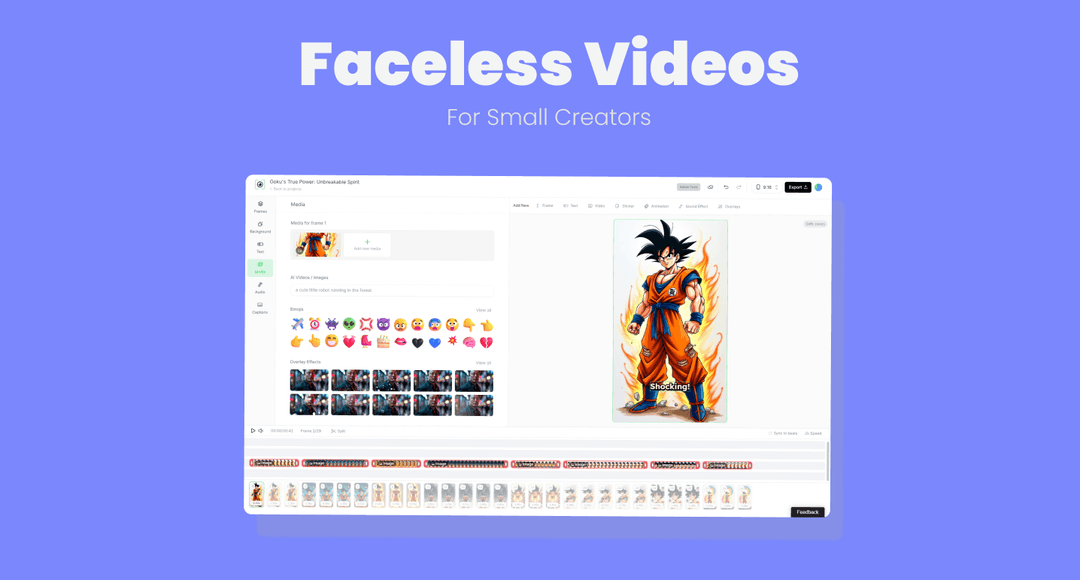
How to Create Faceless YouTube Videos: 7 Steps, With or Without AI
A step-by-step guide to creating faceless YouTube videos: the right format, script, voiceover, visuals and edit, plus YouTube's current specs and the monetization rules for AI and faceless channels.
On this page
To create faceless YouTube videos, pick a format that never needs your face: a narrated explainer, a screen-recorded tutorial or an animation. Then write a script, add a voiceover, cover every line with stock footage, AI visuals or screen recordings, and edit, caption and upload it with a clear title and thumbnail.
The hard part is not production. YouTube will not monetize faceless videos that look mass-produced from a generic AI template, or that only read out text you didn't write, and its reused content rule applies to your whole channel. Every step below is built to keep your videos original enough to earn.
Which faceless format should you choose?
Your format decides your tools, your weekly workload and how original the result looks. Pick the one that matches what you know and what you can produce every week.
| Format | What you need | Fits topics like |
|---|---|---|
| Narrated explainer | Script, voiceover, stock or AI footage | History, science, money basics, true stories |
| Screen-recorded tutorial | Screen recorder, microphone | Software, design, coding, game guides |
| Animation or motion graphics | Animation tool or AI animation | Storytelling, kids, business explainers |
| Hands-only or POV filming | Phone on a tripod or overhead mount | Cooking, crafts, unboxing, desk setups |
| Commentary over your own footage | Screen recorder or capture setup, microphone | Gaming, product reviews |
Hiding your face does not cost you reach. In Revid's analysis of 176,367 TikToks with 1,000+ likes posted between October 2025 and October 2026, faceless videos had a median of 114K views and 17.4% passed 1 million, against 67K and 12.7% for one person on camera. Faceless tutorials did even better: 156K median views versus 52K for on-camera tutorials. This is TikTok data, and the sample only holds videos that already reached 1,000 likes, so it shows what successful videos share rather than a guarantee for YouTube. The method and every chart are in the study of what makes a TikTok go viral.
Faceless videos earned a median of 114K views, against 67K for videos with one person on camera, and passed 1M views 38% more often.
Source: Revid analysis of 176,367 TikToks with 1,000+ likes posted between Oct 1, 2025 and Oct 16, 2026 (61,203 creators)
Show the data
| Median views | Share that passed 1M views | |
|---|---|---|
| Animals | 147.4K | 24.1% |
| Faceless | 113.9K | 17.4% |
| Groups of people | 96.1K | 16% |
| Objects or products | 70.8K | 13.2% |
| One person on camera | 67.4K | 12.7% |
A simple decision rule: if you can teach something on a screen, start with tutorials, because your own recordings are original by default. If your edge is research and storytelling, go with narrated explainers. If you sell a physical product or a hands-on skill, film your hands.
How to make a faceless YouTube video, step by step
1. Pick a niche and a topic people search for
Choose a niche you could make dozens of videos about without running dry. Browse these faceless YouTube channel ideas that drive income or vidIQ's list of channel ideas that don't require showing your face, then check search demand with a keyword tool (see the tools table below).
Make each video answer one question. "How to season a cast iron pan" beats "Kitchen tips" because a viewer knows exactly what they will get.
2. Write a full script, not an outline
A faceless video lives on its voice track, so write every word. Use this structure:
- Hook: the payoff or the surprise in the first sentence.
- Context: why this matters to the viewer, in two or three lines.
- Body: numbered points, one idea per point.
- Payoff: the answer or result you promised.
- Next step: point to a related video instead of saying goodbye.
Sample hooks you can adapt:
- "Most people ruin their cast iron pan in the first week, and soap is not the reason."
- "This is the cheapest way to learn Spanish that nobody talks about."
- "Your phone battery is dying faster because of a single setting."
Write for the ear: short sentences, plain words, one idea per sentence. Each sentence will become a shot, which makes the edit much faster. An AI script generator can draft the structure, but add your own facts, opinions and examples before you record.
Prompt to try
Make a 60-second faceless explainer on how to season a cast iron pan. Open with the hook "Most people ruin their cast iron pan in the first week, and soap is not the reason." Use a calm narrator, close-up kitchen stock footage that matches each line, and bold captions. End by pointing to a video on cleaning cast iron.
3. Record or generate the voiceover
If you narrate yourself, a decent USB microphone in a small room with soft furnishings beats an expensive mic in an echoey one. Record a few seconds of silence first, use it for noise reduction, then normalize the volume.
If you use an AI voice, pick one that suits the niche (calm for history, energetic for tech), slow it slightly if it sounds rushed, and listen through for mispronounced names. YouTube does not require disclosure for cloning your own voice for voiceovers.
4. Cover every line with a visual
Mix stock footage, AI images or AI video, screen recordings and simple text graphics. The rule is literal: the picture shows what the sentence says. Avoid realistic AI footage of events that never happened, which YouTube treats as a monetization and disclosure problem.
5. Edit for pace and clarity
Assemble voice, visuals, captions and music on a timeline. The editing rules are in their own section below, because this is where most faceless videos fail.
6. Package it: title, thumbnail, description
- Title: up to 100 characters. Put the searched phrase first and the promise second. A YouTube title generator helps you test variants.
- Thumbnail: YouTube recommends 3840x2160 (16:9, minimum width 640 px). Files can be up to 50 MB on desktop but only 2 MB on mobile, and custom thumbnails need a verified account. Without a face, use a bold object, a before-and-after or a short text promise.
- Description: up to 5,000 characters. Answer the video's question in the first two lines, then add chapters and links.
- Tags: 500 characters in total, not per tag. They matter little; spend the time on the title.
On desktop, YouTube Studio can A/B test up to 3 titles and thumbnails on long-form videos (not Shorts) and shows the winner to everyone.
7. Upload, disclose and publish
Upload from a computer or your phone. If the video contains realistic AI-generated or altered footage, turn on the "AI use" setting in YouTube Studio. Then schedule it and keep a release rhythm you can sustain for months, not weeks.
How to create faceless videos with AI
AI tools now handle the voice, visuals and captions in one pass, so your time goes into the idea and the script. In Revid:
- Open the faceless AI video generator and paste your script, an idea, or a link to an article or YouTube video.
- Choose a voice from 1,000+ AI voices in 70+ languages, or upload your own recording.
- Pick the visuals scene by scene: stock footage, AI images or AI video from models such as Seedance 2.5, MiniMax Hailuo H3, Wan 3.0 and Google Veo 3.
- Choose one of 30 caption styles and the music, then fix any scene in the timeline editor.
- Export in 720p, 1080p or 4K at 30 or 60 fps, or publish and schedule directly to YouTube, TikTok and Instagram.
To start from proof instead of a blank page, search Revid's library of about 2.77 million viral videos, open one that fits your niche and use "Make it about your topic" to apply its hook and pacing to an original script. For a plain script-in, video-out workflow, the text to video tool does the same job. Sign-up is free and new accounts get free credits to try video creation, no credit card needed; regular creation then uses the credits of a paid plan, from $39/month.
How to edit faceless YouTube videos
There is no face to hold attention, so the edit has to do it. Follow these rules:
- Open on the payoff. The first frame is your most striking visual with the hook line over it. No logo intro, no "welcome back".
- Cut when the idea changes. Every new sentence that introduces something new gets a new shot. A long hold on one generic clip is where viewers leave.
- Match picture to words. Say "a cracked phone screen" and show one.
- Put key points on screen. Captions or short text callouts help viewers watching muted and make lists easy to follow.
- Keep music under the voice. Lower it whenever the narration speaks; raise it only in pauses.
- Use pattern breaks. A zoom, a diagram, a screen recording or a text card resets attention between sections.
- End on the next video. Close by pointing to a related video or playlist.
The most common mistakes:
- The same overused stock clips every other channel uses.
- An AI voice left at its default speed and tone, with no emphasis.
- Unrelated AI clips stitched together for shock value (also a monetization violation).
- Reading a Reddit thread, a news story or an article word for word.
Prompt to try
Create a 45-second vertical YouTube Short on why your phone battery drains faster than it should. Hook: "Your phone battery is dying faster because of a single setting." Use energetic narration, screen-style visuals of phone settings and large captions kept inside the safe zone.
Should you make long videos or YouTube Shorts?
Both work faceless, and the specs differ:
| Long-form video | YouTube Shorts | |
|---|---|---|
| Length | Up to 15 minutes by default; longer once your account is verified (max 256 GB or 12 hours) | Up to 3 minutes, square or vertical |
| Shape | 16:9 | 9:16 |
| Custom thumbnail | 3840x2160 recommended, verified account | 2160x3840 recommended, uploaded in YouTube Studio on a computer, verified account |
| Title and thumbnail A/B test | Up to 3 variants | Not available |
| Counts toward YPP | Watch hours | Qualified Shorts views (Shorts feed watch hours don't count toward the watch-hour threshold) |
If your topic needs real explanation, make the long video first and cut Shorts from it as trailers. If you want volume and fast feedback, start with Shorts: an AI YouTube Shorts generator turns a script into a vertical video, and the YouTube Shorts safe zone template shows where captions won't be hidden by the interface.
Can you monetize faceless YouTube videos?
Yes. Faceless and AI-assisted channels can join the YouTube Partner Program on the same terms as everyone else. Today, ad revenue sharing requires 1,000 subscribers plus either 4,000 qualified public watch hours in the last 12 months or 10 million qualified Shorts views in the last 90 days.
From February 1, 2027, new applicants will need 1,000 subscribers plus 8,000 qualified watch hours in the last 365 days or 20 million qualified Shorts views in the last 90 days. Channels already in YPP are not affected. The lower tier (500 subscribers plus 3,000 watch hours or 3 million Shorts views) covers fan funding and shopping features, not ad revenue.
What decides whether a faceless channel earns is originality:
| YouTube allows | YouTube won't monetize |
|---|---|
| AI used to edit scripts or create background visuals, when the final video shows your creative vision | Generic or template AI content that looks mass-produced |
| Your narration of your own research and opinions | Videos that only read out material you didn't write, such as website text or news feeds |
| Screen recordings, animation and footage you made | Unrelated AI clips stitched together to shock, or realistic visuals faking events |
| AI voices and AI visuals in educational or entertainment videos | AI personas presented as human experts giving health, legal, financial or political advice |
Ads are rarely the only income. Faceless channels also earn through:
- Sponsorships: brands care about audience fit, not your face.
- Affiliate links: tutorials and reviews convert well because the product is on screen the whole time.
- Digital products: templates, presets, guides or courses tied to your niche.
For the channel side (naming, branding, upload schedule), see how to start a faceless YouTube channel.
What tools do you need for faceless YouTube videos?
| Task | Tools | Notes |
|---|---|---|
| Keyword and topic research | TubeBuddy, vidIQ | Search demand and competition data for YouTube topics |
| Screen recording | OBS Studio, ScreenPal | OBS is free and open source; ScreenPal was formerly Screencast-O-Matic |
| Voice recording and cleanup | Audacity, Adobe Audition | Audacity is free; Audition is Adobe's paid audio editor |
| Thumbnails and graphics | Canva, Adobe Photoshop | Templates make faceless thumbnails fast |
| Custom animation | Adobe After Effects | Most control, steepest learning curve |
| Script to finished video | Revid | Voice, visuals, captions, editing and publishing in one place |
If you only need one free stack to start: OBS for recording, Audacity for audio and Canva for thumbnails.
FAQ
Do I have to disclose AI voices or visuals on YouTube?
Only for realistic content, such as making a real person appear to say something or generating a realistic scene that never happened. AI-written scripts, AI thumbnails, captions and cloning your own voice don't need disclosure, and disclosing does not by itself limit reach or earnings. Since May 2026, YouTube automatically labels undisclosed videos with significant photorealistic AI.
Can I post the same faceless video on TikTok and Instagram Reels?
Yes, if you export it vertical (9:16). TikTok accepts uploads up to 60 minutes, while Instagram Reels longer than 3 minutes are not recommended to non-followers, so keep cross-posted versions short.
Can I use any music or stock footage I find?
No, use only licensed or royalty-free media. A YouTube Short longer than one minute with an active Content ID claim is blocked globally and cannot be monetized.
How long does it take to make a faceless YouTube video?
With an AI video tool, a first draft takes a few minutes once the script is ready, plus editing time. Done by hand with your own recording and editing, expect several hours per video, most of it in scripting and the edit.
Can you make faceless YouTube videos for free?
Yes, with free tools: OBS for screen recording, Audacity for audio and Canva's free plan for thumbnails. AI video platforms usually charge for generation; Revid's sign-up is free and new accounts get free credits to try video creation, with regular creation using paid plan credits.