YouTube Shorts Safe Zone Checker

See what YouTube covers on your Short, and whether it counts as a Short at all, before you upload. Free, instant, and nothing gets uploaded.

9:41
12K
Dislike
843
Share
Remix
@yourchannelSubscribe

I checked my safe zones before posting and this is what I found

Check your videoMP4, MOV, JPG, PNG · stays on your device
HomeShortsSubscriptionsYou

The red areas are what the app draws over your video.

YouTube Shorts safe zone · 1080 × 1920

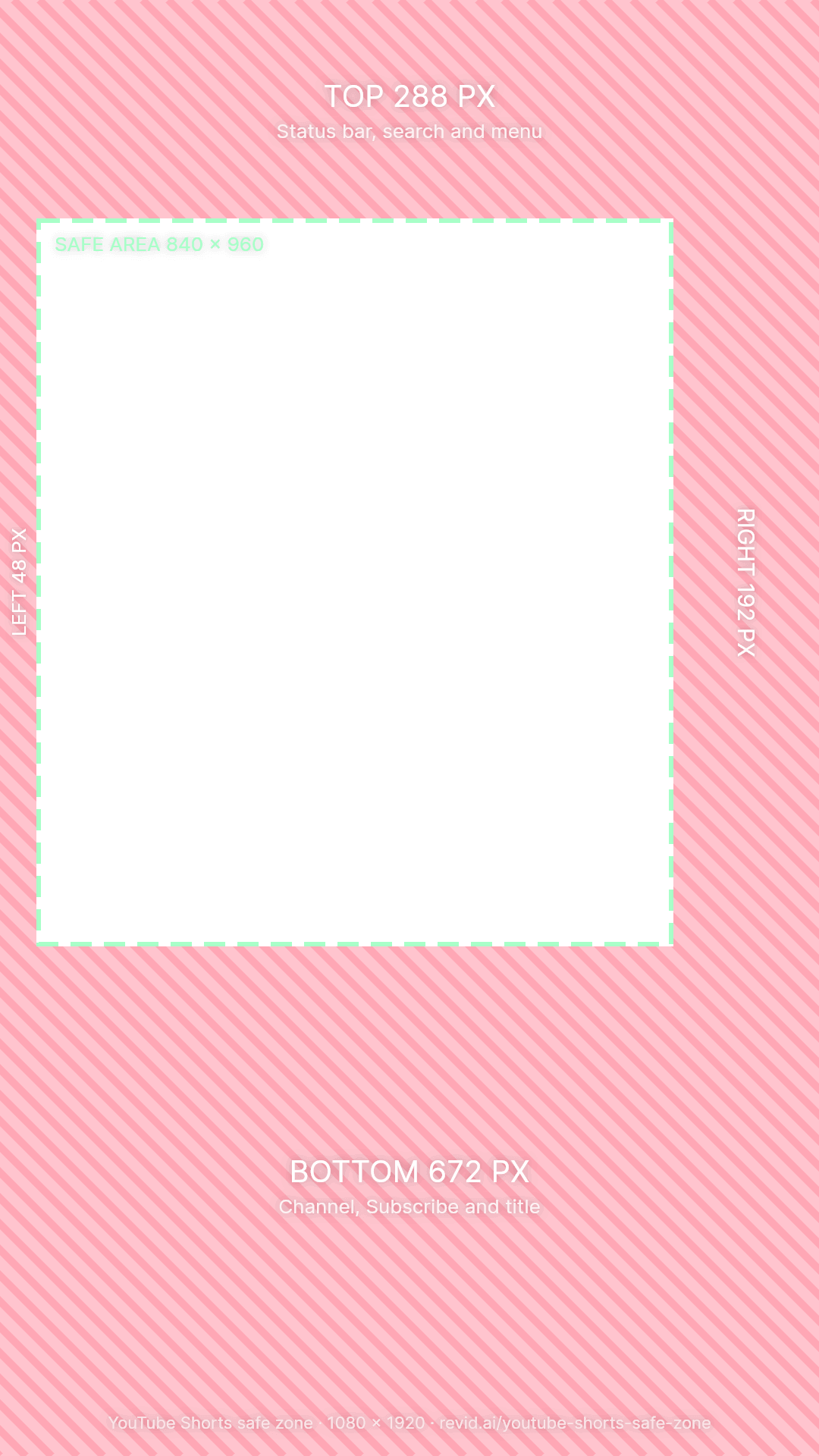
Keep it inside 840 × 960 px

top
288
bottom
672
left
48
right
192
  • top: Status bar, search and menu
  • right: Like, dislike, comment, share, remix and the sound thumbnail
  • bottom: Channel, Subscribe, title, related video and product links, progress bar
  1. 1Drop a video or photo. Or tap the phone. Nothing is uploaded: the preview runs in your browser.
  2. 2Look at the red areas. That is where the buttons, caption and tabs sit. Hold the screen to see your clean frame.
  3. 3Move what is covered. Text, faces, logos and prices belong inside the green box.

1080 × 1920

YouTube Shorts safe zone dimensions

On a 1080 × 1920 Short, the safe zone is the 840 × 960 px area that starts 288 px from the top and 48 px from the left. Keep 672 px clear at the bottom for your channel, the Subscribe button and the title, and 192 px on the right for the like, dislike, comment, share and remix buttons.

YouTube Shorts safe zone margins on a 1080 × 1920 video
ZoneKeep clearShare of the sideWhat YouTube Shorts puts there
Top288 px15%Status bar, search and menu
Bottom672 px35%Channel, Subscribe, title, related video and product links, progress bar
Right192 px18%Like, dislike, comment, share, remix and the sound thumbnail
Left48 px4%Edge padding
Safe area840 × 960 px39% of the frameYour hook, subtitles, faces, product, logo and call to action

These margins follow Google's guidance for vertical video (15% at the top, 35% at the bottom, 4% on the left, 18% on the right). Shorts has the widest button column of the big three apps: every icon sits in its own circle with a label under it.

Zone by zone

What YouTube covers on a Short

The checker above draws the Shorts player over your own video. Here is what each part of it hides.

Top 288 px

Search and menu

The status bar, search and the three-dot menu. The strip is mostly empty, but keeping 15% clear protects your text from notches and the top controls.

Right 192 px

The button column

Like with its count, dislike, comment, share, remix and the spinning sound thumbnail. Each button is a circle with a label under it, which makes this the widest rail of any short-video app.

Bottom 672 px

Channel, Subscribe and title

Your channel picture and handle, the Subscribe button, a two-line title, and chips for a related video, products or a suggested search. The progress bar runs along the very bottom.

Left 48 px

The edge

Only a thin margin, but captions that touch the edge look cut off on curved and narrow screens.

Before the safe zone

Does your video count as a YouTube Short?

YouTube counts a video as a Short when it is square or vertical and three minutes or less (for uploads since October 15, 2024). Anything wider or longer becomes a regular video, and the safe zone stops mattering. The checker's format check runs this test on your file.

Which videos YouTube counts as Shorts
Your videoResultHow it plays
9:16 vertical, up to 3 minutesA ShortFills the screen
4:5 or 3:4, up to 3 minutesA ShortBlack bars above and below
1:1 square, up to 3 minutesA ShortBig black bars above and below
16:9 landscape, any lengthA regular videoShown in the normal player, not the Shorts feed
Any shape, over 3 minutesA regular videoShown in the normal player, not the Shorts feed

The 1 minute music rule

A Short longer than one minute with an active Content ID claim, usually copyrighted music, is blocked worldwide until the claim is resolved. Most YouTube Audio Library songs can be used for up to 90 seconds in a 3 minute Short, some only for 60 or 30 seconds, and Audio Library music does not get claimed.

Placement

Where to put text and captions on a Short

Measured on the 1080 × 1920 frame. The safe area's middle is 468 px from the left, 72 px left of the frame's middle, because the button column is so wide.

ElementWhereWhy
Hook textUpper middle, about 350 to 700 px from the topClears the search bar and stays left of the button column.
SubtitlesAbout 900 to 1,248 px from the top, centered on 468 px, under 840 px wideThe title and Subscribe button take the bottom 35%, and frame-centered captions run under the buttons.
FacesEyes about a third of the way down, a little left of centerThe button column eats 192 px of the right side.
Product, price, CTAMiddle of the frame, above 1,248 pxBelow that, the title, Subscribe button and product chips take over.
Logo or watermarkTop left, inside the safe area (68 px from the left, 328 px from the top)Visible without fighting the search bar or the buttons.

Thumbnails

Shorts thumbnails start inside the safe zone

On the YouTube app you choose a Short's thumbnail by picking a frame from the video. Channels in the YouTube Partner Program can also upload a custom image from YouTube Studio on desktop, and YouTube says it will open this up to more channels.

  • Design one cover frame: Put the headline inside the safe area, big enough to read at thumbnail size, then pick that frame as the thumbnail.
  • Keep it big and high: Thumbnails show small in feeds and search: use a few large words in the upper half of the safe area.
  • Size: Make the cover frame 1080 × 1920 so it stays sharp in the feed and in search.
  • Check it: Drop the cover frame in the checker as a photo to see it under the Shorts player.

Cross-posting

Turning TikToks into Shorts

Shorts covers 52 px more of the right side than TikTok (192 against 140) and 192 px more of the bottom (672 against 480). Text placed for TikTok usually needs to move up and left.

  • Subtitles: Move them up about 200 px and keep them under 840 px wide, centered on 468 px.
  • Length: Trim to 3 minutes or less, or YouTube uploads it as a regular video.
  • Music: Keep claimed music in Shorts of one minute or less, or swap it for Audio Library tracks within their limit.
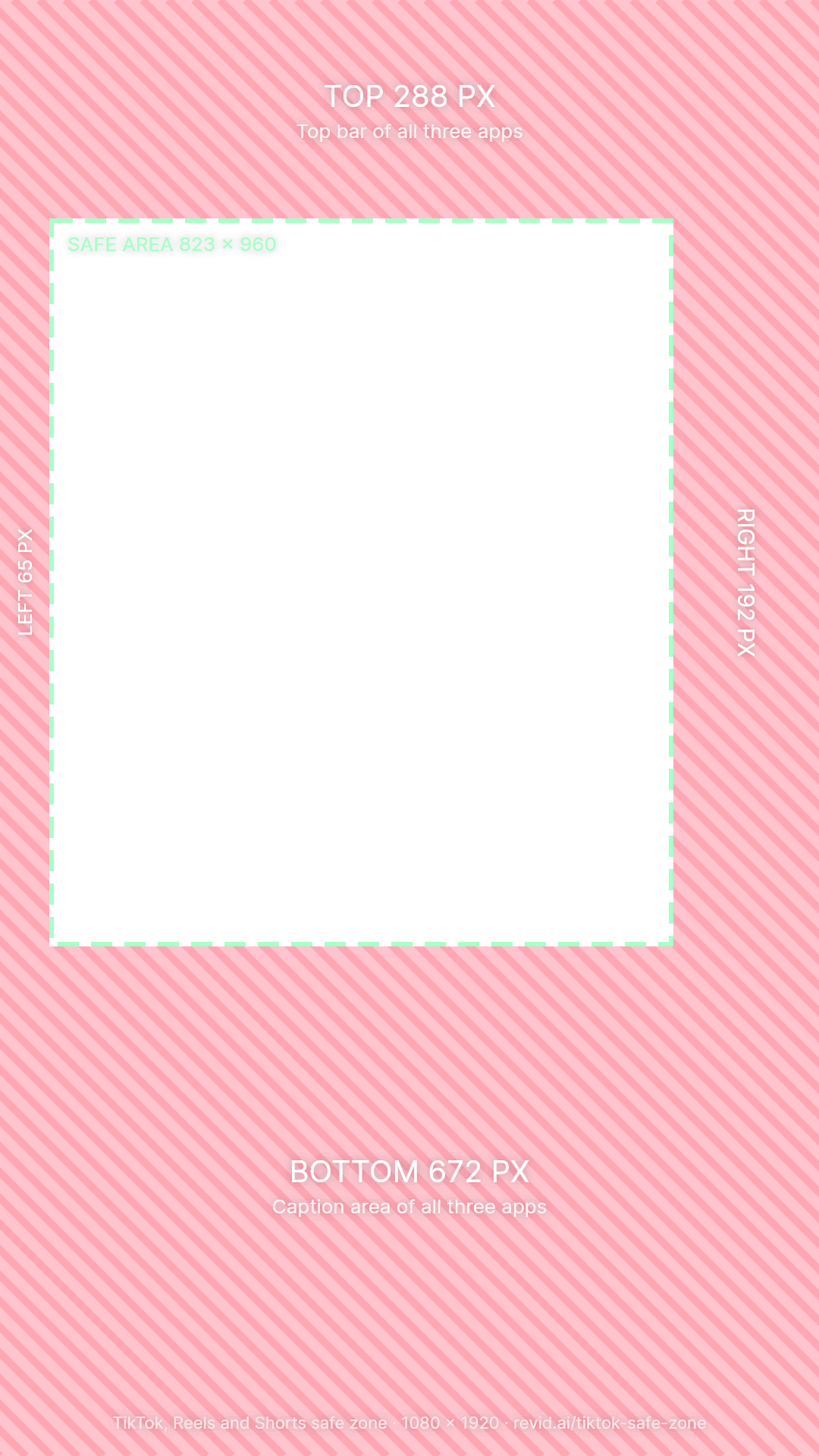
  • One edit for every app: Use the All 3 view in the checker: a 823 × 960 px area that TikTok, Reels and Shorts all leave clear.
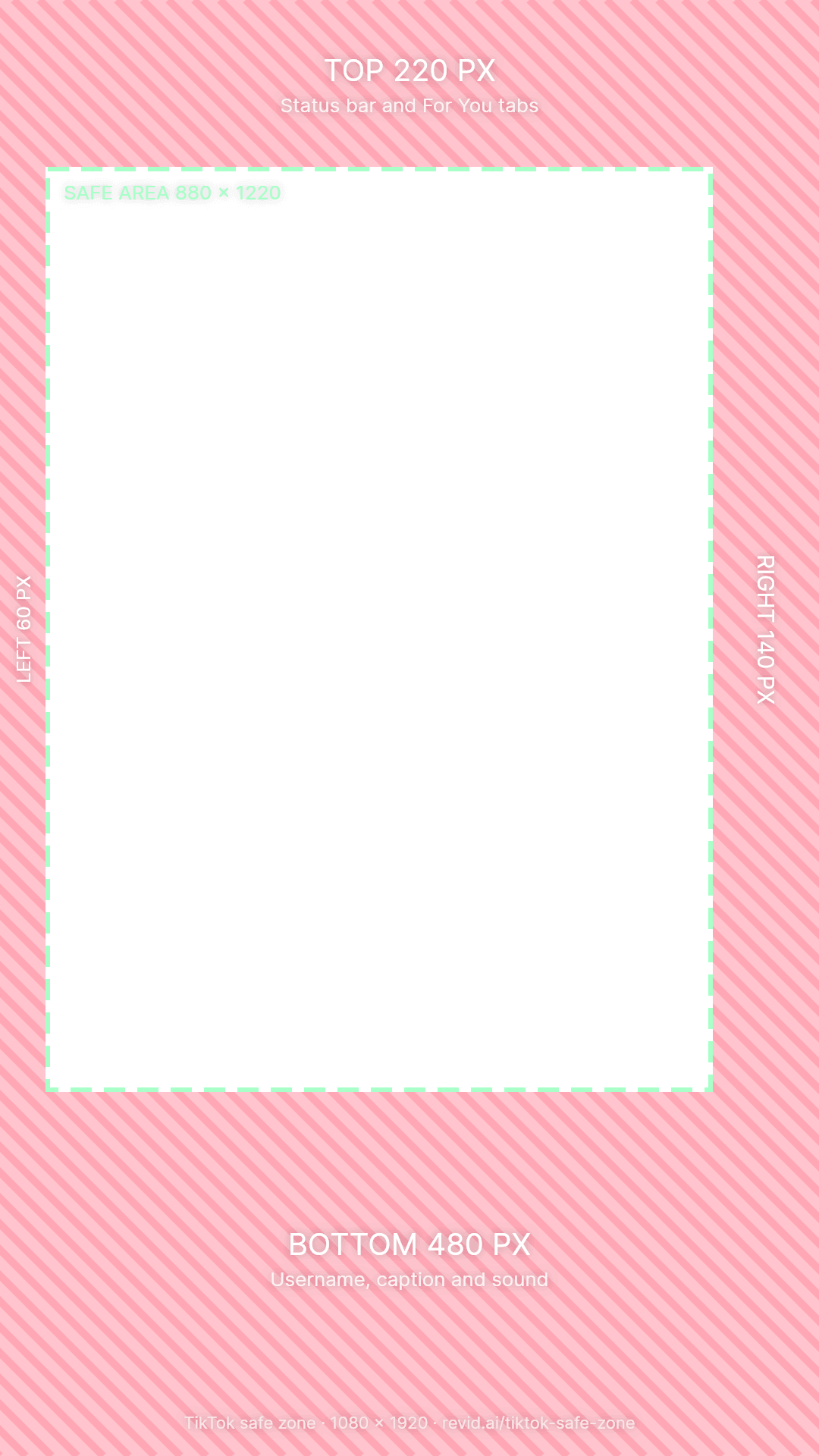
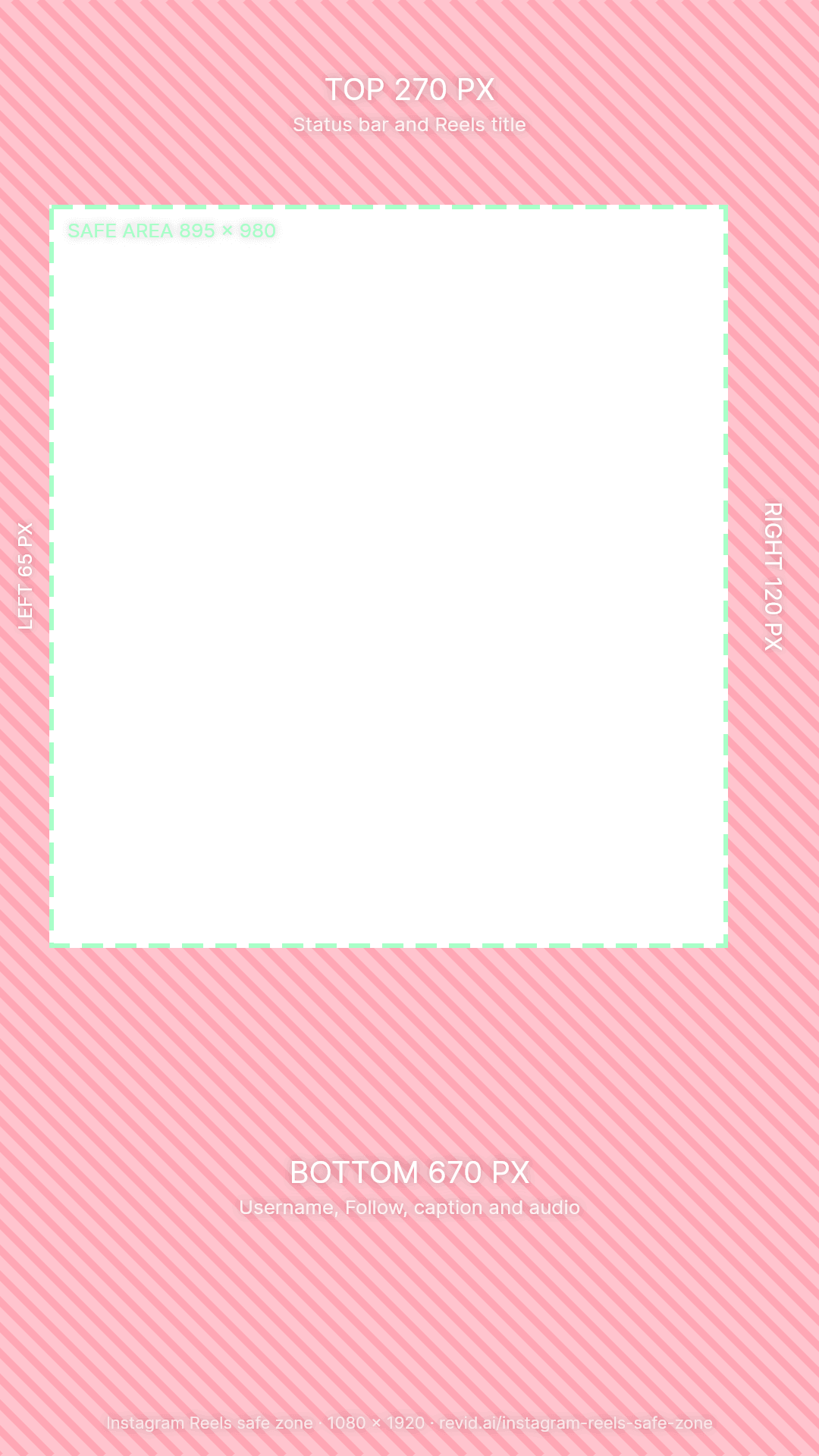
Safe zone margins for TikTok, Instagram Reels and YouTube Shorts on a 1080 × 1920 video
AppTopBottomLeftRightSafe area
TikTok220 px480 px60 px140 px880 × 1220
Instagram Reels270 px670 px65 px120 px895 × 980
YouTube Shorts288 px672 px48 px192 px840 × 960
All three288 px672 px65 px192 px823 × 960

Free download

YouTube Shorts safe zone template (PNG)

A transparent 1080 × 1920 PNG with the covered margins in red and the safe area outlined. Drop it on the top track of CapCut, Premiere Pro, DaVinci Resolve or Canva, keep your text inside the green box, and hide the layer before you export.

Before you upload

YouTube Shorts size checklist

  • Size: 1080 × 1920 px, a 9:16 vertical frame. Square works too, with black bars.
  • Length: 3 minutes or less to count as a Short.
  • Music: Over 1 minute, a Content ID claim blocks the Short worldwide.
  • Format: MP4 or MOV, H.264, 30 or 60 fps.
  • Title: It shows over the bottom of your video, under your channel name. Lead with the words that matter.
  • Thumbnail: Pick a strong frame on mobile; Partner Program channels can upload a custom image in Studio.

Not sure about yours? Drop it in the checker: it tells you whether it counts as a Short and what to fix.

Posting to TikTok too? See the TikTok safe zone guide.

FAQs

Frequently Asked Questions

What is the YouTube Shorts safe zone?
It is the part of a vertical Short that YouTube's player never covers. YouTube puts search and the menu at the top, the like, dislike, comment, share and remix buttons down the right, and your channel, Subscribe button and title across the bottom. On a 1080 × 1920 Short that leaves a 840 × 960 px area for text, faces and calls to action.
What are the YouTube Shorts safe zone dimensions?
Keep 288 px clear at the top, 672 px at the bottom, 48 px on the left and 192 px on the right of a 1080 × 1920 Short. The safe area is 840 × 960 px, starting 288 px from the top and 48 px from the left.
Where should I put captions on a YouTube Short?
Between about 900 and 1,248 px from the top, no wider than 840 px, and centered on 468 px rather than the middle of the frame. The button column takes 192 px of the right side, so captions centered on the frame end up under the like and comment buttons.
What makes a video count as a YouTube Short?
YouTube counts a video as a Short when it has a square or vertical aspect ratio and is three minutes or less (for uploads since October 15, 2024). A landscape video, or anything longer than three minutes, uploads as a regular video.
Why was my YouTube Short blocked?
A Short longer than one minute with an active Content ID claim, usually copyrighted music, is blocked worldwide until the claim is resolved. Remove the claimed audio, dispute the claim if it is wrong, or keep claimed music in Shorts of one minute or less. Most YouTube Audio Library songs can be used for up to 90 seconds in a 3 minute Short.
Is the safe zone different for YouTube Shorts ads?
Google's guidance for vertical video ads uses the same bands as this page (15% top, 35% bottom). Shorts ads also show a call-to-action button and an ad label near the bottom, so keep the bottom 672 px free of anything important.
How is the Shorts safe zone different from TikTok's?
Shorts covers more of the frame: 192 px on the right against TikTok's 140, and 672 px at the bottom against 480. Subtitles placed for TikTok usually need to move up and a little left before they work on Shorts.
Does this tool upload my video?
No. The checker reads your file inside your browser and never sends it anywhere, which is why it is instant even for long videos. A file only leaves your device if you click "Caption it with Revid", which uploads it to open Revid's caption tool.

Still have questions?

Contact us

Find detailed answers to 100+ questions about features, tools, and workflows

or check our markdown version optimized for LLMs

Made with Revid

Make Shorts that are ready for the feed

Revid turns a prompt, a link or a script into a finished vertical video with voice, visuals and captions, and posts it to YouTube, TikTok and Instagram. Its editor can show these safe zones while you edit.

Make a Short with AI

More free tools