How to Get an AI to Write a Script
Learn how to get an AI to write a script using proven prompting techniques, iterative refinement, and platform-specific checklists for viral social video.
On this page
The counterintuitive part of how to get an AI to write a script is that the best results don't start with creativity. They start with constraints. In a preregistered 2023 experiment involving 453 college-educated professionals, people using ChatGPT for defined writing tasks finished 40% faster, and independent evaluators rated their work 18% higher in quality than work produced without AI in the published Science study. The lesson isn't that AI automatically writes better videos. It's that clear objectives, useful instructions, and human review turn a fast text generator into a practical production assistant.
The Shift From Asking to Directing
A vague prompt produces a polished script with little to say. “Write me a TikTok script about skincare” gives the AI no clear viewer, platform behavior, desired reaction, evidence standard, pacing, or next action. It must guess, so it usually fills the gaps with familiar hooks and a generic call to action.
Treat the model like a junior copywriter with excellent speed and limited context. You still own the creative choices, factual standard, and final edit. Give the system enough direction to make those choices before it starts generating paragraphs.
Build the brief before the draft
A useful prompt makes the hidden production variables explicit:
- Subject: Name the exact topic, not only the broad category.
- Audience: State the viewer's knowledge level, problem, objection, or motivation.
- Platform: Specify TikTok, Instagram Reels, YouTube Shorts, or long-form YouTube.
- Objective: Choose one primary result, such as explaining, persuading, entertaining, or driving a click.
- Hook: Define the opening tension, question, contrast, or promise.
- Voice: Set the attitude, vocabulary, pace, and emotional temperature.
- Structure: Request a sequence such as hook, context, three points, payoff, and call to action.
- Constraints: Add approximate word count, prohibited claims, required sources, and terms or ideas to avoid.
Use this as a starting prompt:
Write a 40-second script for a vertical TikTok. Subject: [exact topic]. Audience: [knowledge level, main problem or objection]. Objective: [one result, such as explain or persuade]. Hook: open with [tension, contrast or promise]. Voice: [attitude, vocabulary, pace]. Structure: hook, context, three points, payoff, call to action. Constraints: about [word count] words, no [prohibited claims], cite [required sources], avoid [terms or ideas]. Give a rough duration for each scene.
The word count should reflect the intended runtime, but it cannot confirm that the edit will fit. Pauses, pronunciation, spoken rhythm, and visual beats all change timing. Ask for a rough duration per scene, giving the model a timing constraint instead of only a paragraph target.
A video script generator such as Revid.ai can turn a topic, prompt, keyword, or URL into a structured concept with a hook, key points, voiceover, and call to action. Before it writes, Revid pulls transcripts of related TikToks with more than 10,000 likes and uses them as style and story references, so the draft starts from formats audiences already watch rather than a blank prompt. The tool can speed up the first draft, but the brief still determines whether that draft is specific enough to develop. Review every claim, timing choice, and audience promise before production.
Prompt to try
Make a 40-second vertical TikTok for beginners who think sunscreen is only for sunny days. Open with the statement "Most skin damage happens on cloudy days you ignore." Use a blunt, friendly voice, then give three short points with a clear payoff and end by asking viewers what SPF they use.
Why One Prompt Fails and Three Passes Work
A complete script generated in one pass often has the shape of a script without the pressure of a good story. The opening is familiar, the middle repeats the premise, and the ending says “follow for more.” The model has solved too many problems at once, so it averages toward safe language.
A stronger workflow separates planning, writing, and criticism. First ask for the architecture. Then expand it. Finally, revise against a narrow checklist. This makes it easier to reject a weak premise before you spend time polishing sentences.
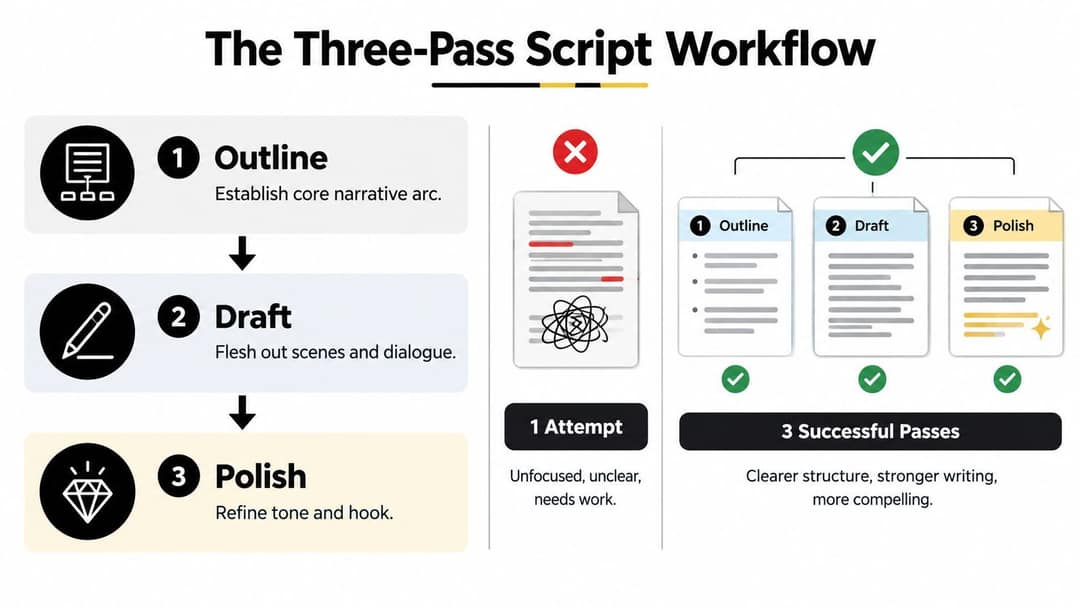
Pass one establishes the beats
Ask for several hooks before requesting the script:
Write several opening hooks for this brief. Give each one a different approach: a statement, a question, a contrast and a surprising mistake. Keep each hook short enough to say in one breath, and don't write the rest of the script yet.
Choose the hook yourself. Then request a beat sheet with the selected opening, the viewer's problem, the sequence of reveals, the proof or example, and the final payoff. At this stage, don't ask for elegant prose. Look for a clear reason to keep watching. As a benchmark when choosing, 51% of TikToks with over 100 million views that have a transcript open with a statement and 16% with a question, according to Revid's 100M Club analysis.
Pass two turns structure into scenes
Once the beat sheet works, use a second prompt:
Turn this beat sheet into timed scenes for a 40-second vertical video. For each scene, give the duration, the narration, the visual and any on-screen text. Keep the hook exactly as written, and don't add claims or examples that aren't in the beat sheet.
This approach also makes style control easier. You can change the pacing or reorder one beat without regenerating an unrelated section.
A prompting guide for AI video generation is useful when you need to translate the creative brief into instructions for scenes, visuals, and movement rather than text alone.
Pass three is an adversarial edit
Don't ask the model to “make it better.” That instruction invites a complete rewrite and can erase the lines that already work. Ask for targeted checks:
Review this script without rewriting it. List every line that repeats an earlier point, every claim that needs a source, every transition that does no work, and any scene where the narration runs longer than its duration. Suggest a fix for each problem and leave everything else unchanged.
The need for this separation has a creative basis. A 2024 experiment in Science Advances found that AI-assisted stories were about 5.2% more similar to the generated ideas in one condition, a warning that AI can improve an individual piece while pulling creators toward familiar patterns as reported in the study. Use the model to expand options, not to make every creative decision for you.
Controlling Tone and Narrative Voice
Generic AI scripts often sound helpful, balanced, and mildly enthusiastic. That tone may suit an internal explainer, but it disappears in a crowded feed. Define what the script should sound like and what it must avoid. Tone control belongs in the specification, before drafting begins.
Two methods work reliably. Supply a style reference, or build a voice profile from explicit traits and prohibitions. A reference communicates rhythm quickly, but it can encourage imitation. A voice profile requires more setup and produces a voice your brand can own.
Choose the right control method
| Strategy | Best For | Implementation |
|---|---|---|
| Style reference | Matching pacing, density, or structural habits | Provide an original sample or permitted reference. Tell the model to study pacing and organization, not wording, jokes, distinctive phrases, or characters. |
| Voice profile | Building a recognizable brand voice | Define the speaker's attitude, sentence length, vocabulary, humor, point of view, audience relationship, and prohibited clichés. |
| Prohibition list | Removing default AI habits | Ban generic openings, inflated promises, repeated transitions, empty adjectives, unsupported certainty, and stock calls to action. |
| Contrast brief | Balancing competing goals | State the priority order, such as “educational first, entertaining second, sales-oriented only in the final line.” |
A practical voice profile might say:
The narrator is a blunt, experienced practitioner talking to a friend who is new to the topic. Use short sentences and plain words, with no jargon unless it is explained in the same line. Skip hype and empty adjectives. Take a clear position when the evidence supports one. Sound conversational: write the way you would explain this out loud, with contractions and the occasional direct question to the viewer.
That final instruction gives “conversational” a usable definition. The speaker has preferences, limits, and a point of view, rather than a vague request to sound friendly.
Prompt to try
Create a 35-second YouTube Short narrated by a blunt, experienced home cook talking to a friend who just ruined their first steak. Hook: "Your pan is lying to you about how hot it is." Use short sentences, plain words and no hype, with close-up kitchen visuals and one clear tip per scene.
Make the voice serve the narrative
Tone should shape the story from the first scene, not sit on top of a finished script as decoration. It affects what the narrator notices, which details receive emphasis, and how each reveal reaches the viewer. An educational script can stay engaging through a demonstration, a sharp comparison, or a revealing mistake without turning every line into a joke.
For each scene, ask three questions: What changes here? Why does the viewer need this now? What should the viewer feel or understand before the next scene? If the answer is “nothing,” remove the transition or give the scene a specific job. Generic connective language is one of the fastest ways to make an AI script feel machine-written.
Give the model a controlled sample of your own writing when possible. Ask it to identify measurable features, including sentence length, directness, use of questions, and amount of jargon. Then turn those observations into prompt rules. Do not ask it to mimic a living creator's distinctive expression. Borrow structural qualities, such as short openings or delayed explanations, and supply original language, examples, and judgments. This preserves audience trust while keeping the script recognizably yours.
Quality Checks and Failure Modes
Fluent prose can conceal production problems. An AI script may contain a source that doesn't support the claim, a scene that needs more screen time than the narration allows, or captions that just repeat the voiceover. Review the script as both an editor and a producer.
Run structural checks before creative polishing
Ask the model to return a fixed scene schema, for example: scene number, duration, narration, visual prompt, on-screen text, transition, and source attribution. Then validate every scene against that structure. Research on structured outputs found an average formatting success rate of 82.55%, with results ranging from 0% to 100%, so valid-looking output still needs a validation pass in the structured-output research.
Use a simple audit:
- Check timing: Add the scene durations and read the narration aloud at a natural pace.
- Check claims: Highlight every number, named person, date, quotation, and causal statement. Verify each one against an authoritative source.
- Check continuity: Confirm that names, products, promises, and examples remain consistent from opening to close.
- Check visuals: Make sure each visual adds information or emotion instead of displaying the spoken sentence as text.
- Check captions: Shorten captions so they reinforce the point rather than duplicate it.
- Check the action: Ensure the call to action follows naturally from what the viewer just received.
A useful revision prompt is:
Audit this script against the checklist above. Return a table with the scene number, the problem and the fix. Flag any number, name, date or quotation that has no source. Then give a revised version that changes only the flagged lines.
Separate automated checks from judgment
Automation can find missing fields, duplicate phrases, excessive sentence length, and banned words. It can't reliably decide whether a joke is culturally appropriate, whether an example feels lived-in, or whether the central claim deserves trust. Keep a human review for those decisions.
Technical or interactive scripts need executable checks where possible. For ordinary video, adapt that discipline into tests for runtime, scene validity, prohibited claims, citation completeness, and platform restrictions. The point is not to make writing mechanical. It's to catch preventable failures before filming.
If your workflow includes outbound prospecting or sales videos, keep the script review distinct from lead qualification. A resource about cold callers can help clarify the human sales role, while your script QA should still verify claims, timing, and the promised viewer action.
Beyond the Script, Compliance and Trust
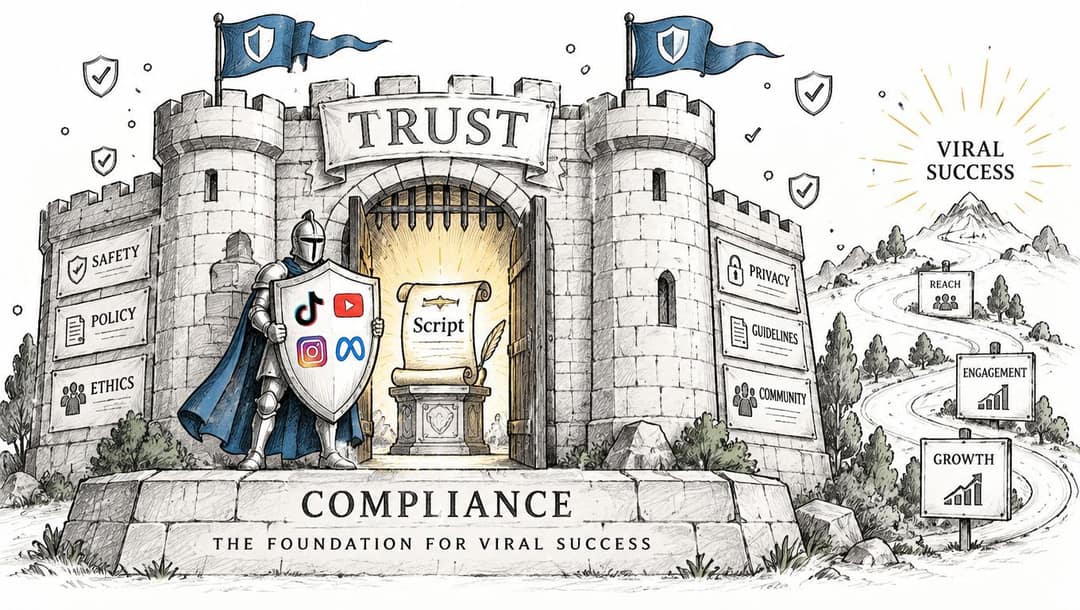
A strong script can still create a weak publishing decision. If you pair it with a cloned voice, a fabricated quote, a simulated event, or a realistic depiction of a real person, the compliance question changes even when the words look harmless.
TikTok requires labels for AI-generated content containing realistic images, audio, or video, and it may apply labels automatically. The platform also permits disclosure through on-screen text, hashtags, stickers, or post descriptions under its AI-generated content guidance. YouTube requires disclosure for realistic synthetic or materially altered content, including making a real person appear to say something they never said. Since May 2026, YouTube also applies a label automatically when its systems detect significant photorealistic AI that was not disclosed, and on Shorts the label appears as an overlay on the video.
Put disclosure into the production brief
Add a compliance block to the first prompt:
Compliance: do not invent quotes, statistics or events. Do not make a real person appear to say or do something they did not. Mark every scene that uses an AI voice, a cloned voice or realistic AI visuals, and note where the upload will need an AI-generated content label.
Before upload, confirm four things:
- Facts: Every material claim has been checked against its source.
- Media: You have rights to the voice, likeness, footage, music, and images.
- Labels: The upload settings and visible disclosure match the platform and the actual production method.
- Meaning: AI hasn't changed the meaning of the source material or implied a real event occurred.
Audience preference can shift quickly. One reported survey found preference for generative-AI creator content falling from 60% in November 2023 to 26% in July, which reinforces the need for recognizable human judgment and specificity as reported by eMarketer. Treat disclosure as a baseline obligation, not a substitute for original thinking.
The same principle applies to professional communication. When a script supports recruiting or interview content, an AI answer generator guide for job seekers can inform the planning conversation, but the published video should distinguish assistance from personal experience and verified advice.
FAQs About AI Script Generation
Should AI write the entire script?
Use it for ideation, outlines, scene expansion, and targeted rewrites. Keep the premise, firsthand detail, factual approval, and final voice under human control.
What should I do when the platform changes its rules?
Recheck the platform's current disclosure guidance immediately before publishing. Store the production method, voice source, visual source, and approval notes with the script so you can update the upload decision without reconstructing the workflow.
How can I create scripts in batches without losing variety?
Generate multiple premises and hooks first, then assign each script a different objection, example, narrative angle, or reveal order. Run a repetition check across the batch and remove openings, metaphors, and calls to action that sound interchangeable.
What is the minimum reusable workflow?
Write a specification, generate a beat sheet, expand it into timed scenes, validate the schema and claims, perform a human voice edit, complete the disclosure and rights check, then publish. That sequence is more dependable than asking for a finished script and accepting the first fluent answer.
Revid.ai can turn a one-line idea, topic, keyword, or URL into a structured video script with scenes, dialogue, voiceover, and a call to action, giving you a faster starting point for the specification-first workflow described here. Try the production process on revid.ai, then keep the human checks for originality, accuracy, timing, and disclosure before you publish.