Video Source Finder Tools: Reverse Search Picks for 2026
Compare 7 video source finder tools, from reverse video search to frame matching and caption search, with honest limits and practical use cases for 2026.
On this page
The clip is everywhere and the credit is nowhere. Someone reposted it with a new caption, cropped the logo out of the corner, mirrored it, and swapped the audio. You want the original uploader, or at least an earlier version, and the comments offer nothing but guesses.
No single tool indexes the whole web. Video sits behind logins, inside apps that block crawlers, and in re-encodes that change a file's fingerprint. So the work is picking an entry point that matches what you have: the full clip, a single frame, or a line of speech you can still hear. Then check more than one result before you believe any of them.
Scale explains why this is hard. DataReportal's April 2025 global statshot found more than 9 in 10 internet users watch online video each week, excluding major subscription-streaming services, which is how the same 20 seconds of footage ends up in a dozen markets under a dozen captions.
A match proves a copy exists. It never proves who made the original, and it never grants permission to repost. Every tool below is judged on that standard, and each entry lists where it fails as plainly as where it works.
- Internet users who watch online video each week
- 9 in 10
- DataReportal, April 2025
- Active social media user identities, January 2025
- 5.24B
- DataReportal Digital 2025
- Share of the world's population using YouTube monthly in 2024
- 37%
- AxioBench compilation
- Videos TikTok has labeled as AI-generated
- 3B
- TikTok, July 2026
1. Retrace
Start with the whole clip when you have the file or a link. Retrace is built for one job: you give it a video, a screenshot, or a URL, and it hunts candidate pages across TikTok, YouTube, Instagram, X, Telegram, and the open web, with dates attached so you can compare copies instead of trusting one result.
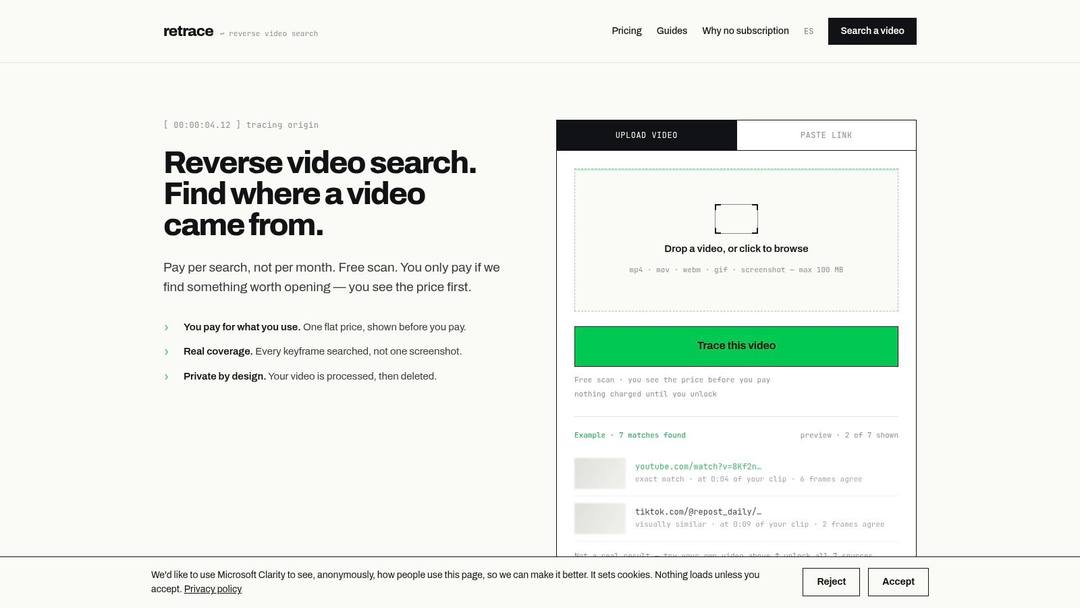
Frame-by-frame tracing is the part that earns its keep. You can walk through the clip and see which moments produce matches, which is how you find the longer version of something trimmed at the head.
What it gets right: the workflow matches the task. Most reverse-image tools make you extract frames yourself and stitch the results together mentally.
Where it fails: recent or heavily edited clips may not be indexed at all, and a link search may inspect only part of a video. A dated result is evidence of circulating copies, not proof of authorship.
Enterprise retrieval shows what careful indexing can do. Condé Nast's multimodal video discovery build on Amazon Bedrock reportedly cut average content-discovery time from 250 minutes to roughly 2 minutes per task, a 99.2% reduction, across a library of more than 140,000 videos. That's an internal library with precomputed enrichment, not the open web, so treat it as a ceiling rather than a promise.
Practical rule: rank evidence by embedded provenance, earliest timestamp, uploader context, and corroborating reporting. Never let one match name a source.
Free scans and a stated pay-per-use model with no required subscription suit someone tracing one clip rather than running a weekly workflow.
2. Reverse Video Search
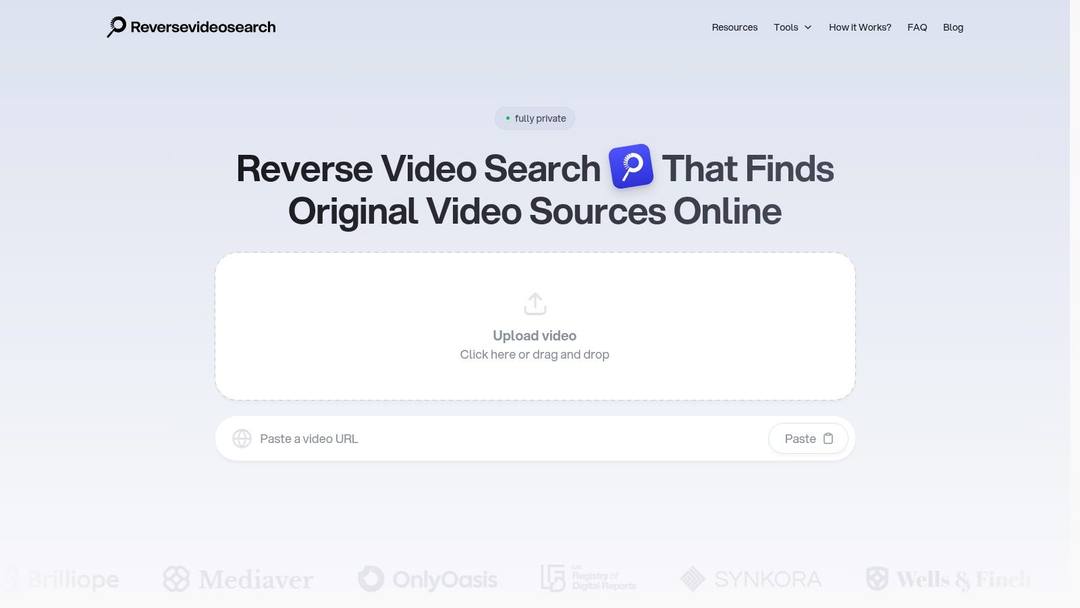
Keyframe extraction is the honest way to search video with image tools, and Reverse Video Search puts it at the center of the product. Upload a file or paste a public link and it pulls several distinctive frames, then runs them against visual indexes.
Why the manual mode matters
Automatic extraction picks frames by scene change, which isn't the same as picking frames that are searchable. A talking head against an unchanged background gives you near-identical keyframes; a fast-cut edit gives you motion blur in every frame. Pulling your own stills, ideally ones with a face, a sign, a logo, or a unique background, beats any button. This tool lets you do both, and the manual path is the one that finds things.
Good for: reuploads under a new title, longer versions of a truncated clip, and related footage from the same shoot.
Bad for: private or login-restricted posts, which no public index reaches, and anything uploaded in the past day or two.
A frame match tells you the image exists elsewhere. It doesn't tell you which upload came first, and it doesn't grant permission.
The limitation is structural. Results depend on what the public web has indexed, so a clip circulating only inside a private server or a paywalled platform won't surface. If you hold the original file, check whether its metadata survived before uploading it anywhere. That is often faster than any visual search.
3. InVID-WeVerify Verification Plugin
Some clips need context work before source work. The InVID-WeVerify Verification Plugin is an open-source browser toolkit for exactly that: it fragments a video into keyframes, pushes those frames into reverse-image searches, and adds metadata and contextual analysis in the same window.
The difference from an upload-and-search service is that you stay in the loop. You choose the frames, you choose the engines, you interpret what returns. Slower, yes. It's also the only reliable way to catch a clip relabeled with a false location or date.
The index leans toward videos that surface in hashtag and keyword searches, so its view counts run high: compare the groups, not the absolute numbers.
Source: Revid TikTok index: 2,377,477 TikToks with AI labels per video, snapshot of Sep 15, 2026. Median views estimated from view buckets.
Show the data
| Median views | Share past 1M views | |
|---|---|---|
| AI generated | 151.7K | 19.5% |
| Animation/Cartoon | 121.3K | 14.2% |
| Mixed | 87.3K | 11.4% |
| Real shot | 67.3K | 9.5% |
Provenance beats vibes
Content Credentials now record a video's origin, device or software history, edits, and AI involvement through cryptographically bound metadata. The C2PA technical explainer documents how those credentials are attached and validated, and they're turning up in cameras, editing tools, newsrooms, and generative systems. Adoption is still uneven, so most clips you check won't carry them. When one does, it outranks any visual match.
Good for: sensitive or breaking footage where being wrong is expensive.
Bad for: speed. If you want a longer cut of a comedy clip, this is overkill.
Fallback checks when metadata is gone: note platform watermarks and their position, compare upload times across copies, and read captions for translation artifacts. If you suspect the footage was generated rather than reposted, how to tell if a video is AI generated is worth twenty minutes before an hour of reverse searching.
4. Google Lens
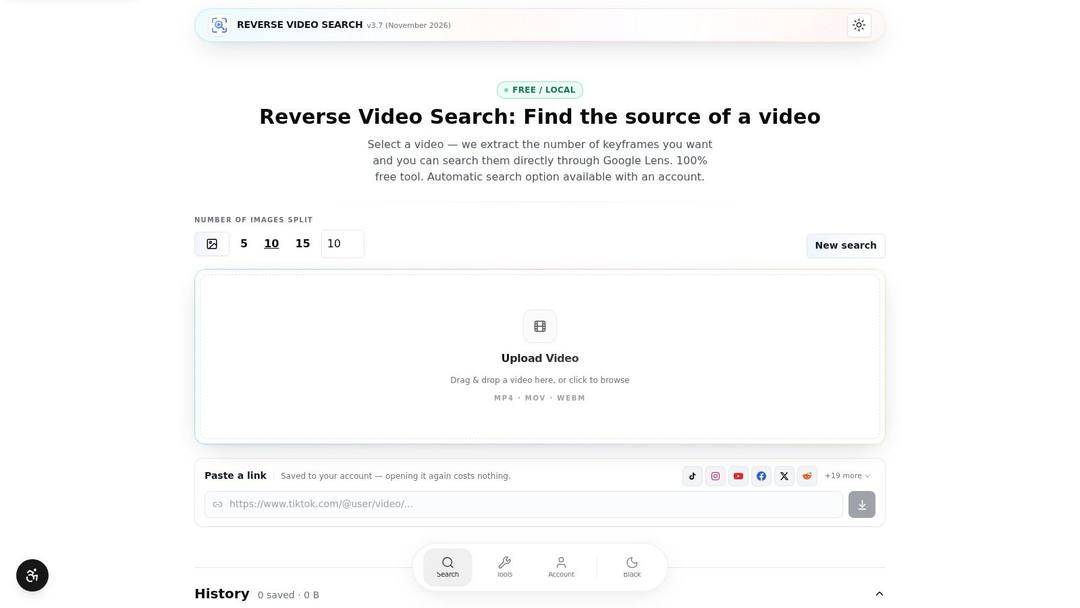
When all you have is one frame, Google Lens is the fastest first stop. Save a clean still, upload it, and you get pages using that image, visually related results, and object or text recognition that can name a product, a street sign, or a logo you can't read.
That frame-level access is why it belongs in any source-finding routine. You don't need the original file or a download, just a frame with something distinctive in it.
Strong on: landmarks, branded products, interiors, readable signage, and anything carrying text. OCR on a frame often hands you a search term worth more than the image results.
Weak on: generic backgrounds, plain studio setups, and heavy filters. It won't accept a whole video as a query, so a 40-minute file has to be reduced to stills first.
Scale is the other half of the problem. DataReportal's Digital 2025 global overview counted 5.24 billion active social-media user identities in January 2025, equal to 63.9% of the world's population. One clip can circulate across platforms, languages, and accounts, and those identities don't map neatly to unique people. Lens catches a slice of those copies and misses the ones on platforms Google indexes poorly.
Save your frames with a consistent filename pattern. Four engines deep into a check, you'll want to know which still produced which lead.
5. Bing Visual Search
Run the same still through a second engine, because image indexes aren't interchangeable. Bing Visual Search takes an uploaded image, a pasted image, or an image URL and returns similar visuals plus pages containing that image. On frames with a recognizable product, place, or object, it often returns a different page set than Google.
That difference is the entire value. One engine returning nothing isn't evidence that nothing exists.
Worth trying when: the frame shows merchandise, a vehicle, a building, or a person in a distinctive setting.
Skip when: the frame is a talking head on a neutral backdrop, where both engines dump thousands of unrelated faces on you.
One caveat worth knowing. Uploaded images may be used to improve Bing's image-processing services, so don't upload client material or confidential footage without checking your own obligations first. Similar-looking results are also not confirmed copies. A stock photo of the same landmark will flood the page and prove nothing.
The two-engine habit
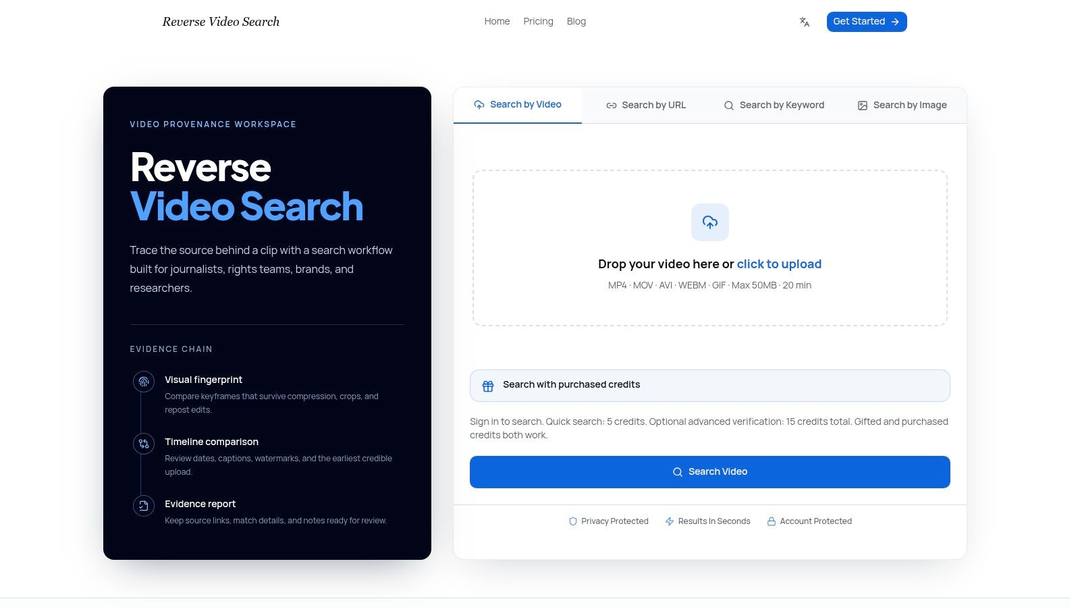
Take your three best frames and run each through Lens and Bing. That's six searches and a few minutes. Note which frame produced which candidate page, then open the candidates and check dates and uploader history.
Two engines across three frames is the minimum before you conclude a clip can't be traced.
Reverse search hands you leads. The open tabs are where verification happens.
6. TinEye
You have one still, not a full clip and not a line of dialogue. TinEye is the tool for that starting point. It matches images, including modified versions. Submit the frame and it reports where that exact image appears, plus altered copies already in its index. It also says it does not save submitted search images, which matters when the frame shows a face, a document, or someone's home.
Google and Bing rank by similarity and context. TinEye ranks by image identity. Use it when you need to know whether a photograph predates the video: an older article, a press release, or a stock library page.
It fails in predictable ways. Frames re-encoded, cropped, or color-shifted past recognition drop out. Recent uploads often miss too, because its crawl does not move at platform speed. A near-duplicate of the same object is not a hit. Similarity is someone else's job.
Platforms such as TikTok attach Content Credentials and AI labels to some uploads. An ordinary download and re-edit can strip that metadata. You can then hold a matched file with no attribution chain. The visual match shows a copy exists. It does not show that provenance survived, and it does not name which copy came first.
When the results are six identical files and no older, dated original, call it unresolved. Keep the candidate list in your notes. Do not present the first hit as the source.
7. Filmot
Sometimes you don't remember the visuals at all. You remember the line: a joke, a lyric, a phrase from an interview, a number someone read aloud. Filmot searches YouTube captions and subtitles, along with video and channel metadata, so spoken wording becomes the search key.
This is the entry point many forget, and often the fastest route to a full-length version. A 15-second clip pulled from a 40-minute podcast will never match well on a single frame. The sentence inside it will.
Caption search caveats
YouTube carries an enormous share of the world's video. AxioBench's compilation of digital-media consumption figures put YouTube use at approximately 37% of the world's population monthly in 2024. That's why caption search covers so much ground, and why it still stops at one platform.
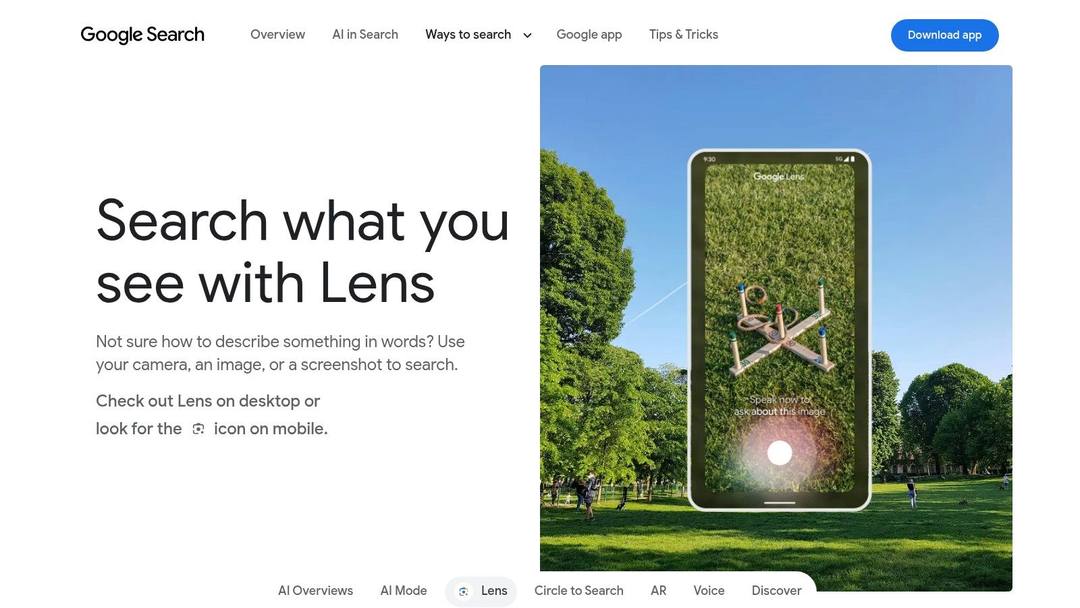
Filtering matters more than the query. Narrow by channel, date range, and language, then read the transcript context around each hit. Auto-generated captions mangle names, brand terms, and accented speech, and a video with no caption track is invisible to this search entirely.
Type the line the way it was spoken, not the way you'd write it. Contractions, filler words, and mispronunciations are usually what makes the match unique.
Discovery eats time. Gracenote's 2025 State of Play survey of 3,000 consumers across six countries found people spend an average of 14 minutes searching for something to watch. Having a remembered line and a search box beats scrolling for it.
Which video source finder fits which starting point
| Item | Best for | Accepts | Pricing or access | Main limitation |
|---|---|---|---|---|
| Retrace | Tracing where footage appeared online | Video files, screenshots, links | Free scans and pay-per-unlock; no required subscription | Recent or heavily edited clips may not match |
| Reverse Video Search (reversevideosearch.io) | Finding reuploads, longer versions, and related clips | Video uploads, public links, individual frames | Automated and manual search options | Results depend on public web indexing |
| InVID-WeVerify Verification Plugin | Journalists and researchers checking video context | Videos for keyframe extraction; extracted frames for reverse-image search | Open-source browser plugin | Requires more manual analysis than one-click tools |
| Google Lens | Searching a distinctive video frame | Images and screenshots | Available through Google products | Does not accept whole videos |
| Bing Visual Search | Checking a frame against another image index | Uploaded images, pasted images, image URLs | Free to try | Does not search full videos |
| TinEye | Finding exact or modified matches for a video frame | Uploaded images, image URLs | Image-search service with browser extensions | Requires a still frame, not a video |
| Filmot | Finding YouTube videos by spoken phrases or captions | Search terms based on captions, subtitles, or metadata | YouTube-focused search tool | Searches YouTube only |
Build a Source-Finding Routine Before You Need It
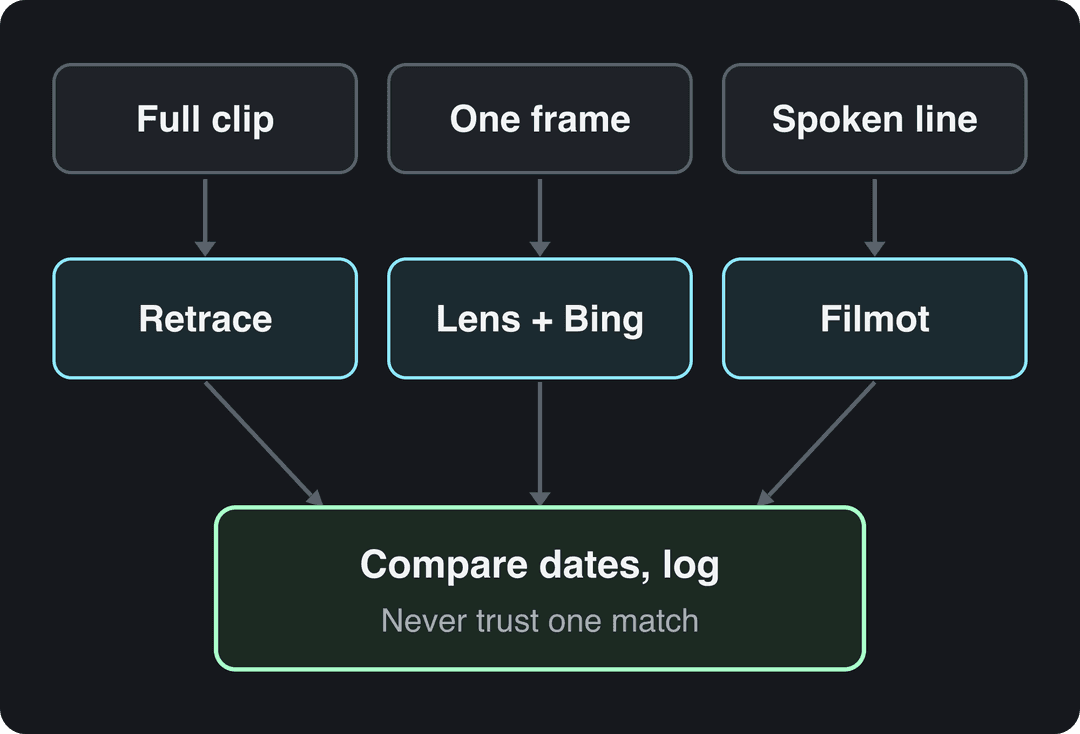
Work in a fixed order and the ambiguity drops fast. Start with the full clip in a video-first tool, because a tool that reads the file finds copies that frame search misses. Pull two or three distinctive keyframes: one with a face or logo, one with readable text or a location, one from a scene change. Run each through at least two image engines, since their indexes overlap imperfectly. If the clip contains memorable speech, search the captions for the exact wording.
Then write it down. A log with candidate URLs, upload dates, uploader names, and which frame produced which result saves you from repeating the work and from mistaking an earlier guess for a fact.
What to check before you reuse anything
- Provenance first: look for Content Credentials or platform labels still attached to the file you hold.
- Earliest date next: the oldest indexed upload is a clue about origin, not proof of it.
- Uploader context: an account that posts compilations is a reposter. An account posting the same subject weekly may be the source.
- Watermarks and overlays: a platform logo in the corner tells you which app the clip came from and often which region.
- Licensing, separately: a perfect match says nothing about whether you may publish the footage.
That last point is where creators get burned. Finding the source is the easy half. Getting permission, or confirming your use complies with the platform's terms, is a separate conversation with the rights holder.
If your goal is the opposite of tracing, meaning you want footage already proven to travel, Revid's Viral Search surfaces top videos in a niche and shows why they land, and its remix feature turns a chosen video into an original video about your product. A free account can search viral videos, so you can look before you commit.
The difference between a clip you can trace and a clip you can build on is usually one more search, and then one more decision about what to make. Revid.ai turns a topic, a link, or a proven viral video into a finished multi-minute video you can refine scene by scene, with the script, structure, and captions handled in one place. If you'd rather start from footage that's already working than spend another evening hunting for an original uploader, head to revid.ai and search the library.
FAQ
How do I find the original source of a video?
Start with the full clip in a video-first tool like Retrace or Reverse Video Search, then pull two or three distinctive keyframes and run each through at least two image engines such as Google Lens and Bing. If the clip has memorable speech, search the exact wording in captions with Filmot. Log every candidate URL, upload date and uploader so you can compare copies.
Can Google Lens search a whole video?
No. Google Lens does not accept a whole video as a query, so you have to save clean stills first. It works best on frames with landmarks, branded products, readable signs or logos, and is weak on generic backgrounds and heavy filters.
Does a reverse search match prove who made a video?
No. A match only proves a copy exists elsewhere. It does not show which upload came first, who created the footage, or that you are allowed to repost it, so check Content Credentials, earliest dates, uploader context and licensing separately.
How can I find a YouTube video from a line I remember?
Use Filmot, which searches YouTube captions, subtitles and video and channel metadata. Type the line the way it was spoken, then filter by channel, date range and language. Videos without a caption track are invisible to this search, and it only covers YouTube.
What are Content Credentials and why do they matter for video sourcing?
Content Credentials record a video's origin, device or software history, edits and AI involvement through cryptographically bound metadata, as documented by C2PA. When a clip carries them, they outrank any visual match. TikTok said in July 2026 it had labeled over 3 billion videos as AI-generated, but an ordinary download and re-edit can strip that metadata.
Sources
- Revid TikTok index: 2,377,477 TikToks with AI labels per video, snapshot of Sep 15, 2026. Median views estimated from view buckets.
- TikTok, Helping people spot and understand AI-generated content on TikTok (July 2026)
Charts and figures checked on November 15, 2026.