revid.ai logo
Con la confianza de más de 14,000 creadores

Creador de Películas con IA

Crea vídeos con IA con calidad de estudio a partir de texto o URLs en minutos. Da vida a tus ideas con imágenes dinámicas y voces realistas.

Escribe una historia o pega un prompt y genera una película cinematográfica con IA con escenas, voces y un ritmo dramático.

  • De prompt a película
  • Generación de escenas cinematográficas
  • Imágenes y voces dinámicas
  • Listo para historias en formato corto
1,210 personas usaron esta herramienta en las últimas 24h
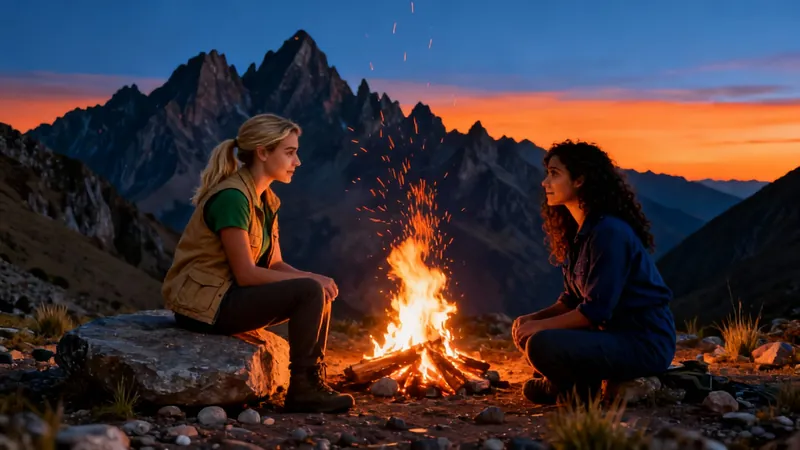
Comienza gratis.(no requiere tarjeta de crédito)

Herramientas relacionadas que te pueden gustar:

o explora nuestras más de 42 herramientas para crear el video exacto que deseas

Explorar herramientas

Magia con IA

Transforma tus ideas en
videos increíbles

TU IDEA
Tu prompt

Guion generado automáticamente por Revid
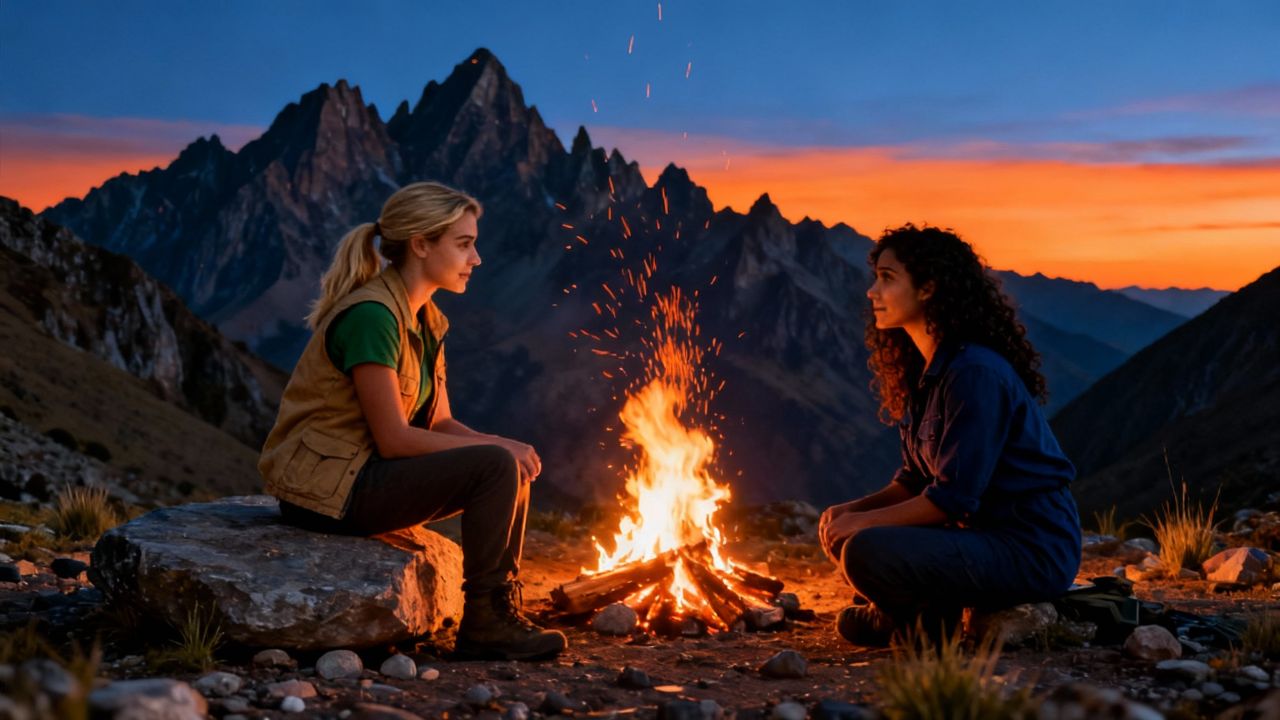
In the autumn of 2015, Clara and Mia met at a volunteer program in Peru. Both were passionate about environmental conservation and soon became close friends, sharing long conversations over campfires and working together to protect local wildlife. The two women found themselves in sync with their shared goals and adventurous spirits. One day, a new volunteer arrived—a charming, witty traveler named Marco who seemed to have endless stories about his travels around the world. Both Clara and Mia found themselves drawn to him. At first, they joked about it, saying they’d “let fate decide.” But as weeks passed, the friendly competition became intense. Clara started inviting Marco on solo hikes, while Mia organized group dinners just to spend more time with him.
Formato visualVideo IA
Estilo visualRealist
VIDEO FINAL

How to Convert Music to Video with AI in 3 Simple Steps

1 Upload your music track

Start by uploading your audio file to our platform. We support various formats including MP3, WAV, and more. Our AI will analyze your music track to create a perfectly synchronized video experience.

2 Choose your visual style

Select from multiple media options to illustrate your music: dynamic stock videos, AI-generated visuals, or moving AI images. Add a sound wave visualization to enhance the audio-visual experience and make your video more engaging.

3 Generate and customize your video

Click 'Generate Video' and let our AI work its magic. Once complete, use our built-in editor to add your personal touch - adjust timing, add text overlays, or fine-tune the visuals to match your creative vision before downloading.

01

Generador de Tráileres de Películas con IA — Crea Tráileres Cinematográficos a partir de Cualquier Vídeo

El generador de tráileres de películas con IA de Revid analiza tus grabaciones y ensambla automáticamente un tráiler cinematográfico de alta energía con cortes dramáticos, música y un ritmo que crea tensión de la manera correcta. Ya sea que estés promocionando un cortometraje, una serie de YouTube o un vídeo de marca, nuestro creador de tráileres con IA produce resultados de calidad profesional en minutos, sin necesidad de experiencia en edición.

02

IA de Texto a Tráiler de Película — Del Guion al Tráiler en Segundos

Con la IA de texto a tráiler de película de Revid, ni siquiera necesitas grabaciones previas para crear un tráiler cautivador. Simplemente describe tu historia, personajes o concepto, y nuestra IA generará un vídeo estilo tráiler totalmente producido con imágenes, voz en off y banda sonora a juego. Es la forma más rápida de dar vida a una visión cinematográfica antes de grabar un solo fotograma de metraje real.

03

Creador de Tráileres con IA — No se Requiere Tarjeta de Crédito

Crea tráileres con la IA de Revid sin necesidad de tarjeta de crédito. Pega el enlace de tu vídeo o sube tus grabaciones, deja que la IA identifique tus mejores momentos y descarga un tráiler terminado listo para compartir en cualquier lugar. Sin marcas de agua, sin configuraciones complicadas. Es el generador de tráileres con IA más accesible disponible en la actualidad.

FAQ

Preguntas Frecuentes

What is the Music to Video converter tool?
Our Music to Video converter is an innovative AI-powered tool that transforms your audio tracks into captivating visual content. Simply upload your music file, and our technology will create a synchronized video with visuals that complement your audio. Whether you're a musician wanting to share your latest track on social media, a content creator needing background visuals for your podcast, or just someone looking to enhance your audio experience, this tool makes the process effortless and professional.
What types of music files can I upload?
Our tool supports a wide range of audio formats including MP3, WAV, AAC, FLAC, and more. The maximum file size is 100MB, which accommodates most songs and audio tracks. For optimal results, we recommend using high-quality audio files with clear sound, as this helps our AI better analyze and visualize your music.
What visual options are available for my music video?
We offer three distinct visual styles to bring your music to life: Stock videos (high-quality footage that matches your music's mood and rhythm), AI-generated videos (unique visuals created specifically for your track), and Moving AI images (dynamic still images with subtle animation effects). Each option creates a different aesthetic, allowing you to choose the perfect visual complement for your audio.
What is the sound wave visualization feature?
The sound wave visualization is an optional overlay that displays the audio waveform in real-time as your music plays. This creates a dynamic visual element that pulses and moves with your music's beat and intensity. It's particularly effective for electronic music, DJ mixes, or any track where you want to highlight the rhythm and dynamics. You can toggle this feature on or off depending on your preference.
How long does it take to convert my music to video?
Processing time varies based on your audio file length and the visual style you select. Typically, a 3-minute song takes about 2-5 minutes to process with stock videos, while AI-generated visuals may take 5-10 minutes due to the more complex rendering required. You'll receive an email notification once your video is ready, so you don't need to wait on the page during processing.
Can I edit the video after it's been generated?
Absolutely! Once your music video is generated, you'll have access to our built-in editor where you can make various adjustments. You can trim sections, add text overlays, adjust visual effects, change transitions, and more. This allows you to fine-tune the automatically generated content and add your personal creative touch before finalizing your video.
How does the AI choose visuals for my music?
Our advanced AI analyzes various aspects of your music including tempo, rhythm, frequency patterns, and energy levels. It then selects or generates visuals that complement these elements. For example, upbeat sections might feature more dynamic visuals, while slower passages could have more atmospheric imagery. The AI is trained on thousands of music videos to understand the relationship between audio and visual elements.
What's the difference between the visual style options?
Stock videos use pre-existing high-quality footage matched to your music's mood and rhythm. This option uses 1 credit and provides professional-looking results quickly. AI-generated videos (1 additional credit) create unique visuals specifically for your track, offering truly one-of-a-kind content. Moving AI images combine the best of both worlds - AI-generated still images with subtle animation effects, creating an artistic visual experience that's less resource-intensive than full AI video.
What aspect ratio will my music video have?
By default, we create videos in 9:16 vertical format, which is ideal for platforms like TikTok, Instagram Reels, and YouTube Shorts. This portrait orientation maximizes screen space on mobile devices where most short-form content is consumed. If you need a different aspect ratio for specific platforms, you can adjust this in the editor after generation.
How can I use the videos I create with this tool?
The videos you create are perfect for sharing your music on social media platforms like TikTok, Instagram, YouTube, and Facebook. Musicians can use them to promote new releases, DJs can share mixes with engaging visuals, podcasters can convert audio episodes to video format for broader distribution, and content creators can generate background visuals for presentations or livestreams. The possibilities are endless!
Is there a limit to how many music videos I can create?
The number of videos you can create depends on your subscription plan and available credits. Each music-to-video conversion requires at least 1 credit (for stock video option), with AI-generated visuals requiring an additional credit. Free accounts start with a limited number of credits, while paid plans offer more monthly credits. Check our pricing page for details on different plans and credit allocations.
Do I need any technical skills to use this tool?
Not at all! Our Music to Video converter is designed to be user-friendly and accessible to everyone, regardless of technical expertise. The interface guides you through each step with clear instructions. Simply upload your audio, select your preferences, and let our AI handle the complex work of creating synchronized visuals. The optional editing features are intuitive and easy to use, making the entire process straightforward even for beginners.
Ver Centro de Ayuda Completo

Encuentra respuestas detalladas a más de 100 preguntas sobre características, herramientas y flujos de trabajo

o consulta nuestra versión markdown optimizada para LLMs

Herramientas

Herramientas de video con IA gratuitas

Elige tu herramienta, añade tu contenido y crea un video en segundos. Luego personalízalo a tu gusto.

Generador de Videos TikTok con IA

Convierte texto instantáneamente en videos virales y tendencia para TikTok

Probar

Convertidor de Prompt a Video

Convierte tus prompts en videos atractivos con IA

Probar

Añadir Subtítulos al Video

Genera subtítulos en más de 100 idiomas con IA

Probar

PDF a Video Brainrot

Convierte PDFs en videos virales con desplazamiento que captan la atención instantáneamente

Probar

Texto a Video Brainrot

Crea contenido viral con desplazamiento y efectos visuales cautivadores a partir de texto

Probar

Avatar Parlante con IA

Crea avatares parlantes realistas a partir de texto en segundos

Probar

Generador de Video Podcasts

Transforma tus podcasts en contenido de video visualmente atractivo

Probar

Creador de Películas con IA

Crea videos con calidad de estudio a partir de texto, sin necesidad de filmación

Probar

Audio a Video

Crea videos atractivos a partir de tus podcasts, entrevistas u otros contenidos de audio

Probar

Animated Lyrics Video Generator

Turn any song into an animated lyric video with synced text and visuals.

Probar

Música a Video

Transforma tu música en videos cinematográficos

Probar

AI Lyrics Video Generator

Transform your lyrics into a complete music video with AI

Probar
Ver todas las herramientas
Cómo funciona

Cuatro pasos sencillos para crear y compartir tu video

1
Step 1

Encuentra tu próxima idea viral

¿Falta de inspiración? Nuestra IA detecta tendencias y te ayuda a adaptarlas para tus propios videos, sin complicaciones.

  • Identifica los formatos con mejor rendimiento
  • Inspírate en los mejores creadores
  • Transforma tus ideas en videos cautivadores
Encuentra tu próxima idea viral
2
Step 2

Un storytelling pensado para cautivar

Revid.ai analiza los videos virales y utiliza esos mismos códigos para redactar tus guiones.

  • Redacta tu guion o simplemente dale el tema a nuestra IA
  • La IA te propondrá contenido relevante para inspirarte
  • Pega un enlace, nuestra IA lo analiza y lo transforma en video
Un storytelling pensado para cautivar
3
Step 3

Videos que te encantarán

Crea videos profesionales, compártelos con un clic y haz crecer tu audiencia.

  • Mira cómo tus textos se transforman en videos profesionales
  • Automatiza la creación de videos a partir de tus contenidos
Videos que te encantarán
4
Step 4

Publica en TikTok, YouTube, Instagram y más

Llega a una audiencia más amplia compartiendo tus videos en todas tus redes.

Publica en TikTok, YouTube, Instagram y más
revid.ai logo

La forma más rápida de crear videos cautivadores.



