On this page
To create an AI birthday video, write a prompt with the person's name, two or three real memories, the tone and the length, add 8 to 15 photos, and let an AI video generator build the voice-over, visuals, captions and music. Check the name and captions, then export 9:16 for phones or 16:9 for a TV.
The usual mistake is typing "make a birthday video for Sarah" and stopping there. You get a stock cake, falling confetti and a smooth voice saying "Wishing you a wonderful day filled with joy and happiness." A birthday video feels personal when it proves you know the person, not when it says their name, and the AI cannot supply that proof for you.
The tool handles the assembly. Your job is the material: the nickname only the family uses, the snack they steal off everyone's plate, the trip where they lost their sunglasses twice in one weekend. This guide covers both halves, with prompts you can copy.
Which type of birthday video should you make?
A birthday video comes in several formats, and each one fits a different person. Pick the type first, because it decides what you gather.
| Type | Best for | Length | What makes it land |
|---|---|---|---|
| Fast AI greeting | Friends, coworkers, siblings, long-distance family, last-minute wishes | 20 to 45 seconds | Name in the first 3 seconds, one real memory, one trait you love |
| Photo montage | Parents, partners, grandparents, best friends, milestones | 45 to 90 seconds private, 20 to 45 seconds public | Real photos beat generic AI visuals |
| Custom AI song | Partners, close friends, kids, funny public posts | 30 to 60 seconds for social, up to 2 minutes as a keepsake | Lyrics full of details only their people know |
| Talking photo or avatar | Playful talking-card greetings, multilingual messages | 15 to 40 seconds | Used sparingly, with consent |
| Group compilation | Big milestones (18th, 30th, 50th), remote families | 1 to 5 minutes private, 30 to 60 second highlight | The number of people who showed up |
Quick decision rules:
- If the birthday is tomorrow, make a fast greeting.
- If you have a folder of old photos, make a montage. The memories-to-video tool paces uploaded photos and clips for you.
- If the person loves music or would replay something funny, make a song (see the song section below).
- If you want a character to deliver the message, a talking avatar works in short doses. A slightly-off face or stiff lip sync kills the warmth fast.
- If a whole group wants to chip in, collect everyone's clips with a shared-link tool first, then cut a short highlight from the best moments.
What to gather before you start
The video can only be as good as what you put into it. Give the tool nothing specific and you get something nice and forgettable. Give it real details and the video looks like it took you hours. Every birthday video sits somewhere on this ladder:
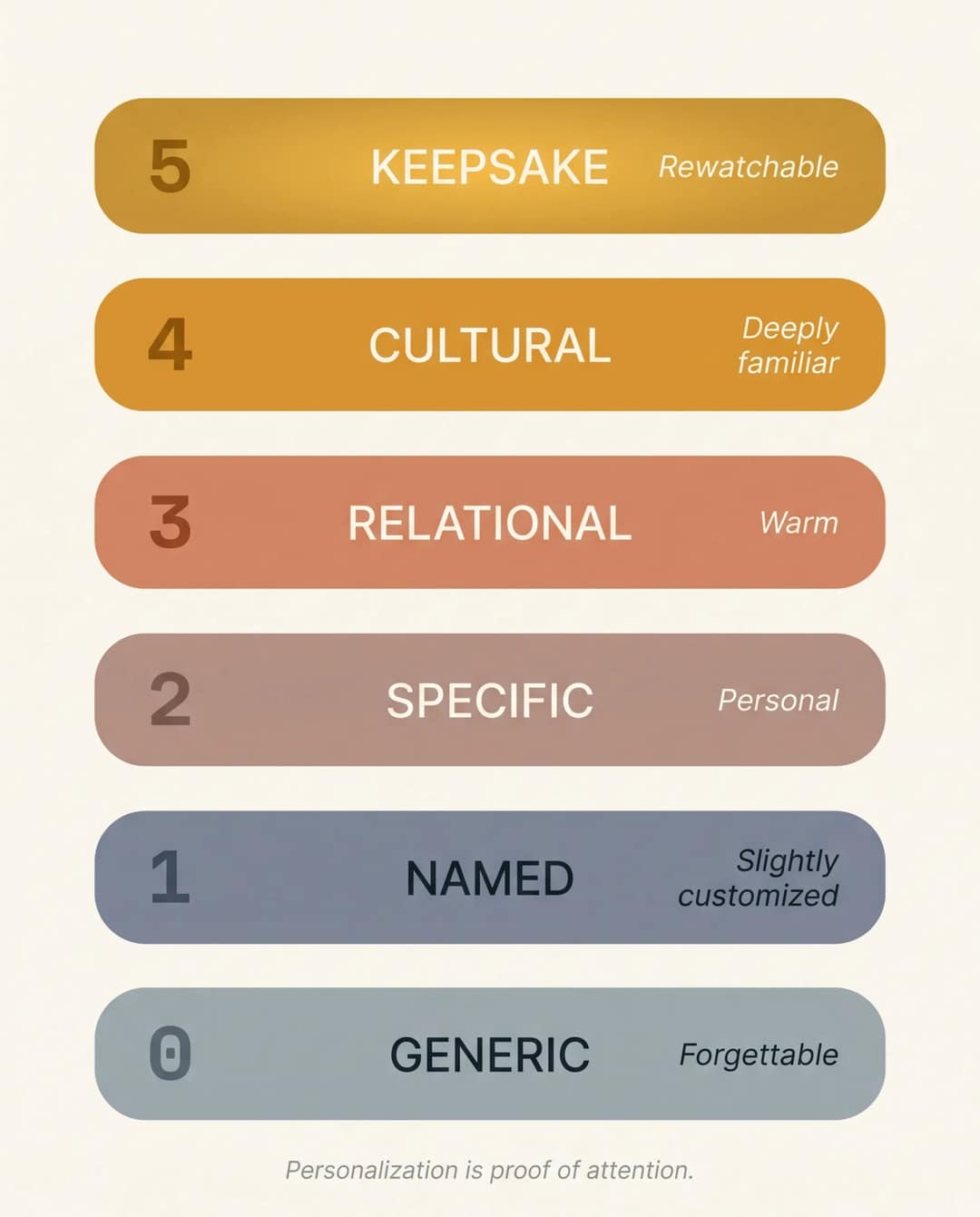
The details that move a video up the ladder are small: a favorite snack, a family phrase, a running joke, the song they always play in the car. Collect these in your notes app before you open any tool:
- Their name and how it is pronounced (write a phonetic spelling if it is tricky)
- Their nickname
- Their age or milestone (turning 30, turning 80, a quinceañera)
- Your relationship to them
- The language: English, Spanish, bilingual, whatever their world is
- The tone: funny, emotional, romantic, elegant, chaotic, nostalgic
- Two or three specific memories ("the Goa trip", not "we had fun")
- One inside joke
- One trait everyone loves them for
- A favorite color, music genre, hobby, place or fandom
- 8 to 15 photos or short clips
- Optionally, a voice note you record yourself
- A "don't include" list: an ex, a sore subject, a photo they hate
The photos and your voice do the most work. Real photos are proof that no generated visual can match. The less the AI has to invent, the more the video sounds like you.
How to create an AI birthday video, step by step
The steps below use Revid. The same logic applies if you create a birthday video using AI in any other generator.
1. Write a director-style prompt
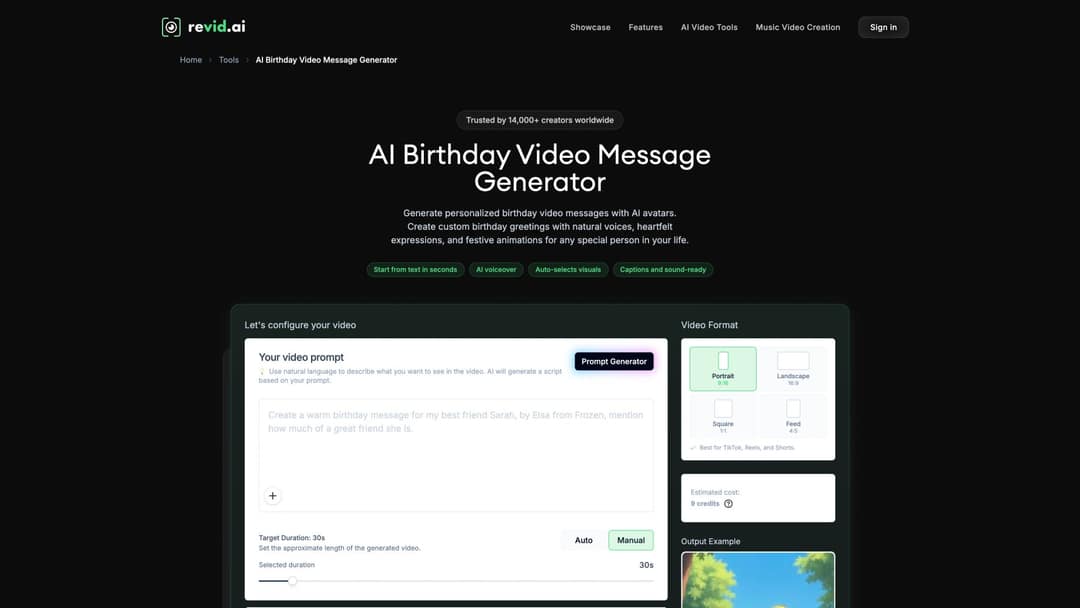
Open the AI birthday video message generator. Before you generate anything, the page shows a prompt box, a Prompt Generator button if you want help drafting, a format picker, a target duration and the estimated credit cost.
Compare two prompts.
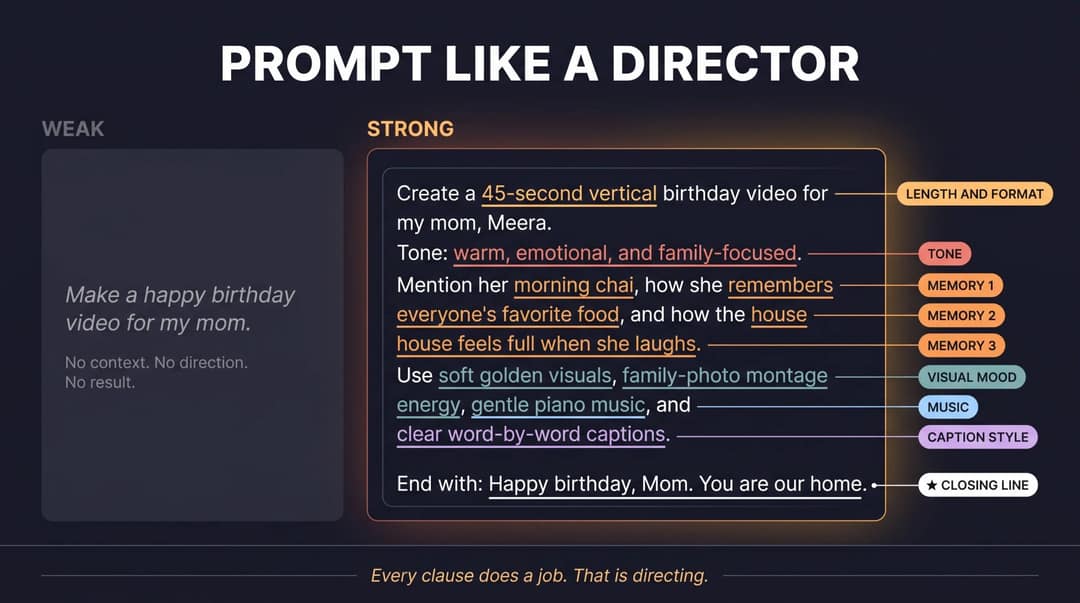
Weak: "Make a happy birthday video for my mom."
Strong: "Create a 45-second vertical birthday video for my mom, Meera. Tone: warm, emotional and family-focused. Mention her morning chai, how she remembers everyone's favorite food, and how the house feels full when she laughs. Use soft golden visuals, family-photo montage energy, gentle piano music and clear word-by-word captions. End with: 'Happy birthday, Mom. You are our home.'"
Every clause in the strong version does a job: the length and format, the tone, three memories, the visual mood, the music, the caption style and the exact closing line.
Copy this template and fill in the brackets:
Create a [20 to 90]-second [vertical / wide] birthday video for my [relationship], [name] (pronounced [phonetic spelling]).
Tone: [funny / warm / romantic / nostalgic].
Mention [memory 1], [memory 2] and [the trait everyone loves].
Use [visual mood], [music style] and [caption style].
End with: "[your closing line]"Prompt to try
Create a 30-second vertical birthday video for my best friend, Leo. Open with: "Happy birthday, Leo. Yes, we made you a whole video." Mention the road trip where he lost his sunglasses twice and how he steals fries off everyone's plate. Use upbeat pop music, fast cuts, bold word-by-word captions, and end with: "We love you more than this video can fit."
2. Control pacing with line breaks, brackets and pauses
If you write your own script instead of a prompt, three markers shape the result:
- A line break starts a new visual scene. Break the text wherever you want the picture to change.
- Text in square brackets is a visual instruction and is not read aloud, for example
[show a montage of family dinner photos]. <break time="1.0s" />inserts a timed pause in the voice-over, so an emotional line can land before the next one starts.
3. Pick the format and length
Choose the format by where the video will be watched. Use Portrait 9:16 for TikTok, Reels, Shorts and WhatsApp, Landscape 16:9 for a TV or projector, and Square 1:1 or Feed 4:5 for feed posts and chats. Set the target duration to Auto or Manual. As a rule of thumb, keep a public post to 20 to 45 seconds and a private message to 45 to 90 seconds.
4. Generate the first cut
One pass gives you a script, an AI voice-over (1,000+ voices in 70+ languages), visuals, word-by-word captions and music. Without it, you would need five tools: a script writer, a voice tool, a stock site, a captioning app and an editor. Treat the result as a draft to react to. For the basics of AI video beyond birthdays, our beginner's guide to creating videos with AI covers the general workflow.
5. Polish before you send
Run this check in the timeline editor:
- Is the name spelled right and pronounced right? If not, add a phonetic spelling and regenerate the voice.
- Are the captions accurate, and do they stay clear of anyone's face?
- Is the age correct?
- Are there odd AI hands, faces or garbled text? Swap those scenes for real photos.
- Does the music sit under the voice instead of over it?
- Do the first 3 seconds feel made for this person?
- Does the last line sound like something you would actually say?
- Would the recipient be fine with this being public?
If you are captioning footage you filmed yourself, the caption generator adds captions in 100+ languages.
6. Export, send or schedule
Export in 720p, 1080p or 4K. Send a private video through WhatsApp, iMessage, a DM or the family group chat. For a public one, Revid can publish to TikTok, Instagram or YouTube from the same project, or schedule it for the morning of the birthday. If you also need a wide version for the party TV, resize the video to 16:9 instead of rebuilding it. Save a high-quality copy, because the good ones get asked for again next year.
The six-beat structure that makes people replay it
Birthday videos that land tend to follow the same shape. A study of what makes online content go viral found that positive content, and content that triggers high-energy emotions such as awe, gets shared more than neutral content. For a birthday video, the target is warm surprise: "I can't believe you remembered that."
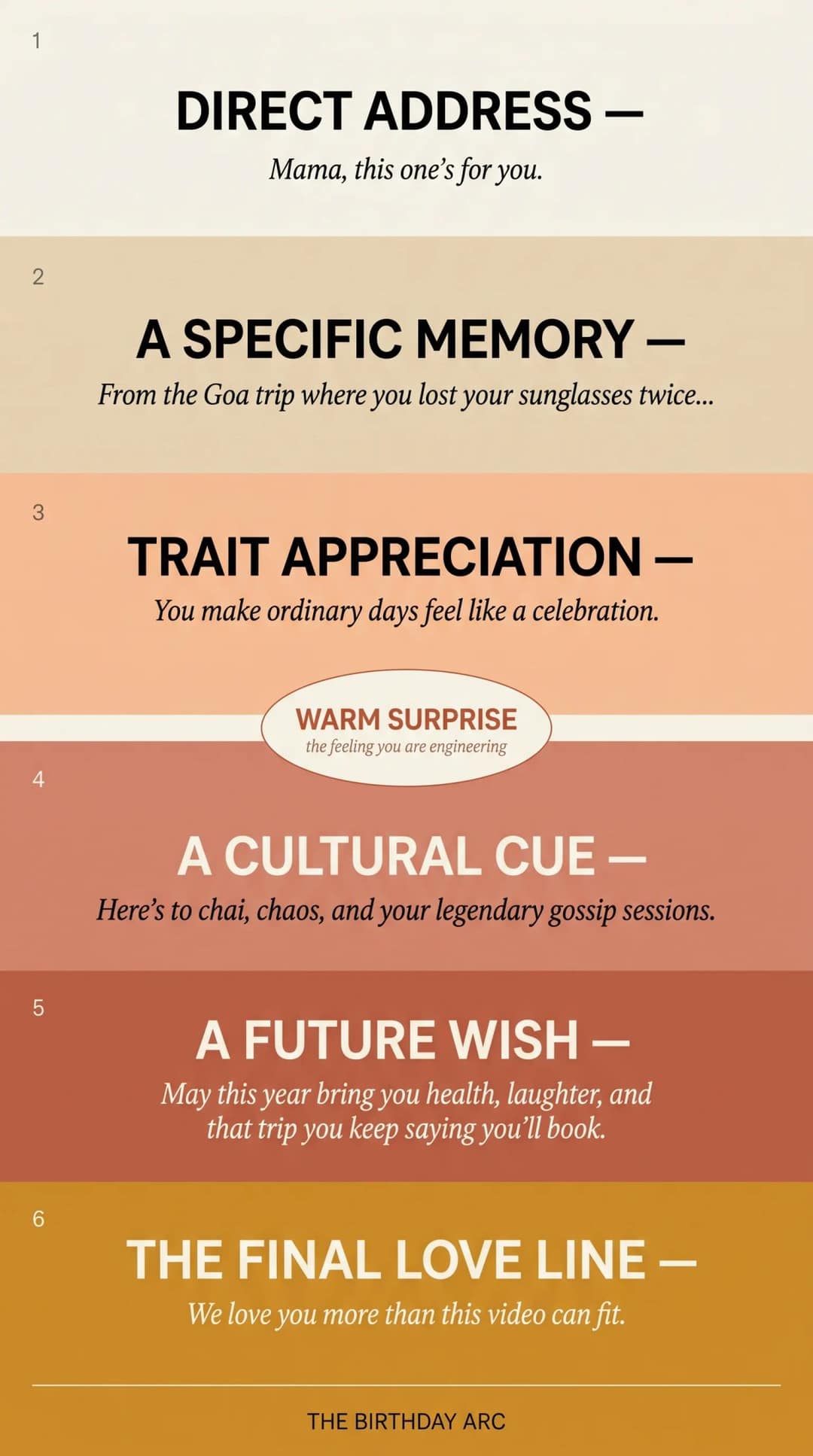
- Direct address. Say their name or nickname right away: "Mamá, this one's for you." or "Happy birthday, Leo. Yes, we made you a whole video."
- A specific memory. One real memory beats five generic compliments: "From Sunday tamales to your 2 a.m. family voice notes..."
- Trait appreciation. "You're the person who remembers everyone else's birthday first."
- A cultural or sensory cue. "Here's to chai, chaos and another year of your legendary gossip sessions."
- A future wish. "May this year bring you health, ridiculous laughter and the trip you keep saying you'll finally book."
- A final love line. "We love you more than this video can fit."
The closing line matters most. Psychologists use the name kama muta for the sudden feeling of being moved by someone's warmth. A direct, specific last line is the moment a birthday video produces it.
How to make an AI birthday video in Spanish
A Spanish birthday video is not an English one run through a translator. Translate word for word and you get something correct but oddly cold.
Start with the phrases. "Feliz cumpleaños" is the standard greeting, but "Muchas felicidades" and "Te deseo todo lo mejor" are just as natural. In many Spanish-speaking homes, "felicidades" is normal for a birthday, even though an English speaker would never say "congratulations" to someone turning 40.
Then add a cultural anchor. For Mexican and Mexican-American families, Las Mañanitas is the traditional birthday song, often sung as a morning serenade. Working in the Mañanitas tradition, or simply a respectful mariachi-flavored music direction, makes the video feel specific. A quinceañera is a coming-of-age celebration with family, faith and formal dress, so its default tone is proud and elegant, not silly.
| Recipient | Better creative choice |
|---|---|
| Mexican or Mexican-American parent or grandparent | Warm Spanish message, family photos, a Las Mañanitas cue, soft guitar or mariachi warmth |
| Young friend in Latin America | Fast vertical edit, Spanglish if it is natural, big captions |
| Quinceañera | Elegant visuals, family pride, "hoy celebramos tus 15", ceremonial tone |
| Abuela or abuelo | Slower pacing, real photos, blessings, words of health and gratitude |
| Mixed English-Spanish family | Spanish captions with a few English lines, or a bilingual voice-over |
| Recipient in Spain, Argentina or Uruguay | Local phrasing and music, no Mexico-specific assumptions |
Write the prompt in Spanish, pick a Spanish voice and set the captions to Spanish:
Crea un video vertical de cumpleaños de 45 segundos para mi abuela, Carmen. Tono: familiar, emotivo y alegre. Menciona sus abrazos, sus historias y cómo toda la familia se reúne alrededor de ella. Usa subtítulos en español, música cálida, flores, velas y fotos familiares, y cierra con: "Te queremos muchísimo, abuela. Feliz cumpleaños y muchas felicidades."
The best test is simple: would the video feel normal in their family group chat?
Prompt en español
Crea un video vertical de cumpleaños de 45 segundos para mi papá, Javier. Empieza con: "Papá, este video es para ti." Menciona sus domingos de carne asada y cómo siempre canta Las Mañanitas desafinado. Usa guitarra cálida con toque de mariachi, fotos familiares, subtítulos grandes en español y cierra con: "Feliz cumpleaños, papá. Te queremos muchísimo."
Music and visuals: match the mood to the person
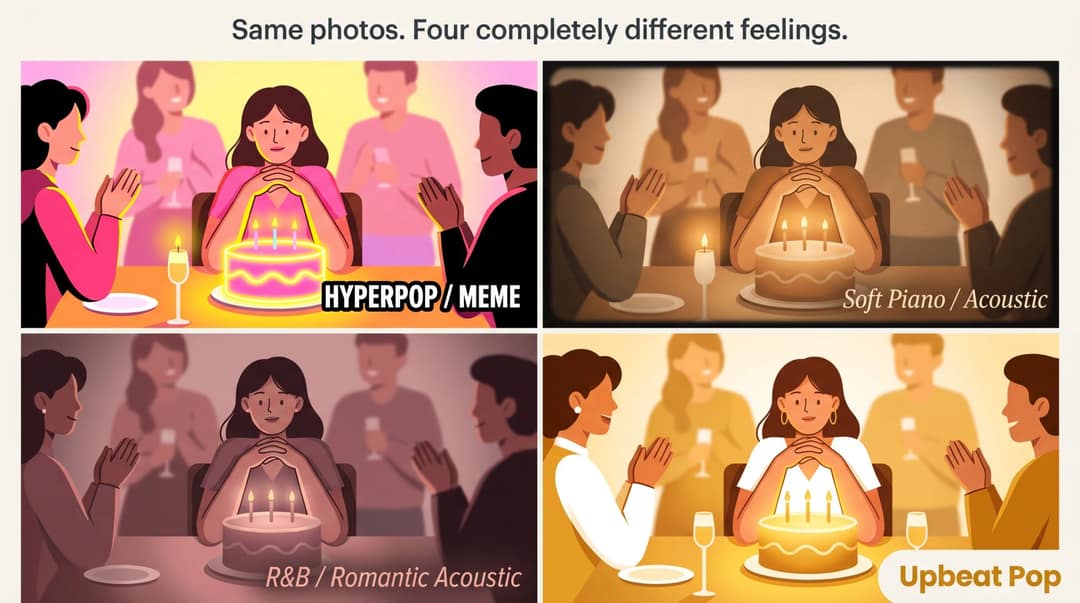
The music tells the viewer how to feel. The same montage reads as funny, nostalgic or romantic depending on the track. Sound and picture are processed together, not separately: one study of audiovisual interactions found that visual information changes how people perceive and remember music.
| Video | Music direction |
|---|---|
| Parent or grandparent montage | Acoustic, piano, soft bolero or mariachi |
| Best friend | Upbeat pop, dance, the inside-joke song, fast cuts |
| Partner | Romantic acoustic, R&B, soft cinematic pop |
| Kid | Bright, playful, high energy |
| Quinceañera | Elegant, cinematic, a Latin ballad or waltz |
| Meme birthday | Hyperpop, phonk, exaggerated sound effects |
Two rules cover most cases. For a spoken wish, the music sits under the voice: if the viewer cannot catch the words, the message is gone. For a song video, it is the other way around: the lyrics and the beat are the structure, so the cuts land on the beat and the captions sync tightly.
Real photos beat generated visuals almost every time. Let the AI fill gaps and tighten the pacing, but never let it replace the photo of the two of you.
Best format and length for WhatsApp, TikTok, Reels and Shorts
Private sharing can run longer and use more photos, because the audience already loves the person. A public post needs a tight cut and a hook in the first seconds, because it is competing with a feed.
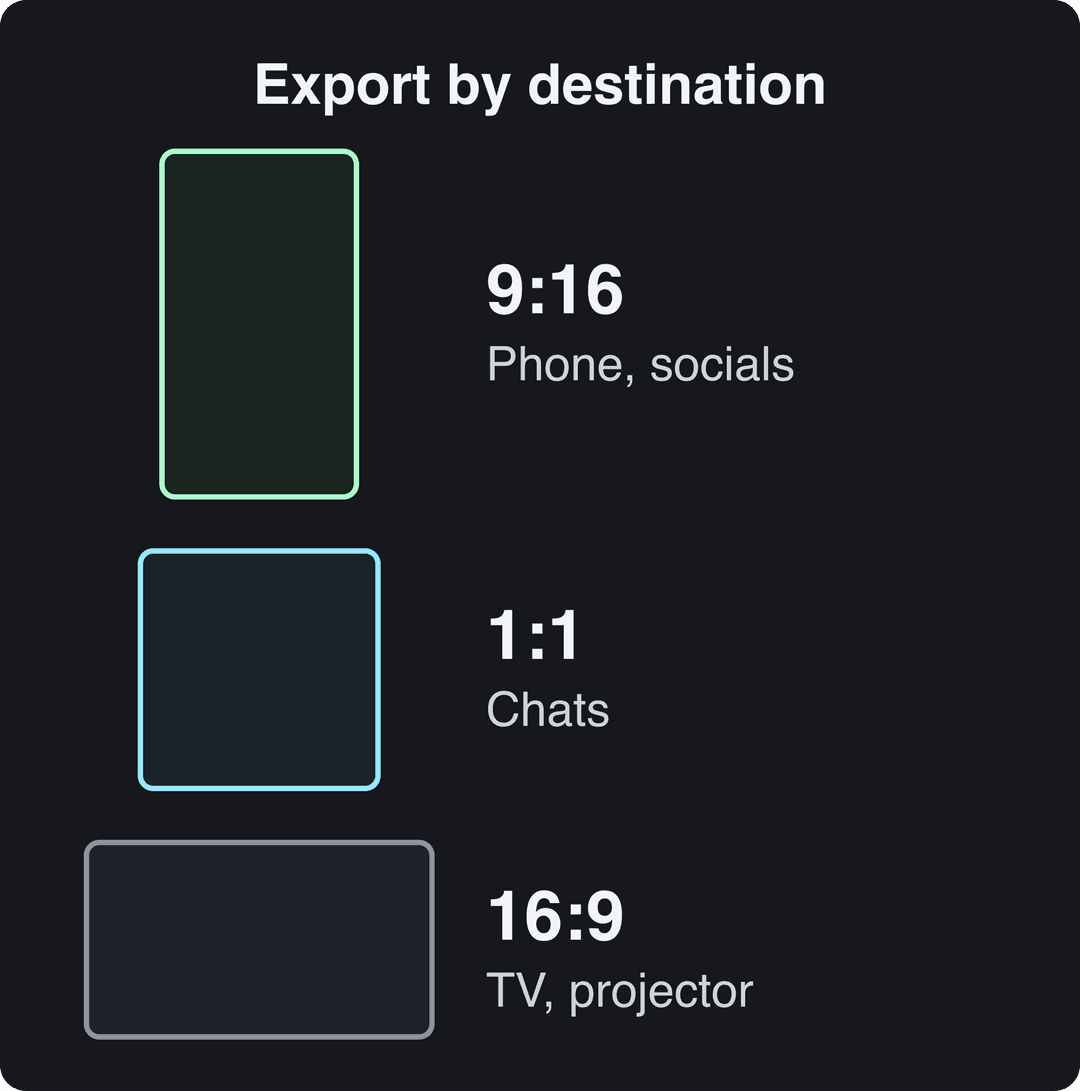
| Where it's going | Ratio | Length |
|---|---|---|
| WhatsApp or iMessage | 9:16 or 1:1 | 30 to 90 seconds |
| Instagram Story | 9:16 | 15 to 60 seconds, text kept away from the edges |
| Instagram Reel | 9:16 | 20 to 45 seconds, up to 3 minutes |
| TikTok | 9:16 | 15 to 45 seconds, fast hook |
| YouTube Shorts | 9:16 | Up to 3 minutes |
| Party TV or projector | 16:9 | 1 to 3 minutes, slower pacing |
| Group montage | 16:9 or 9:16 | 1 to 5 minutes private, 30 to 60 second public highlight |
A few platform facts behind the table. TikTok's creative guidance favors vertical 9:16 video with sound on and captions, and TikTok recommends 1080x1920 pixels. YouTube counts square or vertical videos up to 3 minutes long as Shorts. Instagram Reels can run up to 20 minutes, but since January 2025 Instagram recommends reels up to 3 minutes to non-followers, and longer reels are not shown to new audiences.
Mistakes that make an AI birthday video feel cheap
| Mistake | Why it hurts | The fix |
|---|---|---|
| "Make a birthday video for Sarah" with no detail | The AI has no emotional material | Add memories, tone, language and photos |
| Stock cake and balloons only | Looks like a template anyone could send | Use real photos or specific visual cues |
| Wrong name pronunciation | Breaks the spell instantly | Spell it phonetically and regenerate |
| A cold, robotic voice | Sounds like a machine | Use your own voice or a warmer voice |
| A slow intro | The viewer checks out before the point | Open with the name or nickname |
| Music drowning the voice | The message is lost | Lower the music under the voice-over |
| Garbled AI faces, hands or text | Cheap and a little unsettling | Swap those scenes for real photos |
| Wrong culture or region | Feels copy-pasted | Use regional phrasing and traditions |
| Posting publicly without asking | Can embarrass the recipient | Send privately unless they are comfortable |
| Horizontal export for a Reel | Looks recycled | Export 9:16 |
The pattern behind all of them: AI birthday videos fail when they look technically impressive but say nothing about the person.
Voice cloning and music rights: where the line is
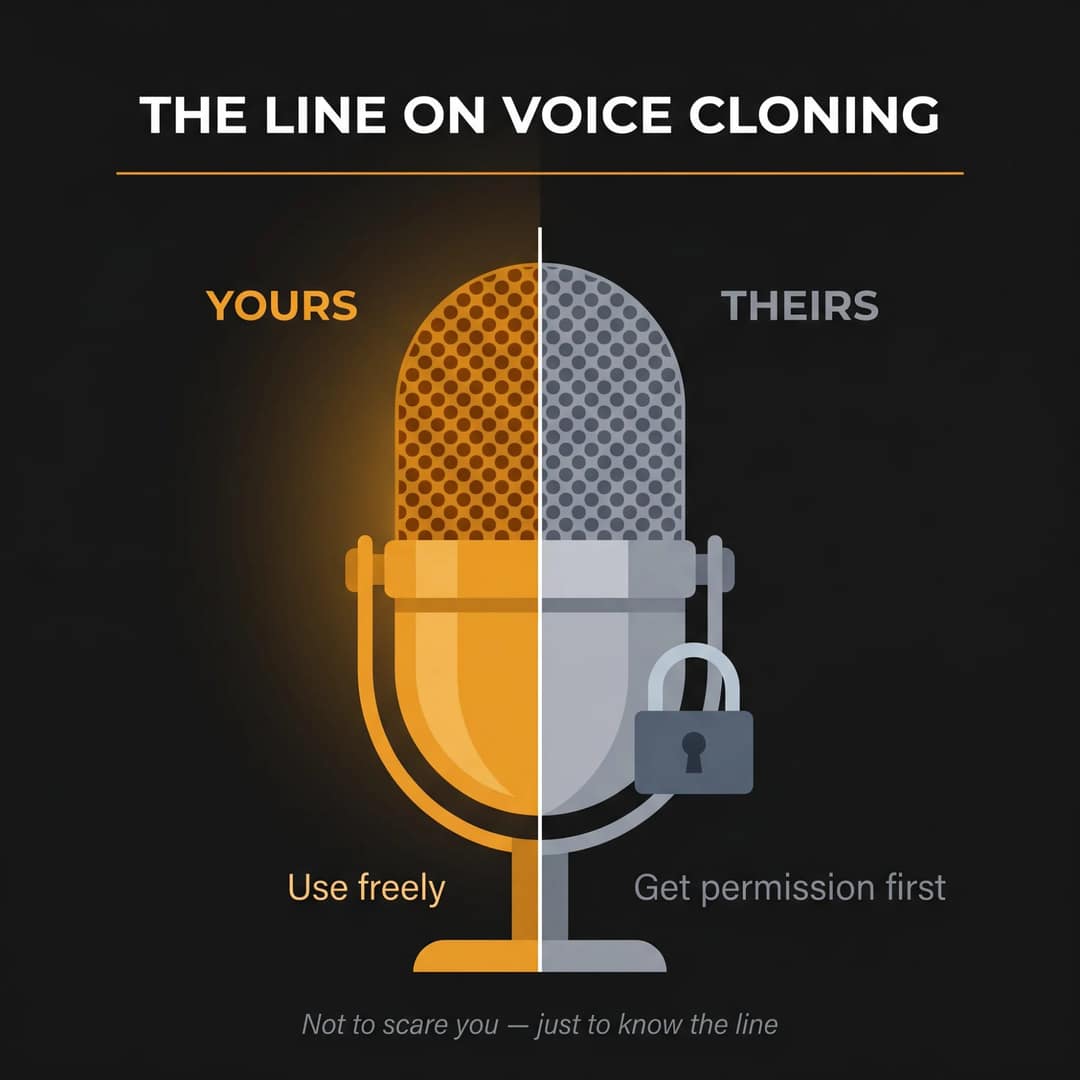
Your own voice is yours to use. Anyone else's needs their permission. The FTC's voice cloning challenge exists because cloned voices are used in impersonation scams, so a surprise clone of a parent can land badly even when it is meant kindly.
- Use your own voice whenever you can. In Revid, voice cloning is available on the Elite plan and above.
- Don't clone a parent, partner, boss, teacher or celebrity without their permission.
- With a loved one who has died, only use their voice if the whole family clearly wants it.
- For fandom greetings, go "inspired by" (a superhero comic adventure) rather than impersonating a real character's voice.
Music has a similar rule. In a private video you text to your sister, a favorite song is what most people use. For a public post or anything for a brand, use licensed or copyright-free tracks, because AI music rights are still being fought over in courts and licensing deals.
If a public post shows realistic AI-generated people, scenes or voices, TikTok and YouTube ask you to label it as AI content. Both say the label alone does not reduce a video's reach.
How to make an AI birthday song video
A greeting gets watched once. A funny or moving custom song gets replayed and quoted in the group chat for weeks. The difference is in the lyrics: put in details only their people would recognize.
Weak: "Happy birthday Sarah, you are amazing, have a wonderful day."
Better:
Sarah still laughs at her own jokes, dances barefoot in the kitchen light, twenty-nine candles, one wild heart, turning Tuesday into Friday night.
The workflow:
- Write the lyrics with their name, age, two memories, their personality and a genre that fits them.
- Generate the song in an AI music tool such as Suno, or record it yourself.
- Upload the MP3 or WAV, or paste a music link, into the AI music video generator. For a Suno track, the Suno to video converter takes the file you downloaded.
- Choose lyric sync or beat sync and a visual style: montage, cinematic, animated, funny or romantic.
- Swap in real photos wherever a generic scene shows up.
- Export 9:16 for Reels, TikTok or Shorts, or 16:9 for the party screen.
The result is a music video where the person hears their own name and their own story inside the song.
FAQ
How long should an AI birthday video be?
Aim for 20 to 45 seconds for a public post on TikTok, Reels or Shorts and 45 to 90 seconds for a private message. A keepsake montage or song can run to 2 minutes or more.
Can I make an AI birthday video for free?
Sign-up on Revid is free, no credit card needed, and new accounts get free credits to try video creation. The generator shows the estimated credit cost before you generate. After that, regular video creation uses the monthly credits of a paid plan, from $39/month on Growth. Check current plans and credits for details.
Can I use my own photos and voice?
Yes, and you should. Upload 8 to 15 photos or clips and record a voice note. Real material makes the video feel like yours, and cloning your own voice is available on Elite and above.
How do I make the AI voice pronounce a name correctly?
Spell the name phonetically in the script, for example "Shi-VAHN" for Siobhan, then regenerate the voice. Listen to the first line before you export.
Can I schedule the video to post on the birthday?
Yes. Revid publishes to TikTok, Instagram and YouTube and can schedule a post, so you can set the video to go out on the morning of the birthday.