Instagram Clone Script: Build Niche Social Apps
Discover how an Instagram clone script powers niche social apps. Explore essential features, moderation tools, architecture, and vendor evaluation strategies.

On this page
The most popular advice about an Instagram clone script is also the least useful: copy the feed, add Stories and Reels, then launch as quickly as possible. That approach can produce a familiar interface, but it doesn't answer the question that determines whether a social product survives: why would a specific community return to this app instead of using Instagram, TikTok, or a private group?
A clone script is valuable when you treat it as infrastructure rather than a finished business. The interface gives you a starting point for profiles, publishing, discovery, and engagement. Your advantage comes from the audience, governance model, creator incentives, and retention loops built on top of that foundation.
The Real Business Case for an Instagram Clone Script
A generic photo-sharing replica is a commodity. A focused community product can be a defensible business.
The shift matters because global social media is fragmenting as users move toward more personal, identity-aligned communities, creating openings for niche platforms rather than broad clones, as described in recent coverage of Instagram clone features. A platform for local food creators, independent designers, fitness coaches, regional businesses, or professional photographers doesn't need to reproduce every behavior of a mass-market network. It needs to make one audience feel understood.

Start with a retention mechanic
The strongest product briefs don't begin with “build an Instagram clone.” They begin with a repeated user need:
- Local discovery: Members find nearby creators, events, products, or businesses.
- Professional visibility: Creators present work in a portfolio-oriented environment.
- Shared identity: People participate in a community built around a profession, interest, language, or location.
- Accountability: Members return because the product supports challenges, progress updates, or peer feedback.
- Commerce: Creators turn attention into bookings, subscriptions, products, or services.
These mechanics shape the product more effectively than a feature checklist. A photography community may need high-quality media presentation and constructive critique. A regional marketplace may need business profiles, location discovery, and reporting tools. A creator platform may prioritize analytics, subscriptions, and publishing workflows.
The script should accelerate the repetitive engineering, not dictate the product strategy. You still need to define the community's identity, its acceptable behavior, and the reason users will post when the audience is still small.
Practical rule: Buy speed for the common layer, then spend your product budget on the behavior that makes your community different.
Know when the shortcut becomes a liability
A white-label foundation is useful when the product's early requirements resemble established social patterns. It becomes risky when your core experience depends on unusual permissions, specialized ranking, complex transactions, or governance workflows the vendor can't support cleanly.
The right question isn't whether a script can look like Instagram. Ask whether it can support your content model, moderation model, discovery logic, and monetization path without forcing the team into brittle workarounds. If the answer is no, a fast launch may only postpone a rewrite.
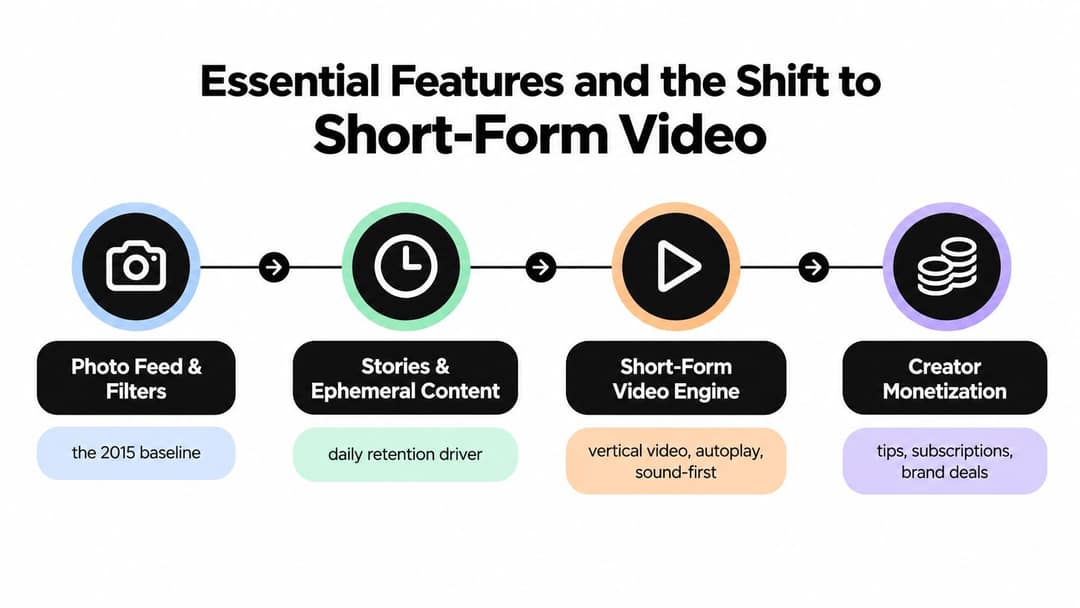
Essential Features and the Shift to Short-Form Video
A viable social app needs more than a static feed, filters, likes, and comments. Users expect a connected publishing system that supports discovery, conversation, creator growth, and increasingly video-first consumption.
Instagram's product evolution shows the direction clearly. It added video sharing in 2013, launched Stories in 2016, and introduced Reels in 2020, reflecting a shift from static photos toward short-form video that an Instagram clone script must account for, as documented in this overview of Instagram's feature milestones. The shift is still accelerating: Meta reported in January 2026 that Instagram Reels watch time grew more than 30% year over year in the U.S. in Q4 2025, one of the figures collected in these short-form video statistics.
Build the publishing foundation first
The first layer should make it easy for members to establish identity and publish consistently. That usually includes profiles, follows, privacy settings, captions, hashtags, comments, notifications, and content reporting. These features aren't glamorous, but they create the social graph and the feedback loops that later power recommendations.
Stories can support lightweight, frequent participation. They work well for behind-the-scenes updates, time-sensitive announcements, polls, and informal conversation. They shouldn't be included just because a competitor has them. Define what temporary content does for your niche, then design the creation and viewing flow around that job.
Direct messaging also deserves careful product decisions. One-to-one conversations, group discussions, media sharing, message requests, and blocking can turn a broadcast platform into a functioning community. They also create additional safety obligations, so private communication can't be separated from the moderation plan.
Treat video as a system, not a button
Short-form video requires more than an upload field. The product needs vertical playback, sound controls, previews, captions, transcoding, content review, recommendation inputs, and a feed that feels responsive on mobile networks. Autoplay and continuous viewing can increase consumption, but they can also make poor recommendations and unsafe content spread faster.
A useful way to assess a vendor's media capabilities is to inspect the entire path from recording to playback. Can creators trim clips? Can the system generate multiple renditions? Can moderators review content before or after publication? Can the product distinguish a creator's original upload from a reshared item?
Teams evaluating a focused video product may also find it useful to review a video social app starter kit to understand the baseline components expected in a modern short-form experience. The point isn't to copy another product's screen layouts. It's to identify the infrastructure and workflow decisions your own community will need.
Add growth and monetization infrastructure
Modern buyers increasingly want more than a working UI replica. In-app shopping, creator analytics, AI-powered recommendations, push notifications, subscriptions, tips, and brand collaboration tools can all become important, depending on the audience and business model.
Don't build every monetization feature before you know what members value. Start by instrumenting the events that reveal creator and community health, such as publishing, meaningful interactions, follows, saves, messages, and return visits. For broader context on the changing role of short-form video, review current short-form video trends.
Moderation and Governance for Niche Communities
A social platform can survive an imperfect visual design. It won't survive a community that feels unsafe, manipulated, or abandoned by administrators.
The market gap for clone scripts isn't core feed replication. It's moderation, safety, and governance for niche communities, where admin controls determine whether the product can withstand real-world abuse, as highlighted in this discussion of Instagram clone script features and pricing. A niche audience often has stronger expectations because members aren't just consuming content. They're exposing their identity, work, beliefs, location, or professional reputation.
Design the operating model before launch
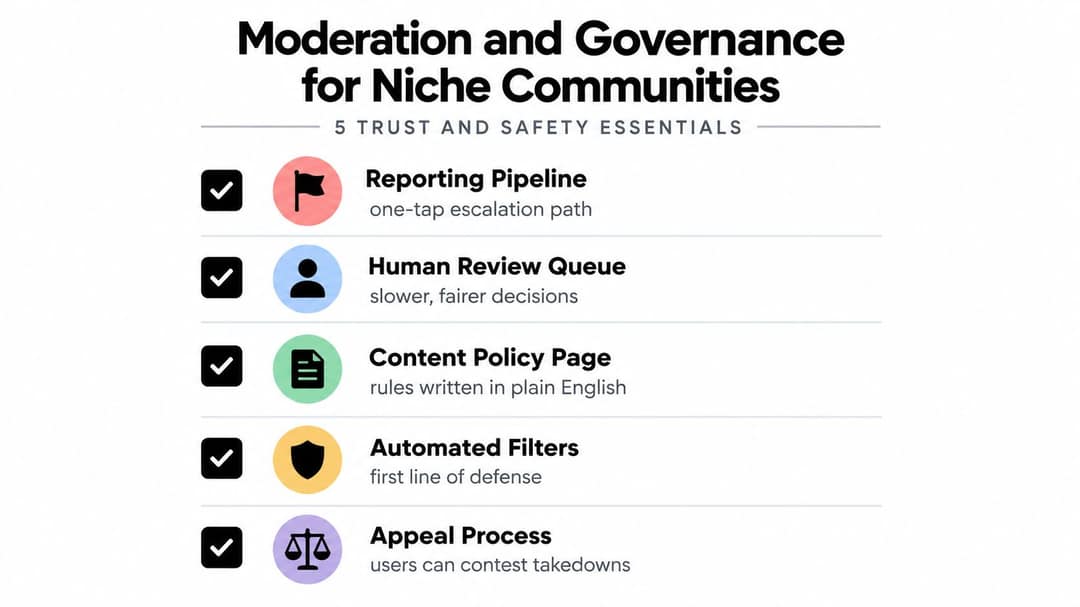
A report button alone isn't a moderation system. Before launch, define what happens after a member flags a post, account, message, or comment.
A practical workflow includes:
- Reporting pipeline: Give users a clear path to report categories such as harassment, spam, impersonation, dangerous content, or intellectual property concerns.
- Review queue: Route reports into a dashboard with evidence, report history, content context, and reviewer actions.
- Automated filters: Use automated checks as a first layer for spam, prohibited terms, suspicious behavior, and repeated abuse.
- Escalation rules: Separate routine cases from urgent threats, coordinated abuse, and accounts with a pattern of violations.
- Appeal process: Let users understand why content was removed and provide a structured way to contest a decision.
The order matters. Automation can triage large volumes, but it shouldn't be the only authority for ambiguous cases. Human review is slower, yet it gives the team a way to handle context, satire, cultural differences, and disputes that keyword filters can't interpret reliably.
Write policies people can use
A policy page should describe prohibited behavior in plain English. It should also explain enforcement actions, from warnings and content restrictions to account suspension or removal. Avoid rules that appear thorough but leave moderators guessing how to apply them.
Create internal playbooks for recurring scenarios. A harassment report may require reviewing the surrounding conversation, previous reports, and whether the target is vulnerable. A copyright complaint may need a separate evidence process. A spam campaign may require coordinated action across accounts and content rather than deleting one post at a time.
Governance principle: Every visible rule needs an operational answer. Who reviews the report, what evidence do they inspect, what action can they take, and how can the affected user appeal?
Give administrators enough control
The admin panel should support role-based permissions, audit trails, content status changes, account restrictions, report prioritization, and reviewer notes. Community managers need to see patterns, not just isolated complaints. A founder should be able to determine whether a problem comes from one account, one feature, or a broader incentive in the product.
Many clone scripts underdeliver in this area. They advertise moderation as a checkbox while leaving the buyer to design the policy, workflow, and staffing model. Treat those elements as launch requirements, not future enhancements.
Comparing White-Label Scripts and Custom Builds
The choice between a white-label script and custom engineering isn't a contest between cheap and expensive. It's a decision about where your product needs control.
A script is usually strongest when the product can use established social primitives and the team needs to validate a focused concept quickly. Custom development becomes more attractive when the unique value lies in specialized workflows that a generic codebase would constantly resist.
White-Label Script vs Custom Build Decision Matrix
| Criteria | White-Label Clone Script | Custom Build |
|---|---|---|
| Initial budget | Usually requires less repetitive engineering work, but licensing, customization, hosting, and support still need review. | Requires a larger engineering commitment before the product can test its core assumptions. |
| Launch timeline | Faster when the required features already exist and the source code is accessible. | Slower at the start, because the team must design and implement the foundation. |
| Product flexibility | Works well for familiar profiles, feeds, media publishing, follows, messaging, and notifications. | Better for unusual content models, permissions, ranking systems, and community workflows. |
| Technical debt | Can inherit awkward schemas, outdated dependencies, or vendor-specific shortcuts. | Gives the team ownership of architectural decisions, but poor custom engineering can create its own debt. |
| Scalability | Depends on the quality of the existing architecture and the team's ability to replace weak components. | Can be designed around expected workloads from the beginning, provided the team has the expertise. |
| Vendor dependence | Upgrades, bug fixes, support, and licensing may remain tied to the supplier. | The product owner controls the roadmap, but must maintain the full engineering operation. |
| Best fit | A focused niche product validating demand with a conventional social experience. | A platform whose differentiation depends on proprietary workflows or complex infrastructure. |
Make the decision around the moat
Don't choose custom development just because it sounds more serious. A bespoke feed won't create retention if the community has no reason to participate. Likewise, don't choose a script because its demo includes every familiar feature. Excess functionality can make the codebase harder to understand and the user experience harder to focus.
Inspect the parts that affect your future moat. If your advantage is a highly specialized creator workflow, confirm that the script exposes the right extension points. If your advantage is governance, confirm that moderation actions, evidence, roles, and appeals are first-class data rather than manual admin work.
A practical compromise often works well: use a script for common identity and publishing features, then custom-build the ranking, moderation, analytics, or monetization components that define the niche. That approach only works if the vendor permits clean integration and you own enough of the code to evolve it.
Architecture and Deployment Fundamentals
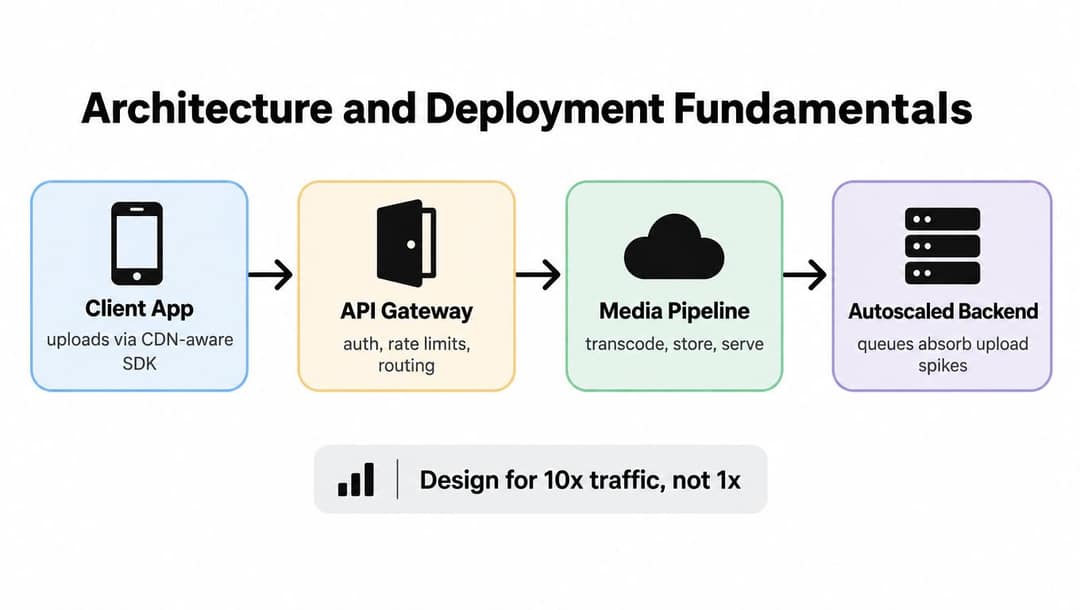
A polished interface can't compensate for a feed that stalls, uploads that fail, or video that consumes excessive bandwidth. Media-heavy social products need a deliberate separation between publishing, processing, storage, and delivery.
Separate writes from reads
When a member publishes a post, the application should persist the event and return control quickly rather than performing every feed update synchronously. An event queue can trigger fan-out workers that append the post to follower feed caches or feed tables asynchronously. This write-path and read-path separation avoids slow feed queries at request time, a pattern explained in this social media feed architecture case study.
A pure fan-out-on-write model can waste work when an account has a very large audience. A pure fan-out-on-read model can make every feed request expensive because the system must merge posts from followed accounts repeatedly. A hybrid approach handles this uneven distribution more effectively by deciding which content should be pushed into caches and which should be assembled when requested.
The product team doesn't need to expose this complexity to users, but it does need to choose a script that can support queues, workers, retries, idempotent jobs, and observability.
Keep originals in storage and deliver through a CDN
Object storage is appropriate for preserving original images and video. It isn't the ideal primary delivery layer for every end user, especially when the same media must reach people across different regions and networks. Infrastructure guidance from Hetzner's object storage documentation recommends placing a CDN in front of storage to reduce origin load and improve edge delivery.
For video, the media pipeline should transcode uploads into suitable resolutions and bitrates. Adaptive streaming formats such as HLS or DASH allow playback to adjust to changing network conditions, which is more reliable than sending one oversized file to every device.
Build the deployment path around failure
A production design needs upload retries, background processing, queue monitoring, storage lifecycle rules, cache invalidation, backups, rate limits, and clear logs. It should also isolate expensive media work from the request path so a burst of uploads doesn't prevent users from browsing or messaging.
Ask vendors to demonstrate failure behavior, not only the happy path. What happens when a transcode job fails? Can a worker retry safely? Does a deleted post disappear from cached variants? Can the team identify whether a delay comes from the client, API, queue, storage, or CDN?
These answers reveal more about scalability than a claim that the platform is “cloud-ready.”
How to Evaluate Vendors and Avoid Pitfalls
Vendor selection should begin with evidence, not a feature carousel. Many scripts appear similar in a demo because the visible screens are easy to imitate. The difficult questions concern ownership, maintainability, operational control, and the quality of support after payment.
Inspect what you are actually buying
Request a written explanation of the license, source-code access, deployment rights, customization rights, upgrade policy, and third-party dependencies. Confirm whether your team receives the complete application or only a compiled package with critical components hidden or encrypted.
Check the repository structure and documentation before committing. Look for clear installation steps, environment configuration, database migrations, test coverage, API documentation, background jobs, and a meaningful release history. If the vendor can't explain how the feed, media pipeline, notifications, and moderation actions work, your engineers will struggle to diagnose failures later.
Use a small technical review rather than relying on screenshots. Have an experienced developer inspect authentication, authorization, file uploads, password recovery, rate limiting, data validation, and admin permissions. A social application holds personal information and user-generated media, so insecure defaults can create a serious liability.
Test support as a product capability
Ask support questions before purchase and record how the vendor responds. You want to know whether answers come from engineers, whether incidents have a defined escalation route, and whether updates address security and dependency issues rather than only adding visible features.
Use this checklist:
- Ownership: Confirm who owns custom work and whether you can modify the source.
- Dependencies: Identify external APIs, payment providers, messaging services, and media processors.
- Upgrade path: Ask how custom changes are preserved when the core product receives an update.
- Performance evidence: Request an explanation of queues, caching, media delivery, and database scaling.
- Operational access: Verify that your team can inspect logs, backups, metrics, and deployment settings.
- Support terms: Read response commitments, maintenance coverage, and exit conditions.
- Security process: Ask how vulnerabilities are reported, patched, and communicated.
A low purchase price doesn't make a script economical if the first serious customization requires replacing its foundation. The vendor should be able to show how the product evolves, not just how it looks on launch day.
Strategic Next Steps for Social App Founders
A clone script should help you learn faster, not give you permission to skip product discovery. Instagram's own launch trajectory illustrates the value of speed and iteration. It launched on October 6, 2010, reached 25,000 users on its first day, crossed 100,000 users in about a week, and reached 1 million users in roughly 10 weeks, according to this account of Instagram's early history. Those milestones don't provide a formula for every new community, but they do show why founders should test a focused experience before building an enormous feature set.
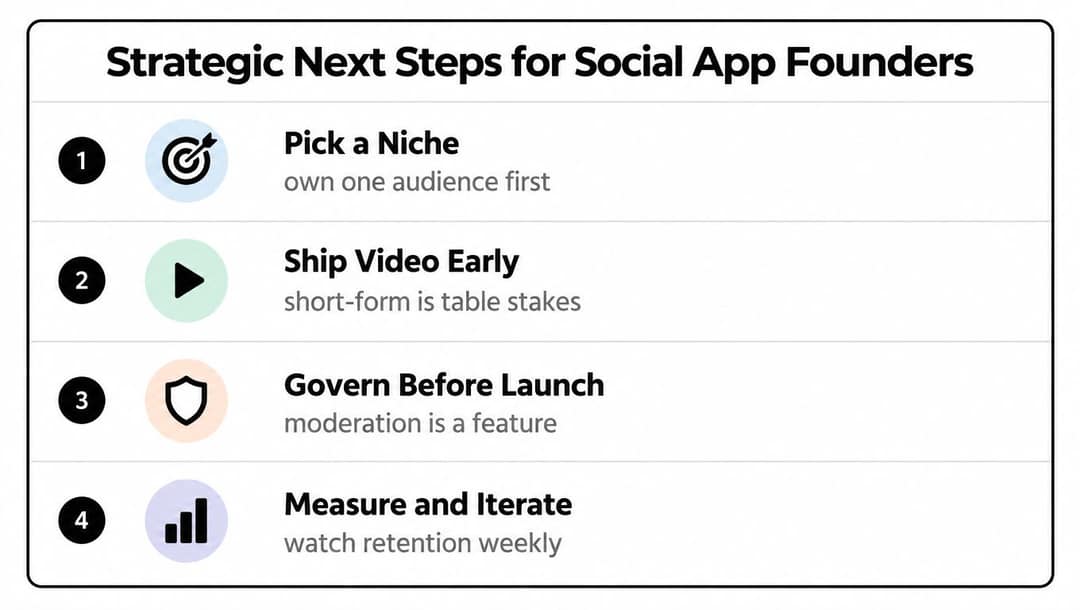
Pick the niche before the roadmap
Write down the audience, the repeated problem, and the behavior that should bring members back. Then remove any feature that doesn't support that behavior in the first release. A smaller product with clear community norms is easier to moderate, explain, and improve than a broad network with no strong reason to participate.
Prompt to try
Create a 30-second vertical launch video for a new social app for local food creators. Open with the hook "Your city's best home cooks are hiding in your feed." Show quick cuts of creators plating dishes, browsing nearby profiles and joining a weekly cooking challenge, in a warm, bright lifestyle style with upbeat music and bold captions. End with a call to join the founding community.
Ship a useful media loop
Support the format your community naturally creates, whether that's polished photography, quick tutorials, event updates, or creator-led video. Short-form video is now a major expectation for many social products, but it shouldn't displace the content type that gives your niche its identity.
Govern before launch
Publish the rules, configure reporting, test blocking, staff the review process, and define appeals before inviting a wider audience. Moderation isn't an administrative add-on. It shapes trust, posting behavior, and whether creators are willing to attach their reputation to the platform.
Measure and iterate
Track qualitative feedback alongside product signals such as successful publishing, meaningful interactions, follows, reports, repeat participation, and creator activity. Review those signals regularly and use them to decide whether to improve onboarding, discovery, safety, or monetization.
Use a clone script when it gives your team a credible foundation and leaves room to build the niche-specific layer that matters. Walk away when the vendor hides the code, can't support your moderation model, or forces your core differentiator into fragile customizations. The best outcome isn't a cheaper copy of Instagram. It's a focused community product that reaches learning milestones quickly, earns trust, and becomes more valuable as its members shape it.
Revid.ai helps creators and social teams turn ideas, articles, and existing content into engaging videos for platforms such as Instagram, TikTok, and YouTube, with scripts grounded in a library of about 2.77 million real short-form videos, AI visuals from leading video models, a timeline editor, and direct publishing. Visit revid.ai to create the short-form content your niche social app needs for testing, launch, and ongoing community engagement.