Jump Cuts Example: 7 Styles and How Each Changes Pacing
Jump cuts example breakdowns across film, tutorials, comedy and Shorts, showing how each cut shapes pacing and viewer attention.
On this page
Two creators publish the same 40 seconds of footage and the results don't feel anything alike. One version sits still and lets the viewer drift. The other pushes forward line after line with no air between the points. Same footage, same audio, different decisions about where to cut and how much gap to leave behind.
That decision is the whole craft of the jump cut. Remove the right pause and the subject skips forward inside the same frame, compressing time without a new camera angle. Remove the wrong pause and the viewer loses the thread of what you're teaching.
Every jump cuts example below is judged the same way, on what it does to pacing and what it does to attention. Seven setups, from Godard's breaks in Breathless to the tight trims that keep a Short moving, each with one move you can copy on your next edit.
- Median scene duration in a study where shorter scenes boosted viewer attention
- 2.12s
- Journal of Marketing Research, 2025
- Share of analyzed TikTok videos with captioning errors
- 19.7%
- TikTok captioning analysis cited by ShortGenius
- Jump cuts in rapid succession in Breathless' Paris driving sequence
- 7
- POV magazine shot-by-shot analysis
1. Breathless-Style Jump Cut (Jean-Luc Godard, 1960)
Jean-Luc Godard's Breathless (À bout de souffle, 1960) is the jump cuts example every film course starts with, and the reason is simple. The seams are left in on purpose. A jump cut removes material from inside a continuous action and joins the remaining pieces, so the subject visibly shifts forward in time or position rather than moving smoothly.
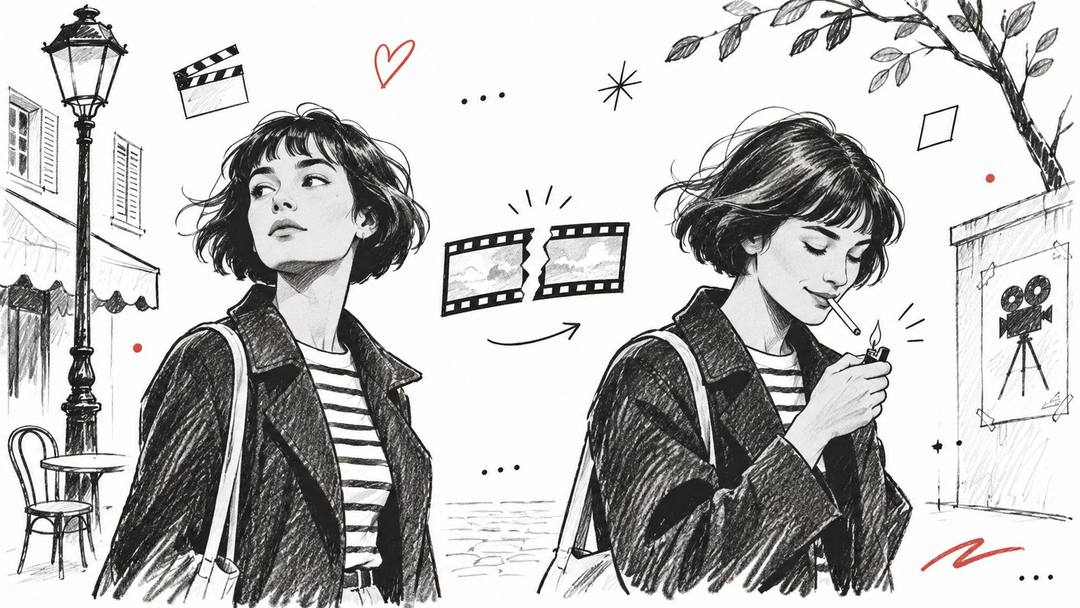
The technique existed before Godard. What changed in 1960 was that audiences and critics began treating it as a distinct stylistic option instead of a flaw, as David Bordwell's essay on the film sets out. The Paris driving sequence with Jean Seberg makes the mechanics visible. A shot-by-shot analysis in POV magazine counts seven jump cuts in rapid succession, with her head position, the lighting and the cars behind her all changing from one frame to the next. That isn't a new camera angle. It's time sliced out of a shot that never moves.
Replicating the jolt on a locked-off shot
The move copies cleanly to a phone on a tripod. Lock the camera, keep the same lens and the same background, and record the whole take in one go. Then delete the pause without touching the framing. Because nothing else shifts, the viewer reads the jump as elapsed time rather than as a mistake.
The test I apply: if the jump looks like a camera wobble instead of a skipped minute, the two frames are too similar in content and too different in position.
Here's the sequence itself. Watch the cuts, not the story.
Use this style when you want raw energy and you're willing to remind people they're watching an edit. Keep the background constant and the jumps read as rhythm. Move the camera between segments and they read as accidents.
2. Filler-Word and Pause Removal in Talking-Head Videos
Record an answer to a simple question off the cuff and most of the take is warm-up. False starts, sentences restarted twice, dead air while you find the next thought. The fix editors reach for is the plainest jump cut there is. Cut the pause, keep the speaker, let the frame jump.
This is the engine behind most vlogs, explainers and clipped podcasts. Transcript-based editing has made it mechanical. Delete a word in the text panel in Descript, Adobe Premiere Pro or CapCut and the corresponding frames come out of the timeline. A ten-minute recording comes back with dozens of joins, and every one of them is a jump cut.
Keeping the audio continuous
The picture can jump. The room shouldn't. Research discussed in a peer-reviewed analysis of vlogging technique indicates that letting audio flow continuously across a visual jump cut redirects attention toward the speaker and the moving image, away from the fact that an edit happened. Hard audio cuts at every join are what make a tight edit feel mechanical.
- Keep a quarter second of air: Chop a pause to nothing and the speaker sounds clipped. Leave a short breath so the sentence still has a floor.
- Re-read the sentence after cutting: Filler removal goes wrong when the cut changes the meaning or deletes the qualifier that made the claim honest.
- Mask the joins you can't justify: A light punch-in or a two-second B-roll insert hides a jump that rhythm alone won't carry.
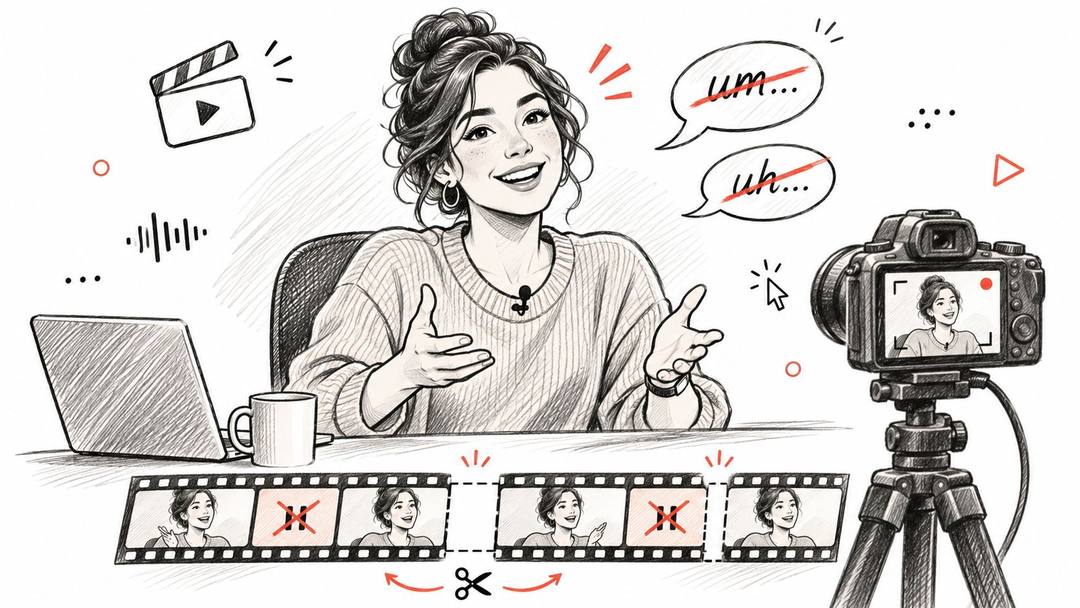
The replicable move is a listening pass. Once the rough cut is done, play it with your eyes closed. If it sounds like someone gasping between sentences, you've cut mid-breath and the edit will feel rushed even when the pacing is fine.
3. Punch-In Zoom Jump Cut (Emphasis Edit)
The punch-in is the cheapest way to make a jump cut look like a decision. You cut between two versions of the same take, a wide frame and a tighter crop, and change scale exactly where the speaker lands on a word worth hearing. The timeline barely moves. The viewer's eye gets a new shot.
Shoot at a higher resolution than you deliver, 4K down to 1080p, so the crop stays sharp without upscaling. This is the workhorse of short-form talking heads, and the reason is attention. A 2025 study in the Journal of Marketing Research analyzed 2,520 individual viewing experiences across 42 public service announcements and found that shorter scene durations boosted viewer attentional synchrony, with a median scene duration of 2.12 seconds. New visual events pull eyes back into alignment. A scale change gives you one without a second camera.
Input
Your video as it is
Output
Timing the punch to the sentence
Land the change on the stressed word, or on the pause immediately before it. Alternating wide and tight framing stops consecutive punches from stacking into a stutter, and easing off every third or fourth opportunity keeps the move readable.
A punch-in that arrives on the beat feels like emphasis. One that arrives two frames late feels like a glitch.
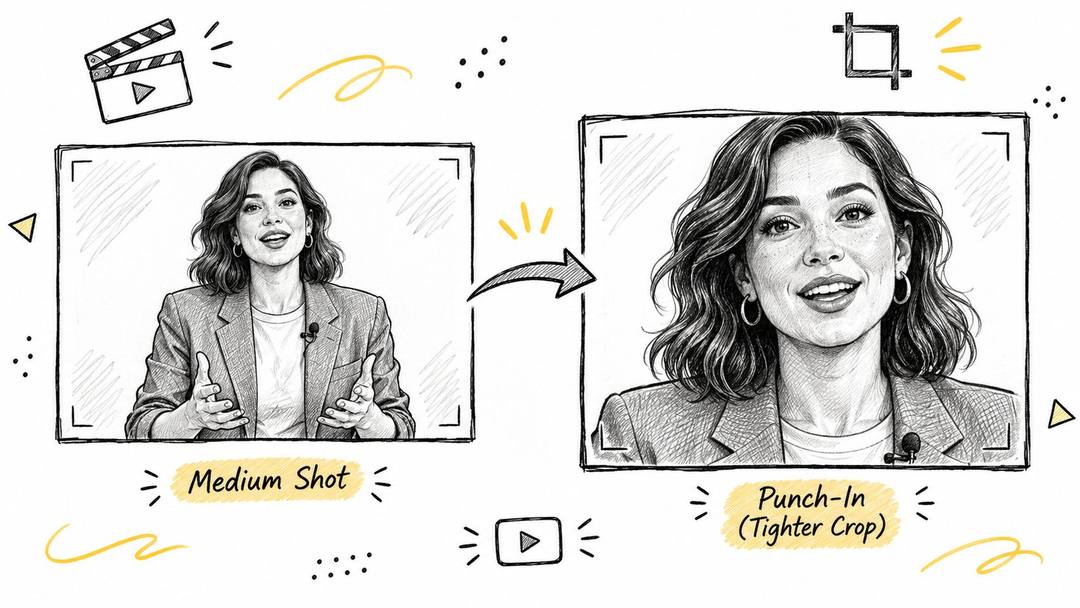
One replicable move: set a marker on every sentence where the argument turns, and punch in only on those. If a section has no turning point, it doesn't get a scale change. That single constraint turns a nervous edit into an argument with structure.
4. Time-Compression Jump Cuts for Tutorials and Process Videos
Tutorials are where jump cuts earn their keep and where they do the most damage. A cooking video that shows a full simmer loses the viewer. A repair video that skips the step where the clip releases loses their trust.
The cost is real. Research on editing and cognitive demand notes that viewers have to actively infer continuity and reorient attention after a cut, and that load grows when the action, the speaker's position or the information changes abruptly. In a how-to, that's the difference between pace and confusion. So the rule is to cut the waiting, not the steps.
What has to stay on screen
- Lock the angle for the whole process: A fixed camera tells the viewer each jump is a time skip, not a new location in the method.
- Label each stage on screen: A short caption naming the step gives the jump somewhere to land and lets people scrub back to the right moment.
- Show the critical technique in real time: The moment that decides whether the result works gets full duration, no compression.
- Keep the reveal uncut: The finished dish, the assembled shelf, the working circuit. That payoff is why they watched.
The replicable move is to record the entire process once, in real time, from one locked position. Then cut only the stretches where nothing in the frame changes. Every join becomes a visible skip in duration with no lost information, and you never have to guess which step the viewer needed.
5. Retention-Driven Jump Cuts for Short-Form Hooks
Short-form is where jump cuts get overused, and the evidence is more interesting than "cut faster." A 2026 experiment presented at the Marketing Trends Congress tested seven versions of the same 20-second talking-head video with 242 participants, varying jump-cut style (continuous versus overlapping) and transition frequency, with an unedited control.
Cuts without overlaps produced higher liking than overlapping cuts and the unedited version. Overlapping cuts, though, increased sustained engagement, defined as continued watching and rewatching, and that benefit weakened as transitions got more frequent. Higher overall pacing reduced sustained engagement. Faster editing is not automatically stickier editing.
The index leans toward videos that surface in hashtag and keyword searches, so its view counts run high: compare the groups, not the absolute numbers.
Source: Revid TikTok index: 2,377,477 TikToks with AI labels per video, snapshot of Sep 15, 2026. Median views estimated from view buckets.
Show the data
| Median views | Share past 1M views | |
|---|---|---|
| 0-7s | 88.3K | 19.9% |
| 8-15s | 111.1K | 22.6% |
| 16-30s | 141K | 25.1% |
| 31-60s | 120.4K | 22.8% |
| 61-120s | 97K | 19.8% |
| 2-5 min | 89.1K | 18.3% |
| 5 min+ | 90.1K | 17.2% |
Hook first, context second
Open on the strongest line, then explain. Trim the lead-in before the point is made, and keep the visible jumps for moments where the disruption buys attention rather than spending it. Good vertical video editing choices come down to where a new visual event lands relative to what the viewer is hearing.
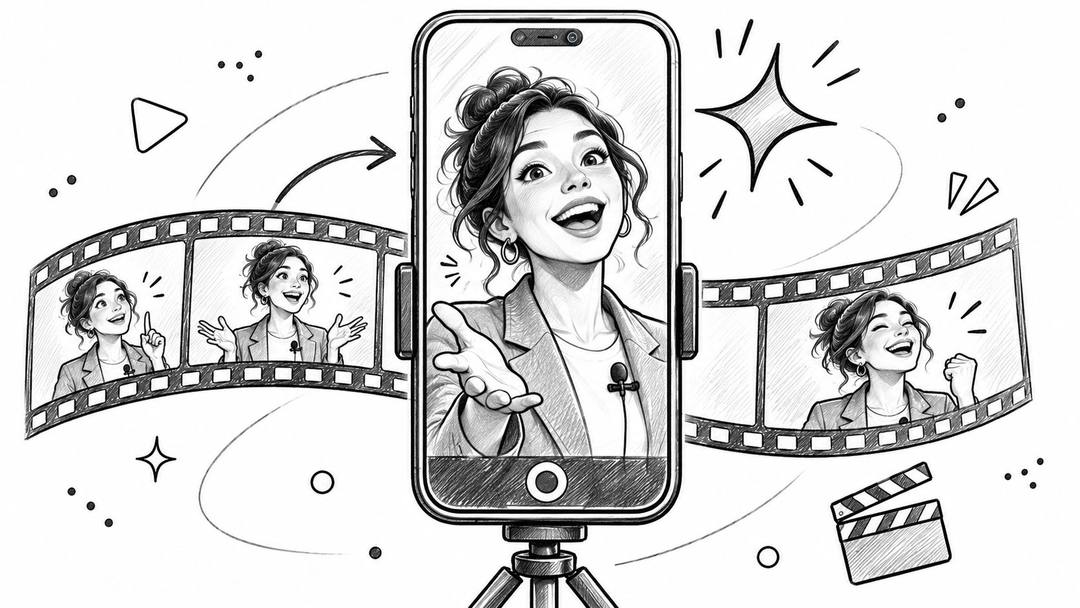
The replicable move is a two-export test. Build one clean version with tight trims and one with a few deliberate disruptions, then read completion and rewatch rates separately from likes. They tell different stories, and the study suggests they move in different directions.
Prompt to try
Make a 30-second vertical Short on why most people's morning routines fail. Open with the strongest line, "Your alarm isn't the problem, your first five minutes are," then give three quick reasons with tight cuts and bold captions. Use a fast but clear pace, and end on one simple fix the viewer can try tomorrow.
6. Comedic Timing Jump Cuts (Punchline Cuts)
In comedy the jump cut is not a time saver. It's a timing instrument. The cut decides how long the audience waits, and the wait is usually the joke.
Sketch shorts cut from the setup straight to the punchline, and stand-up clips get trimmed for social feeds so the joke arrives before the thumb moves. Both edits are the same operation. Remove frames from inside a continuous shot and the delivery tightens. Do it in the wrong place and you've removed the setup that made the line funny.
Where the beat belongs
The silence before a punchline is load-bearing. Cut it and the joke reads as rushed, because the audience never got to anticipate. The silence after the punchline is different. That's where a reaction shot earns its place, giving people permission to laugh before the next line lands.
Cut the setup, keep the beat before the punchline, then let the reaction hold the frame.
A replicable move: duplicate the joke sequence on the timeline, cut one version tight and leave the other with the pause intact, then watch both cold, back to back, before deciding. The funnier one is rarely the shorter one. When the delivery depends on a deadpan hold, the hold stays.
7. Interview and Documentary Soundbite Tightening
Documentary and interview editors use jump cuts to turn a rambling answer into a usable soundbite. The speaker's own words survive. The digressions don't. This is standard practice in documentary series, news features and podcast clips, and it's the fastest way to repurpose a long conversation for a short feed.
Tightening for vertical adds a second problem. An analysis of TikTok captioning referenced by ShortGenius found errors in 19.7% of analyzed videos, and rapid cuts paired with inaccurate or fast-changing text are exactly where comprehension fails, especially for muted viewers and anyone reading translated captions.
Protecting the meaning
- Never cut across a change in the argument: If the speaker qualifies a claim three sentences later, that qualification stays in the clip.
- Cover the join when you can: B-roll, a cutaway or a second camera angle hides the seam without hiding the words, which matters when the subject is sensitive.
- Retime captions after every cut: Burned-in subtitles that were synced to the long version drift the moment you trim, and drifting text reads as a broken video.
- Export a full-context version: Keep the long answer available alongside the short clip so the complete position is still on record.
The replicable move is to edit the answer before you edit the file. Write out the two or three sentences that carry the idea, cut everything else around them, and only then look for a place to cover the jump.
The index leans toward videos that surface in hashtag and keyword searches, so its view counts run high: compare the groups, not the absolute numbers.
Source: Revid TikTok index: 2,377,477 TikToks with AI labels per video, snapshot of Sep 15, 2026. Median views estimated from view buckets.
Show the data
| Median views | Share past 1M views | |
|---|---|---|
| Challenge | 226.9K | 32% |
| Comedy | 194.6K | 29.9% |
| Dance | 121K | 23.4% |
| Reaction | 117.4K | 23.4% |
| Tutorial | 111.5K | 22.2% |
| Storytelling | 107.7K | 21.5% |
| Lip Sync | 90.7K | 21.4% |
How each jump cut style affects pacing and where it fits
| Item | Main Use | Pacing Effect | Best For |
|---|---|---|---|
| Breathless-Style Jump Cut (Jean-Luc Godard, 1960) | Create visible time skips within one shot | Restless, spontaneous rhythm | Raw, energetic artistic edits |
| Filler-Word and Pause Removal in Talking-Head Videos | Remove ums, pauses, and false starts | Faster, more information-dense delivery | Vlogs, explainers, and podcast clips |
| Punch-In Zoom Jump Cut (Emphasis Edit) | Switch between wide and tight framing to emphasize a point | Adds energy and visual variety | Static talking-head and short-form videos |
| Time-Compression Jump Cuts for Tutorials and Process Videos | Skip idle time between process steps | Makes long processes concise | Cooking, DIY, craft, and how-to videos |
| Retention-Driven Jump Cuts for Short-Form Hooks | Trim openings to get quickly to the hook and payoff | Rapid, high-energy pacing | TikTok, Reels, and YouTube Shorts |
| Comedic Timing Jump Cuts (Punchline Cuts) | Tighten setups and land on punchlines or reactions | Sharpens comedic timing | Sketches, stand-up clips, and comedy shorts |
| Interview and Documentary Soundbite Tightening | Condense long answers into focused soundbites | Streamlines speech while preserving its message | Documentaries, news features, and interview clips |
Build Your Own Jump Cut Rules Before You Edit
Across all seven examples the pattern is the same. The cut is a decision about removal first and style second. Decide what the cut takes out of the timeline, what the viewer should feel afterward, and whether the jump is meant to be visible, then write those three answers down before you open the timeline.
- What it removes: dead air, a repeated sentence, a waiting period, or a step the viewer needed.
- What it should feel like: urgent, polished, funny, clear, or unsettling. Pick one per section, not one per video.
- Whether the seam shows: visible jumps announce the edit, so use them where that announcement helps.
If you can't say what the jump removes in one sentence, you're cutting for rhythm and not for meaning.
The failure mode is uniform. Editors who cut every pause end up with a video that moves fast and says less, and the audience feels the difference even when they can't name it. The fix is selective disruption. Tight during repetition, continuous during demonstration, longer when the viewer needs to understand a sequence or an operation.
Test it on your own footage before committing to a rule. Revid.ai's timeline editor lets you change a line, swap a scene or regenerate one shot without starting over, and it can start from a reference video's pacing and hook. Plans include captioning your footage and cutting long videos into Shorts from $39/month.
The editors who get the most out of jump cuts aren't the ones cutting fastest. They're the ones who know exactly which frames the viewer will never miss.
Revid.ai turns a long recording, a link or a script into an editable video workflow, with captioning, Shorts cutting and timeline edits in one place. If you want to test a tight cut against a clean one on your own footage, start with the same clip twice and let the pacing tell you which version holds. Visit revid.ai to see how it handles the edit.
FAQ
What is a jump cut in video editing?
A jump cut removes material from inside one continuous shot and joins the remaining pieces, so the subject visibly skips forward in time or position. It compresses time without a new camera angle. Jean-Luc Godard's Breathless (1960) made it a recognized stylistic choice rather than a flaw.
How do you make jump cuts look intentional instead of like mistakes?
Lock the camera, keep the same lens and background, and record the whole take in one go, then delete pauses without touching the framing. When nothing else shifts, viewers read the jump as elapsed time. Moving the camera between segments makes the jumps read as accidents.
How do you cut filler words without the speech sounding choppy?
Keep the audio flowing continuously across the visual join and leave about a quarter second of air so the speaker does not sound clipped. Re-read each sentence after cutting so you do not delete a qualifier, and mask joins you cannot justify with a light punch-in or a short B-roll insert. Then do a listening pass with your eyes closed.
Do faster jump cuts improve retention on Shorts and TikTok?
Not automatically. In a 2026 experiment with 242 participants, cuts without overlaps were liked more, but overlapping cuts increased continued watching and rewatching, and higher overall pacing reduced sustained engagement. Test a tight version against one with a few deliberate disruptions and compare completion and rewatch rates separately from likes.
When should you use a punch-in zoom jump cut?
Land the punch-in on the stressed word where the argument turns, or on the pause just before it, and alternate wide and tight framing so punches do not stack into a stutter. Shoot in 4K and deliver in 1080p so the crop stays sharp. A 2025 study found shorter scenes, with a median of 2.12 seconds, boosted viewer attention.
How should jump cuts be used in tutorial videos?
Cut the waiting, not the steps. Keep the camera angle locked for the whole process, label each stage on screen, show the critical technique in real time and leave the final reveal uncut. Record the process once from one position and cut only the stretches where nothing in the frame changes.
Sources
- Revid TikTok index: 2,377,477 TikToks with AI labels per video, snapshot of Sep 15, 2026. Median views estimated from view buckets.
Charts and figures checked on November 25, 2026.