On this page
A blank TikTok calendar is a familiar Monday problem. You know your niche and can make the videos, but choosing the next angle can stall the week before production starts.
A useful TikTok video idea generator turns a topic, audience, reference video, or product into a hook and a format you can develop. Some tools give you a workable starting point; others return broad topics that still need substantial shaping.
To compare them, look at three practical factors: what you need to enter, how much editing the ideas require, and where the tool fits into your weekly routine. Some are better for batching ideas, others for checking trends before you commit, and some connect ideation with scripting or video production.
Discovery also matters. A 2023 TikTok Marketing Science study conducted by Material found that 91% of surveyed U.S. Gen Z internet users had discovered something on TikTok in the previous 30 days. That finding offers a reason to consider ideas built for discovery, not only content aimed at current followers. The study's cited result is useful context, but it doesn't tell you which idea will perform. Check the fit with your audience and current trends before committing a slot in your posting schedule.
1. AI TikTok Video Generator
Input here is flexible, which is why this one sits at the production end of the week rather than the brainstorming end. With the AI TikTok Video Generator, you start from an idea, script, or URL and get a short-form video draft instead of a text list. That saves the handoff step that slows down most faceless channels and small teams.
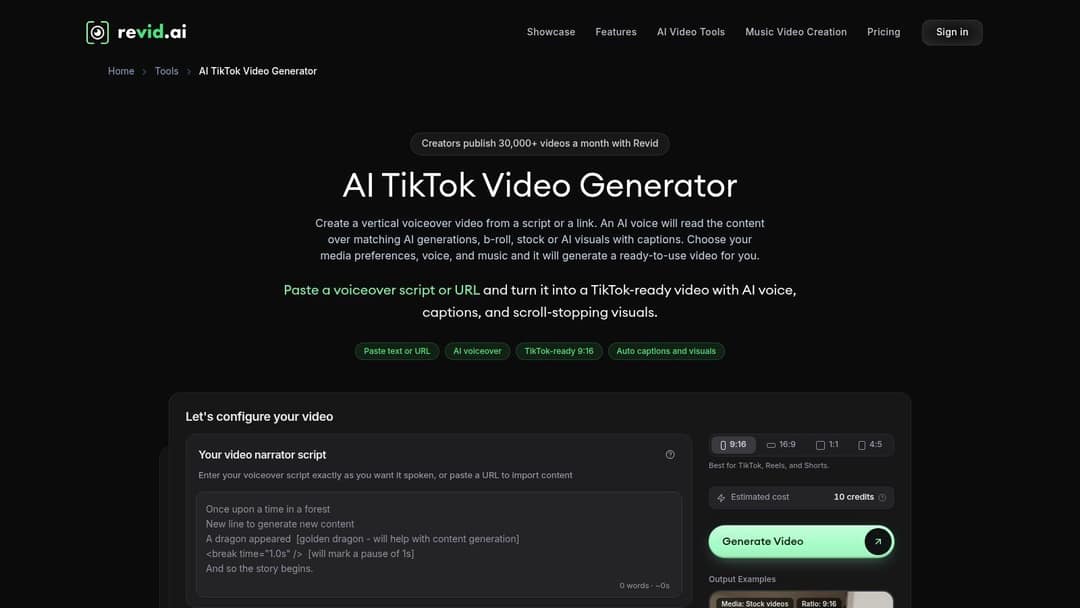
The generator assembles visuals, voiceover, captions, and transitions automatically, then lets you refine the result in the editor. In practice, you'll still check pacing, swap a visual that doesn't match your brand, and adjust narration tone. That's editing, not building from scratch, and the time difference is significant on a daily posting schedule.
Where It Fits in Your Week
Use it after you've shortlisted concepts elsewhere, or use a rough prompt when you already know the topic and need a draft fast. Repurposing works well here too, since a URL can become a TikTok-ready draft without filming. For a closer look at that production route, see this guide to an AI TikTok video maker workflow.
- Input needed: A single idea, a finished script, or an existing URL, so you don't need a detailed brief.
- Editing load: Moderate review of visuals and voiceover to match your style, but no manual assembly.
- Best for: Creators without editing skills who need publishable drafts quickly.
The trade-off is focus. It's built for short-form video, so longer or highly custom formats need extra work outside the tool. If your bottleneck is production speed rather than ideation alone, that's a reasonable exchange.
2. TikTok Creative Center
This isn't a generator in the type-and-receive sense, and that's exactly its value. TikTok Creative Center is TikTok's official trend research tool, where you browse popular videos, hashtags, and formats, including a United States region view. Nothing is auto-written for your niche, so your input is your own judgment.
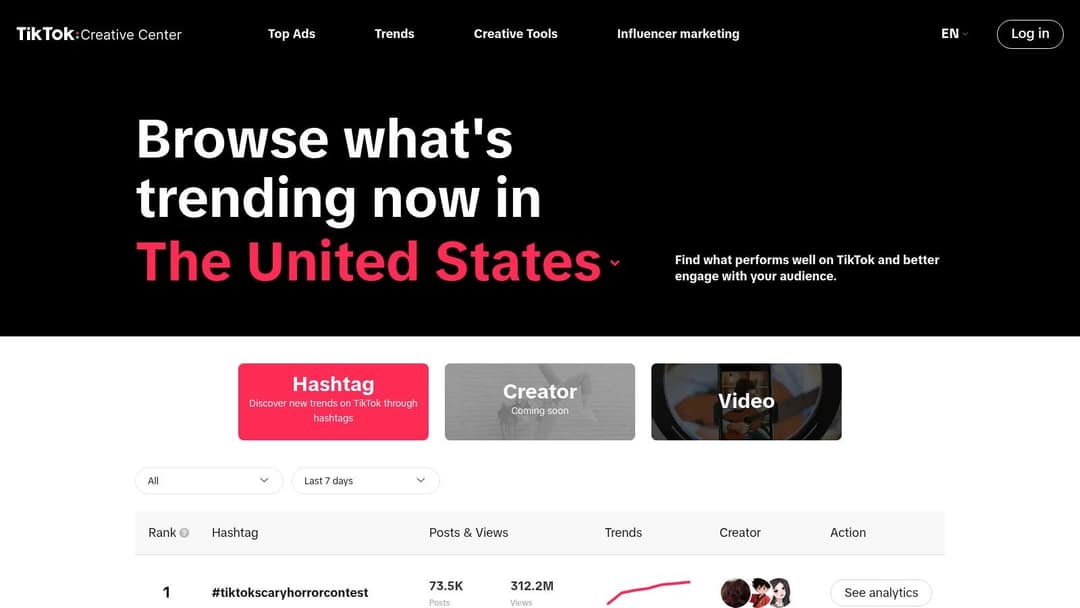
Use it to check whether a hashtag or format is gaining traction before you spend an afternoon filming. Hashtag analytics, trendlines, and related videos show momentum rather than a single viral outlier. You can also explore TikTok trend examples alongside the official data to see how creators are applying a format in the wild.
How Much Work Is Left for You
Plenty, by design. Creative Center supplies evidence, not angles, so you'll still write the hook and decide if a trend fits your audience. That makes it a poor Monday brainstorming tool and an excellent Wednesday reality check.
It helps to pair trend data with a sense of what videos go viral on TikTok in your category, because a rising hashtag in beauty rarely transfers cleanly to finance or local services.
- Input needed: Manual browsing by region, hashtag, or format, sometimes with a TikTok account.
- Editing load: High, since you convert raw trend signals into your own concept.
- Best for: Validating ideas from other generators for free with platform-native data.
3. Hookest Video Idea Generator
When you have a strong reference but can't find a fresh opening, Hookest gives you a starting point. Paste a TikTok or Instagram Reel into Hookest, and it generates alternative angles and hooks based on that video. It suits creators who can spot a useful reference faster than they can shape a new first line.
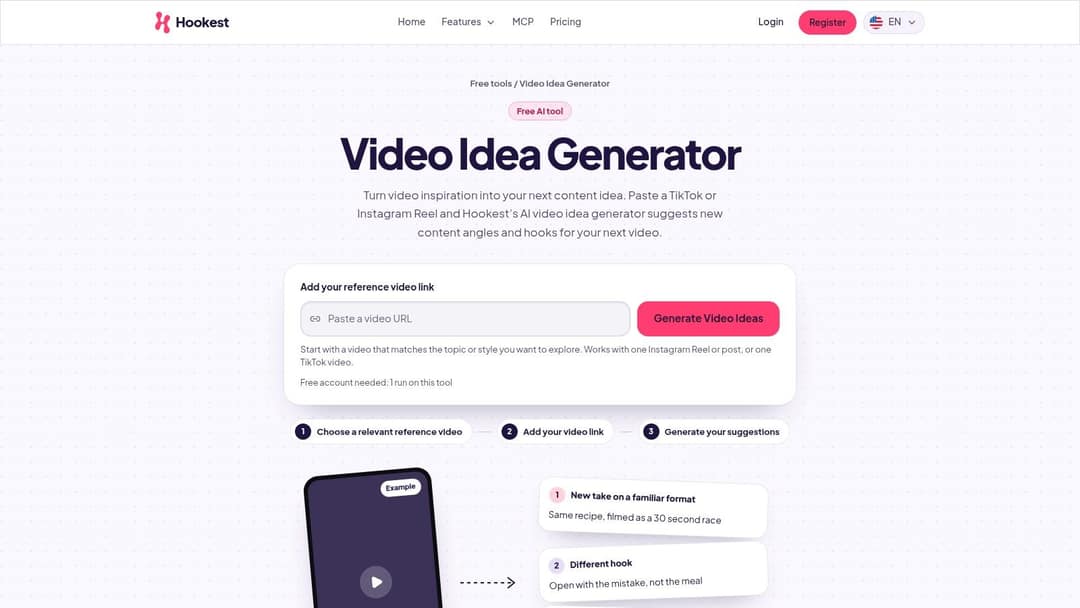
The ideas encourage adaptation rather than copying. You get several ways into the same premise, along with a hook library and tools for developing openings. The suggestions still need your examples and voice, but a clear first line gives you more to work with than a topic-only prompt. For more starting points to test, browse these TikTok video ideas by format.
Practical rule: Choose a reference that performed for an audience like yours. A popular video from a different audience may offer a hook that doesn't transfer.
A study of trending TikTok videos found an association between stronger comments, likes, and shares and visibility in trending content. That finding describes a correlation, not proof that response-focused hooks cause a video to trend. Use Hookest to draft openings, then judge whether each one fits your viewers and posting goals.
- Input needed: One reference video. It's less useful when you're starting from a blank page.
- Editing load: Light to moderate. Add your own evidence, wording, and brand perspective.
- Best for: Turning a relevant video into several hook options for a weekly content batch.
4. Pixo AI Video Idea Generator
Pixo asks for three things and those choices shape everything it returns. On the Pixo AI Video Idea Generator, you enter a niche or channel topic, pick a platform such as TikTok, and select a goal like educating, entertaining, selling, or growing an audience. That goal selector is the difference between a generic list and a usable Monday batch.
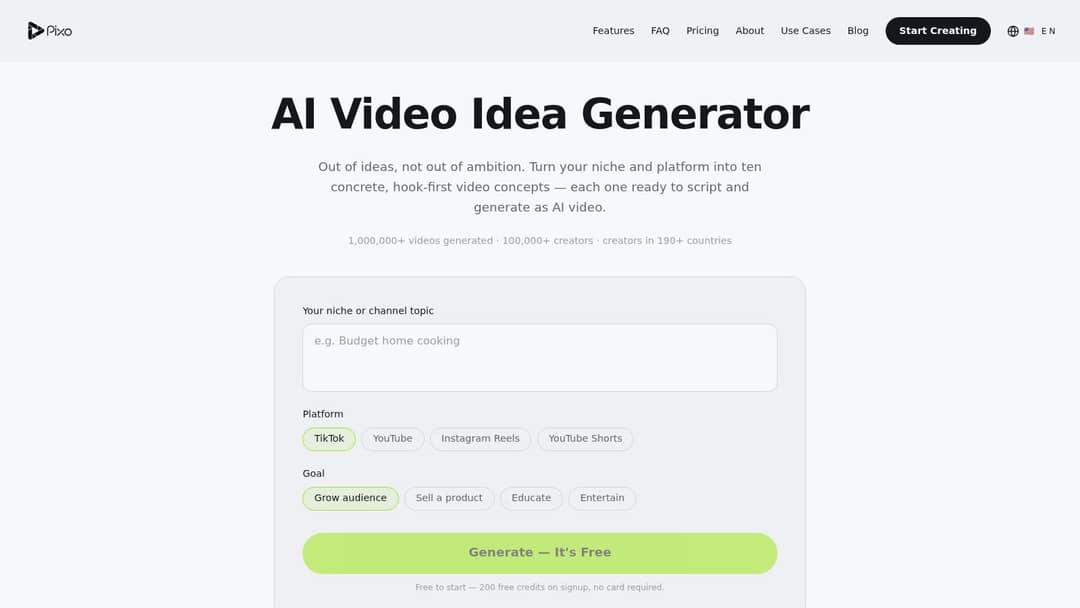
Concepts come back hook-first and in batches, which helps when you're comparing angles side by side. You can carry a chosen idea into Pixo's AI scripting and video creation workflow, so it covers ideation and an early production step. Expect to fact-check claims, remove angles that don't fit your brand, and rewrite openings that sound templated.
Who Should Skip It
If you only want ten quick prompts, Pixo is more product than you need. It's a broader video generation platform, and that scope can distract during a simple brainstorm. The advertised 200 free signup credits with no credit card required make testing low risk, but credits aren't the same as an unlimited free tier.
- Input needed: Niche, platform, and goal, with TikTok, YouTube, Instagram Reels, and Shorts supported.
- Editing load: Moderate review for originality, accuracy, and brand fit.
- Best for: Creators who want ideation connected to scripting and video creation.
5. Vervox
Vervox puts idea generation inside a larger short-form system. On Vervox, niche-focused ideas sit alongside AI scripts, video editing, carousel creation, competitor and video analysis, and cross-posting to TikTok, Reels, and YouTube Shorts. The company says its ideation draws on analysis of accounts, competitors, videos, and trends.
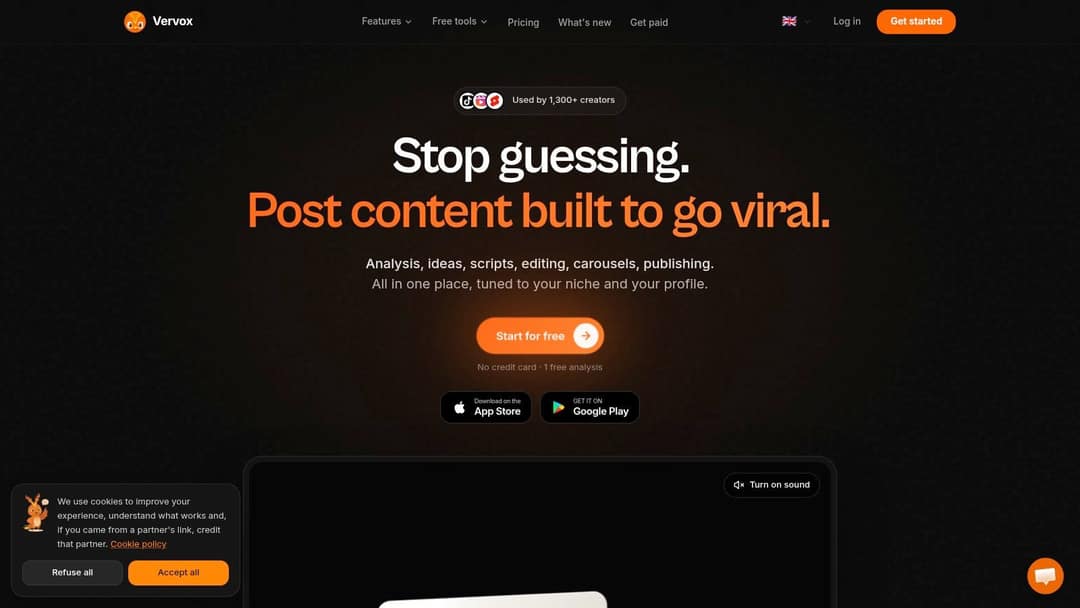
That positioning changes the editing question. You're not just polishing a hook, you're deciding whether the whole pipeline, from competitor signal to published post, matches how you already work. For a solo creator juggling three platforms, fewer handoffs can matter more than the cleverest single idea list.
Personalization is the right ambition here. Research from the University of Washington study of 347 TikTok users found roughly 30% to 50% of users' first 1,000 videos were selected using predictions of their interests. Tools that learn from your niche and competitors should, in theory, produce better-matched concepts than one-size-fits-all lists.
- Input needed: Your niche, with competitor and account context for deeper analysis.
- Editing load: Moderate, spread across script and edit stages inside one platform.
- Watch out for: Credit-based plans that drain fast if you generate ideas daily.
Vervox advertises a free start with no credit card, which helps you test fit. Company claims about creator use have limited independent evidence, so judge it on your own trial output.
6. FrameCompose Video Idea Generator
Sometimes you don't want an account, a brief, or a dashboard. FrameCompose is a free shuffler that pairs curated niches with familiar short-form formats like myth-busting, beginner mistakes, and POV concepts. Pick a category, shuffle, and keep what sparks something.
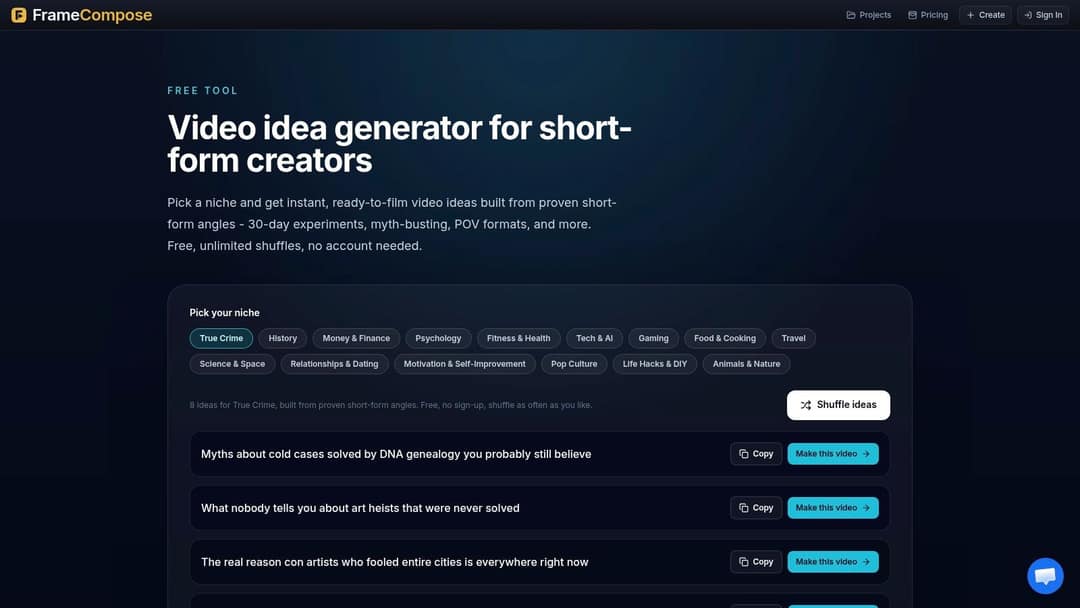
There are 15 selectable niches, including history, fitness, gaming, food, travel, finance, and science. That preset list is both the strength and the ceiling. Faceless channel owners in those categories get usable patterns fast, but a narrow B2B topic or local service won't find a home here.
Prompt to try
Make a 40-second faceless TikTok in a myth-busting format about 3 fitness myths beginners still believe. Open with the hook "You've been told to stretch before lifting. Here's why that's wrong." Use fast cuts, bold captions and an energetic voiceover, ending with one clear takeaway.
Editing Load and Next Step
Ideas arrive as patterns, not finished concepts, so you'll add specifics, examples, and a real payoff. If a shuffled idea survives that test, you can hand it off to FrameCompose's studio for AI scripting, visuals, voiceover, and captions. That optional path turns a lightweight brainstorm into an editable video without switching tools.
- Input needed: One preset niche, with unlimited shuffling and no account.
- Editing load: High for originality, since curated patterns can feel formulaic.
- Best for: Quick, free inspiration for faceless formats in mainstream niches.
Treat it as a spark machine at the start of the week. It's not where you validate demand or finish a script.
7. Upstream Shorts Ideas Generator
Upstream asks the most detailed questions on this list, and the output reflects that effort. The Upstream Shorts Ideas Generator takes your topic, audience, goal, platform, filming style, and target length, then returns concepts with hooks and visual direction. TikTok is supported alongside YouTube Shorts and Reels.
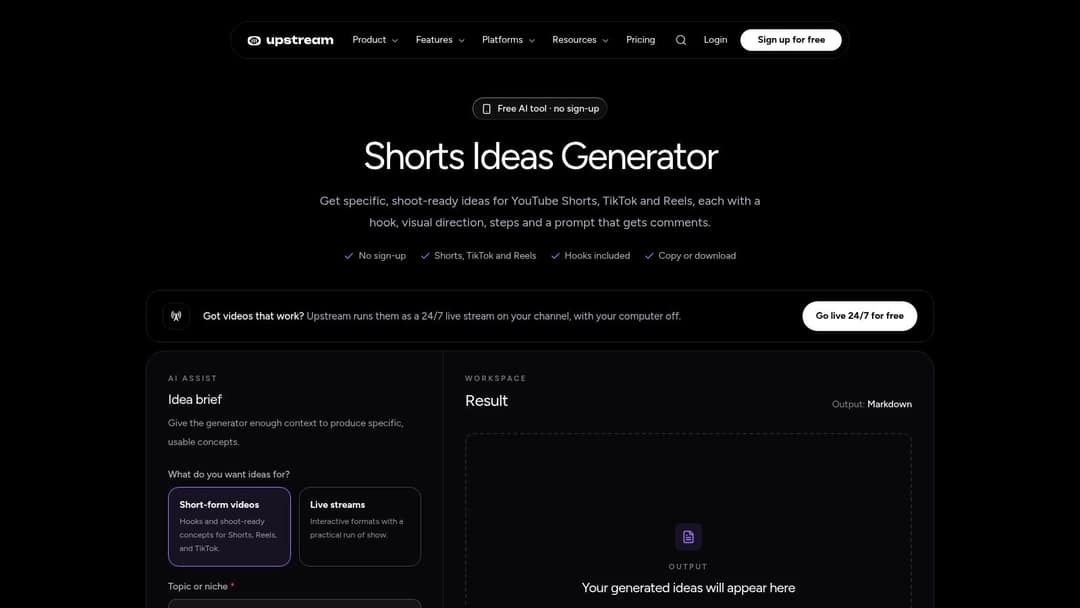
Filming style is the standout input. Choosing faceless, face-to-camera, or screen and demo filters out ideas you can't realistically shoot, which kills a common failure mode where a great concept dies at the camera. Length options run from under 30 seconds to 90 seconds, so pacing is considered before you write a word.
A shoot-ready idea you can film today beats a clever idea that needs a location, props, and a second person you don't have.
Output is free to use without an account and available to copy or download, which suits batch planning in a doc or spreadsheet. You'll still refine hooks for your voice, but visual direction reduces the blank-page problem at filming time. The cost is setup time, since a detailed brief takes longer than typing one keyword.
- Input needed: Niche, audience, goal, platform, filming style, and length.
- Editing load: Light to moderate, mainly voice and specific examples.
- Best for: Creators planning a realistic weekly shoot in one sitting.
8. CreatVid Video Ideas Generator
Need a batch of concepts without filling out a long brief? The CreatVid Video Ideas Generator asks for a niche and optionally an audience description, then returns ten short-form ideas in varied formats. It requires no signup, so you can test it during a planning session and decide quickly whether its suggestions fit your channel.
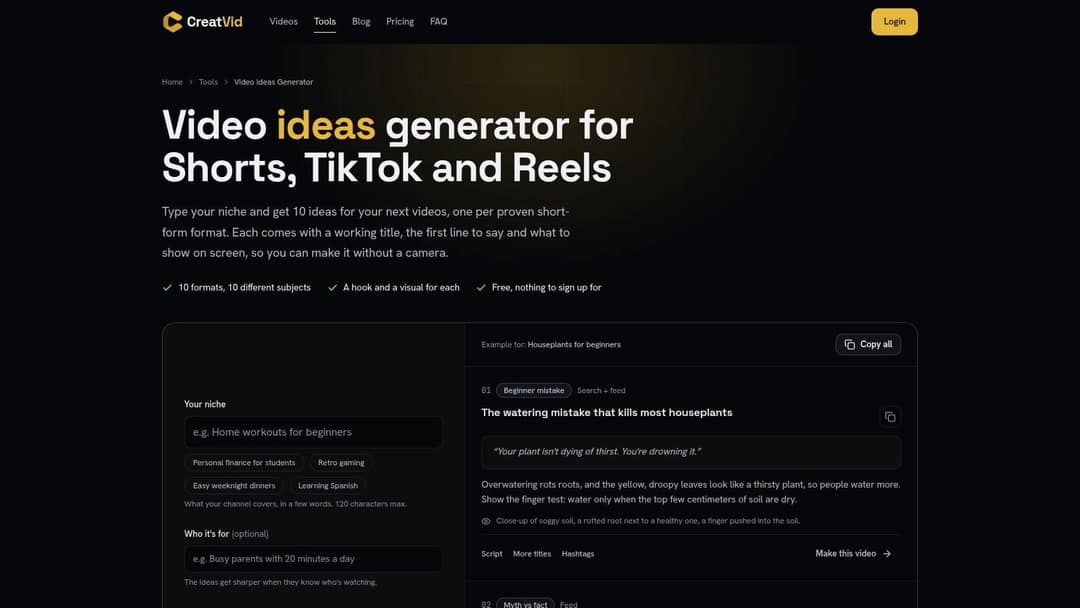
Each concept comes with a working title, an opening line, and suggested visuals. Those details make it easier to judge whether an idea can become a shootable post, rather than leaving you with a topic to develop from scratch. The tool also links to hook, script, title, and hashtag helpers, as well as the CreatVid video maker. That gives you options for developing an idea, though the output still needs a voice and angle that suit your account.
Searchable wording can help viewers understand what a video covers. SocialPilot reports that one in four users starts a search within 30 seconds of opening TikTok. Treat that as a reason to make titles and opening lines clear, not as a guarantee of reach.
- Input needed: A niche, with optional audience detail.
- Editing load: Moderate to high. Review the ten ideas for fit, then rewrite the strongest ones in your voice.
- Limits to know: The daily usage cap is not published, so check the tool. It targets TikTok, Reels, and Shorts.
The varied formats can give a weekly plan more range, but quality may differ across the batch. Discard weak fits quickly, then develop the ideas with the clearest payoff.
9. Go Viral Creator Toolkit
Filming setup drives everything here, which suits creators who think in production terms first. The Go Viral TikTok ideas page groups suggestions by face-to-camera, hands or product, screen, text over footage, and business content, and each idea includes an opening line. If you won't appear on camera, you can stay inside categories that respect that.
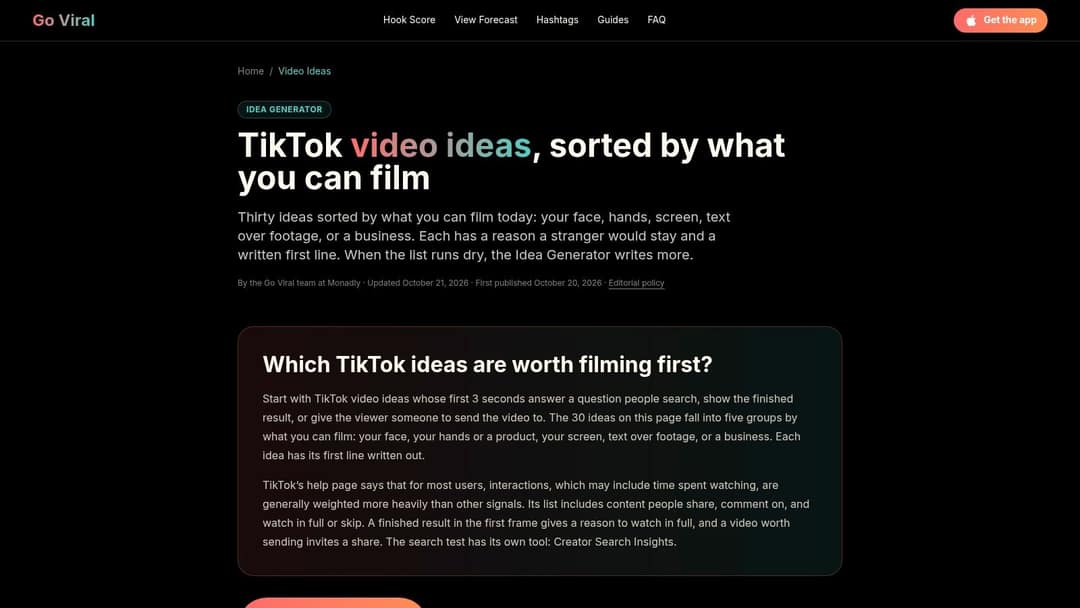
The company says its app can generate additional concepts suited to your niche and audience, with related script, hook, and search research guidance. That app step is the friction point. Access to the generator may require installing the app, and the page notes it doesn't connect to your TikTok account, so it can't know what you've already posted.
Managing Expectations
That honesty is useful. You'll need your own content log to avoid repeating last month's angle, and a published App Store rating doesn't prove idea quality for your niche. Once you pick a concept, a practical walkthrough of how to create a TikTok video helps you turn the opening line into a finished shoot plan.
- Input needed: Filming setup on the page, niche and audience in the app.
- Editing load: Moderate, with opening lines provided but no posting history awareness.
- Best for: Camera-shy creators and product-led accounts planning by setup.
Prompt to try
Create a 30-second TikTok that teaches one thing: how a budgeting app helps freelancers set aside tax money each month. Hook: "Freelancers, this is why April always hurts." Clean motion graphics, calm confident voiceover, captions that use the words people search, like "freelance taxes".
10. LaunchMax Content Idea Generator
A product or app and its target audience are the inputs LaunchMax asks for. The LaunchMax Content Idea Generator returns 10 or 20 ideas for TikTok, Reels, Shorts, and Facebook, each with a format, opening line, and shot idea. No signup is required, so it fits a quick planning session when you need concepts tied to a specific offer.
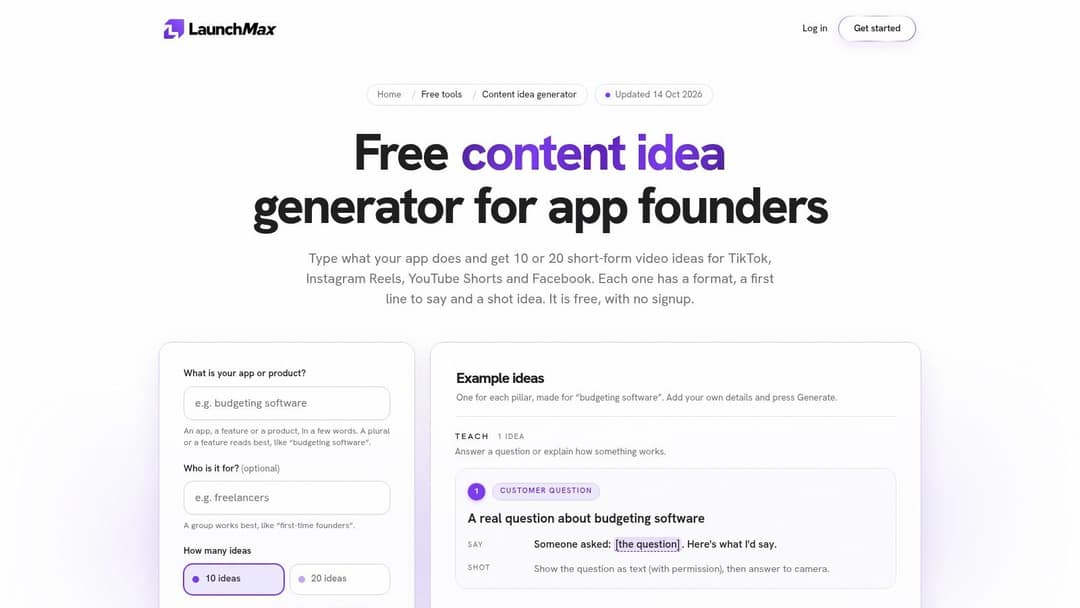
The ideas cover teaching, showing, proving, and entertaining, giving a business more options than a stream of promotional posts. For proof-based concepts, LaunchMax leaves placeholders for business-specific evidence instead of supplying customer results or claims. You still need to add evidence you can stand behind, then check that the idea suits the platform and your audience.
For content that should be found through search, make the question specific. An analysis of TikTok discovery surfaces discusses For You, Search, and Following, and notes the role of captions and on-screen text that match a viewer's query. A founder could turn a teaching prompt into an evergreen FAQ, then add the terms customers use when they search.
- Input needed: Product or app and target audience.
- Editing load: Moderate. Add real evidence where the idea uses a proof placeholder.
- Best for: Small businesses and app founders planning product content across platforms.
LaunchMax also offers a paid service for creating and publishing videos, but the generator page does not publish its pricing. That option matters if you want help taking an idea through video creation and publishing; if you only need prompts, the free generator may be enough.
How the 10 TikTok idea generators compare on access, input and best use
| Item | Free access | Main input | Best for | Platforms covered |
|---|---|---|---|---|
| AI TikTok Video Generator | Not specified | Idea, script, or URL | Quickly creating TikTok-ready videos | TikTok |
| TikTok Creative Center | Free to explore | Trends, videos, and hashtags | Researching current TikTok trends | TikTok |
| Hookest Video Idea Generator | One free run with an account | TikTok or Instagram Reel reference | Finding new angles and hooks from a reference video | TikTok, Instagram Reels |
| Pixo AI Video Idea Generator | 200 free signup credits | Niche or topic, platform, and goal | Generating goal-specific concepts and continuing into video creation | TikTok, YouTube, Instagram Reels, Shorts |
| Vervox | Free start; no credit card required | Creator niche | Combining ideas with scripting, editing, and publishing | TikTok, Instagram Reels, YouTube Shorts |
| FrameCompose Video Idea Generator | Free; no account required | Preset niche and short-form format | Shuffling short-form ideas, including faceless concepts | Short-form video; TikTok-ready ideas |
| Upstream Shorts Ideas Generator | Free; no account required | Topic, audience, goal, filming style, and length | Creating shoot-ready ideas suited to a creator's setup | TikTok, Instagram Reels, YouTube Shorts |
| CreatVid Video Ideas Generator | Free; no signup; daily use is limited | Niche and optional audience description | Getting ideas with opening lines and visual direction | TikTok, Instagram Reels, YouTube Shorts |
| Go Viral Creator Toolkit | Ideas page available; generator may require the app | Filming setup, niche, and audience | Finding practical ideas by filming style | TikTok |
| LaunchMax Content Idea Generator | Free; no signup required | Product or app and audience | Creating product-focused business content | TikTok, Instagram Reels, YouTube Shorts, Facebook |
Build a Weekly Idea Pipeline, Not a One-Off Brainstorm
No single TikTok video idea generator handles research, angles, scripting, and scheduling equally well. The creators who post consistently chain tools together, so each one does the job it's actually good at. Here's a routine that fits a real week without turning planning into a second job.
Start Monday with one batch generator. Pick based on your input style. Upstream suits detailed briefs and realistic filming constraints, CreatVid suits a fast niche-only batch, and LaunchMax suits product-led accounts. Generate more ideas than you need, then cut ruthlessly to the concepts with a clear hook, a visible payoff, and a setup you can film this week.
Next, run your two or three finalists through TikTok Creative Center. Check whether the format or hashtag behind each idea is rising, flat, or fading in your region. You're not chasing every trend, you're avoiding dead ones and borrowing momentum where it genuinely fits your audience. If a concept depends on search rather than the For You feed, write the caption and on-screen text in the words your viewer would type.
Shortlist Hooks, Then Produce in One Queue
With finalists validated, tighten the openings. Hookest works when you have a reference worth adapting, and the hook libraries in several tools above help you test alternatives. Write two opening lines per concept and keep the one that promises a specific payoff soonest.
Then move the winner into production and a single posting queue. At Revid, you can turn an idea, link, or proven format into a finished video and publish or schedule it to TikTok, Instagram, and YouTube from one queue. Keeping production and scheduling together stops finished drafts from sitting in a downloads folder while the calendar stays empty.
Sellers and product brands can layer in a content roadmap for TikTok Shop sellers to align weekly ideas with launches and promotions. The pipeline stays the same, the topics just get a commercial calendar behind them.
Weekly checkpoint: Log the hook, format, and result for every post. After a month, your own log becomes a better idea source than any generator's first output.
That log is the step many creators skip, and it's the one that compounds. When a myth-busting format outperforms your tutorials twice in a row, next Monday's batch should start there. When a search-led FAQ keeps picking up views weeks later, generate its follow-up before chasing a new trend.
Tools supply volume and structure. Your performance data supplies direction. Put the generator at the start of the week, the trend check in the middle, and production plus scheduling at the end, and the blank calendar stops being a Monday problem.
Turn your shortlisted ideas into finished TikToks without filming or manual editing by starting from a prompt, link, or proven viral format at revid.ai. We write the script, assemble visuals, voiceover, and captions, and let you publish or schedule to TikTok, Instagram, and YouTube from one queue. Try it on this week's strongest hook and see how fast a blank calendar fills.