
Best AI Social Media Manager in 2026: 10 Tools Ranked by How Much They Do Without You
Most AI social media managers only schedule. Here are 10 tools, from Squad to Buffer, ranked by how much of planning, creating, publishing, replying and reporting their AI does without you, with prices checked November 23, 2026.

On this page
Most "AI social media managers" are schedulers with a caption writer attached. You still plan the week, approve every post, answer the comments and build the Monday report yourself.
The best AI social media manager for most small teams is Squad, because its AI teammates run all five steps of the job (plan, create, publish, engage, report) on a schedule, inside Revid, PostSyncer and your social accounts, and bring back only the drafts that need your yes. If you want one app with its own calendar that plans and posts for you, pick Ocoya. If you only need posting, Buffer or PostSyncer costs a fraction.
Disclosure: Revid's founder, Tibo Louis-Lucas, also co-founded Squad (ranked #1 here) and built PostSyncer (also on this list). Prices and features come from each vendor's own pages, checked November 23, 2026.
- Steps of the social media job Squad can run itself through its app manuals
- 5 of 5
- Squad docs, checked Nov 23, 2026
- Squad's plan plus the AI plan you bring
- $99 + $100-200
- squad.so pricing and FAQ
- Networks PostSyncer publishes to, from Instagram and TikTok to Bluesky and Telegram
- 12
- PostSyncer pricing page
- Buffer Essentials per channel per month, the lowest paid price on this list
- $6
- Buffer pricing page
The 10 best AI social media managers at a glance
The score counts how much of the job each tool does without you: 2 points for each of the five steps its AI runs on its own, 1 point for each step it covers as a feature you operate, 0 when its pages do not cover the step. Ties go to the tool with more fully automated steps, then to the lower price.
| # | Tool | Best for | Score | Steps the AI runs | Paid plan from (monthly) | Free option |
|---|---|---|---|---|---|---|
| 1 | Squad | An AI teammate that runs the whole loop across your apps | 10/10 | 5 | $99 + your AI plan | No trial, 7-day money-back |
| 2 | Ocoya | One app that plans, writes, designs and posts | 8/10 | 3 | $41 ($29 in a Black Friday sale) | 7-day trial, card required |
| 3 | Sintra (Soshie) | A cheap AI helper team with a social media member | 7/10 | 3 | $97 list, $48.50 in a sale | 14-day money-back |
| 4 | Blaze | AI marketing plans for a team of one | 6/10 | 2 | $79 | Free trial, no card |
| 5 | FeedHive | Posting rules and automations | 6/10 | 1 | €19 | 7-day trial |
| 6 | Metricool | Analytics and reports that build themselves | 6/10 | 1 | $25 | Free plan |
| 7 | Hootsuite | Teams with a busy inbox | 6/10 | 1 | $99 per user, billed yearly | 14-day trial |
| 8 | Revid | Short-form video made and published for you | 5/10 | 1 | $39 | Try free, no card |
| 9 | Buffer | Simple scheduling with an AI writing helper | 5/10 | 0 | $6 per channel | Free plan, 3 channels |
| 10 | PostSyncer | A scheduler your own AI agent can drive | 5/10 | 0 | $29 | Free plan, 2 accounts |
Who does the step
Engagement is the weakest column. Hootsuite's 2 comes from automated inbox replies on its Professional plan. Squad's row relies on the Revid and PostSyncer integrations plus its LinkedIn, YouTube, Reddit and Facebook manuals.
Source: Vendor product, pricing and docs pages (Squad app manuals at squad.so/docs/apps), each cell scored from the vendor's own wording, checked Nov 23, 2026. No hands-on test.
Show the data
Who does the step
| Plan | Create | Publish | Engage | Report | |
|---|---|---|---|---|---|
| Squad | 2 | 2 | 2 | 2 | 2 |
| Ocoya | 2 | 2 | 2 | 1 | 1 |
| Sintra | 2 | 2 | 2 | 1 | 0 |
| Blaze | 2 | 2 | 1 | 0 | 1 |
| FeedHive | 1 | 1 | 2 | 1 | 1 |
| Metricool | 1 | 1 | 1 | 1 | 2 |
| Hootsuite | 1 | 1 | 1 | 2 | 1 |
| Revid | 1 | 2 | 1 | 0 | 1 |
| Buffer | 1 | 1 | 1 | 1 | 1 |
| PostSyncer | 1 | 1 | 1 | 1 | 1 |
What an AI social media manager should do
A social media manager's week has five steps, and most software covers only the middle one.
- Plan: decide what to post this week and when.
- Create: write the posts, design the images, make the videos.
- Publish: schedule each post in each network's format.
- Engage: read comments and messages and answer them.
- Report: pull the numbers and say what to do next week.
A scheduler handles step 3. An AI writing assistant speeds up step 2. An AI social media agent is different: it takes actions in your tools, such as scheduling a post, replying to a comment or pulling analytics, through an API or an MCP server. The tools at the top of this list are the ones whose AI carries more of the five steps without you sitting in the app.
If you only want to automate posting, Revid's guides on how to automate social media posts and how to schedule social media posts cover the scheduler route.
1. Squad: best AI social media manager overall
Best for: founders and small teams who want the whole social media loop run on a schedule in the apps they already use, with only approvals left for them.
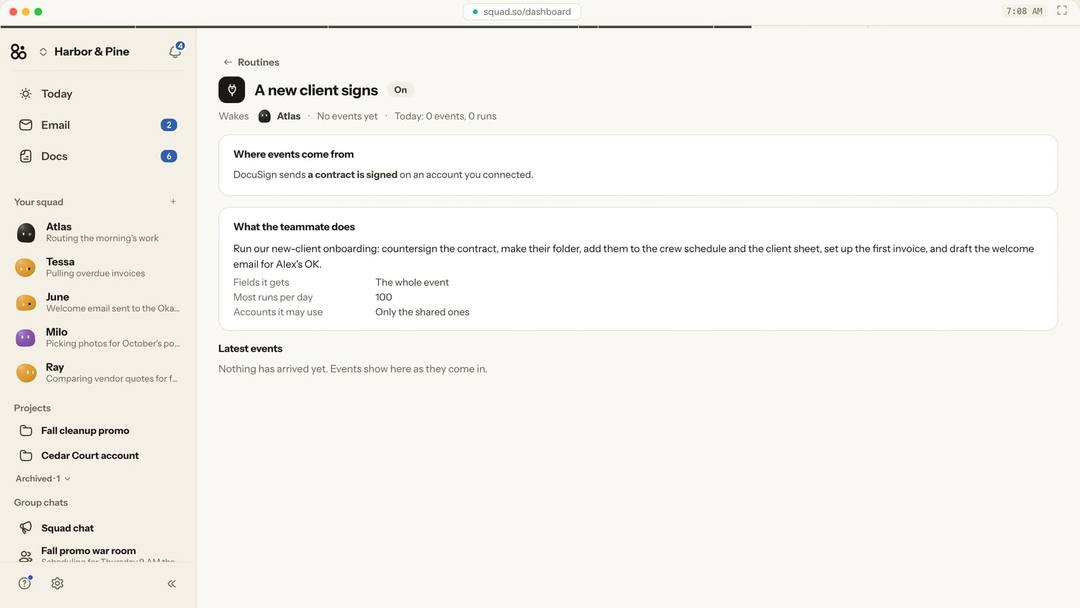
Squad (formerly MissionControlHQ) gives you AI teammates that connect to your tools, understand your context and do work on a schedule. It is not a social media app. It is a team of AI teammates that works inside your social media apps, the way a hired manager would.
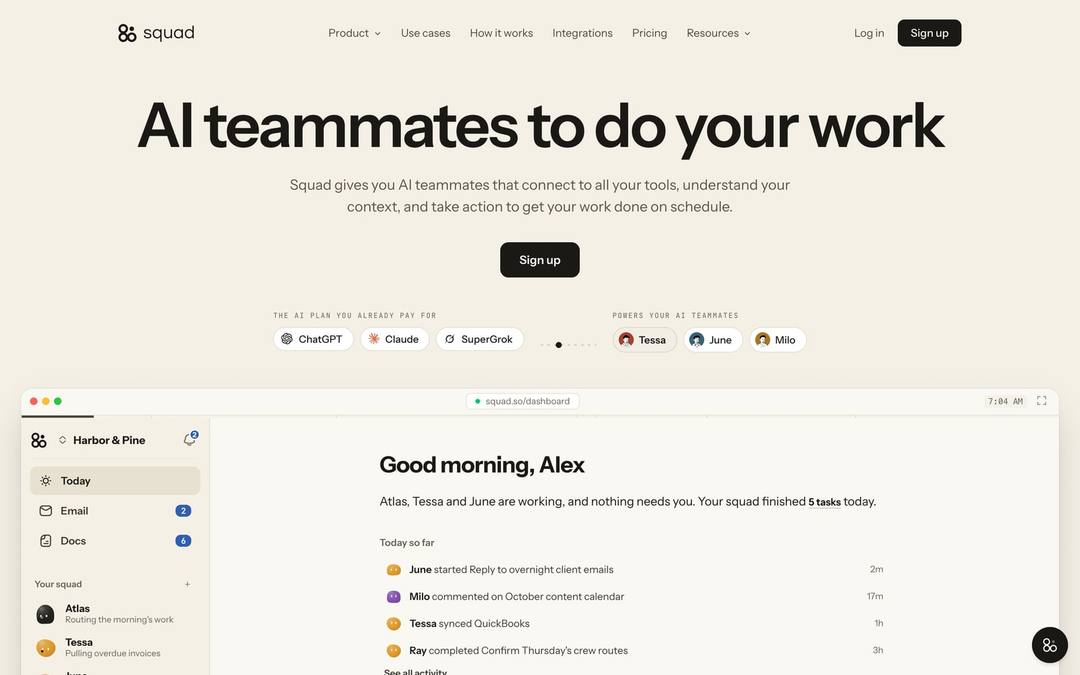
What it does across the five steps, according to Squad's app manuals:
- Create: with Revid connected, teammates get 13 Revid tools to create and render short-form videos, track them, and export, schedule or publish them. Squad blocks the one Revid tool that buys credits, and renders spend the credits in your own Revid account.
- Plan and publish: with PostSyncer connected, teammates draft and schedule posts, see the calendar, plan a series of posts as a campaign and attach media from a web address. PostSyncer publishes to 12 networks, including Instagram, TikTok and X.
- Post directly: LinkedIn (Read + post: posts with text, links, images or video, and comments), YouTube (Read + upload: new uploads, with no way to change or delete what is on the channel), Reddit (Read + submit: posts and comments) and Facebook (Manage pages: posts, comments and replies on your pages, plus Messenger).
- Engage: teammates read and reply to comments through PostSyncer, and reply on Facebook pages, LinkedIn and Reddit within the access level you choose.
- Report: PostSyncer's analytics tools give teammates performance numbers, and a routine can turn them into a weekly report. Squad's own docs use "Weekly report" every Monday as their example routine.
Three things make it a manager rather than a tool. Routines run the work on a schedule while you are away. The Voice file in What your squad knows holds "how your squad writes: tone, style, words to use and avoid", and teammates read it before they write anything customer-facing. And Needs you collects the questions and drafts that wait for you, so a week of posts can arrive as one approval.
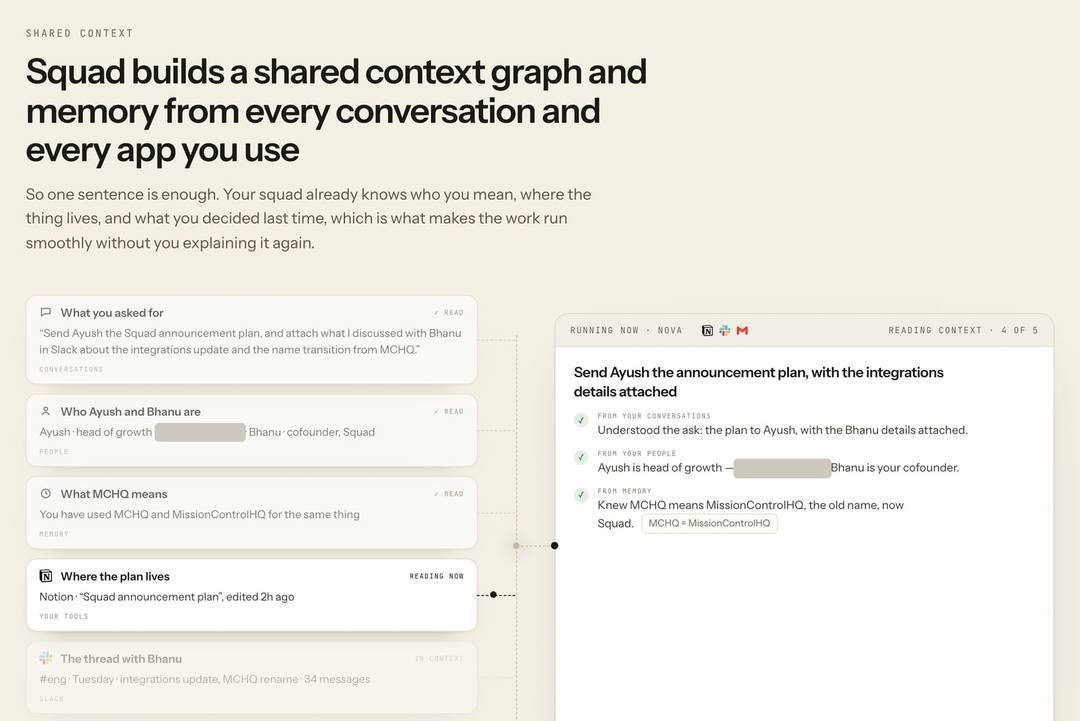
Price: $99 a month for one plan with unlimited AI teammates, plus the AI plan you bring. Squad recommends Claude Code on a Claude Max plan ($100 to $200 a month, per its FAQ) or Ultra, so the all-in cost is roughly $199-299 a month. Optional extras: email inboxes ($10 a month each), seats for people ($9 a month each) and more squads ($99 a month each). Revid and PostSyncer are separate subscriptions. Checked November 23, 2026 on squad.so and its costs docs.
Strengths:
- The only tool on this list whose AI runs all five steps, including comment replies and the weekly report.
- Works across apps: video in Revid, posts in PostSyncer, plus 70+ integrations and any MCP server for the rest of the business.
- You decide what waits for approval. PostSyncer's manual says teammates are told to schedule drafts for your review unless you approved immediate publishing for that kind of post.
- LinkedIn, YouTube, Reddit and Facebook connections have access levels, and you can narrow or block a single teammate under One teammate at a time. Squad also blocks the PostSyncer tool that removes a connected social account.
- You can talk to the squad from the dashboard, Telegram, Discord, Slack or Squad for Mac.
Limits:
- No visual calendar of its own. PostSyncer provides that, and Instagram, TikTok and X go through PostSyncer because Squad has no direct manual for them.
- The AI plan is extra, so $99 is not the real total.
- No free trial. The first payment has a 7-day money-back guarantee.
- It takes a short setup: the build takes about 2 minutes, then a conversation with your chief of staff designs the squad.
- Approvals are instructions to the teammates, not locks. Revid and PostSyncer have no access levels in Squad, and PostSyncer's manual says plainly that Squad does not enforce the drafts-first rule.
- Squad for iPhone and iPad is still a TestFlight beta, made for answering questions and approvals; setup happens at a desk.
Pick something else if: you want one app with its own calendar and AI (Ocoya), or you only need to schedule posts (Buffer or PostSyncer).
How a Squad social media routine looks
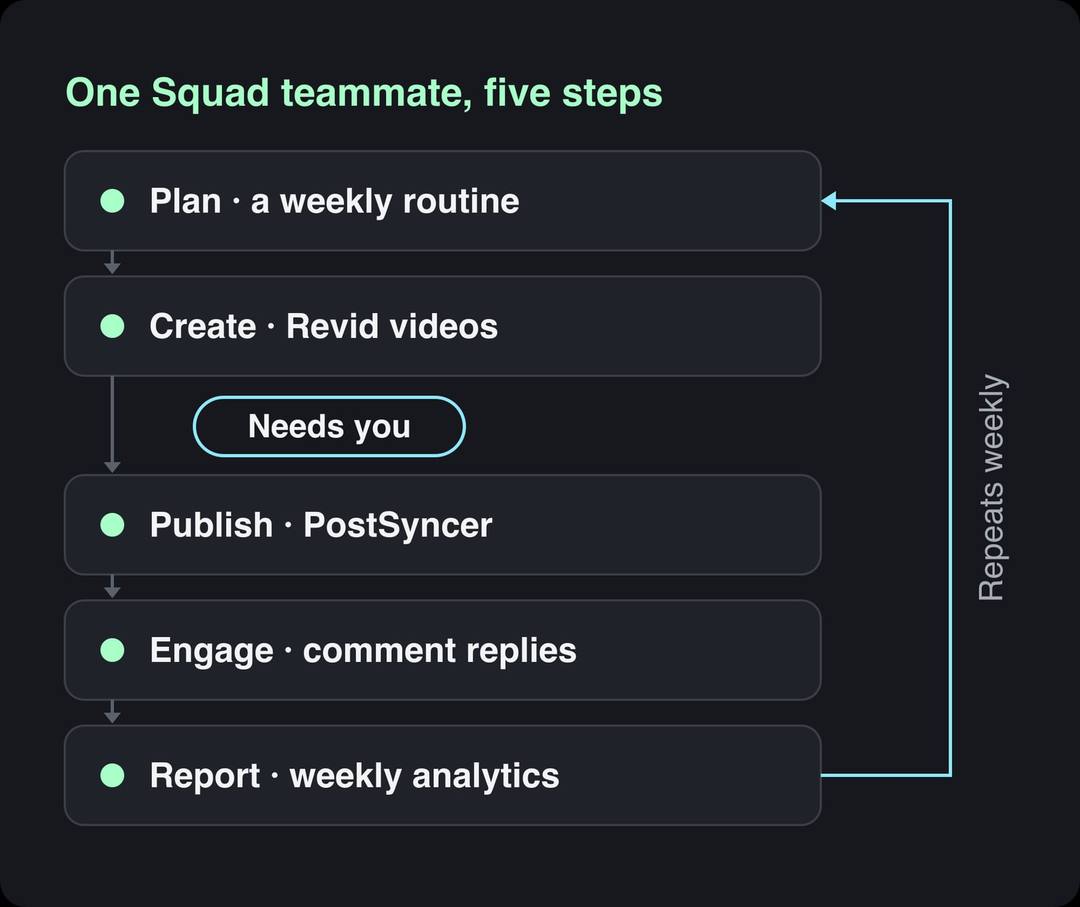
You write a routine once, in plain words, on the Routines page or by asking a teammate in chat. For example:
Every Monday at 9:00, read the Voice file and last week's PostSyncer analytics.
Plan next week: two short videos made in Revid and three LinkedIn posts.
Schedule them in PostSyncer as drafts and ask me to approve the plan in one question.
Reply to new comments on our posts. Then write a one-page report on last week's
reach and best post, put it in Docs and send me the link.A routine can also start when something happens instead of at a set time. Squad calls these triggers and lists them on the same page.
The brief a teammate sends to Revid is a prompt like this one, which you can also run yourself:
A video brief a teammate could send to Revid
Make a 30-second vertical video for a neighborhood bakery launching its new sourdough. Hook: "We waited 48 hours for this loaf." Show close-ups of the crust and the first slice, use a calm voice-over and bold captions, and end with the weekend opening hours.
2. Ocoya: best all-in-one app that plans and posts
Best for: small brands that want one app to plan, write, design and schedule posts, with a human approving each batch.
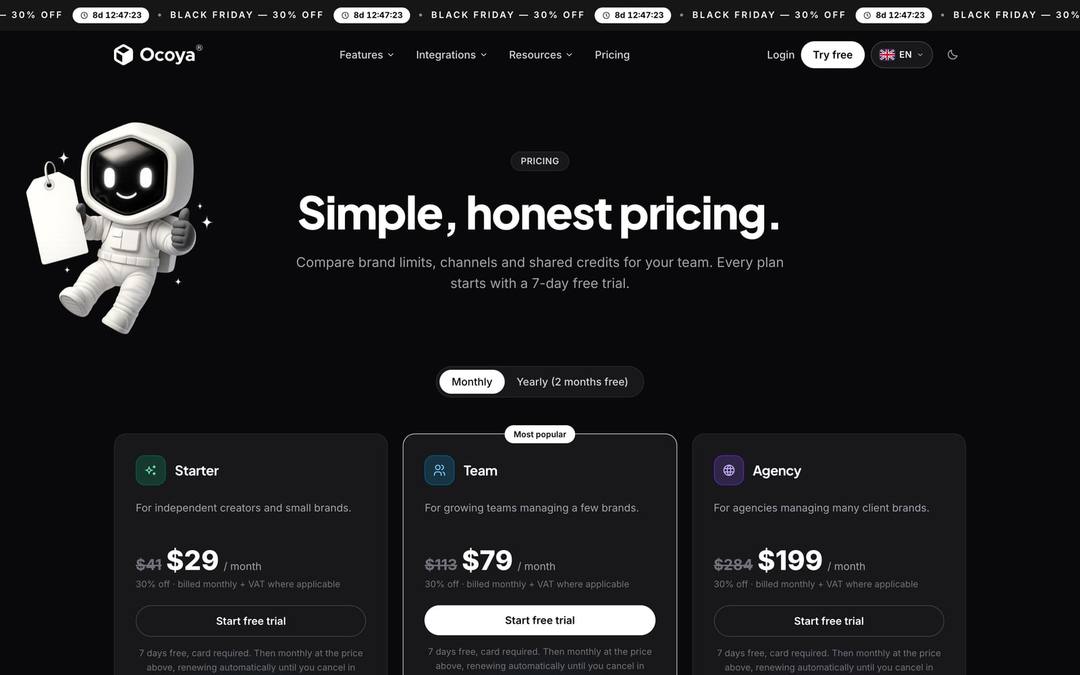
Ocoya describes itself as a copilot whose posts are "written, designed, scheduled and answered across every network". Its day-in-the-life example plans two weeks of posts from one prompt, sends captions, visuals and hashtags as drafts to approve, and queues them at the times your audience is online. It also writes SEO articles and email campaigns.
Price: Starter is $41 a month (5 channels, 300 credits), shown at $29 in a 30% Black Friday sale on November 23, 2026. Team is $113 ($79 in the sale). Every plan starts with a 7-day free trial that needs a card. Credits pay for AI generation, publishing, automation runs and analytics exports.
Strengths: plans and schedules on its own, generates images, carousels and short video, and offers an MCP server for AI assistants.
Limits: comment replies are drafted for you, but you send them yourself. Publishing uses credits, so heavy posting pushes you up a plan.
Pick it instead of Squad if: you want a single app with its own calendar and no separate AI plan, and your work is mostly social posts.
3. Sintra (Soshie): best budget AI helper team
Best for: solo owners who want a low-cost team of AI helpers, one of which handles social media.
Sintra sells 12 AI helpers. Its social media helper, Soshie, "plans, writes, and designs" posts, schedules them on Instagram, Facebook, LinkedIn and more, and learns to write in your voice. A separate helper, Cassie, can check your Facebook comments and craft responses. Brain AI keeps your brand information for all helpers.
Price: the 1-month plan was shown at $48.50 a month in a 50% sale on November 23, 2026 (list $97); the 12-month plan works out to $15.60 a month. Every plan includes all 12 helpers, 250 monthly credits and 15+ integrations, with a 14-day money-back guarantee.
Strengths: the lowest price for an AI that plans, writes and schedules, and the other 11 helpers cover email, SEO and support.
Limits: the pages checked describe no social analytics or weekly reporting, and the Soshie page names Instagram, Facebook and LinkedIn for scheduling, so check your other networks before you buy.
Pick it instead of Squad if: your budget is under $50 a month and you also want helpers for email, SEO and support.

4. Blaze: best for AI marketing plans for a team of one
Best for: business owners who want an AI marketing plan across social posts, blog content and ads.
Blaze builds a strategy and ready-to-review content from your website, audience and goals, then you review, schedule and publish across your channels and see how posts performed. It also covers SEO content and Google and Meta ads.
Price: Starter is $79 a month (3 posting accounts, 600 generation credits, 1 user); Growth is $149 a month. The free trial needs no card.
Strengths: plans and creates on its own, and reaches past social into search and ads.
Limits: its homepage and pricing page describe no comment inbox, and 3 posting accounts on Starter is tight for a brand on five networks.
Pick it instead of Squad if: you want ads and SEO content in the same tool and do not need replies handled.

5. FeedHive: best for posting rules and automations
Best for: creators and marketers who want posting to run on rules, recycled content and AI agents.
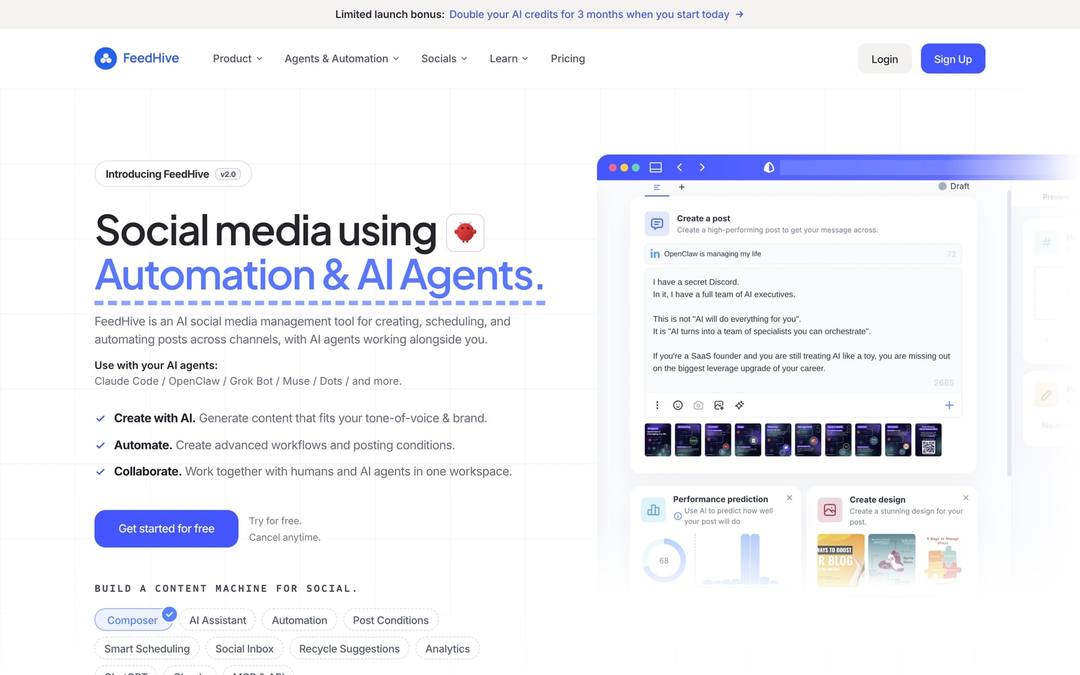
FeedHive combines an AI assistant that writes in your tone of voice with automation: posting plans, post conditions and recycled posts keep channels active without a new post every day. It has a social inbox and analytics, plus an MCP server, a REST API and a CLI so ChatGPT, Claude Code and other agents can draft and schedule.
Price: Creator is €19 a month on monthly billing (€15 billed yearly) for 4 social accounts and 500 automation runs; Brand is €29. The page showed euros from our location. There is a 7-day free trial.
Strengths: the strongest automation rules among the schedulers here, and open to outside AI agents.
Limits: Creator only schedules 14 days ahead and holds 30 scheduled posts, and the AI writes when you ask rather than planning the week.
Pick it instead of Squad if: you want automation inside a scheduler and will bring your own agent.
6. Metricool: best for analytics and automatic reports
Best for: teams and agencies whose biggest weekly chore is reporting.
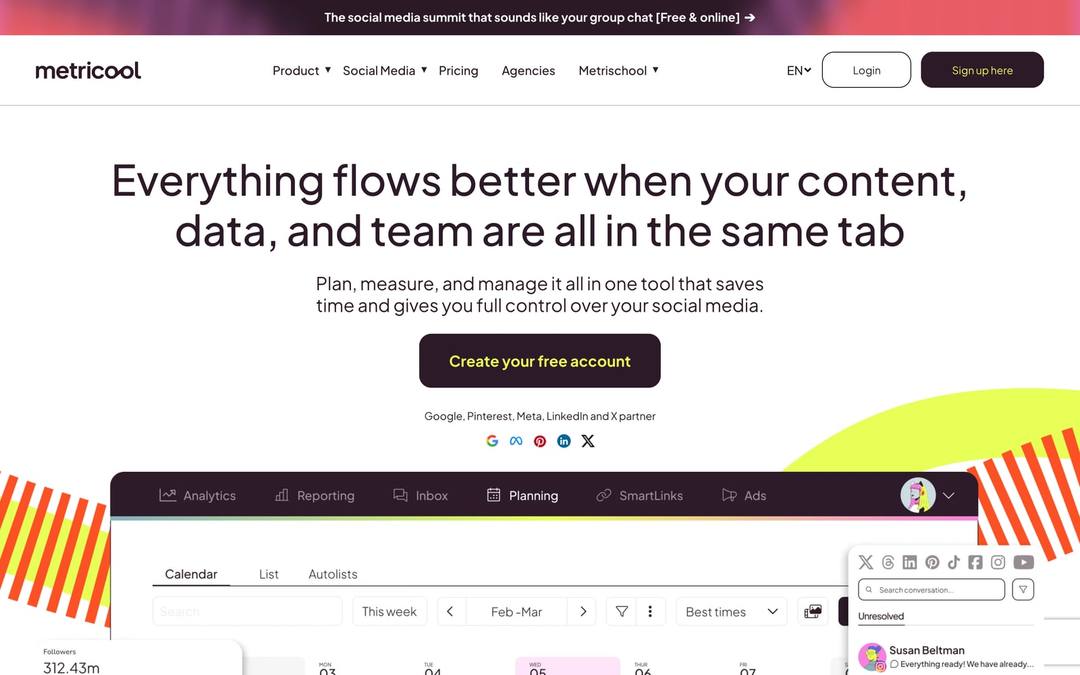
Metricool plans, measures and manages social media in one tool: a planner with best times to post, an inbox for messages and comments, analytics, and reports that, in its words, "generate themselves". An AI assistant helps write posts, and a Metricool MCP server is on every plan.
Price: free for 1 brand and 20 posts a month (without LinkedIn and X). Starter is from $25 a month on monthly billing ($20 billed yearly) and adds LinkedIn, unlimited publishing and PDF reports.
Strengths: the best reporting here at the lowest price, with competitor analysis built in.
Limits: planning, writing and replies are still yours to run, with AI help.
Pick it instead of Squad if: you mainly need numbers and client reports, not someone to run the posting.
7. Hootsuite: best for teams with a busy inbox
Best for: established brands and teams that handle many messages and need listening and approvals.
Hootsuite runs on Wisdom, which its plans page calls "your AI teammate": it drafts posts from trending topics and turns analytics into recommendations. Standard covers 10 social accounts with unlimited scheduling, AI posts and images, one inbox and brand monitoring. Professional adds automated inbox replies and workflows and custom reports.
Price: Standard is $99 per user a month and Professional $199, both billed yearly; monthly billing costs more. There is a 14-day free trial.
Strengths: the most complete inbox and listening tools here, and the only app besides Squad that automates replies.
Limits: priced per user, so a team costs a multiple of $99, and automated replies need the $199 plan.
Pick it instead of Squad if: you have a social team, high message volume and compliance needs.

8. Revid: best for short-form video made and published for you
Best for: creators, founders and brands whose bottleneck is making short videos every day.
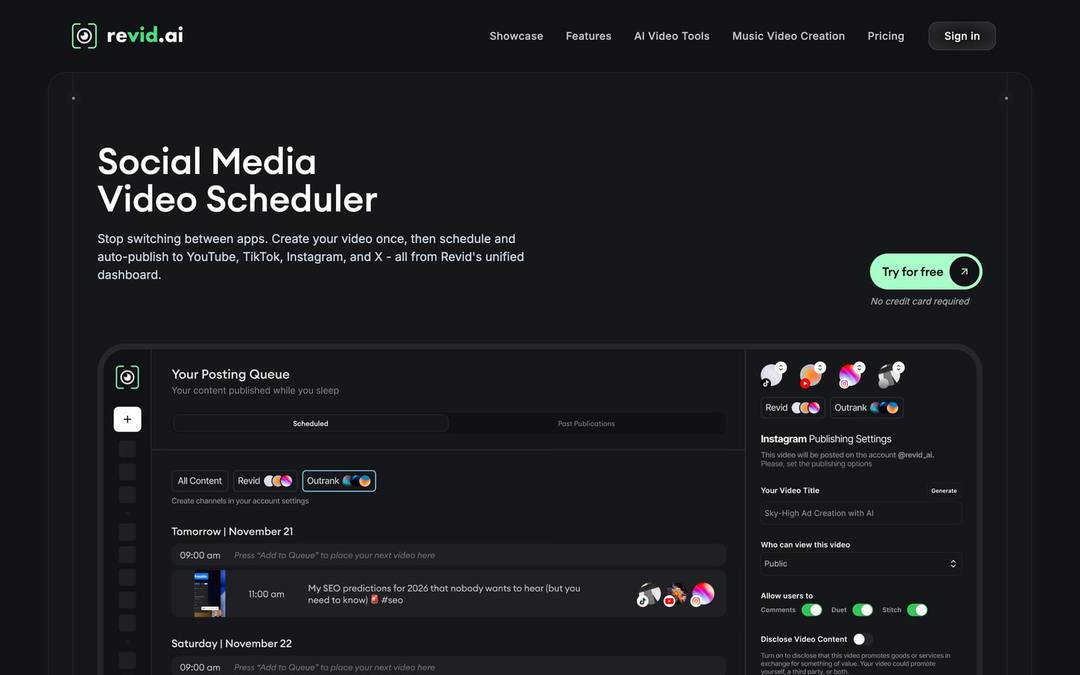
Revid turns an idea, a link or a proven viral format into a finished vertical video with script, visuals, voice-over and captions, then schedules and publishes it to TikTok, Instagram, YouTube and X. Auto-Mode workers turn a prompt or a content source (a YouTube channel, an RSS feed, a CSV calendar) into ready-to-edit videos every day, and each post reports its stats.
Price: Growth is $39 a month with 2,000 AI credits, 3 Auto-Mode workers and full access to the API, MCP server and CLI. You can try it free with no credit card. (Revid's page showed euros from our location; the figures are the same.)
Strengths: the only tool here that makes finished videos, not just captions and images, and it can be driven by an agent through its API and MCP server, which is how Squad uses it.
Limits: Revid makes and posts video. It does not reply to comments or plan text posts, so on its own it scores 5 of 10.
Pick it instead of Squad if: short-form video is the job and you will schedule the posts yourself.
9. Buffer: best simple scheduler with an AI writing helper
Best for: solo creators and small businesses who want the simplest way to schedule posts.
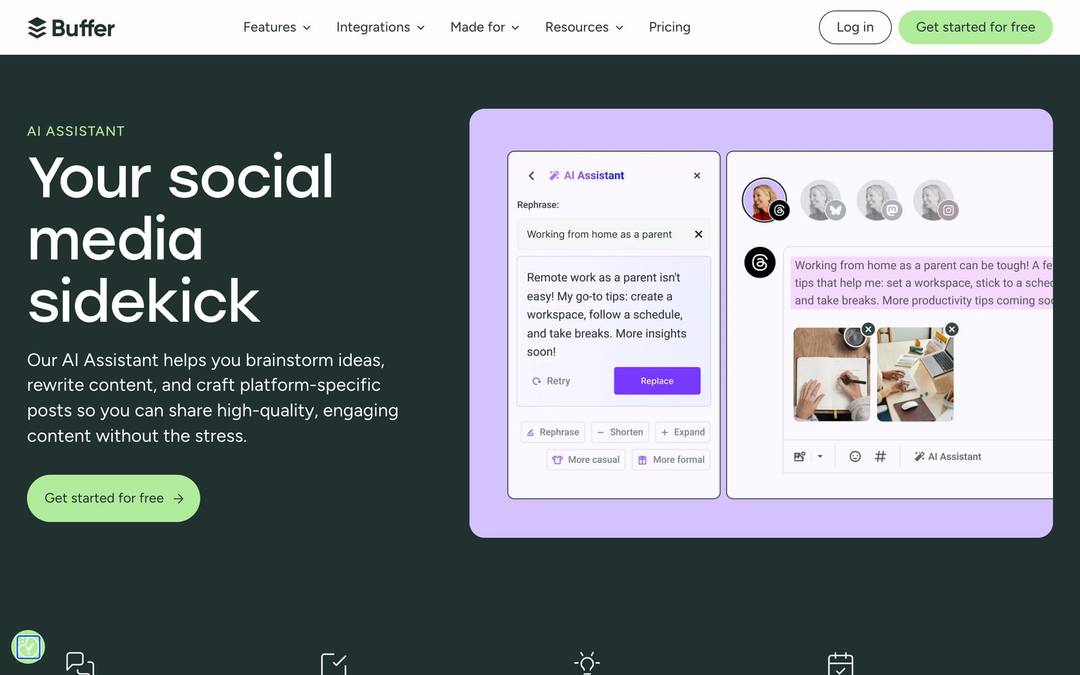
Buffer schedules posts across networks, with an AI Assistant that brainstorms ideas, rewrites and tailors posts per network. Its community inbox lets you reply to comments, and analytics come with every paid plan.
Price: free for 3 channels (10 scheduled posts per channel). Essentials is $6 per channel a month on monthly billing ($5 billed yearly), and Team is $12 per channel. Paid plans start with a 14-day free trial.
Strengths: the lowest paid price here, unlimited AI Assistant use, and an API with keys on every plan.
Limits: every step is a feature you run. The AI writes when you ask and nothing posts unless you schedule it. Instagram personal profiles get reminders, not direct posting.
Pick it instead of Squad if: you have a few channels, a small budget and time to write each week.
10. PostSyncer: best scheduler for your own AI agent
Best for: people who already use ChatGPT, Claude or Cursor and want them to post for them.
PostSyncer is a social media scheduler for 12 networks with a calendar, a queue, a comment inbox, auto-repost and auto-plug. Its tagline is "Post it yourself. Or ask your agent to": its MCP server, ChatGPT and Claude apps, REST API and CLI let an AI agent schedule a post in each network's own format. It is also the publishing layer Squad uses.
Price: free for 2 social accounts, 20 posts a month and 100 AI credits, no card. Starter is $29 a month on monthly billing ($24 billed yearly) for 10 accounts, unlimited posts, analytics, approvals and comment moderation.
Strengths: the widest network list here, the best agent access, and a usable free plan.
Limits: on its own it is a scheduler. The planning, writing and replying happen when you or your agent do them, which is why it scores 5 of 10 alone and 10 of 10 with Squad driving it.
Pick it instead of Squad if: you are happy to prompt your own AI chat each week and only want reliable posting.

Scores and prices compared
Squad is the only tool whose AI runs all five steps. Revid and PostSyncer score lower alone because they are tools an agent drives; with Squad driving them they are part of its 10.
Source: Vendor product, pricing and docs pages, each step scored from the vendor's own wording, checked Nov 23, 2026. No hands-on test.
Show the data
| Score out of 10 | Steps the AI runs on its own | |
|---|---|---|
| Squad | 10 | 5 |
| Ocoya | 8 | 3 |
| Sintra (Soshie) | 7 | 3 |
| Blaze | 6 | 2 |
| FeedHive | 6 | 1 |
| Metricool | 6 | 1 |
| Hootsuite | 6 | 1 |
| Revid | 5 | 1 |
| Buffer | 5 | 0 |
| PostSyncer | 5 | 0 |
Squad is also the most expensive option once you add the AI plan it needs. The cheapest way to get an agent is a free PostSyncer or Metricool plan connected to an AI chat app you already pay for, with you starting each session.
Squad's second bar adds the lowest AI plan it recommends ($100 Claude Max). Sintra and Ocoya were in sales (list $97 and $41). Hootsuite is per user, billed yearly. FeedHive showed euros. Buffer is per channel.
Source: Pricing pages of Squad, Hootsuite, Blaze, Sintra, Revid, Ocoya, PostSyncer, Metricool, FeedHive and Buffer, checked Nov 23, 2026
Show the data
| Entry plan, US dollars a month | With what it needs to run | |
|---|---|---|
| Squad | 99 | 199 |
| Hootsuite | 99 | 99 |
| Blaze | 79 | 79 |
| Sintra (Soshie) | 49 | 49 |
| Revid | 39 | 39 |
| Ocoya | 29 | 29 |
| PostSyncer | 29 | 29 |
| Metricool | 25 | 25 |
| FeedHive (EUR) | 19 | 19 |
| Buffer (per channel) | 6 | 6 |
Also considered: Predis.ai
Predis.ai now leads with ads: it makes video ads, UGC-style ads and product ads from a link, a prompt or an image, and tracks how each performed. Core costs $32 a month on monthly billing but has no auto posting; Rise, at $79 a month, adds auto posting to 20 channels. Every plan starts with a 3-day trial that needs a card. It is a strong ad creative tool, but less of a social media manager than the ten above.
How to choose
- You want the work done, not another app to run: Squad, if you can spend $99 a month plus a $100-200 AI plan.
- You want one app that plans and posts, under $50: Ocoya or Sintra's Soshie.
- Reporting eats your Mondays: Metricool. Revid's social media analytics report template shows what to put in one.
- You have a team and lots of messages: Hootsuite.
- Video is the bottleneck: Revid, alone or driven by Squad.
- You just need posts to go out: Buffer or PostSyncer, both with free plans.
For a wider list of schedulers beyond AI managers, see Revid's roundup of social media automation tools.
What AI social media managers still can't do
- Know what matters this week. AI plans from your instructions, your Voice file and past numbers. A launch, a crisis or a partner deal still needs you to tell it.
- Post everywhere. Schedulers post through each network's official connection. Buffer, for example, sends reminders instead of posting to personal Instagram profiles.
- Own the relationship. First replies can be automated; complaints, sales conversations and anything sensitive should come back to you, which is why most tools here draft replies instead of sending them.
FAQ
Is there an AI that can manage my social media?
Yes, in part. Ocoya, Sintra's Soshie and Blaze plan, write and schedule posts for you to approve, and Squad's AI teammates also reply to comments and write a weekly report by working in your existing apps. None of them decides your strategy, so plan on a short weekly review.
Can AI replace a social media manager?
It can take over most of the repetitive work: drafting posts, adapting them to each network, scheduling, first replies and the weekly numbers. It does not replace strategy, partnerships, crisis calls or community relationships, which is why most tools on this list keep a human approval step.
What is the best AI social media manager for a small business?
Squad, if you want the whole loop run for you and can spend $99 a month plus a $100-200 AI plan. Ocoya ($41 a month, $29 in its November 2026 sale) if you want one app that plans and posts. Buffer or Metricool if budget is tight, since both have free plans.
Is there a free AI social media manager?
Not a complete one. Buffer's free plan covers 3 channels with its AI Assistant, Metricool's covers 1 brand with an AI assistant and an MCP server, and PostSyncer's covers 2 accounts and 20 posts a month with 100 AI credits and agent access. Connect one of them to an AI chat app you already pay for and you get an agent that drafts and schedules when you ask.
What is an AI social media agent?
An AI that takes actions in your social tools instead of only suggesting text: it schedules a post, replies to a comment or pulls analytics through an API or an MCP server. PostSyncer, FeedHive and Metricool offer MCP servers so ChatGPT or Claude can act on them. Squad runs agents like these on a schedule, with your brand's memory and approvals.
Is Sintra's Soshie worth it?
For a solo owner on a tight budget, it is a fair start: the 1-month plan was $48.50 in a sale on November 23, 2026 (list $97), with all 12 helpers and a 14-day money-back guarantee. Its pages describe planning, writing, designing and scheduling, but not social analytics, so you will still check results in each network.
Can ChatGPT or Claude manage my social media?
Only when you connect them to a scheduler. PostSyncer and FeedHive offer ChatGPT and Claude apps or MCP servers, so a chat can schedule real posts. On their own they draft text and act only while you chat. Squad adds schedules, memory and a Needs you queue around the same AI plans.
How much does an AI social media manager cost?
From $0 on free plans to about $100 a month for single apps (Hootsuite Standard is $99 per user, billed yearly). Squad is $99 a month plus a $100-200 AI plan, roughly $199-299 a month before optional extras such as a paid PostSyncer or Revid plan.
Sources
All pages checked November 23, 2026. Method: each vendor's own pages, read that day, with no hands-on test.
- Squad: homepage pricing and FAQ (squad.so); docs on costs, memory, routines and Needs you (squad.so/docs/costs, /memory, /scheduled, /tickets); app manuals for Revid, PostSyncer, LinkedIn, YouTube, Reddit and Facebook (squad.so/docs/apps).
- Ocoya: pricing page and homepage (ocoya.com/pricing).
- Sintra: pricing page and Soshie page (sintra.ai/pricing, sintra.ai/ai-employees/social-media-manager).
- Blaze: pricing page and homepage (blaze.ai/pricing).
- FeedHive: pricing page and homepage (feedhive.com/pricing).
- Metricool: pricing page and homepage (metricool.com/pricing).
- Hootsuite: plans page and homepage (hootsuite.com/plans).
- Revid: pricing, video automation and publishing pages.
- Buffer: pricing page and AI Assistant page (buffer.com/pricing, buffer.com/ai-assistant).
- PostSyncer: pricing page and homepage (postsyncer.com/pricing).
- Predis.ai: pricing page (predis.ai/pricing).