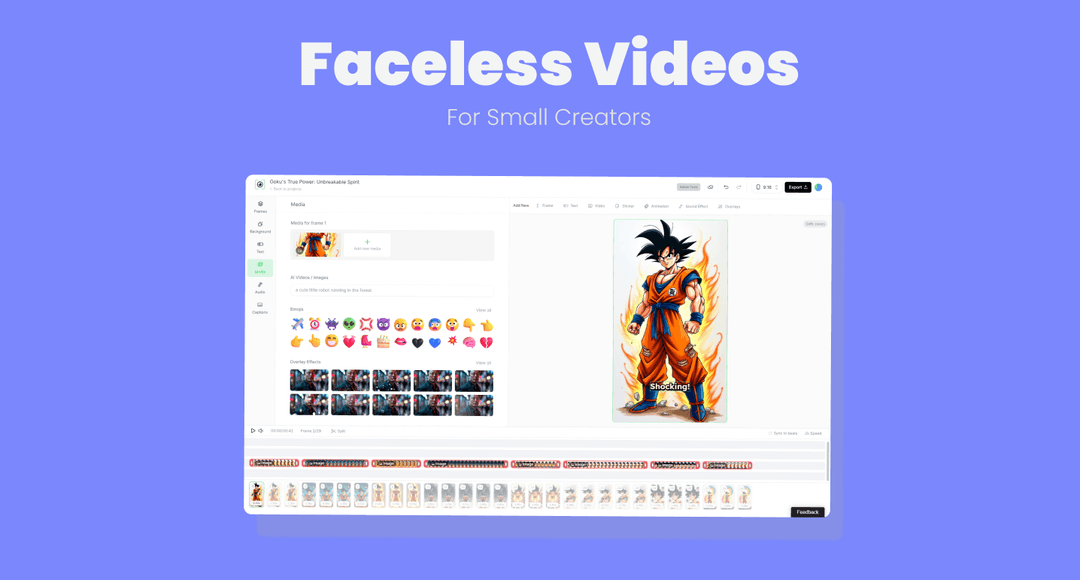
Faceless YouTube Shorts: How to Make and Monetize Them
Learn how to make faceless YouTube Shorts with voiceovers, stock footage and animation, plus the originality rules and metrics that affect earnings.
On this page
You've got a folder of stock clips, a voiceover tool, and a list of video ideas. You can make something that looks like a Short. The harder question is whether you can keep publishing videos that viewers recognize as yours, YouTube considers monetizable, and your production budget can support.
Faceless YouTube Shorts don't need an on-camera presenter. They do need an author. Treat the channel as an editorial product, not a clip assembly line, and measure what each upload costs against what its audience does.
Pick a Faceless Format That Fits Your Niche
Choose the format before writing the script. That decision determines your production workload and how clearly a reviewer can identify your contribution. A screen demonstration shows your process directly. A stock-footage explainer requires more work to make your analysis visible.
Faceless Shorts formats compared
The time descriptions below are planning judgments, not measured production benchmarks. Track your own scripting, research, editing, and review time before committing to a schedule.
| Format | Time per Short | Best niches | Originality risk | Typical tools |
|---|---|---|---|---|
| Narrated explainer with stock visuals | Moderate, with substantial asset sourcing | Finance, history, science | Medium, depends on added analysis | Script editor, licensed stock library, voice generator |
| Sourced chart or data visual | Moderate, research-dependent | Market data, sports statistics, public records | Lower when you build and explain the chart | Spreadsheet, chart tool, video editor |
| Screen-recorded demo | Relatively short once the demonstration works | Software, games, design, productivity | Lower when it documents your process | Screen recorder, video editor |
| Animated motion graphics | Longer, especially with custom animation | Explainers, psychology, productivity | Lower with original scripting and animation | Motion template library, animation app |
| Text-overlay story with original script | Shorter edit, potentially substantial writing | Personal finance, relationship advice | Medium to high if scripts follow an interchangeable template | Caption editor, voice tool |
| Clip commentary or reaction | Variable, with additional rights review | Entertainment, news | High without substantial commentary | Video editor, rights ledger |
YouTube Shorts averaged more than 200 billion daily views in 2025, according to VoxBooster's account of Neal Mohan's Cannes announcement. That establishes the scale of the distribution channel, not the likely audience or earnings of your next upload.
Prompt to try
Create a 40-second faceless vertical Short for a personal finance channel. Hook: "Your savings account is losing money every year, here's the math." Show a simple animated chart comparing a 1% savings rate to 3% inflation over 10 years, with a calm narrator and bold captions. End with one clear verdict and what the comparison leaves out.
Match the evidence to the subject
For a personal finance channel, consider sourced charts rather than unrelated footage of banknotes. Build the visual yourself, identify the underlying source, and explain what the comparison leaves out. The research may take longer than the edit, but it gives viewers something specific to evaluate.
A history channel can use licensed archive stills with narration. The creative contribution should sit in the argument, chronology, map annotations, and interpretation, not merely in animating old photographs. Check archive permissions before building a script around an image you might not be allowed to use commercially.
For a software tutorial channel, screen recordings are a practical starting point. Demonstrate a real task, show the result, and remove irrelevant waiting time. Tools such as OBS Studio and a timeline editor can support that workflow without requiring elaborate visual production.
Practical rule: Choose the format you can sustain without skipping research or review. Add another only when you understand the cost and audience response of the original format.
A repeatable structure makes testing easier. A mixed feed of unrelated experiments makes it harder to distinguish a weak topic from a weak production method.
Originality Rules That Keep Your Shorts Eligible
Low authorship, not the absence of a face, is the main monetization risk. YouTube evaluates reused content across the channel, and permission to use someone else's material doesn't automatically establish monetization eligibility. Its channel monetization policies distinguish meaningful commentary and substantive modifications from republishing material with little added value.
What counts as original in a faceless Short
These are practical screening judgments, not guarantees of approval.
| Content type | Counts as original? | What makes it defensible |
|---|---|---|
| Unedited movie or TV clip | No | Unedited clips and reuploads are excluded from Shorts revenue sharing |
| Compilation of clips with no additions | No | Add meaningful commentary, explanation, or teaching rather than merely arranging clips |
| Clip with substantial commentary | Potentially | Your analysis, correction, or explanation materially changes the viewing experience |
| Stock footage with original script and edit | Potentially | Commercial licenses, original writing, and purposeful editing support your contribution |
| AI narration on a repeated template | Risky | Topic substitutions alone don't establish meaningful variation |
| Your own screen recording or chart | Usually stronger evidence of authorship | Show your method, explain your decisions, and verify underlying rights and data |
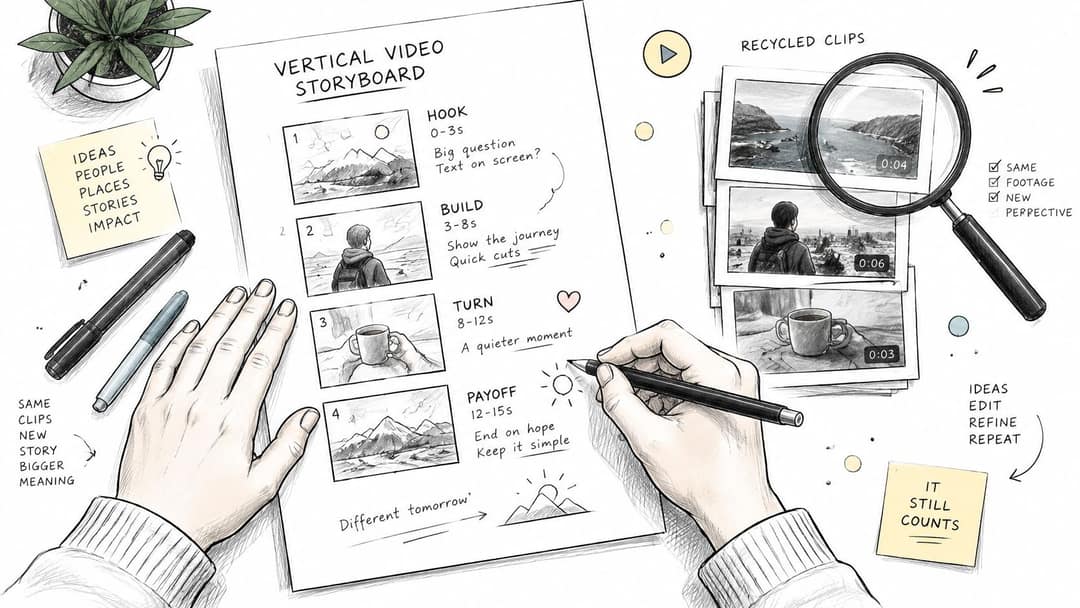
Plan your argument before collecting footage. A storyboard helps separate the evidence you need from decorative clips.
Make the creative contribution visible
A reviewer shouldn't have to guess what you contributed. Build recognizable signals into the finished video:
- A defined point of view: Explain what you conclude and why, rather than reading a generic summary.
- An original script: Develop a specific argument with evidence, qualifications, and a useful ending.
- Purposeful edit decisions: Annotate the relevant detail, compare alternatives, or reveal a result.
- Checked sources: Keep the research behind charts, historical claims, and technical explanations.
Consider a hypothetical pair of channels using identical stock footage and the same synthetic voice. One explains a specific question, builds a sourced chart, and delivers an episode-specific verdict. The other changes the topic name inside an otherwise interchangeable script.
The second channel has the weaker authorship case. Changing the voice won't fix that underlying problem, and owning a stock subscription won't resolve it either.
Rights clearance and originality are separate checks. You need permission to use the ingredients, plus enough creative contribution to make the finished work recognizably yours.
How to Build a Faceless Short Step by Step
Build a workflow that preserves your research, permissions, and edit decisions. Automation can help assemble the video, but it shouldn't erase the evidence of how you made it.
Start by separating format selection, writing, asset sourcing, and licensing.
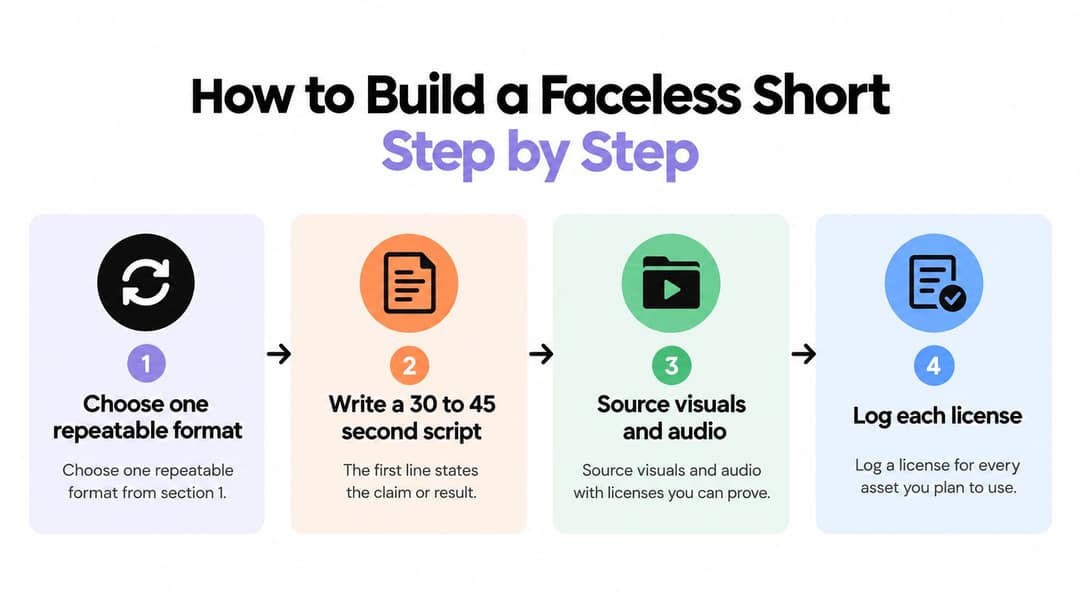
Build the editorial core
Choose a format and write the result first. Open with the claim, outcome, or question the video will resolve. For a software demonstration, show what the viewer will accomplish before explaining the interface. The common mistake is spending the opening introducing the subject instead of delivering useful information.
Source assets you can publish. Maintain a rights ledger containing each asset's URL, license type, attribution requirement, download date, and permitted commercial uses. Save license documentation alongside the project. YouTube's guidance on monetizable content requires original, non-repetitious work and commercial-use rights for visual and audio elements.
Record or generate the narration, then listen critically. Check names, technical terms, emphasis, and every spoken number against the script. Synthetic narration can make a weak sentence sound polished without making it accurate. Rewrite awkward passages before adjusting the voice settings.
Compose for a phone screen. Use a vertical master and preview it at actual mobile size. A sensible working specification is a 9:16 composition at 1080p, with the applicable upload guidance linked in the troubleshooting section. Change the visual when the narration changes ideas, rather than adding motion on an arbitrary timer.
Turn the draft into your video
Place captions where they remain readable. Keep essential text away from interface controls and frame edges. Use short lines, strong contrast, and manual corrections for names or terminology. Don't assume automatic captions are publication-ready.
Add something the assets don't contain. Insert a comparison, correction, annotation, demonstration, or reasoned conclusion. Decorative transitions aren't a substitute for analysis. If removing your narration leaves the source material doing nearly all the work, strengthen the script.
Review against recent uploads. Watch the new video beside earlier work. Look for interchangeable openings, repeated stock shots, unsupported claims, and endings that never resolve the opening promise. Consistent branding is useful; interchangeable substance is not.
Export cleanly and document the test. Remove unlicensed music, check caption timing, and review the complete export before publishing. Record the script version and the variable you intend to test, so later results have context.
For drafting and assembly, Revid.ai is an option that can turn a script or content link into an initial video cut. A screen recorder and conventional editor may suit demonstration-heavy work better. Gainsty's guide to AI assistants for content creators provides additional tool-selection context, but your rights ledger, factual checks, and final review remain your responsibility.
Use the video below as a workflow reference, not a substitute for checking your own project.
The production target isn't merely a finished export. It's a video you can explain, substantiate, and reproduce without turning the channel into a collection of near-duplicates.
Shorts Income Math and Eligibility Thresholds
A Short can draw a large audience and still bring in little advertising revenue. Shorts revenue per 1,000 views is far below long-form revenue, so build your forecast around actual Shorts earnings, production cost per video, and eligible views rather than raw view counts. Treat third-party RPM estimates as rough context, not a reliable forecast for your channel.
Shorts ads run between videos in the feed. Revenue is pooled, music licensing is accounted for, and earnings are allocated based on eligible Shorts viewing.
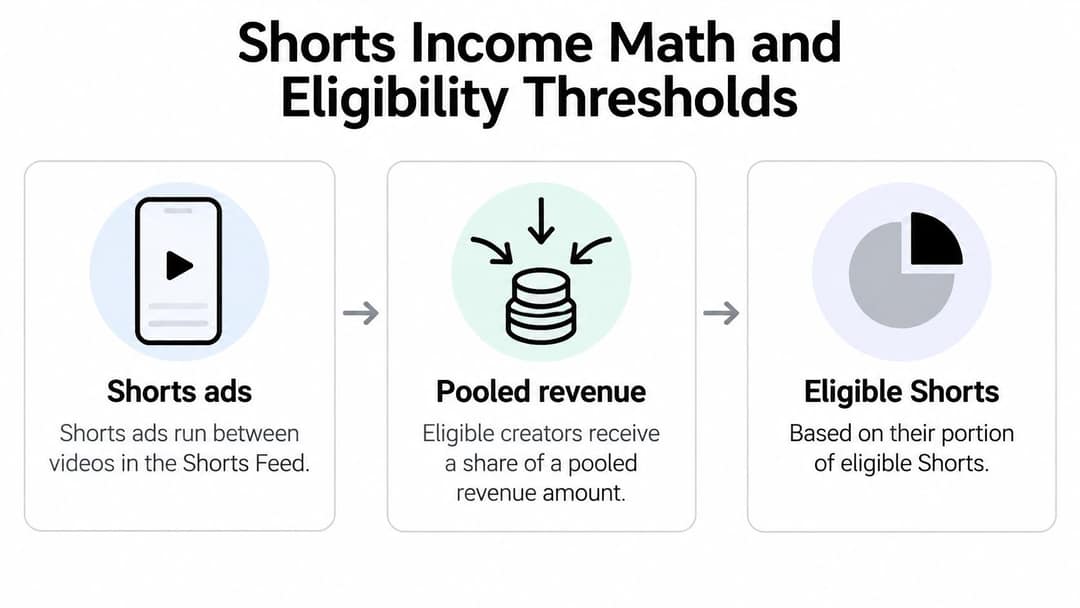
YouTube's explanation of Shorts revenue sharing says creators receive 45% of the revenue allocated to them from the Shorts creator pool. Apply that share only when starting with the amount allocated to your channel. If your RPM already reflects creator earnings, do not multiply by 45% again.
Shorts income paths compared
| Income path | Typical value | Condition | Best use |
|---|---|---|---|
| Shorts Feed ad pool | Variable, use actual channel RPM | YPP eligibility and eligible viewing | Reach and audience building |
| Long-form YouTube ads | Variable, assess separately from Shorts | Applicable long-form monetization eligibility | Deeper explanations and engaged viewing |
| Newsletter signups | No reliable universal benchmark | Relevant offer and effective landing page | An audience you can contact directly |
| Affiliate or product sales | Offer-specific | Audience fit, disclosure, and conversion | Higher-value viewer actions |
| Sponsorship | Negotiated, no universal rate | Audience fit and demonstrated performance | Commercial partnerships |
Calculate earnings without applying the share twice
Creator RPM is creator revenue per 1,000 eligible views. Use this equation when forecasting advertising revenue:
Estimated creator advertising revenue = eligible views ÷ 1,000 × creator RPM.
For example, insert your eligible view count and observed creator RPM. Then compare the result with the cost of producing those Shorts. A high view total does not prove the format is profitable, especially if each video takes substantial time or money to make.
Full Shorts Feed advertising access requires 1,000 subscribers and 10 million valid public Shorts views during the previous 90 days. Paid-campaign views do not count toward that threshold. YouTube's Shorts monetization guidance explains eligible viewing and exclusions.
Qualification is a gate, not a business model. Low authorship is a separate risk from being faceless: reused or minimally transformed material can undermine originality and monetization eligibility. For other revenue paths, compare YouTube monetization options and read this guide to making money from YouTube Shorts. Track newsletter signups, affiliate sales, and sponsorship results from your own channel instead of assigning an assumed value to every view.
Metrics That Show Whether Your Shorts Earn
Raw views don't tell you whether the production work was worthwhile. A widely watched upload can produce little commercial value, while a smaller, tightly targeted demonstration may bring viewers who want the next video or the relevant offer.
Faceless Shorts performance metrics
| Metric | Formula | Where to read it | What it tells you |
|---|---|---|---|
| Cost per Short | Total production cost ÷ Shorts published | Time log, invoices, production records | Whether you can sustain the format |
| Qualified-view rate | Valid non-paid Shorts views ÷ total views | Analytics, eligibility reporting, campaign log | How much viewing supports your qualification objective |
| Subscriber conversion | Subscribers gained ÷ relevant views | YouTube Analytics | Whether viewers want more |
| Click-through rate | Tracked clicks ÷ corresponding impressions | Link tracker or destination tool | Whether the offer attracts action |
| Revenue per thousand valid views | Relevant revenue ÷ valid views, scaled to a thousand | YouTube Studio earnings and matching view records | Actual advertising yield |
| Cost per signup | Attributable production and distribution cost ÷ attributed signups | Cost ledger and email platform | Acquisition cost beyond advertising revenue |
These are management calculations, not a claim that every input appears as a ready-made YouTube metric. Keep the reporting period, video set, and view definition consistent.
Work through your own costs
Start with labor. Multiply the time spent researching, writing, recording, editing, reviewing, and publishing by the hourly value you assign to that work. Add attributable subscriptions, licensed assets, and contractor expenses, then divide by the uploads produced.
Next, take the Shorts revenue recorded for those uploads and divide it by the matching views. Scale that result to the RPM unit. Don't mix lifetime views with a shorter earnings period, or total public view counts with a differently defined eligibility figure.
If advertising revenue falls short of production cost, calculate the gap. Your newsletter, affiliate offer, product, or sponsorship activity must cover that gap before the operation is profitable.
A channel isn't inexpensive because the software subscription is inexpensive. Your research and editing time still belong in the calculation.
Set an acceptable signup or click cost from your business economics. For a newsletter, that requires evidence about what subscribers subsequently do. For an affiliate offer, use attributable commission after reversals and relevant expenses, not the product's selling price.
Review these figures monthly by format and topic. Keep a separate retention view, including viewed-versus-swiped-away behavior and average percentage viewed, so you can distinguish a weak video from an ineffective commercial offer.
Fixing a Faceless Channel That Stalls
Start with the symptom you can observe. Don't rewrite the script, replace the voice, change the captions, and switch niches simultaneously, because you won't know which change mattered.
Faceless Shorts symptoms, causes and fixes
| Symptom | Likely cause | Fix |
|---|---|---|
| Viewers swipe away immediately | Generic opening or delayed payoff | Put the result or central claim in the opening frame |
| Average percentage viewed falls after the introduction | Slow explanation or visuals that stop supporting the narration | Remove setup and change visuals when the idea changes |
| An isolated upload succeeds but follow-ups stall | Topic interest without a repeatable audience promise | Build a connected series around the same viewer need |
| Views increase without subscriber growth | Viewers can't identify the channel's continuing value | State a recurring promise and deliver it consistently |
| Video is blocked or claimed | Rights issue involving footage or audio | Inspect the claim, verify permissions, and resolve or replace the asset |
| Monetization is removed | Potential reused-content or repetitive-content problem | Audit the channel and address the specific policy finding |
Test a stronger opening
Make a 30-second YouTube Short for a history channel that opens directly on the answer: "Napoleon wasn't short, a unit mix-up made him look that way." Use map annotations and archive-style stills, change visuals each time the idea changes, and keep narration fast with short on-screen captions. Close by naming the source of the measurement.
Test the explanation, not just the appearance
Choose the most plausible cause and change a single variable: the opening line, first frame, narration pace, or caption treatment. Compare the relevant retention behavior, comments, and subscriber conversion against comparable uploads. Keep the topic and audience promise as stable as practical.
These aren't perfectly randomized experiments. Different publication conditions and audience exposure can affect results, so don't declare a winner from an isolated comparison. Use the tests to identify patterns worth repeating.
For example, a hypothetical channel might attract views with broad titles but lose viewers during a vague opening. Rewriting the opening is a reasonable test, not a guaranteed cure. If retention still falls at the same point, inspect whether the promised answer arrives too late or fails to match the title.
Technical checks belong in the diagnosis too. YouTube supports square or vertical Shorts up to three minutes, while a Short longer than one minute with an active copyright claim can be blocked globally, according to YouTube's guidance on longer Shorts. Use the mobile production specification described earlier, and screen music and footage before uploading.
A copyright claim doesn't automatically prove that you deliberately used unlicensed material. Check the claimant, affected asset, and permissions before deciding whether to replace the asset or pursue the appropriate resolution.
Don't treat a policy problem as a retention problem. Faster cuts won't repair missing rights or insufficient creative contribution. Address the actual finding, preserve documentation, and follow the applicable review process.
Publish Your First Ten Shorts This Month
Use the month as a bounded production experiment, not a promise of monetization. The objective is to discover whether you can make defensible work efficiently and attract an audience that wants more.
Put the publishing schedule beside the research and rights checklist.
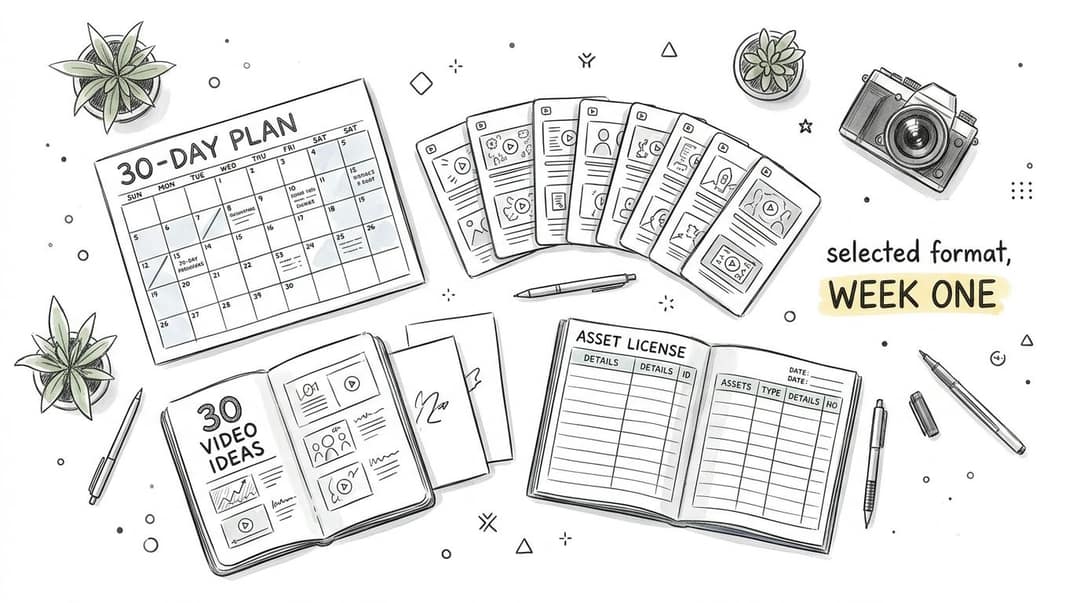
Follow a clear decision path
Choose a narrow audience and a sustainable format. List enough distinct questions to support continued publishing. If the ideas quickly become interchangeable, narrow the viewer problem or reconsider the subject before paying for more tools.
Create a small production queue. Prepare scripts, evidence, and asset permissions before opening the editor. Keep each project's source notes and license records together, so review doesn't depend on memory.
Publish the planned batch with consistent standards. Give every script an immediate claim or result, and apply the same factual and originality checks. Don't lower the standard just to finish the schedule.
Record cost and test deliberately. Log production time as you work rather than estimating it afterward. Use a controlled change to investigate a specific weakness, and write down what you expected to happen before inspecting the result.
Decide what earns another production cycle. Keep the format if production becomes more manageable and viewers continue subscribing. Rework the promise if views arrive without meaningful audience growth. If advertising remains insufficient, test a relevant long-form destination, newsletter, or offer rather than increasing output blindly.
Don't expand into additional formats just because you've learned the software. Expand when you understand what viewers value and can preserve that value without overspending.
Tomorrow, write the opening claim for your first script. Then document the permission for every asset you intend to use before you start editing.
Revid.ai turns ideas, scripts, and existing content links into editable social videos, giving you a starting point for a faceless Shorts workflow. Visit revid.ai to build a draft, then apply your own sourcing, commentary, and final review before publishing.