Generatore Video AI

Usa il nostro potente Generatore Video AI per trasformare testo, prompt o URL in video di alta qualità. Include voci realistiche, immagini dinamiche e montaggio automatico.

1,410 persone hanno utilizzato questo strumento nelle ultime 24h
Inizia gratuitamente.(nessuna carta di credito richiesta)

oppure esplora i nostri oltre 42 strumenti per creare esattamente il video che desideri

Esplora i nostri strumenti

How to Turn Music into Video with AI in 3 Simple Steps

1 Upload your music track

Start by uploading your favorite music track to our platform. Our AI will analyze the audio patterns, beats, and rhythm to create a perfectly synchronized video experience. We support most popular audio formats including MP3, WAV, and M4A.

2 Choose your visual style

Select from three stunning visual options: dynamic stock videos that match your music's mood, AI-generated videos created specifically for your track (uses 1 credit per video), or mesmerizing moving AI images that pulse with your music's rhythm. You can also enable the sound wave visualization to add an extra layer of visual appeal.

3 Generate and customize your video

Click 'Generate Video' and watch as our AI transforms your music into a captivating visual experience. Once created, you can further personalize your video using our intuitive editor - adjust timing, add text overlays, or fine-tune the visuals to perfectly match your creative vision.

Video di esempio

Scopri cosa puoi creare con Generatore Video AI

Esplora diversi stili e possibilità con il nostro Generatore Video AI

Creazione Video AI Cinematografica

Genera video di qualità cinematografica con la tecnologia AI. Crea contenuti in stile Hollywood con inquadrature professionali, immagini mozzafiato e una narrazione avvincente - tutto da semplici prompt di testo.

  • Generazione video AI di qualità hollywoodiana
  • Immagini e riprese cinematografiche
  • Tecniche di storytelling professionali
  • Esportazione in risoluzione cinematografica
Creazione Video AI Cinematografica

Generazione Video AI Semplificata

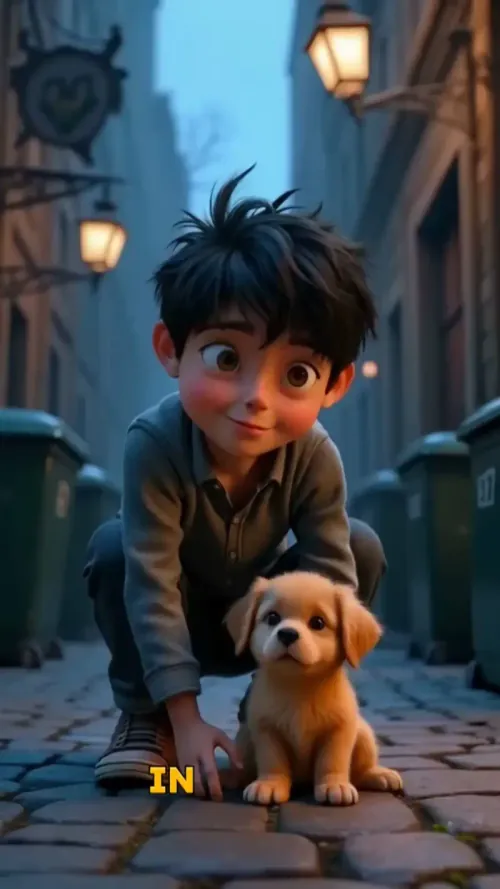
Crea video AI professionali da qualsiasi input testuale. Il nostro generatore video AI trasforma le tue idee in contenuti visivi straordinari con montaggio automatico, narrazione professionale e immagini dinamiche.
  • Tecnologia avanzata di generazione video AI
  • Montaggio automatico di qualità professionale
  • Conversione da testo a video in pochi minuti
  • Perfetto per content creator e aziende
Generazione Video AI Semplificata

Video Marketing con Generazione AI

Crea video di marketing avvincenti usando la tecnologia di generazione AI. Trasforma descrizioni di prodotti e testi di marketing in contenuti video professionali che guidano engagement e conversioni.

  • Generazione video marketing potenziata dall'IA
  • Presentazioni prodotti professionali
  • Contenuti video ottimizzati per la conversione
  • Creazione video multi-piattaforma
Video Marketing con Generazione AI
Strumenti

Strumenti Video IA Gratuiti

Scegli lo strumento giusto, fornisci il tuo input e creerai un video in un attimo - personalizzalo come preferisci.

Generatore di Video TikTok IA

Converti istantaneamente il testo in video TikTok virali e di tendenza

Provalo

Aggiungi Sottotitoli al Video

Genera sottotitoli in più di 100 lingue con l'IA

Provalo

PDF in Video Brainrot

Converti PDF in video virali a scorrimento che catturano immediatamente l'attenzione

Provalo

Testo in Video Brainrot

Crea contenuti virali a scorrimento con effetti visivi accattivanti partendo dal testo

Provalo

Avatar Parlante IA

Crea avatar parlanti realistici partendo dal testo in pochi secondi

Provalo

Generatore di Video Podcast

Trasforma i tuoi podcast in contenuti video visivamente coinvolgenti

Provalo

Creatore di Film IA

Crea video di qualità professionale dal testo, senza necessità di riprese

Provalo

Da Audio a Video

Crea video accattivanti dai tuoi podcast, interviste o altri contenuti audio

Provalo

Musica in Video

Trasforma la tua musica in video cinematografici

Provalo

AI Lyrics Video Generator

Transform your lyrics into a complete music video with AI

Provalo

Visualizzatore Musica Strumentale

Trasforma la tua musica strumentale in video

Provalo

Convertitore da Prompt a Video

Trasforma i tuoi prompt in video coinvolgenti con l'IA

Provalo
Vedi tutti gli strumenti
Come funziona

Quattro Semplici Passi Per Creare e Condividere La Tua Storia

1

Ispirati ai contenuti virali

Cerchi idee per le tue storie? La nostra IA trova i contenuti di tendenza e ti aiuta a trasformarli nei tuoi video - senza tentativi ed errori.

  • Scopri quali tipi di storie funzionano in questo momento
  • Trova ispirazione dai creator di successo
  • Trasforma le tue idee in storie che le persone vogliono ascoltare
Ispirati ai contenuti virali
2

Storytelling per Catturare il Tuo Pubblico

Revid.ai capisce cosa rende virali i video e utilizza gli stessi metodi collaudati per scrivere sceneggiature per te.

  • Scrivi la tua sceneggiatura o dì alla nostra IA di cosa vuoi parlare
  • L'IA troverà contenuti rilevanti per ispirarti
  • Inserisci qualsiasi link e verrà automaticamente analizzato e formattato per un video
Storytelling per Catturare il Tuo Pubblico
3

Video Che AMERAI Guardare

Crea video perfetti, condividili istantaneamente e fai crescere la tua attività.

  • Guarda le tue parole trasformarsi in un video professionale
  • Configura la creazione automatica di video dai tuoi contenuti
Video Che AMERAI Guardare
4

Pubblica su TikTok, YouTube, Instagram e altro...

Raggiungi un pubblico più ampio condividendo il tuo video sulle tue piattaforme social preferite

    Pubblica su TikTok, YouTube, Instagram e altro...
    revid.ai logo

    La tua scorciatoia per lo storytelling video senza sforzo.

    FAQ

    Domande Frequenti

    What is the Music to Video converter tool?
    Our Music to Video converter is an innovative AI-powered tool that transforms your audio tracks into stunning visual experiences. Simply upload your music, and our advanced algorithms will analyze the audio patterns, rhythm, and mood to create a perfectly synchronized video. Whether you're a musician looking to promote your latest track, a content creator needing background visuals, or just someone who wants to share music in a more engaging way, this tool makes the process incredibly simple and the results truly impressive.
    What types of music files can I upload?
    Our Music to Video converter supports all standard audio formats including MP3, WAV, M4A, AAC, FLAC, and OGG files. The maximum file size is 50MB, which accommodates most songs and audio tracks. For optimal results, we recommend using high-quality audio files with clear sound and minimal background noise. This ensures our AI can accurately analyze the audio patterns and create the most synchronized visual experience.
    What visual styles are available for my music video?
    We offer three distinct visual styles to match your creative vision: 1) Stock Videos - our AI selects from a vast library of high-quality footage that matches your music's mood and rhythm; 2) AI-generated Videos - create unique, custom visuals specifically designed for your track (uses 1 additional credit per video); 3) Moving AI Images - mesmerizing, flowing visuals that pulse and transform with your music. Each option creates a different aesthetic, so you can choose the style that best complements your music and intended use.
    What is the sound wave visualization option?
    The sound wave visualization is an optional feature that adds a dynamic audio waveform overlay to your video. This visual element pulses and moves in perfect synchronization with your music, creating an additional layer of visual interest and emphasizing the beat and rhythm of your track. It's particularly effective for electronic music, DJ mixes, or any track where you want to highlight the audio patterns. You can toggle this feature on or off depending on your preference.
    How long does it take to convert my music to video?
    The conversion process typically takes between 2-5 minutes, depending on the length of your audio track and the visual style you've selected. AI-generated videos may take slightly longer as our system creates custom visuals specifically for your music. Once your video is ready, you'll receive a notification and can immediately view, edit, and download your creation. For longer tracks (over 5 minutes), processing time may increase accordingly.
    Can I edit the video after it's been generated?
    Absolutely! Once your music video is generated, you'll have access to our full-featured video editor where you can make a variety of customizations. Add text overlays, adjust timing, trim sections, apply filters, or make other visual enhancements. You can also change the visual style if you're not satisfied with your initial choice. Our goal is to give you complete creative control over the final product, so you can make it perfectly match your vision.
    How does the AI match visuals to my music?
    Our sophisticated AI analyzes multiple aspects of your audio track including tempo, rhythm patterns, frequency spectrum, energy levels, and emotional tone. It identifies key moments like beats, drops, and transitions, then selects or generates visuals that complement these elements. For stock videos, it matches footage based on mood and movement. For AI-generated content, it creates custom visuals that directly respond to your music's unique characteristics. The result is a seamlessly synchronized audio-visual experience that feels intentionally crafted.
    What aspect ratio will my music video have?
    By default, our Music to Video converter creates videos in the popular 9:16 vertical format, perfect for platforms like TikTok, Instagram Reels, and YouTube Shorts. This vertical format has become the standard for music content on social media, maximizing screen space on mobile devices and increasing engagement. If you need a different aspect ratio for specific platforms or purposes, you can adjust this in the advanced settings before generating your video.
    How many credits does it cost to create a music video?
    Creating a basic music video with stock footage or moving AI images requires 1 credit. If you choose the AI-generated video option, it requires an additional credit (total of 2 credits) as this involves creating completely custom visuals specifically for your track. The number of credits at your disposal depends on your subscription plan. Our paid tiers offer a set amount of monthly credits, while free accounts start with a limited number of credits to try the service.
    Can I use copyrighted music with this tool?
    While our tool can technically process any audio file you upload, we recommend only using music that you have the rights to use. This includes your original compositions, royalty-free music, or tracks where you've obtained proper licensing. When sharing videos created with copyrighted music on social platforms, be aware that these platforms have content ID systems that may flag or mute videos containing unauthorized music. Always respect copyright laws and licensing requirements when creating and sharing content.
    How can I share my music video after creating it?
    After generating your music video, you have several sharing options. You can download the video file directly to your device in high quality, ready for upload to any platform. We also offer direct sharing links to popular social media platforms including TikTok, Instagram, YouTube, and Facebook, streamlining the process of getting your content online. For professional users, we provide embed codes so you can easily incorporate your music videos into websites, blogs, or other online properties.
    Is there a limit to how many music videos I can create?
    The number of music videos you can create depends on your available credits. Each video requires at least one credit (more if using AI-generated visuals), and your credit allocation is determined by your subscription plan. Free users receive a limited number of credits to start, while paid plans offer more generous monthly allocations. There's no technical limit to how many videos you can create as long as you have sufficient credits. For high-volume needs, consider our professional or enterprise plans which offer the most credits at the best value.
    Visualizza Centro Assistenza Completo

    Trova risposte dettagliate a oltre 100 domande su funzionalità, strumenti e flussi di lavoro

    o consulta la nostra versione markdown ottimizzata per LLM