revid.ai logo
Aprovado por mais de 14.000 criadores

Prompt para Vídeo

Gere vídeos exclusivos diretamente de prompts de texto. Descreva sua visão e deixe nossa IA cuidar dos recursos visuais, som e animação.

Magia da IA

Transforme suas ideias em
vídeos incríveis

SUA IDEIA
Seu prompt

Roteiro gerado automaticamente pelo Revid

Cinematic, ultra-realistic, 1912 period setting. Consistent character faces throughout. POV storytelling from Rose's perspective. Scene 1: Rose, early 20s, auburn hair, pale porcelain skin, wearing a deep emerald corset gown, steps into a warm lower-deck cabin. Soft golden lantern light. Wooden walls. Laughter and warmth everywhere. Her eyes wide, curious, alive. She's never felt this free. Scene 2: She sees him. Jack, early 20s, sharp jaw, messy blonde hair, kind eyes, wearing a simple white linen shirt. He's sketching at a small table, completely in his own world. She stops. She can't look away. Scene 3: Close-up on Rose's face. Soft smile forming. Something shifts in her chest. She walks slowly toward him. He looks up. Their eyes meet. Neither speaks for a second. Scene 4: Rose sits across from Jack. She reaches out and touches his sketchbook gently. She asks him to draw her. He looks at her like she's extraordinary. Scene 5: Jack sketches. Rose watches his hands move. She's glowing. Warmth on her face. This is the happiest she has ever been. Scene 6: Final shot. Rose looks straight into camera, soft golden light on her face, eyes filled with joy and longing. She whispers. She doesn't want this moment to ever end. Style: Photorealistic. Cinematic lighting. Film grain. Warm tones. 1912 period accurate. Consistent faces in every scene.
Formato visualVídeo IA
Estilo visualUltra Realism
Avatar
Avatar
Avatar selecionado
VÍDEO FINAL

How to Turn Music into Video with AI in 3 Simple Steps

1 Upload your music track

Start by uploading your favorite music track to our platform. Our AI will analyze the audio patterns, beats, and rhythm to create a perfectly synchronized video experience. We support most popular audio formats including MP3, WAV, and M4A.

2 Choose your visual style

Select your preferred visual style from our options: stock videos, AI-generated visuals, or moving AI images. Each option creates a unique aesthetic that complements your music. You can also enable the sound wave visualization to add an extra dynamic element that pulses with your music's beat.

3 Generate and customize your video

Click 'Generate Video' and watch as our AI transforms your music into a stunning visual experience. Once created, you can further customize your video using our built-in editor to add text overlays, adjust transitions, or fine-tune the visuals to match your creative vision perfectly.

Vídeos de exemplo

Veja o que você pode criar com Prompt para Vídeo

Explore diferentes estilos e possibilidades com o nosso Prompt para Vídeo

Gerador de Vídeo por Prompt de IA para Criadores

Transforme prompts de texto em vídeos impressionantes com nosso gerador de vídeo por prompt de IA. Basta descrever sua visão e observar como a IA avançada cria vídeos profissionais com recursos visuais dinâmicos, tempo perfeito e conteúdo envolvente.

  • Tecnologia avançada de geração de vídeos por prompt de IA
  • Conversão de texto em vídeo com qualidade profissional
  • Visuais dinâmicos e tempo perfeito a partir de descrições
  • Perfeito para criadores de conteúdo e contadores de histórias
Gerador de Vídeo por Prompt de IA para Criadores

Geração Criativa de Vídeos a partir de Prompts de Texto

Libere sua criatividade com nosso gerador de prompt para vídeo. Transforme qualquer descrição de texto em conteúdo de vídeo cativante com narrativa visual alimentada por IA, perfeito para redes sociais, marketing e entretenimento.
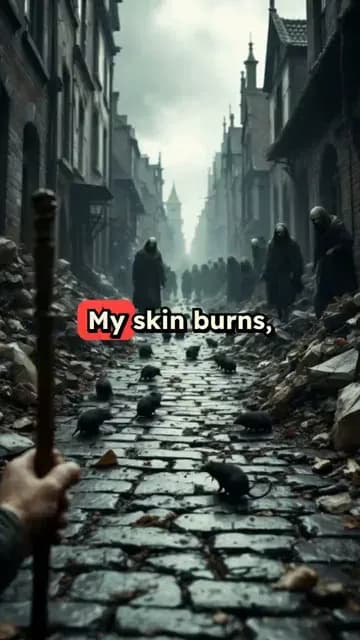
  • Tecnologia criativa de IA de prompt para vídeo
  • Narrativa visual a partir de descrições de texto
  • Geração de vídeo otimizada para redes sociais
  • Perfeito para conteúdo de marketing e entretenimento
Geração Criativa de Vídeos a partir de Prompts de Texto

Criação Impressionante de Prompt para Vídeo

Crie vídeos com qualidade profissional a partir de prompts de texto simples usando tecnologia de IA de ponta. Nosso gerador de prompt para vídeo lida com conceitos visuais complexos e produz conteúdo pronto para transmissão para qualquer finalidade.
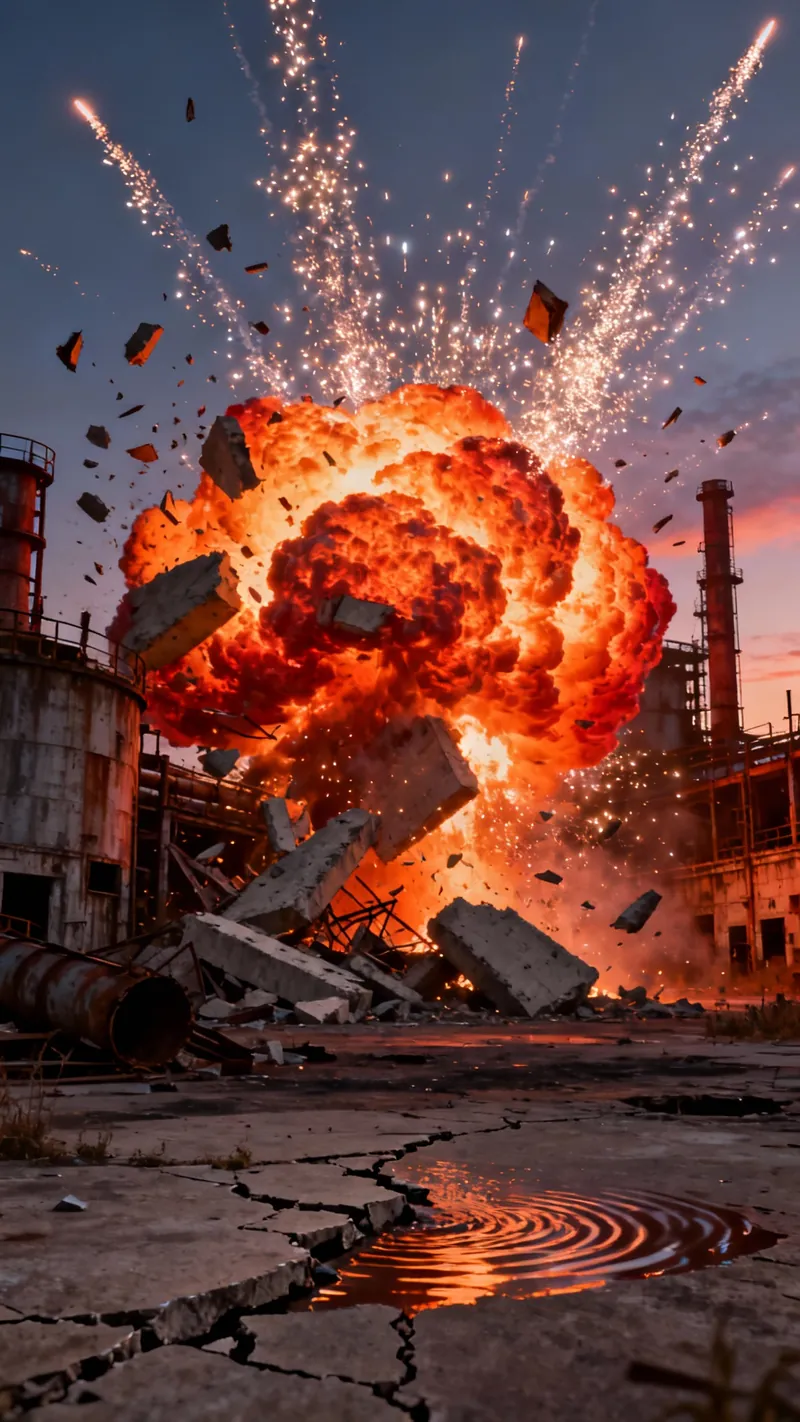
  • Geração profissional de vídeos por prompt com IA
  • Produção de vídeo com qualidade de transmissão a partir de texto
  • Tratamento de conceitos visuais complexos
  • Adequado para uso corporativo e profissional
Criação Impressionante de Prompt para Vídeo
FAQ

Perguntas Frequentes

What is the Music to Video converter?
The Music to Video converter is an AI-powered tool that transforms your audio tracks into captivating videos. Simply upload your music, and our advanced AI will analyze the audio patterns, rhythm, and mood to create visually stunning videos that perfectly complement your music. Whether you're a musician looking to create music videos, a content creator needing background visuals, or a social media enthusiast wanting to share your favorite tracks in a more engaging format, our tool makes the process effortless and professional.
What types of music files can I upload?
Our Music to Video converter supports all standard audio formats including MP3, WAV, M4A, AAC, FLAC, and OGG files. The maximum file size is 50MB, which accommodates most songs and audio clips. For optimal results, we recommend using high-quality audio files with clear sound and minimal background noise. This ensures our AI can accurately analyze the audio patterns and create perfectly synchronized visuals.
How does the AI create videos from my music?
Our sophisticated AI analyzes various aspects of your music including tempo, rhythm, beat patterns, frequency spectrum, and emotional tone. It then uses this analysis to select and synchronize appropriate visuals that match the mood and energy of your music. For stock videos, it selects clips from our extensive library. With AI-generated visuals, it creates custom imagery based on the audio characteristics. For moving AI images, it produces dynamic visuals that evolve with your music. The sound wave visualization option adds an additional layer that pulses in perfect sync with your audio.
What visual styles are available for my music video?
We offer three distinct visual styles to match your creative vision: Stock videos - professionally filmed footage from our extensive library that matches your music's mood and energy; AI-generated videos - unique visuals created specifically for your track using advanced AI algorithms (uses 1 credit per video); and Moving AI images - dynamic, evolving imagery that transforms in rhythm with your music. Each style creates a different aesthetic, so you can choose the one that best complements your music and intended use.
What is the sound wave visualization option?
The sound wave visualization is an optional feature that adds a dynamic audio waveform overlay to your video. This visual element pulses and moves in perfect synchronization with your music's beat and volume, creating an engaging visual representation of your audio. It's particularly effective for electronic music, DJ mixes, or any track where you want to emphasize the rhythm and beat patterns. You can toggle this feature on or off depending on your preference for the final video.
How long does it take to convert my music to video?
The conversion process typically takes between 2-5 minutes, depending on the length of your audio track and the visual style you've selected. AI-generated videos may take slightly longer as our system creates custom visuals specifically for your music. Once your video is ready, you'll receive a notification and can immediately preview, edit, and download your creation. For longer tracks (over 5 minutes), processing time may increase proportionally.
Can I edit the video after it's been generated?
Absolutely! Once your music video is generated, you'll have access to our comprehensive built-in editor where you can make various adjustments to perfect your creation. You can trim sections, add text overlays, adjust colors and filters, modify transitions, and even change specific visual elements. The editor is intuitive and user-friendly, requiring no previous video editing experience. This allows you to add your personal touch and ensure the final product matches your creative vision exactly.
What aspect ratio will my music video have?
By default, your music video will be generated in a 9:16 vertical format, which is optimized for platforms like TikTok, Instagram Reels, and YouTube Shorts. This vertical format has become the standard for music-based content on social media, offering maximum screen real estate on mobile devices. If you need a different aspect ratio for specific platforms or purposes, you can adjust this in our editor after the video is generated.
How many credits does it cost to create a music video?
Creating a basic music video with stock footage or moving AI images requires 1 credit. If you choose the AI-generated video option, it requires an additional credit (total of 2 credits) as this involves creating custom visuals specifically for your music. The number of credits at your disposal depends on your subscription plan. Our paid tiers offer a set amount of monthly credits, while free accounts start with a limited number of credits to try the service.
Do I own the rights to the videos I create?
Yes, you retain full ownership rights to the final videos you create using our Music to Video converter. However, please note that while you own the composite video, the individual stock footage elements (if you choose that option) remain subject to our standard licensing terms. For music, you must ensure you have proper rights to use the audio you upload. If you're using the video commercially, especially with copyrighted music, we recommend consulting with a legal professional regarding music licensing requirements.
Can I use copyrighted music with this tool?
Our tool allows you to upload and convert any audio file, including copyrighted music. However, the responsibility for having proper licensing rights for using that music lies with you, the user. If you plan to publish or share the resulting video, especially on platforms like YouTube or Instagram, you should ensure you have the appropriate rights to use the music. For commercial purposes or public sharing, we recommend using royalty-free music or obtaining proper licenses for copyrighted tracks to avoid copyright claims.
What's the maximum length of music I can convert to video?
You can upload music tracks up to 10 minutes in length. This limit accommodates most songs and short audio compositions. For longer audio files, we recommend splitting them into smaller segments and creating multiple videos that can be combined later if needed. Keep in mind that shorter videos (1-3 minutes) tend to perform better on social media platforms and require fewer credits to generate.
Ver Centro de Ajuda Completo

Encontre respostas detalhadas para mais de 100 perguntas sobre recursos, ferramentas e fluxos de trabalho

ou consulte nossa versão markdown otimizada para LLMs

Ferramentas

Ferramentas de vídeo com IA gratuitas

Escolha sua ferramenta, adicione seu conteúdo e crie um vídeo em segundos. Em seguida, personalize-o ao seu gosto.

Gerador de Vídeos TikTok com IA

Converta texto instantaneamente em vídeos virais e tendência para TikTok

Testar

Conversor de Prompt para Vídeo

Transforme seus prompts em vídeos envolventes com IA

Testar

Adicionar Legendas ao Vídeo

Gere legendas em mais de 100 idiomas com IA

Testar

PDF para Vídeo Brainrot

Converta PDFs em vídeos virais com rolagem que capturam a atenção instantaneamente

Testar

Texto para Vídeo Brainrot

Crie conteúdo viral com rolagem e efeitos visuais envolventes a partir de texto

Testar

Avatar Falante com IA

Crie avatares falantes realistas a partir de texto em segundos

Testar

Gerador de Vídeo de Podcast

Transforme seus podcasts em conteúdo de vídeo visualmente atraente

Testar

Criador de Filmes com IA

Crie vídeos com qualidade de estúdio a partir de texto, sem necessidade de filmagem

Testar

Áudio para Vídeo

Crie vídeos atrativos a partir de seus podcasts, entrevistas ou outros conteúdos de áudio

Testar

Animated Lyrics Video Generator

Turn any song into an animated lyric video with synced text and visuals.

Testar

Música para Vídeo

Transforme sua música em vídeos cinematográficos

Testar

AI Lyrics Video Generator

Transform your lyrics into a complete music video with AI

Testar
Ver todas as ferramentas
Como funciona

Quatro passos simples para criar e compartilhar seu vídeo

1
Step 1

Encontre sua próxima ideia viral

Falta de inspiração? Nossa IA detecta tendências e ajuda você a adaptá-las para seus próprios vídeos, sem complicações.

  • Identifique os formatos com melhor desempenho
  • Inspire-se nos melhores criadores
  • Transforme suas ideias em vídeos cativantes
Encontre sua próxima ideia viral
2
Step 2

Um storytelling pensado para cativar

Revid.ai analisa vídeos virais e usa esses mesmos códigos para escrever seus roteiros.

  • Escreva seu roteiro ou simplesmente dê o assunto à nossa IA
  • A IA sugerirá conteúdo relevante para inspirar você
  • Cole um link, nossa IA o analisa e o transforma em um vídeo
Um storytelling pensado para cativar
3
Step 3

Vídeos que você vai adorar

Crie vídeos profissionais, compartilhe-os com um clique e aumente seu público.

  • Veja seus textos se transformarem em vídeos profissionais
  • Automatize a criação de vídeos a partir de seus conteúdos
Vídeos que você vai adorar
4
Step 4

Publique no TikTok, YouTube, Instagram e mais

Alcance um público mais amplo compartilhando seus vídeos em todas as suas redes.

Publique no TikTok, YouTube, Instagram e mais
revid.ai logo

A maneira mais rápida de criar vídeos cativantes.