Mais de 30.000 vídeos publicados por mês com o Revid
Animador de imagens com IA
Dê vida às suas imagens com nosso animador de imagens com IA. Envie qualquer foto e veja a IA transformar imagens estáticas em vídeos animados incríveis, com movimento suave e efeitos realistas.
Seu prompt de vídeo
💡 Descreva com suas palavras o que você quer ver no vídeo. A IA vai gerar um roteiro com base no seu prompt.
2,619 vídeos criados com o Revid nas últimas 24h
Pronto em minutos · Edite tudo antes de postar
Exemplos de resultados
Media: AI videoPreset: PhotographyRatio: 9:16Quality: UltraSeedance 1080p
Ferramentas que você pode curtir:
ou explore mais de 42 outras ferramentas para criar exatamente o vídeo que você quer
**Recommended preset: Ultra Realism**
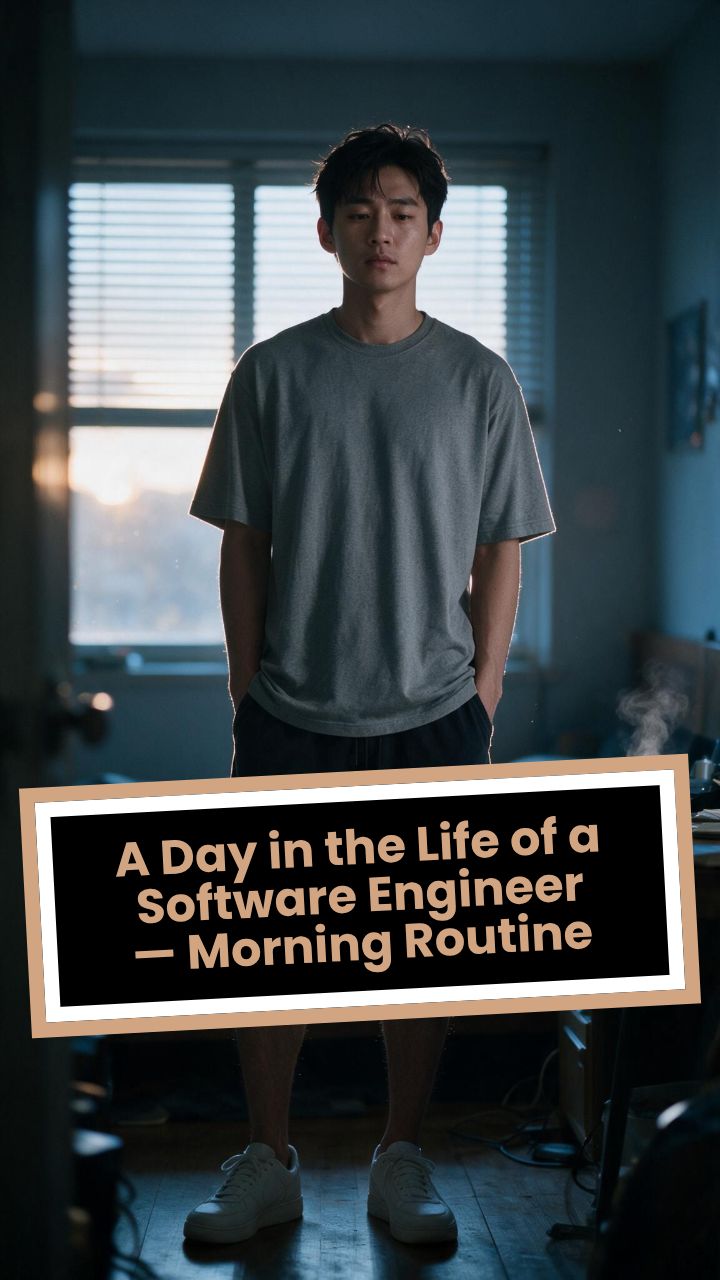
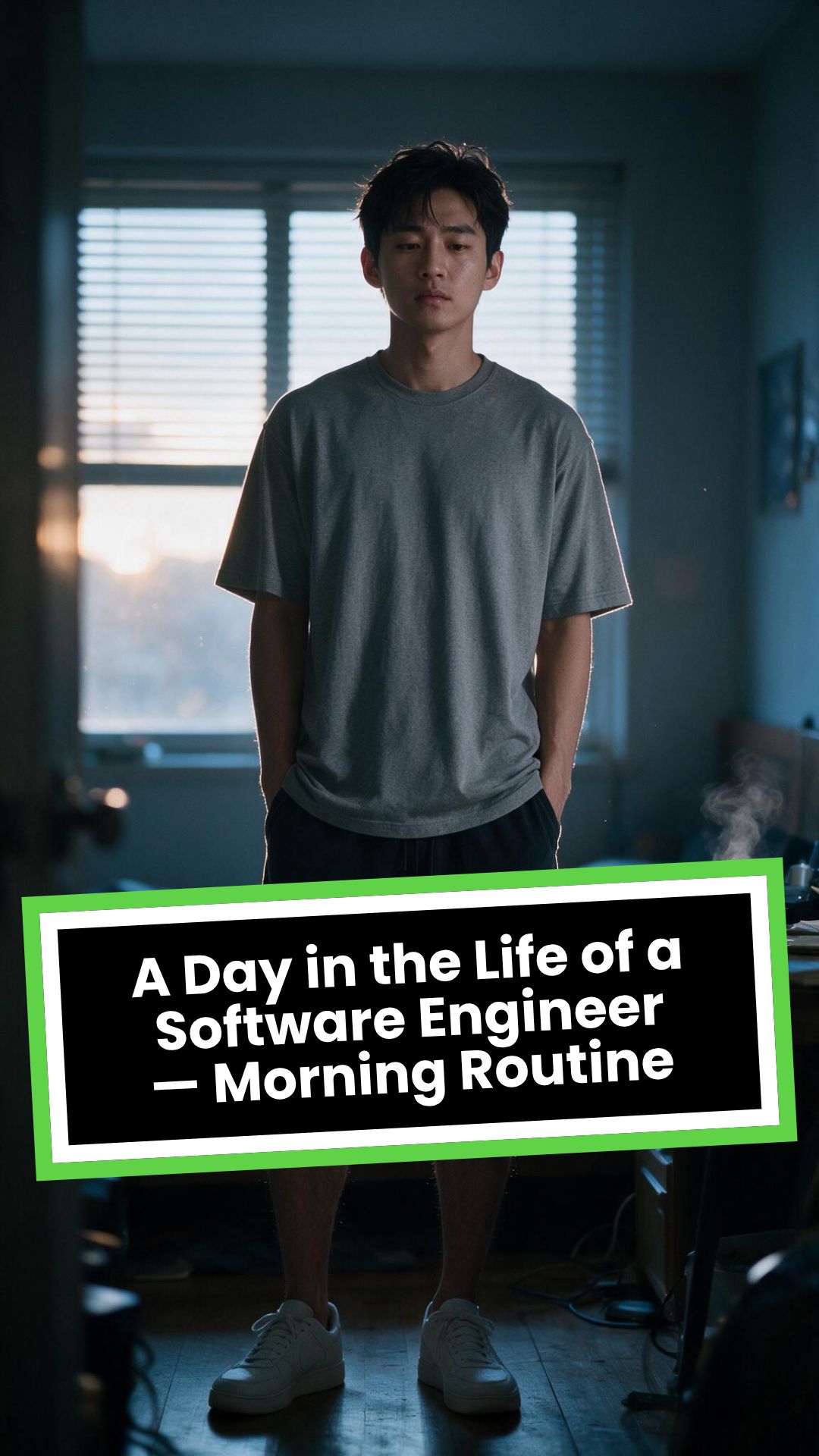
# A Day in the Life of a Software Engineer — Morning Routine
## STARTING FRAME
Extreme macro close-up of a smartphone resting face-up on a dark wooden bedside table in a quiet apartment bedroom before sunrise. The alarm reads **6:30 AM** in crisp white digits. The edge of the phone, tiny dust particles on the table, and the faint reflection of the screen are sharply detailed.
Several feet behind it, a young Asian man in his late twenties lies asleep beneath slightly rumpled bedding. He is only a soft, indistinct silhouette because of the extremely shallow depth of field. Cool blue-grey morning light leaks through partially closed curtains, creating faint horizontal shadows across the room.
A closed laptop, sleeping monitor, mechanical keyboard, notebook, headphones, water bottle, and hoodie resting over a desk chair are visible only as subdued background shapes.
The room is completely still.
Animate forward from this exact frame.
---
## [0s–3s] — THE ALARM
The camera remains extremely low, almost level with the bedside table.
For the first moment, nothing moves.
Then the alarm begins ringing.
The smartphone vibrates against the wooden surface in short mechanical pulses. One corner taps faintly against the table with each vibration. The glow from the screen reflects subtly across the wood grain.
Keep the sleeping man fully blurred in the background.
Do not reveal his face yet.
The curtains move almost imperceptibly from a weak draft. Distant traffic hums outside. A soft electrical ambience comes from the sleeping computer monitor.
Allow the alarm to interrupt the quiet rather than immediately triggering a reaction.
---
## [3s–6s] — THE FIRST REACTION
Begin a very slow rack focus away from the phone.
The alarm digits gradually soften.
The sleeping man’s shoulder, face, pillow, and blanket slowly resolve into focus.
He does not immediately wake.
His eyebrows contract slightly.
His head presses deeper into the pillow as though instinctively trying to escape the sound.
One hand shifts beneath the blanket.
His fingers curl faintly against the fabric.
The bedding moves only a few centimetres as his body reacts before his mind is fully awake.
The voice-over begins quietly:
> “Most days aren’t my best days.”
The delivery is close, restrained, personal, and slightly tired. It should sound like a private thought rather than narration for an audience.
---
## [6s–10s] — WAKING
His eyes open slowly.
They remain unfocused.
He blinks once.
A longer pause.
Then he blinks again.
His gaze drifts toward the sound without turning his head completely.
One hand emerges from beneath the blanket and reaches toward the bedside table. His arm moves heavily, dragging slightly across the mattress.
His fingers miss the phone on the first attempt.
They brush against the charging cable, slide across the table, then finally reach the screen.
He presses the alarm off.
The sound stops abruptly.
The room becomes quiet again.
Let the silence remain for a full beat.
His hand stays resting beside the phone rather than instantly returning to bed.
He exhales slowly through his nose.
The camera makes an almost imperceptible push toward him.
No dramatic expression. No exaggerated yawn.
Only the slow recognition that the day has started.
---
## [10s–14s] — SITTING UP
He turns onto one side.
The blanket pulls across his torso and gathers naturally around his waist.
His elbow presses into the mattress.
The mattress compresses visibly beneath his weight as he pushes himself upward.
His head rises last.
His hair is slightly flattened on one side and falls unevenly across his forehead.
He moves both legs toward the edge of the bed.
One foot searches for the floor.
Then the other.
His bare toes make contact first, followed by the rest of each foot.
He remains seated at the edge of the mattress.
His back curves slightly.
His shoulders hang low.
His hands rest loosely beside his thighs.
He stares at the floor without really looking at anything.
Hold this moment.
The creased bedding behind him should remain compressed where his body had been.
The voice-over continues after a natural pause:
> “But I remember why I do this…”
---
## [14s–17s] — STANDING
He shifts his feet slightly farther apart.
His weight moves forward.
His elbows press lightly against his thighs before he pushes himself upright.
His hips rise first, followed by his shoulders.
Show realistic balance adjustment as his body settles onto both feet.
He stands still for a brief moment.
His loose neutral-coloured T-shirt falls naturally back into place. His shoulders remain slightly lowered. His breathing is calm but heavy with sleep.
The camera stays behind him at approximately waist-to-shoulder height, observing rather than presenting him.
He takes two slow steps toward the bedroom wall.
His bare feet make soft contact with the floor.
He runs his fingers along the wall for a moment before finding the light switch.
He presses it.
A warm bedside or ceiling practical light turns on.
Do not flood the entire room with brightness.
The warm light should gradually reveal wood, bedding, fabric, and skin while the cool morning light remains visible through the curtains.
His eyes narrow slightly in response.
---
## [17s–20s] — TOWARD THE BATHROOM
He turns toward the bathroom doorway and begins walking.
The camera follows several steps behind with restrained handheld drift.
His pace is slow and partially automatic.
He does not acknowledge the camera.
His arms hang naturally beside him.
His shirt moves subtly across his back with each step.
Use the bathroom doorway as a natural frame around his body.
As he crosses the threshold, briefly hold the bedroom in the background:
* the unmade bed;
* the silent phone;
* the closed laptop;
* the dark monitor;
* the hoodie over the chair;
* cool daylight still entering through the curtains.
The voice-over completes:
> “…and I get up anyway.”
The line should not swell emotionally. It should land quietly, almost as though he is reminding himself.
---
## [20s–25s] — THE BATHROOM
Follow him into a small, modern, lived-in bathroom.
Use one hidden natural transition as the camera passes behind the doorframe if necessary, but preserve the feeling of one continuous shot.
He reaches toward the bathroom light switch.
A soft neutral overhead light turns on.
The camera settles into a side angle where both his real profile and part of his reflection are visible. He never looks directly into the lens.
His face in the mirror appears tired but composed.
He reaches toward a simple toothbrush holder.
His fingers close around the toothbrush.
He turns the tap handle.
Water begins flowing into the basin with a steady, natural sound.
Small droplets strike the ceramic surface and collect around the drain.
He briefly passes the toothbrush beneath the water.
He picks up the toothpaste with his other hand.
His thumb flips open the cap.
He positions the tube above the brush and squeezes slowly.
The tube compresses naturally between his fingers.
A small line of toothpaste settles across the bristles.
He releases pressure, places the toothpaste beside the sink, and brings the toothbrush to his mouth.
He begins brushing with slow, absent-minded movements.
His free hand rests against the edge of the basin.
The water continues running softly for a moment before he reaches over and turns it off.
End with him brushing his teeth in silence while early-morning ambience fills the room.
No smile.
No inspirational pose.
No sudden burst of energy.
The morning has simply begun.
---
# CAMERA DIRECTION
* One continuous observational sequence whenever possible.
* Extreme macro lens for the opening alarm.
* Very shallow depth of field during the first six seconds.
* Slow rack focus from the alarm to the sleeping man.
* Subtle push-in while he wakes.
* Low bedside camera placement.
* Gentle handheld drift only after he stands.
* Restrained tracking movement toward the bathroom.
* Use the bedroom and bathroom doorframes as natural foreground obstruction.
* Slight parallax as the camera follows him.
* Side-angle bathroom composition with a partial mirror reflection.
* Camera movement must feel physically operated by a patient documentary filmmaker.
* No orbiting around the character.
* No floating camera.
* No passing through walls.
* No dramatic sweeps or crane movements.
* No rapid cuts.
* One concealed doorway transition is permitted for stability.
---
# CHARACTER PERFORMANCE
Use one consistent young Asian man in his mid-to-late twenties.
He should appear like a normal working software engineer rather than a fashion model.
Maintain:
* slightly messy morning hair;
* naturally tired eyes;
* realistic skin texture;
* ordinary body proportions;
* loose neutral T-shirt;
* comfortable shorts or pyjama trousers;
* bare feet;
* understated, believable posture.
His sleepiness should be communicated through timing and body weight.
He should:
* blink heavily;
* pause before each major movement;
* keep his shoulders slightly lowered;
* move his hands without perfect coordination immediately after waking;
* shift his weight realistically;
* walk quietly;
* remain unaware of the camera;
* never perform the voice-over on screen.
Do not make him appear severely exhausted, unwell, intoxicated, miserable, or emotionally distressed.
---
# ENVIRONMENTAL DETAIL
The apartment should feel modest, modern, believable, and personally inhabited.
Bedroom details may include:
* closed laptop;
* monitor in sleep mode;
* mechanical keyboard;
* notebook with a pen;
* headphones;
* charging cable;
* water bottle;
* desk chair;
* hoodie over the chair;
* soft curtains;
* plain bedding;
* digital alarm or smartphone.
These objects must remain secondary.
Avoid excessive RGB lighting, futuristic interfaces, glowing code, multiple giant monitors, hacker imagery, or stereotypical technology props.
The bathroom should include:
* small ceramic sink;
* ordinary mirror;
* toothbrush holder;
* toothpaste;
* hand towel;
* simple shelf;
* subtle tile reflections;
* minor signs of everyday use.
Avoid a spotless luxury hotel bathroom.
---
# LIGHTING AND COLOUR
* Begin with soft, cool, low-contrast dawn light.
* Use blue-grey illumination passing naturally through curtains or blinds.
* Let the alarm screen create a small local glow.
* Introduce warm practical light when he presses the bedroom switch.
* Preserve the contrast between cool exterior daylight and warm interior light.
* Use soft neutral or slightly warm bathroom lighting.
* Maintain natural skin tones.
* Use gentle cinematic contrast and realistic shadow falloff.
* Keep the overall palette muted, intimate, and grounded.
Avoid:
* neon colours;
* heavy teal-and-orange grading;
* artificial lens flares;
* dramatic rim lighting;
* fantasy glow;
* excessive darkness;
* overexposed bathroom lighting;
* motivational-commercial brightness.
---
# SOUND DESIGN
Keep the soundscape quiet, layered, and tactile.
### Bedroom ambience
* distant city traffic;
* faint room tone;
* soft electrical hum;
* subtle curtain movement;
* alarm vibration against wood;
* charging cable shifting;
* bedding sliding;
* mattress compression;
* breathing;
* bare feet touching the floor;
* quiet fabric movement;
* light-switch click;
* soft footsteps.
### Bathroom ambience
* bathroom switch;
* toothbrush lifted from the holder;
* tap handle turning;
* water striking the basin;
* toothbrush touching water;
* toothpaste cap opening;
* tube compressing;
* toothpaste settling on the bristles;
* slow brushing;
* subtle room echo.
The voice-over should sit gently above these sounds rather than overpowering them.
---
# VOICE-OVER
Use a young adult male voice.
Delivery must be:
* quiet;
* sincere;
* close-microphone;
* slightly tired;
* reflective;
* conversational;
* emotionally restrained.
Do not use trailer narration, motivational-speaker cadence, inspirational music swelling, or exaggerated pauses.
Voice-over text:
> “Most days aren’t my best days.
> But I remember why I do this…
> and I get up anyway.”
Begin the first sentence during the focus shift.
Deliver the second sentence while he sits at the edge of the bed.
Complete the final phrase as he walks into the bathroom.
---
# PHYSICAL REALISM
Every movement must show weight, resistance, and consequence.
Include:
* smartphone vibrating against wood;
* blanket tension as he moves;
* pillow compression;
* mattress deformation beneath his elbow and hips;
* feet searching for the floor;
* realistic centre-of-gravity changes while standing;
* natural cloth movement;
* proper hand contact with the switch;
* believable walking rhythm;
* accurate grip on the toothbrush and toothpaste;
* realistic water flow;
* toothpaste tube deformation;
* correct mirror behaviour;
* natural brushing motion.
Objects must not move unless physically touched or affected by the environment.
---
# CONTINUITY REQUIREMENTS
Maintain exactly the same:
* face;
* hairstyle;
* clothing;
* body proportions;
* skin tone;
* bedroom arrangement;
* bathroom arrangement;
* phone;
* bedding;
* toothbrush;
* toothpaste;
* lighting direction;
* time of morning.
The bathroom must feel directly connected to the bedroom.
The character must not change appearance between spaces.
The mirror reflection must match his real movement precisely.
---
# NEGATIVE CONSTRAINTS
* No direct eye contact with the camera.
* No on-screen dialogue.
* No lip-syncing to the voice-over.
* No influencer presentation.
* No vlog gestures.
* No smiling at the audience.
* No fast montage.
* No opening the laptop.
* No typing or coding.
* No breakfast sequence.
* No shower.
* No getting dressed.
* No leaving the apartment.
* No dramatic stretching.
* No exaggerated yawning.
* No energetic wake-up.
* No instant movement from bed to bathroom.
* No teleportation.
* No unrelated extra scenes.
* No rapid edits.
* No impossible camera paths.
* No random camera shake.
* No warped mirror reflection.
* No changing facial features.
* No changing clothes.
* No malformed hands.
* No extra fingers.
* No floating objects.
* No disappearing props.
* No changing room layout.
* No excessive slow motion.
* No text overlays.
* No captions.
* No logos.
* No watermark.
* No artificial motivational-commercial tone.
Formato visualVídeo com IA
Estilo visualPhotography
VÍDEO FINAL
Dê vida às suas fotos: crie animações com IA em 3 passos simples
1 Envie sua imagem
Comece enviando a foto ou imagem estática que você quer animar. Nosso animador de imagens com IA aceita formatos comuns como JPG e PNG. Você pode escolher uma única imagem ou várias para criar uma sequência animada.
2 Personalize sua animação
Oriente a IA descrevendo o movimento desejado no campo de prompt. Escolha a proporção do seu vídeo (9:16, 16:9 ou 1:1), defina a duração e adicione uma narração com nossas vozes de IA ou gravando a sua própria. Para efeitos avançados, ative 'Aplicar transferência de estilo' para transformar o visual da sua foto.
3 Gere e compartilhe
Clique em 'Gerar vídeo' e nossa IA vai processar o seu pedido, transformando sua foto estática em um vídeo dinâmico em minutos. Quando estiver pronto, você pode fazer os ajustes finais no nosso editor e depois baixar sua criação para compartilhar no TikTok, no Instagram Reels ou no YouTube.
01
Dê vida a qualquer imagem estática como vídeo animado com IA
Envie qualquer foto e o animador de imagens com IA do Revid aplica efeitos de movimento realistas ao conteúdo da imagem, transformando uma composição estática em um vídeo dinâmico com movimento natural. Retratos ganham expressões sutis e naturais, paisagens ganham movimento ambiental e imagens de produtos ganham profundidade cinematográfica. Não há keyframes, linha do tempo de animação nem software de design. Do upload da imagem ao vídeo animado pronto levam segundos, o que torna prático animar qualquer foto da sua biblioteca sem nenhum conhecimento técnico de animação.
02
O que o animador de imagens com IA gera a partir da sua foto
A IA analisa a composição visual da imagem enviada, identifica os elementos e as camadas de fundo e gera efeitos de movimento compatíveis com o que se moveria naturalmente em cada parte da cena. Você pode descrever o tipo de animação que deseja pelo prompt de texto, orientando a IA para estilos específicos, como efeito de brisa suave, movimento cinematográfico dramático ou animação sutil de retrato. O resultado é um vídeo curto animado, com movimento suave e realista, pronto para compartilhar ou incorporar, sem nenhuma edição adicional.
03
Vídeos de imagens animadas que superam posts estáticos em todas as plataformas
Vídeos curtos de imagens animadas alcançam taxas de engajamento bem maiores no TikTok, Instagram Reels e YouTube Shorts do que posts de fotos estáticas equivalentes. A mesma imagem que tem desempenho modesto como foto atrai bem mais visualizações, salvamentos e visitas ao perfil quando publicada como vídeo animado. Fotógrafos, ilustradores e marcas que incluem conteúdo de imagens animadas na sua estratégia regular de publicação têm, de forma consistente, um crescimento geral mais forte do canal. O Revid permite animar qualquer imagem no tempo que leva para enviar um único arquivo.
Público-alvo
Para quem é esta ferramenta?
Criadores de redes sociais que animam fotos para reels
Transforme suas melhores fotos em vídeos curtos animados para TikTok, Instagram Reels e YouTube Shorts, que atraem mais visualizações e visitas ao perfil do que o mesmo conteúdo em posts estáticos.
Artistas e ilustradores que animam suas obras estáticas
Dê vida às suas ilustrações, pinturas e artes gráficas animando-as em vídeos curtos que alcançam a grande parte da comunidade artística que se envolve principalmente por meio de vídeo.
Fotógrafos que adicionam movimento às imagens do portfólio
Converta as fotografias mais fortes do seu portfólio em versões animadas em vídeo que se destacam em galerias online, feeds de redes sociais e apresentações para clientes, em comparação com imagens estáticas.
Equipes de marketing que animam fotos de produtos para anúncios
Crie versões animadas das fotos dos seus produtos para anúncios em redes sociais e conteúdo orgânico, com desempenho superior aos criativos de imagem estática nos posicionamentos de anúncios do TikTok, Instagram e Facebook.
Comparação
Revid vs. animar imagens manualmente com software de design
Animar uma imagem estática manualmente exige software de design, separação de camadas, keyframes e renderização. O Revid gera um vídeo animado pronto a partir do upload da sua imagem, automaticamente, usando geração de movimento com IA.
Entrada
Revid Animador de imagens com IAEnvie a imagem e gere o vídeo animado imediatamente
Outras ferramentasImporte a imagem no software de animação e configure as camadas manualmente
Geração de movimento
Revid Animador de imagens com IAA IA aplica efeitos de movimento realistas a todos os elementos da imagem automaticamente
Outras ferramentasExige keyframes manuais para cada elemento animado
Habilidades necessárias
Revid Animador de imagens com IASem necessidade de habilidades de animação, design ou técnicas
Outras ferramentasExige domínio de software de animação e de keyframes
Tempo de produção
Revid Animador de imagens com IAVídeo animado pronto em segundos por imagem
Outras ferramentasHoras de preparação, animação e renderização por imagem
Controle do estilo de movimento
Revid Animador de imagens com IADescreva o movimento desejado em um prompt de texto
Outras ferramentasAjuste manual de keyframes e parâmetros para cada propriedade de movimento
Volume de conteúdo
Revid Animador de imagens com IAAnime várias imagens em uma única sessão
Outras ferramentasCada imagem exige um fluxo de animação completo e separado
Recurso / Benefício
Revid Animador de imagens com IA
Outras ferramentas
Entrada
Envie a imagem e gere o vídeo animado imediatamente
Importe a imagem no software de animação e configure as camadas manualmente
Geração de movimento
A IA aplica efeitos de movimento realistas a todos os elementos da imagem automaticamente
Exige keyframes manuais para cada elemento animado
Habilidades necessárias
Sem necessidade de habilidades de animação, design ou técnicas
Exige domínio de software de animação e de keyframes
Tempo de produção
Vídeo animado pronto em segundos por imagem
Horas de preparação, animação e renderização por imagem
Controle do estilo de movimento
Descreva o movimento desejado em um prompt de texto
Ajuste manual de keyframes e parâmetros para cada propriedade de movimento
Volume de conteúdo
Anime várias imagens em uma única sessão
Cada imagem exige um fluxo de animação completo e separado
Mais ferramentas
Explore mais ferramentas de vídeo com IA de Criação de vídeo
Descubra mais maneiras de criar vídeos envolventes com nossas ferramentas baseadas em IA
FAQ
Perguntas frequentes
O que é o animador de imagens com IA?
Nosso animador de imagens com IA é uma ferramenta poderosa que transforma fotos estáticas em vídeos animados cativantes. É só enviar uma imagem e a IA adiciona movimento realista, efeitos de câmera e transições suaves para dar vida às suas imagens. É o jeito mais fácil de criar vídeos envolventes a partir das suas fotos, sem precisar de conhecimento técnico.
Como animar uma imagem com esta ferramenta?
É um processo simples, em três passos: 1. Envie sua foto. 2. Descreva o movimento que você quer no campo de prompt (por exemplo, 'vento soprando nas árvores'). 3. Escolha as configurações, como duração e formato do vídeo, e clique em 'Gerar'. Nossa IA cuida do processo complexo de animação e transforma sua foto em vídeo em minutos.
Que tipos de imagem funcionam melhor para animar?
Para obter os melhores resultados com nossa ferramenta para animar fotos, recomendamos usar imagens nítidas e de alta qualidade. A ferramenta funciona muito bem com paisagens, retratos, desenhos e até fotos de produtos. Imagens em resolução mais alta geram movimentos de IA mais detalhados e impressionantes.
Posso controlar o estilo da animação?
Sim, você tem várias formas de controlar a animação. Use o campo de prompt para dar instruções específicas de movimento. Para uma transformação visual completa, use a opção 'Aplicar transferência de estilo' e converta sua foto em estilos como Anime, Render 3D ou Sketch antes de animá-la. Assim você cria animações de arte com IA realmente únicas.
Como transformar uma foto em um avatar falante?
Esta ferramenta é perfeita para criar fotos que falam. Envie uma imagem de retrato e, nas opções de voz, digite um roteiro para uma voz de IA ou grave sua própria narração. Nossa IA anima as expressões do rosto e sincroniza os lábios com o áudio, transformando sua foto estática em um avatar falante.
Posso adicionar minha própria música ou narração?
Com certeza. Além da nossa biblioteca de músicas de fundo, você pode enviar seu próprio arquivo de áudio. Também pode adicionar uma narração escolhendo uma das nossas vozes de IA realistas ou gravando sua voz direto na ferramenta, para dar um toque pessoal à sua imagem animada.
Quanto custa usar o animador de imagens com IA?
O custo é baseado em créditos. Uma animação básica exige uma quantidade fixa de créditos. Recursos avançados, como 'Aplicar transferência de estilo' ou os modelos de geração de vídeo 'Pro/Ultra', usam créditos adicionais. O custo total em créditos sempre aparece com clareza antes de você clicar em 'Gerar', para que você controle o uso de acordo com o seu plano.
Quais formatos e tamanhos de vídeo posso criar?
Nossa ferramenta é otimizada para as principais redes sociais. Você pode criar vídeos em 9:16 (vertical) para TikTok e Instagram Reels, 16:9 (horizontal) para YouTube e 1:1 (quadrado) para posts no feed. Assim, sua foto animada fica perfeita onde você a compartilhar.
Quanto tempo leva para animar uma imagem?
O processo de animação com IA é muito rápido e normalmente leva apenas alguns minutos. O tempo exato pode variar conforme a duração do vídeo e a complexidade dos recursos selecionados. Enviaremos uma notificação por e-mail assim que seu vídeo animado estiver pronto para assistir e baixar.
Posso editar meu vídeo depois que a animação com IA terminar?
Sim! Todo vídeo criado no Revid AI é totalmente editável. Depois da geração inicial, você pode usar nosso editor integrado para cortar o vídeo, ajustar as legendas, trocar o áudio e fazer outros refinamentos para deixar seu vídeo animado perfeito.
Os vídeos que eu criar são grátis para uso comercial?
Sim, todos os vídeos gerados com nosso animador de imagens com IA podem ser usados para fins comerciais, incluindo marketing em redes sociais, anúncios e conteúdo monetizado. Você é responsável por garantir que tem os direitos de qualquer imagem que enviar por conta própria.
Tenho outra dúvida. Como posso obter ajuda?
Estamos aqui para ajudar! Se você tiver outras dúvidas sobre o animador de imagens com IA ou qualquer outra parte do Revid.AI, fale com nossa equipe de suporte. Você pode entrar em contato por e-mail em hello@revid.ai e responderemos o mais rápido possível.
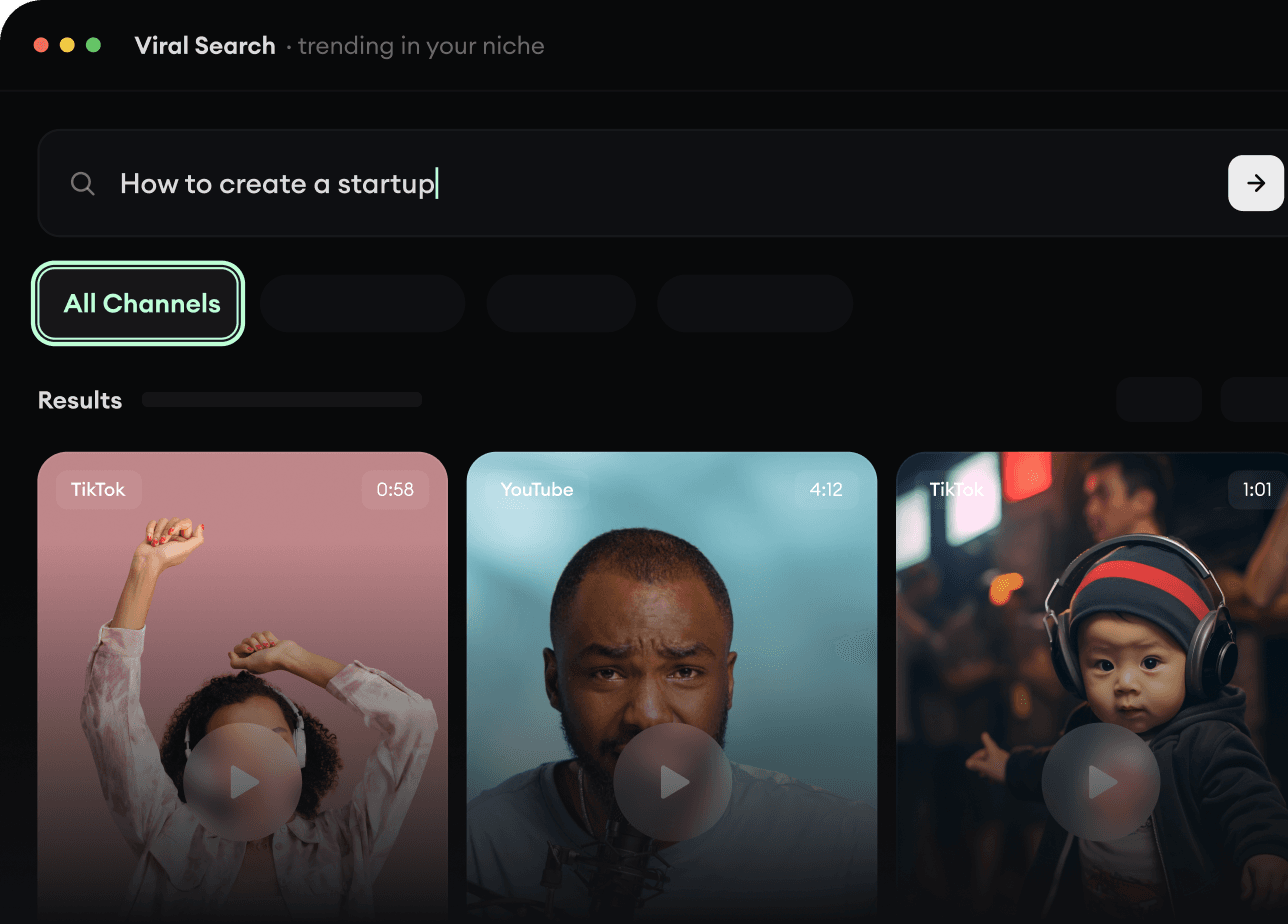
O Viral Search e o Channel Watcher da Revid AI revelam os formatos, criadores e tendências que estão chamando atenção agora, e ajudam você a transformá-los em ideias próprias.
Descubra os formatos de vídeo que fazem sucesso no seu nicho
Acompanhe os criadores e canais que importam
Comece com ideias comprovadas em vez de adivinhar
2
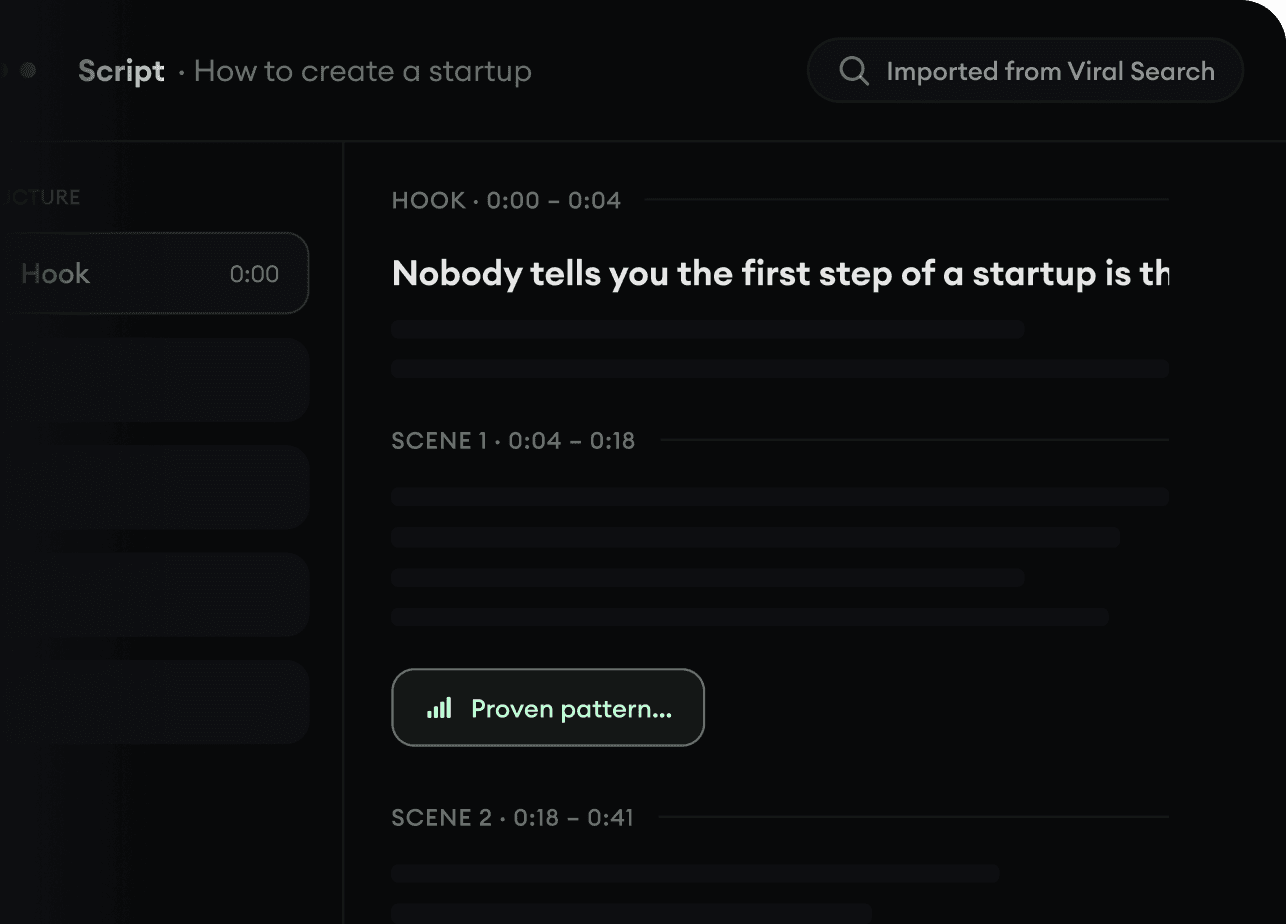
Transforme uma ideia em história.
Achou algo que vale um vídeo? A Revid AI escreve o roteiro, sugere a estrutura e transforma links, prompts ou temas em conceitos completos de vídeo.
Comece com um prompt, tema ou URL
Gere roteiros inspirados em padrões comprovados
Construa histórias feitas para prender a atenção
3
Gere o vídeo pronto.
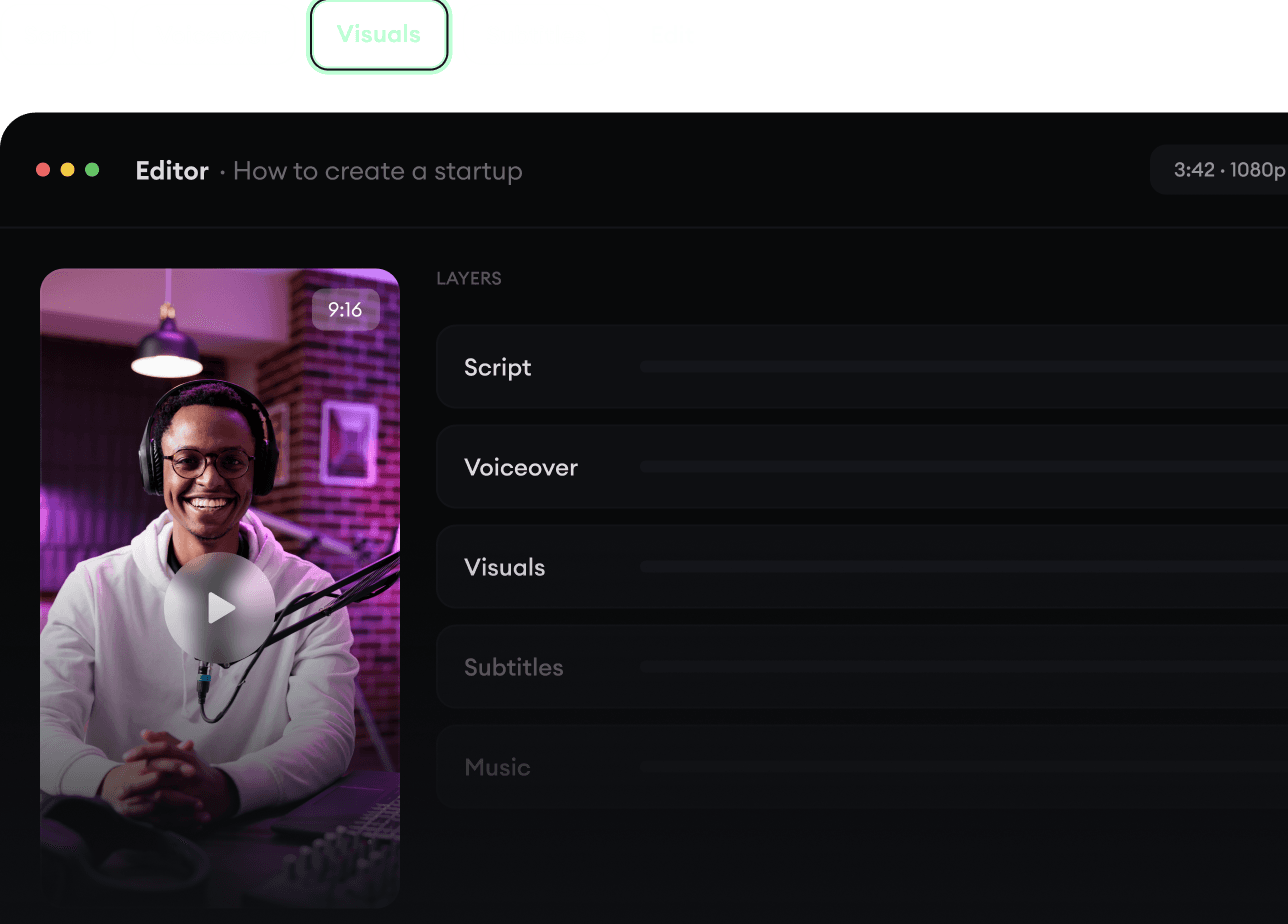
Roteiro, narração, visuais, legendas e edição, tudo em um único fluxo. Sem juntar cinco ferramentas diferentes.
Transforme texto em vídeos completos de vários minutos
Gere tudo em um só lugar
Refine o resultado no editor
4
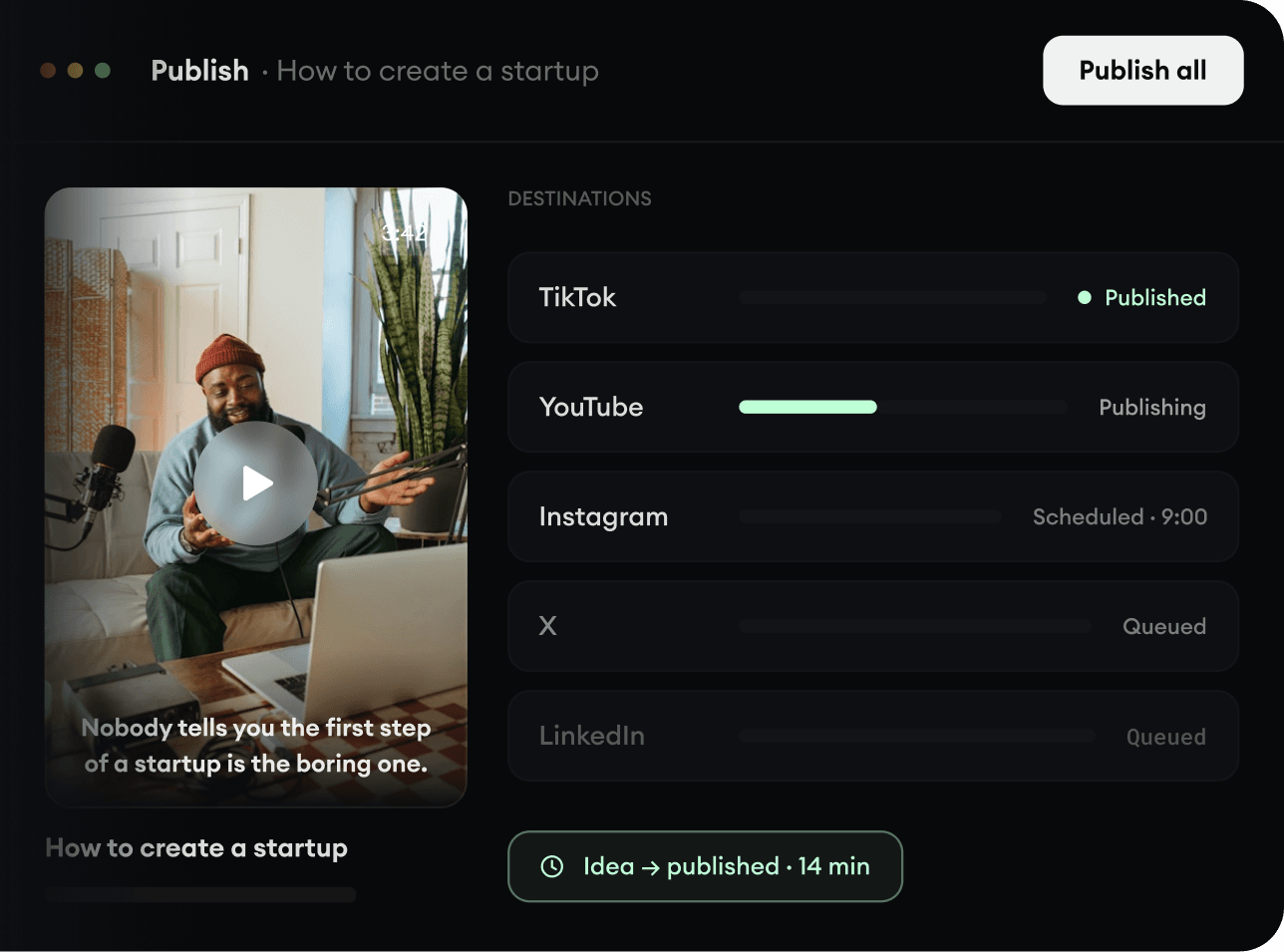
Publique em todo lugar.
Compartilhe seus vídeos no TikTok, YouTube, Instagram e onde estiver o seu público.