Best AI Video Generator for YouTube in 2026: 10 Tools by Use Case
The best AI video generator for YouTube depends on what you start with: an idea, your own footage, a long recording or a script for an avatar. Here are 10 tools matched to each job, with prices, free plans and YouTube's monetization rules.

On this page
The best AI video generator for YouTube depends on what you start with. From an idea or a link, Revid makes finished Shorts and publishes them. InVideo AI, Pictory and Fliki build narrated faceless videos. Descript edits footage you recorded, Opus Clip cuts long videos into Shorts, and HeyGen and Synthesia make avatar videos.
Picking the tool is the easy part. Alphabet said that more than 10 million channels were publishing Shorts every day as of March 2026, and YouTube refuses to monetize AI videos that look mass-produced from generic templates. The tool you choose has to leave room for your own angle, or the channel can grow and still never earn.
Quick comparison: which AI video maker fits your channel
| Tool | Best for | You start with | Paid plans from | Free option |
|---|---|---|---|---|
| Revid | Shorts and faceless videos from an idea, link or proven viral format, published straight to YouTube | Text, link, audio, reference video | $39/month | Free sign-up with free credits to try creation; regular creation uses paid credits |
| InVideo AI | Faceless videos you edit by typing instructions | Prompt or URL | $20/month per seat | Watermarked plan with weekly limits |
| Pictory | Turning blogs, scripts and webinars into videos | Text, URL or recording | $29/month | Free trial, no permanent free tier |
| Descript | Editing recorded talking-head videos and podcasts | Your own footage | $24/month ($16 billed annually) | 60 media minutes a month, 720p |
| Kapwing | Team editing in the browser with AI help | Footage, text or images | Check current plans | Check current plans |
| VEED | Browser editing, subtitles and dubbing | Your own footage | About $10 to $24/month | Watermarked, 720p |
| Synthesia | Avatar explainers and training videos | Script | $29/month | Up to 10 minutes a month |
| HeyGen | Realistic avatars and lip-synced translation | Script or video | $29/month ($24 billed yearly) | 3 watermarked videos a month |
| Opus Clip | Cutting long videos into Shorts | Long recording | $15/month | Watermarked captions, media kept 3 days |
| Fliki | Voice-first narrated videos | Script, idea or blog post | $28/month ($21 billed yearly) | Watermarked, 720p, 1-minute max |
Decision rule: if you have no footage, start with Revid, InVideo AI, Pictory or Fliki. If you have footage, choose Descript, Kapwing or VEED to edit it, or Opus Clip to clip it. If you need a presenter but won't film yourself, choose HeyGen or Synthesia.
1. Revid: best for Shorts from an idea, a link or a proven format
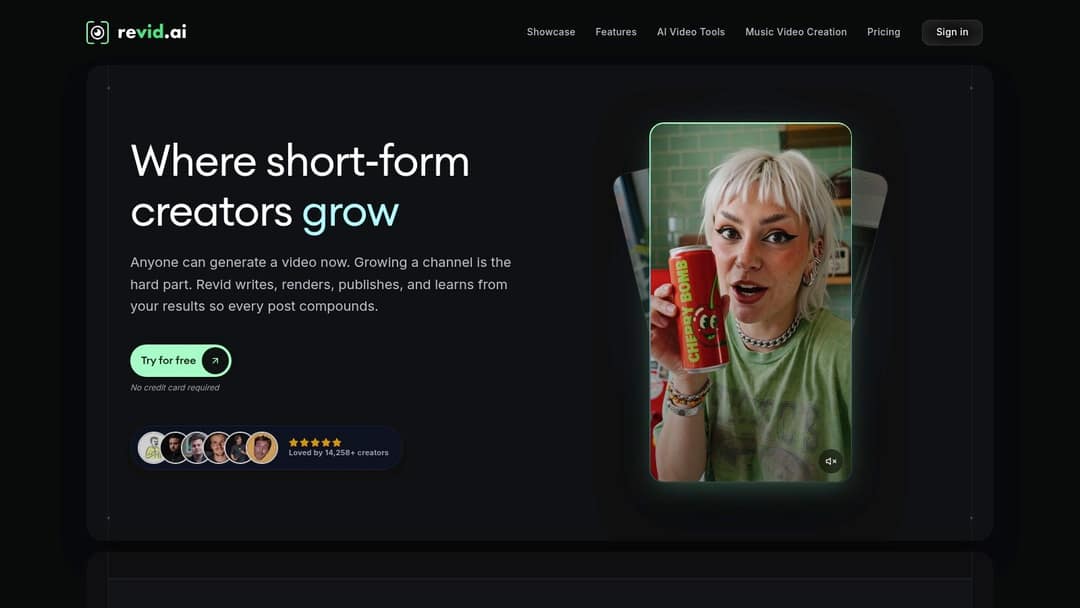
Revid turns an idea, a script, a link (a YouTube video, a Reddit thread, a blog post), a song or a reference video into a finished vertical video. It writes the script, builds scene-by-scene visuals, adds a voice-over, synced captions and music, then publishes to YouTube, TikTok and Instagram. It suits faceless Shorts channels, founders and small businesses, and creators who want Shorts from their long YouTube videos.
What sets it apart is where a video starts. Revid includes a searchable library of about 2.77 million real short-form videos and posts with their public engagement data. You can start from a format viewers already watch instead of a blank prompt. Revid then writes an original video on your topic with the same hook style and pacing: a new script, new visuals and its own music direction, not a copy.
- Ways in: text or prompt to video, article or link to video, audio to video, music videos, talking avatars, and long YouTube videos cut into vertical clips with the YouTube clip maker.
- AI video models: Seedance 2.5, MiniMax Hailuo H3, Wan 3.0 and Google Veo 3 under one credit system, chosen scene by scene. Export in 720p, 1080p or 4K at 30 or 60 fps.
- Voices and captions: 1,000+ AI voices in 70+ languages, 30 caption styles, and automatic captions in 100+ languages.
- Publishing and automation: direct publishing and scheduling to YouTube, TikTok and Instagram from one queue. Auto-Mode workers make a fresh video every day. The API, MCP server and CLI come with every paid plan.
Sign-up is free, no credit card needed, and new accounts get free credits to try video creation and can search the viral library. Regular creation then uses the monthly credits of a paid plan: Growth costs $39/month ($32/month billed yearly) for 2,000 credits, and Revid's pricing page has the live list. As a guide, a 30-second video with Pro AI visuals and a voice-over costs about 40 to 80 credits, and you can estimate any video's cost before generating it.
The limit: Revid is built for short-form. If your channel runs on long talking-head videos you film yourself, Descript fits better. Cinematic long-form edited shot by shot belongs in a professional editor such as Premiere Pro or DaVinci Resolve.
2. InVideo AI: faceless drafts you edit by typing
InVideo AI turns a prompt, a brief or a URL into a complete draft with a script, scenes, stock footage, narration, subtitles and music. Its distinctive choice is the editing model. Instead of a timeline, you change the video through a chat-style agent ("replace the opening clip", "shorten the intro"). That is fast for big changes and slower when you want to nudge one cut by half a second.
It includes a stock library of 16M+ assets (iStock assets are metered on paid plans), access to several third-party generation models, and AI avatars and voice clones from the entry tier. Plans start at $20/month per seat. The free plan adds a watermark and weekly generation limits.
Use InVideo when speed and stock coverage matter more than distinctive visuals, and check every claim in research-heavy scripts yourself. If you are weighing it against Revid, see the Revid vs InVideo comparison.
3. Pictory: when your raw material is text or a recording
Pictory works best when the content already exists. Feed it a blog post, script or URL and it builds a captioned video with stock visuals. Feed it a Zoom, Teams or webinar recording and it pulls out highlights. Its stock library holds 12M+ licensed assets from Getty Images and Storyblocks, premium plans add ElevenLabs voices, and an enterprise REST API and MCP server support automated repurposing.
A reliable blog-to-video workflow:
- Tighten the article first: cut repeated points, rewrite the opening as a hook, and keep one idea per section.
- Import it and let Pictory map the text to scenes.
- Replace every stock clip that only matches a keyword instead of illustrating the point.
- Check captions and pacing before export.
Plans start at $29/month, with a free trial and no permanent free tier. Only feed it text you wrote or have rights to (see the monetization rules below).
4. Descript: AI editing for footage you recorded
Descript is not a prompt-to-video generator. It is an editor for talking-head YouTubers, tutorial makers, interview channels and podcasters. It transcribes your recording and links the words to the footage, so deleting a sentence in the transcript deletes it from the video.
On top of that come Studio Sound, filler-word removal, Underlord (an AI co-editor) and Create Clips for pulling short clips from long recordings. You can speak naturally, then build the episode from the strongest parts of the transcript.
Paid plans start at $24/month ($16 billed annually) with 10 media hours. The free plan gives 60 media minutes a month, 100 one-time AI credits and 720p export. Review automatic cuts for meaning: a technically clean edit can still drop the context a sentence needed.
5. Kapwing: browser editing with AI for small teams
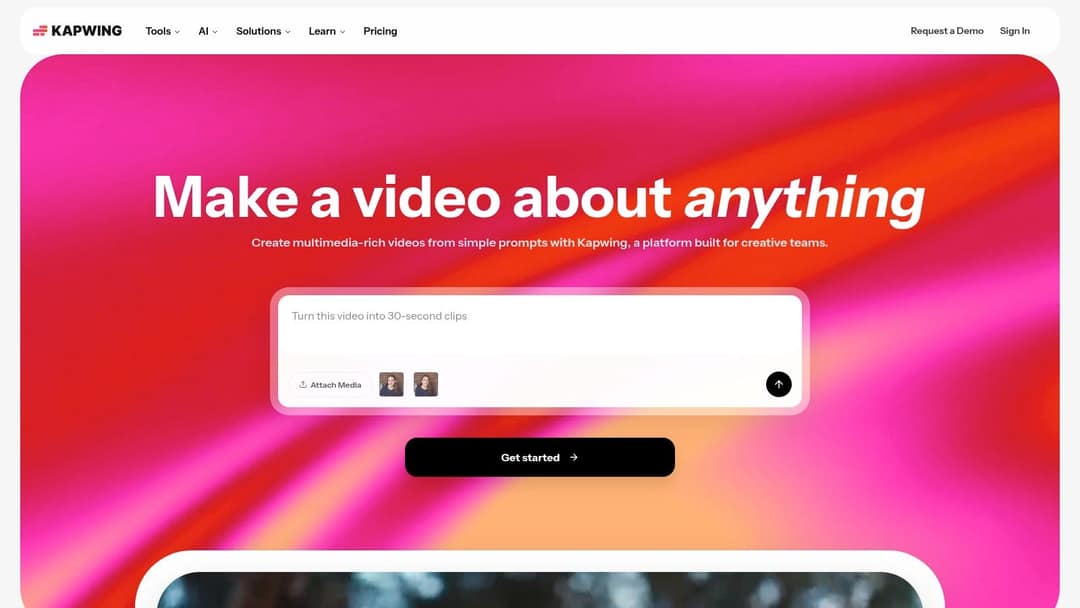
Kapwing pairs AI generation with a full browser editor. It suits solo creators, small marketing teams and agencies that need text-to-video, image-to-video, subtitles, dubbing, lip-sync, resizing and brand kits without desktop software.
Its AI Video Generator creates a first sequence from text or images, then you finish it in the regular editor. Smart Cut removes silences and helps resize one recording into a standard video and a vertical Short. Brand kits, shared projects and 4K export make it a good fit when several people touch the same video.
Lower tiers restrict AI features, so compare each plan's quotas against how often you will dub, translate and export. Check translated subtitles and the pauses created by silence removal before publishing.
6. VEED: a browser production suite for social teams
VEED is a manual editing toolbox with AI added: a multi-track timeline, screen recording, brand kits, auto-subtitles and translation, AI dubbing, eye-contact correction and 30+ stock avatar presenters. It can also generate clips with third-party models such as Seedance inside the editor, and it offers APIs for video and subtitles.
A typical VEED pass: upload the recording, clean the audio, remove silences, add B-roll and captions, change the aspect ratio for a Short, then fine-tune on the timeline. Entry plans cost roughly $10 to $24/month. The free plan exports in 720p with a "Made with VEED" watermark. It handles everyday YouTube editing well but is not a substitute for a pro editor when you need detailed compositing or sound design.
7. Synthesia: avatar explainers and training videos
Synthesia is built for presenter-led communication: tutorials, product walkthroughs, software explainers and training content where a consistent presenter matters more than cinematic B-roll. You write a script, choose a stock or custom avatar (Express-2 avatars use full-body gestures), add branded scenes and produce translated versions without booking a studio.
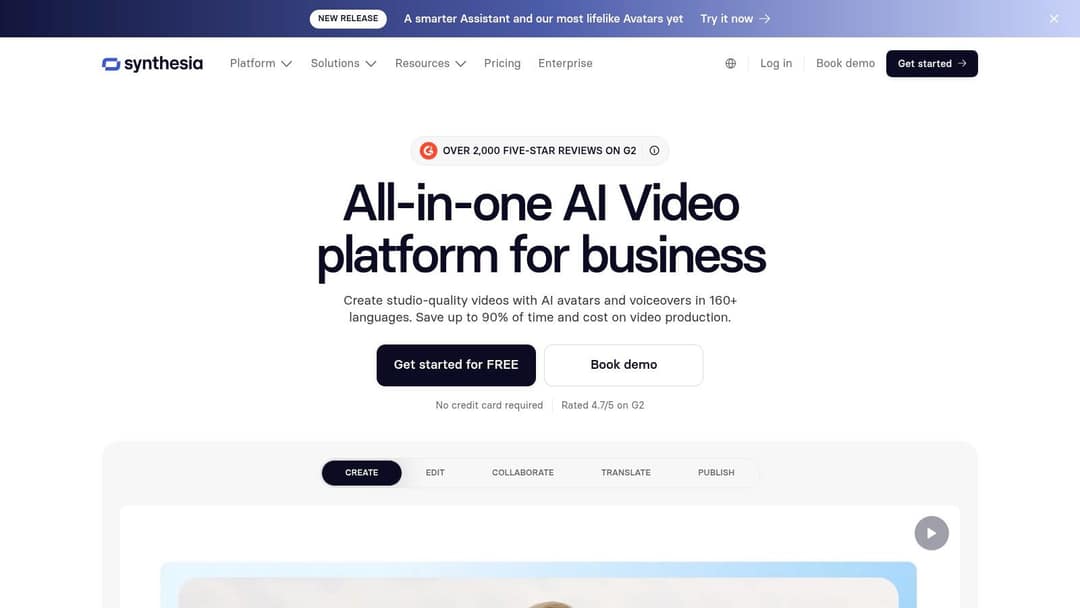
Plans start at $29/month. The free plan allows up to 10 minutes of video a month with 9 stock avatars. The trade-off is tone: avatar videos feel corporate unless the script and visuals add personality, so Synthesia fits poorly with reactive commentary or personality-driven channels. Check pronunciation, emphasis and on-screen text in every language version.
8. HeyGen: realistic avatars and lip-synced translation
HeyGen has some of the most realistic avatars and digital twins available, plus video translation with lip sync across 175+ languages that keeps the speaker's voice. That makes it the pick when localization is part of the channel strategy, not an afterthought.
Plans start at $29/month ($24 billed yearly). The free plan allows 3 watermarked videos a month, up to 1 minute each. Heavier avatar models and longer videos use more of your allowance, so estimate costs from a full-length draft, not a 10-second test.
A presenter talking nonstop gets repetitive even when the lip sync is perfect. Cut to screen captures, demos or B-roll every few lines. For a short-form channel that needs more than a presenter, read Revid vs HeyGen.
9. Opus Clip: turning long videos into Shorts
Opus Clip is the right tool when your source is already recorded: podcasts, webinars, interviews and long YouTube videos. It finds likely highlights, ranks them with a virality score, reframes talking-head footage to vertical, adds animated captions, and posts or schedules clips on paid tiers. It also has an API and an official MCP server for automated clipping.
It will not build a narrated video from a blank prompt; for that difference, see Revid vs Opus Clip. A clip can score well and still misrepresent the speaker or lack setup, so watch every suggestion end to end. If you also publish in writing, Narrareach's guide to taking clips from YouTube videos covers reusing clips in newsletters, as long as you own or have rights to the source.
Paid plans start at $15/month. The free plan exports 1080p with watermarked animated captions, and uploaded media expires after 3 days.
10. Fliki: voice-first narrated videos
Fliki turns scripts, ideas and blog posts into narrated videos with stock media, captions and music. Its strength is the voice library: 2,000+ voices in 80+ languages, voice cloning and, since its 2026 engine rebuild, emotional delivery such as laughing, sarcasm and deadpan. It fits educational, motivational and news-summary channels where narration carries the video.
Plans start at $28/month ($21 billed yearly). The free plan adds a watermark and limits exports to 720p and 1 minute. Visuals are stock-driven rather than generated, so channels that depend on original imagery will need another source.
Prompt to try
Make a 45-second vertical YouTube Short explaining why airplane windows are round. Open with the hook "Square windows once made planes fall out of the sky." Use a calm, curious narrator, bold word-by-word captions and AI visuals of 1950s jets and stress cracks, ending on a one-line takeaway.
What is the best AI tool for creating YouTube Shorts from text?
For Shorts from text, use a generator that delivers a finished vertical video (voice, captions and visuals) in one pass: Revid, InVideo AI or Fliki. Revid is the strongest fit for Shorts specifically, because it can start from a proven short-form format and publish straight to YouTube. Shorts can be up to 3 minutes long when the video is square or vertical, under YouTube's rules since October 15, 2024.
One trap for longer Shorts: any Short over one minute with an active Content ID claim is blocked globally and cannot be monetized. Use licensed or original music, or keep claimed tracks in Shorts under a minute.
To make a Short from text with Revid's AI YouTube Shorts generator:
- Paste your script, a one-line idea or a link (an article, a Reddit thread, a YouTube video).
- Pick a voice and one of the 30 caption styles.
- Choose visuals per scene: stock footage, AI images or AI video from one of the available models.
- Fix any scene, line or timing in the timeline editor.
- Publish to YouTube or schedule it; the views, likes and comments come back into Revid so you can remix what worked.
For a wider comparison of Shorts-only tools, see our AI YouTube Shorts generator roundup.
Which automated video makers work best for YouTube creators?
Full automation means the tool picks the topic, makes the video and posts it on a schedule. Few tools do all three:
- Revid: Auto-Mode workers create a new video every day from a prompt or a content source (3 workers on Growth, 5 on Elite, 10 on Ultra). The Search & Remix automation picks a high-engagement reference from the library and generates an original video from it on a schedule, never reusing the same reference. Details are on Revid's video automation page.
- Opus Clip: automated clipping of long uploads through its API and MCP server, with scheduled posting on paid tiers.
- Pictory: an enterprise REST API and MCP server for repurposing text and recordings at volume.
- VEED: APIs for video and subtitles if your team builds its own pipeline.
- Fliki: automated recurring series with direct publishing (built around TikTok).
Automate production, not judgment. For the first weeks, review every video before it posts and kill formats that repeat themselves. If you are wiring video into a wider business stack, Exerta's overview of workflow automation software covers the connector tools; just keep a human approval step before anything publishes.
Which AI dubbing tools support 4K, and how do you use them?
AI dubbing tools transcribe your video, translate the script, voice it in the target language (a stock voice or a clone of yours) and, on better tools, re-sync the lips. Look for five features: an editable transcript before the render, voice cloning, lip sync, translated captions, and the export resolution your plan includes.
| Tool | Dubbing features | 4K export |
|---|---|---|
| HeyGen | Translation with lip sync in 175+ languages, keeps your voice | Check your plan |
| Synthesia | Avatar videos with dubbing and translations | Check your plan |
| VEED | AI dubbing, translated subtitles | Yes |
| Kapwing | Dubbing, lip-sync, translated subtitles | Yes |
| Revid | Translates an existing Revid project, keeping the edit, media and captions | Yes, up to 4K |
How to dub a video with any of them:
- Upload the final edit, not a draft: every later change means a new dub.
- Pick the target language and a voice; clone your own voice if viewers know it.
- Read the translated transcript before rendering and fix names, brand terms and numbers.
- Turn on lip sync if your face is on screen.
- Watch the full render with captions on, ideally with a native speaker.
- Export at the resolution you uploaded the original in.
On YouTube, cloning your own voice for a voice-over does not require AI disclosure. For Revid projects, the AI video translator creates the new language version without rebuilding the edit.
Can you monetize AI-generated YouTube videos?
Yes, if the final video shows your creative input. YouTube allows AI and automated tools in monetized videos when the result shows the creator's creative vision and gives educational or entertainment value, for example AI used to edit a script or create a background visual. It refuses to monetize:
- AI content made from generic or unoriginal templates that looks mass-produced.
- Unrelated or inconsistent AI clips stitched together to shock, or realistic visuals faking events.
- AI personas presented as human experts giving health, legal, financial or political advice.
- Videos that only read out text you did not write, such as website text or news feeds.
On July 15, 2025, YouTube renamed its "repetitious content" policy to "inauthentic content" to make clear it covers repetitive and mass-produced videos. Pennep's summary of YouTube's 2026 direction gives background on the shift.
Disclosure is a separate rule. Realistic AI content (a real person appearing to say something they didn't, a realistic scene that never happened) must be disclosed with the "AI use" setting in YouTube Studio. AI-written scripts, titles, thumbnails and captions do not need it. Disclosure alone does not limit reach or earnings. Since May 2026, YouTube also labels undisclosed videos with significant photorealistic AI on its own, and the label is permanent for content made with Veo or carrying fully generative C2PA metadata.
To earn ad revenue at all you need the YouTube Partner Program: today, 1,000 subscribers plus 4,000 qualified public watch hours in 12 months or 10 million qualified Shorts views in 90 days. From February 1, 2027, new applicants need 8,000 watch hours or 20 million Shorts views. The same date adds a monthly bar for Shorts revenue: 10 million qualified Shorts views in the last 90 days. More context is in our YouTube Shorts statistics, and Fortune Business Insights' AI video generator market report tracks the wider tools market.
How to test an AI video maker before you pay
Make one real video, the kind you will publish every week, on the free plan or trial, then check:
- Credit use: what counts as a generation, a regeneration, a translation and an export, and what one full video cost.
- Export: resolution, watermark, aspect ratios and burned-in versus separate captions.
- Editing control: whether typed instructions are enough or you need a timeline to fix one scene.
- Voice: pronunciation of your niche's names and terms, and pacing against the visuals.
- Review time: how many minutes it takes you to make the draft publishable. That number, not the feature list, is your real cost.
If the script is your bottleneck rather than the production, fix that first; Sleekpost's roundup of AI content generators for YouTube covers writing tools.
FAQ
Is InVideo AI good for YouTube?
Yes, for faceless videos built from stock footage and narration. It turns a prompt or URL into a full draft and lets you edit it by typing instructions, but you need to verify facts and replace generic clips before publishing.
Is Descript an AI video generator?
No. Descript is an AI-assisted editor for footage you already recorded: you edit the video by editing its transcript. It does not create a video from a prompt.
Is Opus Clip free?
Opus Clip has a free plan, but exports carry watermarked animated captions and uploaded media expires after 3 days. Paid plans start at $15/month.
What is the best free AI video maker for YouTube?
No tool offers unlimited free generation. Descript's free plan (60 media minutes a month) suits editing your own footage, while HeyGen, Synthesia and Fliki offer limited, watermarked free plans; Revid's sign-up and viral library search are free, but creating videos uses paid credits.
Can AI make a full long-form YouTube video?
Yes. InVideo AI, Pictory and Fliki build narrated long videos, and HeyGen and Synthesia build presenter-led ones. To monetize, add your own commentary, examples or analysis so the video does not count as mass-produced or reused content.