How to Create a Content Calendar for Video Creators
Learn how to create a content calendar for video creators that works as a full production system, not just a publish date tracker. Templates included.
On this page
Most video creators who struggle with consistency aren't struggling with ideas. They're struggling with systems. They've got a spreadsheet somewhere with upload dates and vague topic notes, and every Monday morning they stare at it wondering why last week's plan dissolved by Wednesday.
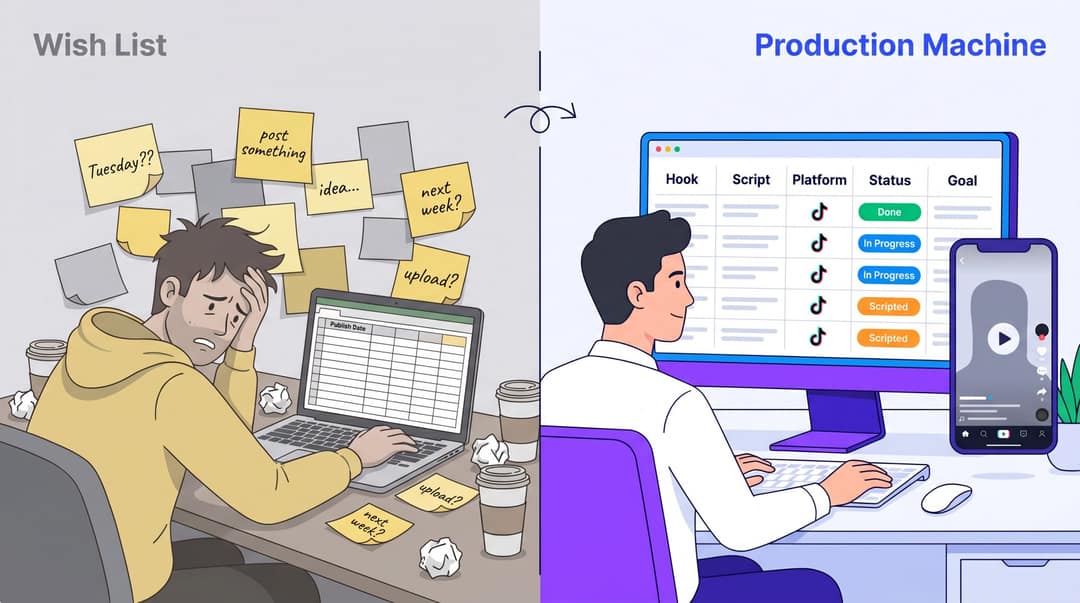
The problem usually isn't discipline. It's the wrong mental model for what a content calendar is. A content calendar for video creators isn't just a publishing schedule. It's a production operating system. It tells you what to make, why it matters, who it's for, what stage it's in, what assets you need, and how you'll know if it worked. A calendar that only tracks publish dates is a wish list. A calendar that tracks production is a machine.
According to HubSpot's 2026 State of Marketing data, the top three ROI-driving formats in modern marketing are all video: short-form video (cited by 49% of marketers), long-form video (29%), and livestreaming (25%). Wyzowl's 2026 video marketing report backs this up: 91% of businesses now use video as a marketing tool, and 93% of video marketers consider it an important part of their strategy. Video isn't optional anymore. But producing it consistently without a proper system? That's where most creators hit a wall.
By the end of this guide, you'll have a complete system for building and running a video content calendar, including the fields, templates, weekly rhythm, and platform-specific workflows that make it actually work. We'll also show you exactly how Revid.ai fits into each stage of the calendar so you're not just planning videos, you're producing them efficiently too.
Video Content Calendar: Quick Setup Steps
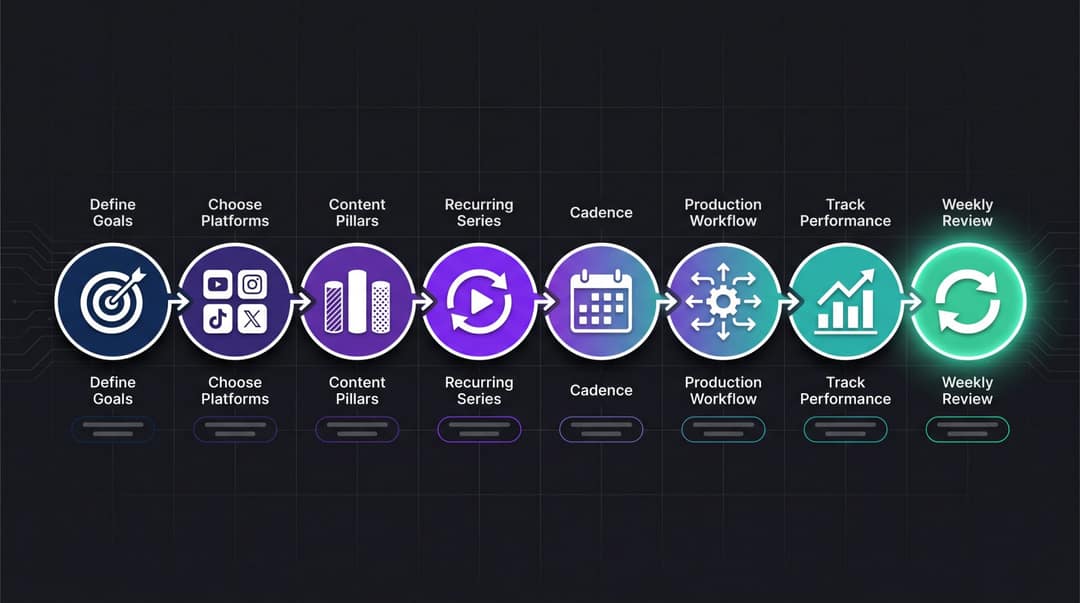
To create a content calendar for video creators:
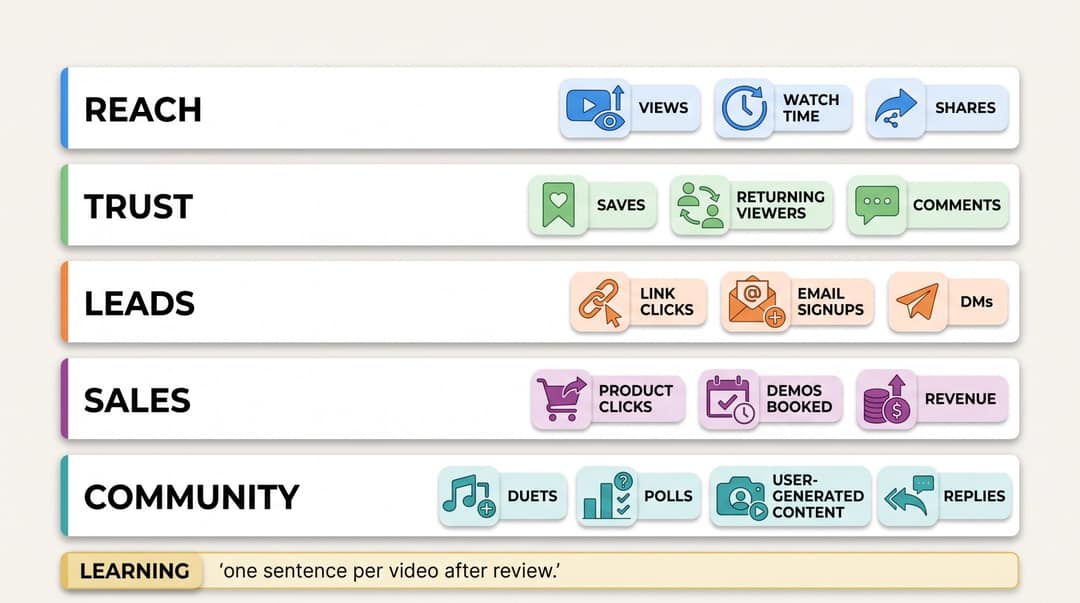
Define the job of your video content: reach, trust, leads, sales, community, monetization, or repurposing.
Choose your platforms and understand each platform's format requirements.
Build 3 to 5 content pillars so you're not starting from scratch every week.
Create recurring video series rather than disconnected one-off ideas.
Set a realistic publishing cadence you can sustain for at least 90 days.
Add a production workflow: idea, script, record or generate, edit, approve, schedule, publish, measure, repurpose.
Track performance by content pillar, format, hook, length, CTA, and platform.
Review results weekly and rebuild the next calendar from what your audience actually watched, saved, shared, clicked, and commented on.
The best content calendar isn't the one with the most posts. It's the one that helps you publish consistently without lowering quality.
What Is a Video Content Calendar?
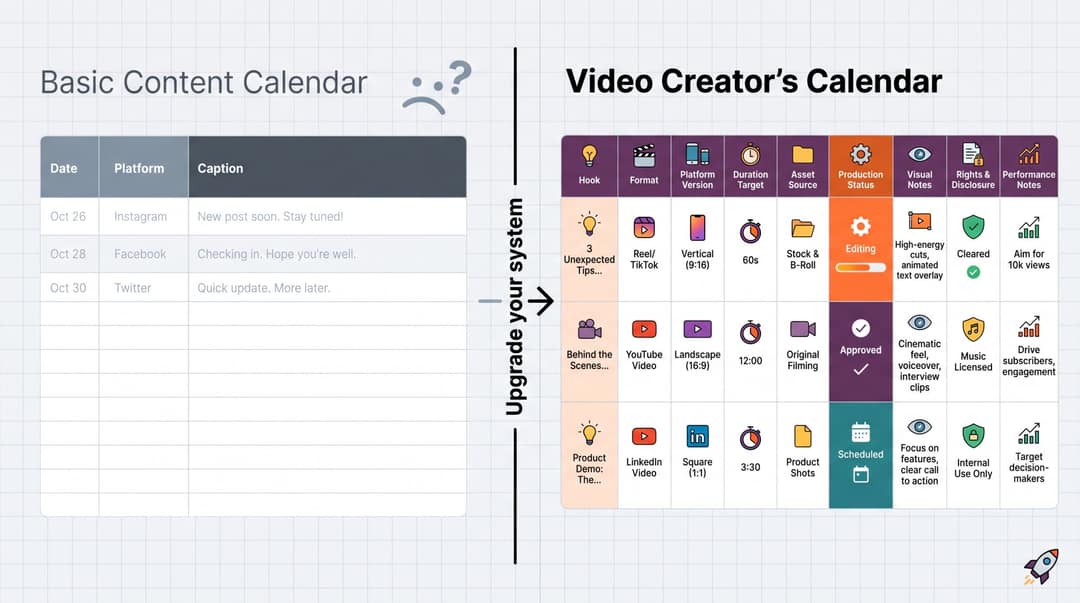
A video content calendar is a planning system that organizes your upcoming videos by date, platform, topic, format, goal, production status, owner, assets, and performance.
Most social media calendar templates track the basics: platform, caption, creative asset, publish date, status. Templates from popular planning platforms describe fields like content type, post title, link, copy snippet, image link, and publish date. Other popular calendar formats emphasize platform, creative assets, schedule, status, campaign category, approvals, and performance review.
Those templates work fine for text posts. For video, you need all of that, plus fields that account for the full production cycle.
| Field | Why it matters |
|---|---|
| Hook | The first 1 to 3 seconds often decide whether people keep watching |
| Format | Talking head, faceless, tutorial, story, podcast clip, product demo, quiz, music visualizer, etc. |
| Platform version | A TikTok, Reel, Short, and LinkedIn video may use the same idea but need different captioning, pacing, and CTA |
| Duration target | A 23-second Short and a 2-minute tutorial are different production jobs |
| Asset source | Long-form video, blog post, podcast, PDF, LinkedIn post, Reddit thread, product page, original script |
| Production status | Idea, briefed, scripted, generated, filmed, edited, approved, scheduled, published, repurposed |
| Visual notes | B-roll, screenshots, AI visuals, stock clips, gameplay background, product footage, safe-zone notes |
| Rights and disclosure | Music rights, stock rights, likeness rights, AI disclosure, brand approval |
| Performance notes | Retention, average watch time, engaged views, saves, shares, comments, clicks, follows, leads |
A normal content calendar asks, "What are we posting on Tuesday?"
A video creator's calendar asks, "What a repeatable production system will turn our best ideas into videos every week?"
Why Video Creators Need a Dedicated Content Calendar
Video is a production pipeline, not just a publishing schedule.
A creator can have 100 good ideas and still miss every deadline if there's no system for scripting, filming or generating, editing, captioning, reviewing, and posting. Content Marketing Institute's 2025 B2B research found that 45% of B2B marketers lacked a scalable content creation model, while top performers were significantly more likely to have the right technology and a repeatable process. The same research found that B2B marketers rated video as the most effective content type and that 61% expected their organizations to increase investment in video.
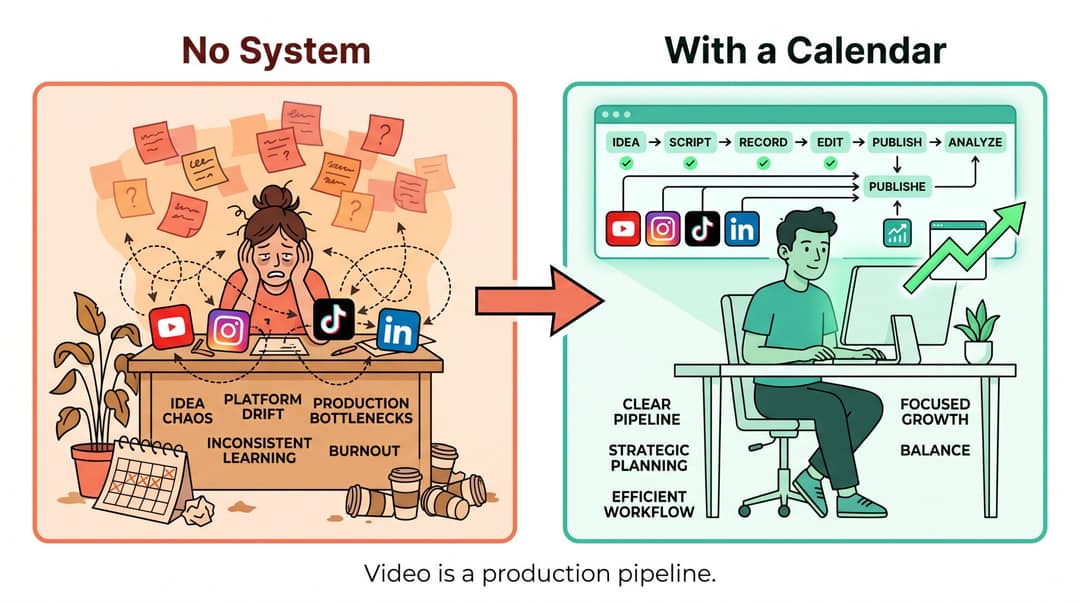
Even for solo creators, the pattern holds: without a scalable model, effort doesn't compound. And a creator workflow doesn't mean a corporate process. It means solving five specific problems that derail most creators:
1. Idea chaos. You need a way to capture ideas before they disappear and rank them before they clutter your workflow.
2. Platform drift. TikTok, Reels, Shorts, LinkedIn, and YouTube don't behave the same way. Your calendar must prevent you from blindly cross-posting without adapting.
3. Production bottlenecks. You need to know what's waiting on script, voice, footage, edit, approval, or publishing so nothing stalls invisibly.
4. Inconsistent learning. If you don't track why a video worked, you'll keep guessing.
5. Burnout. A good calendar reduces daily decision-making. It makes creation feel repeatable and systematic, not endless.
Step 1: Define Your Video Content Goals
Before you choose tools, set posting schedules, or pick formats, decide what your content calendar is supposed to accomplish.
Most creators fail here because they write goals like "post more" or "grow the channel." Those aren't calendar goals. They're hopes.
Try this structure instead: In the next 90 days, our video content will help [specific audience] achieve [specific outcome] so that we can grow [specific business or creator goal].
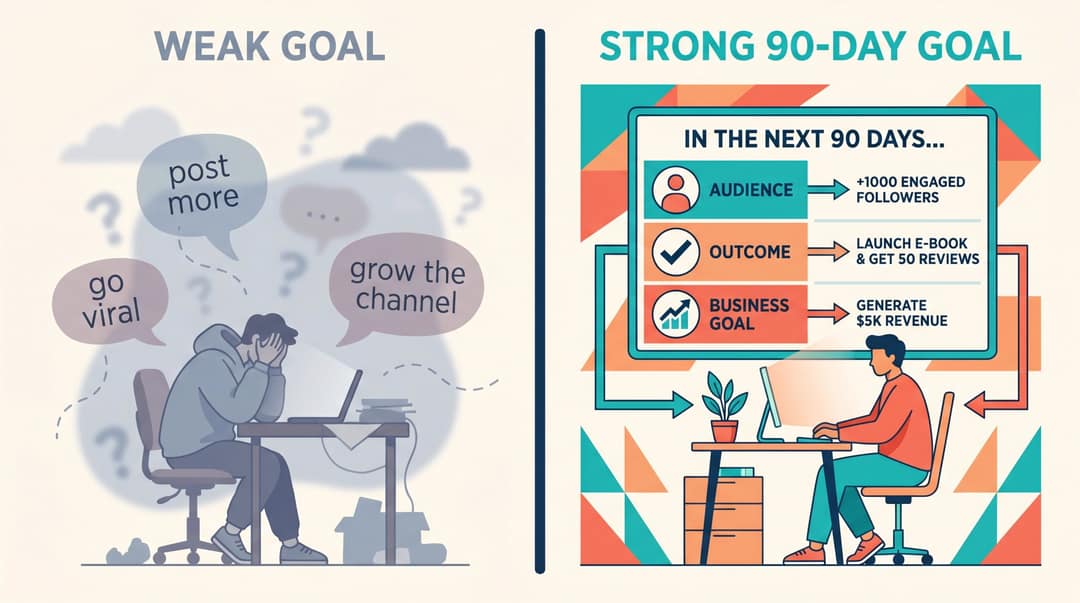
Here's what that looks like in practice:
| Creator type | Weak goal | Better 90-day goal |
|---|---|---|
| Fitness creator | Post more Reels | Publish 5 short exercise demos per week to help busy professionals build a 20-minute home workout habit and grow email signups |
| SaaS founder | Grow on YouTube | Turn product use cases, customer questions, and founder insights into 3 Shorts and 1 long-form video per week to drive qualified demos |
| Musician | Promote new song | Publish 30 short-form videos around the single: lyric clips, story behind the song, visualizers, fan prompts, remix snippets, and behind-the-scenes footage |
| Educator | Be consistent | Create a 12-week Shorts series answering one beginner question per video, then compile winners into longer YouTube lessons |
| Faceless channel | Go viral | Test 5 repeatable formats across history, business, and mystery stories, then double down on the highest-retention series |
Every video on your calendar should connect to one primary goal. Choosing the right goal is the first step in building a video content strategy that compounds over time. Different goals call for different video types:
| Goal | Best video types |
|---|---|
| Reach | Trend adaptation, short stories, myth-busting, reactions, surprising facts, high-retention Shorts/Reels/TikToks |
| Trust | Tutorials, explainers, case studies, behind-the-scenes, founder POV, process breakdowns |
| Leads | Problem/solution videos, checklists, webinars, lead magnet promos, comparison videos |
| Sales | Product demos, UGC-style ads, objection answering, testimonials, offer explanations |
| Community | Comment replies, Q&A, challenges, duets/stitches, polls, recurring series |
| Monetization | Sponsored integrations, affiliate demos, product reviews, launch campaigns |
| Repurposing | Podcast clips, blog-to-video, YouTube long-to-Shorts, newsletter recaps |
A content calendar is much easier to maintain when every post has a job.
Step 2: Choose the Right Platforms for Your Videos
Don't start with "We need to be everywhere." Start with "Where does this video idea naturally belong?"
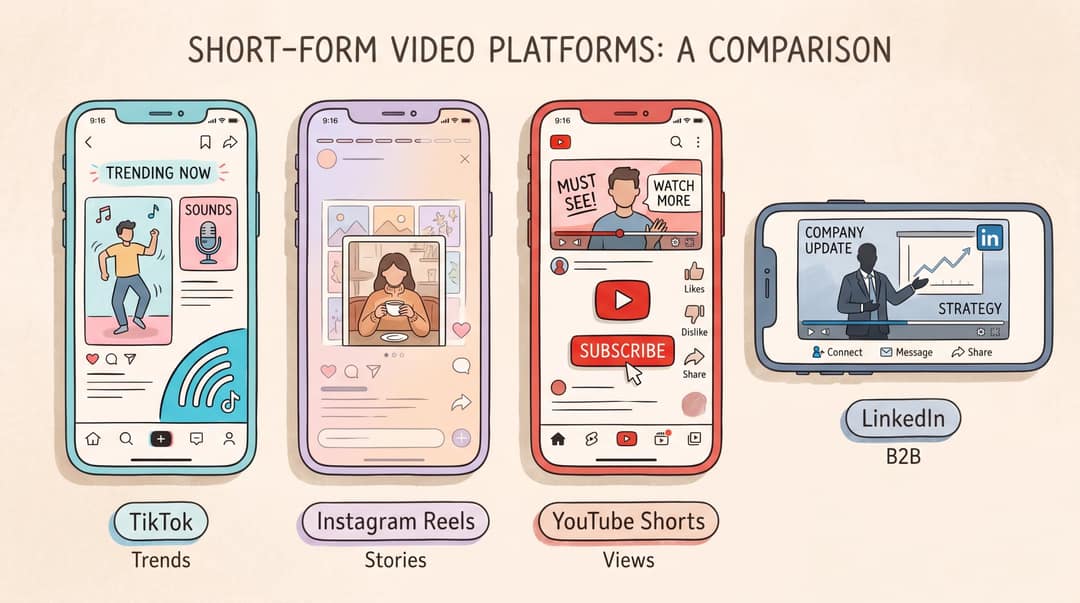
TikTok Content Calendar Strategy
TikTok rewards platform-native creative. According to TikTok's Business Help Center, the best-performing TikTok content uses 9:16 vertical orientation, stays visible within UI safe zones, features people when possible, prioritizes the hook in the first 6 seconds, introduces the content proposition in the first 3 seconds, uses captions or text overlays, and continuously tests new creative approaches. TikTok's Creative Codes also recommend a hook, body, and close structure with 720p or higher footage.
Use TikTok in your calendar for trend adaptation, community-native humor, product discovery, fast educational clips, founder or creator personality, and testing hooks and formats quickly. Understanding how TikTok's algorithm works is essential to planning content that gets distributed. According to TikTok's Help Center, recorded TikTok videos can be up to 10 minutes and uploaded videos up to 60 minutes, though audience behavior and format fit should drive your length decisions more than technical limits.
Instagram Reels: Format, Length, and Content Tips
Instagram Reels now support longer storytelling than most older guides assume. Instagram's creator blog announced 3-minute Reels in January 2025, doubling the previous 90-second limit. Since late November 2025, Reels can be recorded and edited up to 20 minutes, but Instagram only recommends reels of 3 minutes or less to people who don't follow you. Use Reels for polished short-form storytelling, educational content paired with carousels, creator personality and lifestyle content, product demos and transformations, and series that followers recognize and return to. Our guide to Instagram Reels best practices covers the hooks, pacing, and format decisions that drive the most reach.
YouTube Shorts: Length Rules and View Tracking
YouTube Shorts can now be up to three minutes. YouTube Help confirms that standard channel videos uploaded on or after October 15, 2024, that are square or vertical and up to three minutes long are categorized as Shorts. One important rights note: until September 24, 2026, Shorts over one minute with an active Content ID claim were blocked globally. YouTube's help pages now say new claimed Shorts between one and three minutes may remain playable instead of being blocked automatically. Music and rights checks still belong directly in your calendar workflow.
YouTube also changed how Shorts views are counted, starting March 31, 2025. Shorts views now count when a Short starts to play or replay, with no minimum watch-time requirement. The older metric, now called "Engaged views," is still used for YouTube Partner Program eligibility and Shorts ad revenue sharing. That means your calendar shouldn't judge Shorts by raw views alone. Track engaged views, retention, comments, subscribers gained, and which Shorts lead viewers into long-form videos.
For a breakdown of video lengths across platforms, our guide covers the data by format type.
LinkedIn Video: B2B Content Planning
LinkedIn is increasingly important for B2B creators, founders, consultants, and agencies. LinkedIn's video ad specifications support vertical 9:16, vertical 4:5, landscape 16:9, and square 1:1 formats. Use LinkedIn video for founder insights, industry commentary, case studies, product lessons, B2B education, webinar clips, and customer stories. The hook and framing often need to be more professional, specific, and credibility-driven than TikTok, even when the core idea is the same.
YouTube Analytics' audience reports can show you when viewers are online, what other videos and channels they watch, and which formats they consume, making it a useful resource for planning topics, publishing times, collaborations, and format mix across your calendar.
Step 3: Build Content Pillars and Recurring Series
What Are Content Pillars?
A content pillar is a repeatable category your audience expects from you. Think of it as the "show" within your channel. Without pillars, you start from scratch every time you need to create. With pillars, you just ask which one needs a new episode this week.
Most creators need 3 to 5 pillars. Fewer than three becomes repetitive. More than five gets hard to sustain. Here are strong examples by creator type:
For a business or SaaS creator:
Problem education: pains, mistakes, myths, beginner lessons
Product use cases: demos, workflows, before/after examples
Customer proof: testimonials, transformations, case studies
Founder POV: lessons, opinions, market commentary
Community questions: replies, objections, FAQs
For a faceless educational channel:
Surprising facts
Explained simply
Mistakes people make
Stories and case studies
Quizzes and challenges
Faceless channels work especially well with AI-generated video content. You can build consistent series without recording.
For a musician:
Song story
Lyric moments
Performance clips
Visualizers
Fan participation
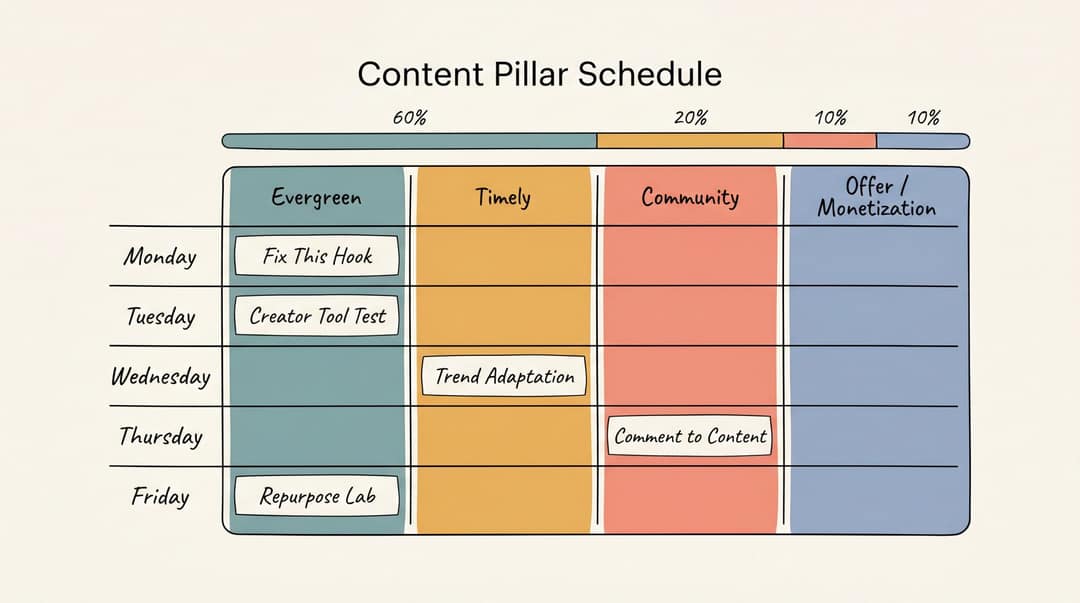
A well-balanced calendar usually mixes three pillar types:
| Pillar type | Purpose | Example |
|---|---|---|
| Evergreen | Builds long-term value | "How to write a better hook for Shorts" |
| Timely | Captures current attention | "What Instagram's 3-minute Reels change means for creators" |
| Community | Builds relationship | "Replying to your question about posting daily" |
A practical starting ratio: 60% evergreen, 20% trend or timely, 10% community response, 10% offer or monetization. That's a default, not a rule. Adjust based on your analytics and business model.
Why Series Beat One-Off Posts
A single video can go viral. A series builds a channel.
A content series is a repeatable format with a recognizable promise. Series make planning easier because you're not inventing the structure every time.
The hook is the single most important creative variable in every series episode. Our guide on writing viral hooks for social media covers the patterns that keep viewers watching. Here are series examples that work well:
| Series name | Repeatable promise |
|---|---|
| "Fix This Hook" | Each episode rewrites one bad video hook |
| "1-Minute Creator Calendar" | One planning tip for video creators in under a minute |
| "Tools I'd Use If I Started Today" | One tool recommendation per episode |
| "The 30-Day Shorts Lab" | Daily experiments with hooks, formats, or niches |
| "Reddit Stories Explained" | One Reddit post turned into a narrated story |
| "Before You Post This" | Common creator mistakes before publishing |
| "Comment to Content" | Turn audience questions into video replies |
With a series structure, your calendar might look like this:
Monday: "Fix This Hook"
Tuesday: Creator Tool Test
Wednesday: Trend Adaptation
Thursday: Comment to Content
Friday: Repurpose Lab
Now you only need the episode topic. The concept is already there.
Prompt to try
Create a 30-second vertical video for a series called "Fix This Hook". Open with the hook "This opening line is killing your views", show a weak video hook, then rewrite it into a stronger one and explain why it works in one sentence. Use bold captions, fast stock b-roll and an energetic voiceover, and end with "Comment your hook and I'll fix it next."
Step 4: Build an Idea Bank for Your Video Calendar
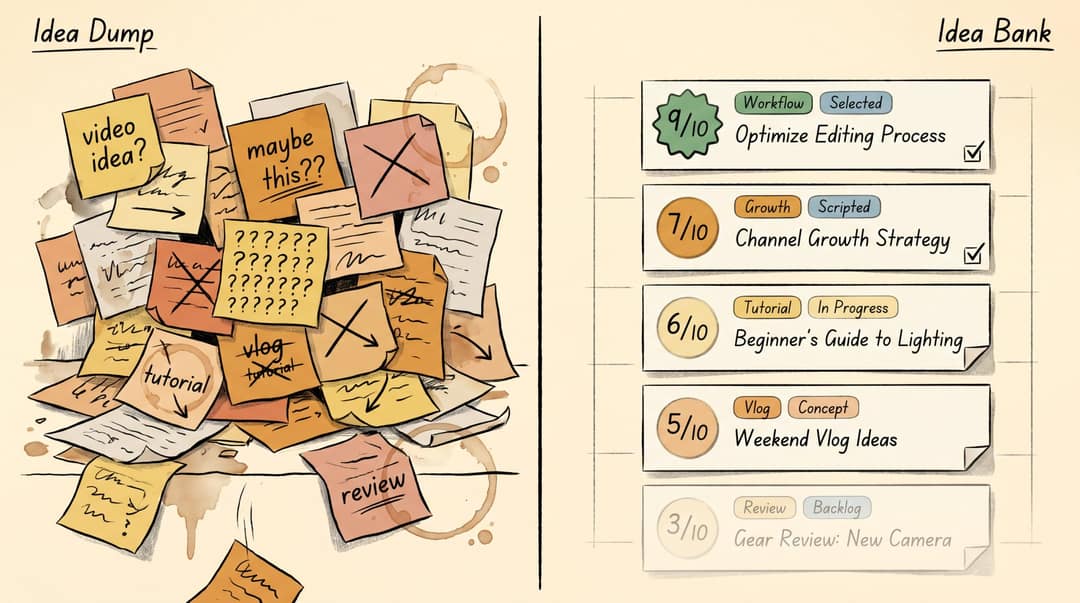
Most creators have an idea dump. Fewer have an idea bank.
An idea dump is a messy list that grows and grows without telling you what to make next. An idea bank is a ranked backlog that does exactly that. If you're running short on ideas, our roundup of content ideas for social media creators can seed your backlog quickly. You can also search Revid's library of about 2.77 million real short-form videos by topic and engagement to see which formats already earn views in your niche, then remix one into an original video. Use these fields:
| Field | Example |
|---|---|
| Idea | "Why your content calendar fails after week two" |
| Audience pain | Creator burnout, inconsistent posting |
| Pillar | Workflow |
| Format | Faceless explainer or talking head |
| Platform | Shorts, Reels, TikTok |
| Hook | "Your content calendar isn't broken. Your production system is." |
| Source | Audience comment, analytics, competitor gap, trend, keyword |
| CTA | Download template, try Revid, comment "calendar" |
| Effort | Low, medium, high |
| Score | 1 to 10 |
| Status | Backlog, selected, scripted, produced |
Score each idea using five questions:
Audience pain: Does this solve a real problem? Understanding your audience deeply, through audience research methods like comment mining, competitor analysis, and keyword tools, makes this scoring more accurate.
Retention potential: Is there tension, curiosity, payoff, or transformation?
Production efficiency: Can we make it quickly or repurpose existing assets?
Strategic fit: Does it support one of our pillars or offers?
Differentiation: Is our angle better than generic advice?
Score each question from 1 to 5 and focus on the highest totals. Crafting a strong hook before you script anything else is what separates planned content from performed content. This stops you from choosing ideas just because they feel exciting in the moment.
Step 5: How to Set a Sustainable Posting Cadence
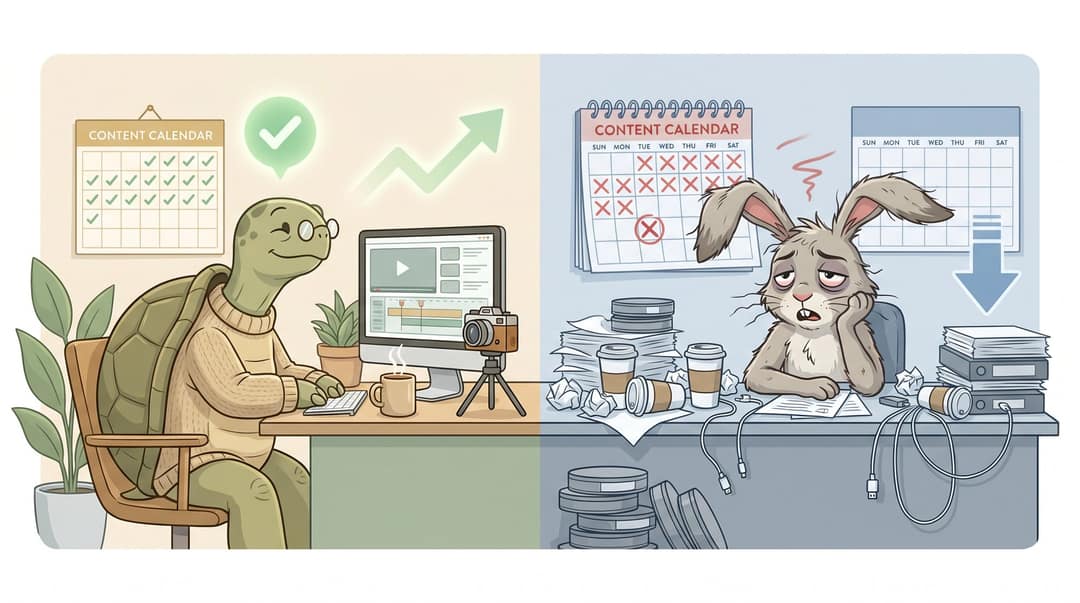
A sustainable cadence beats an ambitious one you abandon after 10 days.
Don't ask "How much should I post?" Ask "How many finished videos can I reliably produce without lowering quality?" Here are realistic cadence models to benchmark against:
Beginner solo creator (building the habit):
| Platform | Cadence |
|---|---|
| TikTok / Reels / Shorts | 3 to 5 short videos per week |
| Long-form YouTube | Optional: 1 to 2 per month |
| Stories or community | 2 to 5 lightweight updates per week |
Serious solo creator (actively trying to grow):
| Platform | Cadence |
|---|---|
| Short-form video | 5 to 7 per week |
| Long-form video or podcast | 1 per week or every other week |
| Community replies | 2 to 3 per week |
| Repurposed clips | 2 to 4 per week |
Brand or agency (multiple people touching production):
| Platform | Cadence |
|---|---|
| Short-form video | 1 to 3 per day across channels |
| Long-form video | 2 to 4 per month |
| Paid social variants | 3 to 5 creative variants per campaign or test group |
| Community or UGC | Weekly or campaign-based |
If you're deciding how often to post on YouTube specifically, our breakdown of how many videos to post per week covers the data by channel stage. TikTok's ad creative guidance recommends refreshing creatives when performance declines and maintaining a creative asset library. For organic creators, the same principle applies: don't only increase volume. Increase the number of meaningful creative tests. Posting at the right time matters too. Check the best times to post on TikTok for your specific niche and audience.
Step 6: Video Content Calendar Template and Fields
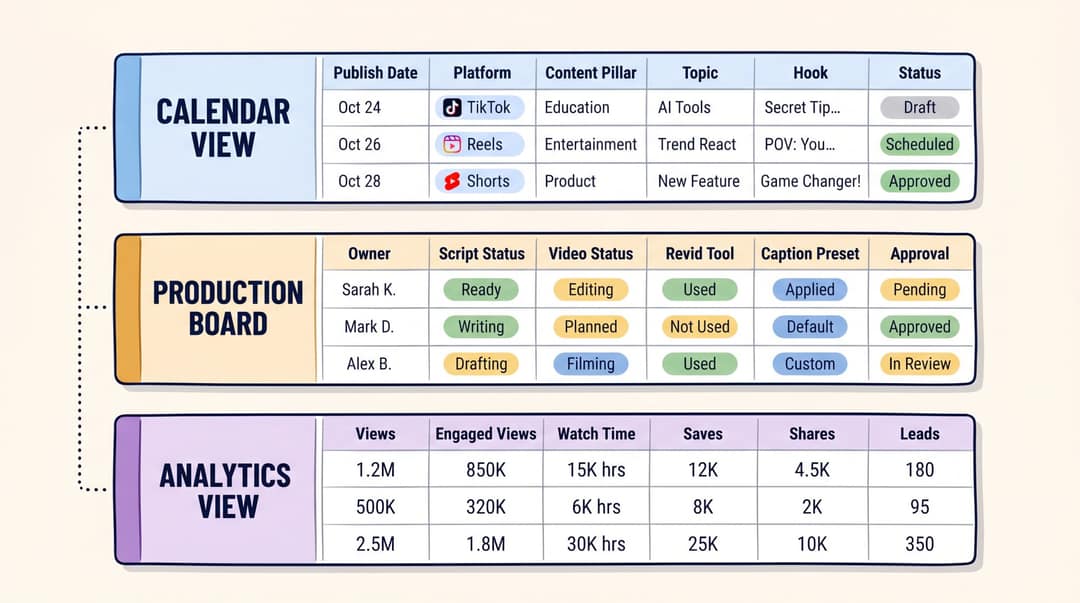
Your calendar needs three distinct views to function properly as a production system.
Calendar view: for publish dates and scheduled content.
Production board: for workflow status (who owns what, what's waiting on what).
Analytics view: for performance data after publishing.
A single spreadsheet can handle all three. So can Notion, Airtable, Asana, Trello, ClickUp, or most scheduling tools. A variety of calendar formats exist: spreadsheets, weekly calendars, monthly views, Notion templates, and creator-specific systems. The tool matters less than the fields.
Essential Fields for a Video Content Calendar
Here are the columns that give your calendar real utility:
Calendar view fields:
| Field | Example |
|---|---|
| Publish date | May 6 |
| Publish time | 6:00 PM local |
| Platform | TikTok, Reels, Shorts |
| Content pillar | Workflow |
| Series | 1-Minute Creator Calendar |
| Topic | Why creators should plan production, not just posting |
| Goal | Saves / email signups |
| Audience | Solo video creators |
| Format | Talking head with captions |
| Hook | "A content calendar won't save you if it only tracks publish dates." |
| CTA | "Comment CALENDAR for the template" |
| Status | Scripted |
| Scheduled? | Yes / No |
Production view fields:
| Field | Example |
|---|---|
| Owner | Creator / editor / social manager |
| Script status | Approved |
| Video status | Edited |
| Asset source | Blog post |
| Revid tool | Article to Video / Short Video Generator |
| Voice | Custom voice / selected voice |
| Visual style | Stock with captions |
| Caption preset | FACELESS |
| Aspect ratio | 9:16 |
| Duration | 42 seconds |
| Cover | Done |
| Rights check | Cleared |
| AI disclosure | Not required |
| Approval | Approved |
Analytics view fields:
| Field | Example |
|---|---|
| URL | Published link |
| Views | 18,400 |
| Engaged views | 7,900 |
| Average watch time | 31 sec |
| Completion rate | 62% |
| Saves | 410 |
| Shares | 240 |
| Comments | 36 |
| Follows / subscribers | 88 |
| Clicks | 112 |
| Leads | 37 |
| Learning | "High saves; make a template walkthrough." |
| Next action | Create sequel |
This may look like a lot of fields. You won't fill every one for every video. The value is that nothing important has nowhere to live. For video scheduling tools for content creators that integrate with this kind of workflow, our guide covers the main options by creator type.
Step 7: How to Batch Video Production Weekly
Video creators lose time when they produce one video from scratch every day. Batching doesn't mean filming 30 identical clips in one sitting. It means grouping similar tasks together so you stay in one mental mode at a time.
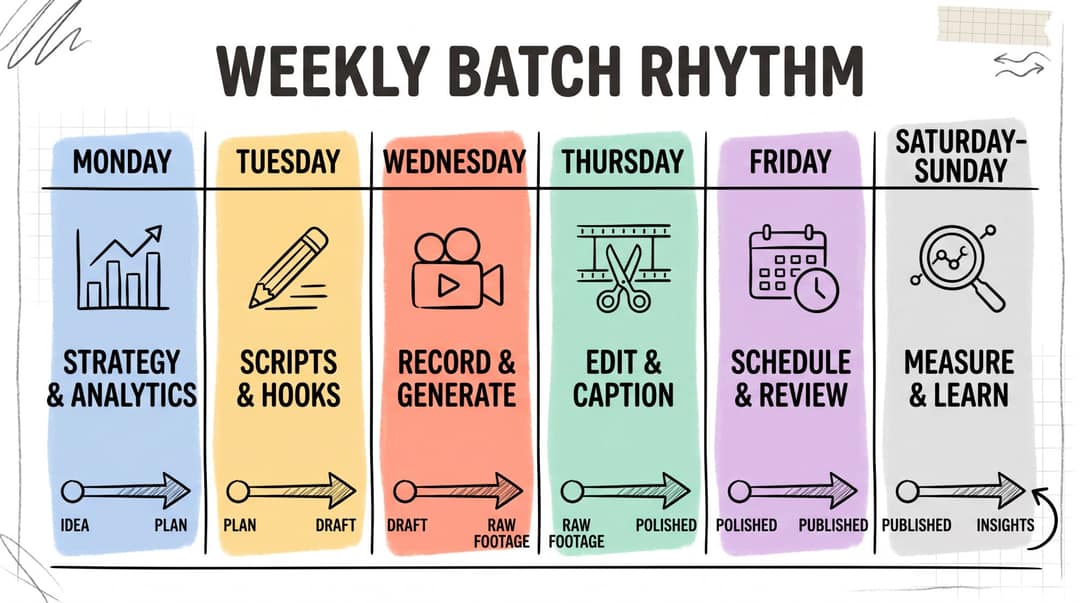
Monday: Strategy and selection
Review last week's analytics
Pick the top-performing pillar
Choose 5 to 10 ideas from the idea bank
Assign platform and format
Tuesday: Scripting and hooks
Write hooks first
Prepare visual notes
Add CTAs and create platform-specific captions
Wednesday: Recording or generation
Record talking-head clips
Automating video creation is where tools like Revid change the equation: generate faceless videos in minutes instead of hours
Create voiceovers and pull b-roll or stock assets
Thursday: Editing
Cut dead space and add captions. This is where automatic video editing tools pay for themselves. Let the AI handle trimming, captioning, and pacing while you focus on brand decisions.
Check pacing and add cover frames
Export platform versions and verify safe zones and aspect ratios
Friday: Schedule and quality check
With Revid's publishing tools, you can schedule directly to TikTok, Instagram, and YouTube without leaving your workflow.
Check captions, links, tags, disclosure, and rights
Confirm publishing times and save drafts for next week
Weekend: Review
Check retention, comments, shares, saves, clicks, and follows
Add learnings to the calendar
Turn winning videos into sequels
Archive weak ideas or change their angle
This rhythm turns your calendar into a feedback loop, not just a to-do list.
Step 8: How to Plan Your Weekly Video Content Mix
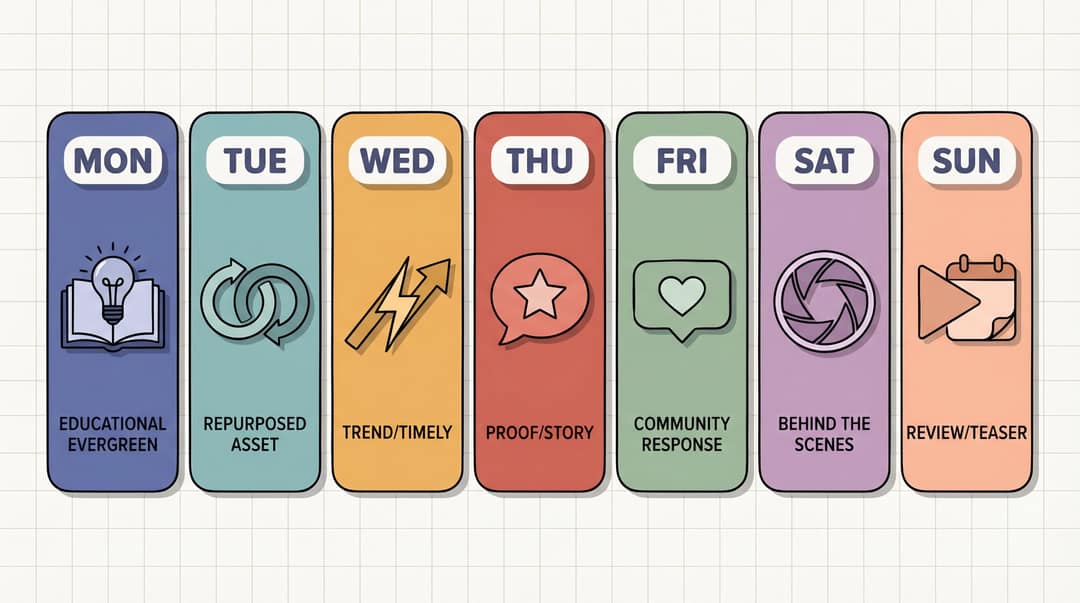
A healthy video calendar has variety, but not randomness. Here's a practical day-by-day mix for a full publishing schedule:
| Day | Content type | Purpose | Example |
|---|---|---|---|
| Monday | Educational evergreen | Authority | "How to plan a week of Shorts in 30 minutes" |
| Tuesday | Repurposed asset | Efficiency | Clip from podcast, blog, webinar, or YouTube video |
| Wednesday | Trend or timely angle | Discovery | "What 3-minute Reels mean for creators" |
| Thursday | Proof or story | Trust | "How one creator turned 1 article into 7 videos" |
| Friday | Community response | Relationship | Reply to a comment or FAQ |
| Saturday | Behind the scenes | Personality | "What my content calendar actually looks like" |
| Sunday | Review or teaser | Retention | "Next week I'm testing 5 hook styles" |
For smaller cadences, compress the mix:
| Cadence | Suggested mix |
|---|---|
| 3 videos/week | 1 evergreen, 1 proof/story, 1 trend/community |
| 5 videos/week | 2 evergreen, 1 repurposed, 1 trend, 1 community |
| 7 videos/week | 3 evergreen, 1 repurposed, 1 trend, 1 proof, 1 community |
| 14+ videos/week | Use the same mix but create multiple hook and format variants |
Tuesday's repurposed content slot is where turning existing content into new videos pays off most. Tracking social media trends is how you keep the Wednesday slot filled without last-minute scrambling.
Every week should include both audience growth content and audience trust content. One without the other stalls the channel.
Step 9: How to Build a Video Repurposing Engine
Your video calendar becomes genuinely powerful when you build repurposing into it. One strong source asset can generate many videos, and that multiplier effect is what separates creators who feel constantly behind from those who always have content in the queue.
One source asset, many outputs:
| Source asset | Repurposed outputs |
|---|---|
| Long-form YouTube video | 5 to 15 Shorts, 3 Reels, 3 TikToks, 1 LinkedIn post, 1 newsletter |
| Podcast episode | Best quote clip, guest hot take, lesson recap, audiogram, topic explainer |
| Blog post | Summary video, listicle, myth-busting clip, carousel, FAQ Short |
| Webinar | Demo clip, objection clip, before/after clip, tutorial, highlight reel |
| Customer call | FAQ video, objection answer, testimonial, use-case explainer |
| PDF or guide | Educational series, quiz video, chapter summaries |
| LinkedIn post | Talking-head commentary, faceless explainer, Shorts script |
| Reddit thread | Story video, reaction, lesson breakdown |
For turning blog content into video, our step-by-step guide on converting blog posts into videos covers the full workflow. And for audio-first creators, turning podcast episodes into social media videos is one of the highest-ROI repurposing moves available.
Add an "asset source" column to your calendar. That one field changes your mindset from "What new thing do I need to create?" to "What existing asset can become a video?" That shift is everything. When you pair this with automated video creation, the asset source column becomes more than a field. It becomes the input queue for your production system.
How to Use Revid.ai in Your Video Content Calendar
A content calendar tells you what to make and when. Revid.ai is what you use to make it.
The bottleneck in most video calendars isn't planning. It's production. The plan sits there while the creator spends three hours on one talking-head edit or searches for stock footage for a faceless explainer that should've taken 20 minutes. That's the specific friction Revid.ai is designed to eliminate.
How to Turn Your Calendar Into a Production Queue
Here's how a week of planned content maps to Revid's tools:
| Day | Source | Revid workflow | Video output |
|---|---|---|---|
| Mon | Original idea | Script generator → AI TikTok Video Generator | "Why calendars fail" |
| Tue | Blog post | Article to Video | "5 calendar fields creators forget" |
| Wed | Podcast episode | Audio to Video | Best 45-second guest clip |
| Thu | LinkedIn post | LinkedIn Post to Video | Founder POV clip |
| Fri | Audience comment | Talking Avatar | Reply to FAQ |
| Sat | Music track | AI Music Video Generator | Music visualizer or lyric clip |
| Sun | PDF or guide | PDF to Video | Chapter summary Short |
This is what the Revid tools library was built for: covering every column in your "asset source" field so that whatever you planned gets produced without starting from zero.
Auto-Mode Workers: Automate Your Video Production
The most powerful calendar integration Revid.ai offers is Auto-Mode. Auto-Mode lets you set up workers that automatically generate one video per day from a content source you connect, whether that's a blog feed, YouTube channel, LinkedIn post stream, or another input. Think of each worker as a saved production recipe: "when content appears in source X, generate a video using template Y with voice Z, and queue it for review."
For calendar workflows, this changes the equation entirely. Instead of manually producing every repurposed video, your calendar becomes a configuration layer: you define the content sources, templates, and review checkpoints, and Auto-Mode handles generation in the background. You review, approve, and schedule. The production itself runs on its own. This is what workflow automation actually looks like in practice. The calendar defines the strategy, the automation handles execution.
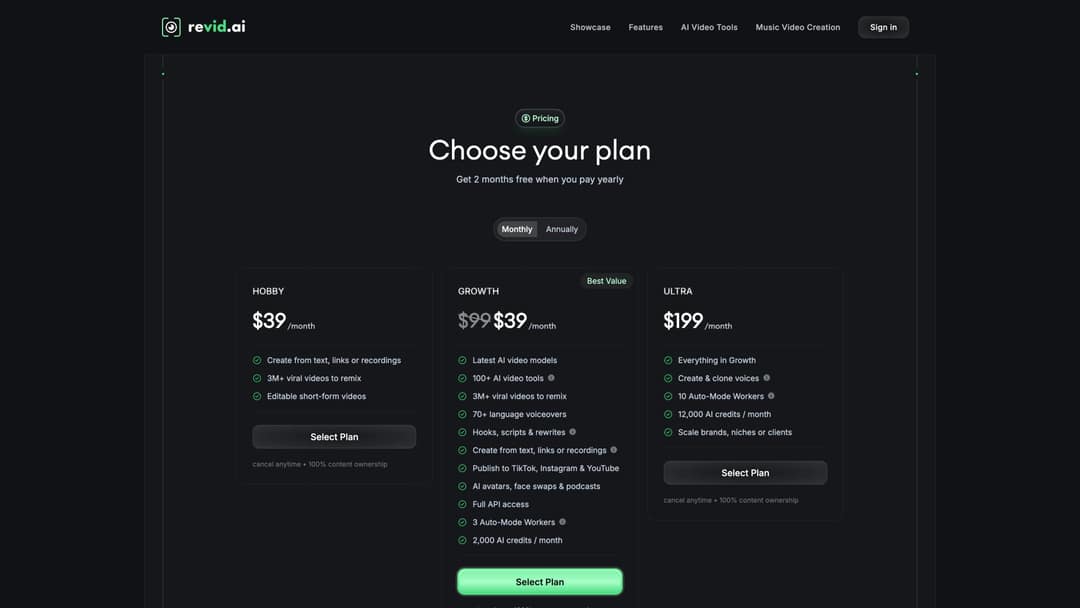
Auto-Mode workers are included on every paid plan: 3 workers on Growth ($39/month, 2,000 credits), 5 workers on Elite ($89/month, 5,000 credits) and 10 workers on Ultra ($199/month, 12,000 credits). As a guide, a 30-second video with Pro AI visuals and a voice-over costs about 40 to 80 credits.
Revid-Specific Fields to Add to Your Calendar
When building your production view in the calendar, add these Revid-specific fields:
Revid tool: which tool generates this video (Article to Video, Audio to Video, AI TikTok, etc.)
Prompt or script link: the specific prompt or script version used
Voice: the selected voice or custom voice ID
Visual style: stock footage, animations, static images, or AI-generated visuals
Caption preset: which of Revid's 30 caption styles the video uses
Aspect ratio: 9:16, 16:9, or 1:1 depending on platform
Export status: draft, reviewed, approved, exported, published
Revid project link: the link to the project inside your Revid account
As Revid's extensive guide explains, short, punctuated sentences help voice generation, square brackets can guide visuals without being spoken aloud, <break time="1.0s" /> can add pauses at specific moments, and line breaks force media changes or scene transitions. Your calendar shouldn't just store "script." It should store a production-ready script with spoken words, visual instructions, scene breaks, and CTA notes.
Revid Tools by Content Type: Full Integration Guide
For musicians and audio-driven creators, Revid's AI Lyrics Video Generator turns a track into a lyric video with synchronized text and visuals. The AI Music Video Generator goes further, creating full visual narratives synced to music. These tools fit naturally into the "visualizer" and "song story" content pillars for music creators.
For content repurposing, Article to Video converts any blog post URL or pasted text into a video summary with voiceover and visuals. Audio to Video transcribes and visualizes podcast clips or recorded audio. PDF to Video turns guides and reports into educational short-form videos. Each one maps to a row in your "asset source" column.
For faceless channels and educational content, the AI TikTok Video Generator and the broader tools library at revid.ai/tools cover most production scenarios, from product demos to animated explainers to AI Anime Video Generator for styled content.
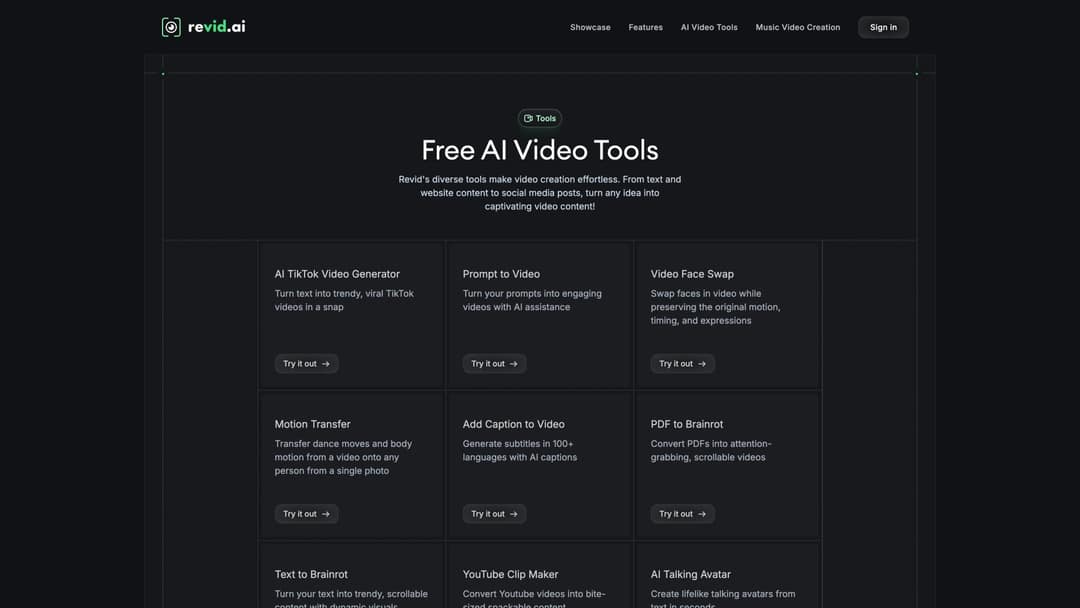
For B2B and talking-head content, the Talking Avatar tool creates presenter-style videos from text without recording. Pair this with calendar entries for FAQ replies, founder commentary, or educational explainers where a face adds credibility but recording time is limited.
The full library is available at revid.ai/tools — each card maps directly to a row in your "asset source" column.
The practical rule for using Revid in your calendar: automate drafts, review before publishing, automate repetitive formatting, and keep human judgment for brand voice, factual claims, and platform-specific tone. AI handles the production. You handle the strategy.
Start building your video calendar with Revid.ai and connect your content sources to Auto-Mode so the production queue fills itself.
Step 10: Which Video Metrics to Track by Goal
Your content calendar should have an analytics section. Without it, you're just keeping a publishing log.
Tracking the right video engagement metrics by the goal you defined in Step 1 is how your calendar gets smarter over time.
If your goal is reach:
Views and engaged views
Reach
Average watch time and completion rate
Replays and shares
Follows or subscribers gained
For YouTube Shorts, pay special attention to the difference between views and engaged views after YouTube's March 2025 change to how views are counted. Engaged views remain tied to YPP eligibility and Shorts ad revenue sharing, so raw view counts can mislead if that's your only metric.
If your goal is trust:
Average watch time and saves
Comments and positive replies
Profile visits and returning viewers
Subscribers gained
Watch time from subscribers vs. non-subscribers
If your goal is leads:
Link clicks and landing page visits
Email signups
Comments asking for the resource
DM replies and conversion rate
If your goal is sales:
Product page clicks and trial starts
Demo bookings and promo code usage
Affiliate conversions and revenue
Assisted conversions and sales call mentions
These metrics feed directly into measuring content ROI, the question every creator eventually faces about what their videos are worth.
If your goal is community:
Comments, replies, shares, and duets or stitches
Story replies and DMs
Repeat commenters and poll responses
User-generated content
Add a "learning" column to every published video. Write one sentence after reviewing:
"Strong hook, weak CTA."
"Saved more than usual; make this a series."
"High views, low follows; topic too broad."
"Worked on TikTok, weak on LinkedIn; adapt tone."
The learning column is where your calendar gets smarter over time.
How to Turn Analytics Into Calendar Decisions
At the end of every week, sort your videos into four buckets:
| Bucket | What it means | Calendar action |
|---|---|---|
| High reach, high retention | Strong topic AND strong delivery | Make a sequel |
| High reach, low retention | Good hook, weak payoff | Rework structure |
| Low reach, high conversion | Small audience, strong intent | Use in sales/lead nurturing |
| Low reach, low conversion | Weak or wrong fit | Drop or re-angle |
A content performance metrics framework helps you sort this data systematically rather than reacting to individual video results. This prevents emotional decision-making. Not every low-view video is bad. Not every viral video is useful.
How to Run a Weekly Content Calendar Review
Once a week, review your calendar and answer ten questions. These aren't optional checkboxes. Each one represents a different dimension of what "working" actually means for your channel.
Which video had the strongest retention?
Which video generated the most shares?
Which video generated the most saves?
Which video produced comments or DMs?
Which video drove clicks, leads, or sales?
Which pillar performed best?
Which format performed best?
Which hook pattern worked?
Which videos should become sequels?
Which ideas should we stop making?

YouTube Analytics' Audience tab can help you understand who's watching, when they're online, what else they watch, and which formats they consume. For Instagram and TikTok, use native analytics plus your calendar notes. For tracking this data systematically, a social media analytics report template can structure your weekly reviews.
Don't blindly copy generic "best time to post" charts. You can't really know when your audience is most active without looking at your own data, and platform Insights show this directly.
If the review doesn't change what you make next, you're not really reviewing.
Using AI in Your Content Calendar Without Losing Your Voice
AI can help video creators plan faster, but it shouldn't replace taste, audience insight, or editorial judgment. Our guide to AI tools for content creators walks through the specific use cases where AI saves the most time without compromising quality.
Use AI for:
Turning long-form content into short video ideas
Generating hooks and drafting scripts
Summarizing articles or podcasts
Creating faceless video drafts and voiceovers
Generating captions and visual prompts
Building topic clusters and repurposing posts into scripts
Translating or localizing content for new audiences
Don't use AI for:
Publishing unchecked facts
Copying another creator's exact format or script
Using someone's likeness or voice without permission
Making realistic synthetic scenes without disclosure
Flooding your channel with generic, unedited content
Replacing your point of view
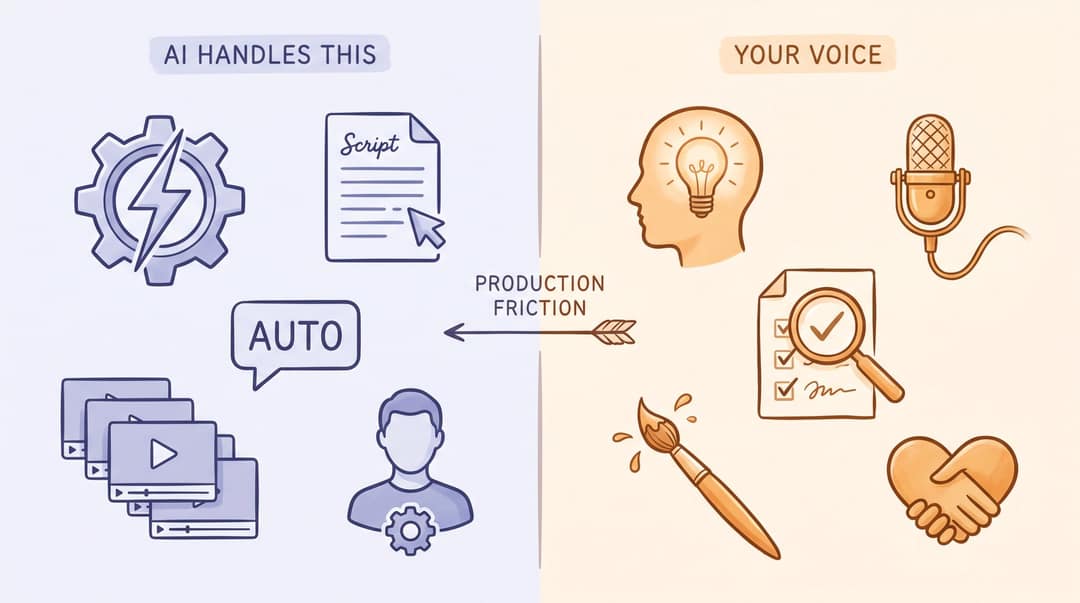
Content Marketing Institute's 2025 research found that only 19% of teams had integrated AI into daily workflows at the time of the study, but among those who had, 51% noticed fewer tedious tasks and 45% saw more efficient workflows. The practical lesson: AI is most valuable when it removes production friction, not when it makes your content generic.
Revid.ai fits naturally into this philosophy because it's designed to collapse the mechanical parts of video creation (script formatting, voice synthesis, visual selection, captioning, publishing) while keeping you in control of the strategy, tone, and final review.
Advanced Video Calendar Systems and Frameworks
Once your calendar is running, three advanced frameworks help you generate ideas faster, produce more from less, and systematically improve what's working.
How to Use the Pillar Format Matrix
When you're stuck, use a matrix. Write your pillars across the top and formats down the side.
| Format / Pillar | Workflow | Growth | Tools | Monetization | Mistakes |
|---|---|---|---|---|---|
| How-to | How to plan 5 videos | How to improve retention | How to use AI tools | How to add CTAs | How to avoid calendar chaos |
| Myth | "Posting daily is required" | "Viral means successful" | "AI makes generic videos" | "Selling kills reach" | "A calendar limits creativity" |
| Checklist | Weekly planning checklist | Pre-publish checklist | AI prompt checklist | Launch video checklist | Rights/disclosure checklist |
| Story | My failed calendar | A creator's growth story | Tool experiment | First sponsor story | Biggest planning mistake |
| Teardown | Fix a bad calendar | Analyze a viral video | Tool comparison | Offer video review | Hook teardown |
| Template | Weekly calendar | 30-day sprint | Revid workflow | CTA tracker | Analytics review sheet |
This single matrix can generate 25 to 50 video ideas in one sitting. This approach works because it forces systematic content repurposing. You're not thinking about individual videos, you're thinking about families of content.
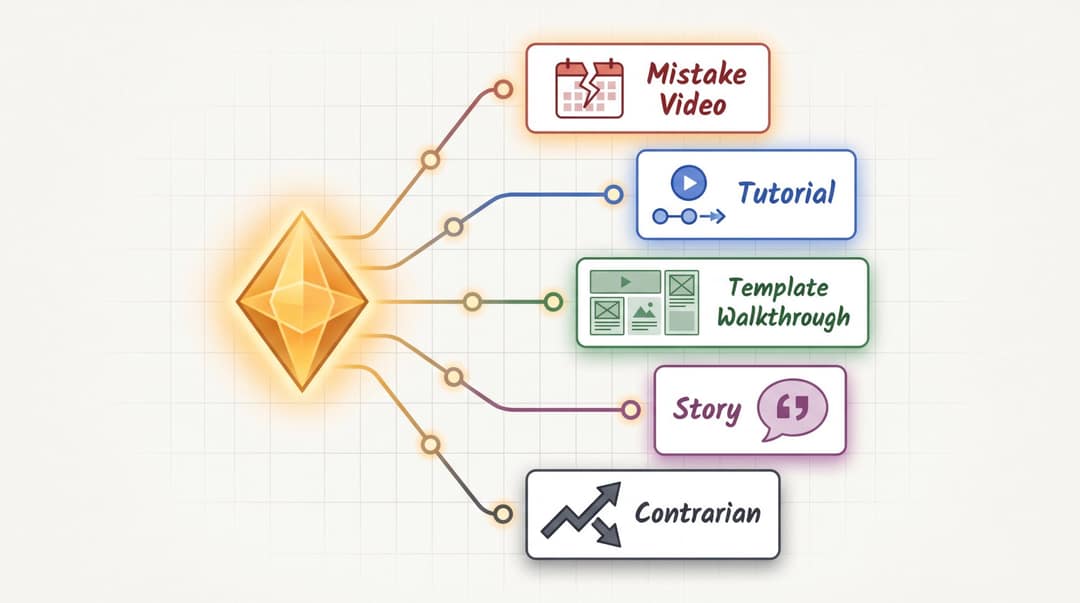
The One Idea, Five Videos Method
Take one idea and turn it into five formats.
Idea: "Plan videos by production stage, not just publish date."
| Version | Hook |
|---|---|
| Mistake video | "Your calendar fails because it only tracks when posts go live." |
| Tutorial | "Here's the 6-stage workflow every video calendar needs." |
| Template walkthrough | "Steal this production board for Shorts, Reels, and TikToks." |
| Story | "I stopped missing upload days when I added one column." |
| Contrarian | "A content calendar is useless without a production calendar." |
Adapt each version to TikTok, Reels, Shorts, LinkedIn, or long-form. One idea can fill a full week of content if the angle changes.
Prompt to try
Make a 35-second vertical video for creators with the hook "Your content calendar fails because it only tracks when posts go live." Explain in three quick beats why planning by production stage (script, record, edit, publish) keeps you consistent. Use clean motion graphics, short captions and a calm, confident voice, and close with "Add one status column today."
How Far Ahead Should You Plan?
Plan at three levels:
| Planning horizon | What to plan |
|---|---|
| 90 days | Goals, pillars, campaigns, major launches, recurring series |
| 30 days | Weekly themes, source assets, key topics, production batches |
| 7 days | Exact scripts, hooks, edits, approvals, publishing times |
| 24 to 48 hours | Trend reactions, comment replies, breaking news, spontaneous content |
Your 90-day view should connect directly to your overall content strategy. The calendar is where strategy becomes execution. A practical rule: plan strategy quarterly, plan topics monthly, plan production weekly, and leave trend slots open daily. Don't script 90 days of short-form videos in advance. Platforms and audience signals move too fast. But don't wake up with no plan either.
How to Run a 90-Day Video Calendar Strategy
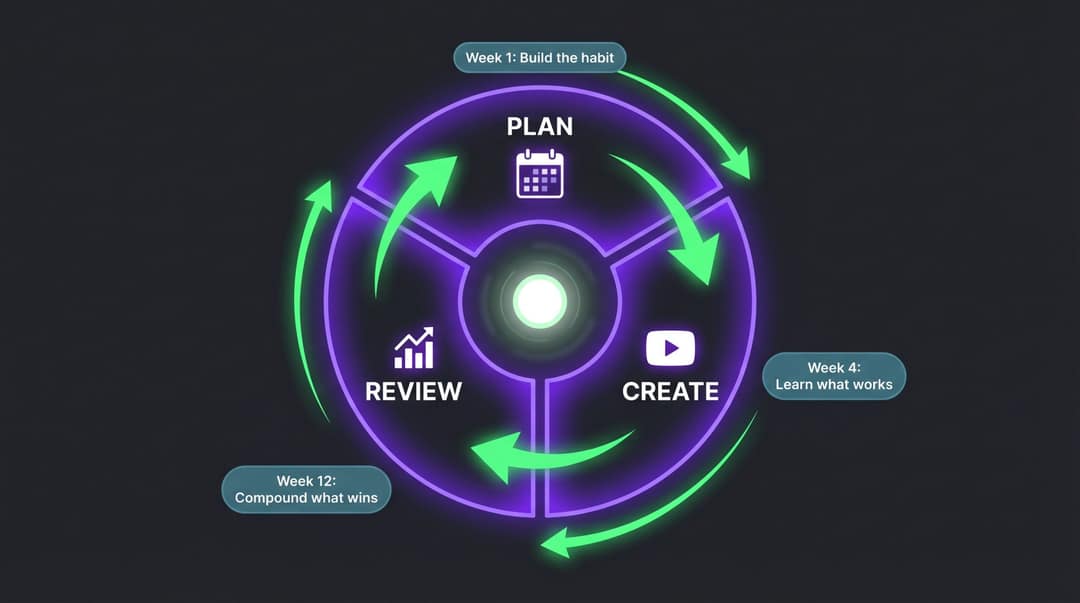
Days 1 to 30: Test. Try 3 to 5 content pillars, 3 to 5 hook styles, and 3 to 5 formats. Publish consistently. Track retention, saves, shares, comments, and follows. Don't overreact to a single post.
Days 31 to 60: Double down. Keep the top 2 to 3 pillars. Turn winning topics into recurring series. Repurpose best videos across platforms. Cut weak formats and start batching production.
Days 61 to 90: Systemize. Create templates for scripts, captions, cover frames, and analytics review. Automating your repeatable steps is the difference between a calendar you maintain and one you grow. Build a backlog of 30 or more scored ideas. Add conversion-focused content once trust and reach are working.
At 90 days, you should know: which topics earn attention, which hooks keep attention, which formats create trust, which videos drive action, and which production steps slow you down most.
Common Content Calendar Mistakes Video Creators Make
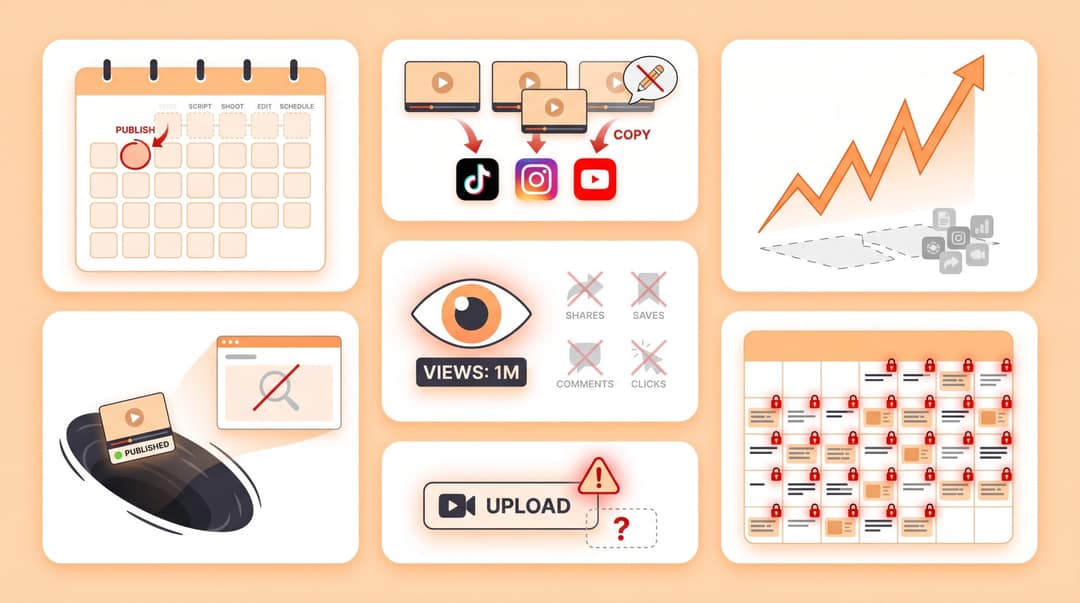
Mistake 1: Planning Only Publish Dates
If your calendar only shows what goes live and when, it won't help you produce videos. Add production stages and a status field for each video.
Mistake 2: Treating Every Platform the Same
A video can be repurposed, but the hook, title, CTA, caption, and sometimes length need to change per platform. Blind cross-posting is lazy. Platform-aware repurposing is efficient. If you're repurposing across platforms, a content distribution strategy framework can make the process systematic.
Mistake 3: Chasing Trends Without Content Pillars
Trends create spikes. Pillars create identity. Use trends to express your niche, not escape it. A trending format without a content strategy underneath it burns out fast.
Mistake 4: Posting Without Reviewing Performance
If you never review your calendar, you're just documenting effort. Add learnings every week, and actually let those learnings change what you make next.
Mistake 5: Measuring Only Views
Views are useful but they don't tell the whole story. Track the full set of engagement metrics: retention, engaged views, saves, shares, comments, follows, clicks, and conversions. A video with 300 views and 40 email signups is more valuable than one with 30,000 views and zero clicks.
Mistake 6: Overplanning Your Content Calendar
A 90-day calendar shouldn't have 90 days of locked scripts. Plan themes, series, pillars, and campaigns in advance. Leave space for timely content. Over-structured calendars become irrelevant within two weeks when something cultural shifts.
Mistake 7: Ignoring Rights and AI Disclosure
Your calendar needs checks for music rights, sponsor approval, AI disclosure, likeness rights, and platform rules built directly into the workflow, not added as an afterthought before upload.
YouTube requires creators to disclose realistic meaningfully altered or synthetically generated content, including content that makes a real person appear to say or do something they didn't do, or that generates realistic-looking scenes that didn't occur. AI used for production assistance (scripts, ideas, automatic captions, thumbnails, or minor edits) generally doesn't require disclosure.
TikTok also requires creators to label AI-generated content that contains realistic images, audio, or video. Put disclosure directly in your calendar so it's handled before upload.
Pre-Publish Checklist for Video Creators
We also publish a standalone video optimization checklist that you can save and use as a standalone reference before every upload. Before any video goes live, check:
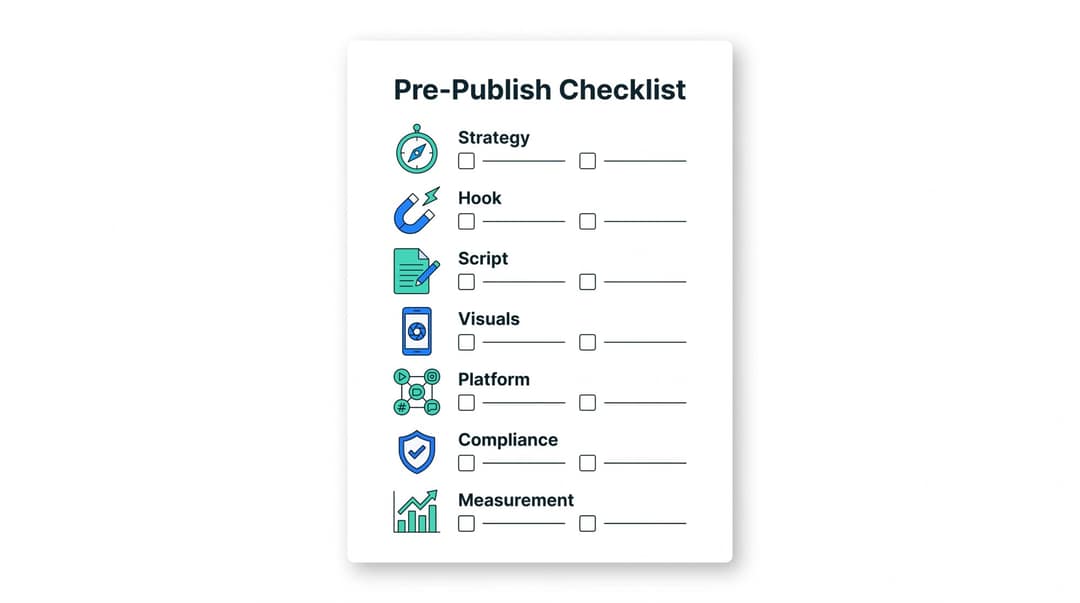
Strategy:
Does this video support a pillar?
Is the audience clear?
Is the goal clear?
Is the CTA appropriate?
Hook:
Does the first second create curiosity or clarity?
Is the payoff obvious?
Is there a reason to keep watching?
Script:
Is there one main idea?
Are sentences short?
Is the structure easy to follow?
Is the ending strong?
Visuals:
Is the video vertical or correctly formatted?
Is important text inside safe zones? (Safe zones are the portion of the screen that remains visible across different devices and when platform UI elements like the TikTok share button appear.)
Are captions readable?
Are scene changes frequent enough?
Is the cover frame clear?
Platform:
Is the title or caption platform-specific?
Are hashtags or keywords relevant?
Is the length appropriate?
Is the audio allowed?
Is the CTA native to the platform?
Compliance:
Are music and clips cleared?
Is AI disclosure needed?
Is likeness permission needed?
Is sponsor disclosure needed?
Are claims fact-checked?
Measurement:
Is the tracking link ready?
Is the campaign tag set?
Is the performance row in your calendar ready to fill in after publishing?
Add this checklist as a tab or status column in your calendar. Make it impossible to publish without running through it.
Frequently Asked Questions About Video Content Calendars

What's the difference between a content calendar and an editorial calendar?
A content calendar is usually a schedule of planned content across platforms, tracking what goes live and when. An editorial calendar is broader: it includes themes, campaigns, publishing priorities, seasonal moments, and strategic direction. For video creators, the most effective system combines both. Use editorial thinking for your 90-day strategy and content calendar fields for day-to-day production tracking. For a more strategic approach, see our guide on how to create a content strategy that works above the calendar level.
How often should video creators post?
Post as often as you can maintain quality, learning, and consistency. A beginner can start with 3 to 5 short videos per week. A full-time creator or team may publish daily or multiple times per day. The right cadence depends on production capacity, platform, niche, and goals. It's far better to post three excellent videos per week consistently than seven mediocre ones that taper off after a month. For YouTube specifically, we've analyzed how many videos per week drives growth at each channel stage.
Should I plan 30 days or 90 days ahead?
Use both, but for different things. Plan 90 days for goals, pillars, campaigns, and recurring series. Plan 30 days for topics and source assets. Plan exact scripts and production weekly. Keep open slots for trends and audience replies. The deeper you plan, the less granular it should be.
Should I use the same video on TikTok, Reels, and Shorts?
You can repurpose the same core video, but adapt the hook, caption, CTA, cover frame, and sometimes length for each platform. Blind cross-posting typically underperforms platform-aware repurposing. One strong video with three platform-specific packaging decisions outperforms the same video posted identically everywhere.
What should a video content calendar include?
At minimum: publish date, platform, pillar, series, topic, hook, format, script link, asset source, owner, production status, rights and disclosure check, CTA, published URL, performance metrics, learning, and next action. For teams, add approver, due dates by production stage, editor assignment, sponsor notes, campaign tag, and budget. For AI-assisted workflows, add AI tool used, prompt link, human reviewer, fact-check status, and disclosure status. See our video production workflow guide for how to structure the production stages inside each calendar row.
How do I come up with enough video ideas?
Use content pillars, recurring series, audience comments, analytics, keyword research, trends, long-form assets, customer questions, and repurposing. The pillar × format matrix is the fastest framework: 5 pillars × 6 formats generates 30 ideas in one sitting. Scoring ideas against the five-question criteria (audience pain, retention potential, production efficiency, strategic fit, differentiation) keeps the bank ranked and actionable. For generating a steady stream of content ideas, our guide covers the main sourcing methods.
What's the best free tool to build a video content calendar?
Google Sheets is the easiest free starting point and works well for solo creators. Notion is better if you want idea bank, calendar, scripts, and notes in one place with linked databases. Trello or Asana work well for production stages and team ownership. The best tool is whichever one you'll actually update every week. Don't let tool-hunting delay building the system. For scheduling and publishing specifically, our guide to video scheduling tools covers the main options.
How do I know if my content calendar is working?
Track consistency first: are you publishing on your planned cadence without burning out? Then track production speed: is batching getting faster? Then track content quality signals: retention, saves, shares, and the learning column. A calendar is working when it improves both output quantity and decision-making quality. If the same mistakes keep appearing in your learning column, the calendar is catching them but the review isn't acting on them.
How can AI help with a video content calendar?
AI can help generate ideas, hooks, scripts, captions, summaries, visual prompts, voiceovers, and repurposed video drafts. In practice, the biggest gains come from the production side: using tools like Revid.ai to turn planned topics into finished video drafts without manual filming or editing. Keep human review for facts, brand voice, tone, ethics, and platform-specific judgment.
Do AI-generated videos need disclosure?
Sometimes. YouTube requires disclosure for realistic altered or synthetic content that could mislead viewers, while AI used for scripts, ideas, captions, or production assistance generally doesn't require disclosure. TikTok requires labeling realistic AI-generated images, audio, or video. Always check current platform rules before publishing; disclosure requirements are evolving and vary by platform and content type.
How to Build a Video Calendar That Gets Smarter Each Week
A content calendar for video creators isn't something you set up once and run on autopilot. It's a system you teach with every review cycle. The first month reveals what you planned. The second reveals what works. The third reveals what compounds.
Start simple: publish date, platform, pillar, topic, hook, status, and tracking production status and metrics. That's enough to beat inconsistency. As you build the habit, add production stages, owner fields, asset sources, repurposing workflows, rights checks, AI disclosure flags, and analytics reviews. The calendar grows with your operation.
If you want to move faster through the production side, Revid.ai is built exactly for this. It turns the "asset source" column in your calendar into executable video without manual filming, editing, or searching for footage. Whether you're converting a blog post with Article to Video, visualizing a podcast with Audio to Video, building music content with the AI Music Video Generator, or running Auto-Mode workers to generate your repurposing queue on a schedule, the platform handles production so you can stay focused on strategy.
The calendar plans the work. Revid executes it. And every week you review, the whole system gets a little sharper.
Create your account at Revid.ai and connect your first content source to see how a production-ready video calendar actually feels to run.
Platform limits, AI disclosure rules, and video marketing statistics in this guide were verified against sources available as of April 27, 2026. Social platforms change frequently, so confirm current upload limits, monetization rules, music rights, and disclosure requirements inside each platform before publishing.