Music With Photo Video Maker: 10 Best Tools for 2026, Compared
Which photo and music video maker fits your project: 10 tools compared by job, music input, free option and price, plus how to sync photos to the beat and keep the music legal.
On this page
The best music with photo video maker depends on what drives the edit. Use Revid when the song should shape the video, Canva or Adobe Express for branded template slideshows, CapCut for fast TikTok and Reels edits, Clipchamp if you already pay for Microsoft 365, and Filmora when every cut has to land on a beat.
Most tools work the other way round from what musicians need: you build the slideshow, then drop a track under it. In Revid's comparison of 11 AI music video generators (September 2026), only 5 of the 11 made a full-length video from one song, and only 3 could post it to social for you: Revid, Solmi and CapCut. The other trap is rights: a song you downloaded is not a song you can publish.
Quick comparison: the 10 best photo and music video makers
| Tool | Best for | How it uses your music | Free option | Paid entry |
|---|---|---|---|---|
| Revid | Song-led AI videos and photo videos, posted for you | Builds the edit from an MP3, WAV or Suno link | Free sign-up with credits to test | $39/month (Growth, 2,000 credits) |
| Adobe Express | Branded template slideshows | You add a track to your photos | Free plan | Premium assets need a paid plan |
| Canva | Beginners, events, brand kits | You add a track to your photos | Free plan with 1.6 million+ templates | Pro from €110/year |
| CapCut | Fast vertical TikTok and Reels edits | Beat-led templates or your own track | Free tier with 1080p export | About $9.99/month (Standard) |
| Microsoft Clipchamp | Windows and Microsoft 365 users | You add a track to your photos | Free tier | Premium often included with Microsoft 365 |
| Animoto | Clean montages with little learning | Licensed library or your upload, plus voiceover | Limited free tier | Varies by plan |
| InVideo | Marketing teams that want stock and AI help | You add a track; AI drafts the rest | Free plan with watermark | From $20/month per seat |
| VEED | Captions and turning slides into video | You add a track; waveform view | Free plan (watermark, 720p) | Roughly $10 to $24/month |
| Wondershare Filmora | Manual desktop editing to the beat | You place cuts on timeline markers | Limited free version with watermark | One-time or subscription |
| FlexClip | Quick promos and intros | Royalty-free library or your upload | Free plan with watermark | Paid tiers remove limits |
Prices change often. Treat the paid column as a starting point and confirm on each vendor's pricing page before you commit.
Input
A fast-cut dance video, no lip sync, all movement, magenta and cyan neon grade.
Output
What is the best video maker with music as input?
If the song is the starting point, a music-first generator beats a slideshow editor. Revid's AI Music Video Generator takes an MP3, a WAV or a Suno link and builds scenes synced to the beat or to the lyrics, with optional singer lip sync. It exports in 9:16, 16:9, 1:1 or 4:5 at 720p, 1080p or 4K, and publishes to TikTok, Instagram and YouTube from the same place.
Template editors such as Canva, CapCut and Clipchamp accept your track, but they do not build the edit around it. You line up photos against the waveform yourself, or accept a template's preset timing. That works for a ten-photo family montage and gets slow for a full single.
Two related cases:
- A spoken recording, not a song. Revid's audio to video converter turns an MP3, WAV or M4A recording into a captioned video.
- Your own photos must be the visuals. Start from a photo slideshow tool (Revid's Photo to Video Converter, Canva, Animoto) and add the track, rather than a generator that creates new scenes.
How to choose: match the tool to the job
- If the music drives the edit and you want it finished and posted fast, use Revid.
- If brand consistency (fonts, colors, layouts) matters most, use Canva or Adobe Express.
- If the video is for TikTok or Reels and must go out today, use CapCut.
- If your photos and subscriptions already live in Microsoft 365, test Clipchamp before paying for anything else.
- If you have never edited a video and want a clean montage, use Animoto or FlexClip.
- If you are starting from a slide deck, use VEED.
- If cuts must land on specific musical accents, use Filmora.
Still undecided? Build the same short photo sequence with the same track in two or three tools. Then time how long it takes to fix a weak opening, shorten a slow section, swap the track, export the right aspect ratio and make a second version without rebuilding the project. That test tells you more than any feature list.
1. Revid
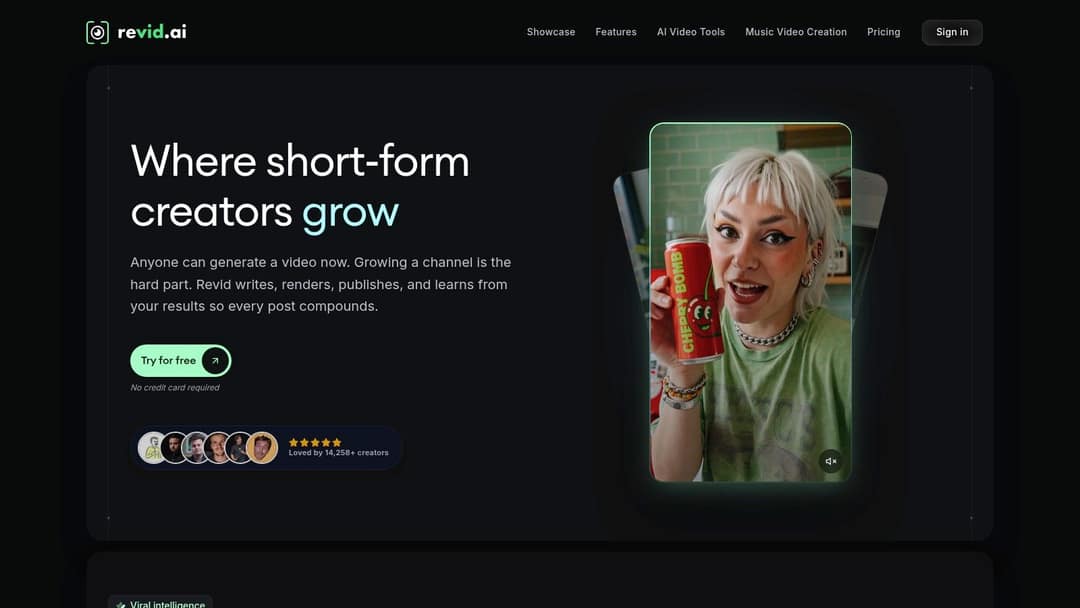
Revid is an AI video platform that turns an idea, a link, a song or your photos into a finished short-form video and publishes it to TikTok, Instagram and YouTube. For this job it offers two paths. The AI Photo to Video Converter takes your uploaded photos, adds background music or your own audio, and generates a video with transitions. The AI Music Video Generator starts from the song and creates the visuals for you.
To make a music-led video in Revid:
- Open the AI Music Video Generator and upload an MP3 or WAV, or paste a Suno link.
- Choose beat sync or lyric sync, and turn on singer lip sync if you want a performer on screen.
- Pick the format (9:16 for TikTok, Reels and Shorts) and a visual style that stays consistent across scenes.
- Generate, then fix any scene in the timeline editor: photo order, captions, transitions, logo placement.
- Export at 720p, 1080p or 4K, or publish and schedule directly to TikTok, Instagram and YouTube.
Scenes can use Seedance 2.5, MiniMax Hailuo H3, Wan 3.0 or Google Veo 3 under one subscription, chosen per scene. Captions come in 30 styles, and voice-overs are available in 70+ languages if you want narration over the photos.
Let the AI build the first draft, then check every photo order, caption, beat transition and brand reference yourself. AI assembles a sequence quickly, but it can put the emphasis in the wrong place or miss a detail that matters to your message.
Pricing: sign-up is free and you can test with free credits; regular creation uses a paid plan's monthly credits. Growth costs $39/month ($32/month billed yearly) for 2,000 credits, per the Revid pricing page. As a guide, a 30-second video with Pro AI visuals and a voice-over costs about 40 to 80 credits, and you can estimate the cost before generating.
Trade-offs: credits run out faster when you test many drafts, so watch usage. And if you only want to hand-edit footage you filmed, with no AI generation, a classic editor fits better.
2. Adobe Express
Adobe Express suits a polished, brand-safe slideshow without a full desktop editor. Import photos, pick a template sized for TikTok, Reels or YouTube Shorts, add Adobe Stock music or your own track, and adjust timing on a simple timeline with multi-track audio and volume controls. Adobe has also added AI tools such as Clip Maker and Generate Video for when a photo sequence needs extra material.
It works well for a small business making a product montage, announcement or event recap, because typography, colors and layouts stay consistent from post to post.
Where it needs care: premium tracks, templates and assets sit behind paid tiers, and YouTube Content ID claims can still happen on library music (Adobe provides a dispute process for applicable content). Keep the track name and license details for every project, and if you upload your own music, check that your license covers public and commercial posting.
Test the slideshow workflow at Adobe Express.
3. Canva
Canva is the easiest start for beginners who want a photo slideshow with music and consistent design. The free plan includes 1.6 million+ templates, a timeline editor, transitions, an audio library and one-click resizing for different social formats. Paid plans add short Veo 3 clips with synchronized audio inside your designs, and Pro starts at €110/year.
A practical workflow: choose the destination format before importing photos, put the strongest image first, group photos by story beat, and trim the music before you touch transitions. Accepting every template default is how unrelated brands end up looking alike.
The weak point is precision. If a cut must land on a specific musical accent, you will fight the template-first interface. Some music and assets require Pro, and licensing still matters for ads, client work and monetized channels. See how Revid and Canva compare for AI generation versus design templates, or try Canva.
4. CapCut
CapCut is built for fast, vertical, social-style slideshows. Its Slideshow Maker combines photo imports with transitions, effects, music and trend templates, on web, desktop and mobile, with the tightest TikTok integration of any editor. The free tier includes the full editor, 1080p export and auto-captions, which covers most casual needs.
Speed comes from presets, and presets are also the constraint. If you need restrained transitions, careful brand typography or detailed audio mixing, CapCut can feel more trend-driven than precise. Premium templates, effects and most AI features are paid, with Standard at about $9.99/month; confirm the current offer in the app, since pricing varies by platform and region.
Choose CapCut when you are editing footage and photos you already have and speed matters most. Read Revid vs CapCut if you are weighing manual editing against generating the video from a song, or start at CapCut.
5. Microsoft Clipchamp
Clipchamp makes sense for Windows users who want a browser or built-in desktop slideshow workflow. Import photos, add titles, arrange them on the timeline, and pick stock music or upload your own. Manual control over sequencing, text and timing makes it a good fit for business presentations and internal communications that need a clear narrative rather than a social template.
Premium features such as 4K export and a brand kit come with many Microsoft 365 Personal, Family and business subscriptions, so check what your account already includes before paying for another tool. The free tier limits some features and stock assets, and Clipchamp is not the tool for layered effects or beat-by-beat music videos.
Test Microsoft Clipchamp first if your files already live in the Microsoft ecosystem.
6. Animoto
Animoto is built for a clean photo-and-music montage with almost no learning time. Choose a template, upload images, add text, pick a track from its licensed library and adjust the pacing. You can also upload audio and record a voiceover, so an organizer can narrate an event recap or a business can explain a product in one place.
The limit is deliberate: no precise keyframes, complex layers or detailed sound design. Use Animoto when your photos are already good and only need structure, music, titles and transitions; skip it when every cut must match a musical event. Plans and included features vary, so confirm the tier before using it for client work at Animoto.
7. InVideo
InVideo fits marketers and small businesses making frequent photo-led social videos with stock support. It has a 16M+ stock library on paid plans and a chat-style agent where you edit by typing commands instead of working on a timeline, which speeds up drafts that need a voiceover, hook or supporting text.
Watch the credit model: AI features consume credits, which makes monthly cost harder to predict when a team generates several versions of one idea. Plans start at $20/month per seat, and the free plan adds a watermark. Compare it with Revid on publishing and editing in Revid vs InVideo, or explore InVideo.
8. VEED
VEED works when a slideshow needs text, subtitles, branding and flexible browser editing. Arrange photos on the timeline, add music or voiceover, and use the waveform to see where the soundtrack rises and falls. Its Slides to Video feature turns PowerPoint, Keynote or PDF decks into narrated videos, a real time-saver for educators, consultants and agencies.
VEED expects you to bring the creative material: it edits, captions and formats, but it will not build a concept from a song. The free plan exports at 720p with a watermark, and paid plans start at roughly $10 to $24/month. Try it at VEED.
9. Wondershare Filmora
Filmora is the pick for desktop editing control without professional NLE complexity. Its timeline lets you place photos precisely, add transitions and titles, adjust music, record voiceover and build a deliberate rhythm. Working locally also helps with long photo sequences and large media folders.
The technique that makes it worth it: drop markers on the musical accents, put your strongest images on those markers, hold photos longer in quiet sections, and save active transitions for the chorus or reveal. Some premium assets and AI features need add-ons or credits, and limited versions may add watermarks. Filmora is overkill for a ten-photo family montage and a strong buy if you refine projects by hand every week. See Wondershare Filmora.
10. FlexClip
FlexClip is a lightweight option for quick promos, intros and simple social slideshows. Import photos, pick a template, add text and royalty-free music or your own track, then export with a social aspect-ratio preset. It suits a local business announcement or a recurring post where turnaround matters more than effects.
The free plan adds a FlexClip watermark and limits some assets; paid tiers remove most restrictions. For detailed animation, color work or sound design, draft in FlexClip and finish in a heavier editor. Start free at FlexClip.
How to sync photos to music in any editor
- Trim the music first. Decide the start and end points before placing a single photo.
- Map the beats. A BPM timing calculator and shot planner tells you where each beat and bar falls, so you can plan cuts on paper.
- Put your strongest photo first and your second strongest on the chorus or drop.
- Vary photo durations: hold longer in quiet passages, cut faster as the music builds.
- Keep plain cuts for most photos and save showy transitions for the reveal.
- Export in the platform's ratio: 9:16 at 1080x1920 for TikTok, which is what TikTok's Creator Academy recommends.
One format check before you import: some AI music-video workflows treat iPhone Live Photos as still images unless you export them as video first, as this guide to AI music videos from photos explains. Convert motion photos and short clips beforehand, or the movement you expected will not appear. For a full walkthrough from folder to export, read our guide to making a video with photos and music.
Music rights: what you can safely put under your photos
- Use the tool's music library when you can, and save the track name and license terms with the project. Even then, a Content ID claim can appear and may need a dispute.
- Check commercial use separately. A license for personal posts may not cover ads, client work or a monetized channel.
- Expect problems with personal libraries. Tracks from streaming or purchased libraries can carry DRM that stops them importing at all.
- YouTube Shorts has its own limits. Shorts can run up to 3 minutes, and most Shorts Audio Library songs can be used for up to 90 seconds (some only 60 or 30). A Short longer than one minute with an active Content ID claim of any type is blocked globally and cannot be monetized.
- Original music is the cleanest option. If you made the song (on Suno or in a studio), you avoid most claims, which is why music-first generators that take your own track are popular with independent artists.
If the video is part of a release, plan the promotion around it: House of Lyrics has a practical rundown of music marketing strategies for artists.
Your next step
Photo and video editors are a busy, growing software category (market research firms such as Wise Guy Reports publish forecasts for the photo and video editor market, though their estimates differ widely), so features and prices keep moving. Pick two tools from the decision rules above, run the same photos and track through both on their free tiers, and keep the one that gets you to a publishable second version fastest.
FAQ
Is there a free photo video maker with music?
Yes. CapCut's free tier includes the full editor and 1080p export, and Canva, Clipchamp, VEED, InVideo and FlexClip all have free plans, though VEED, InVideo and FlexClip add a watermark. Revid sign-up is free with credits to test; regular creation uses a paid plan from $39/month.
Can I use any song in a photo slideshow?
No. You need a license that covers public posting on your platforms, and a commercial license for ads or client work. The safest options are the tool's built-in licensed library or music you created yourself.
Which app makes a video from photos and music automatically?
Revid generates a full video from your photos or from a song, then lets you edit and publish it. Animoto and CapCut's slideshow templates also assemble a montage automatically, with less control over how the cuts follow the music.
How long can a YouTube Short with music be?
Up to 3 minutes for square or vertical videos. Most Shorts Audio Library songs can be used for up to 90 seconds of that, and some tracks are limited to 60 or 30 seconds.
What size should a photo video be for TikTok or Reels?
Use 9:16 at 1080x1920, which TikTok recommends. Instagram Reels accept ratios from 1.91:1 to 9:16 with a minimum resolution of 720 pixels, but vertical 9:16 fills the screen.