Creators publish 30,000+ videos a month with Revid

Article to Video Converter

Revid's article to video AI turns a blog post, a news article or any web page into a short video. Paste the URL: by default Revid reads the article and makes an animated motion graphics summary that opens on its most striking fact and keeps its real numbers, names and quotes, narrated by an AI voice. You can also have Revid write and voice a summary (or keep the text as is) over the article's own images, stock footage, AI images or AI video, with music and captions.

  • Start from a URL
  • AI voiceover
  • Auto-selects visuals
  • Captions and sound-ready
Proof of range

Start From What Already Works

YOUR IDEA
Your Prompt

Script automatically generated by Revid

https://www.libraryofshortstories.com/onlinereader/invictus
Visual FormatAI Video
Visual StyleUltra Realism
Avatar
Avatar
Selected Avatar
FINAL VIDEO

Convert Any Article to Video in 3 Easy Steps

1 Paste Your Article URL or Text

Start by pasting the link to your blog post, news story, or web page into our article to video converter. If you prefer, you can also paste the raw text. Revid's article to video AI instantly reads your content, extracts the most important facts, and prepares a compelling script.

2 Choose Your Visual Style and Voice

Customize how you want to convert your article to video. Choose from dynamic animated motion graphics, AI-generated video clips, premium stock footage, or let the AI scrape and use the original images from your article. Then, select a lifelike AI voice to naturally narrate your summary.

3 Generate and Publish

Hit 'Generate' and let the article to video generator do the heavy lifting. In just minutes, you will receive a fully edited, ready-to-post short video complete with captions and music. Repurpose your written content instantly for TikTok, YouTube Shorts, or Instagram Reels.

01

Turn Any Article into a Video Without Lifting a Finger

Revid's article to video AI reads your content, extracts the key points, writes a video script, and produces a fully narrated video with matching visuals and captions in minutes. Paste your article URL or drop in the text directly, and the AI handles everything from structure to final export. It is the most complete article to video creator available today, turning written content into short-form video without any manual steps in between.

02

Convert Article to Video, No Credit CardRequired

Revid lets you convert article to video with no credit card needed to try the full pipeline. Drop in any article, blog post, or written piece and generate a ready-to-post video in under five minutes. The free tier gives you full access to the AI video generation engine so you can evaluate output quality before committing to a plan. It is the fastest way to test whether article to video AI fits your content workflow.

03

From Blog Post to Video in Three Steps

The article to video process on Revid is built around simplicity. Paste your article or URL, choose a visual style and voice, and hit generate. The AI identifies the most compelling parts of your written content, structures them into a narrative arc, and produces a finished video optimized for TikTok, YouTube Shorts, or Instagram Reels. No editing, no recording, no separate caption tool required. Just great written content going in and great video content coming out.

Example Videos

See What You Can Create with Article to Video

Explore different styles and possibilities with our Article to Video

Article to Video Converter for Content Marketing

Transform written articles into engaging video content with our article to video converter. Automatically convert blog posts, news articles, and written content into professional videos with AI voiceover, dynamic visuals, and perfect pacing for social media and marketing.

  • Article to video conversion in minutes
  • AI-powered voiceover and visual generation
  • Professional video content from text articles
  • Optimized for social media and content marketing
Article to Video Converter for Content Marketing

Professional Article to Video Creation for Publishers

Convert news articles and editorial content into broadcast-quality videos with our article to video converter. Ideal for publishers, journalists, and media companies looking to expand their reach with video content without expensive production.

  • Professional article to video for publishers
  • Broadcast-quality video from written articles
  • No expensive video production needed
  • Expand content reach across platforms
Professional Article to Video Creation for Publishers

Turn Articles into Videos Automatically with AI

Create viral videos from any article with our article to video generator. Paste your article URL and watch as AI transforms written content into captivating video stories with synchronized narration, engaging visuals, and professional editing for maximum reach.

  • Automated article to video transformation
  • Paste URL and generate video instantly
  • AI creates synchronized narration and visuals
  • Perfect for repurposing written content
Turn Articles into Videos Automatically with AI
FAQs

Frequently Asked Questions

What is an article to video converter?
An article to video converter is an AI-powered tool that automatically transforms written content, such as blog posts, news articles, or web pages, into engaging short-form videos. Revid's article to video AI handles the summarization, voiceover, visual selection, and captioning all in one seamless process.
How do I convert an article to a video?
To convert an article to video, simply paste your article's URL or text into Revid. Select your preferred visual style—such as motion graphics, stock video, or AI images—and choose an AI voiceover. The article to video generator will automatically summarize the text and produce a fully edited, professional video in minutes.
Does the AI summarize the article automatically?
Absolutely! Our article to video AI is designed to read your web page and extract the most striking facts, quotes, and statistics. You can instruct the tool to summarize the article, summarize it only if it's long, or keep the text exactly as is. It's the smartest way to turn an article into a video script.
Can I use the original images from my blog post?
Yes! When using our article to video creator, you can select the 'Article images' or 'Article images + stock' media options. This tells the AI to scrape and utilize the original images found on your URL, ensuring your generated video perfectly matches your written content.
What visual styles does the article to video generator offer?
Revid offers multiple ways to turn an article into video. You can choose Motion Graphics (an animated infographic summary), AI Video (real moving clips generated by AI), Animated AI Images, Stock Video, or simply use the scraped media from your own URL. This flexibility makes it the ultimate article to video converter for any niche.
Is the article to video tool free to try?
Yes, you can convert an article to video with no credit card required to test out our pipeline. Free users get access to the article to video AI engine to evaluate the high-quality output. Once you see how easily you can repurpose a blog post to video, you can upgrade to a paid plan for more credits and advanced features.
What social media platforms are the generated videos optimized for?
Videos created with our article to video converter are perfectly sized and paced for short-form social media platforms. By default, the AI generates videos optimized in a 9:16 vertical format, making them ideal for TikTok, YouTube Shorts, and Instagram Reels.
Can I edit the video after the AI generates it?
Yes. Once the article to video AI creates your initial draft, you have full control. You can use Revid's built-in editor to swap out visuals, adjust the AI voiceover, tweak the captions, or change the background music before you download and publish your final video.
How long does it take to convert a blog post to a video?
Transforming a blog post into a video takes just a few minutes. Instead of spending hours recording narration and editing footage, our automated article to video creator does the heavy lifting instantly, saving you massive amounts of time on content marketing and repurposing.
Do I need video editing skills to use this tool?
Not at all. Our article to video AI is built for marketers, bloggers, journalists, and creators who want professional results without complex software. Just paste an article URL, and the article to video generator handles the entire production process from start to finish.

Still have questions?

Contact us

Find detailed answers to 100+ questions about features, tools, and workflows

or check our markdown version optimized for LLMs

Tools

Free AI Video Tools

Choose your tool, add your content, and create a video in seconds. Then customize it to your liking.

See all tools

AI TikTok Video Generator

Turn text into trendy, viral TikTok videos in a snap

Try it out

Prompt to Video

Turn your prompts into engaging videos with AI assistance

Try it out

Add Caption to Video

Generate subtitles in 100+ languages with AI captions

Try it out

PDF to Brainrot

Convert PDFs into attention-grabbing, scrollable videos

Try it out

Text to Brainrot

Turn your text into trendy, scrollable content with dynamic visuals

Try it out

AI Talking Avatar

Create lifelike talking avatars from text in seconds

Try it out

Video Podcast Generator

Transform your podcasts into visually engaging video content

Try it out

AI Movie Maker

Create studio-quality videos from text, no filming required

Try it out

Audio to Video

Make engaging videos from your podcasts, interviews, or any audio content

Try it out

Animated Lyrics Video Generator

Turn any song into an animated lyric video with synced text and visuals.

Try it out

AI Music Video Generator

Transform your music into cinematic music videos.

Try it out

AI Lyrics Video Generator

Transform your lyrics into a complete music video with AI

Try it out
How it works

From Signal To Published In Four Steps.

1

Find Viral & Trending Videos.

RevidAI's Viral Search and Channel Watcher surface the formats, creators, and trends getting attention right now, then help you turn them into ideas of your own.
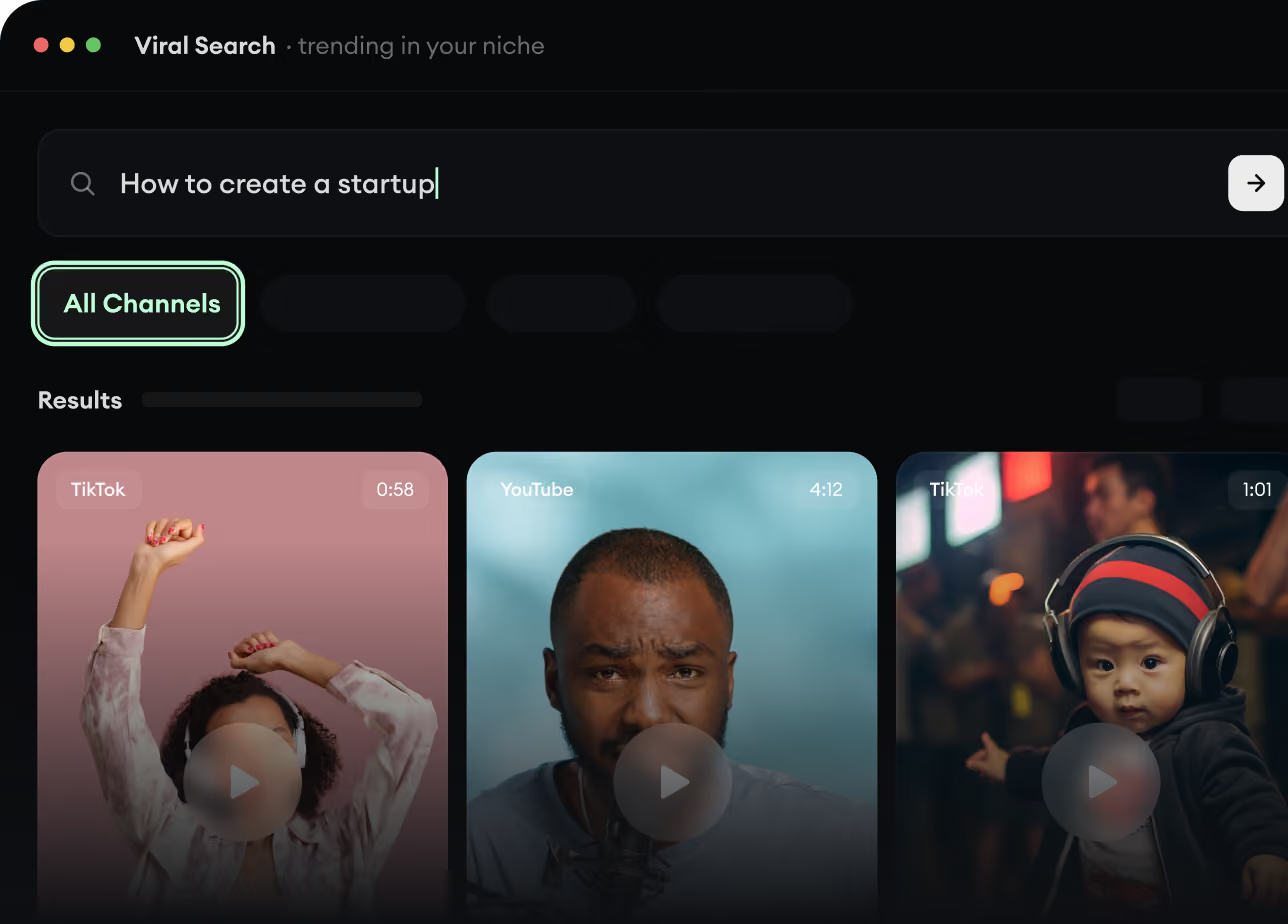
  • Discover winning video formats in your niche
  • Follow creators and channels that matter
  • Start with proven ideas instead of guessing
Find Viral & Trending Videos.
2

Turn An Idea Into A Story.

Found something worth making? Revid AI writes the script, suggests the structure, and turns links, prompts, or topics into complete video concepts.
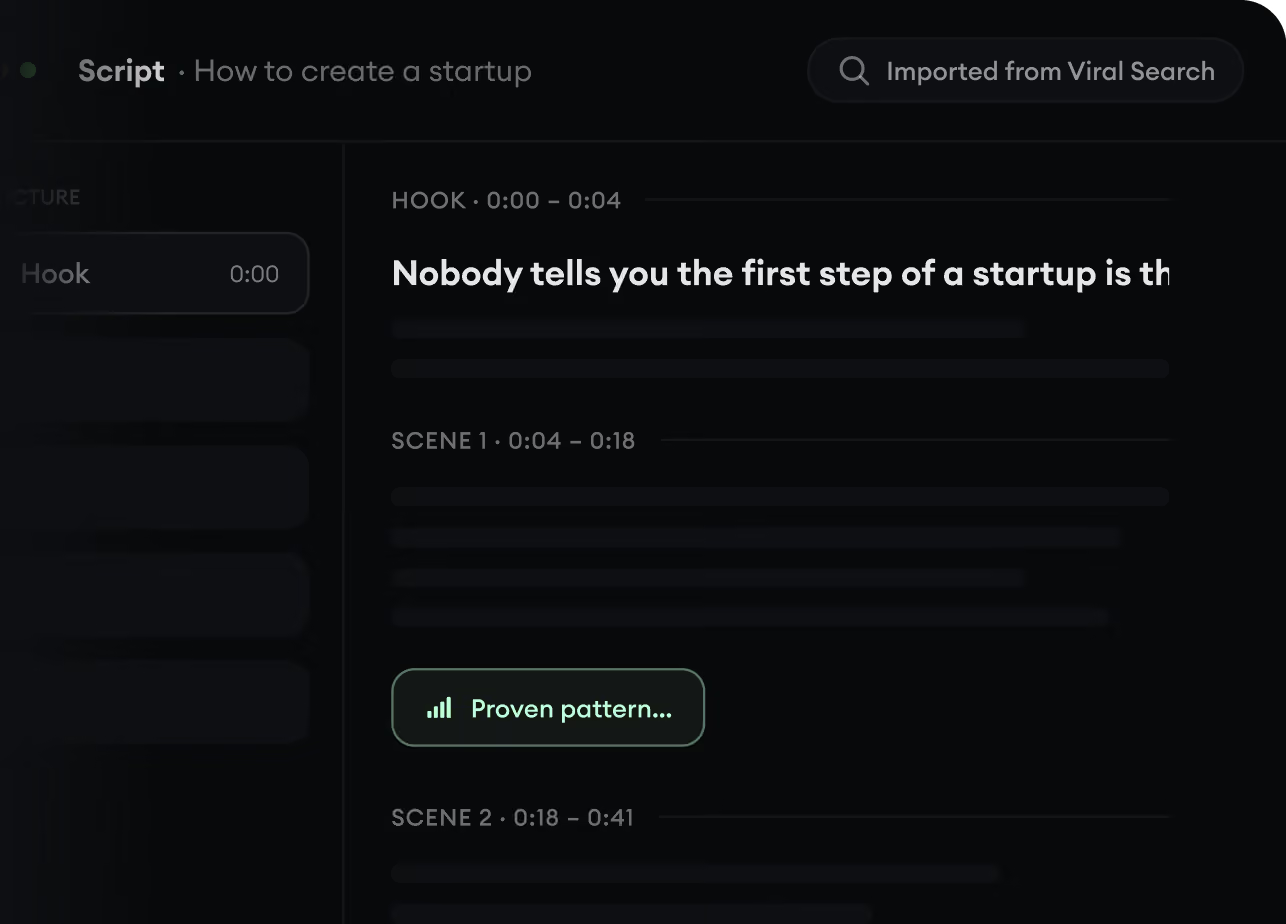
  • Start with a prompt, topic, or URL
  • Generate scripts inspired by proven patterns
  • Build stories designed to keep people watching
Turn An Idea Into A Story.
3

Generate The Finished Video.

Script, voiceover, visuals, subtitles, and editing all come together in one workflow. No stitching together five different tools.
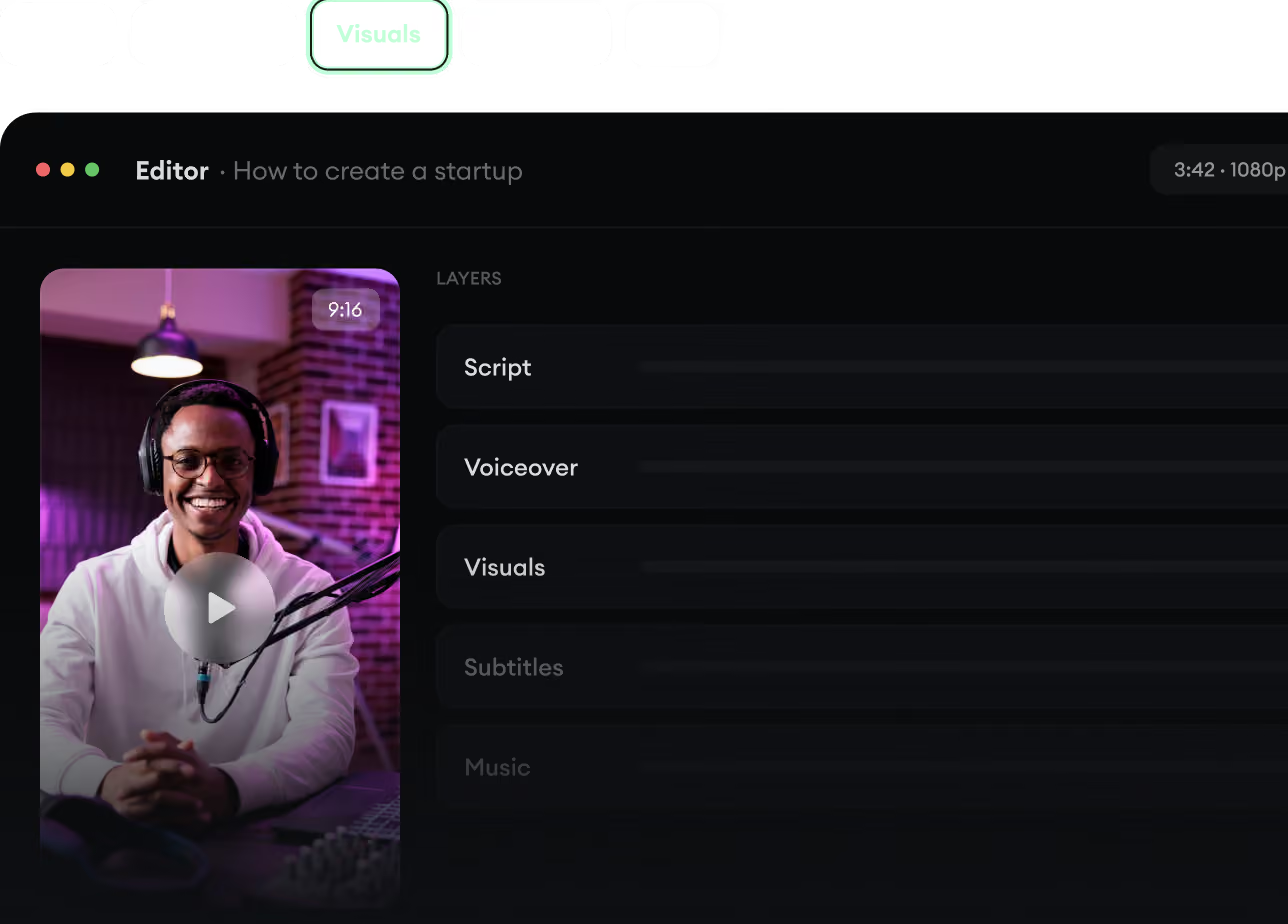
  • Turn text into complete, multi-minute videos
  • Generate everything in one place
  • Refine the result in the editor
Generate The Finished Video.
4

Publish Everywhere.

Share your videos to TikTok, YouTube, Instagram, and wherever your audience is.
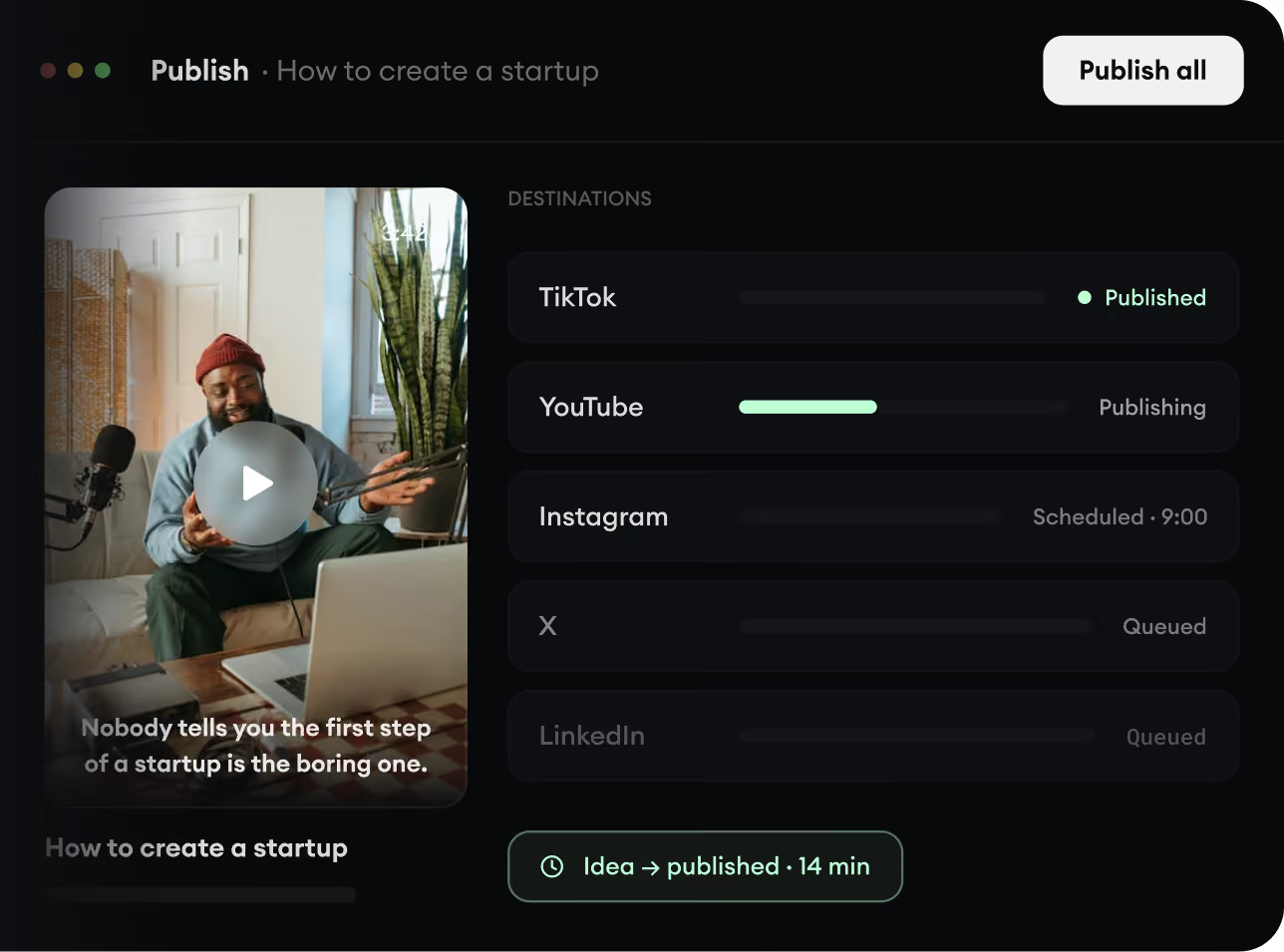
  • Publish across every major platform
  • Reach more people with less work
  • Go from idea to published video in minutes
Publish Everywhere.