Creators publish 30,000+ videos a month with Revid

Create Videos From Tweets Instantly

The ultimate Twitter video tool for creators. Transform tweets into stunning videos. Instantly. Download, edit, and share content in minutes.

  • Start from a URL
  • AI voiceover
  • Auto-selects visuals
  • Captions and sound-ready
2,919 people used this tool in the last 24h
Start for free.(no credit card required)

or explore our 42+ other tools to create the exact video you want

Explore our tools

How to convert a tweet to a video with AI in 3 easy steps

1 Paste link to tweet

Copy and paste your tweet URL into the text field above. revid.ai will automatically analyze your tweet and extract the key elements to create a stunning video.

2 Customize your video

revid.ai offers a wide range of customization options. You can adjust the animations, transitions, and effects to ensure your video aligns with your brand and resonates with your audience.

3 Export your video

Once you're satisfied with the final product, you can export your video in multiple formats and quality levels, optimized for your target platform. This ensures optimal video quality and playback across all devices and platforms.

01

Turn Any Tweet into a Vertical Video Automatically

Revid's AI tool converts tweets into fully produced vertical videos in seconds, no manual editing required. Paste your tweet or thread, and the AI formats the text, applies a visual style, adds a voiceover if needed, and outputs a 9:16 video ready for TikTok, YouTube Shorts, and Instagram Reels. It is the fastest way to give your best Twitter content a second life on every platform your audience uses.

02

Tweet to Video, From Text Post to Shareable Content

The tweet to video format has become one of the most reliable content styles for faceless channels and commentary accounts. Revid makes it effortless to produce at scale, turning single tweets, threaded arguments, or viral posts into narrated short-form videos with clean typography, background visuals, and auto-captions. Write one great tweet and let the AI turn it into a week of content.

03

The Twitter Video Tool Built for Short-Form Creators

Whether you are repurposing your own posts or building a content channel around notable tweets, Revid gives you a complete Twitter video tool that handles the entire production pipeline automatically. No design skills, no video editing, no separate caption tool required. Just paste, generate, and post, making it the most efficient way to produce Twitter-based video content consistently without burning out.

FAQs

Frequently Asked Questions

What is the 'Turn your tweets into videos' feature and how does it work?
Our Tweet to Video feature is a powerful tool offered by revid.ai. With our AI technology, you can turn your Twitter posts or threads into viral videos for Tiktok, Reels, Shorts automatically.Helping you reach a bigger audience on any social media platform using the power of motion graphics and engaging visuals. Simply copy and paste your tweet URL to get started.In a few simple steps you can use our easy to use tool to customize, preview and export your video content with just a press of the download video button.
How can I turn tweets into videos?
Creating videos from tweets is easy with revid.ai. The best way is to select a single tweet, press the share button in the Twitter app, copy link and paste the url of the tweet in the text field above. It's a great way to make high-quality videos and create a video tweet in just a few simple clicks right in your web browser.
What type of content from my tweets can be used in the videos?
The 'tweet to video' feature allows you to use different types of visual content. This includes text, images, twitter GIFs, and even a video file. You can fully customize your video to ensure it accurately represents your original tweet.
Can I customize the effects and transitions in my tweet videos?
Absolutely, revid.ai provides a wide array of animations, transitions, and effects. You can customize every detail to make sure your tweet video aligns with your brand and resonates with your audience.
In what formats and quality can I export my tweet videos?
revid.ai supports exporting your tweet videos in various formats and different quality options, optimized for different social media platforms. This ensures your video quality maintains the highest quality and highest resolution across all devices and platforms.
How can turning tweets into videos improve my SEO?
Turning tweets into videos with revid.ai can significantly enhance your online presence. Videos are engaging and shareable, leading to increased website traffic, social sharing, and backlinks. All of these factors contribute to improved SEO rankings.
Is the 'Turn your tweets into videos' feature beginner-friendly?
Yes, revid.ai is designed to be intuitive and user-friendly. Whether you're a beginner or an experienced video creator, our 'Turn your tweets into videos' feature simplifies the video creation process, making it accessible to everyone.
How can tweet videos help increase my social media engagement?
Videos created from tweets are highly engaging and shareable, helping to capture your audience's attention. By showcasing your tweets in a dynamic, visual format, you can drive more engagement, increase your reach, and potentially gain more followers on social media.
Can I preview my tweet videos in real-time while using revid.ai?
Yes, revid.ai allows you to preview your tweet videos in real-time. As you customize and adjust effects and transitions, you can see the changes instantly. This ensures your final product aligns with your vision before exporting.
Is there any limit to the number of tweet videos I can create with revid.ai?
revid.ai offers flexibility, allowing you to create as many tweet videos as you need. Check our specific subscription plans for any restrictions on video creation and other features.

Still have questions?

Contact us

Find detailed answers to 100+ questions about features, tools, and workflows

or check our markdown version optimized for LLMs

Tools

Free AI Video Tools

Choose your tool, add your content, and create a video in seconds. Then customize it to your liking.

See all tools

AI TikTok Video Generator

Turn text into trendy, viral TikTok videos in a snap

Try it out

Prompt to Video

Turn your prompts into engaging videos with AI assistance

Try it out

Add Caption to Video

Generate subtitles in 100+ languages with AI captions

Try it out

PDF to Brainrot

Convert PDFs into attention-grabbing, scrollable videos

Try it out

Text to Brainrot

Turn your text into trendy, scrollable content with dynamic visuals

Try it out

AI Talking Avatar

Create lifelike talking avatars from text in seconds

Try it out

Video Podcast Generator

Transform your podcasts into visually engaging video content

Try it out

AI Movie Maker

Create studio-quality videos from text, no filming required

Try it out

Audio to Video

Make engaging videos from your podcasts, interviews, or any audio content

Try it out

Animated Lyrics Video Generator

Turn any song into an animated lyric video with synced text and visuals.

Try it out

AI Music Video Generator

Transform your music into cinematic music videos.

Try it out

AI Lyrics Video Generator

Transform your lyrics into a complete music video with AI

Try it out
How it works

From Signal To Published In Four Steps.

1

Find Viral & Trending Videos.

RevidAI's Viral Search and Channel Watcher surface the formats, creators, and trends getting attention right now, then help you turn them into ideas of your own.
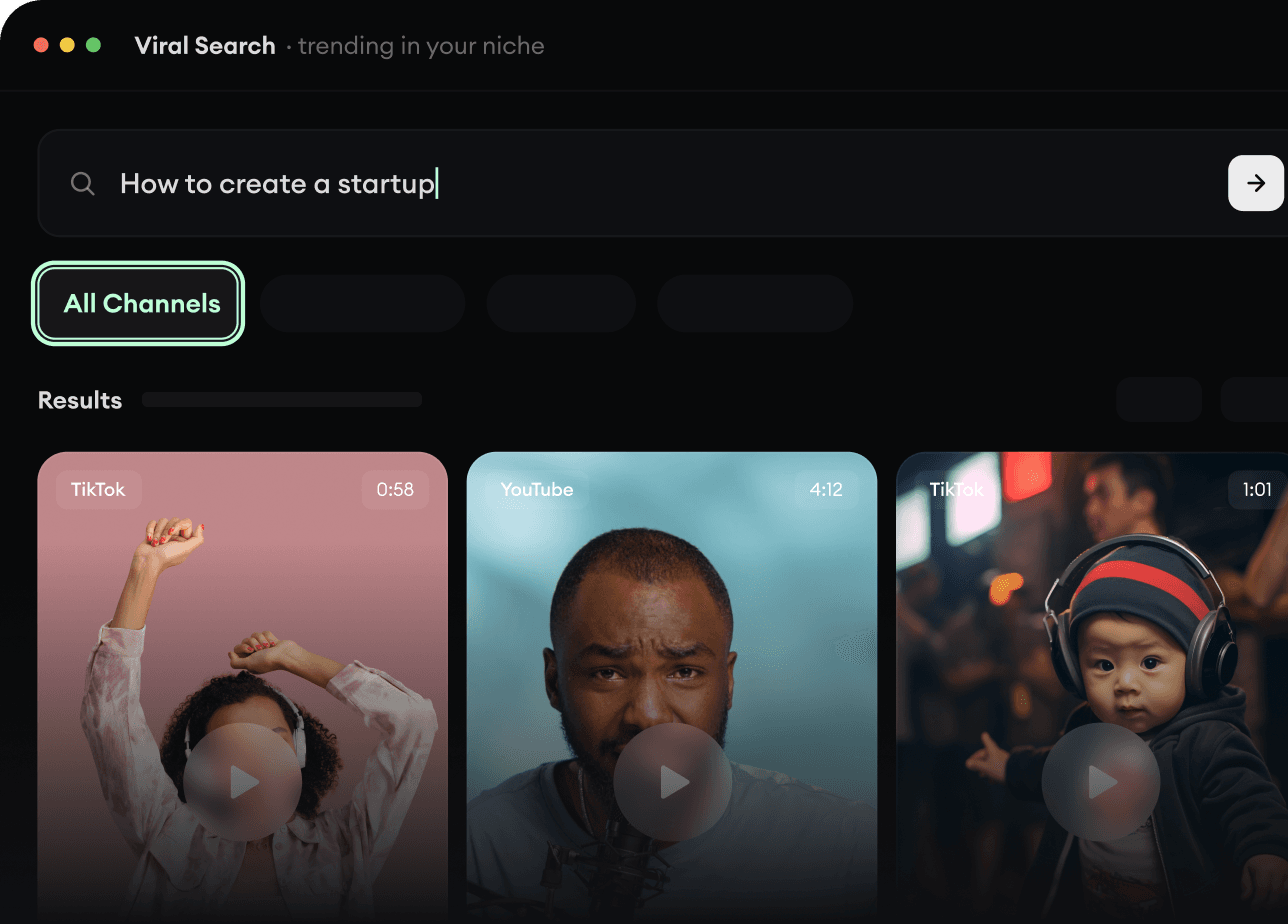
  • Discover winning video formats in your niche
  • Follow creators and channels that matter
  • Start with proven ideas instead of guessing
Find Viral & Trending Videos.
2

Turn An Idea Into A Story.

Found something worth making? Revid AI writes the script, suggests the structure, and turns links, prompts, or topics into complete video concepts.
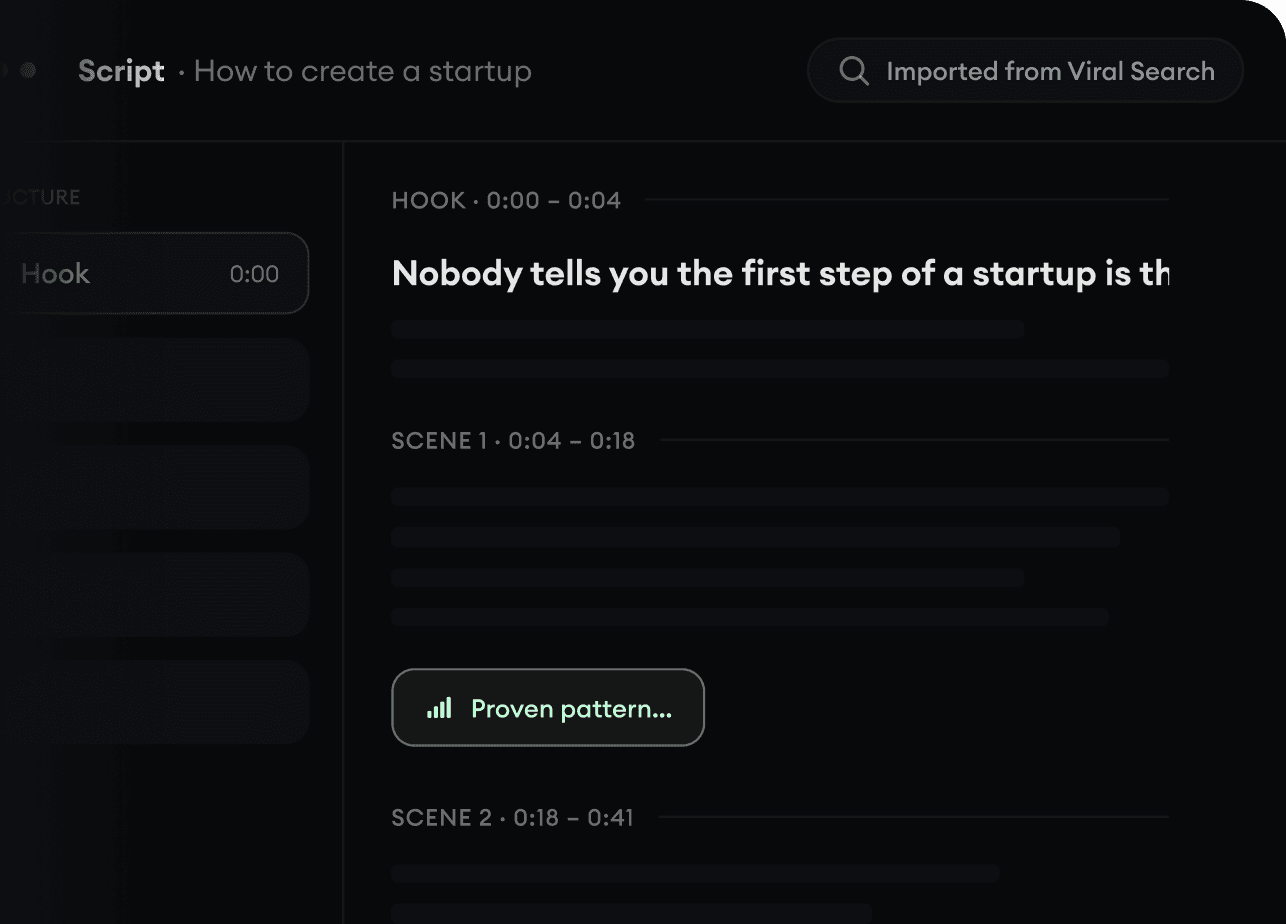
  • Start with a prompt, topic, or URL
  • Generate scripts inspired by proven patterns
  • Build stories designed to keep people watching
Turn An Idea Into A Story.
3

Generate The Finished Video.

Script, voiceover, visuals, subtitles, and editing all come together in one workflow. No stitching together five different tools.
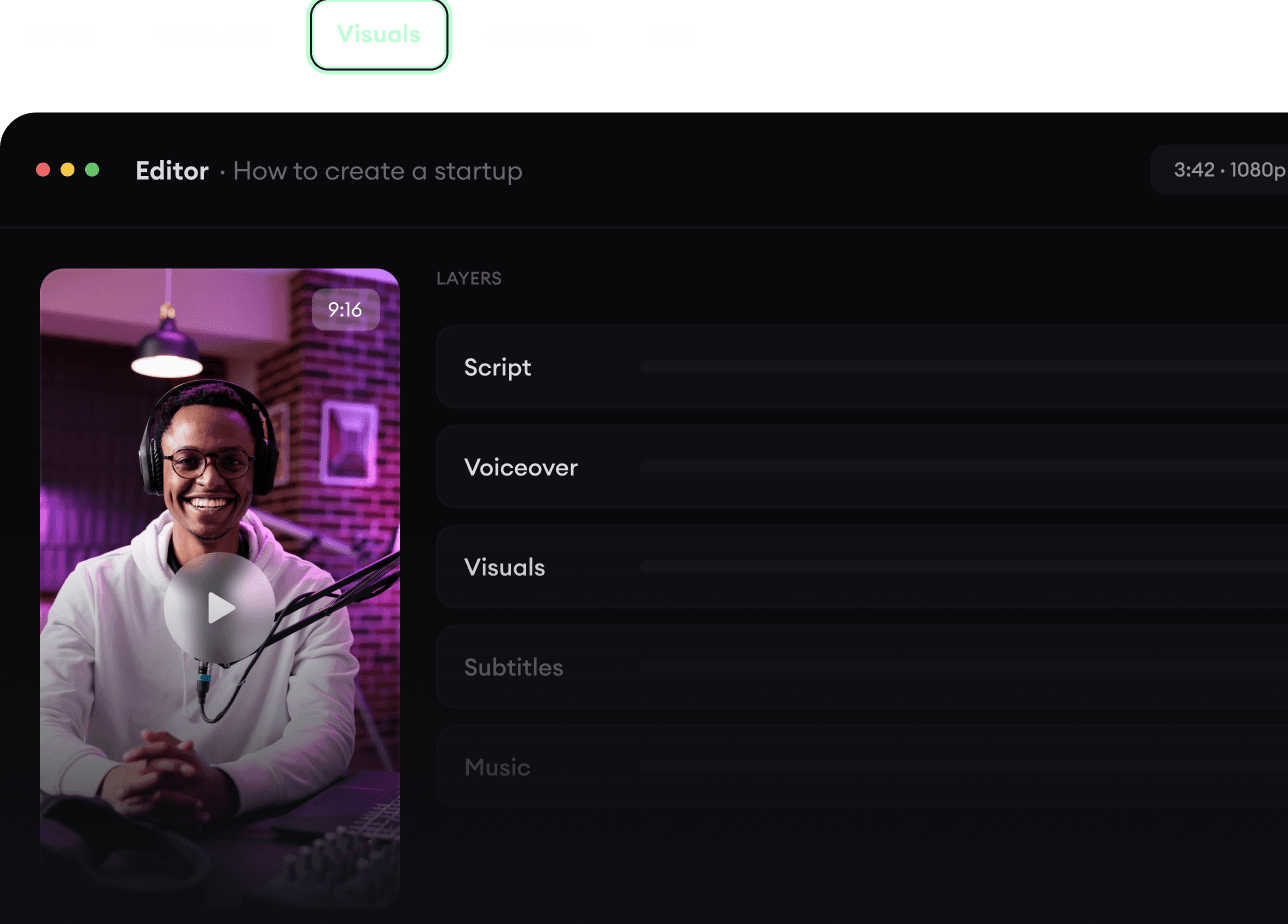
  • Turn text into complete, multi-minute videos
  • Generate everything in one place
  • Refine the result in the editor
Generate The Finished Video.
4

Publish Everywhere.

Share your videos to TikTok, YouTube, Instagram, and wherever your audience is.
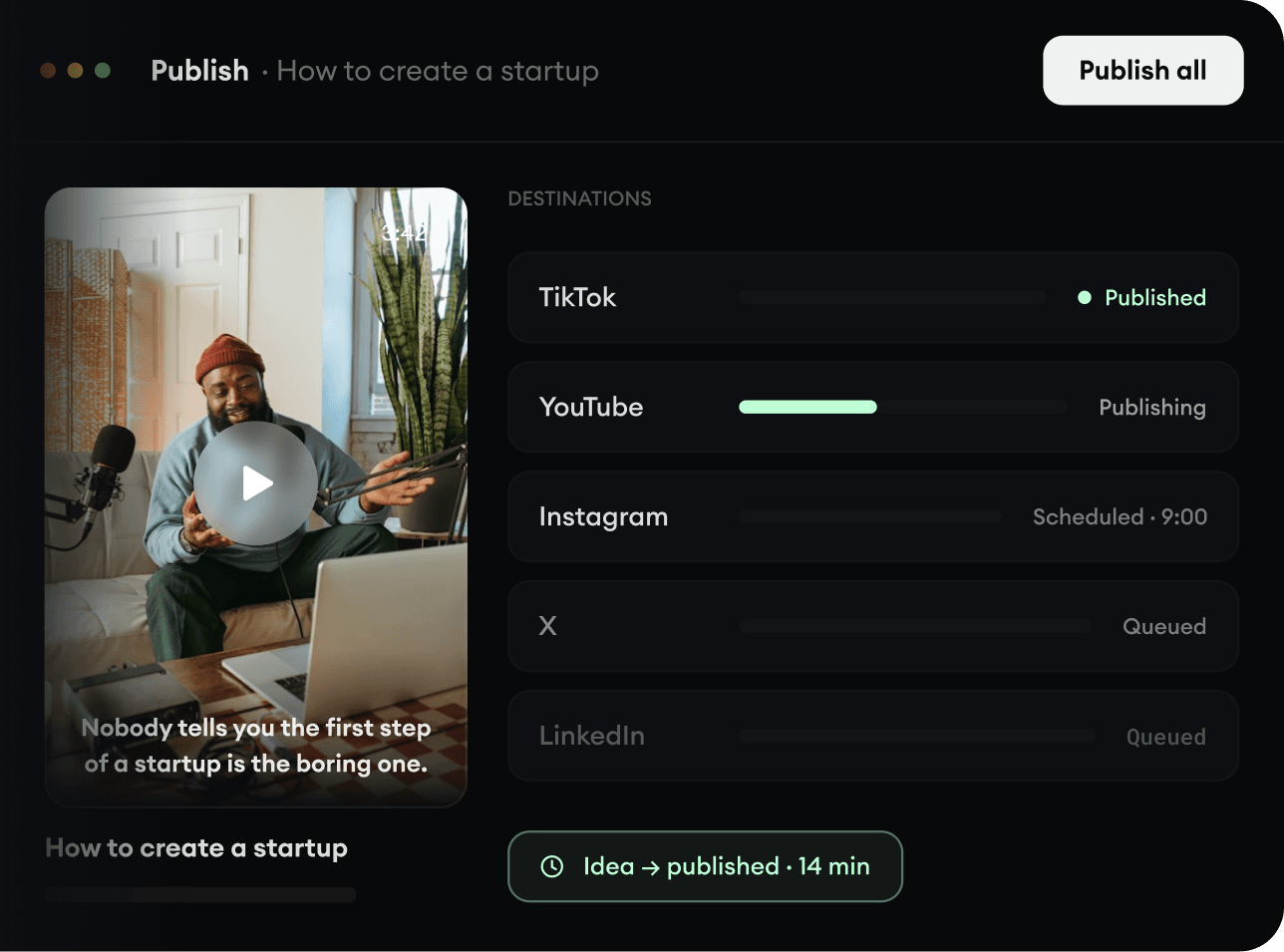
  • Publish across every major platform
  • Reach more people with less work
  • Go from idea to published video in minutes
Publish Everywhere.