Creators publish 30,000+ videos a month with Revid
Cinematic Video AI Generator
Create stunning Cinematic Videos in minutes. Input your story and our AI will write the screenplay, direct the scenes, score the film and subtitle it for you in just a few minutes.
Start from text in seconds
AI voiceover
Auto-selects visuals
Captions and sound-ready
Your video prompt
💡 Use natural language to describe what you want to see in the video. AI will generate a script based on your prompt.
3,730 people used this tool in the last 24h
Start for free.(no credit card required)
Output Example
Related tools you might like:
or explore our 42+ other tools to create the exact video you want
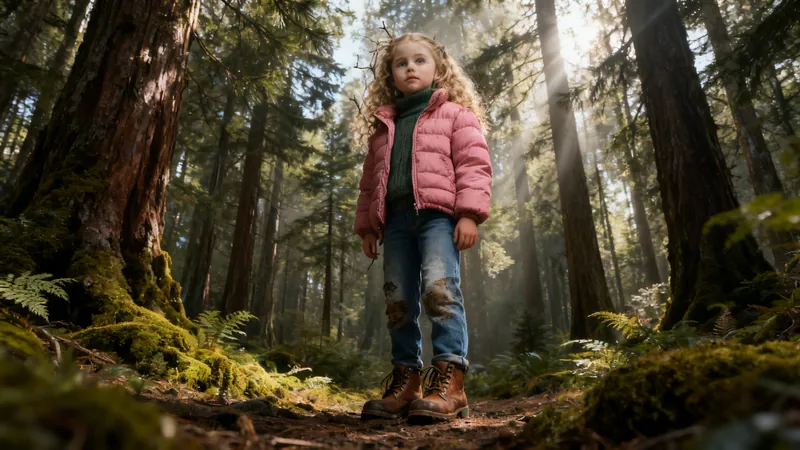
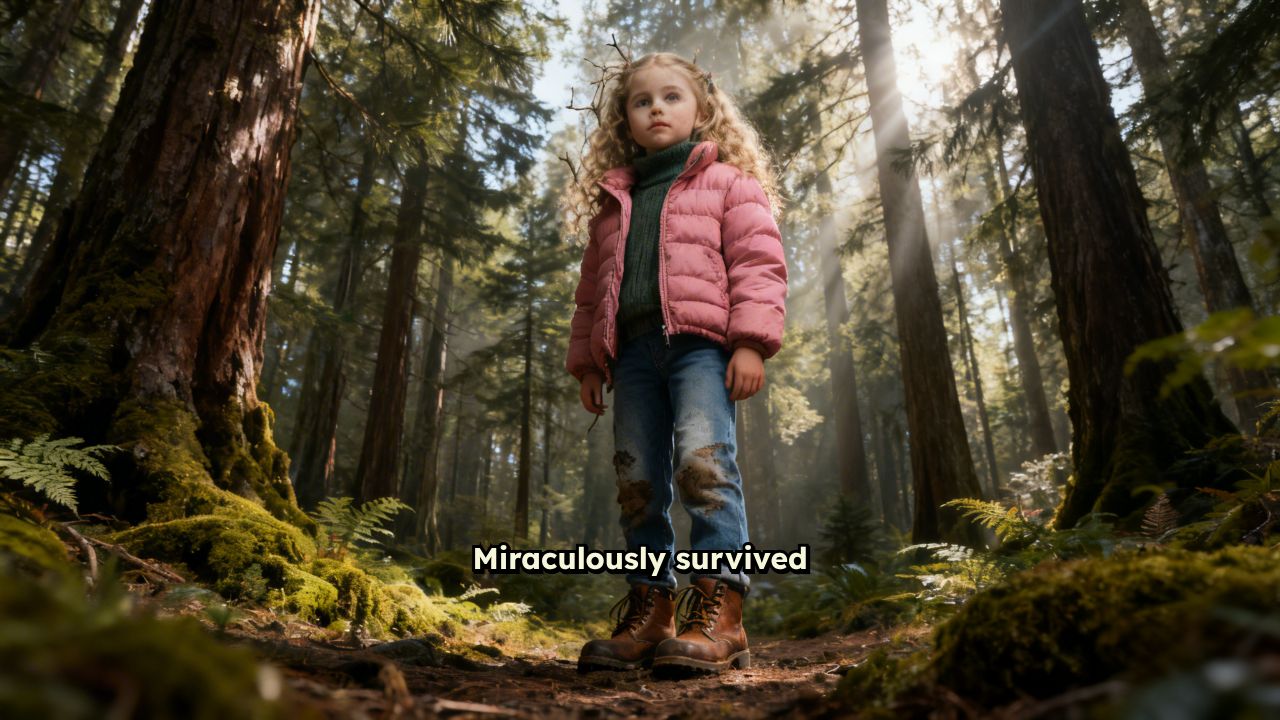
Miraculously survived 3 days lost in the wilderness thanks to a female wolf who guided me back to civilization. She appeared the first night when I was freezing and terrified, curling up next to me for warmth. Each morning she'd wait for me to wake up, leading me to water sources and safer paths. I followed her instinctively, somehow knowing she was trying to help. On the third day, she led me straight to a hiking trail where rescue teams found me. The rangers said they'd never seen anything like it - wolf tracks alongside my footprints the entire way. Still gives me chills thinking how this wild creature chose to protect me.
Visual FormatAI Video
Visual StyleRealist
FINAL VIDEO
Create Professional Cinematic Videos with AI in 3 Simple Steps
1 Write Your Story
Enter your story or script into the text field. Use [bracketed descriptions] to guide the AI in creating specific cinematic scenes. Our AI understands cinematographic language and will translate your words into stunning visuals.
2 Choose Your Style
Select from various cinematic styles - from dramatic film noir to bright modern aesthetics. Pick your preferred aspect ratio, add background music, and customize visual effects to match your creative vision.
3 Generate and Perfect
Click generate and watch as AI transforms your story into a professional-looking cinematic video. Fine-tune the results with our editor to add transitions, adjust timing, or enhance effects until your video looks exactly as you imagined.
01
What Does Cinematic AI Actually Do to Your Videos?
Most videos look flat. Cinematic AI changes that by analyzing your footage and applying professional-grade color grading, dynamic framing, and atmospheric enhancements that make ordinary clips look like they belong on a big screen. Revid's cinematic AI engine doesn't just add a filter; it re-interprets your video through the lens of cinematography principles, adjusting contrast, depth, and tone to match the mood you're going for.
02
Convert Normal Video to Cinematic Video — Instantly
You don't need a cinema camera or a colorist to make your footage look cinematic. Revid's video to cinematic video converter takes any standard clip phone footage, screen recordings, raw b-roll — and transforms it into polished, high-quality video with a single upload. The AI handles color science, lighting correction, and visual depth automatically, turning everyday footage into content that actually stops the scroll.
03
Your Cinematic Video Generator, Powered by AI
Whether you're building a brand reel, a travel montage, or a short film, Revid's cinematic video generator gives your content the visual weight it deserves. Choose your aesthetic dark and moody, golden hour, high contrast, or clean and minimal — and let the AI apply it consistently across every frame. The result is a cinematic video maker that doesn't require you to know anything about post-production.
04
Cinematic Quality on a Short-Form Timeline
The biggest misconception about cinematic video is that it requires long production timelines and expensive equipment to achieve. Revid proves otherwise. Whether you are producing a 15-second Instagram Reel, a 60-second TikTok, or a YouTube Short, the cinematic AI applies the same professional-grade visual treatment regardless of length — dramatic lighting, intentional framing, and atmospheric color grading that makes short content feel substantial. It is the fastest way to make short-form video that looks like it took far longer and cost far more to produce than it actually did.
More Tools
Explore Similar Video Creation AI Video Tools
Discover more ways to create engaging videos with our AI-powered tools
FAQs
Frequently Asked Questions
What makes this AI Cinematic Video Generator special?
Our AI Cinematic Video Generator stands out by creating truly cinematic-quality videos with professional-grade shots, transitions, and effects. Unlike basic video makers, it understands cinematographic principles and applies them to create videos that look like they were shot by a professional film crew. Whether you're creating content for social media, marketing, or personal projects, our tool delivers stunning results that capture the essence of professional filmmaking.
What types of cinematic videos can I create?
The possibilities are endless! Create dramatic short films, eye-catching product showcases, atmospheric music videos, cinematic social media content, or professional business presentations. Our AI adapts to various styles - from moody film noir to bright, modern aesthetics. Whatever your vision, our tool can help bring it to life with professional cinematic quality.
How does the AI create cinematic effects?
Our advanced AI analyzes your script and understands cinematographic principles to create professional-looking shots. It automatically applies appropriate camera movements, lighting effects, depth of field, and color grading to achieve that cinematic look. You can guide these choices using [bracketed descriptions] in your script, allowing precise control over the visual style.
What cinematic styles are available?
Our tool offers a wide range of cinematic styles including classic Hollywood, modern blockbuster, indie film, documentary, music video, and more. Each style comes with its own unique combination of color grading, camera movements, and visual effects. You can even mix elements from different styles to create your own unique cinematic look.
Do I need filmmaking experience to use this tool?
Not at all! While our tool creates professional-grade cinematic videos, it's designed to be user-friendly for creators of all skill levels. Simply input your story or script, choose your preferred style, and let the AI handle the complex cinematography. Our intuitive interface makes it easy to create stunning videos without any technical filmmaking knowledge.
How long can my cinematic videos be?
While you can create videos of any length, we recommend keeping them between 30 seconds to 3 minutes for optimal impact and engagement. This length works particularly well for social media and promotional content. Longer videos will require more credits, so consider breaking longer stories into multiple shorter, impactful segments.
Can I customize the visual effects and transitions?
Absolutely! After the AI generates your video, you have full control over the visual effects, transitions, and overall look. Our built-in editor allows you to adjust color grading, add or modify transitions, fine-tune effects, and perfect every detail until your video matches your vision perfectly.
What aspect ratios are supported for cinematic videos?
We support multiple aspect ratios to suit different platforms and purposes: 16:9 (traditional cinematic), 9:16 (vertical for social media), and 1:1 (square). Each ratio is optimized to maintain cinematic quality while meeting platform-specific requirements. Choose the ratio that best fits your intended platform and audience.
How can I ensure my video looks truly cinematic?
For best results, use descriptive [bracketed text] to guide the AI's visual choices. Be specific about the mood, lighting, and camera movements you want. Take advantage of our cinematic style presets, and don't forget to add appropriate background music to enhance the atmosphere. After generation, use our editor to fine-tune the look until it matches your cinematic vision.
Can I use these videos commercially?
Yes! All videos created with our AI Cinematic Video Generator can be used for commercial purposes, including marketing, advertising, and monetized content. Just ensure any custom assets you add (like music or images) are properly licensed for commercial use. Our tool is perfect for businesses looking to create professional-quality video content without the expense of traditional video production.
RevidAI's Viral Search and Channel Watcher surface the formats, creators, and trends getting attention right now, then help you turn them into ideas of your own.
Discover winning video formats in your niche
Follow creators and channels that matter
Start with proven ideas instead of guessing
2
Turn An Idea Into A Story.
Found something worth making? Revid AI writes the script, suggests the structure, and turns links, prompts, or topics into complete video concepts.
Start with a prompt, topic, or URL
Generate scripts inspired by proven patterns
Build stories designed to keep people watching
3
Generate The Finished Video.
Script, voiceover, visuals, subtitles, and editing all come together in one workflow. No stitching together five different tools.
Turn text into complete, multi-minute videos
Generate everything in one place
Refine the result in the editor
4
Publish Everywhere.
Share your videos to TikTok, YouTube, Instagram, and wherever your audience is.