**Recommended preset: Ultra Realism**
# A Day in the Life of a Software Engineer — Morning Routine
## STARTING FRAME
Extreme macro close-up of a smartphone resting face-up on a dark wooden bedside table in a quiet apartment bedroom before sunrise. The alarm reads **6:30 AM** in crisp white digits. The edge of the phone, tiny dust particles on the table, and the faint reflection of the screen are sharply detailed.
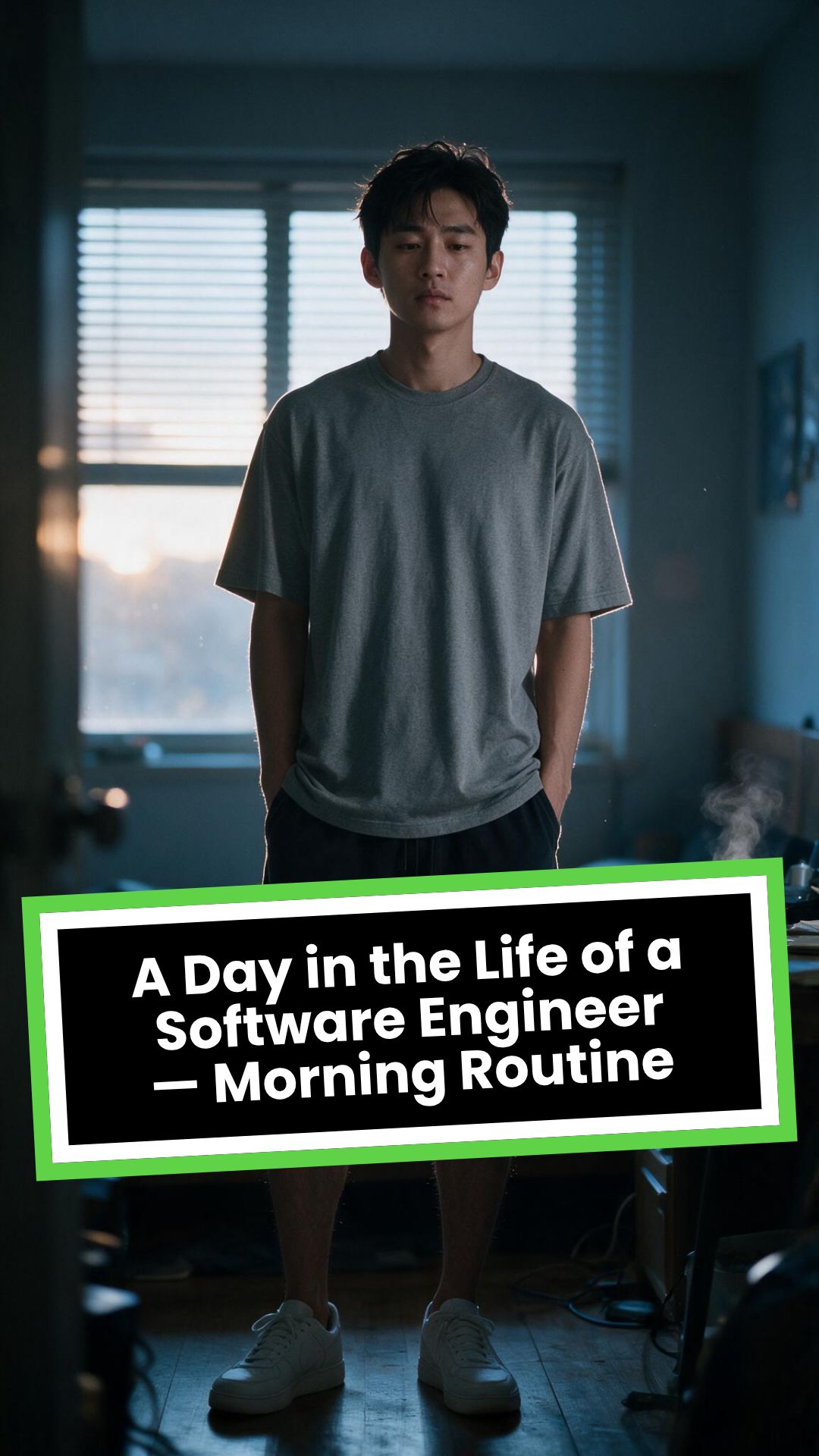
Several feet behind it, a young Asian man in his late twenties lies asleep beneath slightly rumpled bedding. He is only a soft, indistinct silhouette because of the extremely shallow depth of field. Cool blue-grey morning light leaks through partially closed curtains, creating faint horizontal shadows across the room.
A closed laptop, sleeping monitor, mechanical keyboard, notebook, headphones, water bottle, and hoodie resting over a desk chair are visible only as subdued background shapes.
The room is completely still.
Animate forward from this exact frame.
---
## [0s–3s] — THE ALARM
The camera remains extremely low, almost level with the bedside table.
For the first moment, nothing moves.
Then the alarm begins ringing.
The smartphone vibrates against the wooden surface in short mechanical pulses. One corner taps faintly against the table with each vibration. The glow from the screen reflects subtly across the wood grain.
Keep the sleeping man fully blurred in the background.
Do not reveal his face yet.
The curtains move almost imperceptibly from a weak draft. Distant traffic hums outside. A soft electrical ambience comes from the sleeping computer monitor.
Allow the alarm to interrupt the quiet rather than immediately triggering a reaction.
---
## [3s–6s] — THE FIRST REACTION
Begin a very slow rack focus away from the phone.
The alarm digits gradually soften.
The sleeping man’s shoulder, face, pillow, and blanket slowly resolve into focus.
He does not immediately wake.
His eyebrows contract slightly.
His head presses deeper into the pillow as though instinctively trying to escape the sound.
One hand shifts beneath the blanket.
His fingers curl faintly against the fabric.
The bedding moves only a few centimetres as his body reacts before his mind is fully awake.
The voice-over begins quietly:
> “Most days aren’t my best days.”
The delivery is close, restrained, personal, and slightly tired. It should sound like a private thought rather than narration for an audience.
---
## [6s–10s] — WAKING
His eyes open slowly.
They remain unfocused.
He blinks once.
A longer pause.
Then he blinks again.
His gaze drifts toward the sound without turning his head completely.
One hand emerges from beneath the blanket and reaches toward the bedside table. His arm moves heavily, dragging slightly across the mattress.
His fingers miss the phone on the first attempt.
They brush against the charging cable, slide across the table, then finally reach the screen.
He presses the alarm off.
The sound stops abruptly.
The room becomes quiet again.
Let the silence remain for a full beat.
His hand stays resting beside the phone rather than instantly returning to bed.
He exhales slowly through his nose.
The camera makes an almost imperceptible push toward him.
No dramatic expression. No exaggerated yawn.
Only the slow recognition that the day has started.
---
## [10s–14s] — SITTING UP
He turns onto one side.
The blanket pulls across his torso and gathers naturally around his waist.
His elbow presses into the mattress.
The mattress compresses visibly beneath his weight as he pushes himself upward.
His head rises last.
His hair is slightly flattened on one side and falls unevenly across his forehead.
He moves both legs toward the edge of the bed.
One foot searches for the floor.
Then the other.
His bare toes make contact first, followed by the rest of each foot.
He remains seated at the edge of the mattress.
His back curves slightly.
His shoulders hang low.
His hands rest loosely beside his thighs.
He stares at the floor without really looking at anything.
Hold this moment.
The creased bedding behind him should remain compressed where his body had been.
The voice-over continues after a natural pause:
> “But I remember why I do this…”
---
## [14s–17s] — STANDING
He shifts his feet slightly farther apart.
His weight moves forward.
His elbows press lightly against his thighs before he pushes himself upright.
His hips rise first, followed by his shoulders.
Show realistic balance adjustment as his body settles onto both feet.
He stands still for a brief moment.
His loose neutral-coloured T-shirt falls naturally back into place. His shoulders remain slightly lowered. His breathing is calm but heavy with sleep.
The camera stays behind him at approximately waist-to-shoulder height, observing rather than presenting him.
He takes two slow steps toward the bedroom wall.
His bare feet make soft contact with the floor.
He runs his fingers along the wall for a moment before finding the light switch.
He presses it.
A warm bedside or ceiling practical light turns on.
Do not flood the entire room with brightness.
The warm light should gradually reveal wood, bedding, fabric, and skin while the cool morning light remains visible through the curtains.
His eyes narrow slightly in response.
---
## [17s–20s] — TOWARD THE BATHROOM
He turns toward the bathroom doorway and begins walking.
The camera follows several steps behind with restrained handheld drift.
His pace is slow and partially automatic.
He does not acknowledge the camera.
His arms hang naturally beside him.
His shirt moves subtly across his back with each step.
Use the bathroom doorway as a natural frame around his body.
As he crosses the threshold, briefly hold the bedroom in the background:
* the unmade bed;
* the silent phone;
* the closed laptop;
* the dark monitor;
* the hoodie over the chair;
* cool daylight still entering through the curtains.
The voice-over completes:
> “…and I get up anyway.”
The line should not swell emotionally. It should land quietly, almost as though he is reminding himself.
---
## [20s–25s] — THE BATHROOM
Follow him into a small, modern, lived-in bathroom.
Use one hidden natural transition as the camera passes behind the doorframe if necessary, but preserve the feeling of one continuous shot.
He reaches toward the bathroom light switch.
A soft neutral overhead light turns on.
The camera settles into a side angle where both his real profile and part of his reflection are visible. He never looks directly into the lens.
His face in the mirror appears tired but composed.
He reaches toward a simple toothbrush holder.
His fingers close around the toothbrush.
He turns the tap handle.
Water begins flowing into the basin with a steady, natural sound.
Small droplets strike the ceramic surface and collect around the drain.
He briefly passes the toothbrush beneath the water.
He picks up the toothpaste with his other hand.
His thumb flips open the cap.
He positions the tube above the brush and squeezes slowly.
The tube compresses naturally between his fingers.
A small line of toothpaste settles across the bristles.
He releases pressure, places the toothpaste beside the sink, and brings the toothbrush to his mouth.
He begins brushing with slow, absent-minded movements.
His free hand rests against the edge of the basin.
The water continues running softly for a moment before he reaches over and turns it off.
End with him brushing his teeth in silence while early-morning ambience fills the room.
No smile.
No inspirational pose.
No sudden burst of energy.
The morning has simply begun.
---
# CAMERA DIRECTION
* One continuous observational sequence whenever possible.
* Extreme macro lens for the opening alarm.
* Very shallow depth of field during the first six seconds.
* Slow rack focus from the alarm to the sleeping man.
* Subtle push-in while he wakes.
* Low bedside camera placement.
* Gentle handheld drift only after he stands.
* Restrained tracking movement toward the bathroom.
* Use the bedroom and bathroom doorframes as natural foreground obstruction.
* Slight parallax as the camera follows him.
* Side-angle bathroom composition with a partial mirror reflection.
* Camera movement must feel physically operated by a patient documentary filmmaker.
* No orbiting around the character.
* No floating camera.
* No passing through walls.
* No dramatic sweeps or crane movements.
* No rapid cuts.
* One concealed doorway transition is permitted for stability.
---
# CHARACTER PERFORMANCE
Use one consistent young Asian man in his mid-to-late twenties.
He should appear like a normal working software engineer rather than a fashion model.
Maintain:
* slightly messy morning hair;
* naturally tired eyes;
* realistic skin texture;
* ordinary body proportions;
* loose neutral T-shirt;
* comfortable shorts or pyjama trousers;
* bare feet;
* understated, believable posture.
His sleepiness should be communicated through timing and body weight.
He should:
* blink heavily;
* pause before each major movement;
* keep his shoulders slightly lowered;
* move his hands without perfect coordination immediately after waking;
* shift his weight realistically;
* walk quietly;
* remain unaware of the camera;
* never perform the voice-over on screen.
Do not make him appear severely exhausted, unwell, intoxicated, miserable, or emotionally distressed.
---
# ENVIRONMENTAL DETAIL
The apartment should feel modest, modern, believable, and personally inhabited.
Bedroom details may include:
* closed laptop;
* monitor in sleep mode;
* mechanical keyboard;
* notebook with a pen;
* headphones;
* charging cable;
* water bottle;
* desk chair;
* hoodie over the chair;
* soft curtains;
* plain bedding;
* digital alarm or smartphone.
These objects must remain secondary.
Avoid excessive RGB lighting, futuristic interfaces, glowing code, multiple giant monitors, hacker imagery, or stereotypical technology props.
The bathroom should include:
* small ceramic sink;
* ordinary mirror;
* toothbrush holder;
* toothpaste;
* hand towel;
* simple shelf;
* subtle tile reflections;
* minor signs of everyday use.
Avoid a spotless luxury hotel bathroom.
---
# LIGHTING AND COLOUR
* Begin with soft, cool, low-contrast dawn light.
* Use blue-grey illumination passing naturally through curtains or blinds.
* Let the alarm screen create a small local glow.
* Introduce warm practical light when he presses the bedroom switch.
* Preserve the contrast between cool exterior daylight and warm interior light.
* Use soft neutral or slightly warm bathroom lighting.
* Maintain natural skin tones.
* Use gentle cinematic contrast and realistic shadow falloff.
* Keep the overall palette muted, intimate, and grounded.
Avoid:
* neon colours;
* heavy teal-and-orange grading;
* artificial lens flares;
* dramatic rim lighting;
* fantasy glow;
* excessive darkness;
* overexposed bathroom lighting;
* motivational-commercial brightness.
---
# SOUND DESIGN
Keep the soundscape quiet, layered, and tactile.
### Bedroom ambience
* distant city traffic;
* faint room tone;
* soft electrical hum;
* subtle curtain movement;
* alarm vibration against wood;
* charging cable shifting;
* bedding sliding;
* mattress compression;
* breathing;
* bare feet touching the floor;
* quiet fabric movement;
* light-switch click;
* soft footsteps.
### Bathroom ambience
* bathroom switch;
* toothbrush lifted from the holder;
* tap handle turning;
* water striking the basin;
* toothbrush touching water;
* toothpaste cap opening;
* tube compressing;
* toothpaste settling on the bristles;
* slow brushing;
* subtle room echo.
The voice-over should sit gently above these sounds rather than overpowering them.
---
# VOICE-OVER
Use a young adult male voice.
Delivery must be:
* quiet;
* sincere;
* close-microphone;
* slightly tired;
* reflective;
* conversational;
* emotionally restrained.
Do not use trailer narration, motivational-speaker cadence, inspirational music swelling, or exaggerated pauses.
Voice-over text:
> “Most days aren’t my best days.
> But I remember why I do this…
> and I get up anyway.”
Begin the first sentence during the focus shift.
Deliver the second sentence while he sits at the edge of the bed.
Complete the final phrase as he walks into the bathroom.
---
# PHYSICAL REALISM
Every movement must show weight, resistance, and consequence.
Include:
* smartphone vibrating against wood;
* blanket tension as he moves;
* pillow compression;
* mattress deformation beneath his elbow and hips;
* feet searching for the floor;
* realistic centre-of-gravity changes while standing;
* natural cloth movement;
* proper hand contact with the switch;
* believable walking rhythm;
* accurate grip on the toothbrush and toothpaste;
* realistic water flow;
* toothpaste tube deformation;
* correct mirror behaviour;
* natural brushing motion.
Objects must not move unless physically touched or affected by the environment.
---
# CONTINUITY REQUIREMENTS
Maintain exactly the same:
* face;
* hairstyle;
* clothing;
* body proportions;
* skin tone;
* bedroom arrangement;
* bathroom arrangement;
* phone;
* bedding;
* toothbrush;
* toothpaste;
* lighting direction;
* time of morning.
The bathroom must feel directly connected to the bedroom.
The character must not change appearance between spaces.
The mirror reflection must match his real movement precisely.
---
# NEGATIVE CONSTRAINTS
* No direct eye contact with the camera.
* No on-screen dialogue.
* No lip-syncing to the voice-over.
* No influencer presentation.
* No vlog gestures.
* No smiling at the audience.
* No fast montage.
* No opening the laptop.
* No typing or coding.
* No breakfast sequence.
* No shower.
* No getting dressed.
* No leaving the apartment.
* No dramatic stretching.
* No exaggerated yawning.
* No energetic wake-up.
* No instant movement from bed to bathroom.
* No teleportation.
* No unrelated extra scenes.
* No rapid edits.
* No impossible camera paths.
* No random camera shake.
* No warped mirror reflection.
* No changing facial features.
* No changing clothes.
* No malformed hands.
* No extra fingers.
* No floating objects.
* No disappearing props.
* No changing room layout.
* No excessive slow motion.
* No text overlays.
* No captions.
* No logos.
* No watermark.
* No artificial motivational-commercial tone.
Визуальный форматИИ-видео
Визуальный стильPhotography
ГОТОВОЕ ВИДЕО
How to Turn Music into Video with AI in 3 Simple Steps
1 Upload your music track
Start by uploading your audio file to our platform. We support various formats including MP3, WAV, and more. Our AI will analyze your music track to create a perfectly synchronized video experience.
2 Choose your visual style
Select from three powerful visual options: dynamic stock videos, AI-generated visuals, or moving AI images. You can also enable the sound wave visualization to add an extra layer of audio-visual synchronization that responds to your music's rhythm and beats.
3 Generate and customize
Click 'Generate Video' and watch as our AI transforms your music into a stunning visual experience. Once created, you can further personalize your video using our built-in editor to add text, adjust timing, or make other creative enhancements before downloading.
01
Опишите любую сцену и смотрите, как она становится готовым видео
Генерация видео по тексту — это самый прямой творческий формат, который предлагает Revid. Напишите описание видео, которое хотите увидеть, включая визуал, настроение, персонажей и сюжет, и ИИ создаст полноценный ролик с подходящими кадрами или сгенерированными изображениями, закадровым голосом, фоновой музыкой и субтитрами. Никаких шаблонов и многоэтапных настроек. Ваш промпт — это и есть креативный бриф. Формат подходит для художественного контента, документального стиля, обзоров продуктов, объясняющих видео, постов в соцсетях и всего, что можно описать словами.
02
Как ИИ-движок обрабатывает ваше текстовое описание
Получив ваш запрос, ИИ Revid анализирует жанр, тон, тематику и ключевые визуальные моменты, а затем выстраивает структуру видео сцена за сценой. Он подбирает или генерирует визуальный ряд для каждого момента, пишет текст для озвучки, соответствующий описанию, выбирает музыкальный трек из кураторской библиотеки и синхронизирует всё в целостное короткое видео. Инструмент поддерживает генерацию ИИ-изображений в трех уровнях качества (базовом, профессиональном и ультра), позволяя адаптировать результат под ваши задачи.
03
Генерация видео по тексту для креаторов, маркетологов и преподавателей
Контент-мейкеры используют инструмент для быстрой проверки новых идей без затрат на продакшен, публикуя контент так же быстро, как генерируют идеи. Маркетологи создают продуктовые и брендовые ролики на основе брифов без привлечения агентств. Преподаватели делают наглядные видео для сложных тем, где существующие материалы не подходят для объяснения. Поскольку весь процесс создания начинается с текстового описания, от вас не требуется никаких навыков, кроме умения четко выразить свои мысли. Для сюжетных историй с персонажами на основе того же формата запросов генератор POV-видео применяет захватывающий вид от первого лица.
Watch & Learn
Как выжать максимум из генерации видео по тексту?
Узнайте, как использовать наш инструмент генерации видео по тексту для умного и эффективного создания контента.
Я написал одно предложение, и ИИ создал целое видео (Обучение генерации видео по тексту)
Целевая аудитория
Для кого этот инструмент?
Независимые креаторы
Проходите путь от идеи до готового видео без издержек на продакшен, которые обычно стоят между концепцией и финальным результатом, публикуя новый контент с той же скоростью, с которой рождаются идеи.
Маркетинговые команды и агентства
Превращайте текстовые брифы рекламных кампаний в видео для соцсетей, рекламы и презентаций, не перегружая команду видеопроизводства, график которой и так расписан по минутам.
Сторителлеры и сценаристы
Тестируйте вымышленные миры, персонажей и сюжетные арки в формате видео перед переходом к полноценному производству, быстро дорабатывая творческое направление с каждой генерацией.
Преподаватели и тренеры
Создавайте индивидуальные обучающие видео для любых концепций, которые невозможно наглядно продемонстрировать с помощью существующих материалов, давая студентам визуальный контекст, который не могут передать одни лишь тексты.
Сравнение
Почему стоит выбрать Revid для генерации видео по тексту?
Традиционное видеопроизводство начинается с брифа и заканчивается спустя недели готовым роликом. Наш инструмент устраняет все промежуточные этапы между творческим описанием и результатом.
Вводные данные
Revid: Видео по текстуНапишите текстовое описание и сразу же сгенерируйте
Традиционное видеопроизводствоТребует написания сценария, раскадровки и планирования до начала съемок
Визуальный ряд
Revid: Видео по текстуИИ генерирует или подбирает визуальные материалы под описание каждой сцены
Традиционное видеопроизводствоТребует съемок, покупки стоковых футажей или заказа моушн-графики
Озвучка
Revid: Видео по текстуИИ-озвучка генерируется и автоматически синхронизируется с видеорядом
Традиционное видеопроизводствоТребует записи или найма диктора для каждого проекта
Музыка
Revid: Видео по текстуФоновая музыка автоматически подбирается из кураторской библиотеки и добавляется в видео
Традиционное видеопроизводствоМузыку нужно лицензировать и вручную подгонять под таймлайн видео
Время производства
Revid: Видео по текстуГотовое видео за несколько минут по текстовому запросу
Традиционное видеопроизводствоОт нескольких дней до недель от брифа до финального видео
Скорость внесения правок
Revid: Видео по текстуГенерация новой версии по обновленному промпту за считанные минуты
Традиционное видеопроизводствоКаждая правка требует перемонтажа, перезаписи или пересъемки материала
Функция / Преимущество
Revid: Видео по тексту
Традиционное видеопроизводство
Вводные данные
Напишите текстовое описание и сразу же сгенерируйте
Требует написания сценария, раскадровки и планирования до начала съемок
Визуальный ряд
ИИ генерирует или подбирает визуальные материалы под описание каждой сцены
Требует съемок, покупки стоковых футажей или заказа моушн-графики
Озвучка
ИИ-озвучка генерируется и автоматически синхронизируется с видеорядом
Требует записи или найма диктора для каждого проекта
Музыка
Фоновая музыка автоматически подбирается из кураторской библиотеки и добавляется в видео
Музыку нужно лицензировать и вручную подгонять под таймлайн видео
Время производства
Готовое видео за несколько минут по текстовому запросу
От нескольких дней до недель от брифа до финального видео
Скорость внесения правок
Генерация новой версии по обновленному промпту за считанные минуты
Каждая правка требует перемонтажа, перезаписи или пересъемки материала
Примеры видео
Посмотрите, что вы можете создать с помощью Конвертер Проджекта в Видео
Изучите различные стили и возможности с нашим Конвертер Проджекта в Видео
ИИ-генератор видео по тексту для креаторов
Превращайте текстовые запросы в потрясающие видео с помощью нашего ИИ-генератора. Просто опишите свою идею и наблюдайте, как продвинутый ИИ создает профессиональные ролики с динамичным визуалом, идеальным таймингом и вовлекающим контентом.
Передовая технология ИИ-генерации видео по тексту
Преобразование текста в видео профессионального качества
Динамичный визуал и идеальный тайминг на основе описаний
Идеально подходит для контент-мейкеров и сторителлеров
Креативная генерация видео из текстовых запросов
Раскройте свой творческий потенциал с нашим генератором видео. Превратите любое текстовое описание в захватывающий видеоконтент с помощью ИИ-сторителлинга, идеально подходящего для соцсетей, маркетинга и развлечений.
Креативная ИИ-технология создания видео по тексту
Визуальный сторителлинг из текстовых описаний
Генерация видео, оптимизированного для соцсетей
Отличный выбор для маркетингового и развлекательного контента
Впечатляющее создание видео по промпту
Создавайте видео профессионального качества из простых текстовых запросов, используя передовые технологии ИИ. Наш генератор видео по тексту справляется со сложными визуальными концепциями и создает контент широковещательного уровня для любых целей.
Профессиональная ИИ-генерация видео по тексту
Производство видео вещательного качества из текста
Обработка сложных визуальных концепций
Подходит для корпоративного и профессионального использования
Больше инструментов
Изучите похожие ИИ-инструменты для видео в категории Создание видео
Откройте для себя больше способов создания привлекательных видео с помощью наших ИИ-инструментов
FAQ
Часто задаваемые вопросы
What is the Music to Video converter tool?
Our Music to Video converter is an AI-powered tool that transforms your audio tracks into captivating visual content. Simply upload your music file, and our technology analyzes the audio patterns to create a synchronized video that complements your music. Whether you're a musician wanting to share your latest track on social media, a content creator needing background visuals, or just someone who wants to visualize their favorite songs, this tool makes the process incredibly simple and accessible.
What types of music files can I upload?
Our tool supports all standard audio formats including MP3, WAV, M4A, AAC, and OGG files. The maximum file size is 50MB, which accommodates most songs and audio tracks. For optimal results, we recommend using high-quality audio files with minimal background noise. If your file exceeds the size limit, consider compressing it or trimming it to the most essential part before uploading.
What visual styles are available for my music video?
We offer three distinct visual styles to match your music's mood and purpose: 1) Stock Videos - professionally shot footage that our AI selects based on your music's tempo and feel; 2) AI-generated Videos - unique visuals created specifically for your track using advanced AI; and 3) Moving AI Images - animated still images that create a dreamy, artistic effect. Each option creates a different aesthetic, so you can choose what best represents your music's vibe.
What is the sound wave visualization feature?
The sound wave visualization is an optional overlay that displays your music's audio waveform directly in the video. This dynamic element pulses and moves in perfect sync with your music, adding a professional touch that emphasizes beats, drops, and rhythm changes. It's particularly effective for electronic music, podcasts, or any audio where you want to highlight the sound structure. You can toggle this feature on or off depending on your preference.
How long does it take to convert my music to video?
Most music tracks are converted to video within 2-5 minutes, depending on the length of your audio and the visual style you've selected. AI-generated visuals typically take slightly longer to process than stock footage options. Once your video is ready, you'll receive a notification and can immediately preview, edit, and download your creation. For longer tracks (over 5 minutes), processing time may increase accordingly.
Can I edit the video after it's been generated?
Absolutely! After your music video is generated, you'll have access to our full-featured editor where you can make various adjustments. Add text overlays, trim sections, adjust visual transitions, change colors, and more. The editor is intuitive and requires no previous video editing experience. This allows you to put your personal touch on the AI-generated content and ensure it perfectly matches your vision.
How does the AI choose visuals that match my music?
Our sophisticated AI analyzes multiple aspects of your audio track including tempo, rhythm, frequency patterns, and energy levels. It identifies key moments like beats, drops, and transitions, then selects or generates visuals that complement these elements. For example, upbeat sections might feature more dynamic visuals, while slower passages could show calmer scenes. This creates a synchronized audio-visual experience that feels intentionally designed rather than randomly assembled.
What aspect ratio will my music video have?
By default, we create videos in the popular 9:16 vertical format, perfect for platforms like TikTok, Instagram Reels, and YouTube Shorts. This vertical orientation maximizes screen space on mobile devices where most short-form content is consumed. However, you can adjust this in the settings if you prefer a different aspect ratio for your specific needs.
How many credits does it cost to create a music video?
Converting music to video requires 1 credit for the basic conversion. If you choose AI-generated visuals, an additional credit is used due to the more intensive processing required. The sound wave visualization feature is included at no extra cost. The number of credits at your disposal depends on your subscription plan. Our paid tiers offer a set amount of monthly credits, while free accounts start with a limited number of credits to try the service.
Can I use the videos I create commercially?
Yes, all videos created with our Music to Video tool can be used for both personal and commercial purposes. When using stock videos, these are licensed for commercial use. For AI-generated visuals, you own the rights to the output. However, please note that you must have proper rights to the music you upload - our tool doesn't provide music licensing. If you're using copyrighted music, make sure you have the appropriate permissions or licenses before using the video commercially.
Is there a limit to how long my music track can be?
While there's no strict limit on duration, we recommend keeping your audio tracks under 10 minutes for optimal processing and viewing experience. Shorter videos (1-3 minutes) tend to perform better on social media platforms and use fewer credits to generate. For longer audio files like podcasts or extended mixes, consider breaking them into smaller segments or selecting the most important sections to visualize.
How can I ensure my music video looks great on social media?
For the best results on social platforms, we recommend using high-quality audio files, selecting visual styles that match your music's mood, and keeping videos under 3 minutes for maximum engagement. The vertical 9:16 format works excellently for most social platforms. After generation, use our editor to add your logo, artist name, or song title as text overlays. For platforms with specific requirements, you can adjust aspect ratios and export settings accordingly before downloading your finished video.
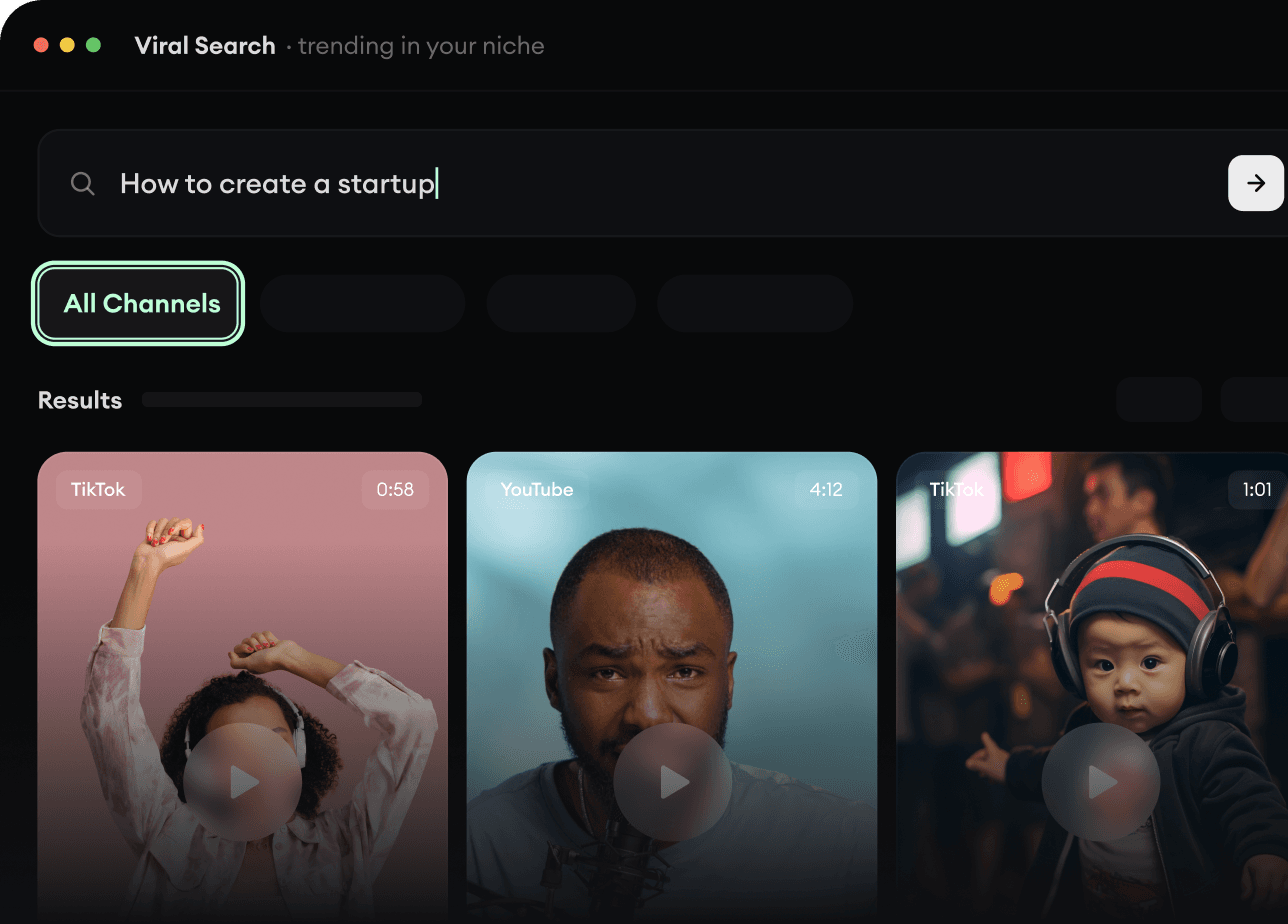
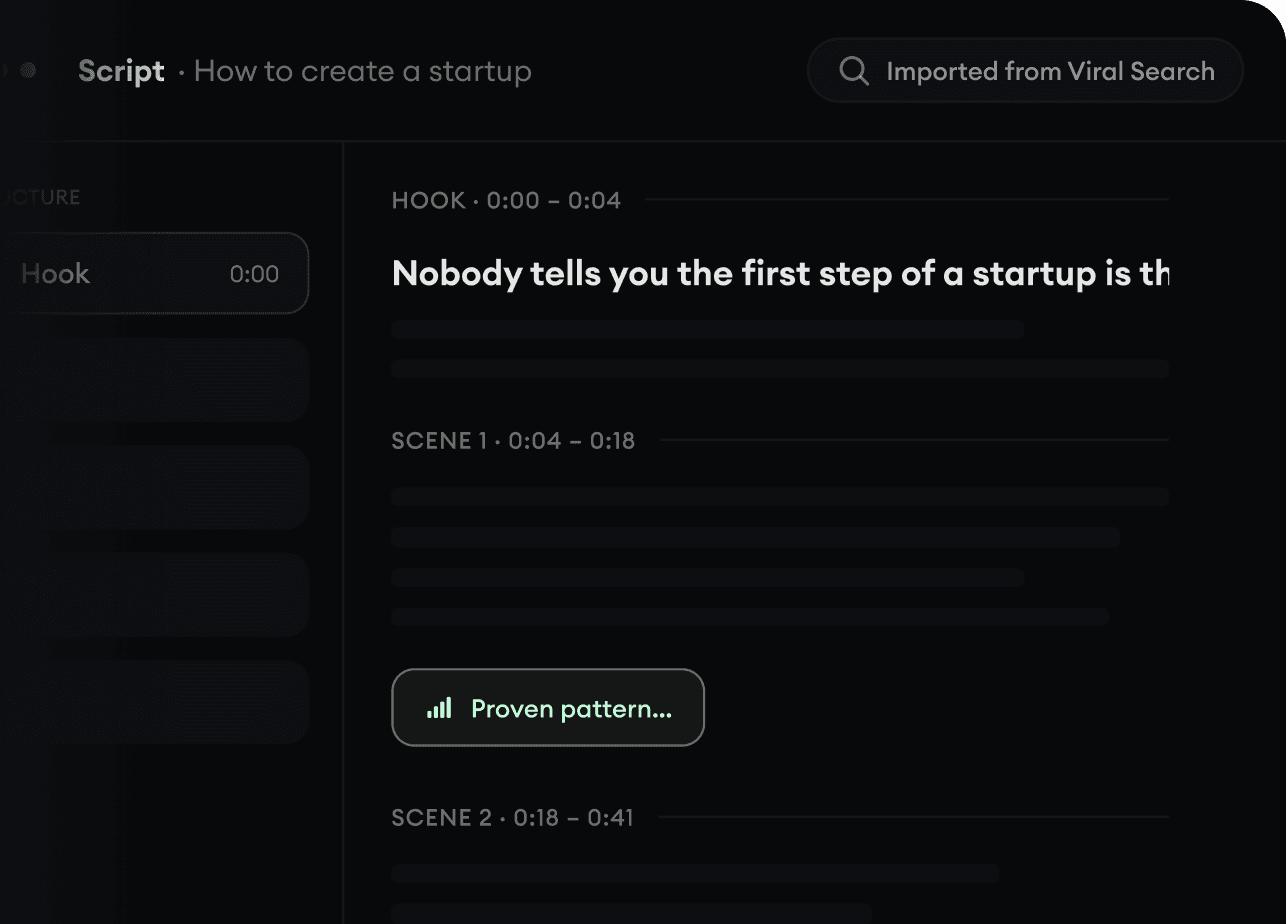
Viral Search и Channel Watcher от Revid AI показывают форматы, авторов и тренды, которые набирают внимание прямо сейчас, и помогают превратить их в ваши собственные идеи.
Находите выигрышные форматы в своей нише
Следите за важными авторами и каналами
Начинайте с проверенных идей, а не с догадок
2
Превратите идею в историю.
Нашли что-то стоящее? Revid AI напишет сценарий, предложит структуру и превратит ссылки, промпты или темы в готовые концепции видео.
Начните с промпта, темы или ссылки
Генерируйте сценарии по проверенным схемам
Стройте истории, которые удерживают внимание
3
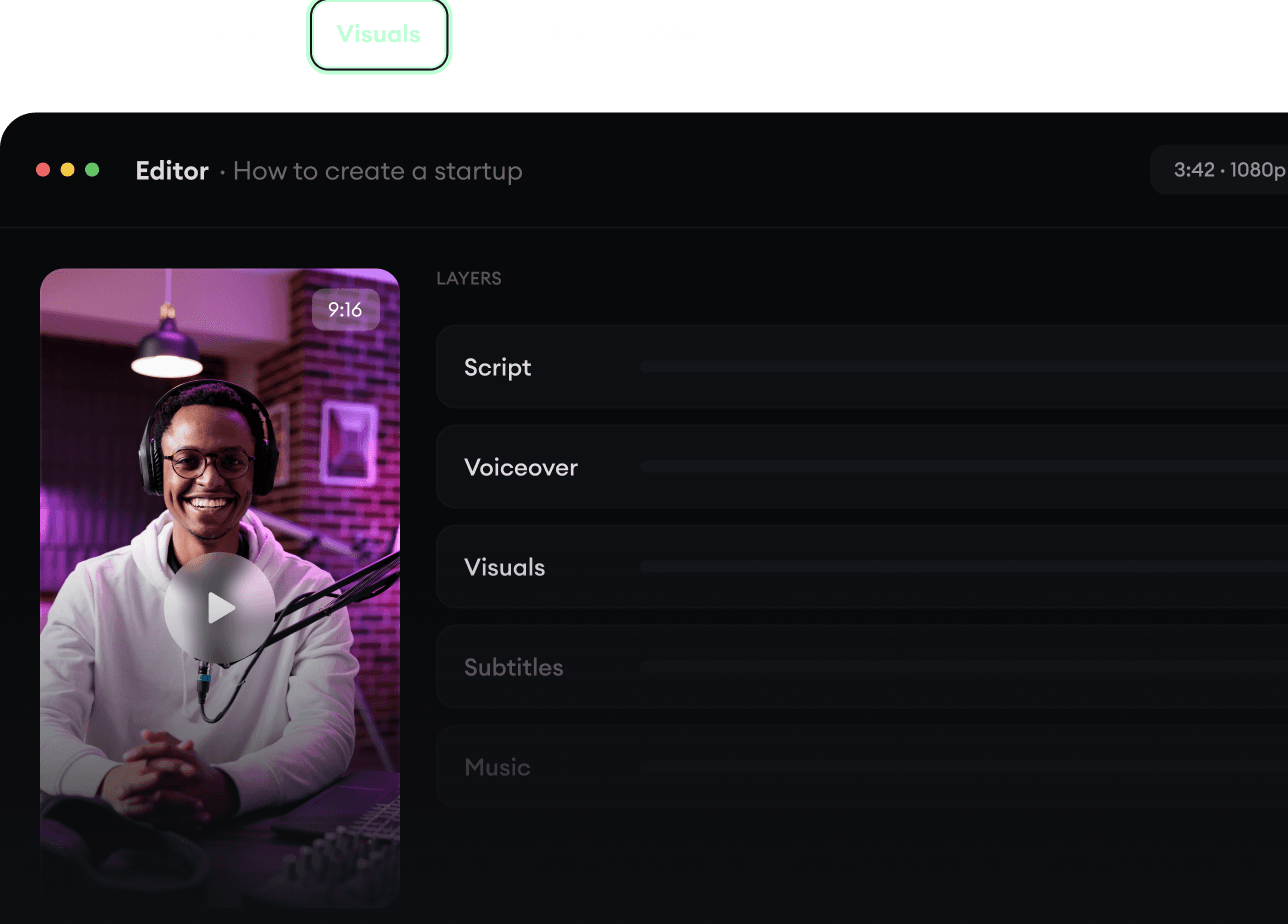
Сгенерируйте готовое видео.
Сценарий, озвучка, визуал, субтитры и монтаж в одном процессе. Не нужно склеивать пять разных инструментов.
Превращайте текст в полные многоминутные видео
Генерируйте всё в одном месте
Дорабатывайте результат в редакторе
4
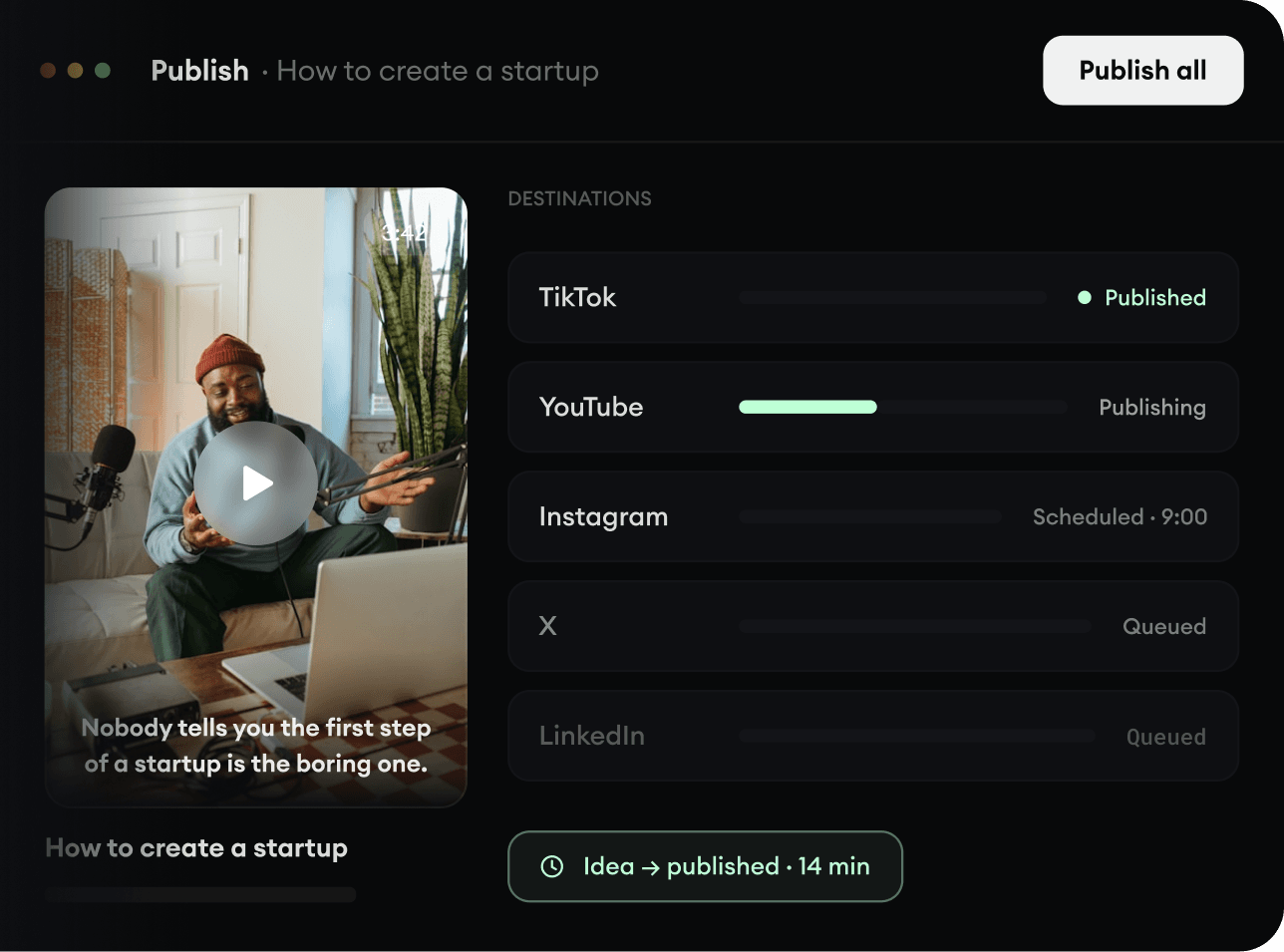
Публикуйте везде.
Делитесь видео в TikTok, YouTube, Instagram и везде, где есть ваша аудитория.