Crea video di viaggio in pochi minuti! Carica foto e video: l'IA di Revid selezionerà automaticamente le parti migliori per creare una storia perfetta per te.
Il tuo prompt video
💡 Inserisci il tuo prompt su cosa vuoi vedere nel video
3,730 persone hanno utilizzato questo strumento nelle ultime 24h
Pronto in pochi minuti · Modifica tutto prima di pubblicare
Esempi di Output
Media: AI videoPreset: PhotographyRatio: 9:16Quality: UltraSeedance 1080p
Strumenti correlati che potrebbero piacerti:
oppure esplora i nostri oltre 42 strumenti per creare esattamente il video che desideri
**Recommended preset: Ultra Realism**
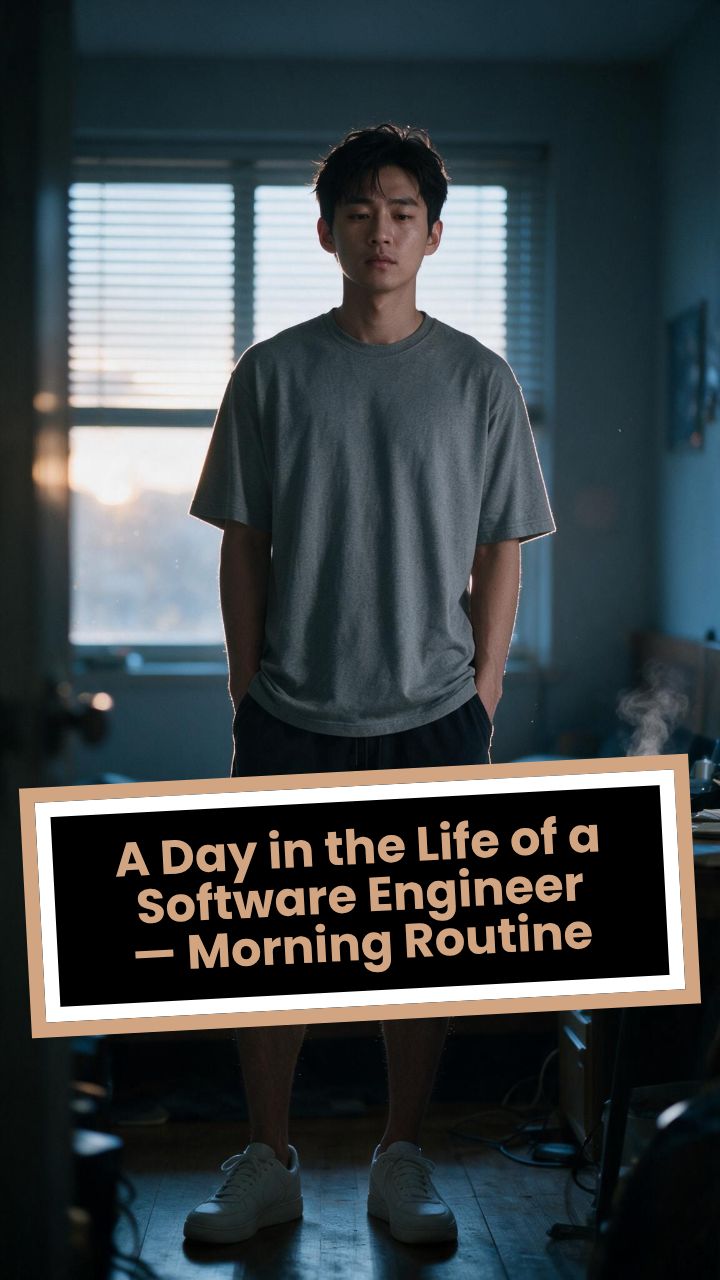
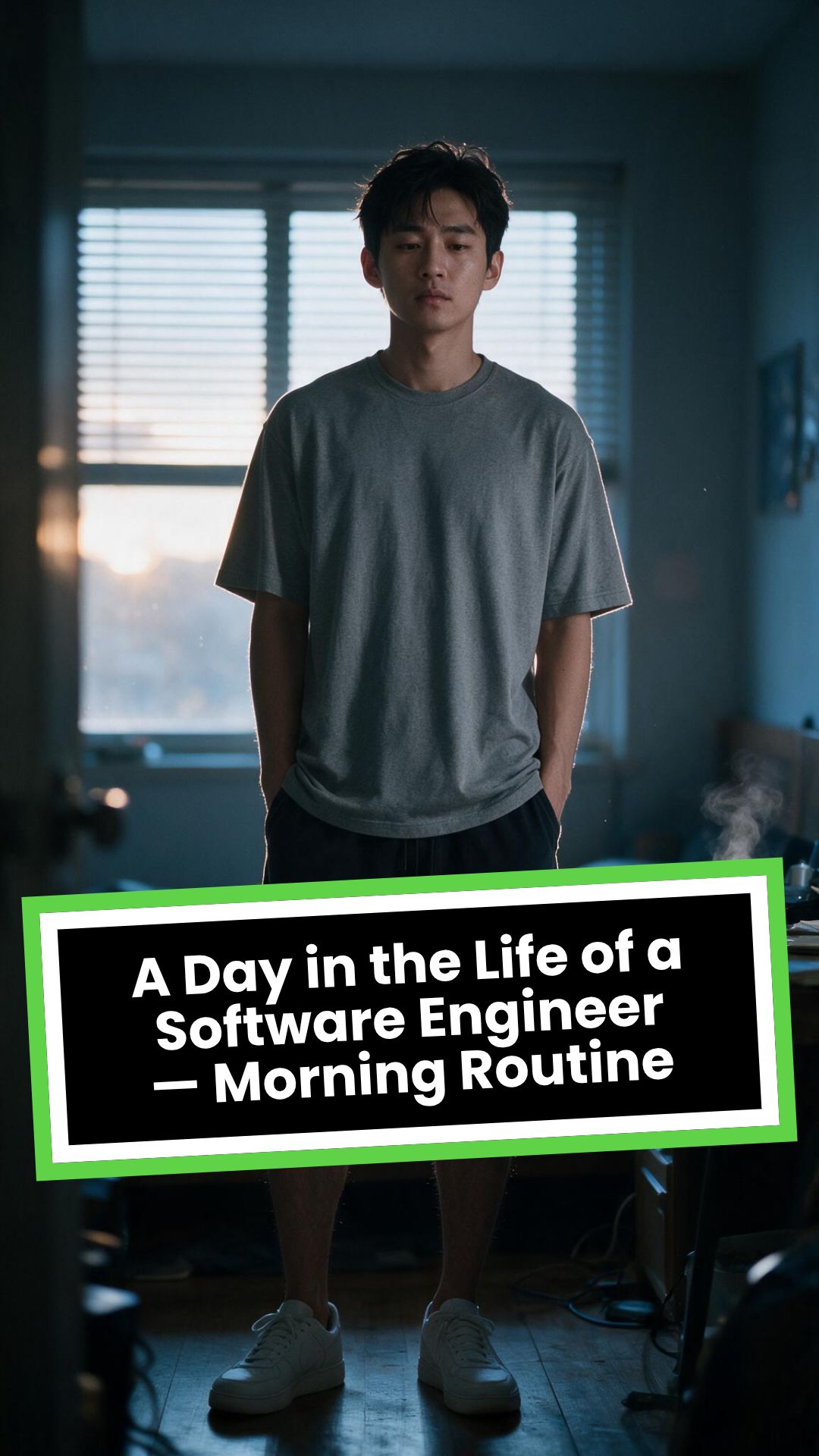
# A Day in the Life of a Software Engineer — Morning Routine
## STARTING FRAME
Extreme macro close-up of a smartphone resting face-up on a dark wooden bedside table in a quiet apartment bedroom before sunrise. The alarm reads **6:30 AM** in crisp white digits. The edge of the phone, tiny dust particles on the table, and the faint reflection of the screen are sharply detailed.
Several feet behind it, a young Asian man in his late twenties lies asleep beneath slightly rumpled bedding. He is only a soft, indistinct silhouette because of the extremely shallow depth of field. Cool blue-grey morning light leaks through partially closed curtains, creating faint horizontal shadows across the room.
A closed laptop, sleeping monitor, mechanical keyboard, notebook, headphones, water bottle, and hoodie resting over a desk chair are visible only as subdued background shapes.
The room is completely still.
Animate forward from this exact frame.
---
## [0s–3s] — THE ALARM
The camera remains extremely low, almost level with the bedside table.
For the first moment, nothing moves.
Then the alarm begins ringing.
The smartphone vibrates against the wooden surface in short mechanical pulses. One corner taps faintly against the table with each vibration. The glow from the screen reflects subtly across the wood grain.
Keep the sleeping man fully blurred in the background.
Do not reveal his face yet.
The curtains move almost imperceptibly from a weak draft. Distant traffic hums outside. A soft electrical ambience comes from the sleeping computer monitor.
Allow the alarm to interrupt the quiet rather than immediately triggering a reaction.
---
## [3s–6s] — THE FIRST REACTION
Begin a very slow rack focus away from the phone.
The alarm digits gradually soften.
The sleeping man’s shoulder, face, pillow, and blanket slowly resolve into focus.
He does not immediately wake.
His eyebrows contract slightly.
His head presses deeper into the pillow as though instinctively trying to escape the sound.
One hand shifts beneath the blanket.
His fingers curl faintly against the fabric.
The bedding moves only a few centimetres as his body reacts before his mind is fully awake.
The voice-over begins quietly:
> “Most days aren’t my best days.”
The delivery is close, restrained, personal, and slightly tired. It should sound like a private thought rather than narration for an audience.
---
## [6s–10s] — WAKING
His eyes open slowly.
They remain unfocused.
He blinks once.
A longer pause.
Then he blinks again.
His gaze drifts toward the sound without turning his head completely.
One hand emerges from beneath the blanket and reaches toward the bedside table. His arm moves heavily, dragging slightly across the mattress.
His fingers miss the phone on the first attempt.
They brush against the charging cable, slide across the table, then finally reach the screen.
He presses the alarm off.
The sound stops abruptly.
The room becomes quiet again.
Let the silence remain for a full beat.
His hand stays resting beside the phone rather than instantly returning to bed.
He exhales slowly through his nose.
The camera makes an almost imperceptible push toward him.
No dramatic expression. No exaggerated yawn.
Only the slow recognition that the day has started.
---
## [10s–14s] — SITTING UP
He turns onto one side.
The blanket pulls across his torso and gathers naturally around his waist.
His elbow presses into the mattress.
The mattress compresses visibly beneath his weight as he pushes himself upward.
His head rises last.
His hair is slightly flattened on one side and falls unevenly across his forehead.
He moves both legs toward the edge of the bed.
One foot searches for the floor.
Then the other.
His bare toes make contact first, followed by the rest of each foot.
He remains seated at the edge of the mattress.
His back curves slightly.
His shoulders hang low.
His hands rest loosely beside his thighs.
He stares at the floor without really looking at anything.
Hold this moment.
The creased bedding behind him should remain compressed where his body had been.
The voice-over continues after a natural pause:
> “But I remember why I do this…”
---
## [14s–17s] — STANDING
He shifts his feet slightly farther apart.
His weight moves forward.
His elbows press lightly against his thighs before he pushes himself upright.
His hips rise first, followed by his shoulders.
Show realistic balance adjustment as his body settles onto both feet.
He stands still for a brief moment.
His loose neutral-coloured T-shirt falls naturally back into place. His shoulders remain slightly lowered. His breathing is calm but heavy with sleep.
The camera stays behind him at approximately waist-to-shoulder height, observing rather than presenting him.
He takes two slow steps toward the bedroom wall.
His bare feet make soft contact with the floor.
He runs his fingers along the wall for a moment before finding the light switch.
He presses it.
A warm bedside or ceiling practical light turns on.
Do not flood the entire room with brightness.
The warm light should gradually reveal wood, bedding, fabric, and skin while the cool morning light remains visible through the curtains.
His eyes narrow slightly in response.
---
## [17s–20s] — TOWARD THE BATHROOM
He turns toward the bathroom doorway and begins walking.
The camera follows several steps behind with restrained handheld drift.
His pace is slow and partially automatic.
He does not acknowledge the camera.
His arms hang naturally beside him.
His shirt moves subtly across his back with each step.
Use the bathroom doorway as a natural frame around his body.
As he crosses the threshold, briefly hold the bedroom in the background:
* the unmade bed;
* the silent phone;
* the closed laptop;
* the dark monitor;
* the hoodie over the chair;
* cool daylight still entering through the curtains.
The voice-over completes:
> “…and I get up anyway.”
The line should not swell emotionally. It should land quietly, almost as though he is reminding himself.
---
## [20s–25s] — THE BATHROOM
Follow him into a small, modern, lived-in bathroom.
Use one hidden natural transition as the camera passes behind the doorframe if necessary, but preserve the feeling of one continuous shot.
He reaches toward the bathroom light switch.
A soft neutral overhead light turns on.
The camera settles into a side angle where both his real profile and part of his reflection are visible. He never looks directly into the lens.
His face in the mirror appears tired but composed.
He reaches toward a simple toothbrush holder.
His fingers close around the toothbrush.
He turns the tap handle.
Water begins flowing into the basin with a steady, natural sound.
Small droplets strike the ceramic surface and collect around the drain.
He briefly passes the toothbrush beneath the water.
He picks up the toothpaste with his other hand.
His thumb flips open the cap.
He positions the tube above the brush and squeezes slowly.
The tube compresses naturally between his fingers.
A small line of toothpaste settles across the bristles.
He releases pressure, places the toothpaste beside the sink, and brings the toothbrush to his mouth.
He begins brushing with slow, absent-minded movements.
His free hand rests against the edge of the basin.
The water continues running softly for a moment before he reaches over and turns it off.
End with him brushing his teeth in silence while early-morning ambience fills the room.
No smile.
No inspirational pose.
No sudden burst of energy.
The morning has simply begun.
---
# CAMERA DIRECTION
* One continuous observational sequence whenever possible.
* Extreme macro lens for the opening alarm.
* Very shallow depth of field during the first six seconds.
* Slow rack focus from the alarm to the sleeping man.
* Subtle push-in while he wakes.
* Low bedside camera placement.
* Gentle handheld drift only after he stands.
* Restrained tracking movement toward the bathroom.
* Use the bedroom and bathroom doorframes as natural foreground obstruction.
* Slight parallax as the camera follows him.
* Side-angle bathroom composition with a partial mirror reflection.
* Camera movement must feel physically operated by a patient documentary filmmaker.
* No orbiting around the character.
* No floating camera.
* No passing through walls.
* No dramatic sweeps or crane movements.
* No rapid cuts.
* One concealed doorway transition is permitted for stability.
---
# CHARACTER PERFORMANCE
Use one consistent young Asian man in his mid-to-late twenties.
He should appear like a normal working software engineer rather than a fashion model.
Maintain:
* slightly messy morning hair;
* naturally tired eyes;
* realistic skin texture;
* ordinary body proportions;
* loose neutral T-shirt;
* comfortable shorts or pyjama trousers;
* bare feet;
* understated, believable posture.
His sleepiness should be communicated through timing and body weight.
He should:
* blink heavily;
* pause before each major movement;
* keep his shoulders slightly lowered;
* move his hands without perfect coordination immediately after waking;
* shift his weight realistically;
* walk quietly;
* remain unaware of the camera;
* never perform the voice-over on screen.
Do not make him appear severely exhausted, unwell, intoxicated, miserable, or emotionally distressed.
---
# ENVIRONMENTAL DETAIL
The apartment should feel modest, modern, believable, and personally inhabited.
Bedroom details may include:
* closed laptop;
* monitor in sleep mode;
* mechanical keyboard;
* notebook with a pen;
* headphones;
* charging cable;
* water bottle;
* desk chair;
* hoodie over the chair;
* soft curtains;
* plain bedding;
* digital alarm or smartphone.
These objects must remain secondary.
Avoid excessive RGB lighting, futuristic interfaces, glowing code, multiple giant monitors, hacker imagery, or stereotypical technology props.
The bathroom should include:
* small ceramic sink;
* ordinary mirror;
* toothbrush holder;
* toothpaste;
* hand towel;
* simple shelf;
* subtle tile reflections;
* minor signs of everyday use.
Avoid a spotless luxury hotel bathroom.
---
# LIGHTING AND COLOUR
* Begin with soft, cool, low-contrast dawn light.
* Use blue-grey illumination passing naturally through curtains or blinds.
* Let the alarm screen create a small local glow.
* Introduce warm practical light when he presses the bedroom switch.
* Preserve the contrast between cool exterior daylight and warm interior light.
* Use soft neutral or slightly warm bathroom lighting.
* Maintain natural skin tones.
* Use gentle cinematic contrast and realistic shadow falloff.
* Keep the overall palette muted, intimate, and grounded.
Avoid:
* neon colours;
* heavy teal-and-orange grading;
* artificial lens flares;
* dramatic rim lighting;
* fantasy glow;
* excessive darkness;
* overexposed bathroom lighting;
* motivational-commercial brightness.
---
# SOUND DESIGN
Keep the soundscape quiet, layered, and tactile.
### Bedroom ambience
* distant city traffic;
* faint room tone;
* soft electrical hum;
* subtle curtain movement;
* alarm vibration against wood;
* charging cable shifting;
* bedding sliding;
* mattress compression;
* breathing;
* bare feet touching the floor;
* quiet fabric movement;
* light-switch click;
* soft footsteps.
### Bathroom ambience
* bathroom switch;
* toothbrush lifted from the holder;
* tap handle turning;
* water striking the basin;
* toothbrush touching water;
* toothpaste cap opening;
* tube compressing;
* toothpaste settling on the bristles;
* slow brushing;
* subtle room echo.
The voice-over should sit gently above these sounds rather than overpowering them.
---
# VOICE-OVER
Use a young adult male voice.
Delivery must be:
* quiet;
* sincere;
* close-microphone;
* slightly tired;
* reflective;
* conversational;
* emotionally restrained.
Do not use trailer narration, motivational-speaker cadence, inspirational music swelling, or exaggerated pauses.
Voice-over text:
> “Most days aren’t my best days.
> But I remember why I do this…
> and I get up anyway.”
Begin the first sentence during the focus shift.
Deliver the second sentence while he sits at the edge of the bed.
Complete the final phrase as he walks into the bathroom.
---
# PHYSICAL REALISM
Every movement must show weight, resistance, and consequence.
Include:
* smartphone vibrating against wood;
* blanket tension as he moves;
* pillow compression;
* mattress deformation beneath his elbow and hips;
* feet searching for the floor;
* realistic centre-of-gravity changes while standing;
* natural cloth movement;
* proper hand contact with the switch;
* believable walking rhythm;
* accurate grip on the toothbrush and toothpaste;
* realistic water flow;
* toothpaste tube deformation;
* correct mirror behaviour;
* natural brushing motion.
Objects must not move unless physically touched or affected by the environment.
---
# CONTINUITY REQUIREMENTS
Maintain exactly the same:
* face;
* hairstyle;
* clothing;
* body proportions;
* skin tone;
* bedroom arrangement;
* bathroom arrangement;
* phone;
* bedding;
* toothbrush;
* toothpaste;
* lighting direction;
* time of morning.
The bathroom must feel directly connected to the bedroom.
The character must not change appearance between spaces.
The mirror reflection must match his real movement precisely.
---
# NEGATIVE CONSTRAINTS
* No direct eye contact with the camera.
* No on-screen dialogue.
* No lip-syncing to the voice-over.
* No influencer presentation.
* No vlog gestures.
* No smiling at the audience.
* No fast montage.
* No opening the laptop.
* No typing or coding.
* No breakfast sequence.
* No shower.
* No getting dressed.
* No leaving the apartment.
* No dramatic stretching.
* No exaggerated yawning.
* No energetic wake-up.
* No instant movement from bed to bathroom.
* No teleportation.
* No unrelated extra scenes.
* No rapid edits.
* No impossible camera paths.
* No random camera shake.
* No warped mirror reflection.
* No changing facial features.
* No changing clothes.
* No malformed hands.
* No extra fingers.
* No floating objects.
* No disappearing props.
* No changing room layout.
* No excessive slow motion.
* No text overlays.
* No captions.
* No logos.
* No watermark.
* No artificial motivational-commercial tone.
Formato visivoVideo IA
Stile visivoPhotography
VIDEO FINALE
Come Creare Video di Viaggio Coinvolgenti in 3 Semplici Passaggi
1 Carica le tue Foto e i tuoi Video
Inizia caricando i file multimediali (foto e clip video) delle tue vacanze nel nostro creatore di video di viaggio. Puoi anche inserire un prompt descrittivo per suggerire all'intelligenza artificiale lo stile, l'atmosfera e gli elementi chiave che desideri nel tuo racconto di viaggio.
2 L'Intelligenza Artificiale Crea la Tua Storia
Senza bisogno di alcun montaggio manuale, il nostro generatore di video di viaggio analizzerà automaticamente i tuoi contenuti, selezionando i momenti migliori. L'AI costruirà una narrazione visiva fluida, applicando transizioni perfette e sincronizzando il ritmo delle immagini alla musica.
3 Genera, Condividi e Ricorda
Clicca su "Genera" e in pochi minuti il tuo video di viaggio sarà pronto! Sfrutta il nostro video maker per viaggi per scaricare il risultato finale o condividerlo direttamente su TikTok, Instagram Reels o YouTube Shorts, trasformando i tuoi ricordi in storie virali e professionali.
01
Trasforma Foto e Clip di Viaggio in una Storia Video Senza Competenze di Montaggio
Carica le tue foto e clip di viaggio: l'IA di Revid seleziona i momenti migliori, li organizza in una sequenza narrativa coinvolgente e genera un video di viaggio finito con musica e transizioni fluide. Non serve selezionare manualmente le clip, modificare la timeline o avere competenze grafiche. L'IA analizza il contenuto dei tuoi media e crea un filo narrativo che cattura l'esperienza del viaggio, anziché una semplice presentazione cronologica. Dal caricamento al video finale bastano pochi minuti: condividere i ricordi di qualsiasi viaggio il giorno stesso del rientro diventa semplicissimo.
02
Cosa Crea l'IA a Partire dai Tuoi Media di Viaggio
Il creatore di video di viaggio analizza le foto e le clip caricate, individua i momenti visivamente più accattivanti e li monta in una sequenza narrativa con un ritmo studiato per mantenere alta l'attenzione degli spettatori. La musica viene aggiunta e sincronizzata automaticamente al ritmo visivo del montaggio. Le transizioni tra le clip sono fluide e ottimizzate per la piattaforma su cui condividerai il contenuto. Il risultato è una vera e propria storia video di viaggio che trasmette l'atmosfera dell'avventura senza richiedere alcuno sforzo di montaggio da parte tua.
03
Video di Viaggio Perfetti per Condividere le Tue Esperienze su Ogni Piattaforma
I contenuti a tema viaggio sono tra i più seguiti su TikTok, Instagram Reels e YouTube Shorts, registrando un altissimo livello di engagement tra guide alle destinazioni, consigli di viaggio e video riassuntivi. Condividere un video di viaggio ben montato subito dopo una vacanza attira nuovi follower che stanno pianificando le proprie partenze e porta a salvare il tuo contenuto per il futuro. Revid permette di creare questi video abbastanza velocemente da condividerli a caldo, evitando di rimandare un editing che richiede ore e che spesso finisce per essere abbandonato.
Pubblico di destinazione
A chi è rivolto questo strumento?
Appassionati di viaggi che vogliono condividere i ricordi
Trasforma la galleria fotografica di qualsiasi vacanza in una storia video pronta da condividere in pochi minuti senza software di editing, pubblicando mentre i ricordi sono ancora freschi.
Storyteller di viaggio e travel vlogger
Fai crescere il tuo canale di viaggi trasformando le foto e le clip di ogni avventura in video curati, senza passare ore al montaggio tra un viaggio e l'altro.
Fotografi di viaggio e fotogiornalisti
Converti i reportage fotografici in formati video capaci di raggiungere quel vasto pubblico che fruisce dei contenuti di viaggio principalmente tramite video anziché gallerie fotografiche.
Brand turistici e tour operator
Genera video promozionali delle destinazioni e anteprime degli itinerari a partire da fotografie di viaggio senza bisogno di una troupe di produzione video, pubblicando contenuti con costanza su tutti i canali social.
Confronto
Revid vs. Montaggio Manuale di Video di Viaggio
Il montaggio video tradizionale richiede di selezionare le clip, organizzare la timeline, aggiungere musica ed esportare per ciascuna piattaforma. Revid genera automaticamente un video narrativo completo a partire dai tuoi file caricati.
Input
Revid Creatore Video di ViaggioCarica foto e clip e genera subito
Altri strumentiRivedi manualmente tutti i file, seleziona le clip e organizza la timeline
Selezione della narrazione
Revid Creatore Video di ViaggioL'IA seleziona i momenti migliori e costruisce la narrazione automaticamente
Altri strumentiOgni selezione di clip e sequenza viene decisa manualmente
Musica
Revid Creatore Video di ViaggioMusica selezionata e sincronizzata automaticamente al ritmo del video
Altri strumentiLa musica deve essere cercata, licenziata e sincronizzata a mano
Transizioni
Revid Creatore Video di ViaggioTransizioni fluide applicate automaticamente tra ogni clip
Altri strumentiSelezione e temporizzazione manuale delle transizioni per ogni taglio
Tempi di produzione
Revid Creatore Video di ViaggioVideo di viaggio pronto in pochi minuti dopo il caricamento
Altri strumentiOre di montaggio per ogni singolo video finito
Volume di produzione
Revid Creatore Video di ViaggioCrea video per più viaggi in un'unica sessione
Altri strumentiOgni viaggio richiede un flusso di montaggio completo da capo
Funzionalità / Vantaggio
Revid Creatore Video di Viaggio
Altri strumenti
Input
Carica foto e clip e genera subito
Rivedi manualmente tutti i file, seleziona le clip e organizza la timeline
Selezione della narrazione
L'IA seleziona i momenti migliori e costruisce la narrazione automaticamente
Ogni selezione di clip e sequenza viene decisa manualmente
Musica
Musica selezionata e sincronizzata automaticamente al ritmo del video
La musica deve essere cercata, licenziata e sincronizzata a mano
Transizioni
Transizioni fluide applicate automaticamente tra ogni clip
Selezione e temporizzazione manuale delle transizioni per ogni taglio
Tempi di produzione
Video di viaggio pronto in pochi minuti dopo il caricamento
Ore di montaggio per ogni singolo video finito
Volume di produzione
Crea video per più viaggi in un'unica sessione
Ogni viaggio richiede un flusso di montaggio completo da capo
Altri strumenti
Esplora strumenti video IA simili per Stile di Vita
Scopri altri modi per creare video coinvolgenti con i nostri strumenti basati sull'IA
FAQ
Domande Frequenti
Cos'è il Creatore di Video di Viaggio (Travel Video Maker) di Revid AI?
Il nostro Creatore di Video di Viaggio basato sull'intelligenza artificiale è lo strumento definitivo per trasformare foto e clip delle tue vacanze in storie video perfette per i social media. Senza richiedere alcuna competenza di montaggio, questo generatore di video di viaggio seleziona i momenti migliori, aggiunge musica e crea una narrazione condivisibile in modo del tutto automatico.
Come posso creare video di viaggio con questo strumento?
È facilissimo! Per creare video di viaggio, ti basta caricare le tue foto e i tuoi video nel nostro creatore di video di viaggio. L'AI analizza i file, estrapola le scene più belle, aggiunge transizioni fluide e musica sincronizzata. In pochi minuti, avrai un fantastico reel di viaggio pronto per Instagram o TikTok.
Quali file posso caricare nel generatore di video di viaggio?
Puoi caricare qualsiasi combinazione di immagini e clip video catturati durante il tuo viaggio. Il nostro creatore di video di viaggio AI li utilizzerà come riferimento visivo, mescolandoli in modo intelligente per creare un vlog o un video ricordo dall'aspetto altamente professionale.
Devo avere competenze di montaggio per usare questo video maker per viaggi?
Assolutamente no! Il nostro creatore di video di viaggio è progettato per eliminare completamente il montaggio manuale. L'intelligenza artificiale si occupa della selezione delle clip, della sequenza temporale (timeline), delle transizioni e della musica, permettendoti di creare video di viaggio mozzafiato in totale automazione.
Quanto tempo ci vuole per generare un video di vacanze?
Mentre il montaggio tradizionale richiede ore, il nostro creatore di video di viaggio AI produce il tuo video finale in pochissimi minuti. È la soluzione più veloce e semplice per creare video di viaggio e condividerli con i tuoi follower mentre i ricordi della vacanza sono ancora freschi.
Posso applicare stili artistici alle mie foto di viaggio?
Sì! Il nostro generatore di video di viaggio include una funzione esclusiva di "Style Transfer" (trasferimento di stile). Attivandola, l'AI trasformerà le tue immagini di input applicando stili visivi unici, rendendo i tuoi video di viaggio ancora più creativi, originali e accattivanti.
Per quali piattaforme social è ottimizzato questo creatore di video di viaggio?
I video generati dal nostro creatore di video di viaggio sono esportati nel formato verticale (9:16), rendendoli ideali per TikTok, Instagram Reels e YouTube Shorts. È lo strumento perfetto per travel blogger, vlogger, agenzie turistiche e appassionati che vogliono creare video di viaggio virali.
Quanto costa utilizzare il creatore di video di viaggio AI?
Il costo dipende dal tuo piano di abbonamento a Revid AI e dai crediti disponibili. L'uso di funzioni extra come il trasferimento di stile sulle immagini richiede crediti aggiuntivi. Offriamo piani gratuiti per iniziare a creare video di viaggio e piani premium per i content creator più assidui.
L'intelligenza artificiale aggiunge la musica ai miei video di viaggio?
Certamente! Il nostro generatore di video di viaggio non si limita a unire le clip, ma seleziona automaticamente la musica che si adatta all'atmosfera del tuo racconto. Inoltre, sincronizza perfettamente il ritmo della traccia audio con le transizioni visive delle tue foto e clip di viaggio.
Posso aggiungere una voce narrante al mio video di viaggio?
Sì. Se lo desideri, puoi fare in modo che l'intelligenza artificiale generi una voce narrante per il tuo video di viaggio. Il generatore di video di viaggio leggerà il tuo testo o il prompt, creando un vero e proprio documentario o vlog delle tue vacanze, completo di parlato, musica e immagini.
Dal segnale al video pubblicato in quattro passaggi.
1
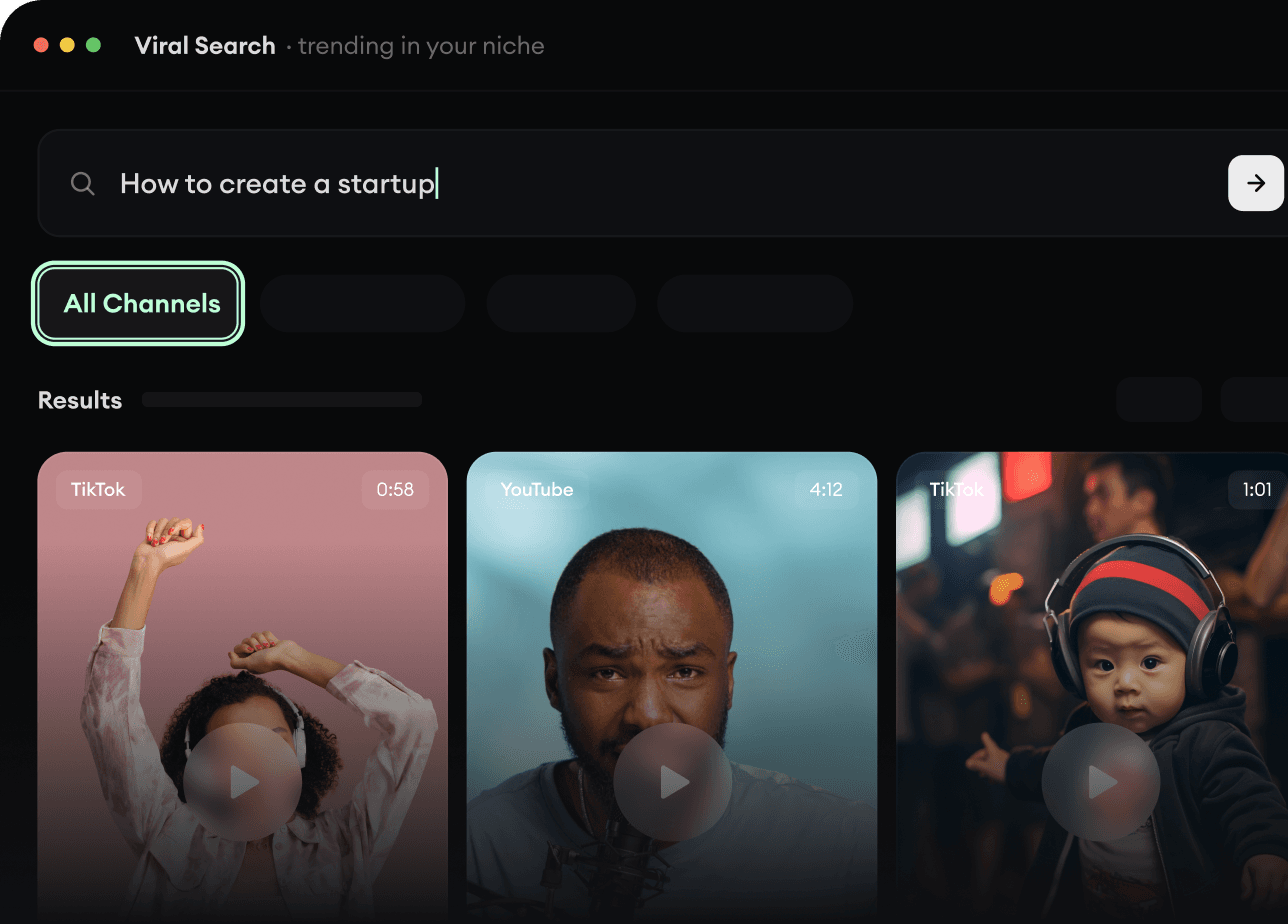
Trova video virali e tendenze.
Viral Search e Channel Watcher di Revid AI fanno emergere i format, i creator e le tendenze che stanno attirando attenzione, e ti aiutano a trasformarli in idee tue.
Scopri i format vincenti nella tua nicchia
Segui i creator e i canali che contano
Parti da idee collaudate invece di tirare a indovinare
2
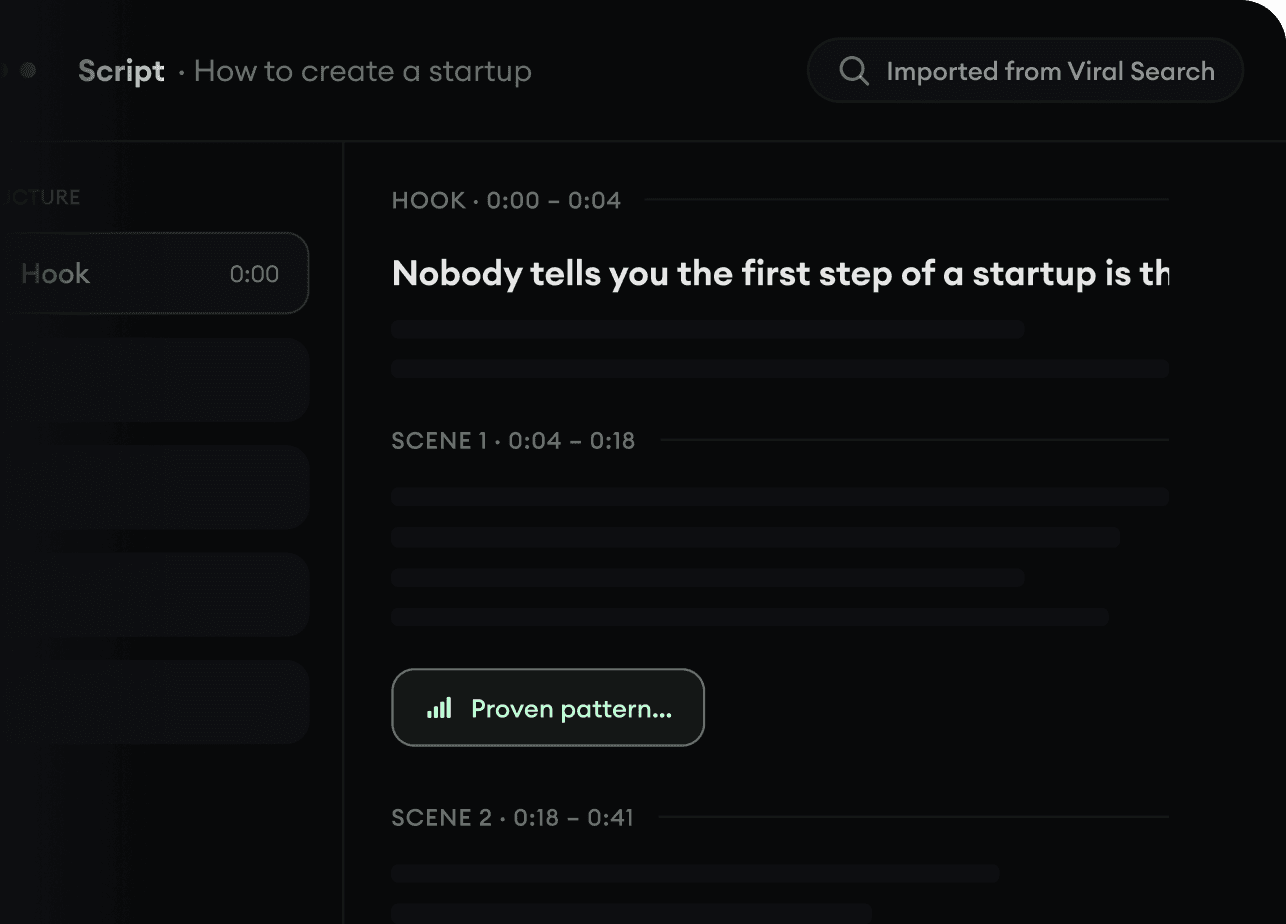
Trasforma un’idea in una storia.
Hai trovato qualcosa che vale la pena? Revid AI scrive lo script, suggerisce la struttura e trasforma link, prompt o argomenti in concept video completi.
Parti da un prompt, un argomento o un URL
Genera script ispirati a schemi collaudati
Costruisci storie pensate per tenere incollato chi guarda
3
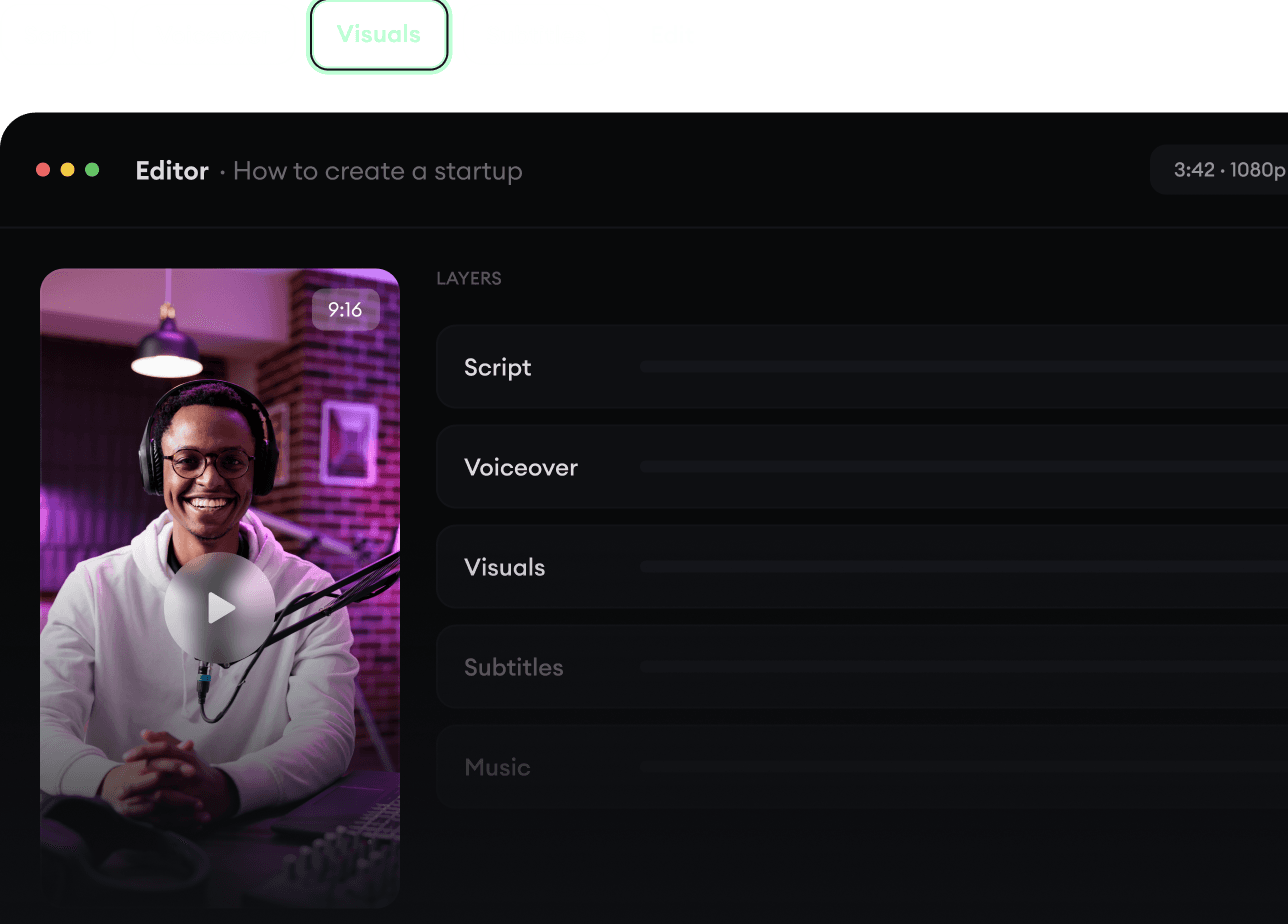
Genera il video finito.
Script, voice over, visual, sottotitoli e montaggio in un unico workflow. Senza incastrare cinque strumenti diversi.
Trasforma il testo in video completi di più minuti
Genera tutto in un unico posto
Rifinisci il risultato nell’editor
4
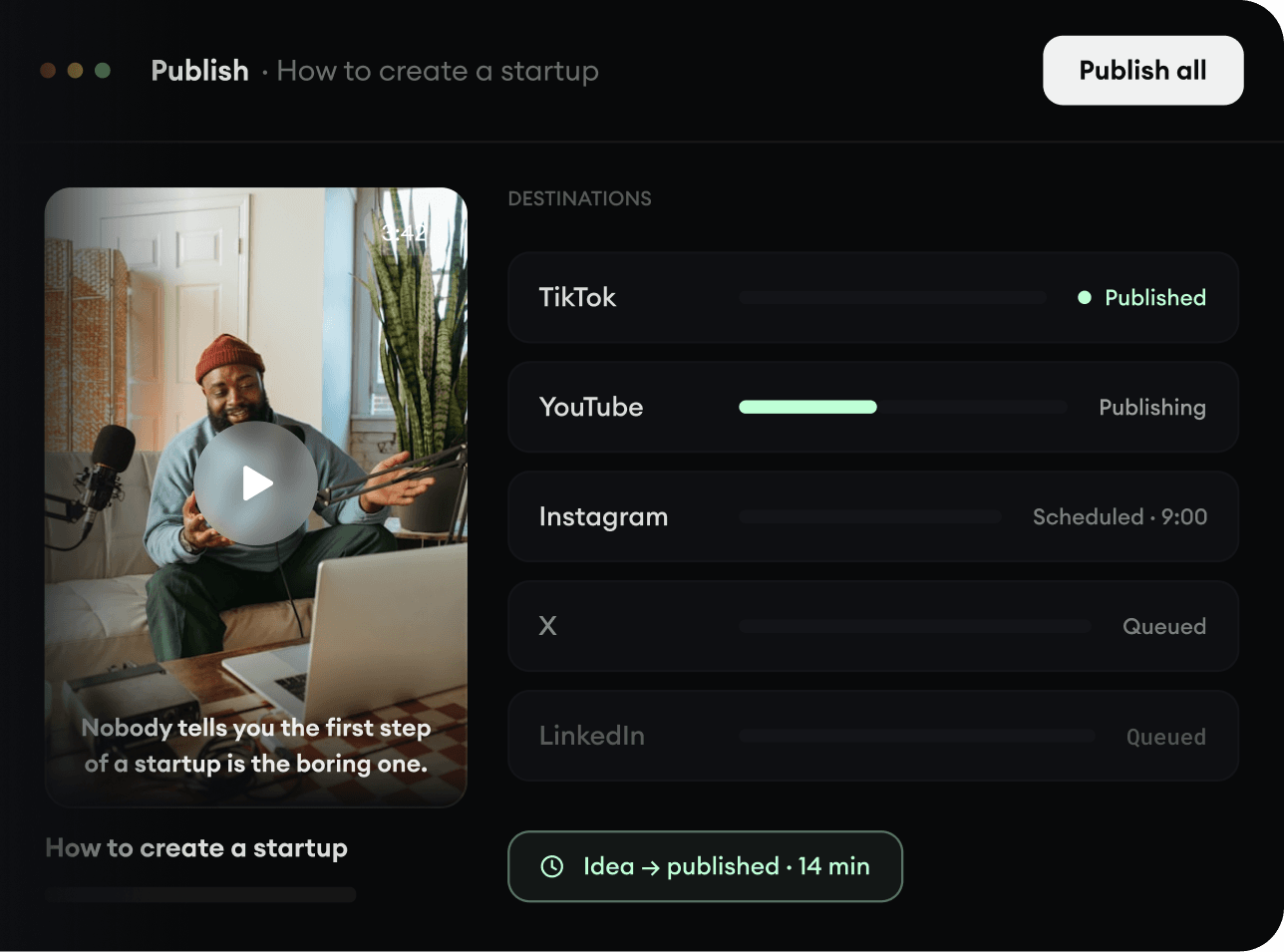
Pubblica ovunque.
Condividi i tuoi video su TikTok, YouTube, Instagram e ovunque sia il tuo pubblico.