TikTok Safe Zone Checker

See what TikTok's buttons, caption and tabs will cover before you post. Free, instant, and nothing gets uploaded.

9:41
ExploreFollowingFor You
1.2M
8,421
45.3K
12.9K

@yourhandle

Checking the safe zone before I post this one #fyp #tiktoktips #creator

original sound - yourhandle

Check your videoMP4, MOV, JPG, PNG · stays on your device
HomeFriendsInboxProfile

The red areas are what the app draws over your video.

TikTok safe zone · 1080 × 1920

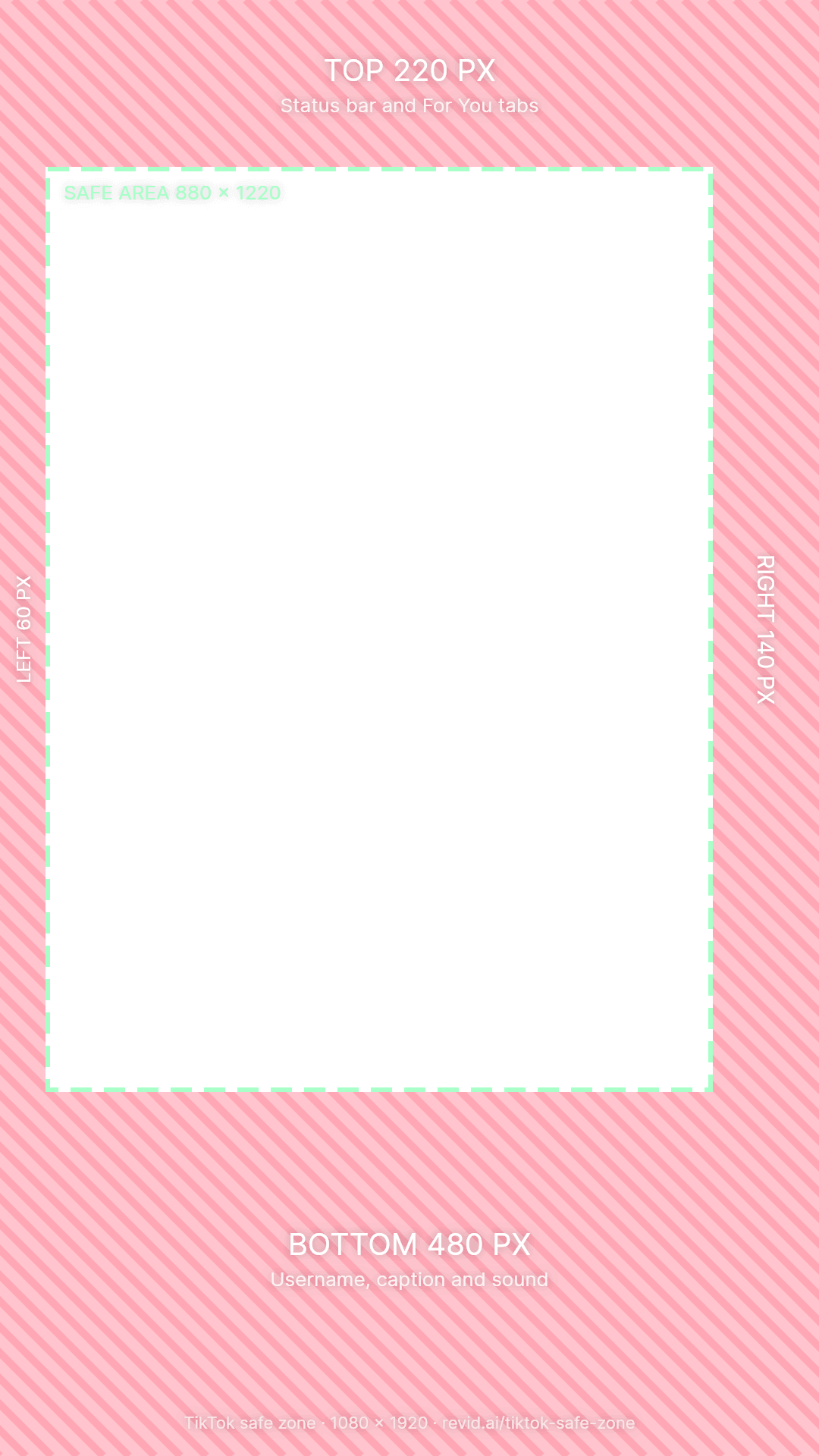
Keep it inside 880 × 1220 px

top
220
bottom
480
left
60
right
140
  • top: Status bar, LIVE, Explore, Following and For You tabs, search
  • right: Profile picture, like, comment, save, share and the sound disc
  • bottom: Username, caption, hashtags, sound name, product and location links
  1. 1Drop a video or photo. Or tap the phone. Nothing is uploaded: the preview runs in your browser.
  2. 2Look at the red areas. That is where the buttons, caption and tabs sit. Hold the screen to see your clean frame.
  3. 3Move what is covered. Text, faces, logos and prices belong inside the green box.

1080 × 1920

TikTok safe zone dimensions

On a 1080 × 1920 TikTok video, the safe zone is the 880 × 1220 px area that starts 220 px from the top and 60 px from the left. Keep 480 px clear at the bottom for the caption, username and sound, and 140 px on the right for the like, comment, save and share buttons.

TikTok safe zone margins on a 1080 × 1920 video
ZoneKeep clearShare of the sideWhat TikTok puts there
Top220 px11%Status bar, LIVE, Explore, Following and For You tabs, search
Bottom480 px25%Username, caption, hashtags, sound name, product and location links
Right140 px13%Profile picture, like, comment, save, share and the sound disc
Left60 px6%Nothing on top, but taller phones trim the edge
Safe area880 × 1220 px52% of the frameYour hook, subtitles, faces, product, logo and call to action

Why 220 px at the top and not 130? TikTok's ad template keeps about 130 px, but on phones with a notch or a Dynamic Island the status bar pushes the For You tabs lower. 220 px is the margin that stays clear on every phone.

Zone by zone

What TikTok covers on your video

Four things sit on top of every TikTok. The checker above draws them over your own video; here is what each one hides.

Top 220 px

The For You tabs

The status bar, the LIVE button, Explore, Following and For You, and search. Text up here reads as part of the app and gets skipped, so never put your hook in the top strip.

Right 140 px

The action buttons

Profile picture and follow button, then like, comment, save, share and the spinning sound disc, stacked over the lower half of the screen. Anything on the right edge below the middle ends up behind an icon.

Bottom 480 px

The caption area

Username, caption, hashtags and the sound name. A long caption grows upward, and ads add a button here, which makes the bottom quarter the biggest blind spot on TikTok.

Left 60 px

The edge

Nothing is drawn on the left, but TikTok fills taller screens by trimming a sliver off each side of a 9:16 video. Leave 60 px so letters never touch the edge of the phone.

Placement

Where to put text, subtitles and faces on TikTok

Measured on the 1080 × 1920 frame. Everything below stays inside the 880 × 1220 px safe area.

ElementWhereWhy
Hook textUpper middle, about 300 to 700 px from the topThe first place the eye lands, and nothing covers it.
SubtitlesCentered, about 1,000 to 1,440 px from the topLow enough to read with the face, high enough to clear TikTok's caption.
FacesEyes about a third of the way down, centeredThe head never slides under the right-hand buttons.
Product, price, CTAMiddle of the frameThe bottom quarter is the busiest part of the screen.
Logo or watermarkTop left, inside the safe area (80 px from the left, 260 px from the top)Visible without fighting the tabs or the buttons.

The 3 second test

Before you post, open the checker above, hold the screen, then let go. If your hook, your face or your product disappears behind a button when the interface comes back, move it up and in.

Free download

TikTok safe zone template (PNG)

Transparent 1080 × 1920 PNGs with the covered margins in red and the safe area outlined. Put one on the top track of CapCut, Premiere Pro, DaVinci Resolve or Canva, keep your text inside the green box, and hide the layer before you export.

Cross-posting

TikTok vs Instagram Reels vs YouTube Shorts safe zones

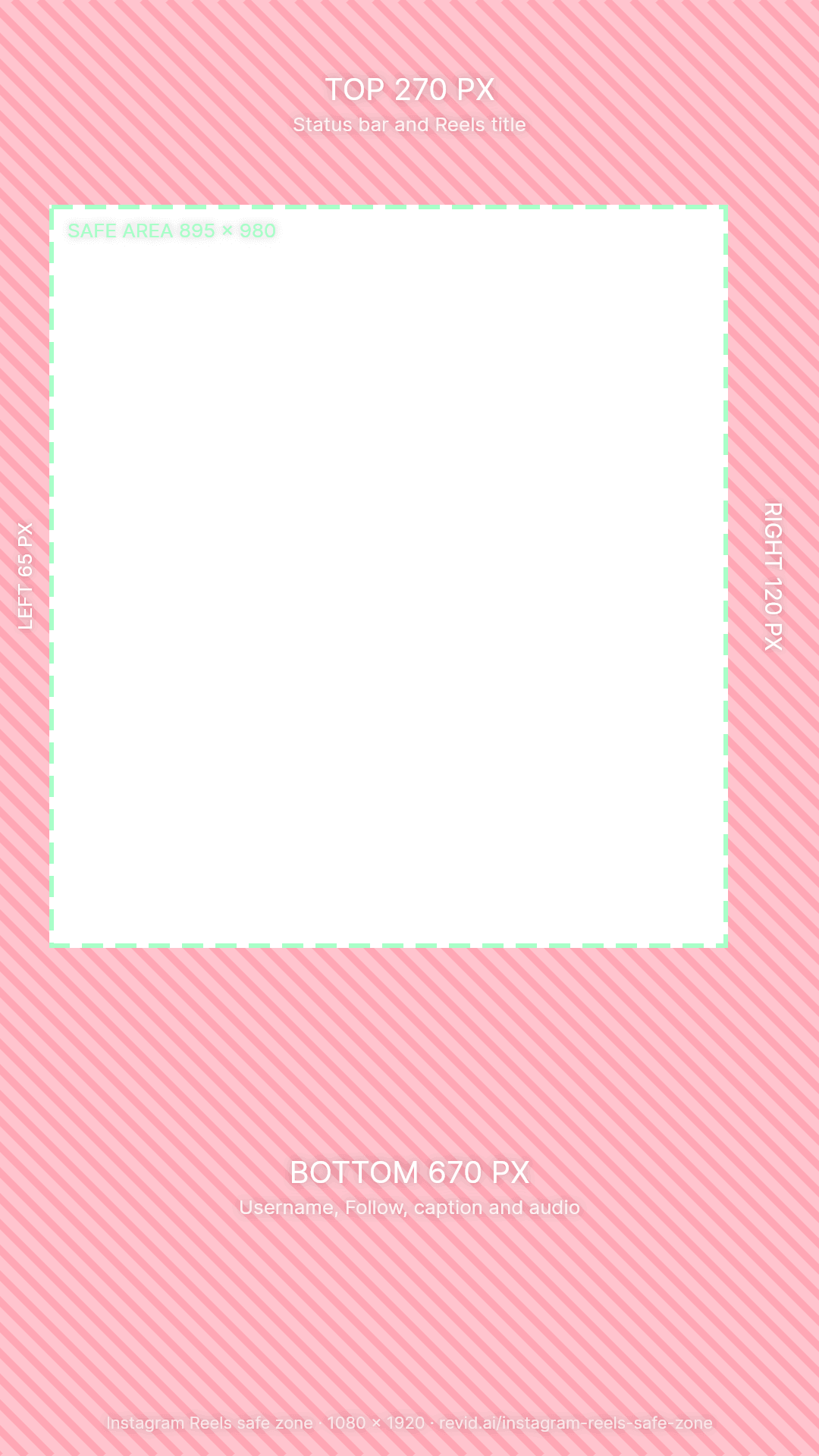
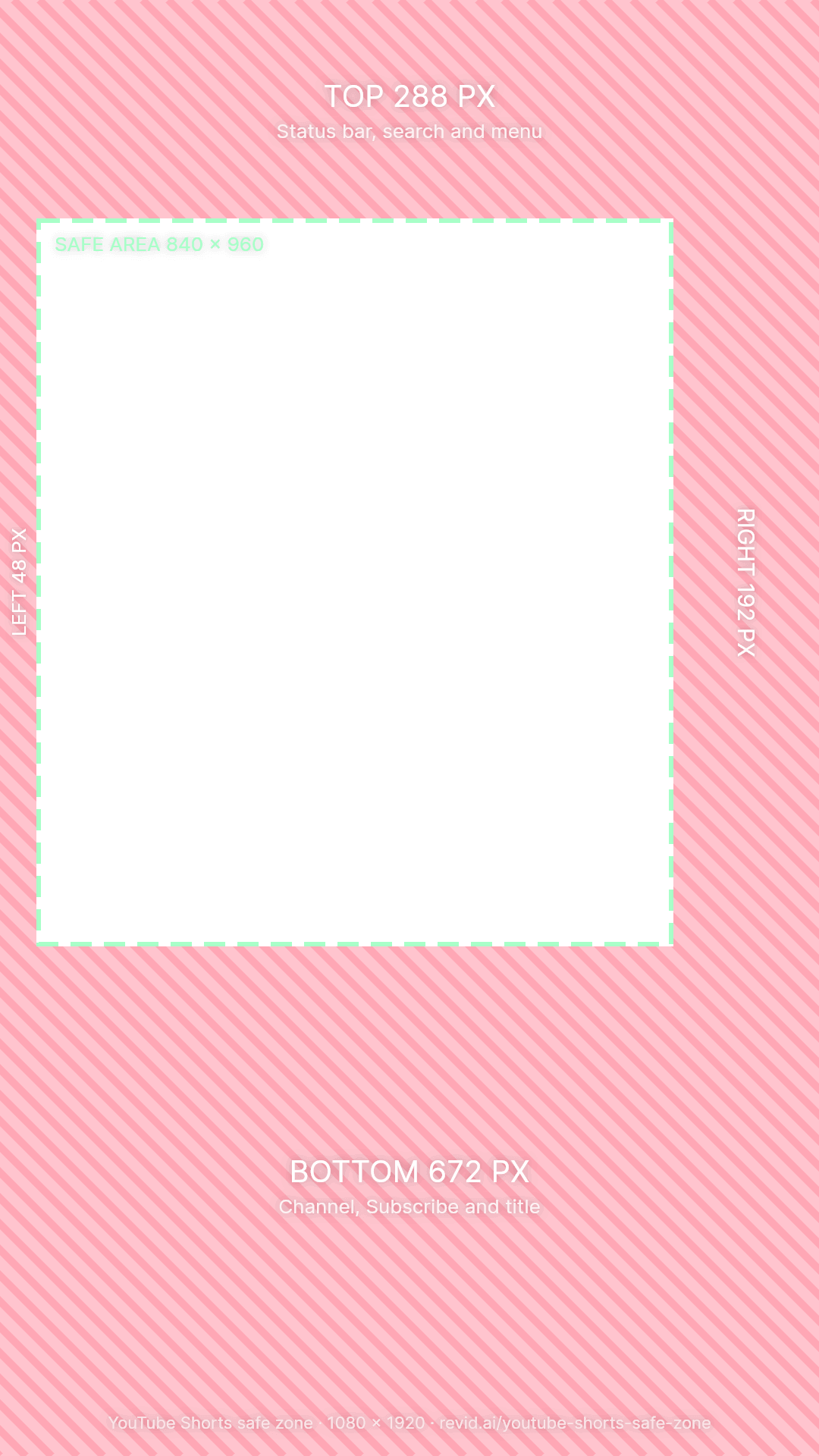
Reels and Shorts cover much more of the bottom of the frame than TikTok, and Shorts has the widest button rail. Switch apps in the checker to see each interface over your video.

Safe zone margins for TikTok, Instagram Reels and YouTube Shorts on a 1080 × 1920 video
AppTopBottomLeftRightSafe area
TikTok220 px480 px60 px140 px880 × 1220
Instagram Reels270 px670 px65 px120 px895 × 980
YouTube Shorts288 px672 px48 px192 px840 × 960
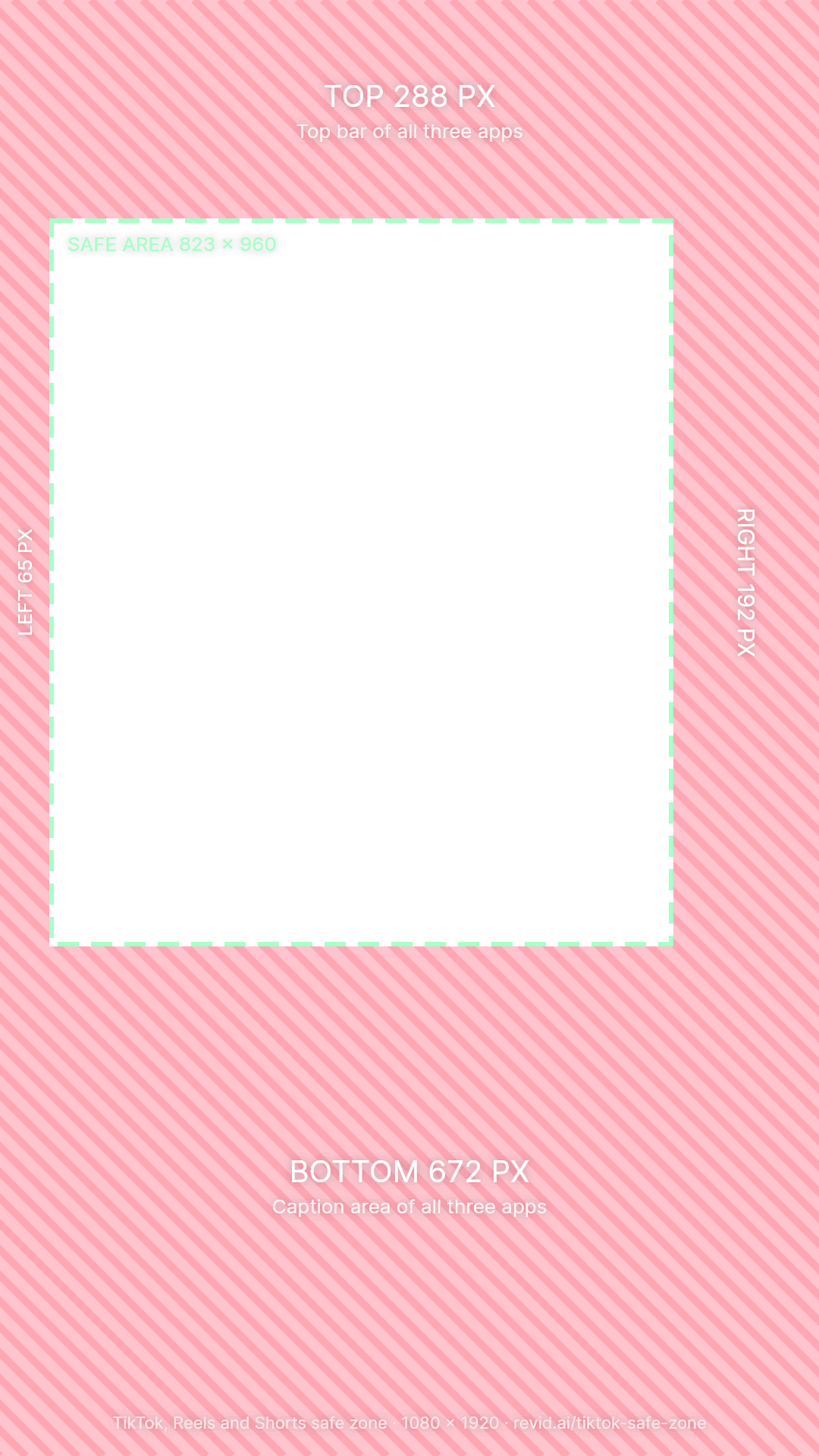
All three288 px672 px65 px192 px823 × 960

Posting the same video everywhere? Design inside the All three area: 823 × 960 px, starting 288 px from the top. Each app has its own guide too: the Instagram Reels safe zone (with the 3:4 profile grid crop) and the YouTube Shorts safe zone (with the Shorts eligibility rules).

Before you export

TikTok video size checklist

  • Size: 1080 × 1920 px, a 9:16 vertical frame. 720 × 1280 works but looks softer.
  • Format: MP4 or MOV, H.264, 30 fps (24 to 60 fps all play fine).
  • Landscape: 16:9 plays small in the middle with black bars. Reframe it to 9:16.
  • Square and 4:5: Shown with black bars above and below. Crop to 9:16 to fill the screen.
  • Screen recordings: Taller than 9:16, so TikTok trims a little off the top and bottom.
  • Length: Over 1 minute counts for TikTok's Creator Rewards Program.

Not sure about yours? Drop it in the checker: it reads the size, shape and length of your file and tells you what to fix.

FAQs

Frequently Asked Questions

What is the TikTok safe zone?
The TikTok safe zone is the part of a vertical video that no app interface covers. TikTok draws its tabs at the top, the like, comment, save and share buttons on the right, and the username, caption and sound at the bottom. Anything outside the safe zone can be hidden behind those, so text, faces, logos and calls to action belong inside it.
What are the TikTok safe zone dimensions?
On a 1080 × 1920 video, the TikTok safe zone is 880 × 1220 px, starting 220 px from the top and 60 px from the left. Keep 220 px clear at the top, 480 px at the bottom, 140 px on the right and 60 px on the left.
Where should I put text on a TikTok?
Put your hook in the upper middle of the frame, roughly 300 to 700 px from the top, and subtitles just above the caption area, between about 1,000 and 1,440 px from the top. Keep every line under 880 px wide and at least 140 px away from the right edge, where the buttons are.
Is the TikTok ad safe zone different?
Ads add a sponsored label and a call-to-action button at the bottom, so keep at least 480 px clear there and stay away from the lower right corner. TikTok's ad template keeps about 130 px at the top; the 220 px used here also covers phones with a notch or a Dynamic Island, where the tabs sit lower.
Why does TikTok crop my video or add black bars?
TikTok fills the screen with 9:16 video and trims a little off the sides on taller phones. Videos taller than 9:16, like screen recordings, lose some of the top and bottom. Wider videos (4:5, square, 16:9) are shown smaller with black bars. Export at 1080 × 1920 to fill the screen.
Does this tool upload my video?
No. The checker reads your file inside your browser and never sends it anywhere, which is also why it is instant, even for large files. The only time a file leaves your device is if you click "Caption it with Revid", which uploads it to open Revid's caption tool.
How do I use a TikTok safe zone overlay in CapCut or Premiere?
Download the free PNG template on this page. In CapCut, add it as an overlay and scale it to fill the 9:16 frame; in Premiere Pro or DaVinci Resolve, put it on the top video track; in Canva, upload it and stretch it over the whole design. Keep everything important inside the green box, then hide or delete the template layer before you export.
Are TikTok, Instagram Reels and YouTube Shorts safe zones the same?
No. Reels and Shorts cover more of the bottom of the frame than TikTok (about 670 px against 480 px), and Shorts has the widest button rail on the right (192 px). If you post the same video everywhere, use the "All 3" view: a 823 × 960 px area that no app covers.
What size should a TikTok video be?
1080 × 1920 pixels, a 9:16 vertical frame, exported as MP4 or MOV in H.264 at 30 fps. 720 × 1280 works but looks softer. Videos over one minute also count for TikTok's Creator Rewards Program.

Still have questions?

Contact us

Find detailed answers to 100+ questions about features, tools, and workflows

or check our markdown version optimized for LLMs

Made with Revid

Make TikToks that are ready for the feed

Revid turns a prompt, a link or a script into a finished vertical video with voice, visuals and captions, then posts it to TikTok, Reels and Shorts. Its editor can show these safe zones while you edit.

Make a TikTok with AI

More free tools