AI Sports Interview & Press Conference Maker

Generate viral post-game interviews, press conference parodies, and locker room reactions. Create #joshallen soundbites, #nflplayoffs drama, and #billsmafia moments instantly.

2,176 people used this tool in the last 24h
Start for free.(no credit card required)

Related tools you might like:

or explore our 42+ other tools to create the exact video you want

Explore our tools

Create Viral AI Sports Interviews & Press Conferences in 4 Steps

1 Set the Scene

Describe the scenario for your viral sports interview. Whether it's a frustrated quarterback in a post-game press conference or a coach's locker room rant, simply type your idea. For example: "Josh Allen joking about the snow in a press conference." You can specify the tone, the athlete, and the context.

2 Choose Visual Style

Select how you want your sports parody to look. Choose 'AI Video' for fully generated unique clips or 'Moving AI Images' for animated portraits. Our tool automatically sets up realistic press conference backdrops or locker room environments based on your prompt.

3 Select Voice & Media

Pick a voice that matches the athlete's persona from our AI voice library, or upload a custom audio file. You can also specify specific visual cues in [brackets] to direct the AI's camera angles or gestures, ensuring your fake press conference looks authentic.

4 Generate and Share

Click "Generate Video" and watch as our AI Sports Interview Maker brings your script to life. Once generated, use the built-in editor to add captions, trim silence, or add "Breaking News" overlays before sharing your viral clip to TikTok, Instagram Reels, or YouTube Shorts.

Example Videos

See What You Can Create with AI Sports Interview & Press Conference Maker

Explore different styles and possibilities with our AI Sports Interview & Press Conference Maker

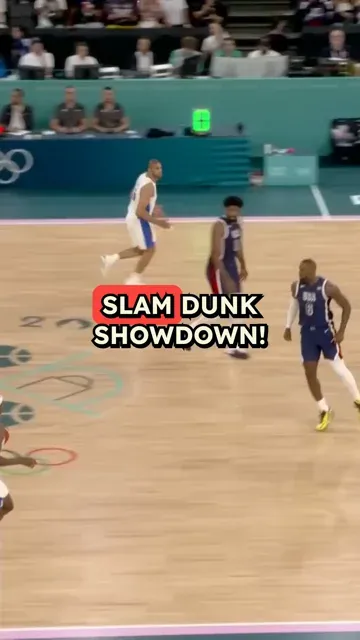
Viral Post-Game Reactions

Create hilarious or dramatic post-game interview parodies. Perfect for reacting to #nflplayoffs results or #snowday game chaos.

  • Realistic press conference settings
  • Parody famous athletes and coaches
  • Viral Q&A formats for TikTok
  • Automated lip-sync and voiceover
Viral Post-Game Reactions

Team Drama & Announcements

Generate breaking team news or locker room drama clips. Visualize #seahawks rumors or #broncos updates with cinematic flair.

  • Locker room and podium backgrounds
  • Dramatic lighting and camera angles
  • Perfect for sports commentary channels
  • Engaging character-driven storytelling
Team Drama & Announcements
FAQs

Frequently Asked Questions

What is the AI Sports Interview & Press Conference Maker?
The AI Sports Interview & Press Conference Maker is a specialized tool designed to create viral sports parody videos. It allows you to generate realistic-looking post-game interviews, locker room reactions, and fake press conferences using AI. Perfect for TikTok creators and sports meme accounts, this tool turns text prompts into engaging video content featuring AI-generated athletes and coaches.
How do I create a fake press conference video?
Creating a fake press conference is easy with our AI sports interview generator. Simply enter a prompt describing the athlete and the topic (e.g., "A quarterback explaining a playoff loss"). The AI will generate a script (or you can write your own), apply a realistic press room visual setting, and animate the character to speak your text. It's the fastest way to make funny sports clips without a camera crew.
Can I make NFL or NBA parody videos with this tool?
Absolutely! Our AI Sports Interview Maker is perfect for creating NFL parody videos, NBA reaction clips, and soccer commentary skits. Whether you want to simulate a dramatic playoff announcement or a hilarious post-game reaction to a bad call, you can tailor the prompt to fit any sport, team, or specific athlete scenario for maximum viral potential.
What visual styles are available for the interviews?
We offer specific visual settings optimized for sports content. You can generate videos set in a formal Press Conference Room (complete with microphones and branded backdrops) or a gritty Locker Room/Tunnel setting. You can also choose between 'AI Video' for dynamic generation or 'Moving AI Images' for a stylized, animated look that works great for quick social media soundbites.
How can I make my sports interview video go viral on TikTok?
To create viral sports content, focus on trending topics, recent games, or popular memes (like #billsmafia or #nflplayoffs). Use our tool to react instantly to live game events. Keep your scripts punchy, use the 'Broadcast Style' framing our AI provides, and add engaging captions in the editor. The realistic look of the fake press conference format is a proven scroll-stopper on TikTok and Reels.
Is it possible to use my own voice for the athlete?
Yes! While we provide high-quality AI voices, you can use the "Record Yourself" feature or upload an audio file to provide the voiceover. This is perfect for impressionists who want to voice a specific athlete while letting our AI Sports Interview Maker handle the visuals and lip-syncing animation.
How much does it cost to generate a sports interview clip?
The cost follows our standard credit system. Generating a basic AI sports video costs 1 credit. If you choose premium features like high-quality AI video generation or extended lengths, additional credits may apply. You can view the exact credit cost before hitting generate. Free users get a starter pack of credits, while subscribers get a monthly allowance to keep their content channels flowing.
Can I edit the video after it is generated?
Definitely. Once your AI post-game interview is generated, it opens in our full-featured editor. You can adjust the captions, add background music (like news themes or dramatic scores), overlay text, and trim the clip to ensure your sports parody hits the perfect comedic timing before you download it.
Do I need to write the script myself?
Not necessarily! You can simply provide a topic or a URL to a match summary, and our AI can generate a script for you. However, for specific parodies or memes, you have full control to type out the exact dialogue you want the AI athlete to say, giving you complete creative freedom over your sports content.
What is the best aspect ratio for these videos?
For viral sports clips intended for TikTok, Instagram Reels, and YouTube Shorts, we recommend the 9:16 (vertical) aspect ratio. Our AI Sports Interview Maker is optimized to frame the athlete or coach perfectly in vertical mode, ensuring they look great on mobile screens.
View Complete Help Center

Find detailed answers to 100+ questions about features, tools, and workflows

or check our markdown version optimized for LLMs

Tools

Free AI Video Tools

Pick the right tool, provide your input, and you'll create a video in no time - customize it however you want.

AI TikTok Video Generator

Turn text into trendy, viral TikTok videos in a snap

Try it out

Add Caption to Video

Generate subtitles in 100+ languages with AI captions

Try it out

PDF to Brainrot

Convert PDFs into attention-grabbing, scrollable videos

Try it out

Text to Brainrot

Turn your text into trendy, scrollable content with dynamic visuals

Try it out

AI Talking Avatar

Create lifelike talking avatars from text in seconds

Try it out

Video Podcast Generator

Transform your podcasts into visually engaging video content

Try it out

AI Movie Maker

Create studio-quality videos from text, no filming required

Try it out

Audio to Video

Make engaging videos from your podcasts, interviews, or any audio content

Try it out

AI Music Video Generator

Transform your music into cinematic music videos.

Try it out

AI Lyrics Video Generator

Transform your lyrics into a complete music video with AI

Try it out

Instrumental Music Visualizer

Transform your instrumental music into videos.

Try it out

Prompt to Video

Turn your prompts into engaging videos with AI assistance

Try it out
See all tools
How it works

Four Easy Steps To Create & Share Your Story

1

Get inspired by viral content

Looking for story ideas? Our AI finds trending content and helps you remake it into your very own videos - no more trial and error.

  • See what types of stories are working right now
  • Get inspiration from successful creators
  • Turn your ideas into stories people want to hear
Get inspired by viral content
2

Storytelling to Hook your Audience

Revid.ai understands what makes videos go viral and uses the same proven methods to write scripts for you.

  • Write your script or tell our AI what you want to talk about
  • The AI will find relevant content to get inspired by
  • Drop any link and it will be automatically parsed and formatted for a video
Storytelling to Hook your Audience
3

Videos You'd LOVE to Watch

Create perfect videos, share instantly, and grow your business.

  • Watch your words become a professional video
  • Set up automatic video creation from your content
Videos You'd LOVE to Watch
4

Publish on TikTok, YouTube, Instagram and more...

Reach a wider audience by sharing your video across your favorite social media platforms

    Publish on TikTok, YouTube, Instagram and more...
    revid.ai logo

    Your shortcut to effortless video storytelling.