revid.ai logo
Über 14.000 Creatorn vertrauen uns

KI-Debatten-Generator

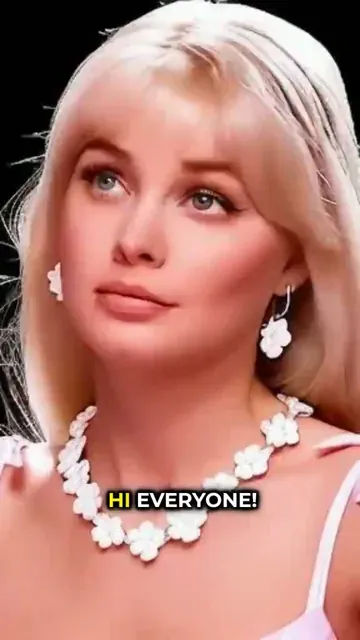
Erstelle fesselnde Debatten-Videos mit KI-Avataren. Verwandle jedes Thema in eine lebhafte Diskussion mit mehreren Sprechern, natürlichen Stimmen und realistischen Ausdrücken.

Verwandle Dialoge oder Skripte in einen Video-Podcast mit KI-Moderatoren, natürlichen Stimmen und passenden Visuals für dein Thema.

  • KI-Podcast-Moderatoren
  • Dialogbasierter Workflow
  • Natürliche Stimmen
  • Podcast-Clips in Minuten
Video Format
1,712 Personen haben dieses Tool in den letzten 24h verwendet
Kostenlos starten.(keine Kreditkarte erforderlich)

Ähnliche Tools, die Ihnen gefallen könnten:

oder entdecken Sie unsere mehr als 42 anderen Tools, um genau das Video zu erstellen, das Sie möchten

Tools entdecken

How to Turn Music into Video with AI in 3 Easy Steps

1 Upload your music track

Simply upload your audio file to our platform. We support various formats including MP3, WAV, and more. Our AI will analyze your music track to understand its rhythm, tempo, and mood to create a perfectly synchronized video.

2 Choose your visual style

Select from multiple visual options: stock videos, AI-generated visuals, or moving AI images. You can also enable the sound wave visualization to add a dynamic audio element that pulses with your music. These customization options ensure your video matches the feel of your track.

3 Generate and customize

Click 'Generate Video' and our AI will create a stunning vertical video perfectly synchronized with your music. Once generated, you can further personalize your creation using our built-in editor to add text, effects, or adjust timing before downloading or sharing.

01

Generiere jede Debatte in Sekunden mit KI

Der KI-Debatten-Generator von Revid erstellt vollständig strukturierte Debatten zu jedem Thema, Argument oder jeder Frage, die du vorgibst. Definiere dein Thema, wähle die Positionen, und die KI schreibt überzeugende Argumente für beide Seiten – komplett mit Belegen, Gegenargumenten und Entkräftungen, die auch bei genauer Prüfung standhalten. Egal, ob du ein Debatten-Skript für ein Schulprojekt, Inhalte für einen Unterhaltungskanal oder ein strukturiertes Argument brauchst, um eine Idee zu testen: Revid liefert in Sekundenschnelle eine vollständige, sofort einsatzbereite Debatte.

02

KI-Debatten-Generator, keine Kreditkarte erforderlich

Der KI-Debatten-Generator von Revid bietet Schülern, Lehrern, Content-Creatorn und Neugierigen eine schnelle Möglichkeit, ausgewogene, gut begründete Debatten ohne stundenlange Recherche zu generieren. Wähle ein beliebiges Thema – von Politik und Philosophie bis hin zu Popkultur und aktuellen Ereignissen –, lege Format und Ton fest und überlasse der KI den Rest. Probiere es kostenlos und ohne Anmeldung aus und generiere deine erste Debatte in weniger als einer Minute.

03

KI-Debatten-Ersteller speziell für Videoinhalte

Revid geht weit über einen Standard-Debatten-Generator hinaus: Das Besondere passiert, nachdem die Argumente geschrieben wurden. Der KI-Debatten-Ersteller verwandelt deine generierte Debatte in ein vollständig produziertes Video, komplett mit Voiceover, Untertiteln und visueller Formatierung, optimiert für TikTok, YouTube Shorts und Instagram Reels. Es ist das einzige Debatten-Tool, das dich in einem einzigen Workflow vom Thema zum veröffentlichungsfertigen Video-Content führt. Das macht es zur ersten Wahl für Creator, die Debatten-Kanäle, Reaction-Content oder meinungsstarke Kurzvideos aufbauen.

04

Anime-Debatten-Generator: Von Fandom-Streitereien zu viralen Videos

Der Anime-Debatten-Generator von Revid wurde für die leidenschaftliche, meinungsstarke Welt des Anime-Fandoms entwickelt. Erstelle strukturierte Debatten über Charakter-Kämpfe, Power-Scaling-Argumente, Rankings der besten Arcs oder jedes andere Thema, über das deine Community gerne diskutiert. Die KI versteht den Anime-Kontext gut genug, um authentische statt generische Argumente zu schreiben. So erhältst du Content, der bei deinem Publikum ankommt und genau das Engagement fördert, für das Debatten-Inhalte bekannt sind.

Weitere Tools

Entdecken Sie ähnliche KI-Video-Tools für KI-Avatar

Entdecken Sie weitere Möglichkeiten, mit unseren KI-gestützten Tools ansprechende Videos zu erstellen

FAQs

Häufig gestellte Fragen

What is the Music to Video converter tool?
Our Music to Video converter is an AI-powered tool that transforms your audio tracks into captivating visual content. Simply upload your music, and our technology analyzes the audio patterns to create synchronized videos that complement your track. Whether you're a musician looking to promote your latest release, a content creator needing background visuals, or someone who wants to share music on visual-first platforms, this tool creates professional-quality music videos in minutes without any editing skills required.
What types of music files can I upload?
Our tool supports all standard audio formats including MP3, WAV, AAC, FLAC, and OGG files. The maximum file size is 50MB, which accommodates most songs and audio tracks. For optimal results, we recommend using high-quality audio files with minimal background noise. If your file exceeds the size limit, consider compressing it or trimming it to the most important section before uploading.
How does the AI choose visuals for my music?
Our advanced AI analyzes various aspects of your music including tempo, rhythm, frequency patterns, and energy levels. It then selects or generates visuals that complement these elements. For stock videos, it chooses clips that match the mood and pace of your music. With AI-generated visuals, it creates custom imagery based on the audio characteristics. The moving AI images option produces dynamic visuals that evolve with your track. You can influence the visual style by selecting your preferred media type in the options.
What's the difference between the visual options (stock video, AI video, moving images)?
Stock videos utilize our library of high-quality pre-recorded footage, selected to match your music's mood and rhythm. AI-generated videos create unique, custom visuals specifically for your track using advanced generative AI (costs 1 additional credit). Moving AI images combine the best of both worlds - AI-generated imagery with subtle animations and transitions that flow with your music. Each option offers a different aesthetic, so you can choose based on your creative vision or experiment with different styles.
What is the sound wave feature and how does it work?
The sound wave visualization adds a dynamic audio waveform overlay to your video that pulses in perfect synchronization with your music. This visual element enhances the connection between what viewers see and hear, creating a more immersive experience. You can toggle this feature on or off depending on your preference. When enabled, our AI analyzes your audio file's waveform and creates a responsive visualization that reacts to the beats, intensity, and rhythm of your music.
What aspect ratio will my music video have?
Our Music to Video converter creates videos in a 9:16 vertical format (portrait orientation), which is optimized for platforms like TikTok, Instagram Reels, and YouTube Shorts. This mobile-friendly format ensures your music videos look great on smartphones where most short-form content is consumed. The vertical format also provides more screen real estate for your visuals when viewed on mobile devices, maximizing impact for your audience.
How long can my music track be?
While there's no strict limit on the length of your audio file, our tool works best with tracks between 30 seconds and 5 minutes. Shorter clips are ideal for social media platforms with duration restrictions. For longer tracks, consider uploading the most impactful section or breaking it into multiple segments. Keep in mind that longer videos will require more processing time and may use additional credits depending on your subscription plan.
Can I edit the video after it's been generated?
Absolutely! Once your music video is generated, you'll have access to our built-in video editor where you can make various adjustments. Add text overlays, trim sections, adjust transitions, apply filters, or make other enhancements to perfect your creation. The editor is intuitive and requires no previous video editing experience. This flexibility ensures you can customize the AI-generated video to match your exact vision before downloading or sharing.
How many credits does it cost to create a music video?
Creating a basic music video with stock footage or moving images costs 1 credit. If you choose the AI-generated video option, it requires 1 additional credit due to the intensive processing needed to create custom visuals. The number of credits available to you depends on your subscription plan. Our free tier includes a limited number of credits to get started, while paid plans offer more monthly credits for regular content creation.
Can I use copyrighted music with this tool?
While our tool can technically process any audio file you upload, we recommend only using music that you have the rights to use. This includes your original compositions, royalty-free music, or tracks you've licensed properly. Using copyrighted music without permission in videos you publish could result in copyright claims or takedowns on platforms like YouTube or Instagram. We encourage responsible use that respects intellectual property rights.
What platforms can I share my music videos on?
The videos created with our Music to Video converter are optimized for all major social media platforms, particularly those featuring short-form vertical content. They work perfectly on TikTok, Instagram Reels, YouTube Shorts, Snapchat, and Facebook. The 9:16 aspect ratio ensures your videos look professional on mobile devices where most users consume this content. You can download your finished video and upload it directly to your platform of choice, or in some cases, share directly from our tool.
How can I make my music video stand out?
To create truly captivating music videos, consider these tips: Choose visuals that complement your music's mood and genre; enable the sound wave feature for added visual interest; use our editor to add text overlays for lyrics or artist information; experiment with different visual styles (stock, AI-generated, or moving images) to find what works best; and consider the emotional journey of your track when selecting or customizing visuals. Remember that contrast between calm and energetic sections can create compelling visual narratives that keep viewers engaged.
Vollständiges Hilfezentrum anzeigen

Finden Sie detaillierte Antworten auf über 100 Fragen zu Funktionen, Tools und Arbeitsabläufen

oder schauen Sie sich unsere für LLMs optimierte Markdown-Version an

Tools

Kostenlose KI-Video-Tools

Wählen Sie Ihr Tool, fügen Sie Ihre Inhalte hinzu und erstellen Sie in Sekundenschnelle ein Video. Passen Sie es dann nach Ihren Wünschen an.

KI-TikTok-Videogenerator

Wandeln Sie Text sofort in trendige, virale TikTok-Videos um

Ausprobieren

Prompt zu Video Konverter

Transformieren Sie Ihre Prompts in ansprechende Videos mit KI-Unterstützung

Ausprobieren

Untertitel zu Video hinzufügen

Generieren Sie Untertitel in über 100 Sprachen mit KI

Ausprobieren

PDF zu Brainrot-Video

Wandeln Sie PDFs in virale Scroll-Videos mit hoher Aufmerksamkeitswirkung um

Ausprobieren

Text zu Brainrot-Video

Erstellen Sie aus Text virale Scroll-Inhalte mit fesselnden visuellen Effekten

Ausprobieren

KI-Sprechender Avatar

Erstellen Sie lebensechte sprechende Avatare aus Text in Sekunden

Ausprobieren

Video-Podcast-Generator

Verwandeln Sie Ihre Podcasts in visuell ansprechende Videoinhalte

Ausprobieren

KI-Filmersteller

Erstellen Sie Videos in Studioqualität aus Text, ohne Aufnahmen zu benötigen

Ausprobieren

Audio zu Video

Erstellen Sie ansprechende Videos aus Ihren Podcasts, Interviews oder anderen Audioinhalten

Ausprobieren

Animated Lyrics Video Generator

Turn any song into an animated lyric video with synced text and visuals.

Ausprobieren

Musik zu Video

Verwandeln Sie Ihre Musik in kinematografische Videos

Ausprobieren

AI Lyrics Video Generator

Transform your lyrics into a complete music video with AI

Ausprobieren
Alle Tools anzeigen
Wie es funktioniert

Vier einfache Schritte zum Erstellen und Teilen Ihres Videos

1
Step 1

Finden Sie Ihre nächste virale Idee

Fehlt es an Inspiration? Unsere KI erkennt Trends und hilft Ihnen, diese problemlos für Ihre eigenen Videos anzupassen.

  • Identifizieren Sie die Formate mit der besten Leistung
  • Lassen Sie sich von den besten Entwicklern inspirieren
  • Verwandeln Sie Ihre Ideen in fesselnde Videos
Finden Sie Ihre nächste virale Idee
2
Step 2

Ein Storytelling, das fesselt

Revid.ai analysiert virale Videos und verwendet dieselben Codes, um Ihre Skripte zu schreiben.

  • Schreiben Sie Ihr Skript oder geben Sie unserer KI einfach das Thema
  • Die KI schlägt Ihnen relevante Inhalte zur Inspiration vor
  • Fügen Sie einen Link ein, unsere KI analysiert ihn und verwandelt ihn in ein Video
Ein Storytelling, das fesselt
3
Step 3

Videos, die Sie lieben werden

Erstellen Sie professionelle Videos, teilen Sie sie mit einem Klick und vergrößern Sie Ihr Publikum.

  • Sehen Sie zu, wie sich Ihre Texte in professionelle Videos verwandeln
  • Automatisieren Sie die Videoerstellung aus Ihren Inhalten
Videos, die Sie lieben werden
4
Step 4

Auf TikTok, YouTube, Instagram und mehr veröffentlichen

Erreichen Sie ein größeres Publikum, indem Sie Ihre Videos in all Ihren Netzwerken teilen.

Auf TikTok, YouTube, Instagram und mehr veröffentlichen
revid.ai logo

Der schnellste Weg zu fesselnden Videos.



