**Recommended preset: Ultra Realism**
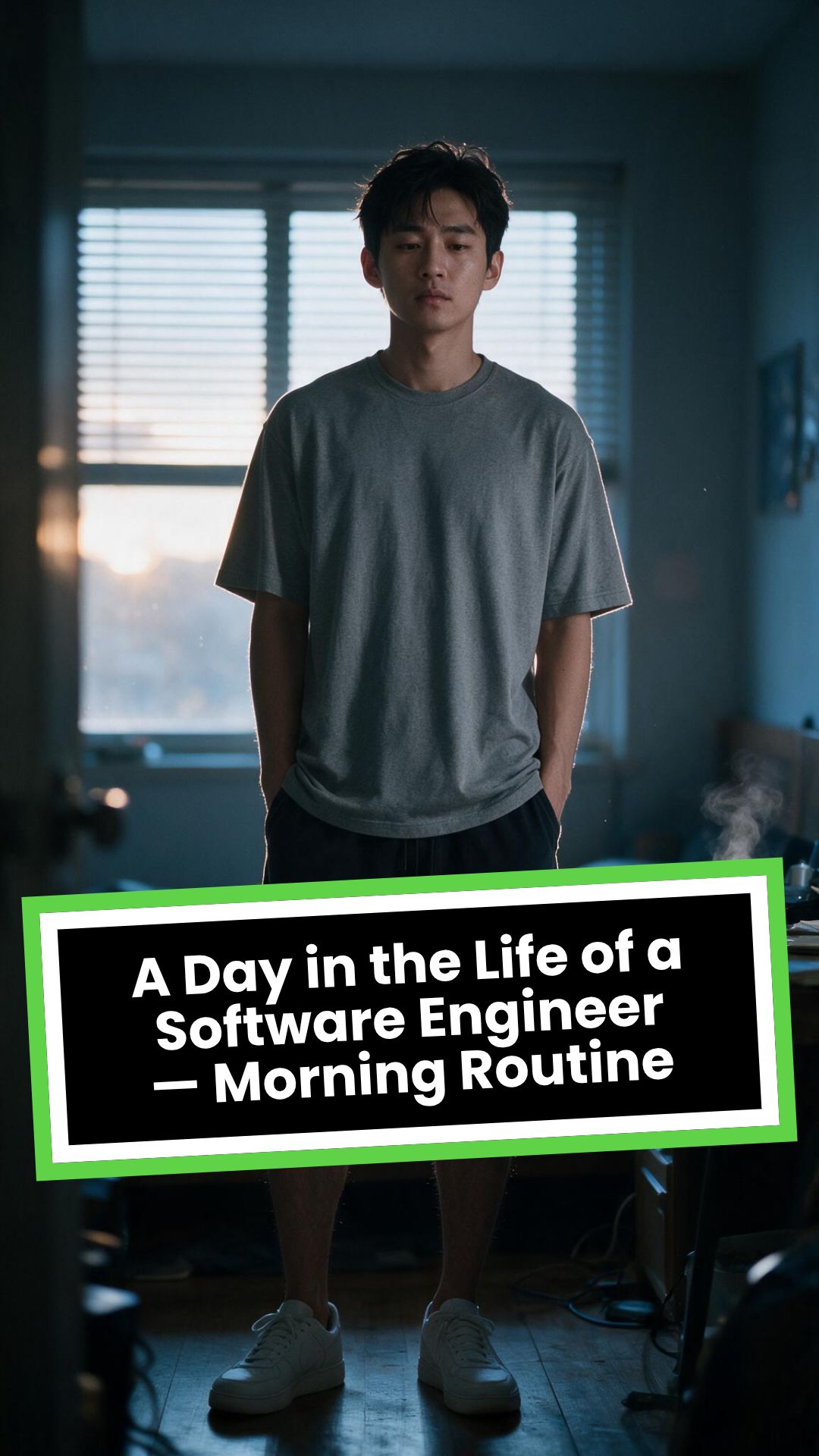
# A Day in the Life of a Software Engineer — Morning Routine
## STARTING FRAME
Extreme macro close-up of a smartphone resting face-up on a dark wooden bedside table in a quiet apartment bedroom before sunrise. The alarm reads **6:30 AM** in crisp white digits. The edge of the phone, tiny dust particles on the table, and the faint reflection of the screen are sharply detailed.
Several feet behind it, a young Asian man in his late twenties lies asleep beneath slightly rumpled bedding. He is only a soft, indistinct silhouette because of the extremely shallow depth of field. Cool blue-grey morning light leaks through partially closed curtains, creating faint horizontal shadows across the room.
A closed laptop, sleeping monitor, mechanical keyboard, notebook, headphones, water bottle, and hoodie resting over a desk chair are visible only as subdued background shapes.
The room is completely still.
Animate forward from this exact frame.
---
## [0s–3s] — THE ALARM
The camera remains extremely low, almost level with the bedside table.
For the first moment, nothing moves.
Then the alarm begins ringing.
The smartphone vibrates against the wooden surface in short mechanical pulses. One corner taps faintly against the table with each vibration. The glow from the screen reflects subtly across the wood grain.
Keep the sleeping man fully blurred in the background.
Do not reveal his face yet.
The curtains move almost imperceptibly from a weak draft. Distant traffic hums outside. A soft electrical ambience comes from the sleeping computer monitor.
Allow the alarm to interrupt the quiet rather than immediately triggering a reaction.
---
## [3s–6s] — THE FIRST REACTION
Begin a very slow rack focus away from the phone.
The alarm digits gradually soften.
The sleeping man’s shoulder, face, pillow, and blanket slowly resolve into focus.
He does not immediately wake.
His eyebrows contract slightly.
His head presses deeper into the pillow as though instinctively trying to escape the sound.
One hand shifts beneath the blanket.
His fingers curl faintly against the fabric.
The bedding moves only a few centimetres as his body reacts before his mind is fully awake.
The voice-over begins quietly:
> “Most days aren’t my best days.”
The delivery is close, restrained, personal, and slightly tired. It should sound like a private thought rather than narration for an audience.
---
## [6s–10s] — WAKING
His eyes open slowly.
They remain unfocused.
He blinks once.
A longer pause.
Then he blinks again.
His gaze drifts toward the sound without turning his head completely.
One hand emerges from beneath the blanket and reaches toward the bedside table. His arm moves heavily, dragging slightly across the mattress.
His fingers miss the phone on the first attempt.
They brush against the charging cable, slide across the table, then finally reach the screen.
He presses the alarm off.
The sound stops abruptly.
The room becomes quiet again.
Let the silence remain for a full beat.
His hand stays resting beside the phone rather than instantly returning to bed.
He exhales slowly through his nose.
The camera makes an almost imperceptible push toward him.
No dramatic expression. No exaggerated yawn.
Only the slow recognition that the day has started.
---
## [10s–14s] — SITTING UP
He turns onto one side.
The blanket pulls across his torso and gathers naturally around his waist.
His elbow presses into the mattress.
The mattress compresses visibly beneath his weight as he pushes himself upward.
His head rises last.
His hair is slightly flattened on one side and falls unevenly across his forehead.
He moves both legs toward the edge of the bed.
One foot searches for the floor.
Then the other.
His bare toes make contact first, followed by the rest of each foot.
He remains seated at the edge of the mattress.
His back curves slightly.
His shoulders hang low.
His hands rest loosely beside his thighs.
He stares at the floor without really looking at anything.
Hold this moment.
The creased bedding behind him should remain compressed where his body had been.
The voice-over continues after a natural pause:
> “But I remember why I do this…”
---
## [14s–17s] — STANDING
He shifts his feet slightly farther apart.
His weight moves forward.
His elbows press lightly against his thighs before he pushes himself upright.
His hips rise first, followed by his shoulders.
Show realistic balance adjustment as his body settles onto both feet.
He stands still for a brief moment.
His loose neutral-coloured T-shirt falls naturally back into place. His shoulders remain slightly lowered. His breathing is calm but heavy with sleep.
The camera stays behind him at approximately waist-to-shoulder height, observing rather than presenting him.
He takes two slow steps toward the bedroom wall.
His bare feet make soft contact with the floor.
He runs his fingers along the wall for a moment before finding the light switch.
He presses it.
A warm bedside or ceiling practical light turns on.
Do not flood the entire room with brightness.
The warm light should gradually reveal wood, bedding, fabric, and skin while the cool morning light remains visible through the curtains.
His eyes narrow slightly in response.
---
## [17s–20s] — TOWARD THE BATHROOM
He turns toward the bathroom doorway and begins walking.
The camera follows several steps behind with restrained handheld drift.
His pace is slow and partially automatic.
He does not acknowledge the camera.
His arms hang naturally beside him.
His shirt moves subtly across his back with each step.
Use the bathroom doorway as a natural frame around his body.
As he crosses the threshold, briefly hold the bedroom in the background:
* the unmade bed;
* the silent phone;
* the closed laptop;
* the dark monitor;
* the hoodie over the chair;
* cool daylight still entering through the curtains.
The voice-over completes:
> “…and I get up anyway.”
The line should not swell emotionally. It should land quietly, almost as though he is reminding himself.
---
## [20s–25s] — THE BATHROOM
Follow him into a small, modern, lived-in bathroom.
Use one hidden natural transition as the camera passes behind the doorframe if necessary, but preserve the feeling of one continuous shot.
He reaches toward the bathroom light switch.
A soft neutral overhead light turns on.
The camera settles into a side angle where both his real profile and part of his reflection are visible. He never looks directly into the lens.
His face in the mirror appears tired but composed.
He reaches toward a simple toothbrush holder.
His fingers close around the toothbrush.
He turns the tap handle.
Water begins flowing into the basin with a steady, natural sound.
Small droplets strike the ceramic surface and collect around the drain.
He briefly passes the toothbrush beneath the water.
He picks up the toothpaste with his other hand.
His thumb flips open the cap.
He positions the tube above the brush and squeezes slowly.
The tube compresses naturally between his fingers.
A small line of toothpaste settles across the bristles.
He releases pressure, places the toothpaste beside the sink, and brings the toothbrush to his mouth.
He begins brushing with slow, absent-minded movements.
His free hand rests against the edge of the basin.
The water continues running softly for a moment before he reaches over and turns it off.
End with him brushing his teeth in silence while early-morning ambience fills the room.
No smile.
No inspirational pose.
No sudden burst of energy.
The morning has simply begun.
---
# CAMERA DIRECTION
* One continuous observational sequence whenever possible.
* Extreme macro lens for the opening alarm.
* Very shallow depth of field during the first six seconds.
* Slow rack focus from the alarm to the sleeping man.
* Subtle push-in while he wakes.
* Low bedside camera placement.
* Gentle handheld drift only after he stands.
* Restrained tracking movement toward the bathroom.
* Use the bedroom and bathroom doorframes as natural foreground obstruction.
* Slight parallax as the camera follows him.
* Side-angle bathroom composition with a partial mirror reflection.
* Camera movement must feel physically operated by a patient documentary filmmaker.
* No orbiting around the character.
* No floating camera.
* No passing through walls.
* No dramatic sweeps or crane movements.
* No rapid cuts.
* One concealed doorway transition is permitted for stability.
---
# CHARACTER PERFORMANCE
Use one consistent young Asian man in his mid-to-late twenties.
He should appear like a normal working software engineer rather than a fashion model.
Maintain:
* slightly messy morning hair;
* naturally tired eyes;
* realistic skin texture;
* ordinary body proportions;
* loose neutral T-shirt;
* comfortable shorts or pyjama trousers;
* bare feet;
* understated, believable posture.
His sleepiness should be communicated through timing and body weight.
He should:
* blink heavily;
* pause before each major movement;
* keep his shoulders slightly lowered;
* move his hands without perfect coordination immediately after waking;
* shift his weight realistically;
* walk quietly;
* remain unaware of the camera;
* never perform the voice-over on screen.
Do not make him appear severely exhausted, unwell, intoxicated, miserable, or emotionally distressed.
---
# ENVIRONMENTAL DETAIL
The apartment should feel modest, modern, believable, and personally inhabited.
Bedroom details may include:
* closed laptop;
* monitor in sleep mode;
* mechanical keyboard;
* notebook with a pen;
* headphones;
* charging cable;
* water bottle;
* desk chair;
* hoodie over the chair;
* soft curtains;
* plain bedding;
* digital alarm or smartphone.
These objects must remain secondary.
Avoid excessive RGB lighting, futuristic interfaces, glowing code, multiple giant monitors, hacker imagery, or stereotypical technology props.
The bathroom should include:
* small ceramic sink;
* ordinary mirror;
* toothbrush holder;
* toothpaste;
* hand towel;
* simple shelf;
* subtle tile reflections;
* minor signs of everyday use.
Avoid a spotless luxury hotel bathroom.
---
# LIGHTING AND COLOUR
* Begin with soft, cool, low-contrast dawn light.
* Use blue-grey illumination passing naturally through curtains or blinds.
* Let the alarm screen create a small local glow.
* Introduce warm practical light when he presses the bedroom switch.
* Preserve the contrast between cool exterior daylight and warm interior light.
* Use soft neutral or slightly warm bathroom lighting.
* Maintain natural skin tones.
* Use gentle cinematic contrast and realistic shadow falloff.
* Keep the overall palette muted, intimate, and grounded.
Avoid:
* neon colours;
* heavy teal-and-orange grading;
* artificial lens flares;
* dramatic rim lighting;
* fantasy glow;
* excessive darkness;
* overexposed bathroom lighting;
* motivational-commercial brightness.
---
# SOUND DESIGN
Keep the soundscape quiet, layered, and tactile.
### Bedroom ambience
* distant city traffic;
* faint room tone;
* soft electrical hum;
* subtle curtain movement;
* alarm vibration against wood;
* charging cable shifting;
* bedding sliding;
* mattress compression;
* breathing;
* bare feet touching the floor;
* quiet fabric movement;
* light-switch click;
* soft footsteps.
### Bathroom ambience
* bathroom switch;
* toothbrush lifted from the holder;
* tap handle turning;
* water striking the basin;
* toothbrush touching water;
* toothpaste cap opening;
* tube compressing;
* toothpaste settling on the bristles;
* slow brushing;
* subtle room echo.
The voice-over should sit gently above these sounds rather than overpowering them.
---
# VOICE-OVER
Use a young adult male voice.
Delivery must be:
* quiet;
* sincere;
* close-microphone;
* slightly tired;
* reflective;
* conversational;
* emotionally restrained.
Do not use trailer narration, motivational-speaker cadence, inspirational music swelling, or exaggerated pauses.
Voice-over text:
> “Most days aren’t my best days.
> But I remember why I do this…
> and I get up anyway.”
Begin the first sentence during the focus shift.
Deliver the second sentence while he sits at the edge of the bed.
Complete the final phrase as he walks into the bathroom.
---
# PHYSICAL REALISM
Every movement must show weight, resistance, and consequence.
Include:
* smartphone vibrating against wood;
* blanket tension as he moves;
* pillow compression;
* mattress deformation beneath his elbow and hips;
* feet searching for the floor;
* realistic centre-of-gravity changes while standing;
* natural cloth movement;
* proper hand contact with the switch;
* believable walking rhythm;
* accurate grip on the toothbrush and toothpaste;
* realistic water flow;
* toothpaste tube deformation;
* correct mirror behaviour;
* natural brushing motion.
Objects must not move unless physically touched or affected by the environment.
---
# CONTINUITY REQUIREMENTS
Maintain exactly the same:
* face;
* hairstyle;
* clothing;
* body proportions;
* skin tone;
* bedroom arrangement;
* bathroom arrangement;
* phone;
* bedding;
* toothbrush;
* toothpaste;
* lighting direction;
* time of morning.
The bathroom must feel directly connected to the bedroom.
The character must not change appearance between spaces.
The mirror reflection must match his real movement precisely.
---
# NEGATIVE CONSTRAINTS
* No direct eye contact with the camera.
* No on-screen dialogue.
* No lip-syncing to the voice-over.
* No influencer presentation.
* No vlog gestures.
* No smiling at the audience.
* No fast montage.
* No opening the laptop.
* No typing or coding.
* No breakfast sequence.
* No shower.
* No getting dressed.
* No leaving the apartment.
* No dramatic stretching.
* No exaggerated yawning.
* No energetic wake-up.
* No instant movement from bed to bathroom.
* No teleportation.
* No unrelated extra scenes.
* No rapid edits.
* No impossible camera paths.
* No random camera shake.
* No warped mirror reflection.
* No changing facial features.
* No changing clothes.
* No malformed hands.
* No extra fingers.
* No floating objects.
* No disappearing props.
* No changing room layout.
* No excessive slow motion.
* No text overlays.
* No captions.
* No logos.
* No watermark.
* No artificial motivational-commercial tone.
Visuelles FormatKI-Video
Visueller StilPhotography
FINALES VIDEO
How to Turn Music into Video with AI in 3 Easy Steps
1 Upload your music track
Simply upload your audio file to our platform. We support various formats including MP3, WAV, and more. Our AI will analyze your music's rhythm, tempo, and mood to create a perfectly synchronized video experience.
2 Choose your visual style
Select from multiple media options to illustrate your music: stock videos for professional footage, AI-generated videos for unique visuals, or moving AI images for artistic animations. You can also enable the sound wave visualization to add a dynamic audio element to your video.
3 Generate and customize your video
Click 'Generate Video' and watch as our AI transforms your music into a stunning visual experience. Once created, you can further personalize your video using our built-in editor to add text, adjust timing, or enhance visual elements before downloading or sharing.
01
Beschreiben Sie jede Szene und sehen Sie zu, wie daraus ein veröffentlichtes Video wird
Prompt-zu-Video ist das direkteste kreative Format, das Revid bietet. Schreiben Sie eine Beschreibung des gewünschten Videos, einschließlich Visuals, Stimmung, Charakteren und Story, und die KI generiert ein komplettes Video mit passendem Filmmaterial oder KI-generierten Bildern, Voiceover-Erzählung, Hintergrundmusik und Untertiteln. Es gibt keine Vorlage, die man navigieren muss, und keine mehrstufige Konfiguration. Der Prompt ist das gesamte kreative Briefing. Es funktioniert für fiktive Inhalte, dokumentarische Formate, Produktpräsentationen, Erklärvideos, Social-Media-Posts und alles andere, was Sie in Worten beschreiben können.
02
Was die Prompt-zu-Video-Engine mit Ihrer Beschreibung macht
Nach Erhalt Ihres Prompts analysiert die KI von Revid das beabsichtigte Genre, den Tonfall, das Thema und die wichtigsten visuellen Momente und baut darum herum eine Szene-für-Szene-Videostruktur auf. Sie wählt oder generiert Visuals für jeden Moment, schreibt den Text passend zum beschriebenen Inhalt, wählt einen Musiktitel aus einer kuratierten Bibliothek und passt alles zeitlich zu einem stimmigen Kurzvideo an. Das Tool unterstützt KI-generierte Bilder in drei Qualitätsstufen (Base, Pro und Ultra), sodass Sie die Ausgabequalität an den Zweck des Inhalts anpassen können.
03
Prompt-zu-Video für Creator, Marketer und Pädagogen
Content Creator nutzen es, um neue Ideen schnell zu testen, bevor sie in eine aufwendige Produktion investieren. Marketer nutzen es, um Produkt- und Markenvideos aus Kampagnen-Briefings zu erstellen, ohne eine Agentur zu beauftragen. Pädagogen nutzen es, um anschauliche Videos für komplexe Themen zu erstellen, bei denen vorhandenes Filmmaterial nicht zur spezifischen Erklärung passt. Da der gesamte Workflow mit einer Textbeschreibung beginnt, sind keine besonderen Fähigkeiten erforderlich, außer der Fähigkeit, in Worte zu fassen, was Sie sehen möchten. Für charakterbasiertes Storytelling, das auf demselben Prompt-Format aufbaut, wendet der POV-Video-Generator eine immersive Ego-Perspektive auf dieselbe Eingabe an.
Watch & Learn
Wie Sie das Beste aus unserem Prompt-zu-Video herausholen
Entdecken Sie, wie Sie unser Prompt-zu-Video nutzen können, um Inhalte auf intelligente und effektive Weise zu erstellen.
Ich habe einen Satz getippt und die KI hat dieses ganze Video erstellt (Prompt-zu-Video Tutorial)
Zielgruppe
Für wen ist dieses Tool geeignet?
Unabhängige Content Creator
Verwandeln Sie Ideen in veröffentlichte Videos ohne den Produktionsaufwand, der normalerweise zwischen einem kreativen Konzept und dem fertigen Werk liegt. Posten Sie neue Inhalte so schnell, wie Sie Ideen generieren.
Marketing-Teams und Agenturen
Verwandeln Sie schriftliche Kampagnen-Briefings in Video-Assets für Social Media, Anzeigen und Präsentationen, ohne einem ohnehin schon ausgelasteten Team zusätzliche Videoproduktionsarbeit aufzubürden.
Narrative Storyteller
Testen Sie fiktive Welten, Charaktere und Handlungsbögen in Videoform, bevor Sie sich auf eine vollständige Produktion festlegen. Iterieren Sie die kreative Richtung schnell mit jeder Generierung.
Pädagogen und Trainer
Erstellen Sie maßgeschneiderte, anschauliche Videos für jedes Konzept, das vorhandenes Filmmaterial nicht ausreichend demonstrieren kann, und geben Sie Schülern einen visuellen Kontext, den schriftliche Erklärungen allein nicht bieten können.
Vergleich
Warum Revid für die Prompt-zu-Video-Generierung wählen?
Die traditionelle Videoproduktion beginnt mit einem Briefing und endet Wochen später mit einem fertigen Video. Prompt-zu-Video eliminiert jeden Schritt zwischen der kreativen Beschreibung und dem Ergebnis.
Eingabe
Revid Prompt-zu-VideoTextbeschreibung schreiben und sofort generieren
Traditionelle VideoproduktionErfordert Skripting, Storyboarding und Produktionsplanung, bevor die Dreharbeiten beginnen
Visuals
Revid Prompt-zu-VideoKI generiert oder sucht Visuals passend zu jeder Szenenbeschreibung
Traditionelle VideoproduktionErfordert Dreharbeiten, den Kauf von Stockmaterial oder die Beauftragung von Motion Graphics
Voiceover
Revid Prompt-zu-VideoKI-Erzählung wird automatisch generiert und mit den visuellen Inhalten synchronisiert
Traditionelle VideoproduktionErfordert die Aufnahme oder Beauftragung eines Sprechers für jedes Projekt
Musik
Revid Prompt-zu-VideoHintergrundmusik wird aus einer kuratierten Bibliothek ausgewählt und automatisch hinzugefügt
Traditionelle VideoproduktionMusik muss lizenziert und manuell an die Videozeitleiste angepasst werden
Produktionszeit
Revid Prompt-zu-VideoKomplettes Video in wenigen Minuten aus einem Text-Prompt fertiggestellt
Traditionelle VideoproduktionTage oder Wochen vom Briefing bis zum fertigen Video
Iterationsgeschwindigkeit
Revid Prompt-zu-VideoGenerieren Sie in Minuten eine neue Version aus einem aktualisierten Prompt
Traditionelle VideoproduktionJede Überarbeitung erfordert erneuten Schnitt, erneute Aufnahme oder Nachdrehs
Funktion / Vorteil
Revid Prompt-zu-Video
Traditionelle Videoproduktion
Eingabe
Textbeschreibung schreiben und sofort generieren
Erfordert Skripting, Storyboarding und Produktionsplanung, bevor die Dreharbeiten beginnen
Visuals
KI generiert oder sucht Visuals passend zu jeder Szenenbeschreibung
Erfordert Dreharbeiten, den Kauf von Stockmaterial oder die Beauftragung von Motion Graphics
Voiceover
KI-Erzählung wird automatisch generiert und mit den visuellen Inhalten synchronisiert
Erfordert die Aufnahme oder Beauftragung eines Sprechers für jedes Projekt
Musik
Hintergrundmusik wird aus einer kuratierten Bibliothek ausgewählt und automatisch hinzugefügt
Musik muss lizenziert und manuell an die Videozeitleiste angepasst werden
Produktionszeit
Komplettes Video in wenigen Minuten aus einem Text-Prompt fertiggestellt
Tage oder Wochen vom Briefing bis zum fertigen Video
Iterationsgeschwindigkeit
Generieren Sie in Minuten eine neue Version aus einem aktualisierten Prompt
Jede Überarbeitung erfordert erneuten Schnitt, erneute Aufnahme oder Nachdrehs
Beispielvideos
Sehen Sie, was Sie mit Prompt zu Video Konverter erstellen können
Entdecken Sie verschiedene Stile und Möglichkeiten mit unserem Prompt zu Video Konverter
Prompt-zu-Video KI-Generator für Creator
Verwandeln Sie Text-Prompts in atemberaubende Videos mit unserem Prompt-zu-Video KI-Generator. Beschreiben Sie einfach Ihre Vision und sehen Sie zu, wie fortschrittliche KI professionelle Videos mit dynamischen Bildern, perfektem Timing und fesselnden Inhalten erstellt.
Fortschrittliche KI-Technologie für Prompt-zu-Video
Text-zu-Video-Konvertierung in professioneller Qualität
Dynamische Bilder und perfektes Timing aus Beschreibungen
Perfekt für Content Creator und Storyteller
Kreative Videogenerierung aus Text-Prompts
Entfesseln Sie Ihre Kreativität mit unserem Prompt-zu-Video-Generator. Verwandeln Sie jede Textbeschreibung in fesselnde Videoinhalte mit KI-gestütztem visuellem Storytelling, perfekt für Social Media, Marketing und Unterhaltung.
Kreative Prompt-zu-Video KI-Technologie
Visuelles Storytelling aus Textbeschreibungen
Social-Media-optimierte Videogenerierung
Perfekt für Marketing- und Unterhaltungsinhalte
Beeindruckende Prompt-zu-Video-Erstellung
Erstellen Sie Videos in professioneller Qualität aus einfachen Text-Prompts mithilfe modernster KI-Technologie. Unser Prompt-zu-Video-Generator verarbeitet komplexe visuelle Konzepte und produziert sendefähige Inhalte für jeden Zweck.
Professionelle Prompt-zu-Video KI-Generierung
Videoproduktion in Sendequalität aus Text
Verarbeitung komplexer visueller Konzepte
Geeignet für Unternehmens- und professionelle Zwecke
Weitere Tools
Entdecken Sie ähnliche KI-Video-Tools für Videoerstellung
Entdecken Sie weitere Möglichkeiten, mit unseren KI-gestützten Tools ansprechende Videos zu erstellen
FAQs
Häufig gestellte Fragen
What is the Music to Video converter?
Our Music to Video converter is an AI-powered tool that transforms your audio tracks into captivating visual content. Simply upload your music, and our advanced AI will analyze the audio patterns to create a synchronized video with visuals that complement your music's mood, rhythm, and energy. It's perfect for creating music visualizers, social media content, or adding visual appeal to your original compositions.
What types of music files can I upload?
Our tool supports all common audio formats including MP3, WAV, AAC, FLAC, and OGG files. The maximum file size is 50MB, which accommodates most songs and audio clips. For optimal results, we recommend using high-quality audio files with clear sound and minimal background noise.
What visual styles are available for my music video?
We offer three distinct visual styles to match your creative vision: Stock videos provide professional, high-quality footage from our extensive library; AI-generated videos create unique, custom visuals based on your music's mood and tempo; and Moving AI images offer artistic, animated visuals that respond to your audio. Each option uses 1 credit per video, except for AI-generated videos which require an additional credit due to their custom nature.
What is the sound wave feature and how does it work?
The sound wave visualization is an optional feature that adds a dynamic audio waveform overlay to your video. This visual element pulses and moves in perfect synchronization with your music, creating an engaging visual representation of your audio's volume and beat patterns. It's particularly effective for electronic music, DJ mixes, or any content where you want to emphasize the audio's rhythm and dynamics.
How long can my music track be?
Our standard processing supports music tracks up to 10 minutes in length. For optimal social media sharing, we recommend using tracks between 30 seconds and 3 minutes, as this length performs best on platforms like TikTok, Instagram Reels, and YouTube Shorts. If you need to process longer audio files, consider trimming your track to the most impactful section before uploading.
Can I use copyrighted music with this tool?
While our tool can technically process any audio file you upload, we strongly recommend using only music that you own the rights to or that is licensed under Creative Commons. Using copyrighted music in videos you publish online may result in content strikes or removal by platforms. We offer a selection of royalty-free tracks within our tool if you need music that's safe to use in public content.
How does the AI determine what visuals to use?
Our sophisticated AI analyzes multiple aspects of your music including tempo, rhythm patterns, frequency spectrum, and emotional tone. It then selects or generates visuals that complement these audio characteristics. For example, upbeat, energetic music might be paired with fast-moving, vibrant visuals, while slower, melodic pieces might receive more flowing, atmospheric imagery. The AI continuously improves its matching algorithms based on user feedback and preferences.
What aspect ratio will my music video have?
By default, our Music to Video converter creates videos in a 9:16 vertical format, which is optimized for mobile viewing and platforms like TikTok, Instagram Reels, and YouTube Shorts. This vertical format has become the standard for short-form video content and typically generates higher engagement on social media platforms. If you need a different aspect ratio for specific purposes, you can adjust this in the advanced settings.
Can I edit the video after it's been generated?
Absolutely! Once your music video is generated, you'll have access to our full suite of editing tools. You can trim sections, add text overlays, apply filters, adjust colors, and make various other enhancements. The video is fully editable, allowing you to add your personal touch and creative vision to the AI-generated foundation. This combination of AI generation and human creativity produces the most compelling results.
How many credits does it cost to create a music video?
Creating a basic music video costs 1 credit. If you choose the AI-generated video option, it requires an additional credit (total of 2) due to the more intensive processing required. The number of credits at your disposal depends on your subscription plan. Our paid tiers offer a set amount of monthly credits, while free accounts start with a limited number of credits to try the service.
How long does it take to generate a music video?
Most music videos are generated within 2-5 minutes, depending on the length of your audio track and the visual style you've selected. AI-generated videos may take slightly longer due to the custom creation process. You'll receive a notification when your video is ready, and you can continue using other features of our platform while your video is being processed.
Can I use these videos commercially?
Yes, all videos created with our Music to Video tool can be used for commercial purposes, provided you have the appropriate rights to the music you've uploaded. Videos created using our stock footage or AI-generated visuals are yours to use in marketing, social media promotion, or any other commercial application. As always, ensure you have the proper licensing for any music you use in commercial contexts.
Revids Viral Search und Channel Watcher zeigen dir die Formate, Creator und Trends, die gerade Aufmerksamkeit bekommen, und helfen dir, eigene Ideen daraus zu machen.
Entdecke erfolgreiche Videoformate in deiner Nische
Folge den Creatorn und Kanälen, die zählen
Starte mit bewährten Ideen statt zu raten
2
Mach aus einer Idee eine Story.
Etwas Spannendes gefunden? Revid AI schreibt das Skript, schlägt die Struktur vor und macht aus Links, Prompts oder Themen komplette Videokonzepte.
Starte mit einem Prompt, Thema oder einer URL
Generiere Skripte nach bewährten Mustern
Baue Stories, die Zuschauer dranbleiben lassen
3
Erstelle das fertige Video.
Skript, Voiceover, Visuals, Untertitel und Schnitt entstehen in einem Workflow. Kein Jonglieren mit fünf verschiedenen Tools.
Verwandle Text in komplette, mehrminütige Videos
Generiere alles an einem Ort
Verfeinere das Ergebnis im Editor
4
Veröffentliche überall.
Teile deine Videos auf TikTok, YouTube, Instagram und überall dort, wo dein Publikum ist.
Auf allen großen Plattformen veröffentlichen
Erreiche mehr Menschen mit weniger Aufwand
Von der Idee zum veröffentlichten Video in Minuten