Über 30.000 Videos werden jeden Monat mit Revid veröffentlicht
Reisevideo-Ersteller
Erstelle Reisevideos in wenigen Minuten! Lade deine Bilder und Videos hoch, Revid wählt mit KI automatisch die besten Teile aus und erstellt eine Story für dich.
Dein Video-Prompt
💡 Beschreibe in eigenen Worten, was du im Video sehen möchtest. Die KI erstellt daraus ein Skript.
2,614 Videos in den letzten 24h mit Revid erstellt
In wenigen Minuten fertig · Alles vor dem Posten bearbeiten
Beispielergebnisse
Media: AI videoPreset: PhotographyRatio: 9:16Quality: UltraSeedance 1080p
Diese Tools könnten dir gefallen:
oder entdecke über 42 weitere Tools für genau das Video, das du willst
**Recommended preset: Ultra Realism**
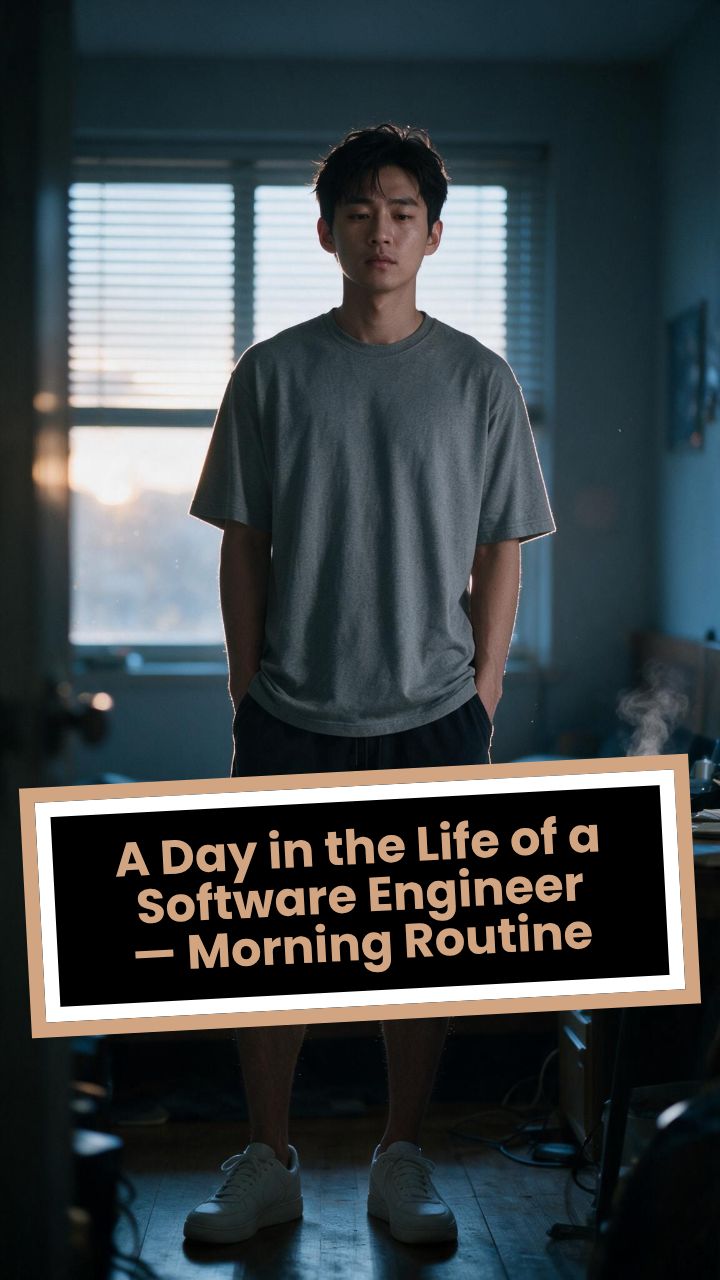
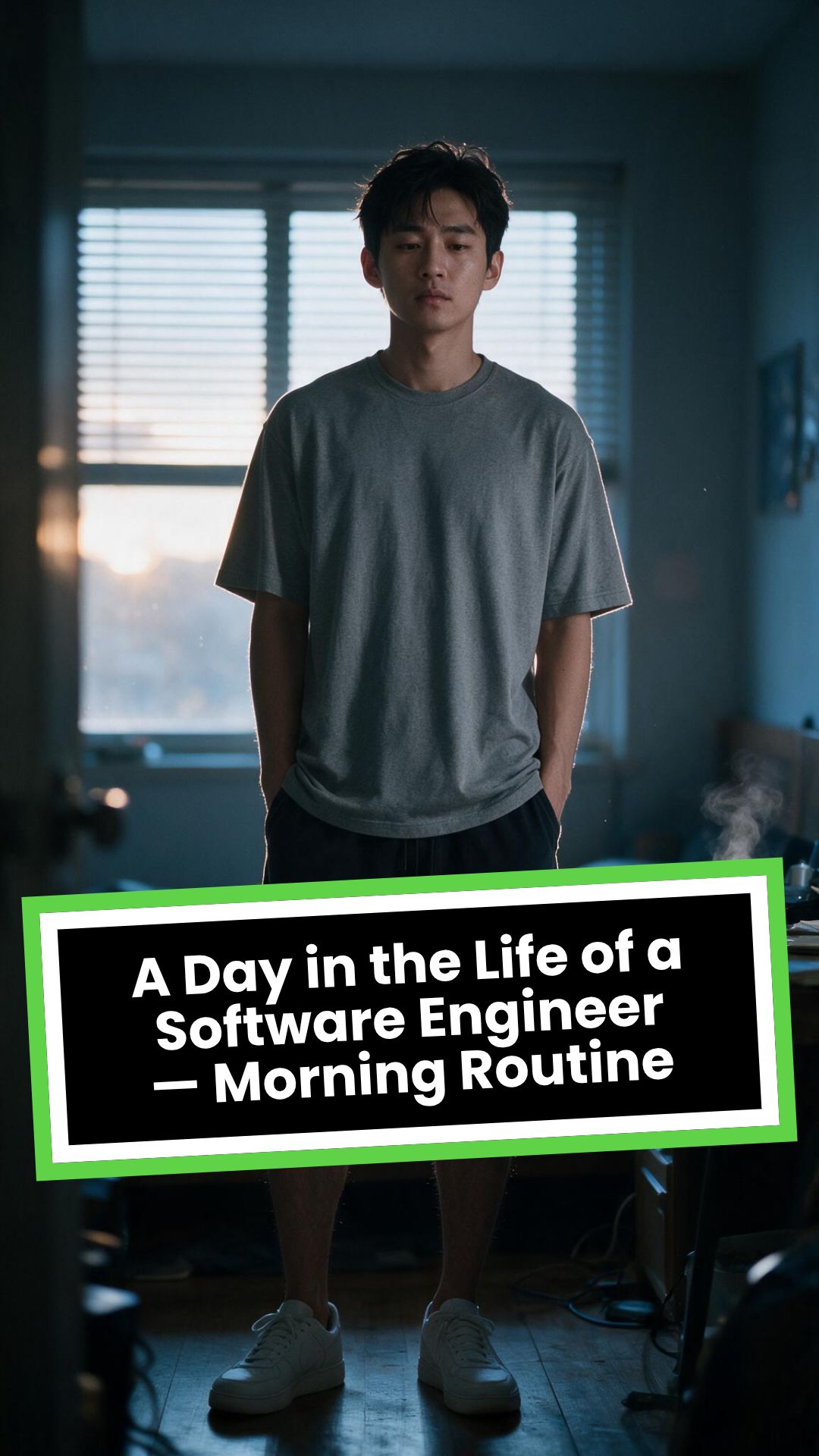
# A Day in the Life of a Software Engineer — Morning Routine
## STARTING FRAME
Extreme macro close-up of a smartphone resting face-up on a dark wooden bedside table in a quiet apartment bedroom before sunrise. The alarm reads **6:30 AM** in crisp white digits. The edge of the phone, tiny dust particles on the table, and the faint reflection of the screen are sharply detailed.
Several feet behind it, a young Asian man in his late twenties lies asleep beneath slightly rumpled bedding. He is only a soft, indistinct silhouette because of the extremely shallow depth of field. Cool blue-grey morning light leaks through partially closed curtains, creating faint horizontal shadows across the room.
A closed laptop, sleeping monitor, mechanical keyboard, notebook, headphones, water bottle, and hoodie resting over a desk chair are visible only as subdued background shapes.
The room is completely still.
Animate forward from this exact frame.
---
## [0s–3s] — THE ALARM
The camera remains extremely low, almost level with the bedside table.
For the first moment, nothing moves.
Then the alarm begins ringing.
The smartphone vibrates against the wooden surface in short mechanical pulses. One corner taps faintly against the table with each vibration. The glow from the screen reflects subtly across the wood grain.
Keep the sleeping man fully blurred in the background.
Do not reveal his face yet.
The curtains move almost imperceptibly from a weak draft. Distant traffic hums outside. A soft electrical ambience comes from the sleeping computer monitor.
Allow the alarm to interrupt the quiet rather than immediately triggering a reaction.
---
## [3s–6s] — THE FIRST REACTION
Begin a very slow rack focus away from the phone.
The alarm digits gradually soften.
The sleeping man’s shoulder, face, pillow, and blanket slowly resolve into focus.
He does not immediately wake.
His eyebrows contract slightly.
His head presses deeper into the pillow as though instinctively trying to escape the sound.
One hand shifts beneath the blanket.
His fingers curl faintly against the fabric.
The bedding moves only a few centimetres as his body reacts before his mind is fully awake.
The voice-over begins quietly:
> “Most days aren’t my best days.”
The delivery is close, restrained, personal, and slightly tired. It should sound like a private thought rather than narration for an audience.
---
## [6s–10s] — WAKING
His eyes open slowly.
They remain unfocused.
He blinks once.
A longer pause.
Then he blinks again.
His gaze drifts toward the sound without turning his head completely.
One hand emerges from beneath the blanket and reaches toward the bedside table. His arm moves heavily, dragging slightly across the mattress.
His fingers miss the phone on the first attempt.
They brush against the charging cable, slide across the table, then finally reach the screen.
He presses the alarm off.
The sound stops abruptly.
The room becomes quiet again.
Let the silence remain for a full beat.
His hand stays resting beside the phone rather than instantly returning to bed.
He exhales slowly through his nose.
The camera makes an almost imperceptible push toward him.
No dramatic expression. No exaggerated yawn.
Only the slow recognition that the day has started.
---
## [10s–14s] — SITTING UP
He turns onto one side.
The blanket pulls across his torso and gathers naturally around his waist.
His elbow presses into the mattress.
The mattress compresses visibly beneath his weight as he pushes himself upward.
His head rises last.
His hair is slightly flattened on one side and falls unevenly across his forehead.
He moves both legs toward the edge of the bed.
One foot searches for the floor.
Then the other.
His bare toes make contact first, followed by the rest of each foot.
He remains seated at the edge of the mattress.
His back curves slightly.
His shoulders hang low.
His hands rest loosely beside his thighs.
He stares at the floor without really looking at anything.
Hold this moment.
The creased bedding behind him should remain compressed where his body had been.
The voice-over continues after a natural pause:
> “But I remember why I do this…”
---
## [14s–17s] — STANDING
He shifts his feet slightly farther apart.
His weight moves forward.
His elbows press lightly against his thighs before he pushes himself upright.
His hips rise first, followed by his shoulders.
Show realistic balance adjustment as his body settles onto both feet.
He stands still for a brief moment.
His loose neutral-coloured T-shirt falls naturally back into place. His shoulders remain slightly lowered. His breathing is calm but heavy with sleep.
The camera stays behind him at approximately waist-to-shoulder height, observing rather than presenting him.
He takes two slow steps toward the bedroom wall.
His bare feet make soft contact with the floor.
He runs his fingers along the wall for a moment before finding the light switch.
He presses it.
A warm bedside or ceiling practical light turns on.
Do not flood the entire room with brightness.
The warm light should gradually reveal wood, bedding, fabric, and skin while the cool morning light remains visible through the curtains.
His eyes narrow slightly in response.
---
## [17s–20s] — TOWARD THE BATHROOM
He turns toward the bathroom doorway and begins walking.
The camera follows several steps behind with restrained handheld drift.
His pace is slow and partially automatic.
He does not acknowledge the camera.
His arms hang naturally beside him.
His shirt moves subtly across his back with each step.
Use the bathroom doorway as a natural frame around his body.
As he crosses the threshold, briefly hold the bedroom in the background:
* the unmade bed;
* the silent phone;
* the closed laptop;
* the dark monitor;
* the hoodie over the chair;
* cool daylight still entering through the curtains.
The voice-over completes:
> “…and I get up anyway.”
The line should not swell emotionally. It should land quietly, almost as though he is reminding himself.
---
## [20s–25s] — THE BATHROOM
Follow him into a small, modern, lived-in bathroom.
Use one hidden natural transition as the camera passes behind the doorframe if necessary, but preserve the feeling of one continuous shot.
He reaches toward the bathroom light switch.
A soft neutral overhead light turns on.
The camera settles into a side angle where both his real profile and part of his reflection are visible. He never looks directly into the lens.
His face in the mirror appears tired but composed.
He reaches toward a simple toothbrush holder.
His fingers close around the toothbrush.
He turns the tap handle.
Water begins flowing into the basin with a steady, natural sound.
Small droplets strike the ceramic surface and collect around the drain.
He briefly passes the toothbrush beneath the water.
He picks up the toothpaste with his other hand.
His thumb flips open the cap.
He positions the tube above the brush and squeezes slowly.
The tube compresses naturally between his fingers.
A small line of toothpaste settles across the bristles.
He releases pressure, places the toothpaste beside the sink, and brings the toothbrush to his mouth.
He begins brushing with slow, absent-minded movements.
His free hand rests against the edge of the basin.
The water continues running softly for a moment before he reaches over and turns it off.
End with him brushing his teeth in silence while early-morning ambience fills the room.
No smile.
No inspirational pose.
No sudden burst of energy.
The morning has simply begun.
---
# CAMERA DIRECTION
* One continuous observational sequence whenever possible.
* Extreme macro lens for the opening alarm.
* Very shallow depth of field during the first six seconds.
* Slow rack focus from the alarm to the sleeping man.
* Subtle push-in while he wakes.
* Low bedside camera placement.
* Gentle handheld drift only after he stands.
* Restrained tracking movement toward the bathroom.
* Use the bedroom and bathroom doorframes as natural foreground obstruction.
* Slight parallax as the camera follows him.
* Side-angle bathroom composition with a partial mirror reflection.
* Camera movement must feel physically operated by a patient documentary filmmaker.
* No orbiting around the character.
* No floating camera.
* No passing through walls.
* No dramatic sweeps or crane movements.
* No rapid cuts.
* One concealed doorway transition is permitted for stability.
---
# CHARACTER PERFORMANCE
Use one consistent young Asian man in his mid-to-late twenties.
He should appear like a normal working software engineer rather than a fashion model.
Maintain:
* slightly messy morning hair;
* naturally tired eyes;
* realistic skin texture;
* ordinary body proportions;
* loose neutral T-shirt;
* comfortable shorts or pyjama trousers;
* bare feet;
* understated, believable posture.
His sleepiness should be communicated through timing and body weight.
He should:
* blink heavily;
* pause before each major movement;
* keep his shoulders slightly lowered;
* move his hands without perfect coordination immediately after waking;
* shift his weight realistically;
* walk quietly;
* remain unaware of the camera;
* never perform the voice-over on screen.
Do not make him appear severely exhausted, unwell, intoxicated, miserable, or emotionally distressed.
---
# ENVIRONMENTAL DETAIL
The apartment should feel modest, modern, believable, and personally inhabited.
Bedroom details may include:
* closed laptop;
* monitor in sleep mode;
* mechanical keyboard;
* notebook with a pen;
* headphones;
* charging cable;
* water bottle;
* desk chair;
* hoodie over the chair;
* soft curtains;
* plain bedding;
* digital alarm or smartphone.
These objects must remain secondary.
Avoid excessive RGB lighting, futuristic interfaces, glowing code, multiple giant monitors, hacker imagery, or stereotypical technology props.
The bathroom should include:
* small ceramic sink;
* ordinary mirror;
* toothbrush holder;
* toothpaste;
* hand towel;
* simple shelf;
* subtle tile reflections;
* minor signs of everyday use.
Avoid a spotless luxury hotel bathroom.
---
# LIGHTING AND COLOUR
* Begin with soft, cool, low-contrast dawn light.
* Use blue-grey illumination passing naturally through curtains or blinds.
* Let the alarm screen create a small local glow.
* Introduce warm practical light when he presses the bedroom switch.
* Preserve the contrast between cool exterior daylight and warm interior light.
* Use soft neutral or slightly warm bathroom lighting.
* Maintain natural skin tones.
* Use gentle cinematic contrast and realistic shadow falloff.
* Keep the overall palette muted, intimate, and grounded.
Avoid:
* neon colours;
* heavy teal-and-orange grading;
* artificial lens flares;
* dramatic rim lighting;
* fantasy glow;
* excessive darkness;
* overexposed bathroom lighting;
* motivational-commercial brightness.
---
# SOUND DESIGN
Keep the soundscape quiet, layered, and tactile.
### Bedroom ambience
* distant city traffic;
* faint room tone;
* soft electrical hum;
* subtle curtain movement;
* alarm vibration against wood;
* charging cable shifting;
* bedding sliding;
* mattress compression;
* breathing;
* bare feet touching the floor;
* quiet fabric movement;
* light-switch click;
* soft footsteps.
### Bathroom ambience
* bathroom switch;
* toothbrush lifted from the holder;
* tap handle turning;
* water striking the basin;
* toothbrush touching water;
* toothpaste cap opening;
* tube compressing;
* toothpaste settling on the bristles;
* slow brushing;
* subtle room echo.
The voice-over should sit gently above these sounds rather than overpowering them.
---
# VOICE-OVER
Use a young adult male voice.
Delivery must be:
* quiet;
* sincere;
* close-microphone;
* slightly tired;
* reflective;
* conversational;
* emotionally restrained.
Do not use trailer narration, motivational-speaker cadence, inspirational music swelling, or exaggerated pauses.
Voice-over text:
> “Most days aren’t my best days.
> But I remember why I do this…
> and I get up anyway.”
Begin the first sentence during the focus shift.
Deliver the second sentence while he sits at the edge of the bed.
Complete the final phrase as he walks into the bathroom.
---
# PHYSICAL REALISM
Every movement must show weight, resistance, and consequence.
Include:
* smartphone vibrating against wood;
* blanket tension as he moves;
* pillow compression;
* mattress deformation beneath his elbow and hips;
* feet searching for the floor;
* realistic centre-of-gravity changes while standing;
* natural cloth movement;
* proper hand contact with the switch;
* believable walking rhythm;
* accurate grip on the toothbrush and toothpaste;
* realistic water flow;
* toothpaste tube deformation;
* correct mirror behaviour;
* natural brushing motion.
Objects must not move unless physically touched or affected by the environment.
---
# CONTINUITY REQUIREMENTS
Maintain exactly the same:
* face;
* hairstyle;
* clothing;
* body proportions;
* skin tone;
* bedroom arrangement;
* bathroom arrangement;
* phone;
* bedding;
* toothbrush;
* toothpaste;
* lighting direction;
* time of morning.
The bathroom must feel directly connected to the bedroom.
The character must not change appearance between spaces.
The mirror reflection must match his real movement precisely.
---
# NEGATIVE CONSTRAINTS
* No direct eye contact with the camera.
* No on-screen dialogue.
* No lip-syncing to the voice-over.
* No influencer presentation.
* No vlog gestures.
* No smiling at the audience.
* No fast montage.
* No opening the laptop.
* No typing or coding.
* No breakfast sequence.
* No shower.
* No getting dressed.
* No leaving the apartment.
* No dramatic stretching.
* No exaggerated yawning.
* No energetic wake-up.
* No instant movement from bed to bathroom.
* No teleportation.
* No unrelated extra scenes.
* No rapid edits.
* No impossible camera paths.
* No random camera shake.
* No warped mirror reflection.
* No changing facial features.
* No changing clothes.
* No malformed hands.
* No extra fingers.
* No floating objects.
* No disappearing props.
* No changing room layout.
* No excessive slow motion.
* No text overlays.
* No captions.
* No logos.
* No watermark.
* No artificial motivational-commercial tone.
Visuelles FormatKI-Video
Visueller StilPhotography
FERTIGES VIDEO
Erstelle schöne Reisevideos in 3 einfachen Schritten
1 Lade deine Reisefotos und Clips hoch
Lade zuerst deine Urlaubsfotos und Videoclips direkt in den Reisevideo-Ersteller hoch. Du kannst außerdem einen beschreibenden Prompt eingeben, damit die KI weiß, welchen Stil und welche Stimmung deine Reisegeschichte haben soll.
2 Lass die KI deine Geschichte erstellen
Unser KI-Reisevideo-Generator analysiert automatisch deine hochgeladenen Medien, wählt die visuell stärksten Momente aus und fügt sie zu einer stimmigen Erzählung zusammen. Er setzt gezielt weiche Übergänge ein und synchronisiert alles perfekt mit der Hintergrundmusik, ganz ohne manuelles Bearbeiten in einer Timeline.
3 Generieren und teilen
Klicke auf "Generieren" und sieh zu, wie deine Reise-Montage in wenigen Minuten erstellt wird. Danach kannst du mit unserem integrierten Editor letzte Anpassungen vornehmen oder dein fertiges Reise-Reel einfach herunterladen und sofort auf TikTok, Instagram Reels oder YouTube Shorts teilen.
01
Verwandle Reisefotos und Clips ohne Schnittkenntnisse in ein Story-Video
Lade deine Reisefotos und Videoclips hoch, und die KI von Revid wählt die besten Momente aus, ordnet sie zu einer packenden Story an und erstellt ein fertiges Reisevideo mit Musik und sanften Übergängen. Du musst weder Clips manuell auswählen noch eine Timeline schneiden oder gestalten. Die KI erkennt den Inhalt deiner Medien und baut einen Erzählfluss auf, der das Erlebnis der Reise einfängt, statt nur eine chronologische Diashow zu zeigen. Vom Upload bis zum fertigen Reisevideo dauert es nur wenige Minuten, sodass du Erinnerungen von jeder Reise schon am Tag deiner Rückkehr teilen kannst.
02
Was die KI aus deinen Reisemedien erstellt
Der Reisevideo-Ersteller analysiert die Fotos und Clips, die du hochlädst, erkennt die visuell stärksten Momente und ordnet sie zu einer Story an, deren Tempo die Aufmerksamkeit der Zuschauer hält. Musik wird automatisch hinzugefügt und auf den visuellen Rhythmus des Schnitts abgestimmt. Die Übergänge zwischen den Clips werden geglättet und für die Plattform optimiert, auf der du teilst. Das Ergebnis ist ein komplettes Reise-Story-Video, das die Stimmung deiner Reise vermittelt, statt nur das Rohmaterial zu zeigen, und du musst dafür keine Schnittentscheidungen treffen.
03
Reisevideos, mit denen du deine Erlebnisse auf jeder Plattform teilst
Reiseinhalte gehören auf TikTok, Instagram Reels und YouTube Shorts zu den Kategorien, die durchgehend am häufigsten angesehen werden, mit starkem Engagement bei Präsentationen von Reisezielen, Reisetipps und Highlight-Videos von Reisen. Ein gut geschnittenes Reisevideo von einer aktuellen Reise zieht Follower an, die ihre eigene Reise planen, und wird von ihnen als Lesezeichen für später gespeichert. Mit Revid kannst du solche Inhalte schnell genug erstellen, um sie zu teilen, solange die Reise noch frisch ist, statt wochenlang auf Schnittzeit zu warten, die vielleicht nie kommt.
Zielgruppe
Für wen ist dieses Tool?
Reisebegeisterte, die Erinnerungen an ihre Reise teilen
Verwandle deine Fotosammlung von jeder Reise in wenigen Minuten und ohne Schnittprogramm in ein Reise-Story-Video zum Teilen. So veröffentlichst du, solange die Erinnerungen frisch und das Reiseziel aktuell ist.
Reise-Storyteller und Vlogger
Baue einen Reise-Kanal mit regelmäßigen Inhalten auf, indem du die Fotos und Clips jeder Reise in ein ansprechendes Story-Video verwandelst, ohne zwischen den Reisen und Posts Stunden mit dem Schnitt zu verbringen.
Reisefotografen und visuelle Journalisten
Verwandle Fotoserien aus Reiseaufträgen in Videos und erreiche so den großen Teil des Reisepublikums, der sich hauptsächlich über Videos statt über Fotogalerien beschäftigt.
Reisemarken und Reiseveranstalter
Erstelle Videos zur Präsentation von Reisezielen und Vorschauen auf Reiserouten aus deinen Reisefotos, ohne ein Videoproduktionsteam, und teile Reiseinhalte regelmäßig auf allen Social-Media-Plattformen.
Vergleich
Revid vs. Reisevideos manuell schneiden
Beim klassischen Schnitt von Reisevideos musst du Clips auswählen, eine Timeline anordnen, Musik hinzufügen und für jede Plattform exportieren. Revid generiert automatisch ein fertiges Reise-Story-Video aus deinen hochgeladenen Medien.
Eingabe
Revid Reisevideo-ErstellerFotos und Clips hochladen und sofort generieren
Andere ToolsAlle Medien manuell sichten, Clips auswählen und eine Timeline anordnen
Story-Auswahl
Revid Reisevideo-ErstellerKI wählt die besten Momente aus und baut automatisch eine Story auf
Andere ToolsJede Clip-Auswahl und Reihenfolge wird manuell entschieden
Musik
Revid Reisevideo-ErstellerMusik wird automatisch ausgewählt und auf das Tempo der Bilder abgestimmt
Andere ToolsMusik muss gesucht, lizenziert und manuell synchronisiert werden
Übergänge
Revid Reisevideo-ErstellerSanfte Übergänge werden automatisch zwischen allen Clips eingefügt
Andere ToolsÜbergänge müssen für jeden Schnitt manuell ausgewählt und getimt werden
Produktionszeit
Revid Reisevideo-ErstellerFertiges Reisevideo wenige Minuten nach dem Hochladen
Andere ToolsStunden an Schnittarbeit pro fertigem Reisevideo
Menge
Revid Reisevideo-ErstellerReisevideos für mehrere Reisen in einer Sitzung erstellen
Andere ToolsJede Reise erfordert einen eigenen kompletten Schnittprozess
Funktion / Vorteil
Revid Reisevideo-Ersteller
Andere Tools
Eingabe
Fotos und Clips hochladen und sofort generieren
Alle Medien manuell sichten, Clips auswählen und eine Timeline anordnen
Story-Auswahl
KI wählt die besten Momente aus und baut automatisch eine Story auf
Jede Clip-Auswahl und Reihenfolge wird manuell entschieden
Musik
Musik wird automatisch ausgewählt und auf das Tempo der Bilder abgestimmt
Musik muss gesucht, lizenziert und manuell synchronisiert werden
Übergänge
Sanfte Übergänge werden automatisch zwischen allen Clips eingefügt
Übergänge müssen für jeden Schnitt manuell ausgewählt und getimt werden
Produktionszeit
Fertiges Reisevideo wenige Minuten nach dem Hochladen
Stunden an Schnittarbeit pro fertigem Reisevideo
Menge
Reisevideos für mehrere Reisen in einer Sitzung erstellen
Jede Reise erfordert einen eigenen kompletten Schnittprozess
Weitere Tools
Entdecke ähnliche KI-Video-Tools für Lifestyle
Entdecke weitere Möglichkeiten, mit unseren KI-Tools ansprechende Videos zu erstellen
FAQs
Häufig gestellte Fragen
Was ist der KI-Reisevideo-Ersteller?
Der KI-Reisevideo-Ersteller von Revid AI ist ein automatisiertes Tool, das deine rohen Urlaubsfotos und Clips in professionelle Reisevideos zum Teilen verwandelt. Statt stundenlang manuell in einer Timeline zu schneiden, wählt unser KI-Reisevideo-Generator automatisch die besten Momente aus, fügt Musik hinzu und erstellt in nur wenigen Minuten ein besonders fesselndes Video.
Wie erstelle ich ein Reisevideo aus meinen Fotos und Clips?
Mit unserem Tool ist ein Reisevideo unglaublich einfach erstellt. Lade einfach deine Reisefotos und Videoclips hoch und überlasse der KI die Arbeit. Der Reisevideo-Ersteller analysiert deine Medien, ordnet die besten Teile zu einer stimmigen Geschichte an, synchronisiert die Bilder mit der Musik und generiert ein fertiges Reisevideo für Social Media. Du brauchst keine Erfahrung im Videoschnitt!
Brauche ich Erfahrung im Videoschnitt, um diesen Reisevideo-Ersteller zu nutzen?
Überhaupt nicht! Unser KI-Reisevideo-Ersteller ist für alle gemacht, von Gelegenheitsurlaubern bis zu professionellen Reise-Vloggern. Die KI übernimmt alle komplexen und mühsamen Schnittaufgaben, wie die Auswahl der Clips, die Anordnung in der Timeline, weiche Übergänge und die Synchronisierung mit der Musik, damit du mühelos beeindruckende Reisevideos erstellen kannst.
Was passiert, wenn ich sowohl Fotos als auch Videos hochlade?
Unser KI-Reisevideo-Generator verbindet beide Formate nahtlos. Er bringt Bewegung in deine statischen Reisefotos und extrahiert aus deinen Videoclips die spannendsten, actionreichsten Sekunden. Das Ergebnis ist eine stimmige, energiegeladene Reise-Montage, die das Gefühl deiner Reise perfekt einfängt.
Kann ich meine eigene Musik zu meinem Reisevideo hinzufügen?
Ja! Unser Reisevideo-Ersteller wählt automatisch Musik aus und synchronisiert sie passend zum Tempo der Bilder deiner Reise. Du kannst aber auch eigenes Audio hochladen. So passt dein Reise-Highlight-Video genau zur Stimmung deines Urlaubs.
Wie lange dauert es, ein Reisevideo zu erstellen?
Klassischer Videoschnitt kann Stunden oder sogar Tage dauern. Unser Tool für den automatischen Reisevideo-Schnitt liefert dagegen in nur wenigen Minuten eine fertige Reisegeschichte. Du kannst deine Medien buchstäblich schon auf dem Rückflug hochladen und hast bei der Landung ein fertiges Reise-Reel zum Veröffentlichen.
Für welche Plattformen sind diese Reisevideos optimiert?
Die mit unserem Reisevideo-Ersteller erstellten Videos eignen sich perfekt für Kurzvideo-Plattformen. Standardmäßig werden sie im vertikalen 9:16-Format generiert und sind damit ideale Reise-Reels für TikTok, Instagram Reels und YouTube Shorts.
Können Reisemarken oder Reiseveranstalter dieses Tool nutzen?
Auf jeden Fall. Reisemarken, Reiseveranstalter und Reisefotografen nutzen unseren Reisevideo-Ersteller häufig, um schnell Reiseziel-Präsentationen und Vorschauen auf Reiserouten zu erstellen. So wird aus Reisefotografie ganz einfach und regelmäßig fesselndes Reisemarketing im Videoformat, ganz ohne eigenes Videoproduktionsteam.
Wie wählt die KI aus, welche Clips verwendet werden?
Unsere fortschrittliche KI analysiert den Inhalt deiner hochgeladenen Fotos und Videos und erkennt die visuell stärksten und relevantesten Momente. Sie baut einen Erzählfluss auf, der das echte Erlebnis deiner Reise einfängt, statt nur eine einfache chronologische Diashow zu erstellen. So erhältst du eine kuratierte Reisegeschichte, ohne einen einzigen Schnitt selbst zu setzen.
Kann ich das Reisevideo bearbeiten, nachdem die KI es generiert hat?
Ja! Nachdem der KI-Reisevideo-Ersteller deine erste Version erstellt hat, kannst du im integrierten Editor von Revid alles anpassen. Du kannst die Übergänge ändern, Texteinblendungen bearbeiten oder das Tempo anpassen, bevor du deine schönsten Reiseerinnerungen herunterlädst und teilst.
Was kostet der KI-Reisevideo-Ersteller?
Für jede Generierung mit dem Reisevideo-Ersteller fällt eine bestimmte Anzahl an Credits an. Sie hängt von der Länge des Videos ab und davon, ob du erweiterte Funktionen wie den KI-Stiltransfer nutzt. Free-Nutzer erhalten Start-Credits zum Ausprobieren, während unsere kostenpflichtigen Pläne ein monatliches Kontingent bieten. So kannst du jede Reise günstig in ein filmreifes Reisevideo verwandeln.
Ich habe eine weitere Frage, die hier nicht beantwortet wird. Wie bekomme ich Hilfe?
Wir helfen dir gern! Wenn du weitere Fragen zur Nutzung des Reisevideo-Erstellers oder zu anderen Bereichen von Revid.AI hast, wende dich einfach an unser freundliches Support-Team. Schreib uns eine E-Mail an hello@revid.ai und wir melden uns so schnell wie möglich bei dir.
Vom Signal zum veröffentlichten Video in vier Schritten.
1
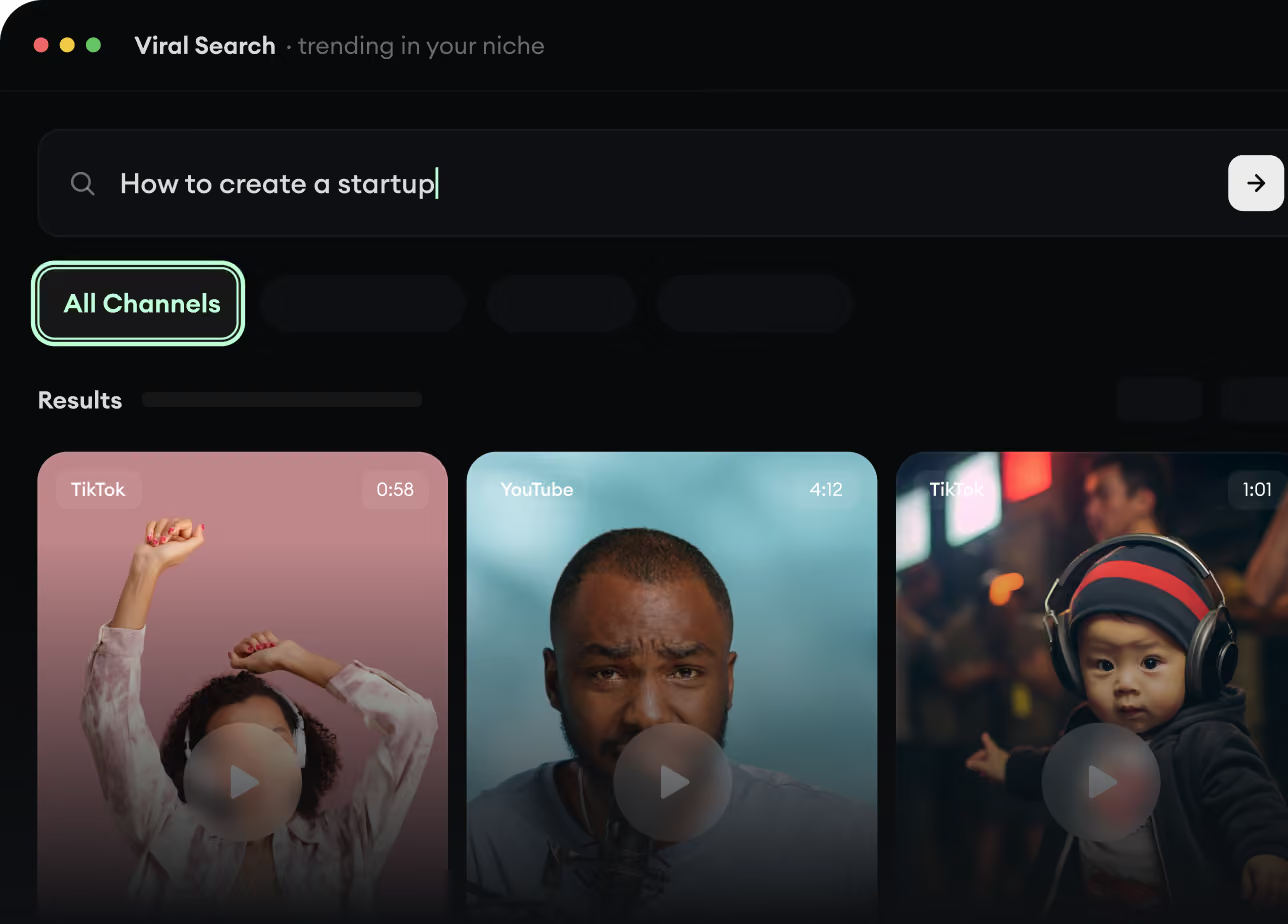
Finde virale Videos und Trends.
Revids Viral Search und Channel Watcher zeigen dir die Formate, Creator und Trends, die gerade Aufmerksamkeit bekommen, und helfen dir, eigene Ideen daraus zu machen.
Entdecke erfolgreiche Videoformate in deiner Nische
Folge den Creatorn und Kanälen, die zählen
Starte mit bewährten Ideen, statt zu raten
2
Mach aus einer Idee eine Story.
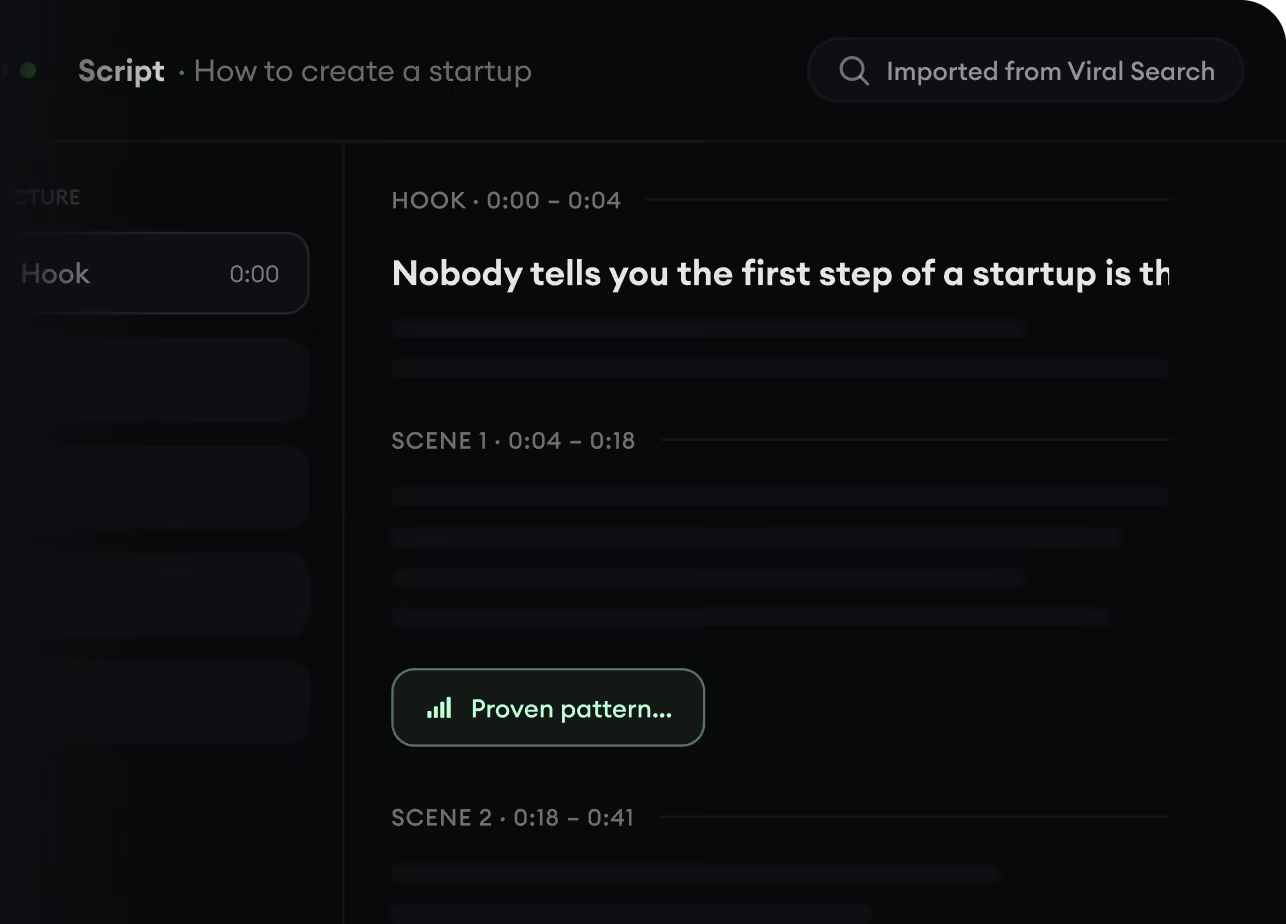
Etwas Spannendes gefunden? Revid AI schreibt das Skript, schlägt die Struktur vor und macht aus Links, Prompts oder Themen komplette Videokonzepte.
Starte mit einem Prompt, Thema oder einer URL
Generiere Skripte nach bewährten Mustern
Baue Stories, die Zuschauer fesseln
3
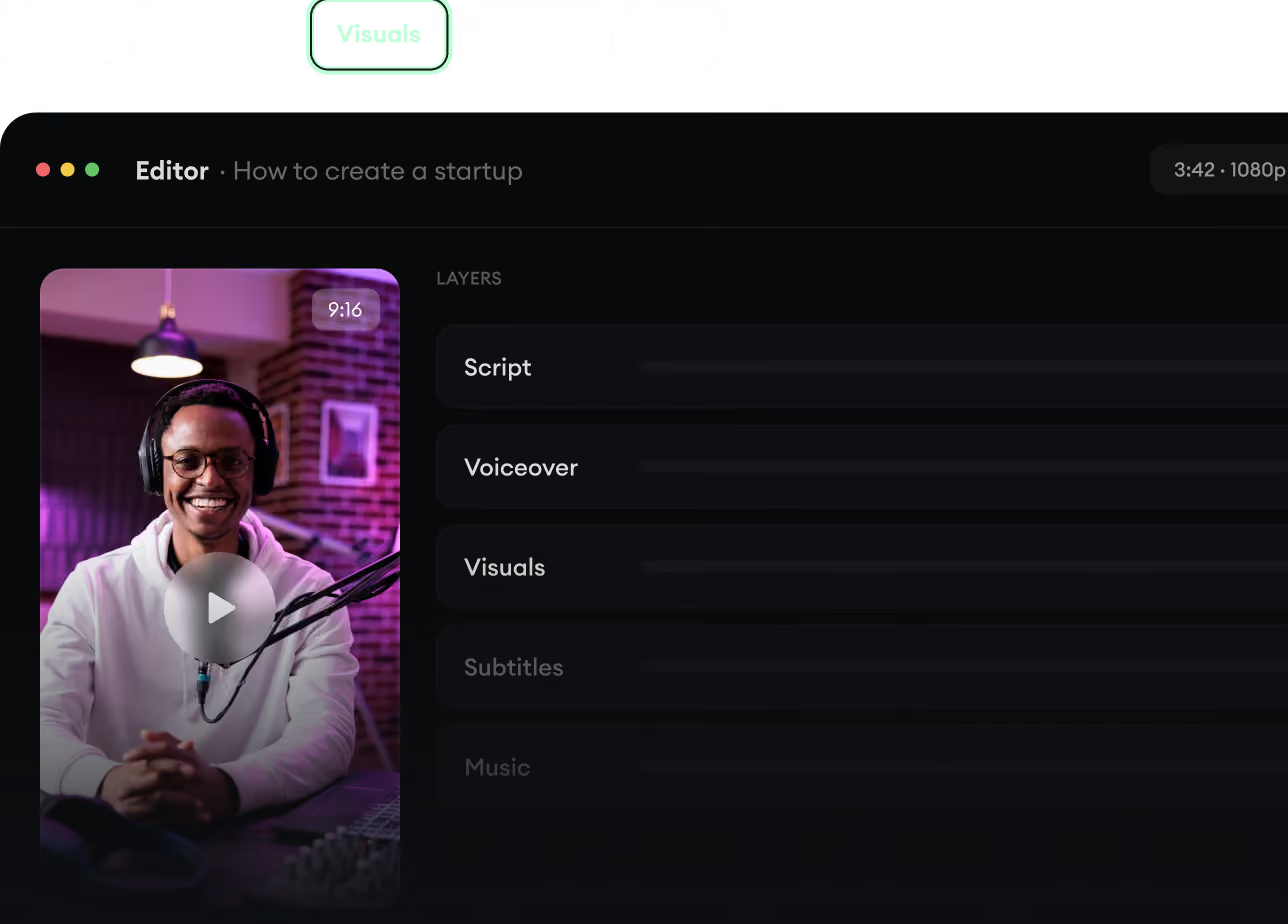
Erstelle das fertige Video.
Skript, KI-Stimme, Bilder, Untertitel und Schnitt entstehen in einem Workflow. Kein Jonglieren mit fünf verschiedenen Tools.
Verwandle Text in komplette, mehrminütige Videos
Generiere alles an einem Ort
Verfeinere das Ergebnis im Editor
4
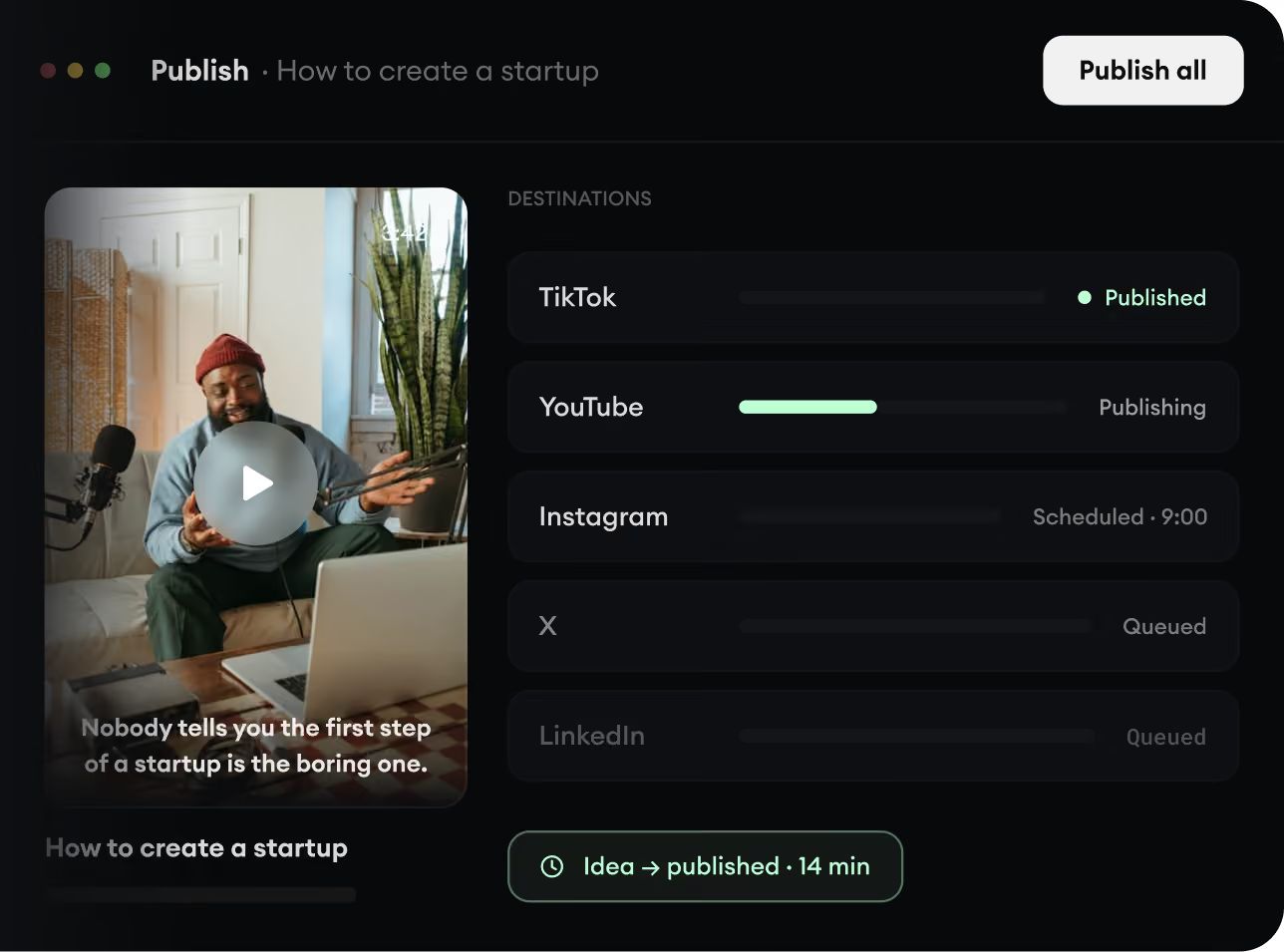
Veröffentliche überall.
Teile deine Videos auf TikTok, YouTube, Instagram und überall dort, wo dein Publikum ist.
Veröffentliche auf allen großen Plattformen
Erreiche mehr Menschen mit weniger Aufwand
Von der Idee zum veröffentlichten Video in Minuten