Plus de 30 000 vidéos publiées chaque mois avec Revid
Convertisseur Photo en Vidéo IA
Transformez vos photos en vidéos captivantes grâce à l'IA. Importez vos images et laissez notre convertisseur créer des transitions fluides, ajouter de la musique et générer des vidéos professionnelles à partir de votre collection de photos.
Votre prompt vidéo
💡 Saisissez votre prompt concernant ce que vous souhaitez voir dans la vidéo
3,730 personnes ont utilisé cet outil ces dernières 24h
Prête en quelques minutes · Modifiez tout avant de publier
Exemples de Résultats
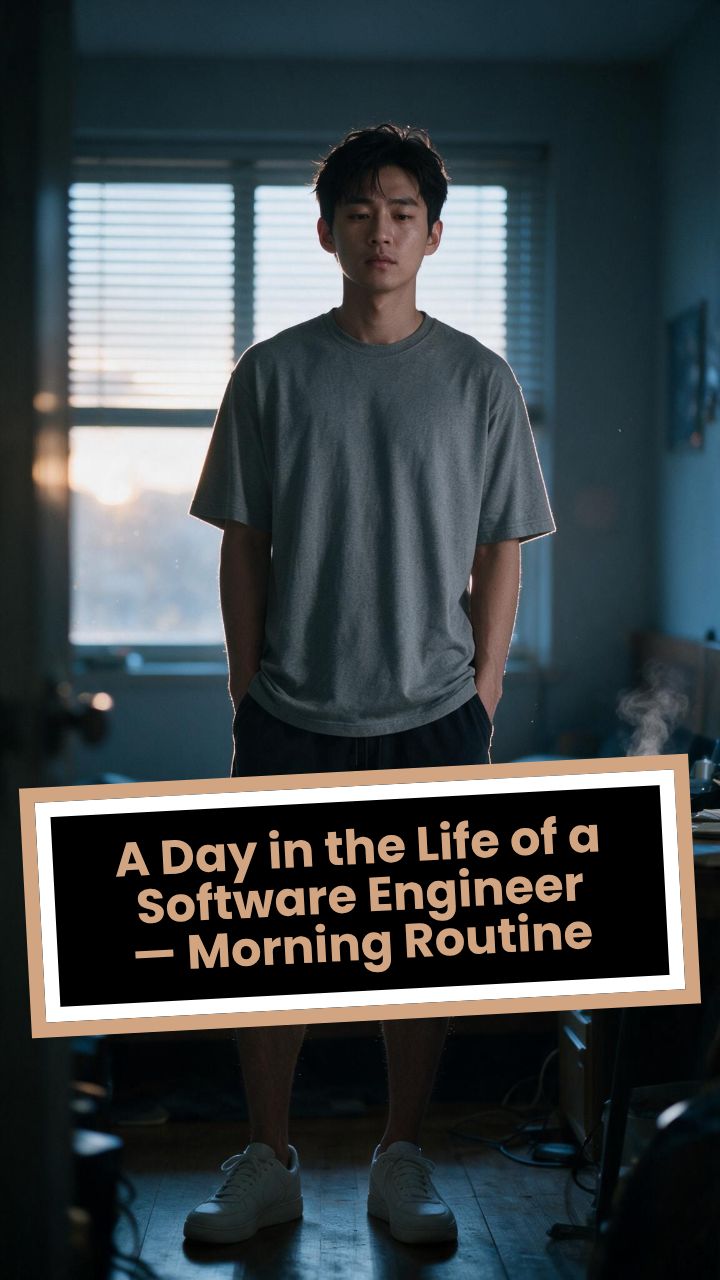
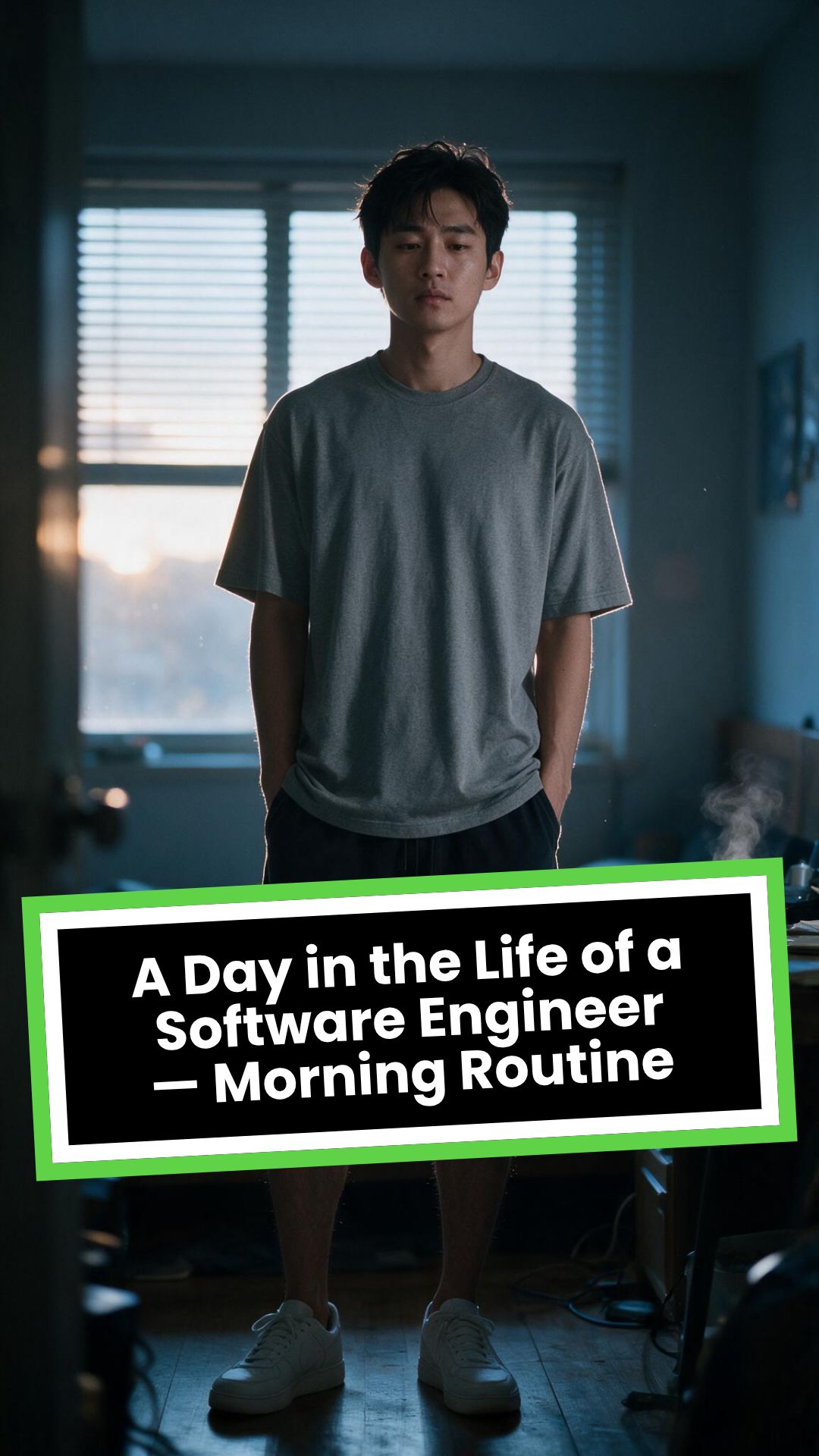
Media: AI videoPreset: PhotographyRatio: 9:16Quality: UltraSeedance 1080p
Outils similaires qui pourraient vous intéresser :
ou explorez nos plus de 42 outils pour créer exactement la vidéo que vous souhaitez
**Recommended preset: Ultra Realism**
# A Day in the Life of a Software Engineer — Morning Routine
## STARTING FRAME
Extreme macro close-up of a smartphone resting face-up on a dark wooden bedside table in a quiet apartment bedroom before sunrise. The alarm reads **6:30 AM** in crisp white digits. The edge of the phone, tiny dust particles on the table, and the faint reflection of the screen are sharply detailed.
Several feet behind it, a young Asian man in his late twenties lies asleep beneath slightly rumpled bedding. He is only a soft, indistinct silhouette because of the extremely shallow depth of field. Cool blue-grey morning light leaks through partially closed curtains, creating faint horizontal shadows across the room.
A closed laptop, sleeping monitor, mechanical keyboard, notebook, headphones, water bottle, and hoodie resting over a desk chair are visible only as subdued background shapes.
The room is completely still.
Animate forward from this exact frame.
---
## [0s–3s] — THE ALARM
The camera remains extremely low, almost level with the bedside table.
For the first moment, nothing moves.
Then the alarm begins ringing.
The smartphone vibrates against the wooden surface in short mechanical pulses. One corner taps faintly against the table with each vibration. The glow from the screen reflects subtly across the wood grain.
Keep the sleeping man fully blurred in the background.
Do not reveal his face yet.
The curtains move almost imperceptibly from a weak draft. Distant traffic hums outside. A soft electrical ambience comes from the sleeping computer monitor.
Allow the alarm to interrupt the quiet rather than immediately triggering a reaction.
---
## [3s–6s] — THE FIRST REACTION
Begin a very slow rack focus away from the phone.
The alarm digits gradually soften.
The sleeping man’s shoulder, face, pillow, and blanket slowly resolve into focus.
He does not immediately wake.
His eyebrows contract slightly.
His head presses deeper into the pillow as though instinctively trying to escape the sound.
One hand shifts beneath the blanket.
His fingers curl faintly against the fabric.
The bedding moves only a few centimetres as his body reacts before his mind is fully awake.
The voice-over begins quietly:
> “Most days aren’t my best days.”
The delivery is close, restrained, personal, and slightly tired. It should sound like a private thought rather than narration for an audience.
---
## [6s–10s] — WAKING
His eyes open slowly.
They remain unfocused.
He blinks once.
A longer pause.
Then he blinks again.
His gaze drifts toward the sound without turning his head completely.
One hand emerges from beneath the blanket and reaches toward the bedside table. His arm moves heavily, dragging slightly across the mattress.
His fingers miss the phone on the first attempt.
They brush against the charging cable, slide across the table, then finally reach the screen.
He presses the alarm off.
The sound stops abruptly.
The room becomes quiet again.
Let the silence remain for a full beat.
His hand stays resting beside the phone rather than instantly returning to bed.
He exhales slowly through his nose.
The camera makes an almost imperceptible push toward him.
No dramatic expression. No exaggerated yawn.
Only the slow recognition that the day has started.
---
## [10s–14s] — SITTING UP
He turns onto one side.
The blanket pulls across his torso and gathers naturally around his waist.
His elbow presses into the mattress.
The mattress compresses visibly beneath his weight as he pushes himself upward.
His head rises last.
His hair is slightly flattened on one side and falls unevenly across his forehead.
He moves both legs toward the edge of the bed.
One foot searches for the floor.
Then the other.
His bare toes make contact first, followed by the rest of each foot.
He remains seated at the edge of the mattress.
His back curves slightly.
His shoulders hang low.
His hands rest loosely beside his thighs.
He stares at the floor without really looking at anything.
Hold this moment.
The creased bedding behind him should remain compressed where his body had been.
The voice-over continues after a natural pause:
> “But I remember why I do this…”
---
## [14s–17s] — STANDING
He shifts his feet slightly farther apart.
His weight moves forward.
His elbows press lightly against his thighs before he pushes himself upright.
His hips rise first, followed by his shoulders.
Show realistic balance adjustment as his body settles onto both feet.
He stands still for a brief moment.
His loose neutral-coloured T-shirt falls naturally back into place. His shoulders remain slightly lowered. His breathing is calm but heavy with sleep.
The camera stays behind him at approximately waist-to-shoulder height, observing rather than presenting him.
He takes two slow steps toward the bedroom wall.
His bare feet make soft contact with the floor.
He runs his fingers along the wall for a moment before finding the light switch.
He presses it.
A warm bedside or ceiling practical light turns on.
Do not flood the entire room with brightness.
The warm light should gradually reveal wood, bedding, fabric, and skin while the cool morning light remains visible through the curtains.
His eyes narrow slightly in response.
---
## [17s–20s] — TOWARD THE BATHROOM
He turns toward the bathroom doorway and begins walking.
The camera follows several steps behind with restrained handheld drift.
His pace is slow and partially automatic.
He does not acknowledge the camera.
His arms hang naturally beside him.
His shirt moves subtly across his back with each step.
Use the bathroom doorway as a natural frame around his body.
As he crosses the threshold, briefly hold the bedroom in the background:
* the unmade bed;
* the silent phone;
* the closed laptop;
* the dark monitor;
* the hoodie over the chair;
* cool daylight still entering through the curtains.
The voice-over completes:
> “…and I get up anyway.”
The line should not swell emotionally. It should land quietly, almost as though he is reminding himself.
---
## [20s–25s] — THE BATHROOM
Follow him into a small, modern, lived-in bathroom.
Use one hidden natural transition as the camera passes behind the doorframe if necessary, but preserve the feeling of one continuous shot.
He reaches toward the bathroom light switch.
A soft neutral overhead light turns on.
The camera settles into a side angle where both his real profile and part of his reflection are visible. He never looks directly into the lens.
His face in the mirror appears tired but composed.
He reaches toward a simple toothbrush holder.
His fingers close around the toothbrush.
He turns the tap handle.
Water begins flowing into the basin with a steady, natural sound.
Small droplets strike the ceramic surface and collect around the drain.
He briefly passes the toothbrush beneath the water.
He picks up the toothpaste with his other hand.
His thumb flips open the cap.
He positions the tube above the brush and squeezes slowly.
The tube compresses naturally between his fingers.
A small line of toothpaste settles across the bristles.
He releases pressure, places the toothpaste beside the sink, and brings the toothbrush to his mouth.
He begins brushing with slow, absent-minded movements.
His free hand rests against the edge of the basin.
The water continues running softly for a moment before he reaches over and turns it off.
End with him brushing his teeth in silence while early-morning ambience fills the room.
No smile.
No inspirational pose.
No sudden burst of energy.
The morning has simply begun.
---
# CAMERA DIRECTION
* One continuous observational sequence whenever possible.
* Extreme macro lens for the opening alarm.
* Very shallow depth of field during the first six seconds.
* Slow rack focus from the alarm to the sleeping man.
* Subtle push-in while he wakes.
* Low bedside camera placement.
* Gentle handheld drift only after he stands.
* Restrained tracking movement toward the bathroom.
* Use the bedroom and bathroom doorframes as natural foreground obstruction.
* Slight parallax as the camera follows him.
* Side-angle bathroom composition with a partial mirror reflection.
* Camera movement must feel physically operated by a patient documentary filmmaker.
* No orbiting around the character.
* No floating camera.
* No passing through walls.
* No dramatic sweeps or crane movements.
* No rapid cuts.
* One concealed doorway transition is permitted for stability.
---
# CHARACTER PERFORMANCE
Use one consistent young Asian man in his mid-to-late twenties.
He should appear like a normal working software engineer rather than a fashion model.
Maintain:
* slightly messy morning hair;
* naturally tired eyes;
* realistic skin texture;
* ordinary body proportions;
* loose neutral T-shirt;
* comfortable shorts or pyjama trousers;
* bare feet;
* understated, believable posture.
His sleepiness should be communicated through timing and body weight.
He should:
* blink heavily;
* pause before each major movement;
* keep his shoulders slightly lowered;
* move his hands without perfect coordination immediately after waking;
* shift his weight realistically;
* walk quietly;
* remain unaware of the camera;
* never perform the voice-over on screen.
Do not make him appear severely exhausted, unwell, intoxicated, miserable, or emotionally distressed.
---
# ENVIRONMENTAL DETAIL
The apartment should feel modest, modern, believable, and personally inhabited.
Bedroom details may include:
* closed laptop;
* monitor in sleep mode;
* mechanical keyboard;
* notebook with a pen;
* headphones;
* charging cable;
* water bottle;
* desk chair;
* hoodie over the chair;
* soft curtains;
* plain bedding;
* digital alarm or smartphone.
These objects must remain secondary.
Avoid excessive RGB lighting, futuristic interfaces, glowing code, multiple giant monitors, hacker imagery, or stereotypical technology props.
The bathroom should include:
* small ceramic sink;
* ordinary mirror;
* toothbrush holder;
* toothpaste;
* hand towel;
* simple shelf;
* subtle tile reflections;
* minor signs of everyday use.
Avoid a spotless luxury hotel bathroom.
---
# LIGHTING AND COLOUR
* Begin with soft, cool, low-contrast dawn light.
* Use blue-grey illumination passing naturally through curtains or blinds.
* Let the alarm screen create a small local glow.
* Introduce warm practical light when he presses the bedroom switch.
* Preserve the contrast between cool exterior daylight and warm interior light.
* Use soft neutral or slightly warm bathroom lighting.
* Maintain natural skin tones.
* Use gentle cinematic contrast and realistic shadow falloff.
* Keep the overall palette muted, intimate, and grounded.
Avoid:
* neon colours;
* heavy teal-and-orange grading;
* artificial lens flares;
* dramatic rim lighting;
* fantasy glow;
* excessive darkness;
* overexposed bathroom lighting;
* motivational-commercial brightness.
---
# SOUND DESIGN
Keep the soundscape quiet, layered, and tactile.
### Bedroom ambience
* distant city traffic;
* faint room tone;
* soft electrical hum;
* subtle curtain movement;
* alarm vibration against wood;
* charging cable shifting;
* bedding sliding;
* mattress compression;
* breathing;
* bare feet touching the floor;
* quiet fabric movement;
* light-switch click;
* soft footsteps.
### Bathroom ambience
* bathroom switch;
* toothbrush lifted from the holder;
* tap handle turning;
* water striking the basin;
* toothbrush touching water;
* toothpaste cap opening;
* tube compressing;
* toothpaste settling on the bristles;
* slow brushing;
* subtle room echo.
The voice-over should sit gently above these sounds rather than overpowering them.
---
# VOICE-OVER
Use a young adult male voice.
Delivery must be:
* quiet;
* sincere;
* close-microphone;
* slightly tired;
* reflective;
* conversational;
* emotionally restrained.
Do not use trailer narration, motivational-speaker cadence, inspirational music swelling, or exaggerated pauses.
Voice-over text:
> “Most days aren’t my best days.
> But I remember why I do this…
> and I get up anyway.”
Begin the first sentence during the focus shift.
Deliver the second sentence while he sits at the edge of the bed.
Complete the final phrase as he walks into the bathroom.
---
# PHYSICAL REALISM
Every movement must show weight, resistance, and consequence.
Include:
* smartphone vibrating against wood;
* blanket tension as he moves;
* pillow compression;
* mattress deformation beneath his elbow and hips;
* feet searching for the floor;
* realistic centre-of-gravity changes while standing;
* natural cloth movement;
* proper hand contact with the switch;
* believable walking rhythm;
* accurate grip on the toothbrush and toothpaste;
* realistic water flow;
* toothpaste tube deformation;
* correct mirror behaviour;
* natural brushing motion.
Objects must not move unless physically touched or affected by the environment.
---
# CONTINUITY REQUIREMENTS
Maintain exactly the same:
* face;
* hairstyle;
* clothing;
* body proportions;
* skin tone;
* bedroom arrangement;
* bathroom arrangement;
* phone;
* bedding;
* toothbrush;
* toothpaste;
* lighting direction;
* time of morning.
The bathroom must feel directly connected to the bedroom.
The character must not change appearance between spaces.
The mirror reflection must match his real movement precisely.
---
# NEGATIVE CONSTRAINTS
* No direct eye contact with the camera.
* No on-screen dialogue.
* No lip-syncing to the voice-over.
* No influencer presentation.
* No vlog gestures.
* No smiling at the audience.
* No fast montage.
* No opening the laptop.
* No typing or coding.
* No breakfast sequence.
* No shower.
* No getting dressed.
* No leaving the apartment.
* No dramatic stretching.
* No exaggerated yawning.
* No energetic wake-up.
* No instant movement from bed to bathroom.
* No teleportation.
* No unrelated extra scenes.
* No rapid edits.
* No impossible camera paths.
* No random camera shake.
* No warped mirror reflection.
* No changing facial features.
* No changing clothes.
* No malformed hands.
* No extra fingers.
* No floating objects.
* No disappearing props.
* No changing room layout.
* No excessive slow motion.
* No text overlays.
* No captions.
* No logos.
* No watermark.
* No artificial motivational-commercial tone.
Format visuelVidéo IA
Style visuelPhotography
VIDÉO FINALE
Transformez vos photos en vidéos époustouflantes en 3 étapes faciles
1 Importez vos photos et ajoutez votre script (optionnel)
Commencez par téléverser votre sélection de photos. Si vous souhaitez une narration pour accompagner vos images, écrivez votre script ou une description dans le champ prévu. Ce texte sera utilisé par notre IA pour générer la voix-off de votre vidéo. Si vous préférez une vidéo purement musicale et visuelle, vous pouvez laisser ce champ vide ou y inscrire une brève note pour vous-même.
2 Personnalisez les options de votre vidéo photo
Ajustez la durée cible de votre vidéo (de 10 à 600 secondes) et choisissez le format d'écran idéal : paysage (16/9), portrait (9/16) pour les réseaux sociaux, ou carré (1/1). Explorez les options avancées comme 'Appliquer un transfert de style' pour donner un look artistique unique à vos images (ex: Ghibli, croquis, Pixar) ou 'Transformer les images en vidéos IA' où chaque photo devient un mini-clip animé pour un rendu dynamique.
3 Choisissez la musique, générez et peaufinez
Sélectionnez une musique de fond dans notre bibliothèque ou téléversez la vôtre pour créer l'ambiance parfaite pour votre diaporama photo animé. Cliquez ensuite sur 'Générer la Vidéo'. En quelques minutes, l'IA assemblera vos photos en une vidéo professionnelle avec transitions, musique et narration (si fournie). Prévisualisez le résultat et utilisez notre éditeur vidéo intégré pour apporter des touches finales avant de télécharger et partager votre chef-d'œuvre.
Plus d'outils
Découvrez d'autres outils vidéo IA Montage Vidéo
Découvrez plus de façons de créer des vidéos engageantes avec nos outils IA
FAQ
Questions Fréquemment Posées
Qu'est-ce que le Convertisseur Photo en Vidéo IA de Revid ?
Notre Convertisseur Photo en Vidéo IA est un outil puissant conçu pour transformer facilement vos collections de photos en vidéos dynamiques et engageantes. Il utilise l'intelligence artificielle pour créer des transitions fluides, synchroniser la musique, générer une narration à partir de votre texte, et même appliquer des styles artistiques ou animer vos images. C'est la solution idéale pour créer des montages vidéo photo mémorables pour les réseaux sociaux, les souvenirs de famille, ou des présentations professionnelles, sans effort.
Comment puis-je créer une vidéo à partir de mes photos avec cet outil ?
C'est très simple ! 1. Téléversez vos photos. 2. Écrivez un script ou une description dans le champ de texte si vous souhaitez une narration (facultatif). 3. Personnalisez les options : durée, format (9:16, 16:9, 1:1), et activez si besoin le transfert de style ou la transformation des images en clips vidéo IA. 4. Choisissez une musique. 5. Cliquez sur 'Générer la Vidéo'. Votre vidéo photo sera prête rapidement !
Quel type et combien de photos puis-je utiliser ?
Vous pouvez utiliser la plupart des formats d'image courants (JPEG, PNG, etc.). Privilégiez des photos de bonne qualité pour un meilleur rendu. Il n'y a pas de limite stricte au nombre de photos, mais pour une vidéo percutante, adaptez le nombre à la durée souhaitée (par exemple, 15-30 photos pour une vidéo d'une minute). L'outil utilisera uniquement les photos que vous téléversez.
Comment le texte que je saisis est-il utilisé pour ma vidéo photo ?
Le texte que vous entrez dans le champ 'Décrivez vos photos' (ou script) est utilisé par notre IA pour générer une voix-off qui accompagnera votre vidéo. Si vous ne souhaitez pas de narration, vous pouvez laisser ce champ vide ; la vidéo sera alors rythmée par la musique et les visuels uniquement. Ceci est possible grâce à l'option `allowNoInputText:true`.
Expliquez l'option 'Appliquer un transfert de style'.
L'option 'Appliquer un transfert de style' vous permet de réimaginer vos photos en appliquant un style artistique choisi parmi une liste de préréglages (comme Ghibli, Croquis Technique, Anime, Pixar, Encre, etc.). Chaque image est transformée pour adopter ce style, donnant une cohérence visuelle unique à votre vidéo. Cette fonctionnalité avancée a un coût de 16 crédits par image traitée.
En quoi consiste 'Transformer les images en vidéos IA' ?
Si vous activez 'Transformer les images en vidéos IA', chaque photo statique que vous fournissez sera animée par l'IA pour devenir un court clip vidéo. Cela ajoute du mouvement et du dynamisme, rendant votre montage photo beaucoup plus captivant. Vous pouvez choisir entre différents modèles de génération vidéo (Base, Pro, Ultra), chacun offrant un niveau de qualité et de complexité d'animation différent.
Puis-je choisir la durée et le format de ma vidéo photo ?
Oui, vous avez un contrôle total. Définissez la 'Durée cible' de votre vidéo, allant de 10 secondes à 10 minutes (600 secondes). Choisissez également le 'Format d'écran' : 16/9 (paysage) pour YouTube/Vimeo, 9/16 (portrait) pour TikTok/Reels/Shorts, ou 1/1 (carré) pour les posts Instagram/Facebook.
Comment la musique est-elle gérée dans le montage photo vidéo ?
Revid AI vous propose une bibliothèque de musiques libres de droits que vous pouvez sélectionner pour votre vidéo. Vous pouvez également choisir de téléverser votre propre fichier audio. L'IA s'efforcera de synchroniser les transitions et le rythme visuel avec la musique choisie pour un résultat harmonieux.
Combien coûte la création d'une vidéo avec ce convertisseur photo-vidéo ?
Le coût en crédits pour générer une vidéo photo dépend des options activées. Il y a un coût de base pour l'assemblage, la musique, et la génération de voix-off (proportionnel à la longueur du script). Les options 'Appliquer un transfert de style' (16 crédits/image) et 'Transformer les images en vidéos IA' (coût variable selon le modèle IA : Base, Pro, Ultra) sont additionnelles. Une estimation des crédits s'affiche avant la génération. Votre solde de crédits dépend de votre abonnement Revid AI.
L'outil utilise-t-il uniquement mes photos ou peut-il en ajouter d'autres ?
Ce convertisseur photo en vidéo est conçu pour mettre en valeur VOS photos. Grâce à l'option `useOnlyProvidedMedia:true`, l'IA utilisera exclusivement les images que vous téléversez. Elle n'ajoutera pas d'images d'archives ou d'autres visuels, assurant que votre vidéo reste personnelle et fidèle à votre collection.
Puis-je modifier ma vidéo après sa création par l'IA ?
Absolument ! Une fois votre vidéo photo générée, vous accédez à l'éditeur vidéo complet de Revid AI. Vous pourrez y affiner les timings, ajuster les transitions, modifier ou supprimer la narration, changer la musique, ajouter des superpositions de texte, et bien plus, pour un contrôle total sur le résultat final.
Sur quelles plateformes puis-je partager mes créations vidéo photo ?
Les vidéos créées sont optimisées pour un partage facile sur toutes les plateformes sociales populaires : TikTok, Instagram (Reels, Stories, posts), YouTube (Shorts et vidéos classiques), Facebook, etc. Elles sont également parfaites pour des présentations, des blogs, ou pour partager des souvenirs avec vos proches.
Que faire si le premier résultat de ma vidéo photo ne me satisfait pas ?
Nous visons votre entière satisfaction. Si la vidéo générée ne correspond pas à vos attentes, vous pouvez facilement la régénérer en modifiant vos photos, votre script, ou les options de personnalisation. Vous pouvez également utiliser l'éditeur vidéo intégré pour des ajustements précis. Pour toute question, notre support client est disponible à [email protected].
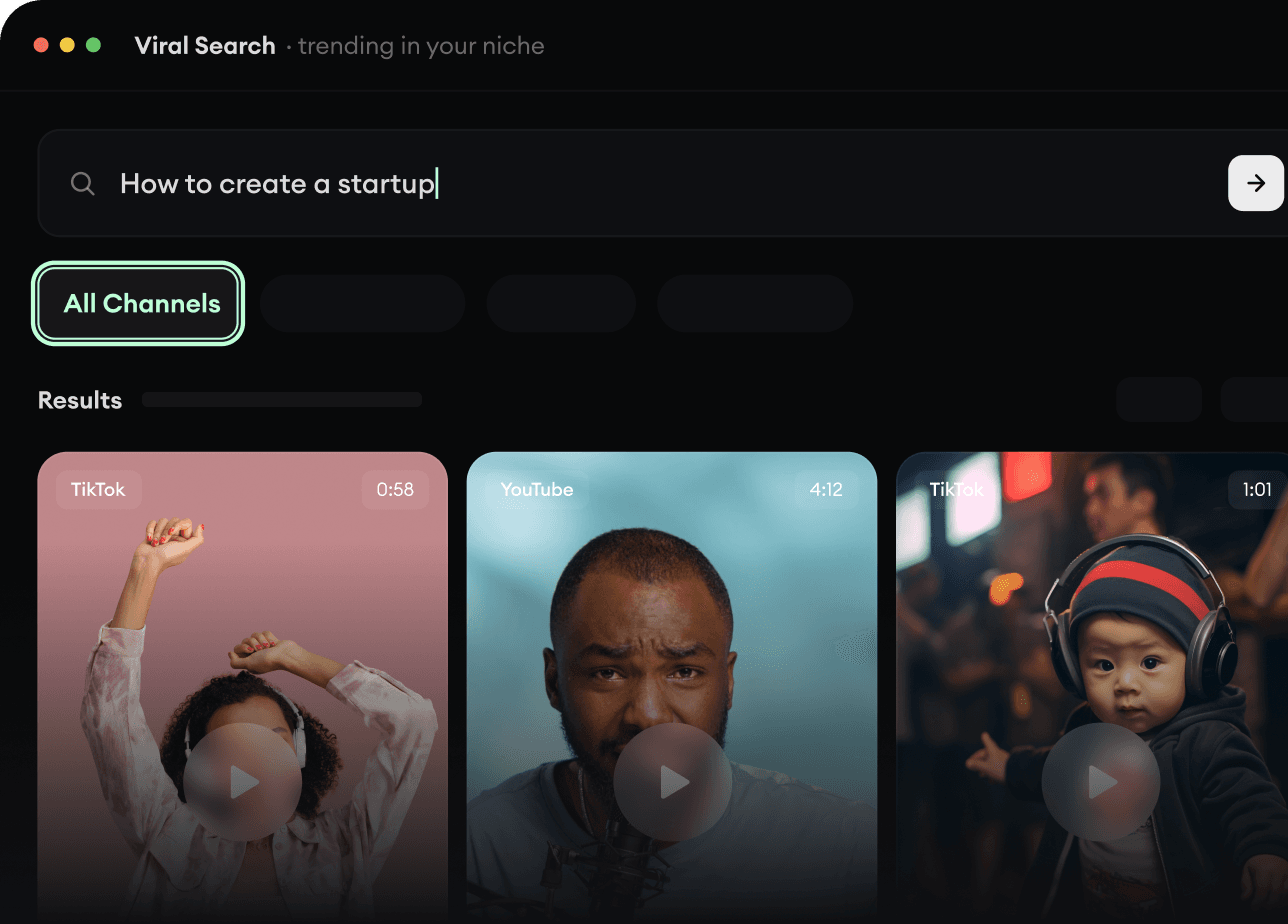
Viral Search et Channel Watcher de Revid AI font remonter les formats, créateurs et tendances qui captent l’attention en ce moment, puis vous aident à en faire vos propres idées.
Découvrez les formats qui gagnent dans votre niche
Suivez les créateurs et chaînes qui comptent
Partez d’idées qui ont fait leurs preuves au lieu de deviner
2
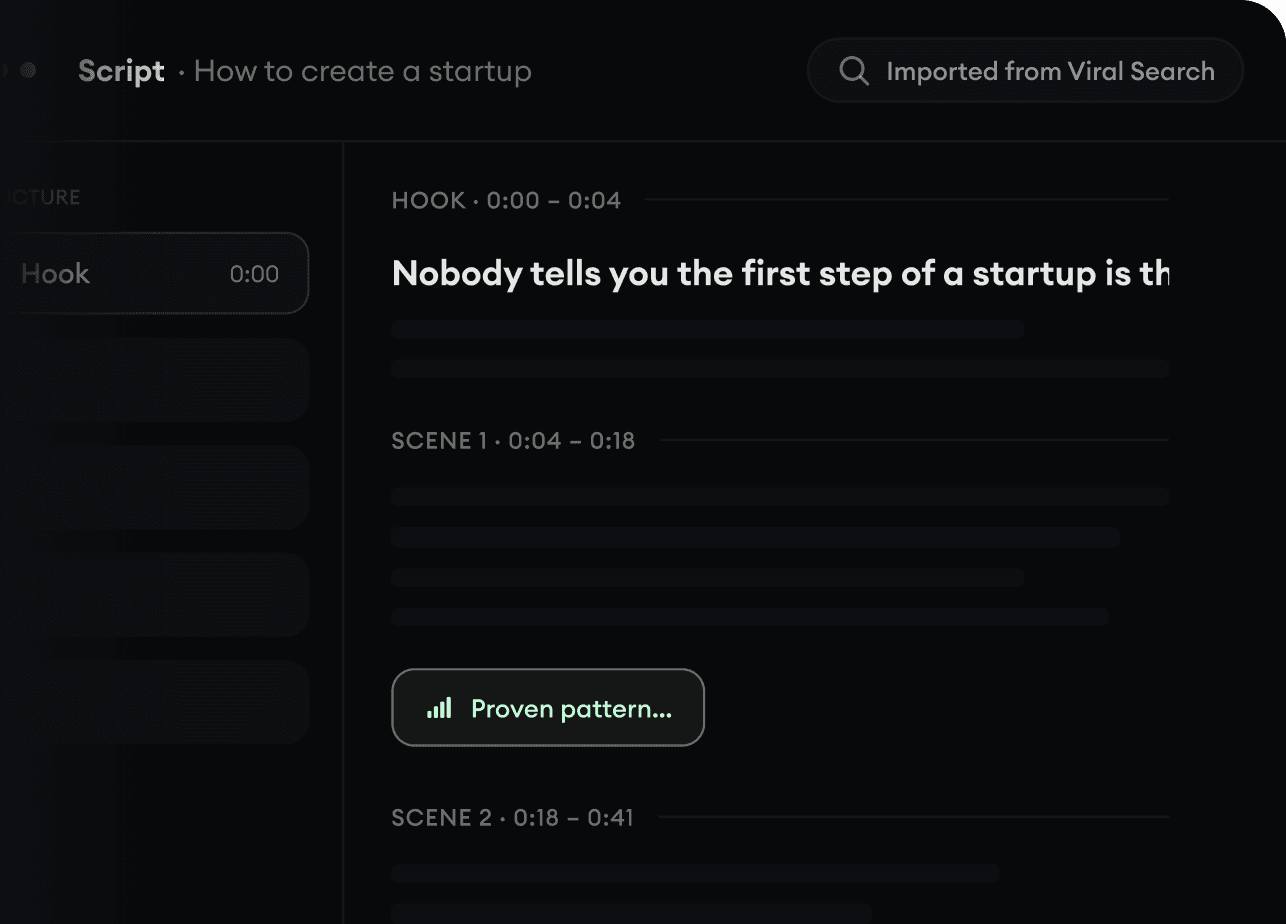
Transformez une idée en histoire.
Vous avez trouvé une pépite ? Revid AI écrit le script, propose la structure et transforme liens, prompts ou sujets en concepts de vidéo complets.
Partez d’un prompt, d’un sujet ou d’une URL
Générez des scripts inspirés de schémas éprouvés
Construisez des histoires qui retiennent l’attention
3
Générez la vidéo finale.
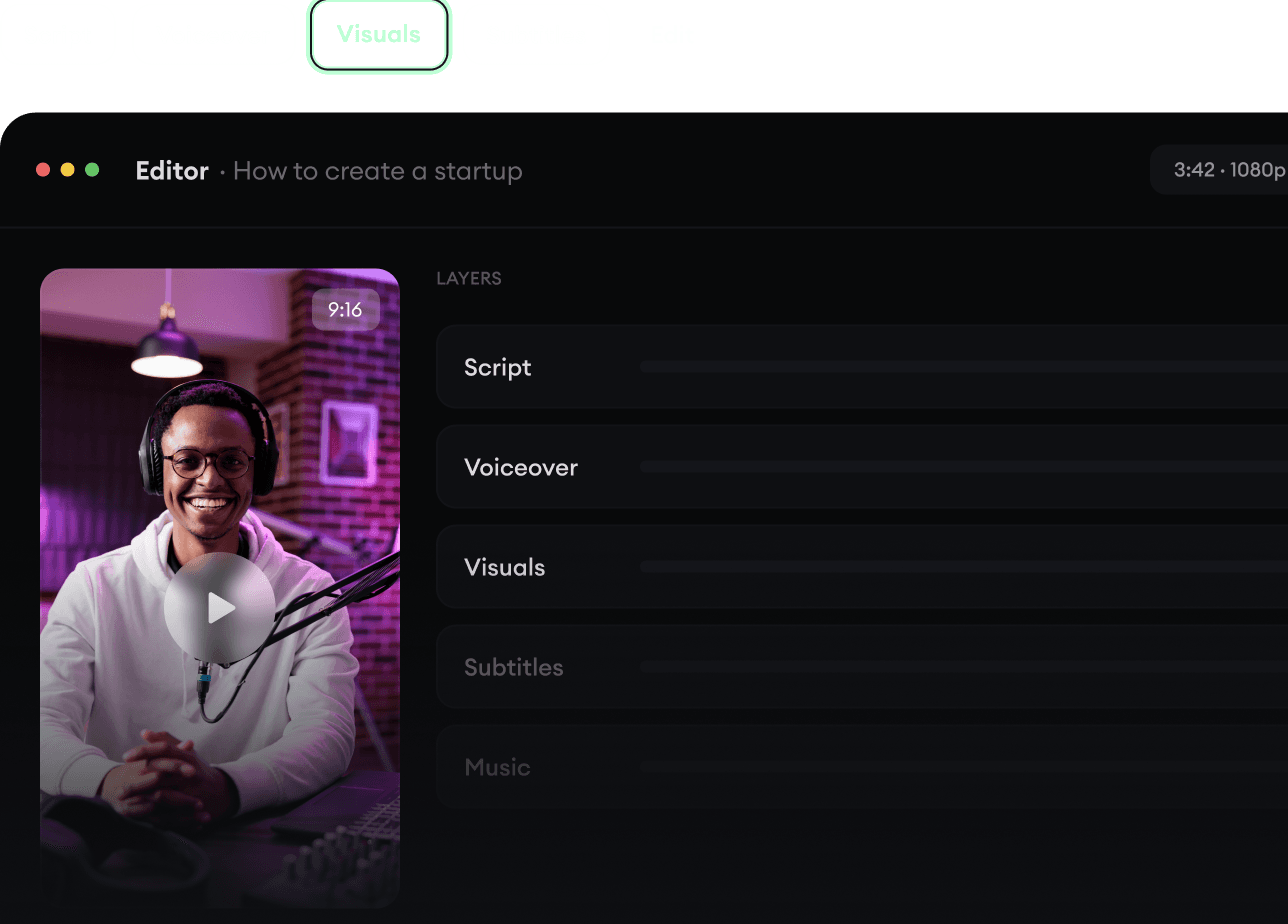
Script, voix off, visuels, sous-titres et montage se font dans un seul workflow. Plus besoin d’assembler cinq outils différents.
Transformez du texte en vidéos complètes de plusieurs minutes
Générez tout au même endroit
Peaufinez le résultat dans l’éditeur
4
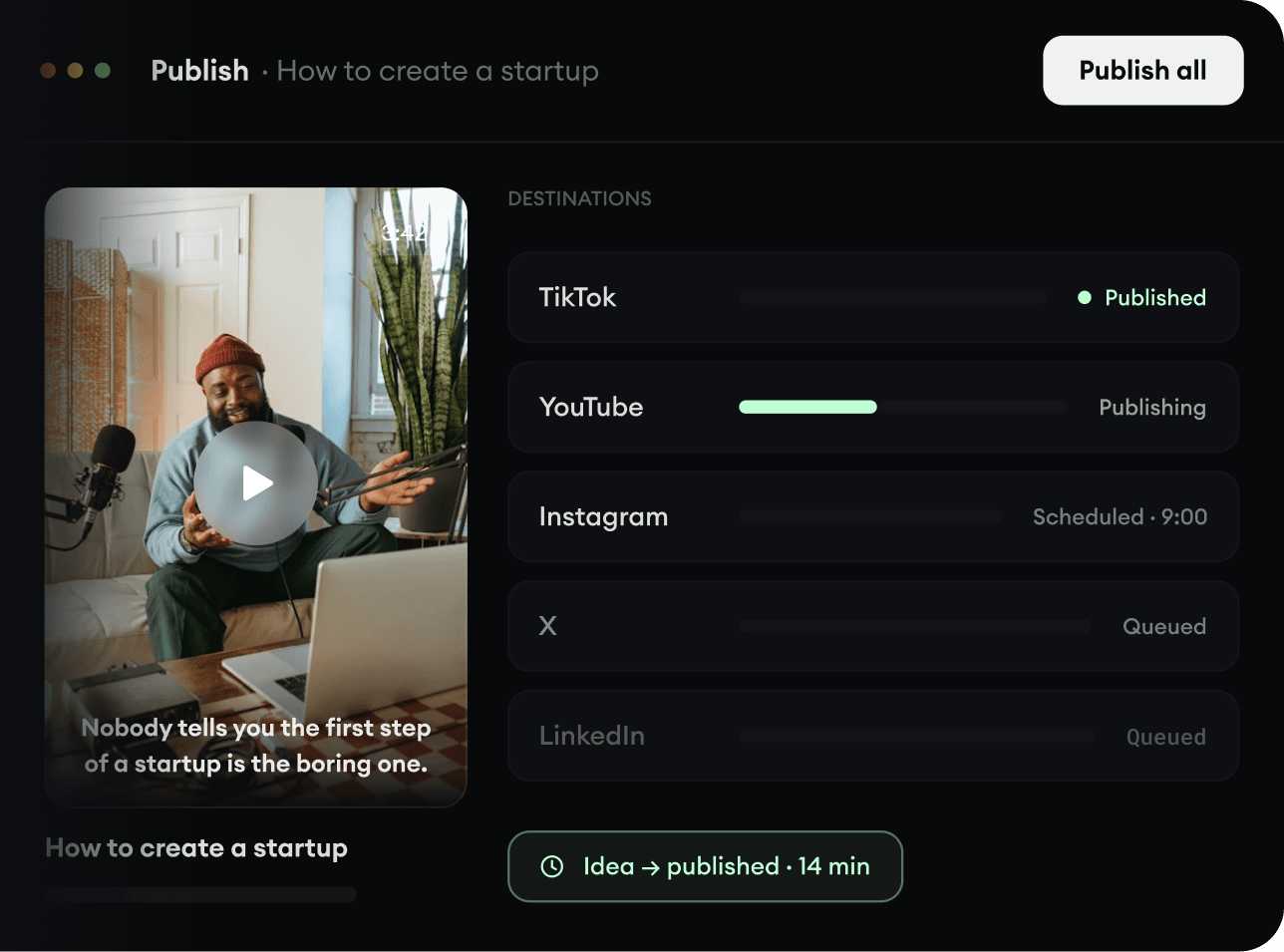
Publiez partout.
Partagez vos vidéos sur TikTok, YouTube, Instagram et partout où se trouve votre audience.