Creators publiceren elke maand 30.000+ video's met Revid
AI-prompt-naar-videogenerator
Prompt naar video zet een geschreven beschrijving om in een voltooide video. Beschrijf de scène, het verhaal en de stijl die je wilt, en Revid schrijft het script, genereert de beelden als AI-video of geanimeerde AI-afbeeldingen, en voegt een voice-over, muziek, geluidseffecten en ondertitels toe. Kies elke lengte van 8 seconden tot 5 minuten.
Jouw videoprompt
💡 Beschrijf in gewone taal wat je in de video wilt zien. AI genereert een script op basis van je prompt.
2,228 video's gemaakt met Revid in de afgelopen 24 uur
Klaar in een paar minuten · Pas alles aan voordat je post
Voorbeeldresultaten
Media: Stock videosRatio: 9:16
Vergelijkbare tools voor jou:
of ontdek onze 42+ andere tools om precies de video te maken die je wilt
**Recommended preset: Ultra Realism**
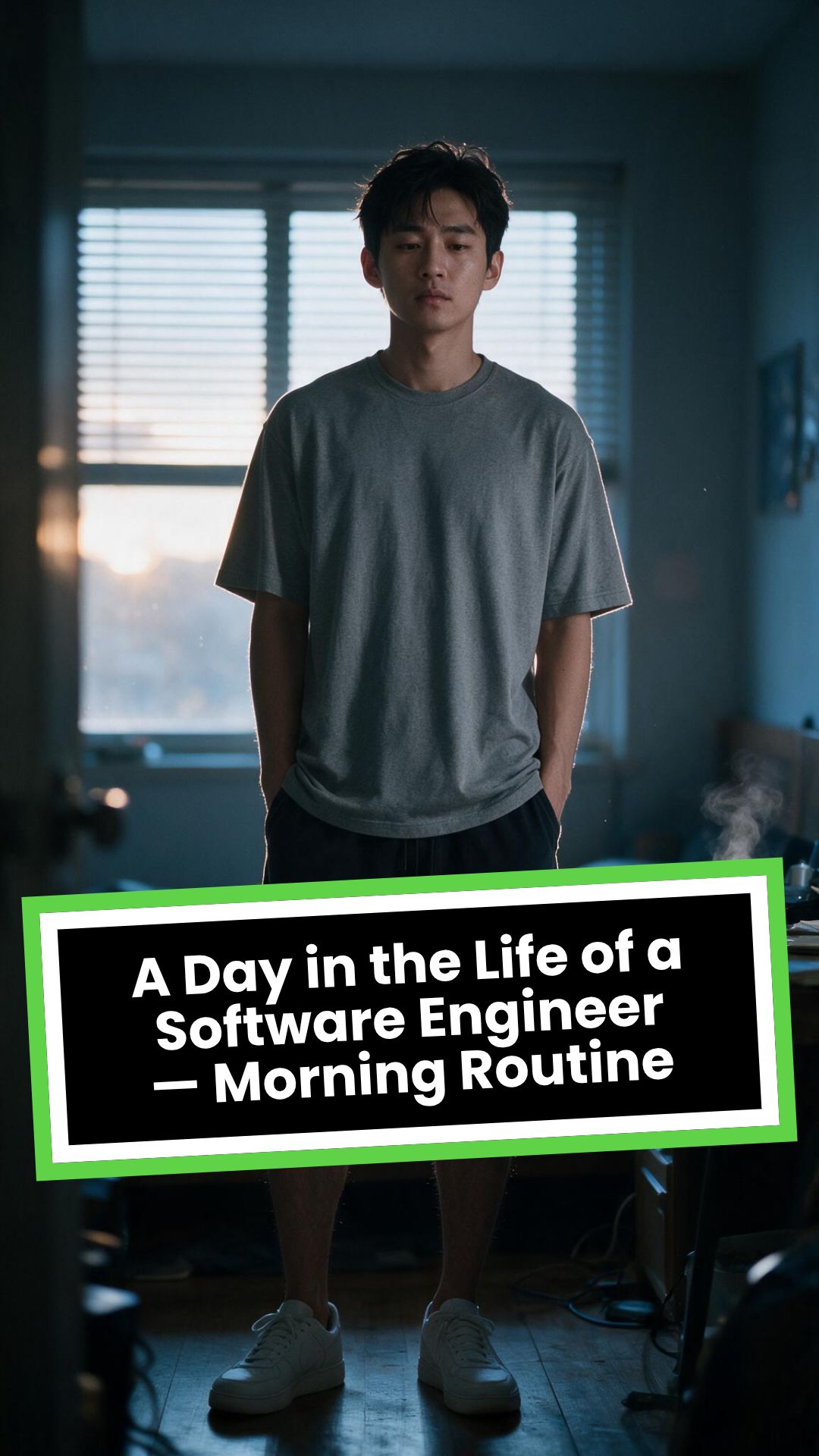
# A Day in the Life of a Software Engineer — Morning Routine
## STARTING FRAME
Extreme macro close-up of a smartphone resting face-up on a dark wooden bedside table in a quiet apartment bedroom before sunrise. The alarm reads **6:30 AM** in crisp white digits. The edge of the phone, tiny dust particles on the table, and the faint reflection of the screen are sharply detailed.
Several feet behind it, a young Asian man in his late twenties lies asleep beneath slightly rumpled bedding. He is only a soft, indistinct silhouette because of the extremely shallow depth of field. Cool blue-grey morning light leaks through partially closed curtains, creating faint horizontal shadows across the room.
A closed laptop, sleeping monitor, mechanical keyboard, notebook, headphones, water bottle, and hoodie resting over a desk chair are visible only as subdued background shapes.
The room is completely still.
Animate forward from this exact frame.
---
## [0s–3s] — THE ALARM
The camera remains extremely low, almost level with the bedside table.
For the first moment, nothing moves.
Then the alarm begins ringing.
The smartphone vibrates against the wooden surface in short mechanical pulses. One corner taps faintly against the table with each vibration. The glow from the screen reflects subtly across the wood grain.
Keep the sleeping man fully blurred in the background.
Do not reveal his face yet.
The curtains move almost imperceptibly from a weak draft. Distant traffic hums outside. A soft electrical ambience comes from the sleeping computer monitor.
Allow the alarm to interrupt the quiet rather than immediately triggering a reaction.
---
## [3s–6s] — THE FIRST REACTION
Begin a very slow rack focus away from the phone.
The alarm digits gradually soften.
The sleeping man’s shoulder, face, pillow, and blanket slowly resolve into focus.
He does not immediately wake.
His eyebrows contract slightly.
His head presses deeper into the pillow as though instinctively trying to escape the sound.
One hand shifts beneath the blanket.
His fingers curl faintly against the fabric.
The bedding moves only a few centimetres as his body reacts before his mind is fully awake.
The voice-over begins quietly:
> “Most days aren’t my best days.”
The delivery is close, restrained, personal, and slightly tired. It should sound like a private thought rather than narration for an audience.
---
## [6s–10s] — WAKING
His eyes open slowly.
They remain unfocused.
He blinks once.
A longer pause.
Then he blinks again.
His gaze drifts toward the sound without turning his head completely.
One hand emerges from beneath the blanket and reaches toward the bedside table. His arm moves heavily, dragging slightly across the mattress.
His fingers miss the phone on the first attempt.
They brush against the charging cable, slide across the table, then finally reach the screen.
He presses the alarm off.
The sound stops abruptly.
The room becomes quiet again.
Let the silence remain for a full beat.
His hand stays resting beside the phone rather than instantly returning to bed.
He exhales slowly through his nose.
The camera makes an almost imperceptible push toward him.
No dramatic expression. No exaggerated yawn.
Only the slow recognition that the day has started.
---
## [10s–14s] — SITTING UP
He turns onto one side.
The blanket pulls across his torso and gathers naturally around his waist.
His elbow presses into the mattress.
The mattress compresses visibly beneath his weight as he pushes himself upward.
His head rises last.
His hair is slightly flattened on one side and falls unevenly across his forehead.
He moves both legs toward the edge of the bed.
One foot searches for the floor.
Then the other.
His bare toes make contact first, followed by the rest of each foot.
He remains seated at the edge of the mattress.
His back curves slightly.
His shoulders hang low.
His hands rest loosely beside his thighs.
He stares at the floor without really looking at anything.
Hold this moment.
The creased bedding behind him should remain compressed where his body had been.
The voice-over continues after a natural pause:
> “But I remember why I do this…”
---
## [14s–17s] — STANDING
He shifts his feet slightly farther apart.
His weight moves forward.
His elbows press lightly against his thighs before he pushes himself upright.
His hips rise first, followed by his shoulders.
Show realistic balance adjustment as his body settles onto both feet.
He stands still for a brief moment.
His loose neutral-coloured T-shirt falls naturally back into place. His shoulders remain slightly lowered. His breathing is calm but heavy with sleep.
The camera stays behind him at approximately waist-to-shoulder height, observing rather than presenting him.
He takes two slow steps toward the bedroom wall.
His bare feet make soft contact with the floor.
He runs his fingers along the wall for a moment before finding the light switch.
He presses it.
A warm bedside or ceiling practical light turns on.
Do not flood the entire room with brightness.
The warm light should gradually reveal wood, bedding, fabric, and skin while the cool morning light remains visible through the curtains.
His eyes narrow slightly in response.
---
## [17s–20s] — TOWARD THE BATHROOM
He turns toward the bathroom doorway and begins walking.
The camera follows several steps behind with restrained handheld drift.
His pace is slow and partially automatic.
He does not acknowledge the camera.
His arms hang naturally beside him.
His shirt moves subtly across his back with each step.
Use the bathroom doorway as a natural frame around his body.
As he crosses the threshold, briefly hold the bedroom in the background:
* the unmade bed;
* the silent phone;
* the closed laptop;
* the dark monitor;
* the hoodie over the chair;
* cool daylight still entering through the curtains.
The voice-over completes:
> “…and I get up anyway.”
The line should not swell emotionally. It should land quietly, almost as though he is reminding himself.
---
## [20s–25s] — THE BATHROOM
Follow him into a small, modern, lived-in bathroom.
Use one hidden natural transition as the camera passes behind the doorframe if necessary, but preserve the feeling of one continuous shot.
He reaches toward the bathroom light switch.
A soft neutral overhead light turns on.
The camera settles into a side angle where both his real profile and part of his reflection are visible. He never looks directly into the lens.
His face in the mirror appears tired but composed.
He reaches toward a simple toothbrush holder.
His fingers close around the toothbrush.
He turns the tap handle.
Water begins flowing into the basin with a steady, natural sound.
Small droplets strike the ceramic surface and collect around the drain.
He briefly passes the toothbrush beneath the water.
He picks up the toothpaste with his other hand.
His thumb flips open the cap.
He positions the tube above the brush and squeezes slowly.
The tube compresses naturally between his fingers.
A small line of toothpaste settles across the bristles.
He releases pressure, places the toothpaste beside the sink, and brings the toothbrush to his mouth.
He begins brushing with slow, absent-minded movements.
His free hand rests against the edge of the basin.
The water continues running softly for a moment before he reaches over and turns it off.
End with him brushing his teeth in silence while early-morning ambience fills the room.
No smile.
No inspirational pose.
No sudden burst of energy.
The morning has simply begun.
---
# CAMERA DIRECTION
* One continuous observational sequence whenever possible.
* Extreme macro lens for the opening alarm.
* Very shallow depth of field during the first six seconds.
* Slow rack focus from the alarm to the sleeping man.
* Subtle push-in while he wakes.
* Low bedside camera placement.
* Gentle handheld drift only after he stands.
* Restrained tracking movement toward the bathroom.
* Use the bedroom and bathroom doorframes as natural foreground obstruction.
* Slight parallax as the camera follows him.
* Side-angle bathroom composition with a partial mirror reflection.
* Camera movement must feel physically operated by a patient documentary filmmaker.
* No orbiting around the character.
* No floating camera.
* No passing through walls.
* No dramatic sweeps or crane movements.
* No rapid cuts.
* One concealed doorway transition is permitted for stability.
---
# CHARACTER PERFORMANCE
Use one consistent young Asian man in his mid-to-late twenties.
He should appear like a normal working software engineer rather than a fashion model.
Maintain:
* slightly messy morning hair;
* naturally tired eyes;
* realistic skin texture;
* ordinary body proportions;
* loose neutral T-shirt;
* comfortable shorts or pyjama trousers;
* bare feet;
* understated, believable posture.
His sleepiness should be communicated through timing and body weight.
He should:
* blink heavily;
* pause before each major movement;
* keep his shoulders slightly lowered;
* move his hands without perfect coordination immediately after waking;
* shift his weight realistically;
* walk quietly;
* remain unaware of the camera;
* never perform the voice-over on screen.
Do not make him appear severely exhausted, unwell, intoxicated, miserable, or emotionally distressed.
---
# ENVIRONMENTAL DETAIL
The apartment should feel modest, modern, believable, and personally inhabited.
Bedroom details may include:
* closed laptop;
* monitor in sleep mode;
* mechanical keyboard;
* notebook with a pen;
* headphones;
* charging cable;
* water bottle;
* desk chair;
* hoodie over the chair;
* soft curtains;
* plain bedding;
* digital alarm or smartphone.
These objects must remain secondary.
Avoid excessive RGB lighting, futuristic interfaces, glowing code, multiple giant monitors, hacker imagery, or stereotypical technology props.
The bathroom should include:
* small ceramic sink;
* ordinary mirror;
* toothbrush holder;
* toothpaste;
* hand towel;
* simple shelf;
* subtle tile reflections;
* minor signs of everyday use.
Avoid a spotless luxury hotel bathroom.
---
# LIGHTING AND COLOUR
* Begin with soft, cool, low-contrast dawn light.
* Use blue-grey illumination passing naturally through curtains or blinds.
* Let the alarm screen create a small local glow.
* Introduce warm practical light when he presses the bedroom switch.
* Preserve the contrast between cool exterior daylight and warm interior light.
* Use soft neutral or slightly warm bathroom lighting.
* Maintain natural skin tones.
* Use gentle cinematic contrast and realistic shadow falloff.
* Keep the overall palette muted, intimate, and grounded.
Avoid:
* neon colours;
* heavy teal-and-orange grading;
* artificial lens flares;
* dramatic rim lighting;
* fantasy glow;
* excessive darkness;
* overexposed bathroom lighting;
* motivational-commercial brightness.
---
# SOUND DESIGN
Keep the soundscape quiet, layered, and tactile.
### Bedroom ambience
* distant city traffic;
* faint room tone;
* soft electrical hum;
* subtle curtain movement;
* alarm vibration against wood;
* charging cable shifting;
* bedding sliding;
* mattress compression;
* breathing;
* bare feet touching the floor;
* quiet fabric movement;
* light-switch click;
* soft footsteps.
### Bathroom ambience
* bathroom switch;
* toothbrush lifted from the holder;
* tap handle turning;
* water striking the basin;
* toothbrush touching water;
* toothpaste cap opening;
* tube compressing;
* toothpaste settling on the bristles;
* slow brushing;
* subtle room echo.
The voice-over should sit gently above these sounds rather than overpowering them.
---
# VOICE-OVER
Use a young adult male voice.
Delivery must be:
* quiet;
* sincere;
* close-microphone;
* slightly tired;
* reflective;
* conversational;
* emotionally restrained.
Do not use trailer narration, motivational-speaker cadence, inspirational music swelling, or exaggerated pauses.
Voice-over text:
> “Most days aren’t my best days.
> But I remember why I do this…
> and I get up anyway.”
Begin the first sentence during the focus shift.
Deliver the second sentence while he sits at the edge of the bed.
Complete the final phrase as he walks into the bathroom.
---
# PHYSICAL REALISM
Every movement must show weight, resistance, and consequence.
Include:
* smartphone vibrating against wood;
* blanket tension as he moves;
* pillow compression;
* mattress deformation beneath his elbow and hips;
* feet searching for the floor;
* realistic centre-of-gravity changes while standing;
* natural cloth movement;
* proper hand contact with the switch;
* believable walking rhythm;
* accurate grip on the toothbrush and toothpaste;
* realistic water flow;
* toothpaste tube deformation;
* correct mirror behaviour;
* natural brushing motion.
Objects must not move unless physically touched or affected by the environment.
---
# CONTINUITY REQUIREMENTS
Maintain exactly the same:
* face;
* hairstyle;
* clothing;
* body proportions;
* skin tone;
* bedroom arrangement;
* bathroom arrangement;
* phone;
* bedding;
* toothbrush;
* toothpaste;
* lighting direction;
* time of morning.
The bathroom must feel directly connected to the bedroom.
The character must not change appearance between spaces.
The mirror reflection must match his real movement precisely.
---
# NEGATIVE CONSTRAINTS
* No direct eye contact with the camera.
* No on-screen dialogue.
* No lip-syncing to the voice-over.
* No influencer presentation.
* No vlog gestures.
* No smiling at the audience.
* No fast montage.
* No opening the laptop.
* No typing or coding.
* No breakfast sequence.
* No shower.
* No getting dressed.
* No leaving the apartment.
* No dramatic stretching.
* No exaggerated yawning.
* No energetic wake-up.
* No instant movement from bed to bathroom.
* No teleportation.
* No unrelated extra scenes.
* No rapid edits.
* No impossible camera paths.
* No random camera shake.
* No warped mirror reflection.
* No changing facial features.
* No changing clothes.
* No malformed hands.
* No extra fingers.
* No floating objects.
* No disappearing props.
* No changing room layout.
* No excessive slow motion.
* No text overlays.
* No captions.
* No logos.
* No watermark.
* No artificial motivational-commercial tone.
Visueel formaatAI-video
Visuele stijlPhotography
EINDVIDEO
Maak indrukwekkende video's in 3 simpele stappen met de prompt to video generator
1 Schrijf jouw video prompt
Begin door jouw idee in het tekstvak te typen. Beschrijf de scène, de sfeer en de actie die je wilt zien. Heb je nog geen idee? Gebruik dan onze AI-promptgenerator om een gedetailleerde prompt voor je video te schrijven. Je kunt ook afbeeldingen toevoegen als visuele referentie.
2 Kies je visuele stijl en instellingen
Selecteer het type media voor jouw prompt to video project. Kies uit AI-video's (waarin personages bewegen), geanimeerde AI-afbeeldingen, motion graphics, stockvideo's of je eigen media. Bepaal de lengte (van 8 seconden tot 5 minuten) en kies het juiste formaat, zoals 9:16 voor TikTok-video's of Instagram Reels.
3 Genereren en bewerken
Klik op genereren en laat Revid het werk doen. Onze AI-videogenerator schrijft de voice-over, creëert de beelden, voegt muziek toe en genereert de ondertitels. Daarna opent de video in onze editor, waar je alles nog kunt aanpassen voordat je jouw video gaat publiceren.
01
Beschrijf elke scène en zie hoe het een gepubliceerde video wordt
Prompt naar video is het meest directe creatieve format dat Revid biedt. Schrijf een beschrijving van de video die je voor ogen hebt, inclusief de beelden, de sfeer, de personages en het verhaal, en de AI genereert een complete video met passende beelden of door AI gegenereerd beeldmateriaal, voice-over, achtergrondmuziek en ondertitels. Je hoeft geen template te kiezen of een ingewikkelde configuratie met meerdere stappen te doorlopen. De prompt vormt de volledige creatieve briefing. Het werkt voor fictie, content in documentairestijl, productpresentaties, uitlegvideo's, berichten voor sociale media en alles wat je maar in woorden kunt beschrijven.
02
Wat de prompt-naar-video-engine met jouw beschrijving doet
Na het ontvangen van je prompt analyseert de AI van Revid het gewenste genre, de toon, het onderwerp en de belangrijkste visuele momenten, en bouwt daaromheen een videostructuur scène voor scène op. De tool selecteert of genereert visuals voor elk moment, schrijft de voice-over passend bij de beschreven inhoud, kiest een muziektrack uit een samengestelde bibliotheek en stemt alles qua timing op elkaar af tot een samenhangende korte video. De tool ondersteunt door AI gegenereerde beelden op drie kwaliteitsniveaus: Base, Pro en Ultra, zodat je de uitvoerkwaliteit kunt afstemmen op het doel van je content.
03
Prompt naar video voor creators, marketeers en docenten
Contentcreators gebruiken het om nieuwe ideeën snel te testen voordat ze investeren in een tijdrovende productie. Marketeers gebruiken het om product- en merkvideo's te genereren op basis van campagnebriefings zonder een bureau in te schakelen. Docenten en trainers gebruiken het om illustratieve video's te maken voor complexe onderwerpen waarvoor geen bestaand beeldmateriaal voorhanden is dat precies aansluit bij de uitleg. Omdat de hele workflow begint bij een tekstbeschrijving, heb je geen speciale vaardigheden nodig behalve kunnen verwoorden wat je wilt zien. Voor verhalen rondom personages met hetzelfde promptformat past de POV-videogenerator een meeslepende eerstepersoonsblik toe op dezelfde invoer.
Watch & Learn
Hoe haal je het meeste uit prompt naar video?
Ontdek hoe je onze prompt naar video gebruikt om slim en effectief content te maken.
Ik typte één zin en AI maakte deze hele video (prompt naar video tutorial)
Doelgroep
Voor wie is deze tool?
Onafhankelijke contentcreators
Ga van idee naar gepubliceerde video zonder de productielast die normaal tussen een creatief concept en het eindresultaat zit, en plaats net zo snel nieuwe content als je ideeën bedenkt.
Marketingteams en bureaus
Zet geschreven campagnebriefings om in videocontent voor sociale media, advertenties en presentaties zonder extra videoproductiewerk toe te voegen aan een team met een toch al volle agenda.
Verhalenvertellers
Test fictieve werelden, personages en verhaallijnen in videovorm voordat je overgaat tot een volledige productie, en schaaf de creatieve richting bij met elke nieuwe generatie.
Docenten en trainers
Maak illustratieve video's op maat voor elk concept dat met bestaand beeldmateriaal niet goed kan worden uitgelegd, en geef studenten visuele context die geschreven tekst alleen niet kan bieden.
Vergelijking
Waarom kiezen voor Revid voor prompt-naar-videogeneratie?
Traditionele videoproductie begint met een briefing en eindigt weken later met een voltooide video. Prompt naar video neemt elke tussenliggende stap tussen het creatieve idee en het resultaat weg.
Invoer
Revid prompt naar videoSchrijf een tekstbeschrijving en genereer direct
Traditionele videoproductieVereist scripts, storyboards en productieplanning voordat het filmen begint
Beeldmateriaal
Revid prompt naar videoAI genereert of zoekt beelden die passen bij elke scènebeschrijving
Traditionele videoproductieVereist filmen, stockbeelden kopen of motion graphics laten maken
Voice-over
Revid prompt naar videoAI-voice-over gegenereerd en automatisch gesynchroniseerd met de beelden
Traditionele videoproductieVereist het opnemen of inhuren van een voice-overstem voor elk project
Muziek
Revid prompt naar videoAchtergrondmuziek geselecteerd uit een samengestelde bibliotheek en automatisch toegevoegd
Traditionele videoproductieMuziek moet handmatig worden gelicentieerd en op maat worden geknipt voor de tijdlijn
Productietijd
Revid prompt naar videoVolledige video klaar in enkele minuten vanuit een tekstprompt
Traditionele videoproductieDagen of weken van briefing tot opgeleverde definitieve video
Iteratiesnelheid
Revid prompt naar videoGenereer binnen enkele minuten een nieuwe versie vanuit een aangepaste prompt
Traditionele videoproductieElke revisie vereist opnieuw monteren, opnieuw inspreken of opnieuw filmen
Functie / voordeel
Revid prompt naar video
Traditionele videoproductie
Invoer
Schrijf een tekstbeschrijving en genereer direct
Vereist scripts, storyboards en productieplanning voordat het filmen begint
Beeldmateriaal
AI genereert of zoekt beelden die passen bij elke scènebeschrijving
Vereist filmen, stockbeelden kopen of motion graphics laten maken
Voice-over
AI-voice-over gegenereerd en automatisch gesynchroniseerd met de beelden
Vereist het opnemen of inhuren van een voice-overstem voor elk project
Muziek
Achtergrondmuziek geselecteerd uit een samengestelde bibliotheek en automatisch toegevoegd
Muziek moet handmatig worden gelicentieerd en op maat worden geknipt voor de tijdlijn
Productietijd
Volledige video klaar in enkele minuten vanuit een tekstprompt
Dagen of weken van briefing tot opgeleverde definitieve video
Iteratiesnelheid
Genereer binnen enkele minuten een nieuwe versie vanuit een aangepaste prompt
Elke revisie vereist opnieuw monteren, opnieuw inspreken of opnieuw filmen
Voorbeeldvideo's
Bekijk wat je kunt maken met Prompt naar video
Ontdek verschillende stijlen en mogelijkheden met onze Prompt naar video
AI-prompt-naar-videogenerator voor creators
Zet tekstprompts om in verbluffende video's met onze AI-prompt-naar-videogenerator. Beschrijf eenvoudig je visie en zie hoe geavanceerde AI professionele video's maakt met dynamische beelden, perfecte timing en boeiende content.
Geavanceerde technologie voor prompt-naar-videogeneratie met AI
Tekst-naar-videoconversie met professionele kwaliteit
Dynamische beelden en perfecte timing vanuit beschrijvingen
Ideaal voor contentcreators en verhalenvertellers
Creatieve videogeneratie vanuit tekstprompts
Laat je creativiteit de vrije loop met onze prompt-naar-videogenerator. Verander elke tekstuele beschrijving in boeiende videocontent met visuele verhalen door AI, perfect voor sociale media, marketing en entertainment.
Maak video's van professionele kwaliteit vanuit eenvoudige tekstprompts met geavanceerde AI-technologie. Onze prompt-naar-videogenerator kan overweg met complexe visuele concepten en levert uitzendklare content voor elk doel.
Professionele prompt-naar-video AI-generatie
Uitzendkwaliteit videoproductie vanuit tekst
Verwerkt complexe visuele concepten
Geschikt voor zakelijk en professioneel gebruik
Meer tools
Ontdek vergelijkbare AI-videotools voor Video's maken
Ontdek meer manieren om boeiende video's te maken met onze AI-tools
FAQ
Veelgestelde vragen
Wat is een prompt to video generator?
Een prompt to video generator is een AI-tool die een geschreven tekst (een prompt) omzet in een complete video. Bij Revid typ je simpelweg een beschrijving, zoals een vos in een besneeuwd bos, en de AI-videogenerator maakt direct een video met scènes, een voice-over, muziek en ondertitels. Het is de snelste manier om tekst naar video AI te transformeren voor TikTok, YouTube Shorts of Instagram Reels.
Hoe maak ik een video van een tekst prompt?
Het maken van een video met onze prompt to video tool is heel eenvoudig. Typ je prompt in het tekstvak, kies je favoriete mediatype zoals AI-video of stockvideo's, stel de gewenste lengte in en klik op genereren. Revid verdeelt jouw idee in scènes, genereert de beelden en de AI-stem, en zet alles in de editor zodat je direct aan de slag kunt.
Wat is een goede video prompt?
Een goede video prompt beschrijft precies wat we zien, zoals het onderwerp en de actie, maar ook de locatie, de visuele stijl en de sfeer. Bijvoorbeeld: een langzame dronevlucht over een neonverlichte stad in de regen, cyberpunk stijl, rustige sfeer. Hoe specifieker je prompt, hoe beter de prompt to video AI het resultaat kan genereren.
Welke beelden kan de prompt to video tool genereren?
Onze tekst naar video generator biedt verschillende opties. Je kunt kiezen voor echte AI-video's (in Base, Pro of Ultra kwaliteit), geanimeerde AI-afbeeldingen, motion graphics, stockvideo's of je eigen geüploade beelden. Je kunt zelfs afbeeldingen toevoegen aan je prompt als visuele gids voor de AI.
Hoe lang kan een gegenereerde video zijn?
Met onze prompt to video AI kun je video's genereren met een lengte van 8 seconden tot maar liefst 5 minuten. Laat de lengte op auto staan zodat Revid dit afstemt op jouw prompt, of kies zelf een exacte duur. Standaard genereren we verticale 9:16 video's, maar 16:9, 1:1 en 4:5 zijn ook mogelijk.
Is de prompt to video generator gratis te gebruiken?
Voor het genereren van geavanceerde AI-video scènes heb je een betaald Revid abonnement nodig. Geanimeerde AI-afbeeldingen, motion graphics en stockvideo's zijn echter breed toegankelijk. Elke generatie kost credits, en je ziet precies hoeveel credits een video kost voordat je op genereren klikt. Free accounts krijgen een aantal credits om helemaal gratis te starten.
Kan ik mijn gegenereerde video nog bewerken?
Absoluut. Elke video die je maakt met onze prompt to video AI opent direct in de gebruiksvriendelijke Revid editor. Hier kun je de voice-over herschrijven, een ander template kiezen, de muziek aanpassen of de ondertitels wijzigen. Daarna kun je de video direct publiceren of inplannen voor later.
Wat is het verschil tussen prompt to video en de AI-filmmaker?
Prompt to video is perfect voor allerlei soorten content waarbij een voice-over het verhaal vertelt op basis van jouw tekst. De AI-filmmaker is meer gericht op het bouwen van een verhaal met meerdere scènes waarbij personages echt op het scherm praten. Beide tools gebruiken onze krachtige AI-videogenerator, maar voor een snelle video op basis van één beschrijving is de prompt to video tool de beste keuze.
Van signaal tot gepubliceerde video in vier stappen.
1
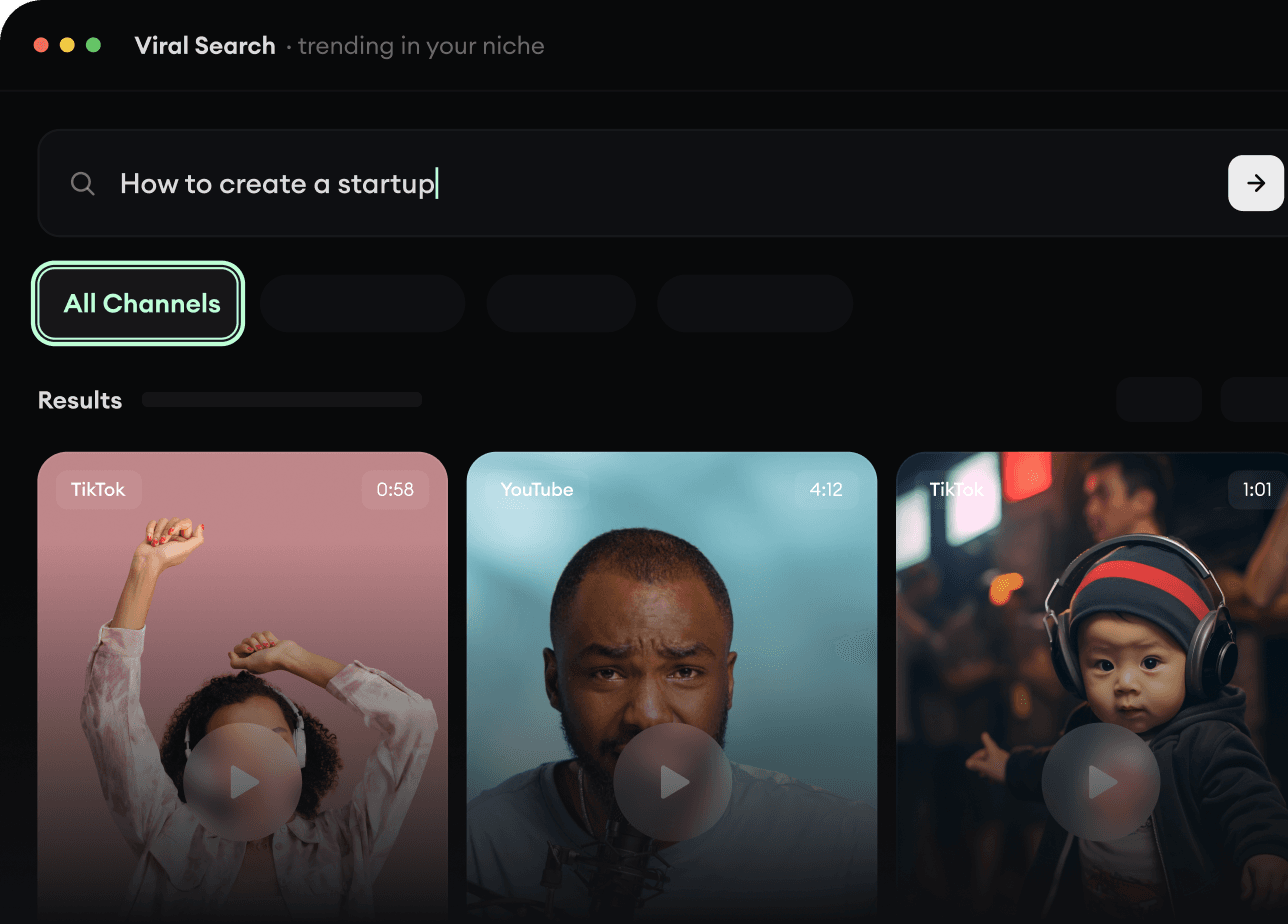
Vind virale en trending video's.
Viral Search en Channel Watcher van Revid AI laten zien welke formats, creators en trends nu de aandacht trekken, en helpen je er je eigen ideeën van te maken.
Ontdek succesvolle videoformats in jouw niche
Volg de creators en kanalen die ertoe doen
Begin met bewezen ideeën in plaats van te gokken
2
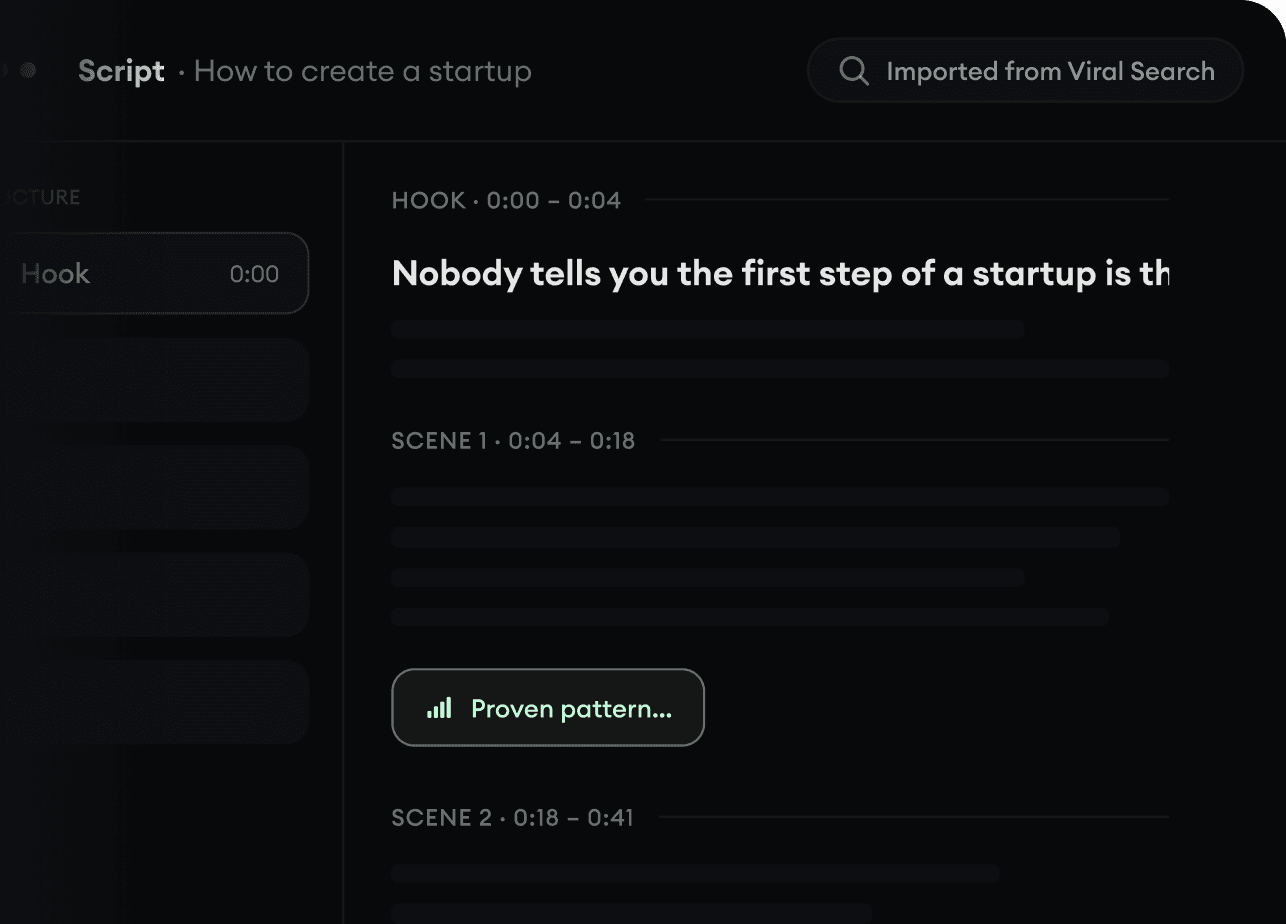
Maak van een idee een verhaal.
Iets gevonden dat je wilt maken? Revid AI schrijft het script, stelt de opbouw voor en maakt van links, prompts of onderwerpen complete videoconcepten.
Begin met een prompt, onderwerp of URL
Genereer scripts op basis van bewezen patronen
Bouw verhalen die kijkers blijven boeien
3
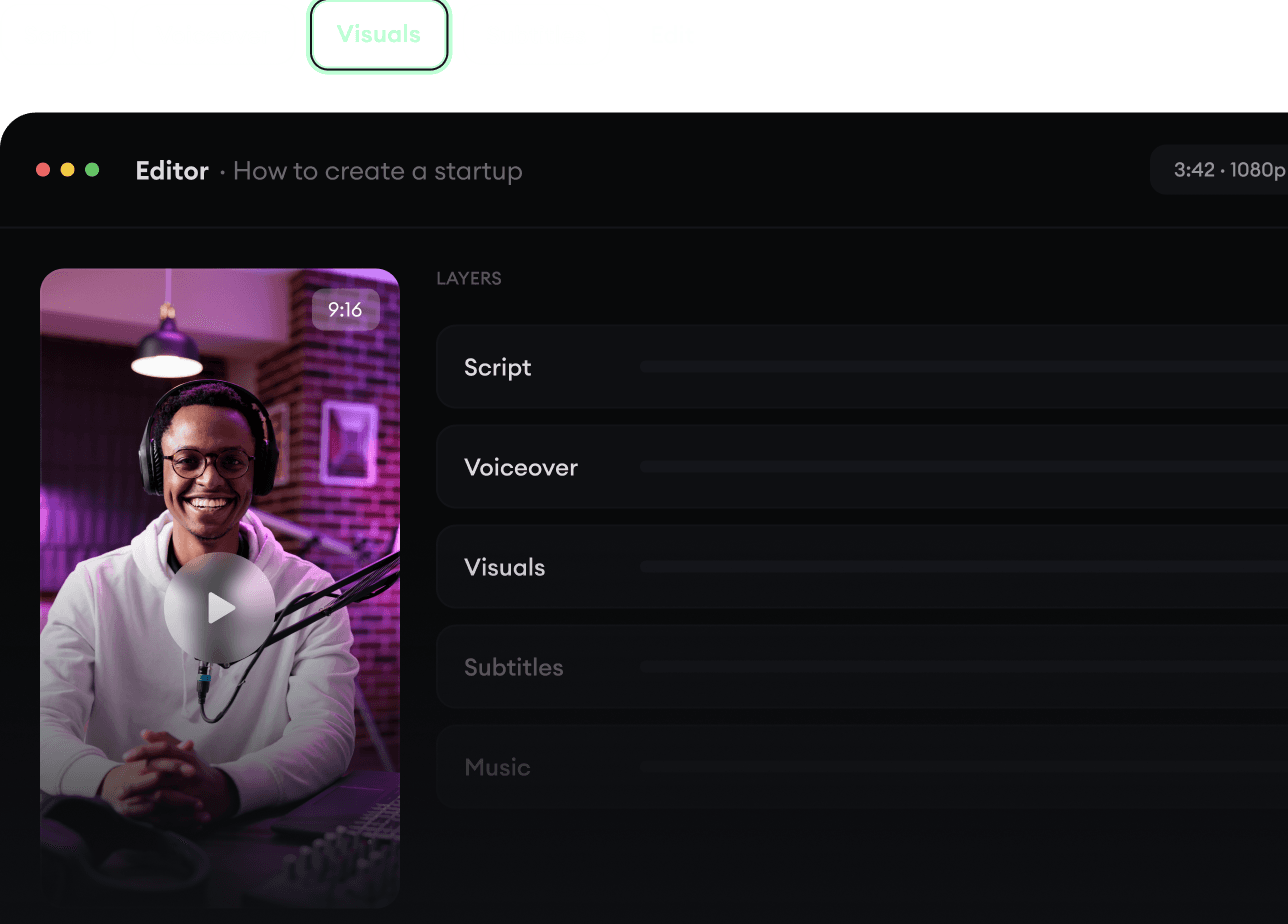
Genereer de kant-en-klare video.
Script, voice-over, beelden, ondertitels en montage komen samen in één workflow. Geen gedoe meer met vijf verschillende tools.
Maak van tekst complete video's van meerdere minuten
Genereer alles op één plek
Verfijn het resultaat in de editor
4
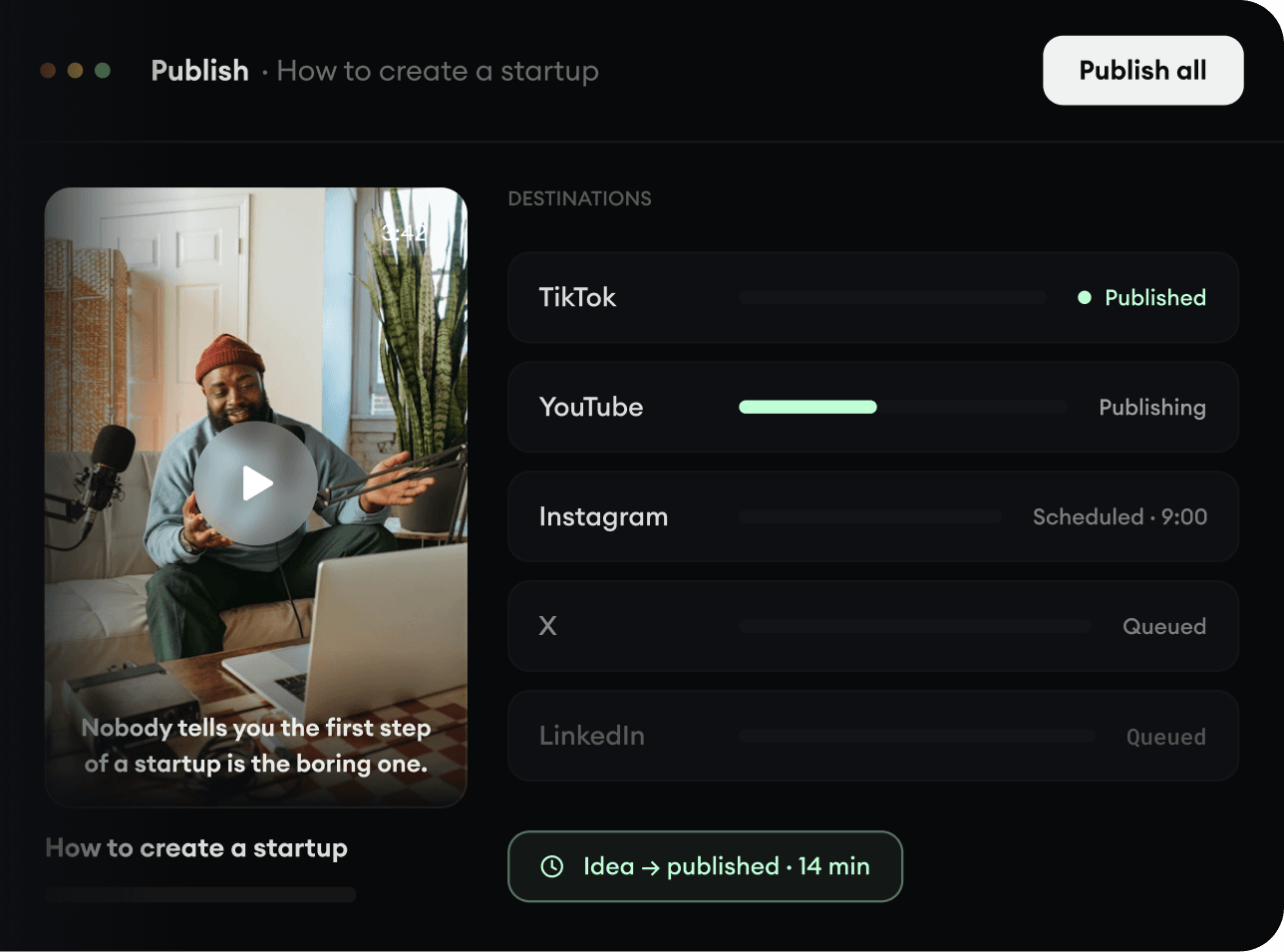
Publiceer overal.
Deel je video's op TikTok, YouTube, Instagram en overal waar je publiek zit.
Publiceer op alle grote platforms
Bereik meer mensen met minder werk
Van idee tot gepubliceerde video in een paar minuten