AI Sports Fan Reaction & Rivalry Maker

Generate viral sports commentary and fan reactions. Create passionate #chicagobears rants, #packers game analysis, and #beardown rivalry videos instantly.

Related tools you might like:

1,592 people used this tool in the last 24h
Start for free.(no credit card required)

or explore our 42+ other tools to create the exact video you want

Explore our tools

Create Viral Sports Fan Reactions & Hot Takes in 3 Steps

1 Define Your Hot Take

Enter a description of the game, the rivalry, or the specific play you want to react to. You can input a game result (e.g., 'Bears beat Packers'), a controversial opinion, or a fantasy football update. Specify the emotion—whether it's ecstatic celebration, angry rant, or sarcastic analysis—to set the tone for your AI sports fan reaction video.

2 Select Visuals and Voice

Choose the media type that best fits your narrative: high-energy stock footage of stadiums and crowds, or unique AI-generated video and moving images. Select an energetic AI voice that sounds like a die-hard super-fan or a professional sports analyst, or record your own voiceover to add a personal touch to the commentary.

3 Generate and Share the Hype

Click 'Generate Video' and let our AI assemble your sports content in minutes. The tool automatically syncs the voiceover with dynamic visuals, captions, and background music. Use the built-in editor to tweak the final cut, then download your viral-ready clip for TikTok, Instagram Reels, or YouTube Shorts.

Example Videos

See What You Can Create with AI Sports Fan Reaction Maker

Explore different styles and possibilities with our AI Sports Fan Reaction Maker

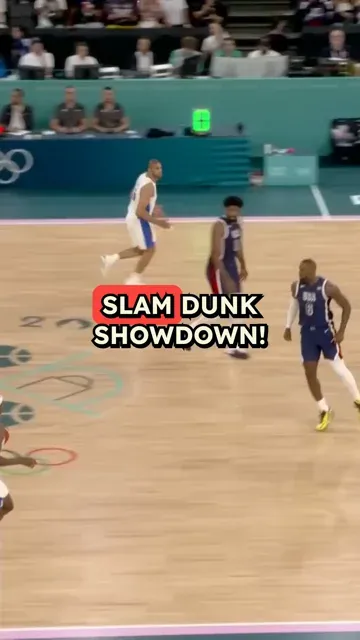
Post-Game Fan Reaction

Capture the raw emotion of a big win or heartbreaking loss. Create relatable fan content that followers will share immediately after the game.

  • Authentic fan emotion and energy
  • Immediate post-game relevance
  • Team-specific chants and references
  • Viral potential for sports communities
Post-Game Fan Reaction

Rivalry Trash Talk & Analysis

Generate engaging debates and hot takes about classic rivalries like Bears vs. Packers. Perfect for sparking comments and engagement.

  • High-engagement controversial takes
  • Direct address to rival fanbases
  • Statistical breakdown mixed with emotion
  • Perfect for TikTok sports debates
Rivalry Trash Talk & Analysis

Fantasy Football Updates

Create quick, sharp updates on player stats, injuries, and fantasy recommendations that keep your league watching.

  • Data-driven player analysis
  • Fast-paced visual updates
  • Clear advice for fantasy managers
  • Professional sports news aesthetic
Fantasy Football Updates
FAQs

Frequently Asked Questions

What is the AI Sports Fan Reaction Maker?
The AI Sports Fan Reaction Maker is a specialized tool designed to help creators generate viral sports commentary and fan reaction videos without needing a camera or a studio. Whether you want to create a passionate rant about a referee call, a celebration of a touchdown, or a statistical breakdown for fantasy football, this tool turns your text prompts into engaging, professional-looking short videos optimized for social media.
How do I create a sports fan reaction video with this tool?
Creating a sports fan reaction video is simple. First, describe your reaction or analysis in the text field (e.g., 'A passionate rant about the Chicago Bears' defense'). Next, choose your preferred visual style—either stock sports footage or AI-generated visuals. Finally, select an energetic audio track and voice. The AI will instantly generate a video that matches the intensity and emotion of your script.
Can I use this tool to make videos about specific teams like the Bears or Packers?
Absolutely! Our AI Sports Fan Reaction Maker excels at creating team-specific content. You can mention specific teams like the Chicago Bears, Green Bay Packers, or any other franchise. The AI understands context like 'Bear Down' or generic rivalry terms, allowing you to create highly relevant content that resonates with specific fanbases and fuels sports rivalries.
What kind of sports content can I generate?
The possibilities are endless. You can create post-game reaction videos, 'hot take' debates, rivalry trash talk clips, fantasy football updates, injury reports, or pre-game hype videos. The tool is designed to mimic the energy of sports talk radio and viral TikTok sports influencers, making it perfect for building an audience in the sports niche.
Does the tool provide sports-related stock footage?
Yes, you can choose the 'Stock video' option to access a library of high-quality sports footage, including stadiums, crowds, athletes in action, and general game-day atmospheres. Alternatively, you can use our 'AI Video' or 'Moving AI Images' features to generate unique, stylized visuals that perfectly match the specific description of your sports commentary.
Can I record my own voice for the sports commentary?
Yes! While we offer energetic AI voices that sound like passionate fans or announcers, you can also use the "Record Yourself" feature. This is perfect for podcasters or influencers who want to use their own voice for the rant or analysis while letting the AI handle the visual editing and b-roll selection.
Is the content optimized for TikTok and Instagram Reels?
Definitely. The AI Sports Fan Reaction Maker generates videos in a 9:16 vertical aspect ratio by default, which is the native format for TikTok, Instagram Reels, and YouTube Shorts. The pacing, captions, and visual structure are specifically tuned to maximize retention and engagement on these short-form video platforms.
How much does it cost to generate a sports reaction video?
The cost depends on the media type you select. Using standard stock footage usually costs 1 credit per video. If you opt for premium AI-generated video clips to illustrate your sports reaction, it may require additional credits. Your available credits depend on your Revid AI subscription plan. You can check your credit balance and estimated costs before hitting generate.
Can I edit the video after the AI generates it?
Yes, you have full creative control. Once the AI generates the initial draft of your sports fan reaction video, you can use our integrated editor to trim clips, change the background music, adjust the volume, or modify the text overlays and captions. This ensures your final video is polished and perfectly hits the emotional note you're aiming for.
How can I make my sports videos go viral?
To increase your chances of going viral, use the tool to react immediately to live game events while the topic is trending. Use our 'Hook' structure in your script—start with a controversial statement or loud celebration. Utilizing specific hashtags like #chicagobears, #packers, or #nfl in your social media posts, combined with the high-energy visuals our tool provides, will help boost your engagement.
View Complete Help Center

Find detailed answers to 100+ questions about features, tools, and workflows

or check our markdown version optimized for LLMs

Tools

Free AI Video Tools

Pick the right tool, provide your input, and you'll create a video in no time - customize it however you want.

AI TikTok Video Generator

Turn text into trendy, viral TikTok videos in a snap

Try it out

Add Caption to Video

Generate subtitles in 100+ languages with AI captions

Try it out

PDF to Brainrot

Convert PDFs into attention-grabbing, scrollable videos

Try it out

Text to Brainrot

Turn your text into trendy, scrollable content with dynamic visuals

Try it out

AI Talking Avatar

Create lifelike talking avatars from text in seconds

Try it out

Video Podcast Generator

Transform your podcasts into visually engaging video content

Try it out

AI Movie Maker

Create studio-quality videos from text, no filming required

Try it out

Audio to Video

Make engaging videos from your podcasts, interviews, or any audio content

Try it out

AI Music Video Generator

Transform your music into cinematic music videos.

Try it out

AI Lyrics Video Generator

Transform your lyrics into a complete music video with AI

Try it out

Instrumental Music Visualizer

Transform your instrumental music into videos.

Try it out

Prompt to Video

Turn your prompts into engaging videos with AI assistance

Try it out
See all tools
How it works

Four Easy Steps To Create & Share Your Story

1

Get inspired by viral content

Looking for story ideas? Our AI finds trending content and helps you remake it into your very own videos - no more trial and error.

  • See what types of stories are working right now
  • Get inspiration from successful creators
  • Turn your ideas into stories people want to hear
Get inspired by viral content
2

Storytelling to Hook your Audience

Revid.ai understands what makes videos go viral and uses the same proven methods to write scripts for you.

  • Write your script or tell our AI what you want to talk about
  • The AI will find relevant content to get inspired by
  • Drop any link and it will be automatically parsed and formatted for a video
Storytelling to Hook your Audience
3

Videos You'd LOVE to Watch

Create perfect videos, share instantly, and grow your business.

  • Watch your words become a professional video
  • Set up automatic video creation from your content
Videos You'd LOVE to Watch
4

Publish on TikTok, YouTube, Instagram and more...

Reach a wider audience by sharing your video across your favorite social media platforms

    Publish on TikTok, YouTube, Instagram and more...
    revid.ai logo

    Your shortcut to effortless video storytelling.



