Creators publish 30,000+ videos a month with Revid

AI Cartoon Video Generator: Text to Cartoon Video

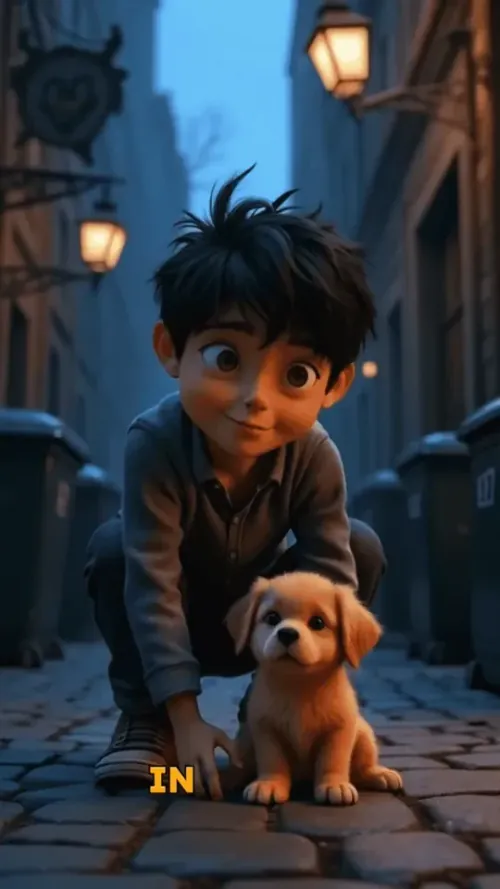
Revid's AI cartoon video generator turns a script or a one-line idea into an animated cartoon video. It writes the scenes, draws them in the cartoon style you pick (Pixar-style 3D by default, or retro cartoon, flat animation, claymation, anime and more), animates them and adds a voiceover, music and captions. Videos run from 8 seconds to 5 minutes.

  • Start from text in seconds
  • AI voiceover
  • Auto-selects visuals
  • Captions and sound-ready

Need the prompt first? Try the free AI video prompt generator.

Your video prompt
đź’ˇ Use natural language to describe what you want to see in the video. AI will generate a script based on your prompt.
3,730 people used this tool in the last 24h
Start for free.(no credit card required)

or explore our 42+ other tools to create the exact video you want

Explore our tools

Proof of range

Start FromWhat Already Works

YOUR IDEA
Your Prompt

Script automatically generated by Revid

Whispers echoed through the ancient forest as young Mio stumbled upon a hidden door in a mossy tree trunk. Curiosity overcame caution, and she stepped through. Suddenly, she was floating in a sea of stars, surrounded by glowing spirit creatures. A wise fox spirit appeared, offering to guide her home if she could solve three magical riddles. As dawn broke, Mio returned changed, carrying newfound courage and wonder for the world's hidden magic.
Visual FormatAnimated AI Images
Avatar
Selected Avatar
FINAL VIDEO

Create AI Cartoon Videos in 3 Simple Steps

1 Write Your Script

Start by entering your script or story. Use [brackets] to guide the AI on specific cartoon scenes you want to generate. For example, [cartoon cat chasing mouse] will create that exact animated scene.

2 Choose Your Style

Select from various cartoon styles - from classic 2D animation to modern anime-inspired looks. Pick a voice from our AI collection or upload your own recording. Add background music to enhance the mood.

3 Generate and Edit

Click 'Generate' and watch as your script transforms into a captivating cartoon video. Use our editor to fine-tune animations, adjust timing, or add effects until your cartoon is perfect.

01

AI Cartoon Video Generator That Actually Looks Good

Most cartoon video tools produce results that look obviously AI-generated in the worst way. Revid's AI cartoon video generator is built around visual quality first, producing cartoon-style videos with consistent character design, smooth motion, and cinematic framing that holds up on any screen. Write one line, generate, and judge the result for yourself.

02

AI Cartoon Video, From Text Prompt to Animated Scene

Revid's AI cartoon video tool transforms any text description into a fully animated cartoon scene complete with voiceover, background music, and captions. Describe your characters, setting, and story, and the AI generates a cartoon video that matches your vision without requiring any animation skills or software knowledge. It works for storytelling content, educational explainers, entertainment channels, and anyone who wants to produce cartoon video content consistently without a production team.

03

How to Create a Cartoon Video with AI in Minutes

Creating a cartoon video with Revid takes three steps. Write your script or describe your scene, choose a cartoon visual style from Revid's library, and generate. The AI handles character animation, scene transitions, lip sync, and voiceover delivery automatically, producing a finished cartoon video ready to download and post. Whether you are making content for TikTok, YouTube, or your own platform, Revid's AI cartoon video generator removes every technical barrier between your idea and a finished animated video.

04

Best AI Cartoon Video Generator for Every Style and Genre

From anime-inspired action scenes to soft 2D storybook animation, Revid supports a wide range of cartoon aesthetics that go far beyond generic clip art. The best AI cartoon video generator is one that understands visual style deeply enough to match your creative vision, and Revid's style presets cover a broad range of animation looks, from Pixar-style 3D and claymation to retro cartoon and anime, to give your content a distinct look that stands out in any feed. Try different styles, compare outputs, and find the cartoon aesthetic that fits your brand or channel.

Example Videos

See What You Can Create with AI Cartoon Video Generator

Explore different styles and possibilities with our AI Cartoon Video Generator

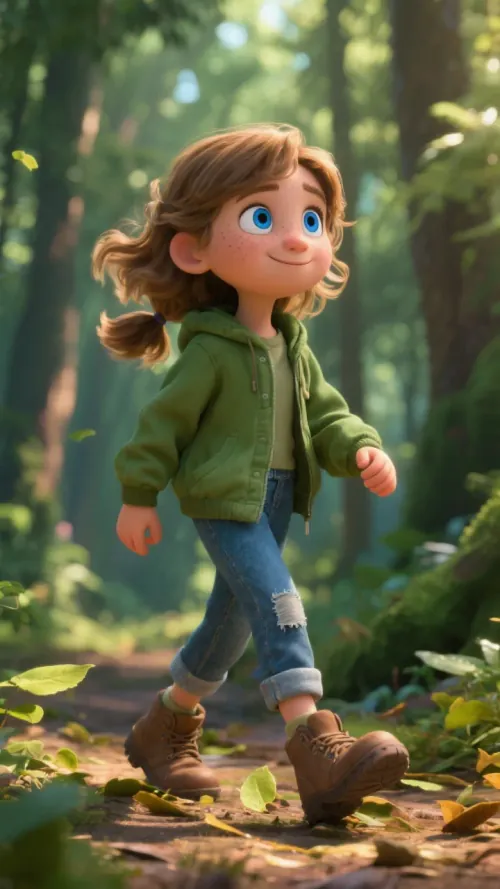
Pixar-Style Animation Made Simple

Transform any story into stunning Pixar-quality cartoon videos. Our AI creates professional-grade animated content with cinematic visuals, perfect character design, and emotional storytelling that rivals Disney productions.

  • Disney Pixar-style 3D animation quality
  • AI-generated characters with emotional depth
  • Professional voice acting and sound design
  • Cinematic camera angles and lighting effects
Pixar-Style Animation Made Simple

Epic Cartoon Adventures

Create sprawling cartoon narratives with rich world-building and character development. Perfect for fantasy stories, adventures, and immersive storytelling that captivates audiences from start to finish.

  • Epic fantasy and adventure cartoon creation
  • Rich world-building with detailed environments
  • Complex character arcs and development
  • Seamless scene transitions and pacing
Epic Cartoon Adventures

Heartwarming Cartoon Stories

Bring emotional, character-driven stories to life with beautiful cartoon animation. Perfect for touching narratives, friendship tales, and stories that connect with viewers on a deep emotional level.

  • Emotional storytelling with cartoon characters
  • Beautiful hand-drawn animation aesthetic
  • Perfect for family-friendly content
  • Optimized for social media engagement
Heartwarming Cartoon Stories
FAQs

Frequently Asked Questions

What is an AI cartoon video generator?
It is a tool that makes animated cartoon videos from text. With Revid you type a script or an idea, and the AI writes the scenes, draws them in a cartoon style, animates them and adds a voiceover, music and captions, so you get a finished cartoon without drawing or animating anything yourself.
How do I make a cartoon video with AI?
Type your story or a one-line idea, keep the Pixar-style 3D look or pick another cartoon style, choose AI video or animated AI images, set the length and the format, then click Generate. The video opens in the editor, where you can change any scene, line or caption before exporting.
Which cartoon styles can I use?
The default is a Pixar-style 3D look. The style picker also has Retro Cartoon, Flat Animation, Claymation, Kids Book, Comic, Anime, Nintendo-style 3D, Lego and more, and the style applies to every scene of the video.
Can I make an AI cartoon video from text only?
Yes, text is all you need: a full script with the lines you want narrated, or a short prompt such as "a lazy cat who wants to become an astronaut" that the AI turns into a story. You can also attach images as visual references for the characters or the setting.
How long can an AI cartoon video be?
From 8 seconds to 5 minutes. Leave the duration on Auto and the AI sizes the cartoon to your story, or set an exact length. Cartoons are vertical 9:16 by default and can also be 16:9 for YouTube, 1:1 or 4:5.
Is the AI cartoon video generator free?
Animated AI images are not limited to subscribers, while AI video scenes (where characters move inside the shot) need a paid Revid plan. Every generation uses credits, and the exact cost shows before you generate.
Can I post AI cartoon videos on YouTube and TikTok?
Yes. Export the video as an MP4 in 720p, 1080p or 4K, or publish it directly to TikTok, YouTube or Instagram from Revid.
Which tool should I use for anime, Pixar or 2D animation?
This generator covers every cartoon style. For a tool set up for one look, use Pixar AI for 3D animation, the AI anime video generator for anime, or the 2D animation maker for flat 2D animation.

Still have questions?

Contact us

Find detailed answers to 100+ questions about features, tools, and workflows

or check our markdown version optimized for LLMs

Tools

Free AI Video Tools

Choose your tool, add your content, and create a video in seconds. Then customize it to your liking.

See all tools

AI TikTok Video Generator

Turn text into trendy, viral TikTok videos in a snap

Try it out

Prompt to Video

Turn your prompts into engaging videos with AI assistance

Try it out

Add Caption to Video

Generate subtitles in 100+ languages with AI captions

Try it out

PDF to Brainrot

Convert PDFs into attention-grabbing, scrollable videos

Try it out

Text to Brainrot

Turn your text into trendy, scrollable content with dynamic visuals

Try it out

AI Talking Avatar

Create lifelike talking avatars from text in seconds

Try it out

Video Podcast Generator

Transform your podcasts into visually engaging video content

Try it out

AI Movie Maker

Create studio-quality videos from text, no filming required

Try it out

Audio to Video

Make engaging videos from your podcasts, interviews, or any audio content

Try it out

Animated Lyrics Video Generator

Turn any song into an animated lyric video with synced text and visuals.

Try it out

AI Music Video Generator

Transform your music into cinematic music videos.

Try it out

AI Lyrics Video Generator

Transform your lyrics into a complete music video with AI

Try it out
How it works

From Signal To Published In Four Steps.

1

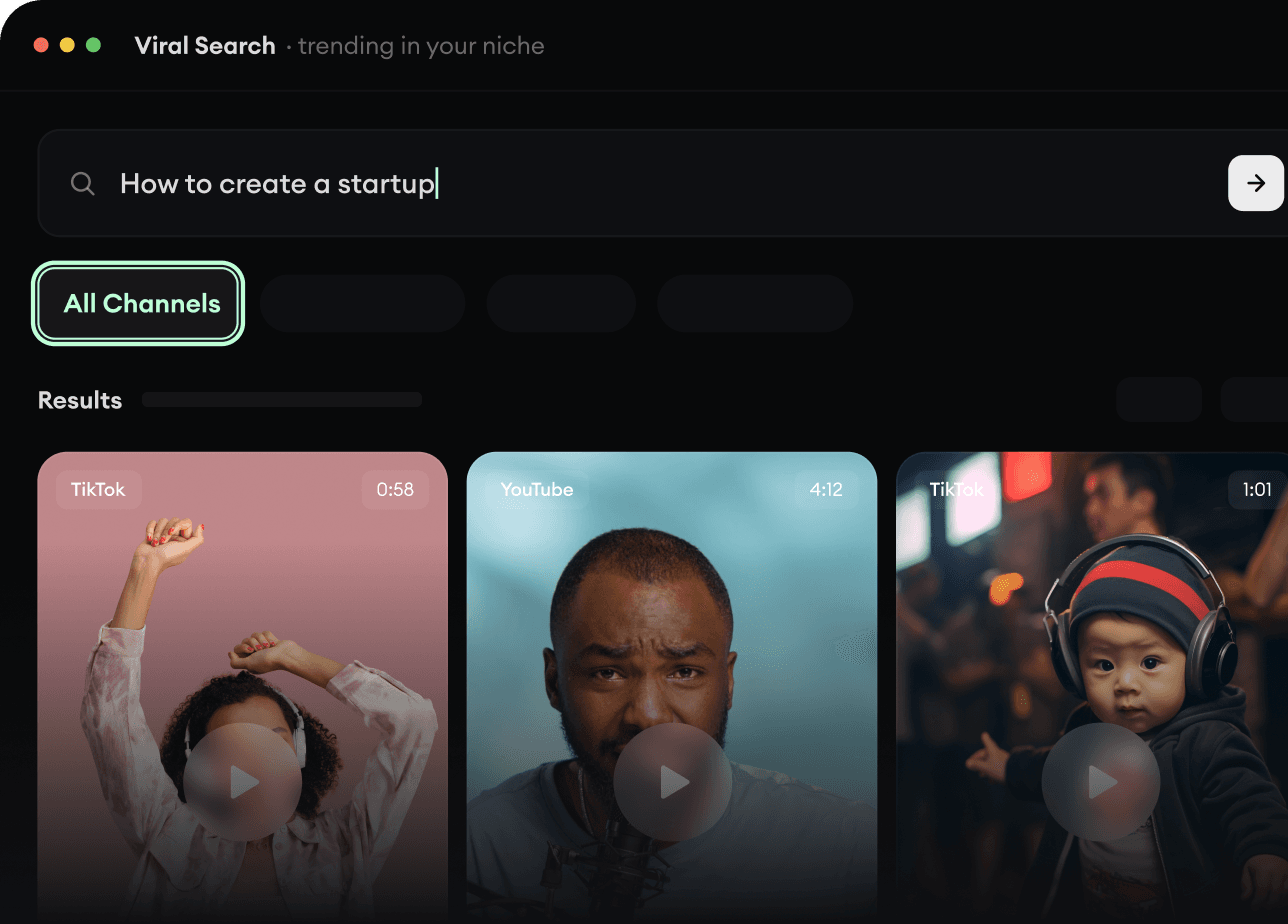
Find Viral & Trending Videos.

RevidAI's Viral Search and Channel Watcher surface the formats, creators, and trends getting attention right now, then help you turn them into ideas of your own.

  • Discover winning video formats in your niche
  • Follow creators and channels that matter
  • Start with proven ideas instead of guessing
Find Viral & Trending Videos.
2

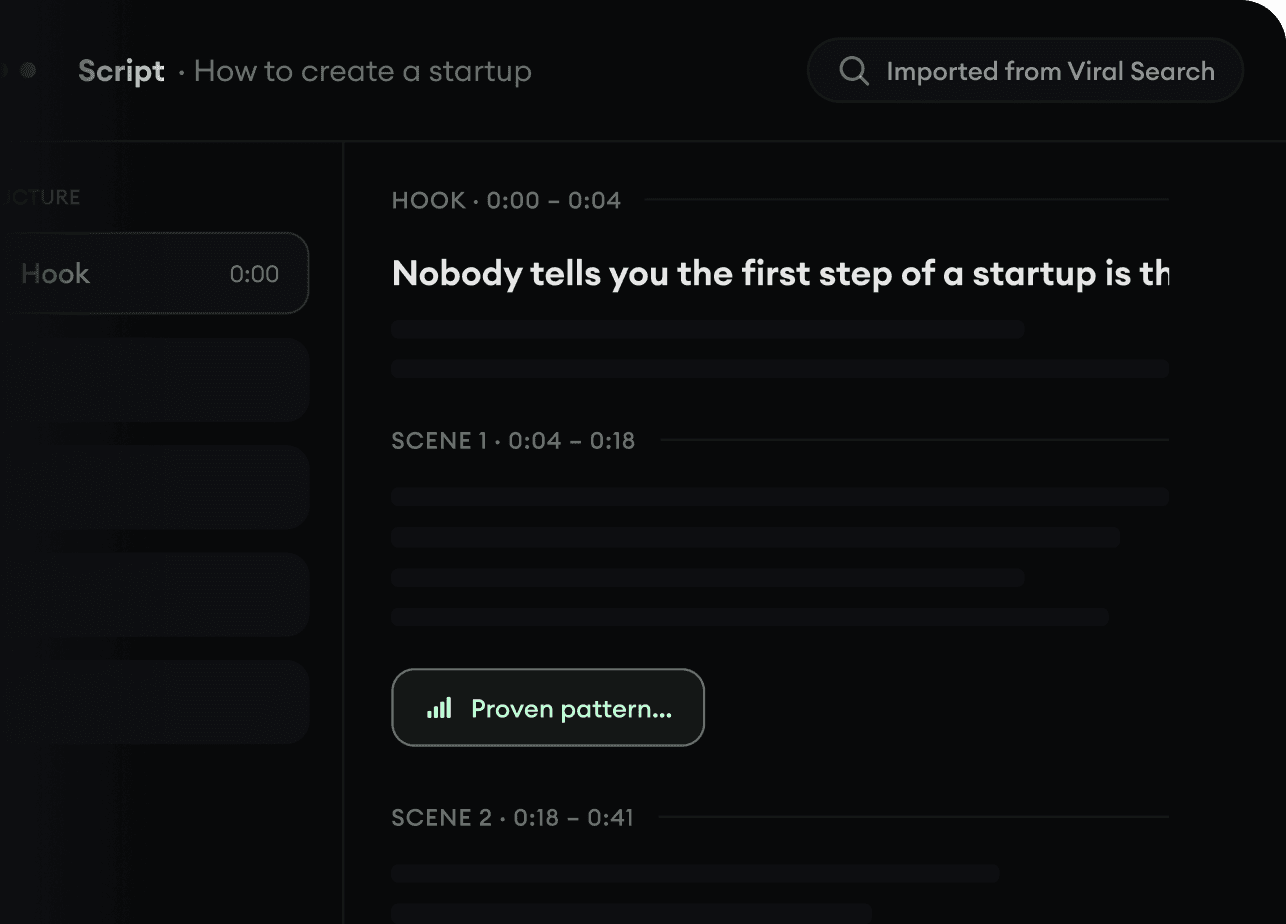
Turn An Idea Into A Story.

Found something worth making? Revid AI writes the script, suggests the structure, and turns links, prompts, or topics into complete video concepts.

  • Start with a prompt, topic, or URL
  • Generate scripts inspired by proven patterns
  • Build stories designed to keep people watching
Turn An Idea Into A Story.
3

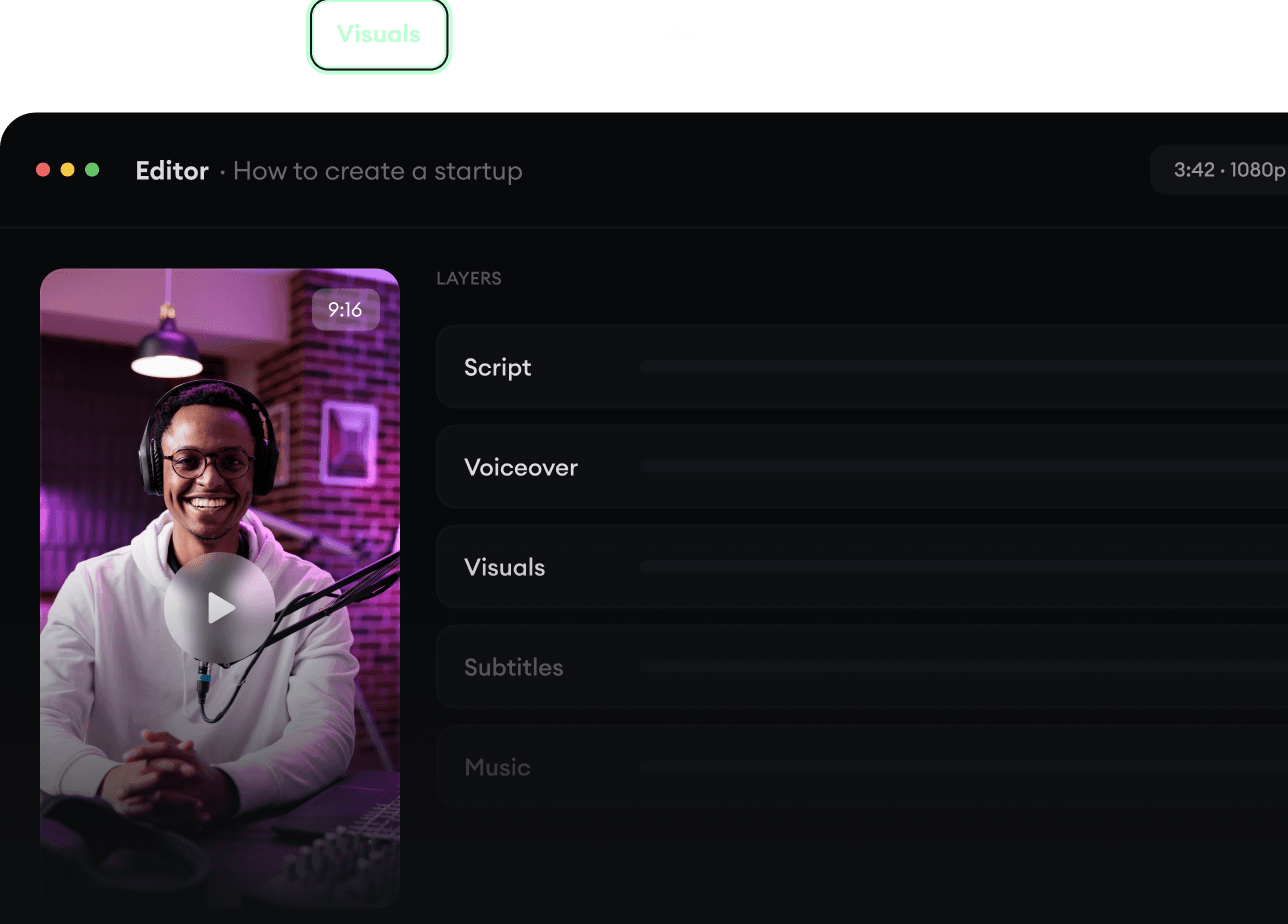
Generate The Finished Video.

Script, voiceover, visuals, subtitles, and editing all come together in one workflow. No stitching together five different tools.

  • Turn text into complete, multi-minute videos
  • Generate everything in one place
  • Refine the result in the editor
Generate The Finished Video.
4

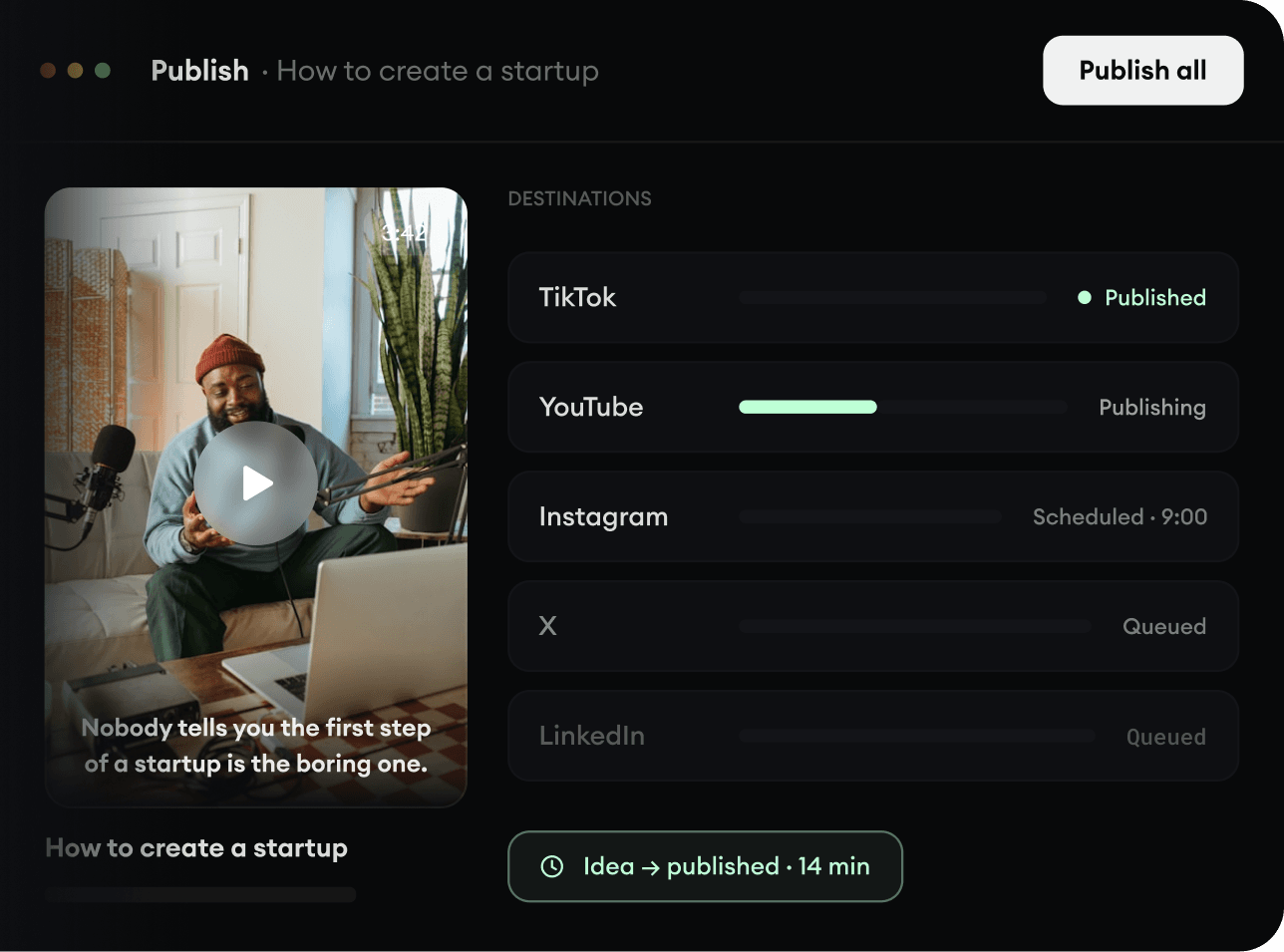
Publish Everywhere.

Share your videos to TikTok, YouTube, Instagram, and wherever your audience is.

  • Publish across every major platform
  • Reach more people with less work
  • Go from idea to published video in minutes
Publish Everywhere.