
Revid AI Influencer Studio
AI Influencer Generator
Create a character people remember.
Start with an idea or your own photo. Shape a distinctive face, build and outfit, then save your character for your next video.
Image and video generations use credits. Review the cost in the app before generating.
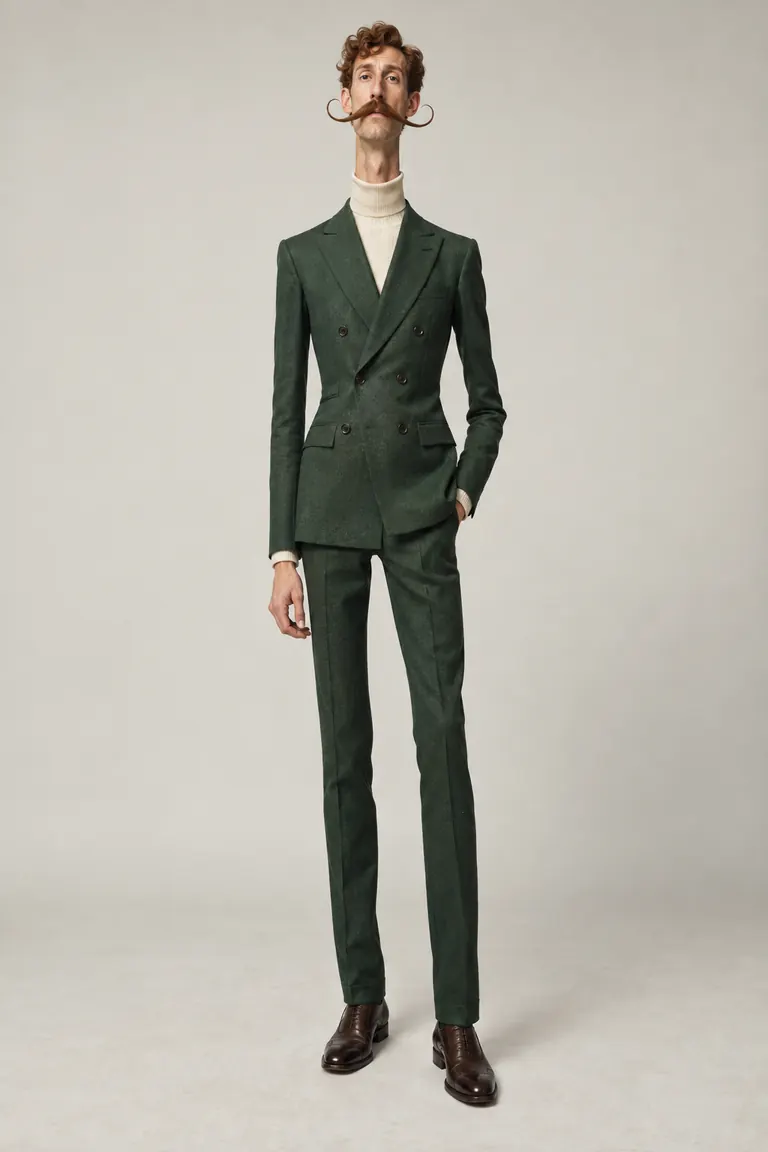
Eccentric dandy
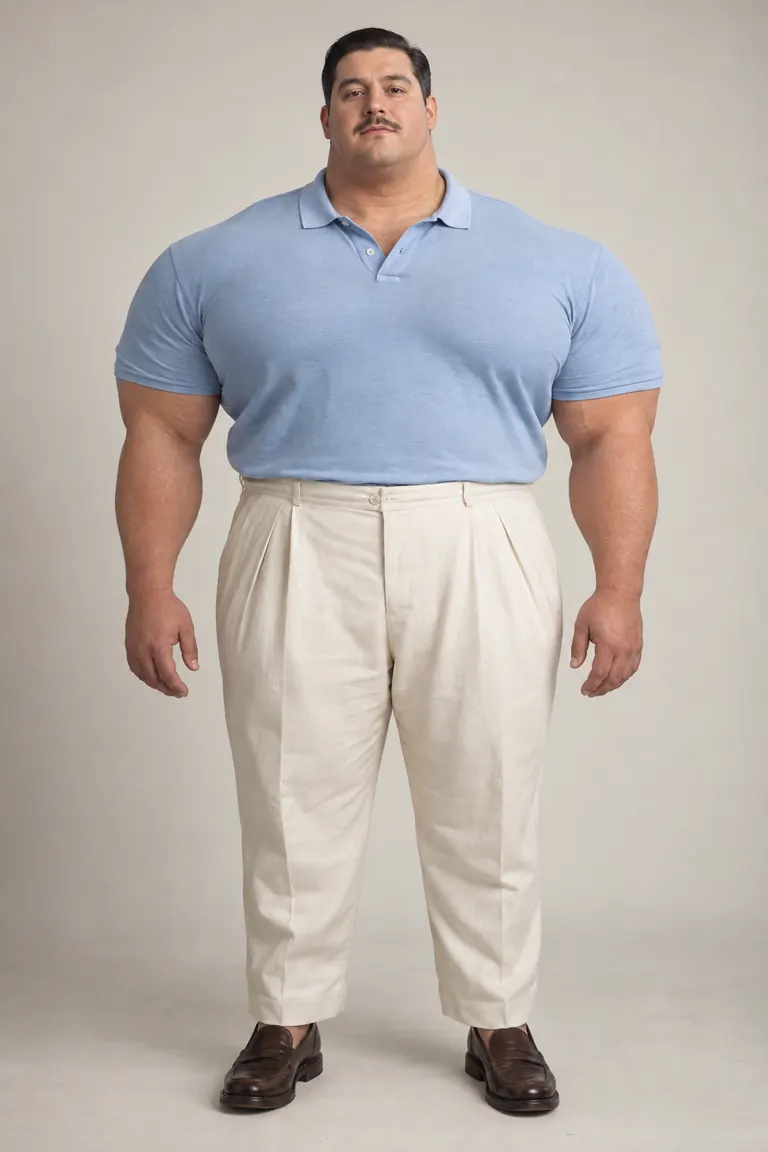
Gentle giant
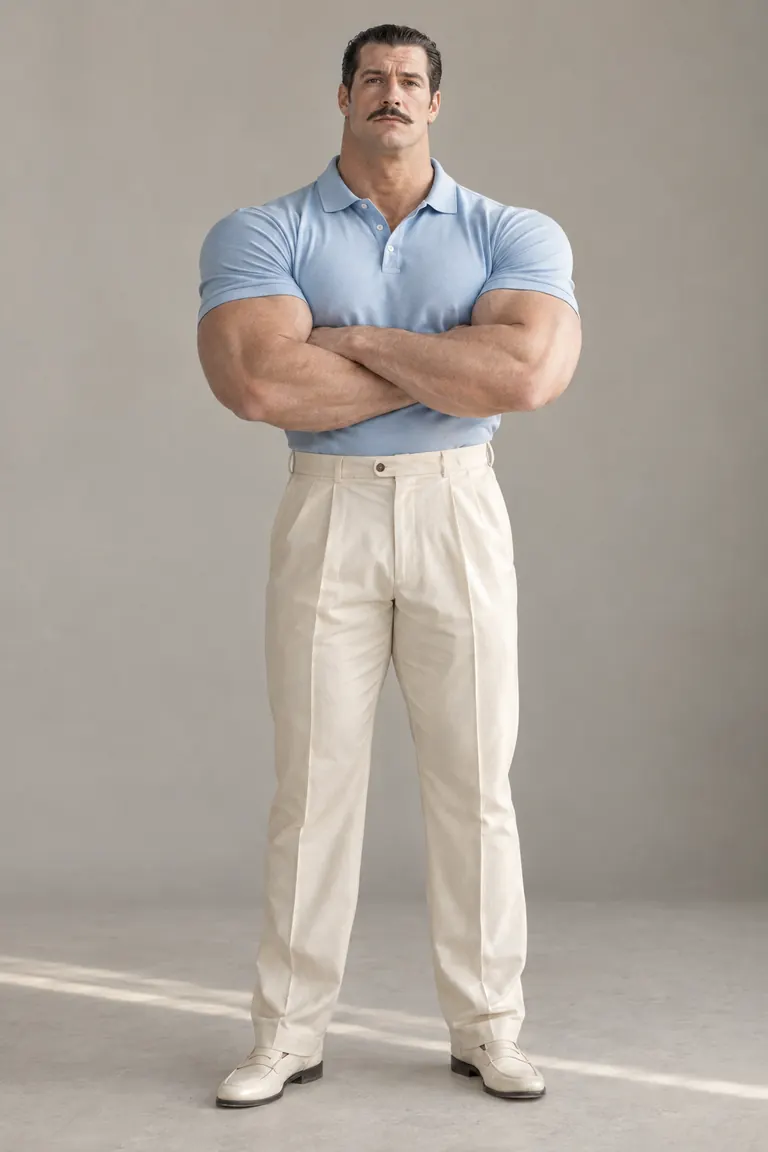
Everyday strongman
From a first idea to a saved character
- 01
Choose your starting point
Begin with a starter look or upload a clear photo of yourself. A reference photo guides the appearance; you can still change the character’s traits.
- 02
Make the look your own
Adjust the face, hair, height, build, proportions and clothing. Use extreme traits for a surreal silhouette, or keep the changes subtle. Generate a character image with GPT Image 2.5 and choose the result you want to keep.
- 03
Save the character you want to use
Choose a generated image and save it to your character library. You can return to that character instead of rebuilding its appearance for each project.
Your photo. A different character.
Use a clear photo of yourself as the starting reference, then explore a new hairstyle, a larger build or a different outfit. Keep familiar features while giving your character a look of its own. Choose your favorite generated image and save it for later.
Push the proportions as far as the idea needs
A small head, enormous shoulders, a long neck or a carefully sculpted hairstyle can make a character recognizable. Combine physical traits with clothing and expression to build an original persona. Try a quiet expression with a dramatic silhouette, or a distinctive outfit with more familiar proportions.
The next step: motion
Bring your saved character into a video
Save your character in the Studio, then choose “Use in video” to open Character Swap with its reference image. Pick a source preset, upload a clip or import a supported video link. Character Swap is a separate generation step that replaces a performer using your saved character.
Explore Character SwapChoose a source where the performer is easy to see. A simple dance, gesture or short performance gives you a clear starting point. Keep the same saved character when you want to try another scene.
Creating a Jean Phil-style AI character
Looking for the Jean Phil or Jean Philanthrope trend? Try the broader visual idea: realistic skin and clothes, exaggerated proportions, a distinctive outfit and a calm expression in an ordinary setting. Build your own persona, then pair it with a source performance in Character Swap.
Revid is an independent creation tool and is not affiliated with Jean Phil. This workflow does not claim to reproduce the original creator’s exact process.
Questions about creating an AI influencer
- What does the AI Influencer Studio create?
- The Studio creates character images that you can customize and save. It helps you establish the appearance of an original AI influencer. Making a video is a separate step, using the saved character in Character Swap.
- Can I start with my own photo?
- Yes. Upload a clear photo as the appearance reference, adjust the traits you want to change, and generate an image. Choose the result you want to keep and save it to your character library.
- Can I make an extreme or Jean Phil-style character?
- You can combine exaggerated body proportions, hair, clothes and expression to create your own character inspired by the wider trend. Revid is not affiliated with Jean Phil or Jean Philanthrope, and does not promise an exact copy.
- Can I reuse the character in different videos?
- Yes. Save a character and use its reference image again in Character Swap. You can return to your library and choose a new source performance without recreating the character image.
- Which source videos can I use?
- Character Swap offers source presets, video uploads and supported YouTube, Instagram and full TikTok video links. For TikTok, use the full video URL rather than a shortened sharing link. Choose footage you are allowed to use and follow the duration limits shown in the tool.
- Is AI influencer generation free?
- Character image generation and Character Swap video generation use credits. Check the cost displayed in the Studio or Character Swap before starting; the two steps are charged separately. Current plans and credit allowances are on the pricing page.
- Will my character look identical in every frame?
- A saved reference improves continuity, but it is not a guarantee. Facial details, clothes and unusual proportions can change during movement, especially when the source performer has a different silhouette. Preview your output before sharing it.