Creators publish 30,000+ videos a month with Revid

AI Song Ad Generator

Turn a product page or product photos into a singing ad. Revid writes an original jingle that sells one outcome, generates the song, has a performer sing the hook on camera, cuts product B-roll to the beat and closes on a packshot with your tagline.

Add your product and get a singing ad: an original jingle, a performer who sings the hook, product B-roll and an end card.

  • Original jingle from your product page
  • Performer sings the hook on camera
  • Product B-roll cut to the song
  • Packshot end card with your tagline

How to make an AI song ad in 3 steps

1 Add your product

Name the product or its page in the prompt, or upload product photos. Revid reads the page - name, promise, key points, offer, call to action - describes your photos and writes from those facts only, so the jingle sells what you actually sell.

2 Pick the jingle and the length

Choose the style of the song, from upbeat pop to rap, country or a soft acoustic tune, and a target duration. Revid writes the lyrics around one customer outcome, puts the catchiest line first so the hook lands in the opening seconds, and generates the track.

3 Get the ad, edit it, export it

The song is measured word by word. One performer sings the hook on camera, silent product B-roll fills the rest, lyric captions follow the vocal, and a packshot end card closes on your tagline. Every scene stays editable before you export in 9:16, 1:1, 4:5 or 16:9.

01

AI Song Ads: Why Singing Ads Scale on Meta and TikTok

A voiceover can be trimmed, a song cannot: it has a tempo, a bar structure and a hook that lands on the beat, and that is exactly why song-style ads hold attention and get remembered. Revid builds the ad the way the format demands. The jingle is written from your product page, the song is generated first and becomes the source of truth for pacing, and every scene is timed to the real word timings of the finished track.

02

From Product Page to Singing Ad in One Flow

Name the product or its page in the prompt, or upload product photos. Revid reads the page and extracts the name, the promise, the key points and the offer, writes a jingle that sells one customer outcome with the hook in the first five seconds, and generates the track. It then casts one performer, generates the singing shots with the song as audio reference, cuts silent product B-roll to the beat, adds word-synced lyric captions, and closes on a packshot end card carrying your tagline or call to action.

03

Jingle Ads Are Back, Because Short-Form Rewards Recall

The jingle never died, it moved: a sung line survives the mute button, the scroll and the second view, which is exactly what a feed placement asks for. What changed is the cost of making one. Writing the lyrics, composing the track, casting a singer and shooting the product used to be four suppliers and several days; here the ad is written from your product page and generated in one run, so testing a musical angle costs no more than testing a hook.

04

Write It Yourself or Let the AI Write It

Paste a jingle you already have and it is sung as written, section tags included. Or describe the ad in one line — the product, who it is for, the outcome to sell, the length — and the writer researches the product, writes the lyrics around one outcome and keeps the hook in the first five seconds. Either way the product intake, the performer, the lyric captions and the packshot end card work the same.

05

Built for Comparisons, Launches and Playful Brands

Song ads work best when the message fits in one memorable line: a launch, a before-and-after, a comparison with the old way of doing things, a brand with a clear audience and a musical identity. Pick the style of the jingle, from upbeat pop to rap or a soft acoustic tune, and let the visuals follow. Every scene stays editable in the Revid editor before you export for TikTok, Reels, Shorts or Meta.

Target Audience

Who is this tool for?

DTC and e-commerce brands

Turn a product page into a singing ad for TikTok, Reels and Meta without a studio, a composer or a shoot. The jingle is written from the page itself, and your product photos are the reference for every shot that shows the product.

Performance marketers and agencies

Test a musical angle the way you test a hook: generate several jingles for the same product, keep the one that holds attention, and iterate on the angle instead of rebooking a shoot.

App and SaaS teams

Show the real interface while the song sells the outcome. Screenshots of your product are attached as references, so the B-roll shows your screens rather than an invented dashboard.

Creators and local businesses

Give a launch, an offer or a shop a song people hum after one view, in the language of your audience, without buying a licence or hiring a jingle writer.

Comparison

Why make your song ad with Revid

A jingle ad normally means a copywriter, a composer, a singer, a shoot and an editor. The song-style ad format works because the song carries the pacing and the recall — Revid builds that chain end to end from your product page.

Lyrics
Revid AI Song AdWritten from your product page or photos, around one customer outcome, with the hook in the first seconds
Jingle produced the usual wayBriefed to a copywriter, then revised by mail over several days
Music
Revid AI Song AdOriginal track generated for this ad, in the style and length you pick
Jingle produced the usual wayComposed, or licensed from a library with usage limits
Singer on camera
Revid AI Song AdOne performer cast for the whole ad, singing the hook in sync with the track
Jingle produced the usual wayCasting, studio session and a shoot day
Product shots
Revid AI Song AdYour photos and screenshots are the reference in every shot that shows the product
Jingle produced the usual wayPackshot shoot, or stock footage that is not your product
Captions
Revid AI Song AdWord-synced lyric captions, from the lyrics themselves, so brand names are spelled right
Jingle produced the usual waySubtitled by hand in the edit
End card
Revid AI Song AdPackshot on the instrumental tail, carrying your tagline or call to action
Jingle produced the usual wayBuilt by a motion designer
Turnaround
Revid AI Song AdA finished, editable ad in minutes
Jingle produced the usual wayDays to weeks, per version
Example Videos

See What You Can Create with AI Song Ad Generator

Explore different styles and possibilities with our AI Song Ad Generator

A product page in, a singing ad out

This ad was generated from one line: "do an ad song for revid.ai of 30s". Revid read the site, wrote the jingle, generated the song, cast the performer who sings the hook, cut the product B-roll on the real interface and closed on the packshot with the tagline.
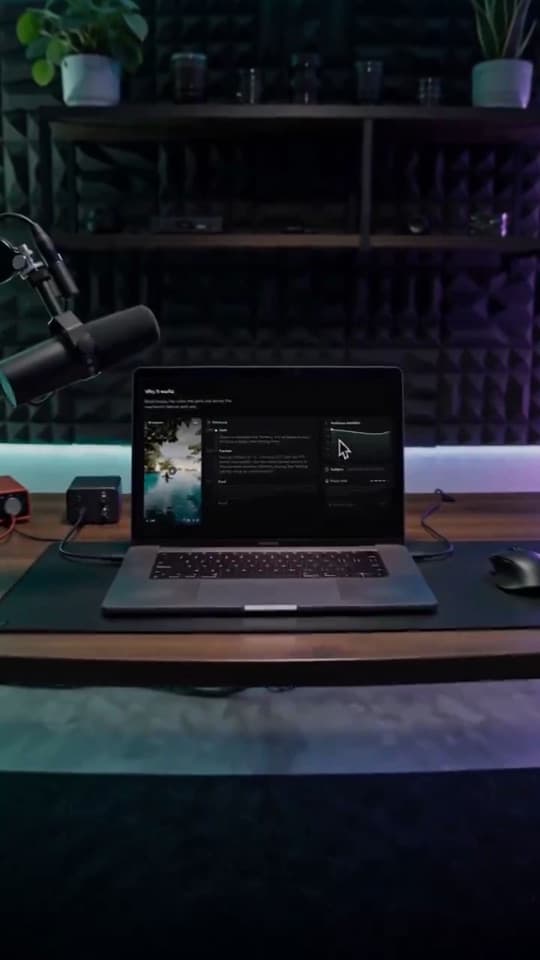
  • Original jingle written from the product page
  • One performer singing the hook on camera
  • Product B-roll cut to the beat of the song
  • Word-synced lyric captions and a packshot end card
A product page in, a singing ad out
FAQs

Frequently Asked Questions

What is an AI song ad?
A short product video carried by an original song. The jingle sells one customer outcome, the catchiest line lands in the first seconds and comes back as the chorus, a performer sings it on camera, and silent product shots visualize the rest. The song sets the pacing: every scene is timed to the finished track and the instrumental tail closes on a packshot with your tagline.
What do I need to provide?
A product page named in the prompt, product photos, or both. Revid reads the page (name, promise, key points, offer, call to action), describes the photos and writes the jingle from those facts only. The angle is optional: say who the ad is for, the problem and the outcome, and the lyrics follow it.
Can I write the jingle myself?
Yes. The composer has two tabs: describe the ad and let Revid write the lyrics, or paste a jingle you already wrote. Pasted lyrics are sung as written, section tags included, and the product intake, the performer and the end card still apply.
Does the singer really sing my jingle?
Yes. The finished song is analyzed word by word, one performer is cast for the whole ad, and the singing shots are generated with the song as the audio reference so the mouth follows the vocal. The other shots are silent product B-roll, so no character mouths words that are not sung.
Will the product look like my product?
Your product photos are the reference for every shot that shows it, including the packshot end card, so shape, colors, label and packaging are kept. For an app or a website, screenshots of the interface are used the same way, so the B-roll shows your screens. Upload a clean photo with the packaging fully visible for the best match.
What style of music can I ask for?
Any style that fits your audience: upbeat pop, hip-hop or rap, country, reggaeton, EDM, lo-fi, soft acoustic. Describe the sound rather than naming an artist, and Revid matches the genre, the tempo, the mood and the vocal to the ad.
How long is a song ad?
Most jingles land between 30 and 45 seconds, the length that performs on TikTok, Reels and Meta. Pick a target duration in the composer and the lyrics are sized for it; the song is generated first, and the ad is as long as the track.
Does it work in other languages?
Yes. The jingle is written in the language of your product page or your prompt, the vocals are checked against it, and the lyric captions are aligned on the words actually sung, so the brand name is spelled the way you write it.
Where do I post a song ad?
The default is vertical 9:16 for TikTok, Reels, Shorts and Meta placements; square and landscape are one export away. Song ads suit launches, offers, comparisons with the old way of doing things, and any brand whose message fits in one memorable line.
Can I edit the ad afterwards?
Yes. The song, every scene, the lyric captions and the end card land in the Revid editor. Regenerate a single shot, change the caption style, swap the headline on the end card, or export in 9:16, 1:1, 4:5 or 16:9.

Still have questions?

Contact us

Find detailed answers to 100+ questions about features, tools, and workflows

or check our markdown version optimized for LLMs

Tools

Free AI Video Tools

Choose your tool, add your content, and create a video in seconds. Then customize it to your liking.

See all tools

AI TikTok Video Generator

Turn text into trendy, viral TikTok videos in a snap

Try it out

Prompt to Video

Turn your prompts into engaging videos with AI assistance

Try it out

Add Caption to Video

Generate subtitles in 100+ languages with AI captions

Try it out

PDF to Brainrot

Convert PDFs into attention-grabbing, scrollable videos

Try it out

Text to Brainrot

Turn your text into trendy, scrollable content with dynamic visuals

Try it out

AI Talking Avatar

Create lifelike talking avatars from text in seconds

Try it out

Video Podcast Generator

Transform your podcasts into visually engaging video content

Try it out

AI Movie Maker

Create studio-quality videos from text, no filming required

Try it out

Audio to Video

Make engaging videos from your podcasts, interviews, or any audio content

Try it out

Animated Lyrics Video Generator

Turn any song into an animated lyric video with synced text and visuals.

Try it out

AI Music Video Generator

Transform your music into cinematic music videos.

Try it out

AI Lyrics Video Generator

Transform your lyrics into a complete music video with AI

Try it out
How it works

From Signal To Published In Four Steps.

1

Find Viral & Trending Videos.

RevidAI's Viral Search and Channel Watcher surface the formats, creators, and trends getting attention right now, then help you turn them into ideas of your own.
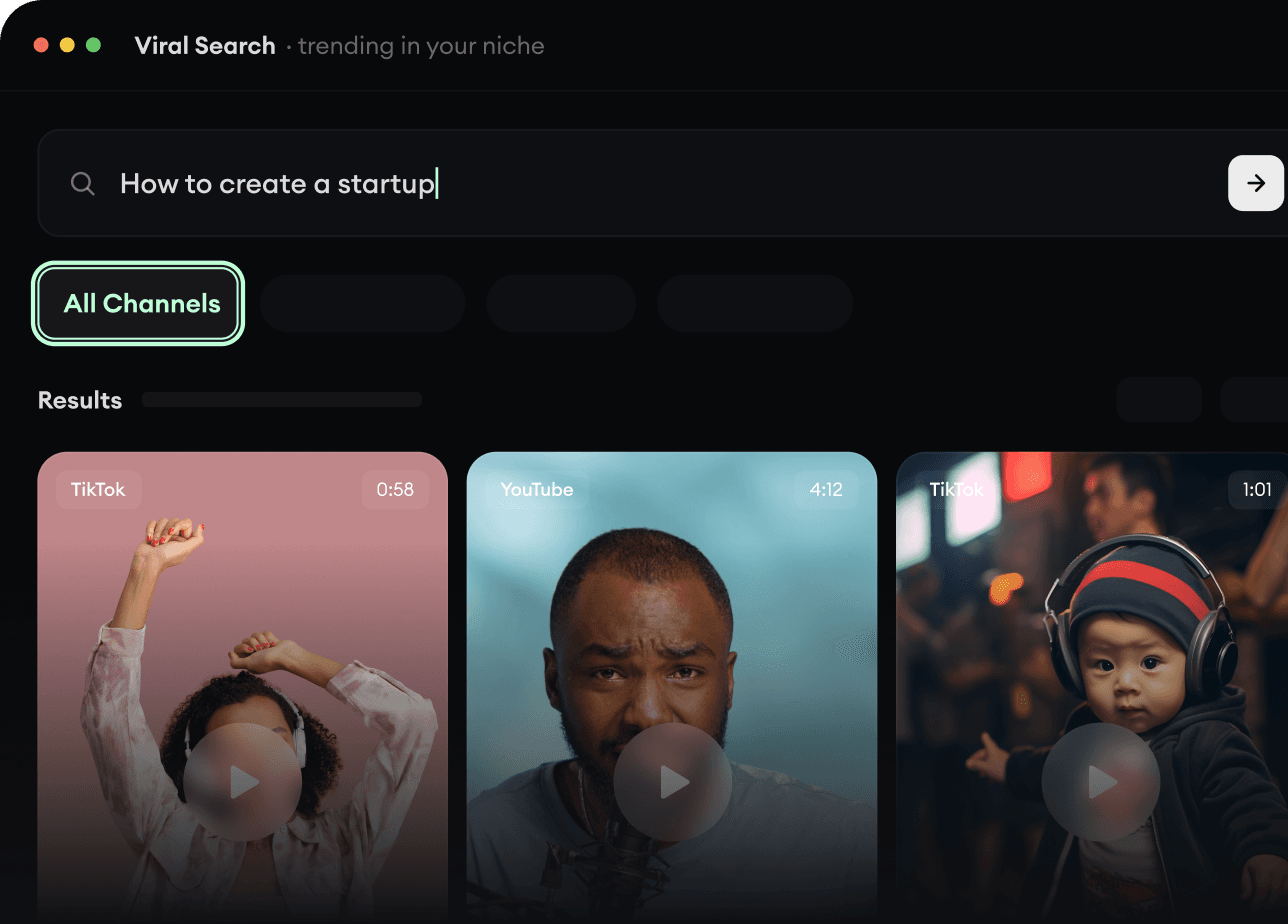
  • Discover winning video formats in your niche
  • Follow creators and channels that matter
  • Start with proven ideas instead of guessing
Find Viral & Trending Videos.
2

Turn An Idea Into A Story.

Found something worth making? Revid AI writes the script, suggests the structure, and turns links, prompts, or topics into complete video concepts.
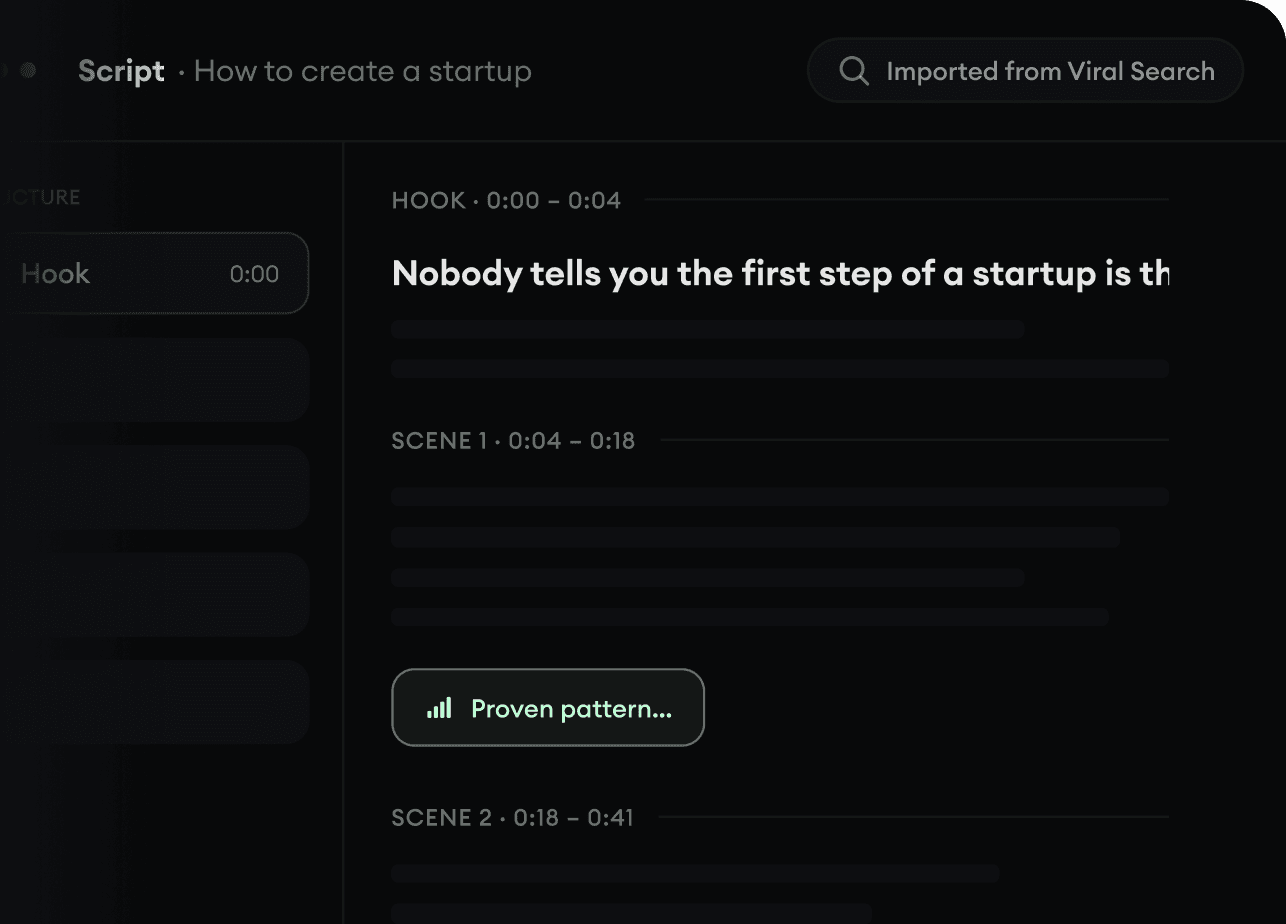
  • Start with a prompt, topic, or URL
  • Generate scripts inspired by proven patterns
  • Build stories designed to keep people watching
Turn An Idea Into A Story.
3

Generate The Finished Video.

Script, voiceover, visuals, subtitles, and editing all come together in one workflow. No stitching together five different tools.
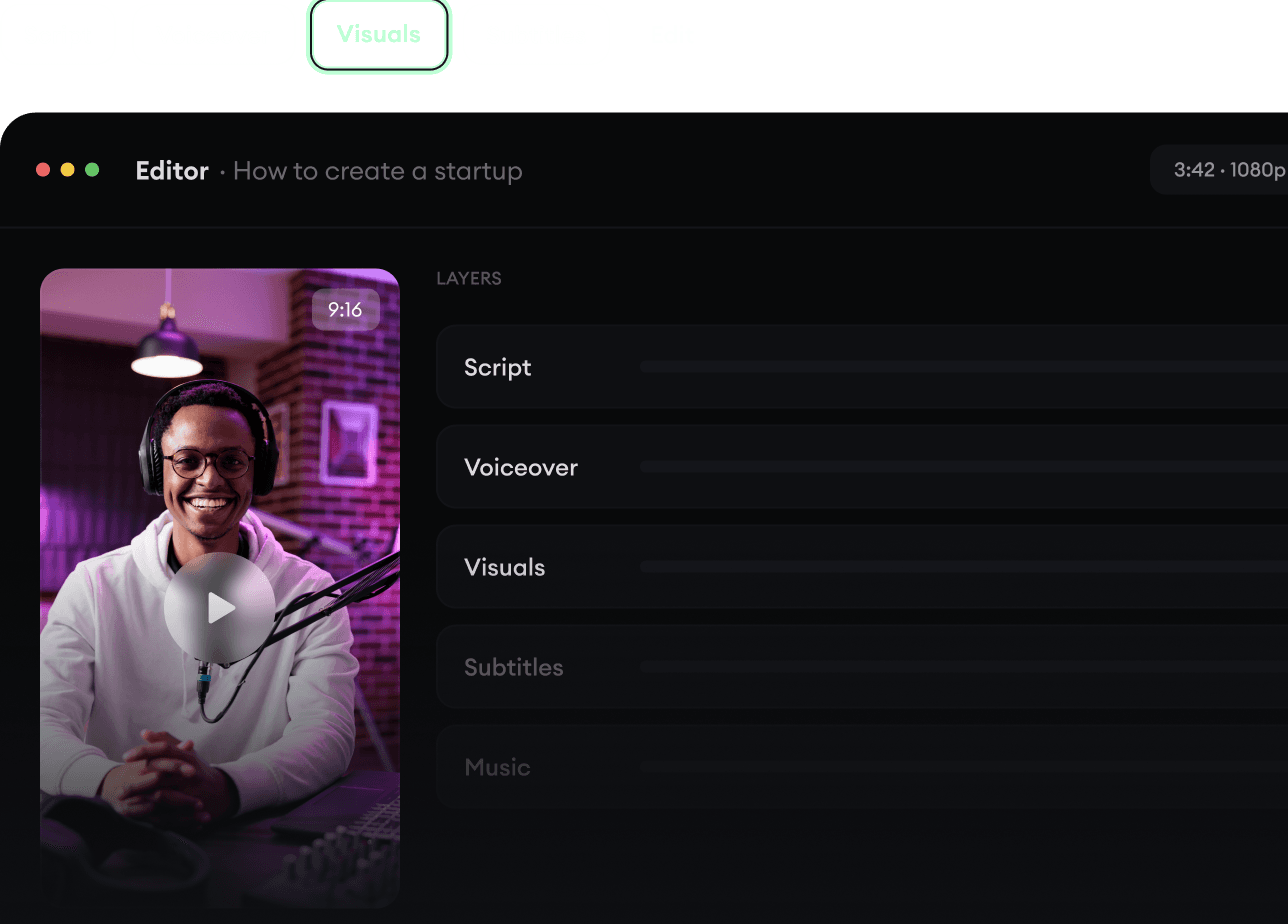
  • Turn text into complete, multi-minute videos
  • Generate everything in one place
  • Refine the result in the editor
Generate The Finished Video.
4

Publish Everywhere.

Share your videos to TikTok, YouTube, Instagram, and wherever your audience is.
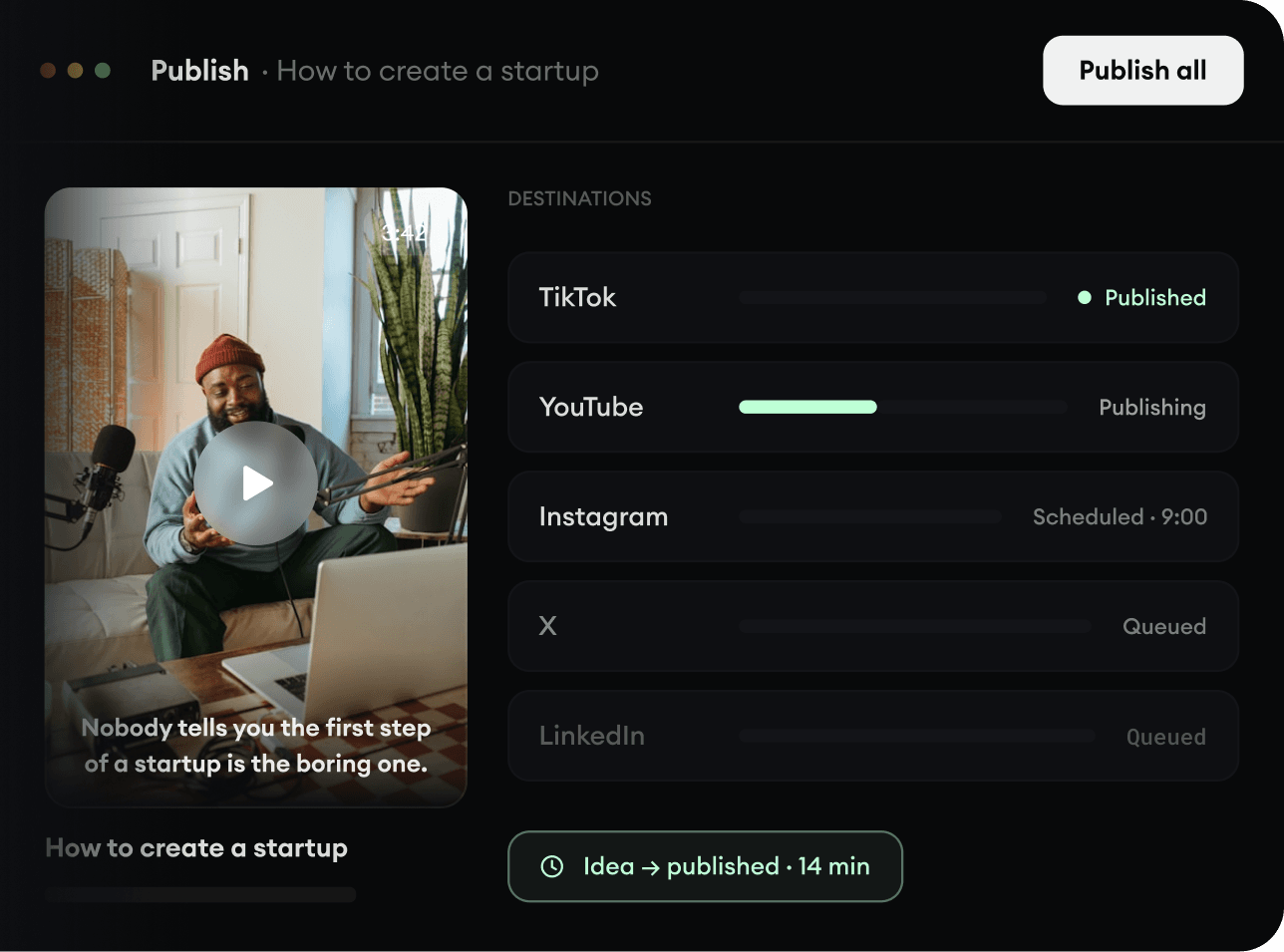
  • Publish across every major platform
  • Reach more people with less work
  • Go from idea to published video in minutes
Publish Everywhere.