Create Beautiful Videos From Memories in 3 Simple Steps
1 Upload Your Photos and Clips
Start by uploading your favorite photos and video clips. You can provide a quick text prompt describing the occasion, mood, or theme to guide the AI. Whether it's a family vacation, an anniversary, or a childhood timeline, just gather your media and let Revid know what story you want to tell.
2 Choose Your Style and Settings
Select your preferred visual style and media type. You can stick to the original look of your uploaded media or use our powerful 'Style Transfer' feature to give your memories a unique, artistic transformation. By default, the AI creates a vertical (9:16) video perfect for social media, but you can adjust the aspect ratio to suit your needs.
3 Generate Your Memory Video
Click 'Generate' and let our AI Memory Video Maker do the heavy lifting. The AI will automatically select the most meaningful moments, arrange them into a flowing sequence, apply smooth transitions, and sync everything to emotionally resonant music. In just minutes, you'll have a finished, professional-quality memory video ready to share with family and friends.
Turn Your Most Cherished Photos and Memories into a Beautiful Story Video
Upload photos and video clips from any moment in your life and Revid's AI automatically selects the most meaningful media, arranges them into a flowing story sequence, and produces a beautiful finished video that honors the memory. There is no manual editing, no timeline arrangement, and no music selection required. The AI handles every production decision to create a story that feels personal and complete rather than a generic slideshow. From upload to finished memory video takes minutes, making it practical to create a tribute for any occasion the same day you gather the media.
02
What the AI Crafts from Your Uploaded Photos and Clips
The memory video maker analyzes the photos and clips you upload, identifies the most visually and emotionally compelling moments, and builds a story sequence with gentle pacing, smooth transitions, and music that fits the emotional tone of the collection. You can describe the occasion or theme of your memories to help the AI understand what story to tell. The output is a finished video without text captions or voiceover, letting the imagery and music carry the story in the way that personal memory videos are meant to be experienced.
03
Memory Videos That Preserve Special Moments and Move the People Who Matter Most
The most watched and saved videos on social media are not trending challenges or celebrity content. They are personal videos that show real moments, real people, and real emotion. A well-made memory video from family photos can receive thousands of organic views simply from being genuine. Grandparents meeting grandchildren for the first time, childhood photo compilations, anniversary tributes, and memorial videos all outperform generic content because the emotion is real. Revid makes it practical to honor any memory with the production quality it deserves in the time available between the moment and the occasion.
Target Audience
Who is this tool for?
Families preserving childhood and milestone moments
Create a beautiful memory video from birthday photos, holiday collections, and milestone moments that your family can revisit together for years to come.
Individuals commemorating personal anniversaries
Compile photos from a meaningful relationship, friendship, or personal journey into a story video that captures how far you have come and honors the people who were part of it.
Family members sharing collections across generations
Gather old family photographs and convert them into a flowing video story that can be shared digitally with relatives who are spread across different cities and countries.
Gift-givers creating personalized memory videos
Build a custom memory video from a collection of shared photos as a meaningful gift for birthdays, retirements, graduations, or any occasion that deserves more than a card.
Comparison
Revid vs. Manually Editing a Memory Video
Creating a personal memory video manually requires importing photos, arranging a timeline, selecting music, and adding transitions. Revid generates a complete, emotionally resonant memory video from your uploaded media automatically.
Input
Revid Create Video From MemoriesUpload photos and clips and generate immediately
Other ToolsImport media into editing software and arrange the timeline manually
Story selection
Revid Create Video From MemoriesAI selects and sequences the most meaningful moments automatically
Other ToolsEvery media selection and sequence decision made manually
Music
Revid Create Video From MemoriesMusic matched to emotional tone and pacing automatically
Other ToolsMusic must be sourced, licensed, and manually synced
Transitions
Revid Create Video From MemoriesGentle transitions applied automatically throughout
Other ToolsManual transition selection and timing required for each cut
Production time
Revid Create Video From MemoriesFinished memory video in minutes after uploading
Other ToolsHours of editing work per finished video
Skills required
Revid Create Video From MemoriesNo editing skills or software needed
Other ToolsRequires familiarity with video editing tools and timeline workflows
Feature / Benefit
Revid Create Video From Memories
Other Tools
Input
Upload photos and clips and generate immediately
Import media into editing software and arrange the timeline manually
Story selection
AI selects and sequences the most meaningful moments automatically
Every media selection and sequence decision made manually
Music
Music matched to emotional tone and pacing automatically
Music must be sourced, licensed, and manually synced
Transitions
Gentle transitions applied automatically throughout
Manual transition selection and timing required for each cut
Production time
Finished memory video in minutes after uploading
Hours of editing work per finished video
Skills required
No editing skills or software needed
Requires familiarity with video editing tools and timeline workflows
More Tools
Explore Similar Lifestyle AI Video Tools
Discover more ways to create engaging videos with our AI-powered tools
FAQs
Frequently Asked Questions
What is the AI Memory Video Maker?
Our AI Memory Video Maker is an innovative tool designed to help you effortlessly create video from memories. By simply uploading your photos and video clips, the AI automatically crafts a beautiful, flowing story sequence. It handles all the editing, pacing, transitions, and music selection, turning your cherished moments into a stunning video tribute without any manual effort.
How do I create a video from memories using this tool?
To create a video from memories, simply upload your desired photos and short clips into the tool. Add a brief text prompt describing the occasion or mood (like 'Family beach trip in the 90s'), choose your aspect ratio, and hit generate. The AI will analyze your media, pick the most emotionally compelling moments, and automatically produce a finished video complete with music and transitions.
Do I need video editing skills to turn my photos into a video?
Not at all! The magic of our AI Memory Video Maker is that it requires absolutely zero video editing skills. You don't need to arrange timelines, manually sync audio, or choose transitions. The AI handles every production decision automatically, making it the easiest way to create video from memories in minutes.
Can I use both photos and video clips to create my memory video?
Yes, you can upload a mix of both static photos and video clips. Our AI is trained to seamlessly blend different types of media, creating a dynamic and engaging story. It will automatically extract the best parts of your video clips and integrate them smoothly with your photographs.
Does the AI memory video maker automatically add music?
Absolutely. A great memory video relies heavily on the right soundtrack. Our AI automatically selects background music that fits the emotional tone and pacing of your uploaded collection. The imagery and music work together to carry the story, delivering a deeply personal viewing experience.
What is the 'Style Transfer' feature for memory videos?
Style Transfer is a premium feature that allows you to transform the visual aesthetic of your uploaded photos into a completely new artistic style. If you want your memory video to look like a watercolor painting, a vintage cartoon, or a cinematic masterpiece, you can enable this option. Please note that applying Style Transfer costs 16 credits per image.
How long does it take to create a video from memories?
While manually editing a personal memory video can take hours, our AI Memory Video Maker produces a finished video in just a few minutes. From the moment you finish uploading your media to the final render, the process is incredibly fast, making it easy to create same-day tributes for birthdays, anniversaries, or memorials.
What occasions are best for creating a memory video?
Any occasion that celebrates life and relationships is perfect! Our users frequently create video from memories for birthdays, weddings, anniversaries, graduations, retirements, and memorial services. It is also a fantastic way to compile childhood photos or share family history across different generations.
Can I make the people in my photos talk in the video?
No. This tool creates memory videos without voiceover or captions, letting your photos, clips and music carry the story. The AI arranges your media into a flowing sequence with gentle transitions and a soundtrack that fits the mood.
How are credits used when I create a video from memories?
Generating a standard AI memory video uses your account's base credits depending on the video's length (which defaults to around 30 seconds unless specified otherwise). If you choose to enable the advanced 'Style Transfer' feature to alter the look of your photos, it will cost an additional 16 credits per transformed image.
What format will my memory video be in?
By default, the AI creates vertical videos (9:16 aspect ratio), which are perfect for sharing on mobile platforms like TikTok, Instagram Reels, and YouTube Shorts. However, depending on where you plan to share your memory video, you can easily select a different aspect ratio, such as 16:9 for traditional screens or family viewing.
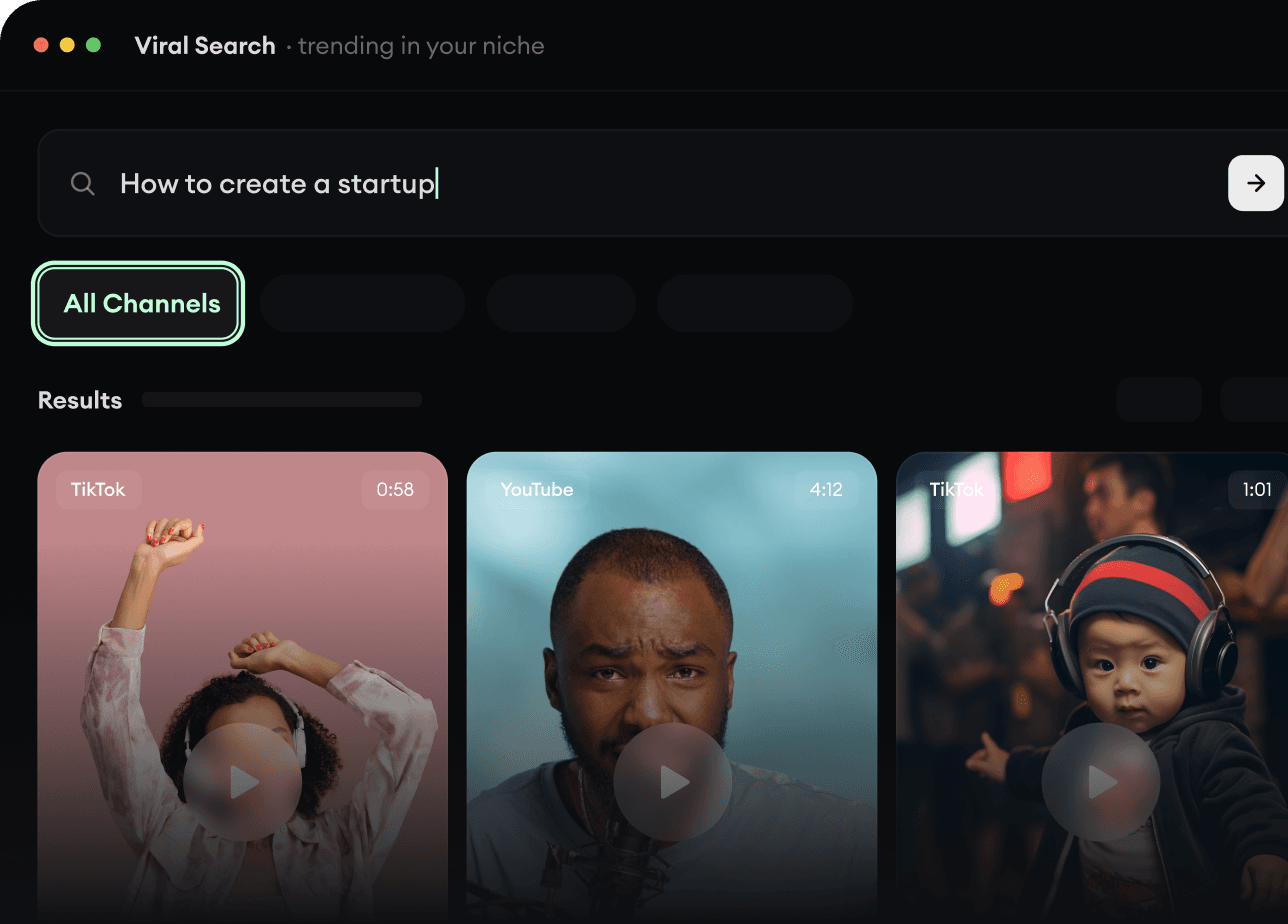
RevidAI's Viral Search and Channel Watcher surface the formats, creators, and trends getting attention right now, then help you turn them into ideas of your own.
Discover winning video formats in your niche
Follow creators and channels that matter
Start with proven ideas instead of guessing
2
Turn An Idea Into A Story.
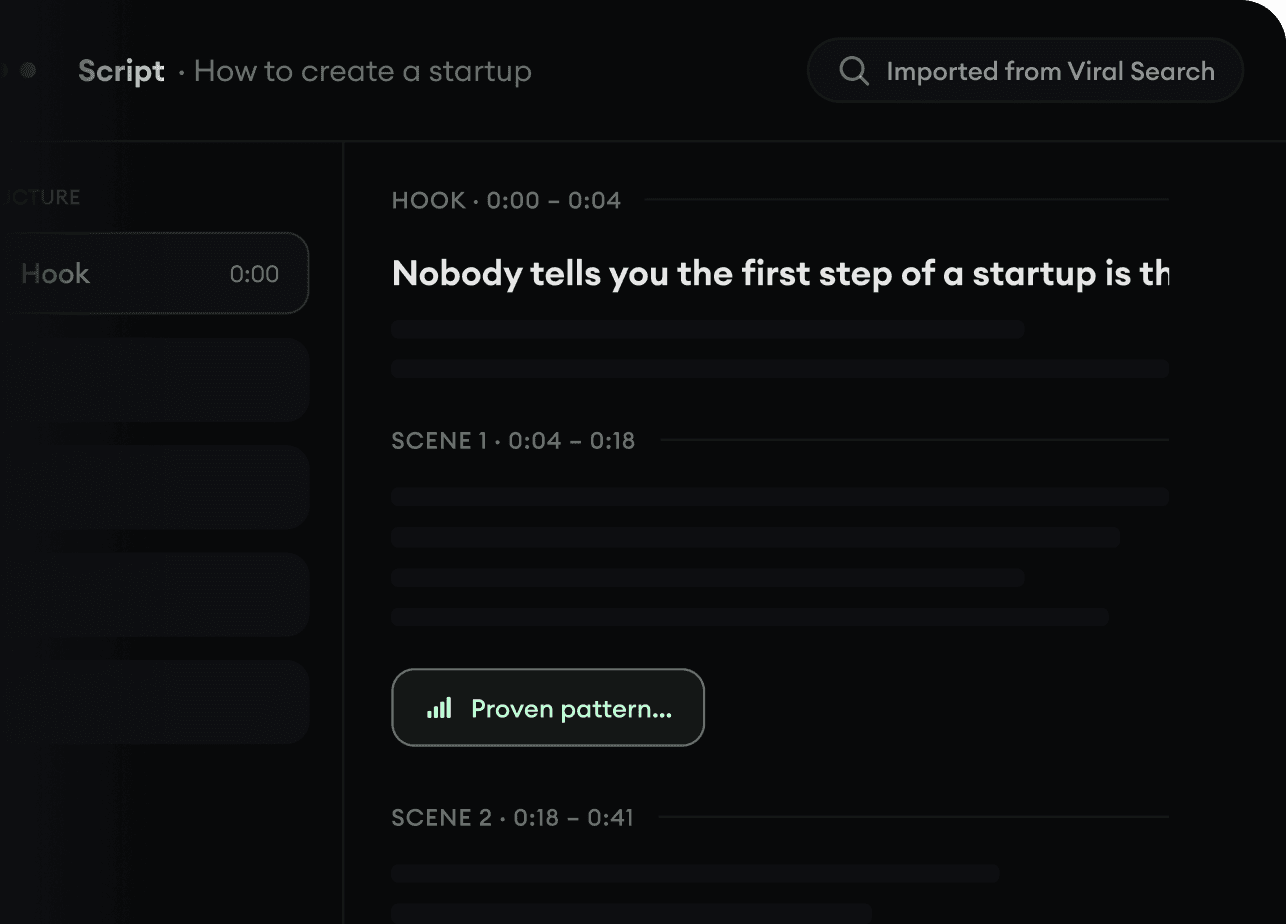
Found something worth making? Revid AI writes the script, suggests the structure, and turns links, prompts, or topics into complete video concepts.
Start with a prompt, topic, or URL
Generate scripts inspired by proven patterns
Build stories designed to keep people watching
3
Generate The Finished Video.
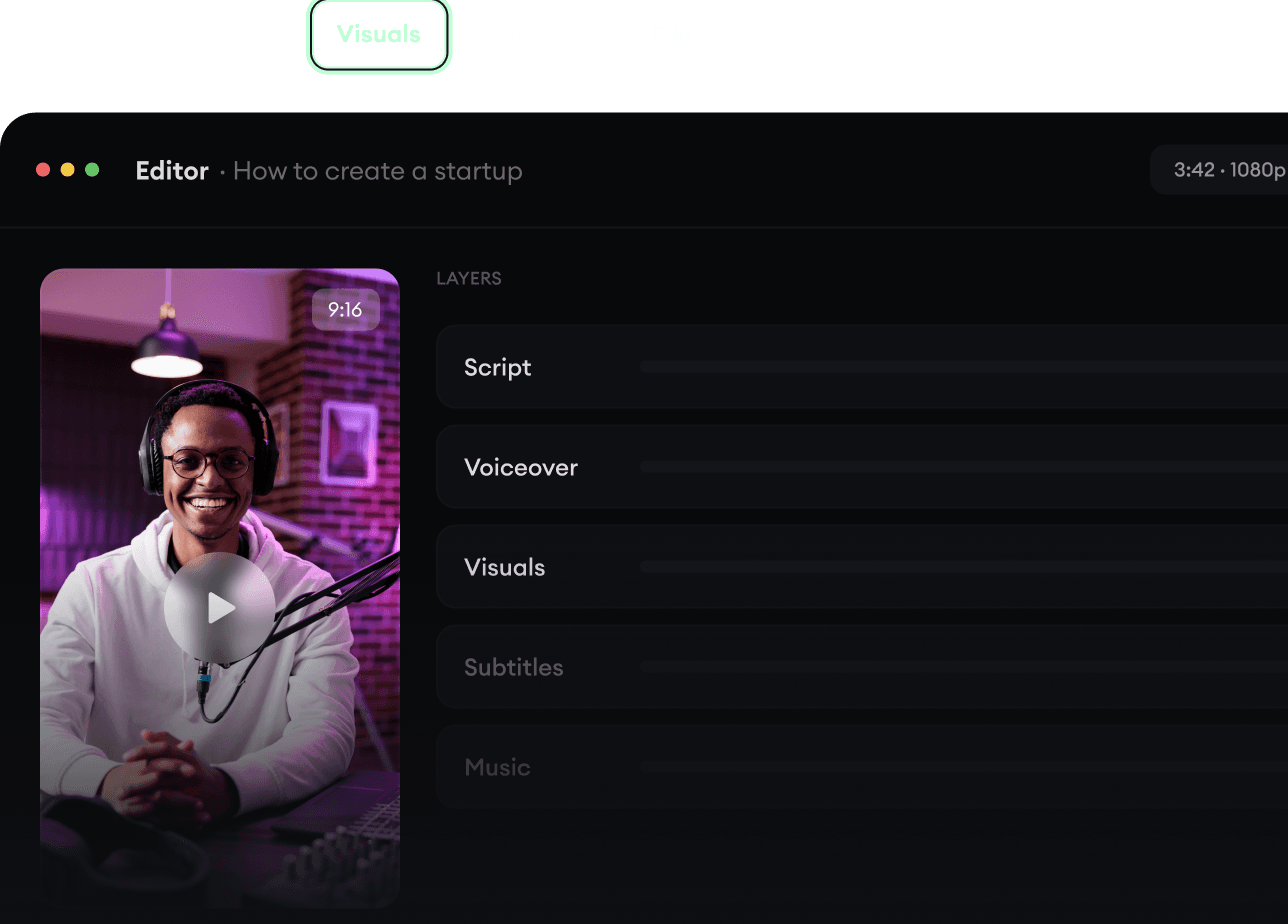
Script, voiceover, visuals, subtitles, and editing all come together in one workflow. No stitching together five different tools.
Turn text into complete, multi-minute videos
Generate everything in one place
Refine the result in the editor
4
Publish Everywhere.
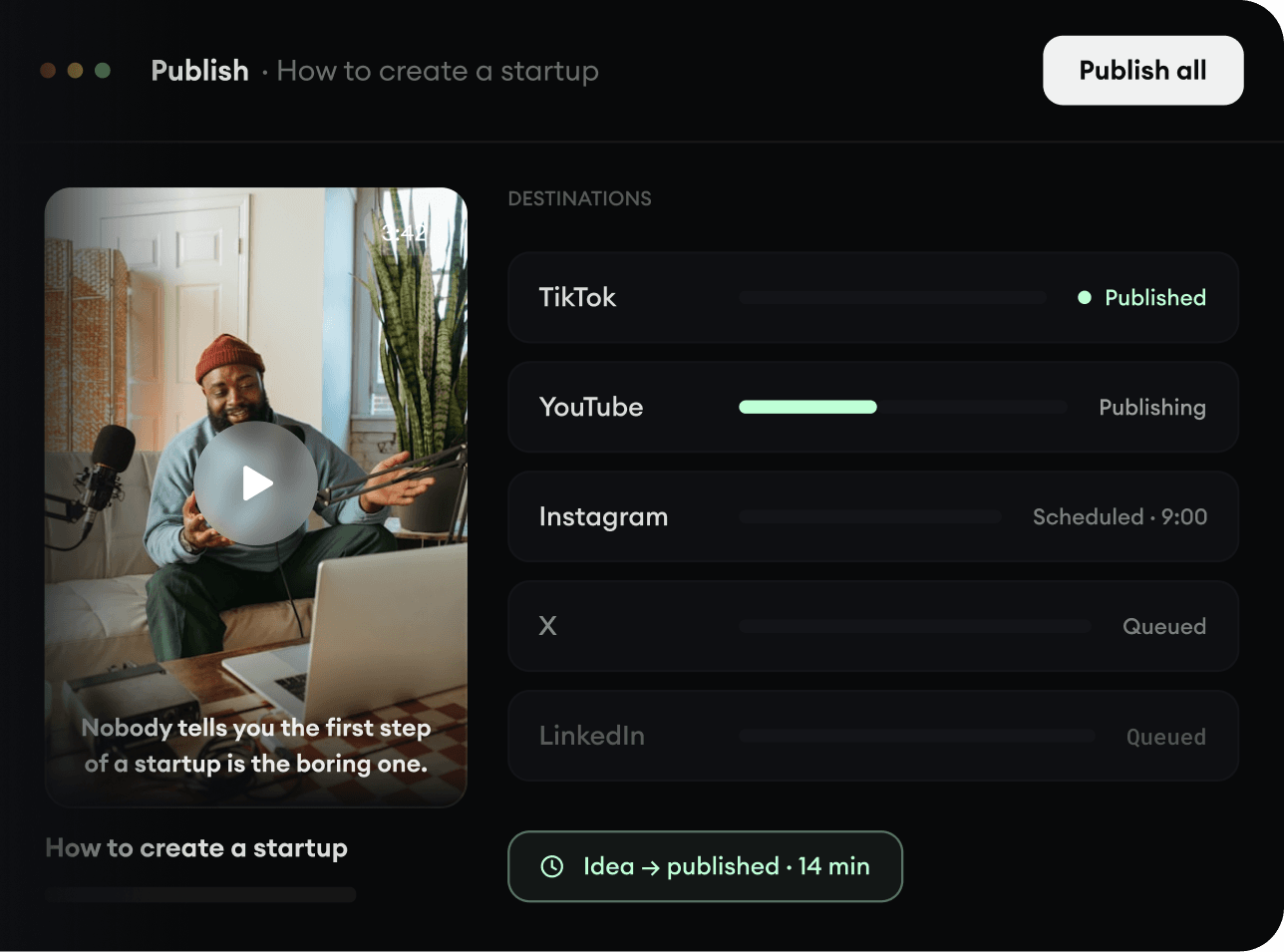
Share your videos to TikTok, YouTube, Instagram, and wherever your audience is.