
How do I turn a photo into a short video with AI?
Turn a photo into a short video with AI: pick the right photo, describe the motion, choose a model and length, and fix faces and warping. Prompts for 9 kinds of photo.
By the Revid teamUpdated 14 min readBeginner
Quick answer
Upload the photo to an image-to-video AI tool, which uses it as the first frame of the clip. Then describe only the motion: what moves, how the camera moves and how fast. Keep the photo's aspect ratio, choose 5 to 10 seconds, and generate. On Revid, a clip made from a photo takes about 18 seconds on the fast tier (median), more than twice as fast as a clip made from text alone. To make a full short, animate several photos and add music, a voice or captions.
- 1Pick a sharp photo with one clear subject and some space around it.
- 2Keep the photo's shape: a portrait photo makes a vertical video.
- 3Describe the motion, not the photo: subject, camera, environment, pace.
- 4Choose a model and 5 to 10 seconds.
- 5Generate, then check the face, hands, edges and any text.
- 6Animate more photos and add music or a voice to make a short.
Watch the guide in 29 seconds
Turn a photo into a video with AI
The five photos from this guide, animated, with the steps narrated over them. Revid assembled it from those clips with an AI voice, captions and music, for 10 credits.
- Median time to animate a photo on Revid's fast tier
- 18 s
- Median time to animate a photo on Revid's fast tier
- Sep 2026, 12,736 clips
- Faster than generating the same clip from text
- 2.2×
- Faster than generating the same clip from text
- 18 s vs 39 s median
- The clip length that keeps your photo recognizable
- 5 to 10 s
- The clip length that keeps your photo recognizable
- Longer clips drift further
- of failed Seedance calls were the real-person privacy filter
- 55%
- of failed Seedance calls were the real-person privacy filter
- Jun 29 to Sep 26, 2026
How photo-to-video AI works
An image-to-video model takes your photo as frame one, then predicts every frame that follows from your prompt. It never sees anything outside the photo, so whatever appears later is invented: the back of a head that turns, the room behind a door that opens, the side of a product that rotates. Knowing this explains almost every good and bad result.
Three ways to turn photos into video
Five photos, animated with the prompts from this guide
We ran five kinds of photo through Revid with the motion prompts below, on the Pro tier, at 5 seconds each. Every clip is the first and only take: no retries and no picking the best of several. The notes say what worked and what did not, because the misses teach as much as the hits.
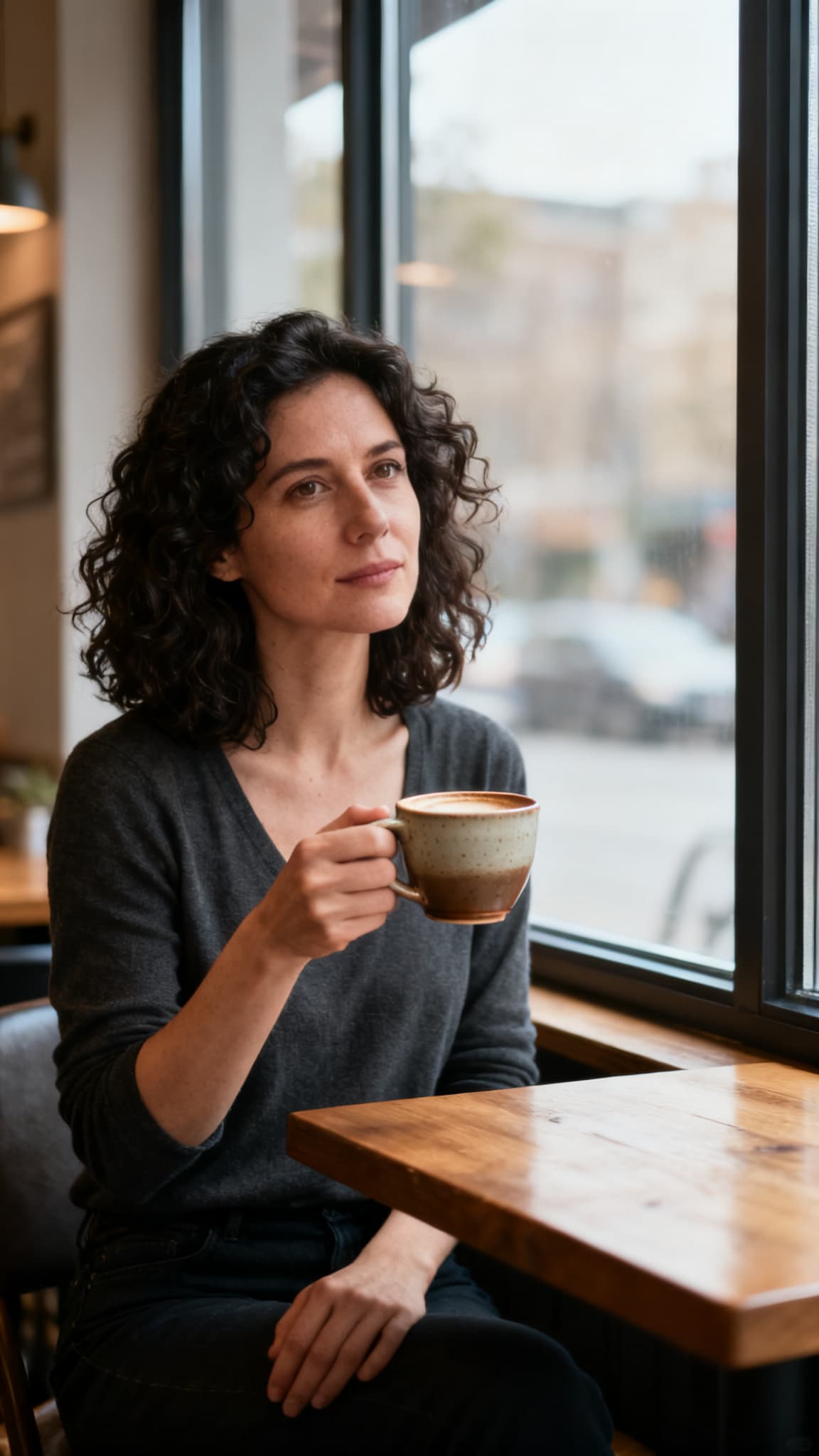
The photo
The video
Portrait of one person
The promptShe turns her head slightly toward the camera and gives a soft closed-mouth smile, while steam rises gently from her coffee cup. Slow push-in. Subtle, natural motion. Keep her face unchanged.
The head turn and the push-in came out as asked, and she stays the same person from the first frame to the last. The model still opened her smile despite "closed-mouth": smiles are where faces change the most, which is why step 5 suggests a blink instead when a face must not move.
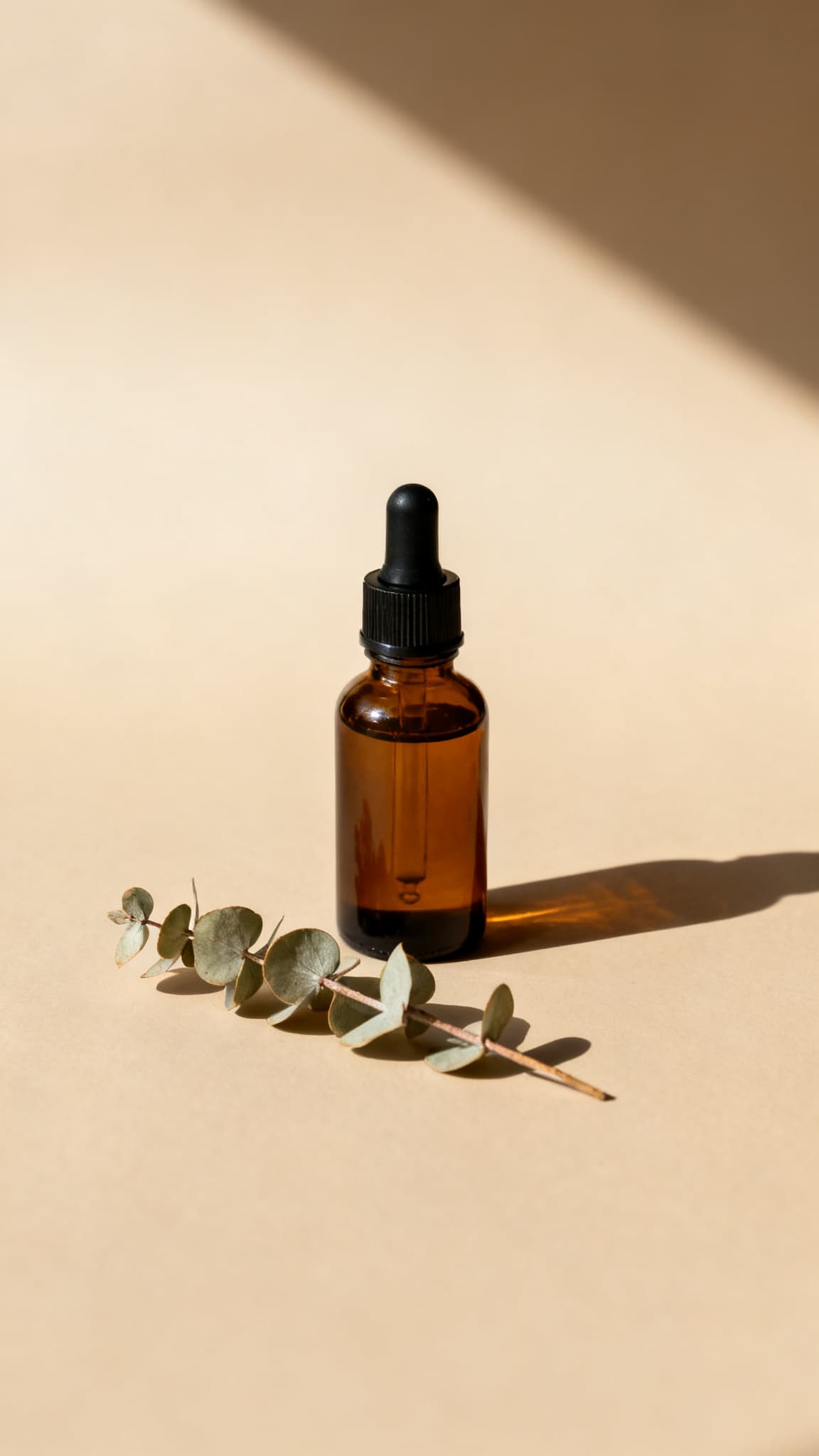
The photo
The video
Product on a plain background
The promptThe camera slowly orbits the bottle from left to right while a soft highlight sweeps across the glass. The bottle stays still and keeps its exact shape and colors. The shadow shifts slightly. Clean studio lighting.
We asked for an orbit and got mostly a slow push-in with a slight turn: check the camera move in every result. What matters most for a product held: the bottle keeps its exact shape and color while the light moves across the glass.
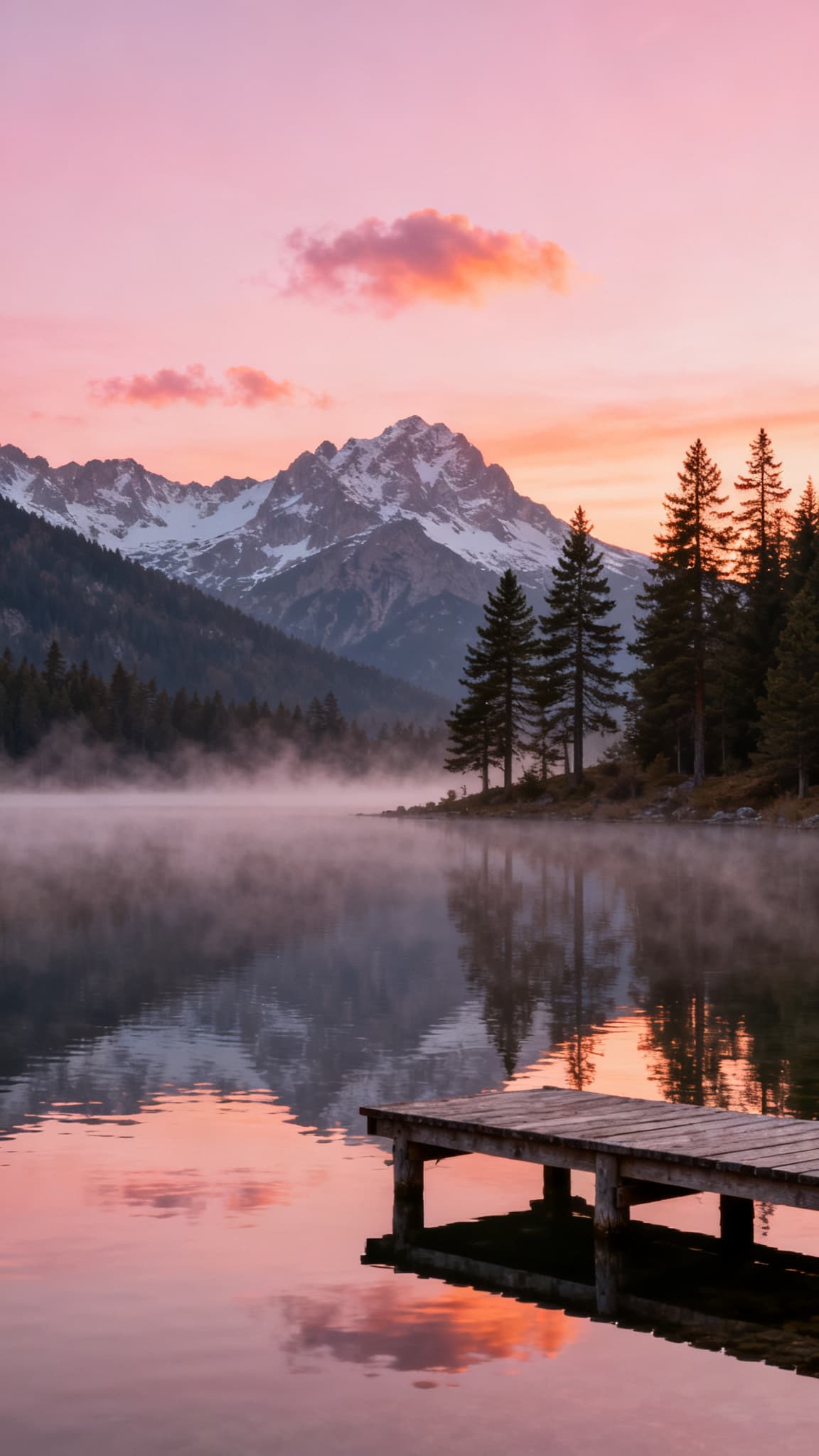
The photo
The video
Landscape
The promptMist drifts slowly across the lake and the water ripples gently around the dock. The camera glides slowly forward over the water, like a gentle drone shot. The sunrise light warms slightly.
Everything asked for is there: the mist drifts, the water moves and the camera glides toward the dock. Landscapes are the easiest photos to animate because nothing in them has a face or hands to get wrong.
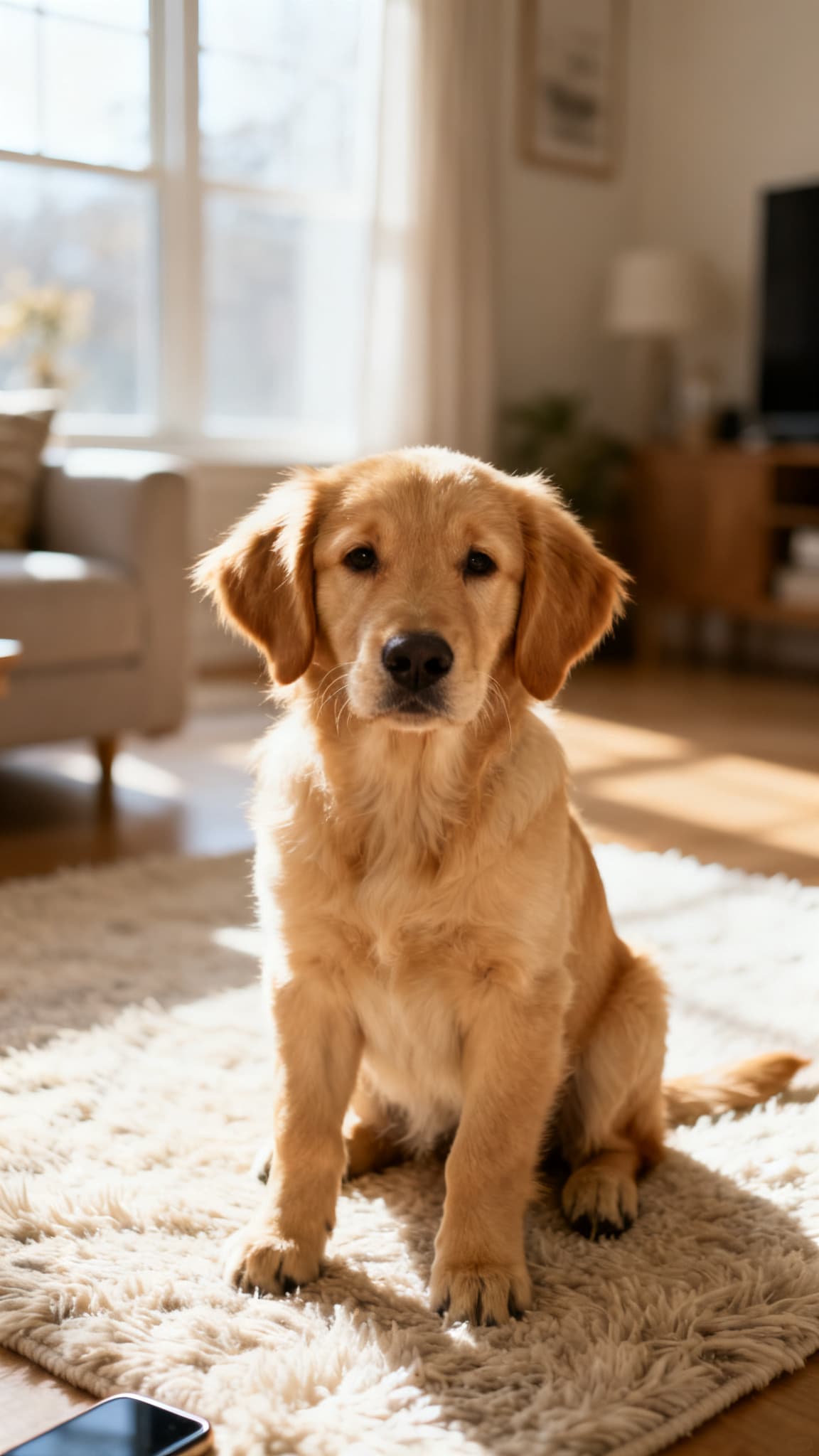
The photo
The video
Pet
The promptThe dog tilts its head, its ears perk up and its tail wags as if someone just said its name. The camera stays still at its eye level. Playful, natural motion.
One small action and a still camera, as the guide recommends: the head tilt reads clearly, and the paws and fur stay intact because nothing else competes for motion.
The photo
The video
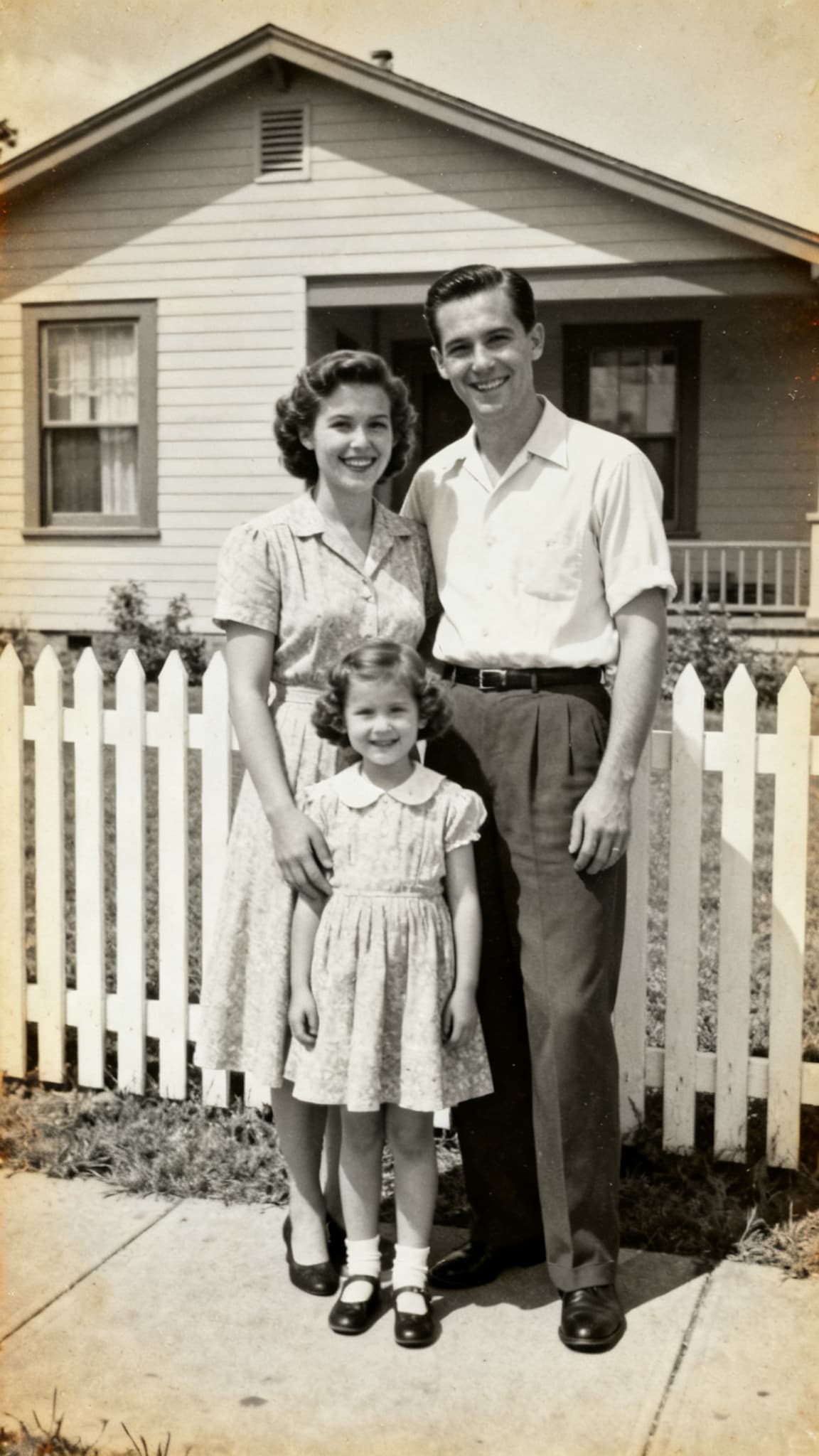
Old family photo
The promptThe family blinks and smiles softly, the little girl sways slightly, and their clothes move gently in a breeze. The camera stays still. Keep the original faded black and white look and the film grain.
Three people is harder than one, yet the three faces stay consistent while the girl sways and the dress moves. The faded tone and the grain were kept because the prompt asked for them.
The five photos are AI-generated stand-ins, made for this guide so that no real person is animated. The motion works the same way on your own photos.
Step 1: Choose and prepare the right photo
Use a sharp, well-lit photo with one clear subject that is not cut off at the edges.
The photo is most of the prompt. A model cannot add detail that is not there, and every flaw in frame one gets animated too. Check these before you upload:
- Sharp and large enough: at least 1080 pixels on the short side. Blurry photos turn into smeared motion.
- One clear subject: the more people or objects compete, the more the model has to guess.
- Room to move: the subject should not touch the edges. A face cropped at the chin cannot turn its head.
- Even light on the subject: faces in deep shadow are where identity drift starts.
- No text you need to keep: signs, screenshots and labels warp as soon as anything moves.
- No heavy filters or borders: the model animates them as if they were part of the scene.
Step 2: Keep the photo's shape (or crop it first)
Generate in the photo's own aspect ratio, or crop the photo to the ratio you need before you upload it.
Image-to-video keeps the framing of the photo. If you ask for a vertical 9:16 video from a landscape photo, the tool has to crop it (you lose the sides) or invent the missing top and bottom (which looks fake). On Revid's Pro tier, image-to-video simply follows the photo's frame.
Crop around the subject with some space above the head and in the direction they look or move. The model needs that space to animate into.
Step 3: Describe the motion, not the photo
Write what changes: the subject's motion, one camera move, the environment and the pace.
The model already sees the photo. Describing it again ("a woman in a red dress on a beach") wastes the prompt, and can push the model to redraw her. Write only what should change between the first frame and the last one.
Describes the photo
A beautiful woman in a red dress on a beach at sunset
Describes the motion
She turns her head toward the camera and smiles. The wind lifts her hair and the hem of her dress, and waves roll in behind her. Slow push-in. Gentle, natural motion, golden hour light.
The first prompt tells the model nothing it does not already know, so it picks a random motion, often too much of it. The second fixes the action, the camera and the pace.
Motion prompts for 9 kinds of photo
Copy the one that matches your photo and adjust the details. Each link opens Revid's generator with the prompt filled in on the cheapest tier; upload your photo as the start frame, then generate.
Portrait of one person
The person blinks, takes a slow breath and turns their head slightly toward the camera with a soft smile. A light breeze moves their hair. Slow push-in. Subtle, natural motion.
Couple or wedding photo
The couple turns to face each other and laughs. Her veil lifts gently in the wind and a few petals drift through the air. Slow orbit around them. Warm, romantic light.
Product on a plain background
The camera slowly orbits the product from left to right while a soft highlight sweeps across its surface. The product stays still and keeps its exact shape, colors and label. Clean studio lighting.
Food
Steam rises from the dish and a drop of sauce runs slowly down the side. The camera pushes in toward the center of the plate. Warm restaurant light.
Landscape or travel photo
Clouds drift across the sky and the water ripples in the light wind. The camera glides slowly forward over the scene, like a gentle drone shot. The light warms slightly.
Pet
The dog tilts its head, its ears perk up and its tail wags as if someone just said its name. The camera stays still at its eye level. Playful, natural motion.
Old family photo
The people in the photo blink and smile softly, and their clothes move slightly in a breeze. The camera stays still. Keep the original black and white look and the film grain.
Drawing or illustration
The character waves and bounces gently while the stars in the background twinkle. Keep the hand-drawn lines, paper texture and colors of the original drawing. Slow, playful motion.
Room or property
The camera glides slowly forward through the room toward the window, with gentle parallax between the furniture and the walls. The curtains move slightly. Bright natural daylight.
Build a motion prompt for your photo
Your prompt
The person blinks and turns their head slightly toward the camera with a soft smile. A light breeze moves hair and clothes. Slow push-in. Subtle, natural motion. Keep the face unchanged.
Upload your photo as the start frame in the generator, then paste this prompt.
Three rules for natural motion
- One movement per 5 seconds. A smile and a head turn is enough for a portrait. Asking for more makes faces change.
- Move the camera or the subject, rarely both. When a subject moves a lot, say "the camera stays still". When the camera orbits, keep the subject still.
- Say what must stay the same. "Keep the face unchanged", "keep the label sharp", "keep the watercolor style". Models follow explicit constraints better than implied ones.
Step 4: Pick a model and a length
Start on the fast tier at 5 seconds, then move to a premium model for the clips you keep.
Five seconds is the default that works. It is long enough for one natural movement and short enough that the subject still looks like your photo at the end. Go to 8 or 10 seconds for slow, ambient shots like a landscape or a room, and keep people's clips short: every extra second is more invented frames and more drift.
Use an end frame to go from one photo to another
Add a second photo as the end frame and the model animates the transition between the two: a "then and now" of the same person, a before-and-after renovation, a product changing color, a sketch becoming a finished painting. Both photos should have the same framing and aspect ratio, or the transition will warp. On Revid, end frames work on every tier above and on Veo 3.1, but not on Sora 2.
Step 5: Check the result and fix what breaks
Check the face, hands, edges and any text, then adjust one part of the motion prompt at a time.
Change one thing per retry. If the face drifts and the background melts, fix the length first: shorter clips solve both more often than not.
Step 6: Turn one photo (or a few) into a short people watch
Order several animated photos into a story, then add music, captions or a voice-over.
A single animated photo is a moment, not a post. On TikTok, Reels and Shorts, what holds attention is a sequence: something to look at, then something new every few seconds, with music or a voice carrying it. A structure that works for photo shorts:
- 1Open on the most striking photo, animated, with a one-line caption that asks a question or sets up a story.
- 2Add 3 to 6 more photos, 3 to 5 seconds each, in story order: before, during, after, or then and now.
- 3Vary the camera moves from photo to photo (push-in, then orbit, then a still shot) so it does not feel repetitive.
- 4End on the emotional photo, held a little longer.
- 5Add music that matches the mood, and a voice-over or captions if the photos tell a story.
You can animate each photo in Single media and assemble them in the editor. Or let Revid do the whole thing: the photo to video converter arranges your photos, adds motion, transitions and music, and the memories video maker builds a narrated story around them.
The video at the top of this guide was made exactly this way: the five animated photos from the examples, a seven-line script, an AI voice, captions and music. Revid put it together from those clips for 10 credits, because nothing new had to be generated.
Bring your photo to life
Open the generator, upload your photo as the start frame, paste a motion prompt and get your clip in seconds on the fast tier.
Can I turn a photo into a video with AI for free?
You can try it for free, but every clip costs the provider GPU time, so no tool offers unlimited free photo animation. Free allowances usually come as a few credits, a watermark or a lower resolution.
On Revid, signing up is free, and new accounts usually get free credits to try generation. Animating a photo on the Low tier costs 15 credits for 5 seconds, which makes it the cheapest way to test motion prompts. Regular use is on a paid plan from $39 a month ($32 billed yearly) for 2,000 credits, which is about 130 photo animations of 5 seconds on the Low tier, or 40 on Pro.
Frequently asked questions
Can AI turn a picture into a video?
Yes. An image-to-video model uses your picture as the first frame and generates the motion that follows from a text prompt: a smile, wind in the hair, a camera move. The result is a short clip, usually 5 to 10 seconds.
How long does it take to turn a photo into a video with AI?
On Revid, about 18 seconds on the fast tier and 25 seconds on Pro (medians, September 2026). Premium models take minutes: Seedance 2.5 has a median of about 7 minutes from a photo.
Why does the face change in my AI video?
Because the model invents every frame after the first, and small errors add up. Keep clips at 5 seconds, ask for small movements, and add "keep the face unchanged" to the prompt. A sharp, well-lit photo of the face also helps.
Can I animate old family photos?
Yes, and they work well. Restore and upscale the scan first, then ask for subtle motion (a blink, a soft smile) and to keep the original black and white look. Some providers refuse realistic photos of real people; if one model does, try another.
Can I turn several photos into one video?
Yes. Animate each photo and assemble them, or use Revid's photo to video converter, which arranges the photos and adds motion, transitions and music for you.
How do I make a photo talk?
Use a talking avatar tool rather than image-to-video. Revid's talking avatar turns a photo of a face into a presenter that speaks your script with lip sync, in 70+ languages.
What photo size works best for AI video?
At least 1080 pixels on the short side, sharp, with one clear subject and some space around it. Use the same aspect ratio as the video you want: a portrait photo for a vertical video.
Is it free to turn a photo into a video with AI?
You can try it for free: signing up to Revid is free and new accounts usually get free credits. A 5-second animation costs 15 credits on the fast tier. See the section on free options.
Sources and method
- Timings from a photo and refusal reasons: Revid AI video model index, successful AI video generations on Revid between June 29 and September 26, 2026 (photo timings: September 4 to 26).
- Credit prices and plans: Revid, October 2026. The live price list is on revid.ai/pricing.
- Clip lengths and start and end frame support: Revid's model settings as of October 2026.
Keep going
How to generate a video with AI
The full guide: prompts, models, costs and turning clips into a finished video.
AI image animator
Upload your photos and get an animated video with music and a voice-over.
Photo to video converter
Several photos in, one video with motion and music out.
Memories video maker
Turn a set of photos into a narrated story.
Photo effects
One-click effects that animate a photo of you.
Video prompt generator
Write detailed, model-ready prompts from a rough idea.